1
 →
→
A fast video processing library based on node.js (一个基于node.js的高速视频制作库)
tnfe/FFCreator is an open-source project on GitHub, mainly written in JavaScript. A fast video processing library based on node.js (一个基于node.js的高速视频制作库) It currently holds 3,159 stars and 0 forks with 0 open issues, and was last pushed on an unknown date (repository created unknown).
Git Homed tracks it on the Video Trending board and on the AI Video Trending list.






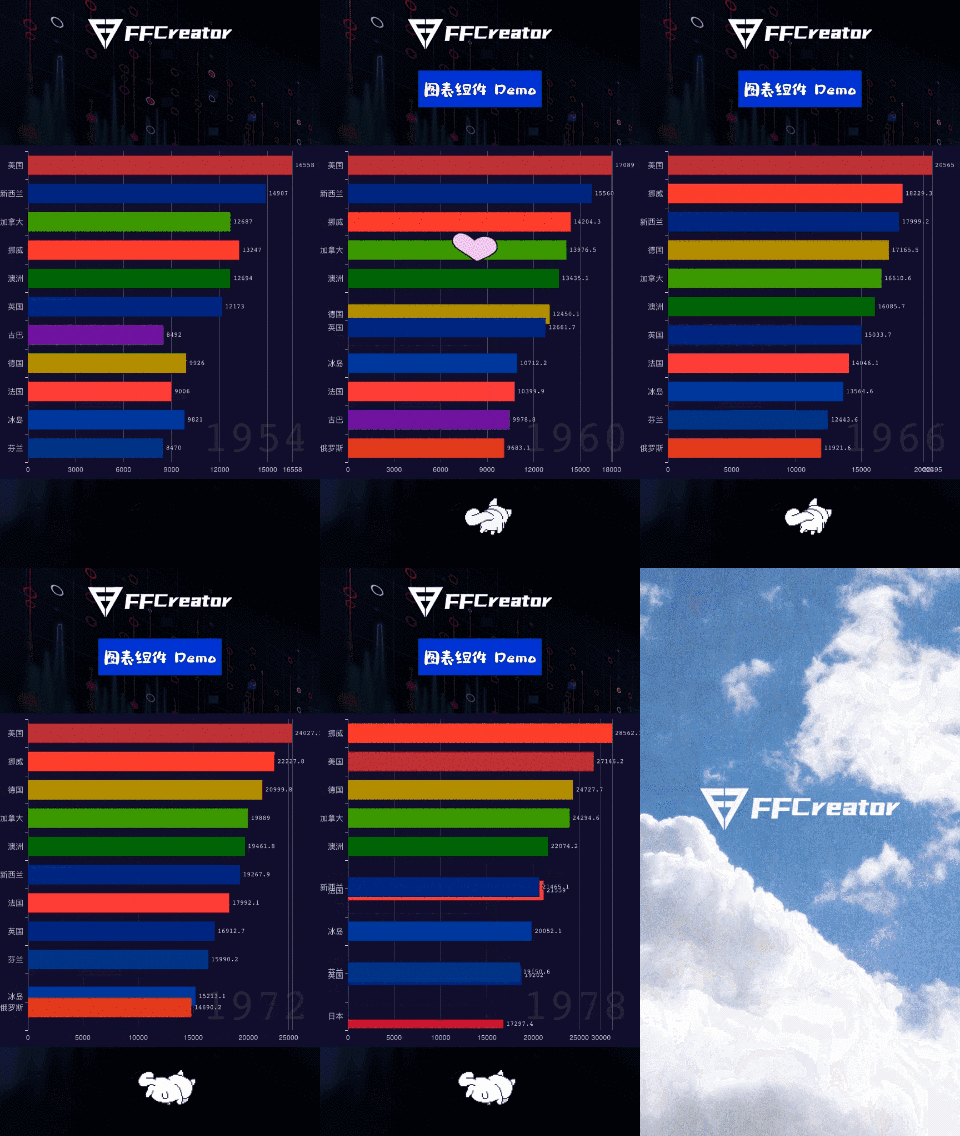
FFCreator is a lightweight and flexible short video processing library based on Node.js. You only need to add some pictures, music or video clips, you can use it to quickly create a very exciting video album.
Nowadays, short video is an increasingly popular form of media communication. Like _weishi_ and _tiktok_ is full of all kinds of wonderful short videos. So how to make users visually create video clips on the web easily and quickly. Or based on pictures Text content, dynamic batch generation of short videos is a technical problem.
FFCreator is a lightweight and flexible solution that requires few dependencies and low machine configuration to start working quickly. And it simulates 90% animation effects of animate.css. You can easily convert the animation effects on the web page side into videos.
Using FFCreator and vue.js, you can develop a web project that builds video by dragging and dropping, just as the h5 building tool. You can check it here.
If you want to generate a wonderful video more simply and intelligently, you might want to try this node.js framework FFAIVideo that generates short videos using popular AI LLM.
node.js development, it is very simple to use and easy to expand and develop.animate.css, css animation is converted to video.VTuber, you can add YouTuber based on sequence frames.



npm install ffcreator --save
Note: To run the preceding commands, Node.js and npm must be installed.
const { FFScene, FFText, FFVideo, FFAlbum, FFImage, FFCreator } = require("ffcreator");
// Create FFCreator instance
const creator = new FFCreator({
    cacheDir,
    outputDir,
    width: 800,
    height: 450
});
// Create scene
const scene = new FFScene();
scene.setBgColor("#ffcc22");
scene.setDuration(6);
scene.setTransition("GridFlip", 2);
creator.addChild(scene);
// Create Image and add animation effect
const image = new FFImage({ path: path.join(__dirname, "../assets/01.jpg") });
image.addEffect("moveInUp", 1, 1);
image.addEffect("fadeOutDown", 1, 4);
scene.addChild(image);
// Create Text
const text = new FFText({ text: "hello 你好", x: 400, y: 300 });
text.setColor("#ffffff");
text.setBackgroundColor("#000000");
text.addEffect("fadeIn", 1, 1);
scene.addChild(text);
// Create a multi-photo Album
const album = new FFAlbum({
    list: [img1, img2, img3, img4],   // Picture collection for album
    x: 250,
    y: 300,
    width: 500,
    height: 300,
});
album.setTransition('zoomIn');      // Set album switching animation
album.setDuration(2.5);             // Set the stay time of a single sheet
album.setTransTime(1.5);            // Set the duration of a single animation
scene.addChild(album);
// Create Video
const video = new FFVideo({ path, x: 300, y: 50, width: 300, height: 200 });
video.addEffect("zoomIn", 1, 0);
scene.addChild(video);
creator.output(path.join(__dirname, "../output/example.mp4"));
creator.start();        // Start processing
creator.closeLog();     // Close log (including perf)
creator.on('start', () => {
    console.log(FFCreator start);
});
creator.on('error', e => {
    console.log(FFCreator error: ${JSON.stringify(e)});
});
creator.on('progress', e => {
    console.log(colors.yellow(FFCreator progress: ${e.state} ${(e.percent * 100) >> 0}%));
});
creator.on('complete', e => {
    console.log(colors.magenta(FFCreator completed: \n USEAGE: ${e.useage} \n PATH: ${e.output} ));
});
Sound is the soul of a video. FFCreator supports multiple ways to add audio. You can not only add global background music, but also set your own voice or soundtrack for each individual scene.
const video = new FFVideo({ path, x: 100, y: 150, width: 500, height: 350 });
video.setTimes('00:00:18', '00:00:33');
video.setAudio(true); // Turn on
const creator = new FFCreator({
  cacheDir,
  outputDir,
  audio: path, // background audio
});
// or
creator.addAudio({ path, loop, start });
scene.addAudio(path);
// or
scene.addAudio({ path, loop, start });
FFCreator3.0+ uses node Stream for data caching. The original version frees up disk space and further improves the speed.
parallel (or frames) to modify the number of video frames for a single parallel rendering.parallel: 10,
highWaterMark, you can learn about the highWaterMark water mark from here.highWaterMark: '6mb',
pool to turn on or off the object pool mode.pool: true,
FFCreator.setFFPath(), setFFmpegPath(path: string), or setFFprobePath(path: string). This ensures that the project can access the necessary ffmpeg utilities for its execution. For more comprehensive ffmpeg configuration options, please refer to the configuration page.
node-canvas and headless-gl dependencies##### If it is a computer with a display device, such as a personalpccomputer withwindows,Mac OSXsystem, or aserverserver with a graphics card or display device, you can skip this step without installing this dependency.
If you are using Centos, Redhat, Fedora system, you can use yum to install.
sudo yum install gcc-c++ cairo-devel pango-devel libjpeg-turbo-devel giflib-devel
sudo yum install mesa-dri-drivers Xvfb libXi-devel libXinerama-devel libX11-devel
If you are using Debian, ubuntu system, you can use apt to install.
sudo apt-get install libcairo2-dev libjpeg-dev libpango1.0-dev libgif-dev build-essential g++
sudo apt-get install libgl1-mesa-dev xvfb libxi-dev libx11-dev
FFmpeg, you need to install a regular version of FFmpegIf it is a computer with a display device, such as a personal pc computer or a server server with a graphics card or display device, start normally npm start
xvfb-run script command to start the program to use webgl under the Linux serverxvfb-run more detailed command parameters http://manpages.ubuntu.com/manpages/xenial/man1/xvfb-run.1.html
xvfb-run -s "-ac -screen 0 1280x1024x24" npm start
1. During installation warning missing package'xi'
No package 'xi'
foundgyp: Call to 'pkg-config --libs-only-l x11 xi xext' returned exit status 1 while in angle/src/angle.gyp. while loading dependencies of binding.gyp while trying to load binding.gyp
yum install libXi-devel libXinerama-devel libX11-devel
2. Start node app and prompt error message doesn't support WebGL....
The node app should be started as follows.
xvfb-run -s "-ac -screen 0 1280x1024x24" npm start
3. Npm install error ERR! command sh -c node-pre-gyp install --fallback-to-build
It may be caused by your node version. If it is nodev15, there will be this problem. https://github.com/Automattic/node-canvas/issues/1645 . Please use the stable version of node.js. For example, nodev14 (even version).
You are very welcome to join us in developing FFCreator, if you want to contribute code, please read here.
→ →
→ →
→ →
→ →
→ →
→ →
→ →
→