1
 →
→
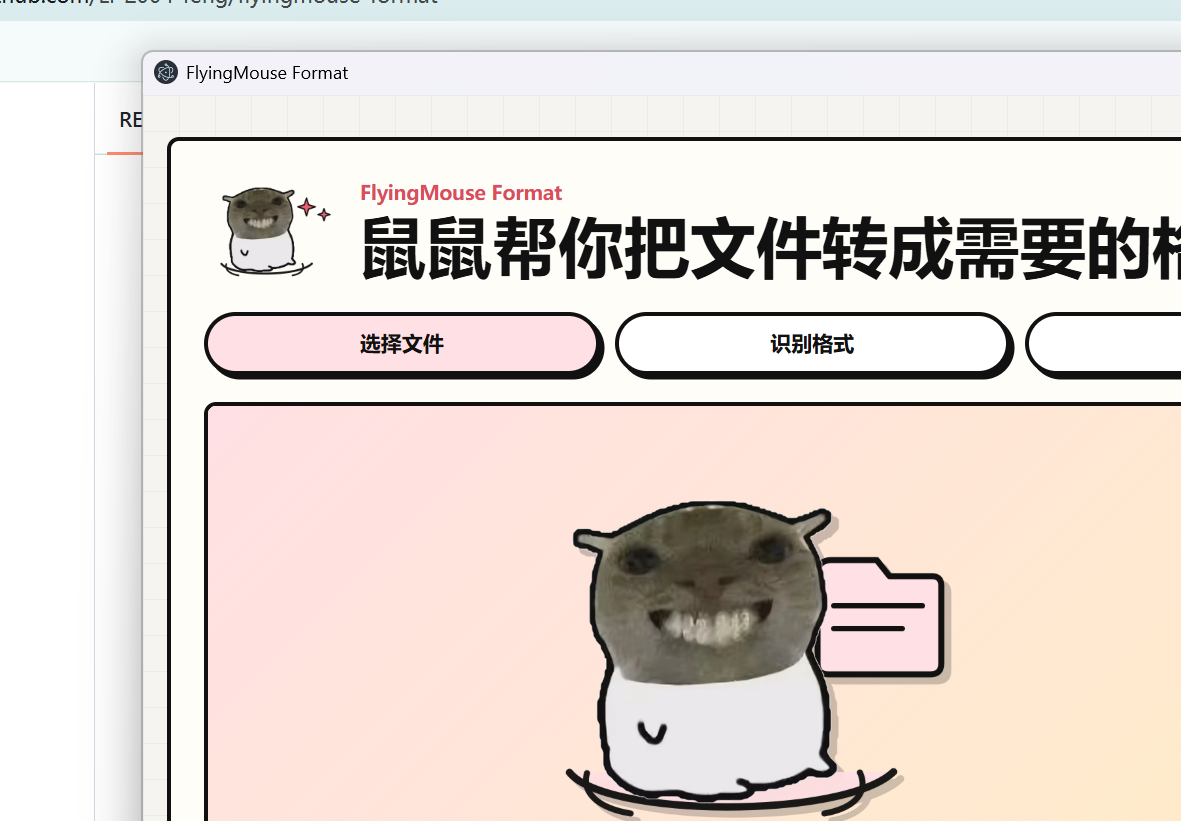
飞鼠格式 FlyingMouse Format - Windows 免费文件格式转换工具(离线可用,内置 FFmpeg/LibreOffice/Poppler/Tesseract)。图片/文档/表格/PPT/PDF/音视频/WPS 格式互转 + OCR + 批量转换;音频仅支持普通格式。作者:牢蜂(LaoFeng)|仅供个人免费使用,禁止商业售卖/转卖/套壳
0.7.3 本地修复候选 / local repair candidate:修复白屏恢复、Office 配置初始化、设置与保存完整性、队列竞争及文档/PDF/ZIP 转换故障。验证和渠道状态详见 修复说明。 / Startup recovery, Office initialization and conversion integrity fixes; release status is recorded separately.
A mouse-themed, offline Windows file converter. / 一款鼠鼠主题、可离线使用的 Windows 文件格式转换工具。
作者 Author:牢蜂(LaoFeng)
> ⚠️ 非商用声明 Non-Commercial Notice:本软件仅供个人免费使用,禁止任何形式的商业售卖、转卖、套壳换皮重新发布(详见 LICENSE)。发现闲鱼/淘宝等渠道倒卖请告知作者,感谢!




下载最新版 / Download · 问题反馈 / Issues
合规声明 Compliance Notice:本软件仅支持普通音频格式转换(MP3 / WAV / FLAC / AAC / OGG 等),不支持任何音乐平台的加密特殊格式。请支持正版音乐,尊重创作者。音频文件版权归原作者/唱片公司所有,本工具与各音乐平台无任何关联。本软件仅供个人免费使用,禁止商业售卖/转卖/套壳换皮重新发布。
0.7.3 是本地 Windows x64 修复候选,当前验收证据以修复记录为准。公开安装包是否可用以 Release 资产为准;APPX 本地构建不代表已经安装或通过商店认证。修复内容及验证边界见修复与验收记录。
1. 全平台安装包发布后,在 Releases 下载 v0.7.3 对应系统的安装包;当前可从该页面选择已经发布的版本。 2. 安装并启动 FlyingMouse Format。 3. 拖入文件,选择目标格式并开始转换。 4. 选择保存位置;软件会记住目标格式与保存目录。
从源码运行:
源码仓库不包含体积较大的 FFmpeg、LibreOffice、Poppler 和 Tesseract 资源;普通用户请直接下载 Release 安装包。开发者从源码运行完整转换功能前,需要自行准备 bin/ 下的引擎资源。
npm install
npm run desktop
命令行示例:
node cli.js capabilities --json
node cli.js targets example.pdf --json
node cli.js convert input.docx --to pdf --output output.pdf --json
node cli.js convert a.png b.png --to webp --output-dir converted --json
node cli.js images-to-pdf 1.jpg 2.jpg --output album.pdf --json
node cli.js merge-pdfs a.pdf b.pdf --output merged.pdf --json
安装版也可直接调用应用入口:macOS 使用 FlyingMouse Format.app/Contents/MacOS/FlyingMouse Format --cli ...,Windows 使用 FlyingMouse Format.exe --cli ...。在软件顶部点击“接入 Agent”,会检索已存在的 ~/.codex/skills、~/.claude/skills、~/.agents/skills(Windows 对应用户目录)并在确认后安装或更新 skill;不会自动创建未安装产品的目录。
运行测试与打包:
npm test
npm run dist
FlyingMouse Format-Setup-0.7.3-x64.exe,使用 Electron 43、Sharp 0.35 和 PDF.js 6,包含高级扫描表格引擎。FlyingMouse Format-Lite-Setup-0.7.3-x64.exe,保留常用转换与 OCR;高级扫描表格需要完整版。两者是否可公开下载以 Release 资产为准。FlyingMouse Format-Setup-0.7.3-win7-x64.exe。它使用同一源码和鼠鼠 UI,但在独立环境固定 Electron 22.3.27、Sharp 0.32.6 与 PDF.js 2.16.105;本轮尚未构建。isEvalSupported: false 缓解,但仍只建议离线处理可信文件。v0.7.3 的验收进度以修复记录为准;Win7 构建及真实 Windows 7 SP1 x64 设备仍待验收。Windows 安装包均未签名,SmartScreen 可能提示。
FlyingMouse Format-Setup-0.7.3-mac-arm64.dmg。FlyingMouse Format-Setup-0.7.3-mac-x64.dmg。完整构建只需:
npm run dist:win7
Win7 staging 使用专用 win7-package-lock.json 和 npm ci 重建;推荐使用 Node.js 22 LTS(构建脚本接受 18–22,其他主版本会在改动 staging 前拒绝)。构建脚本会绑定子进程到当前 Node、以 Unicode 安全方式复制源码、锁定 staging manifest/lockfile,并校验本地 builder 与打包资源没有越过各自允许的根目录或经过 junction/符号链接。
仅需检查 staging 时可运行 node scripts/build-win7.js --prepare-only;它不会打包。完整构建会重新准备 staging。
Compliance Notice: this software supports only ordinary audio format conversion (MP3 / WAV / FLAC / AAC / OGG etc.) and does NOT support encrypted special formats from any music platform. Please support the artists and respect copyright. Audio file copyrights belong to the respective artists/labels; this tool is not affiliated with any music platform. The software is free for personal use only; commercial resale or repackaging is prohibited.
Version 0.7.3 is a local Windows x64 repair candidate; consult its acceptance record for verified results. Public installers are available only when listed in Release assets; a locally built APPX does not establish installation or Store certification. See the repair and acceptance record.
1. Once published, download the v0.7.3 build for your system from Releases. Until then, choose an already published version listed there. 2. Install and launch FlyingMouse Format. 3. Drop in files, choose a target, and convert. 4. Choose a save location. The app remembers both the target preference and save folder.
The source repository excludes the large FFmpeg, LibreOffice, Poppler, and Tesseract bundles. Regular users should install the Release build. Developers need to provide the corresponding resources under bin/ for the complete conversion feature set.
CLI examples:
node cli.js capabilities --json
node cli.js targets example.pdf --json
node cli.js convert input.docx --to pdf --output output.pdf --json
node cli.js convert a.png b.png --to webp --output-dir converted --json
node cli.js images-to-pdf 1.jpg 2.jpg --output album.pdf --json
node cli.js merge-pdfs a.pdf b.pdf --output merged.pdf --json
Packaged builds accept the same commands after --cli: use FlyingMouse Format.app/Contents/MacOS/FlyingMouse Format --cli ... on macOS or FlyingMouse Format.exe --cli ... on Windows. “Connect to Agent” discovers existing Codex, Claude, and generic Agent skill directories and installs the bundled lightweight wrapper after confirmation.
FlyingMouse Format-Setup-0.7.3-x64.exe, with Electron 43, Sharp 0.35, PDF.js 6, and the advanced scanned-table engine.FlyingMouse Format-Lite-Setup-0.7.3-x64.exe, retaining common conversions and OCR; advanced scanned tables require the full build. Public availability depends on the actual Release assets.FlyingMouse Format-Setup-0.7.3-win7-x64.exe, derived from the same source and mouse UI with Electron 22.3.27, Sharp 0.32.6, and PDF.js 2.16.105 pinned in isolation. This candidate has not been built for Win7.FlyingMouse Format-Setup-0.7.3-mac-arm64.dmg.FlyingMouse Format-Setup-0.7.3-mac-x64.dmg.The complete build requires only:
npm run dist:win7
The Win7 staging tree is rebuilt with its dedicated win7-package-lock.json via npm ci. Node.js 22 LTS is recommended (host majors 18–22 are accepted; other majors fail before staging changes). The script binds child processes to the active Node, copies sources safely on Unicode paths, binds the staged manifest/lockfile, and rejects local builder or packaged resources that escape their allowed roots or traverse junctions/symlinks.
Use node scripts/build-win7.js --prepare-only only to inspect staging without packaging. A complete build prepares staging again.
| Category / 类别 | Input / 输入 | Output / 输出 | |---|---|---| | Images / 图片 | jpg, png, webp, avif, tiff, gif, bmp, heic, heif, cr2, cr3, crw, nef, arw, dng, raf, rw2, orf, pef, srw, 3fr, erf, fff, iiq, kdc, mef, mrw, x3f | png, jpg, webp, avif, tiff, gif (动图), pdf, txt (OCR), mp4, webm | | Text / 文本 | txt, md, html, json, csv, log, xml, yaml | txt, md, html, json, csv, pdf, docx, epub | | E-book / 电子书 | epub, mobi | txt, md, epub (mobi→epub 实验性) | | Word/WPS/OFD | doc, docx, odt, rtf, wps, wpt, wpd, ofd | pdf, docx, odt, rtf, txt, html, md | | Excel/WPS | xls, xlsx, xlsm, ods, csv, tsv, et, ett | pdf, xlsx, xls, ods, csv, html | | PPT/WPS | ppt, pptx, odp, dps, dpt | pdf, pptx, odp, html, png, jpg (逐页转图 zip) | | PDF | pdf | xlsx, docx, txt, html, png, jpg, split/解密 PDF | | Audio / 音频 | mp3, wav, flac, m4a, aac, ogg, opus, wma | mp3, wav, flac, m4a, ogg, aac, opus, wma | | Video / 视频 | mp4, mov, mkv, webm, avi, m4v, wmv, flv | mp4, webm, mkv, mov, gif, mp3, wav, flac, m4a, ogg, aac, opus, wma | | ZIP / 压缩包 | zip | pdf (图片合并) | | Any file / 任意文件 | any | zip |
非商用许可 Non-Commercial License — 作者:牢蜂(LaoFeng)。
发现任何渠道倒卖本软件,欢迎通过 GitHub Issues 联系作者举报。
FlyingMouse Format is free, offline, and has no ads. If it helped you, you can buy Mouse a dried fish — completely optional. / 飞鼠格式免费、离线、无广告。如果它帮到了你,欢迎请鼠鼠吃根小鱼干,纯自愿。
 →
→ →
→ →
→ →
→ →
→ →
→