1
 →
→
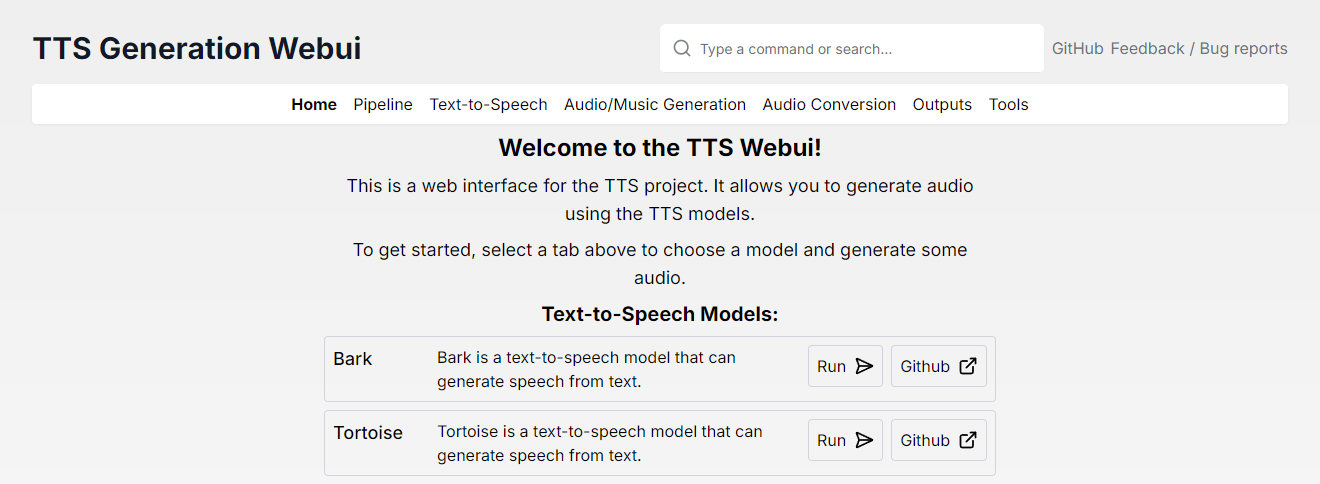
A single Gradio + React WebUI with extensions for ACE-Step, OmniVoice, Kimi Audio, Piper TTS, GPT-SoVITS, CosyVoice, XTTSv2, DIA, Kokoro, OpenVoice, ParlerTTS, Stable Audio, MMS, StyleTTS2, MAGNet, AudioGen, MusicGen, Tortoise, RVC, Vocos, Demucs, SeamlessM4T, and Bark!
Download Installer || Installation || Docker Setup || Silly Tavern || Extensions || Feedback / Bug reports


|  |
|  |
|  |
| :------------------------------------------------------------------------------------------------------: | :------------------------------------------------------------------------------------------------------: | :------------------------------------------------------------------------------------------------------: |
|
| :------------------------------------------------------------------------------------------------------: | :------------------------------------------------------------------------------------------------------: | :------------------------------------------------------------------------------------------------------: |
| | | | | :-----------------------------------------: | :-----------------------------------------: | :-------------------------------: |
| .png) |
.png) |
.png) |
| :-----------------------------------------: | :-----------------------------------------: | :-------------------------------: |
| .png) |
.png) |
.png) |
| :-----------------------------------------: | :-----------------------------------------: | :-------------------------------: |
| Text-to-speech | Audio/Music Generation | Audio Conversion/Tools | | ----------------------------------------------------------------------------------- | ------------------------------------------------------------------------------------- | ---------------------------------------------------------------------------- | | Bark | MusicGen | RVC | | Tortoise | MAGNeT | Demucs | | Maha TTS | Stable Audio | Vocos | | MMS | Riffusion\* | Whisper | | Vall-E X | AudioCraft Mac\* | AP BWE | | StyleTTS2 | AudioCraft Plus\* | Resemble Enhance | | SeamlessM4T | ACE-Step\* | Audio Separator | | XTTSv2\ | Song Bloom\ | PyRNNoise\* | | MARS5\ | | MiMo Audio\ | | F5-TTS\* | | | | Parler TTS\* | | | | OpenVoice\* | | | | OpenVoice V2\* | | | | Kokoro TTS\* | | | | DIA\* | | | | CosyVoice\* | | | | GPT-SoVITS\* | | | | Piper TTS\* | | | | Kimi Audio 7B Instruct\* | | | | Chatterbox\* | | | | VibeVoice\* | | | | Kitten TTS\* | | | | Index-TTS2\* | | | | VoxCPM\* | | | | FireRedTTS2\* | | | | MegaTTS3\* | | | | MiniMax Cloud TTS (built-in) | | |
\* These models are not installed by default, instead they are available as extensions.
On Windows:
winget install TTS-WebUI.Ignition
For other platforms, download the latest release from the releases page or build it from source using the instructions in the repository.
Current base installation size is around 10.7 GB. Each model will require 2-8 GB of space in addition.
Prerequisites:
   git clone https://github.com/rsxdalv/tts-webui.git
   cd tts-webui
pip install -r requirements.txt
3. Run the server:
python server.py --no-react
4. For React UI:
   cd react-ui
   npm install
   npm run build
   cd ..
   python server.py
For detailed manual installation instructions, please refer to the Manual Installation Guide.
tts-webui can also be ran inside of a Docker container. Using CUDA inside of docker requires NVIDIA Container Toolkit. To get started, pull the image from GitHub Container Registry:
docker pull ghcr.io/rsxdalv/tts-webui:main
Once the image has been pulled it can be started with Docker Compose: The ports are 7770 (env:TTS_PORT) for the Gradio backend and 3000 (env:UI_PORT) for the React front end.
docker compose up -d
The container will take some time to generate the first output while models are downloaded in the background. The status of this download can be verified by checking the container logs:
docker logs tts-webui
docker build -t tts-webui .
May:
See the 2025 Changelog for a detailed list of changes in 2025.
See the 2024 Changelog for a detailed list of changes in 2024.
See the 2023 Changelog for a detailed list of changes in 2023.
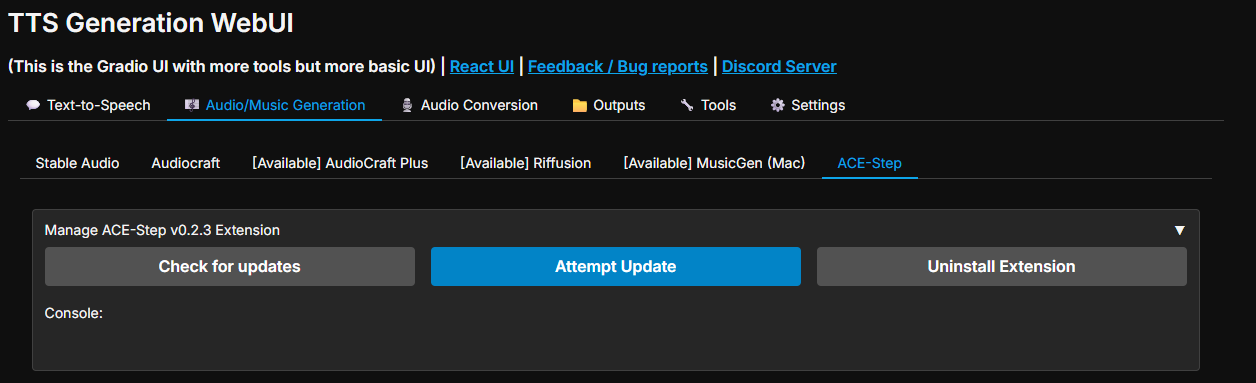
Extensions are available to install from the webui itself, or using React UI. They can also be installed using the extension manager or the External Extensions Installer (a built-in tool for adding custom extensions from JSON).
Internally, extensions are just python packages that are installed using pip. Multiple extensions can be installed at the same time, but there might be compatibility issues between them. After installing or updating an extension, you need to restart the app to load it.
For a curated list of community-created extensions, visit the TTS WebUI Extension Catalog. You can also find information on publishing your own extensions there.
Updates need to be done manually by using the mini-control panel:
1. Update OpenAI TTS API extension to latest version 2. Start the API and test it with Python Requests (OpenAI client might not be installed thus the Test with Python OpenAI client might fail)
3. Once you can see the audio generates successfully, go to Silly Tavern, and add a new TTS API
Default provider endpoint: http://localhost:7778/v1/audio/speech
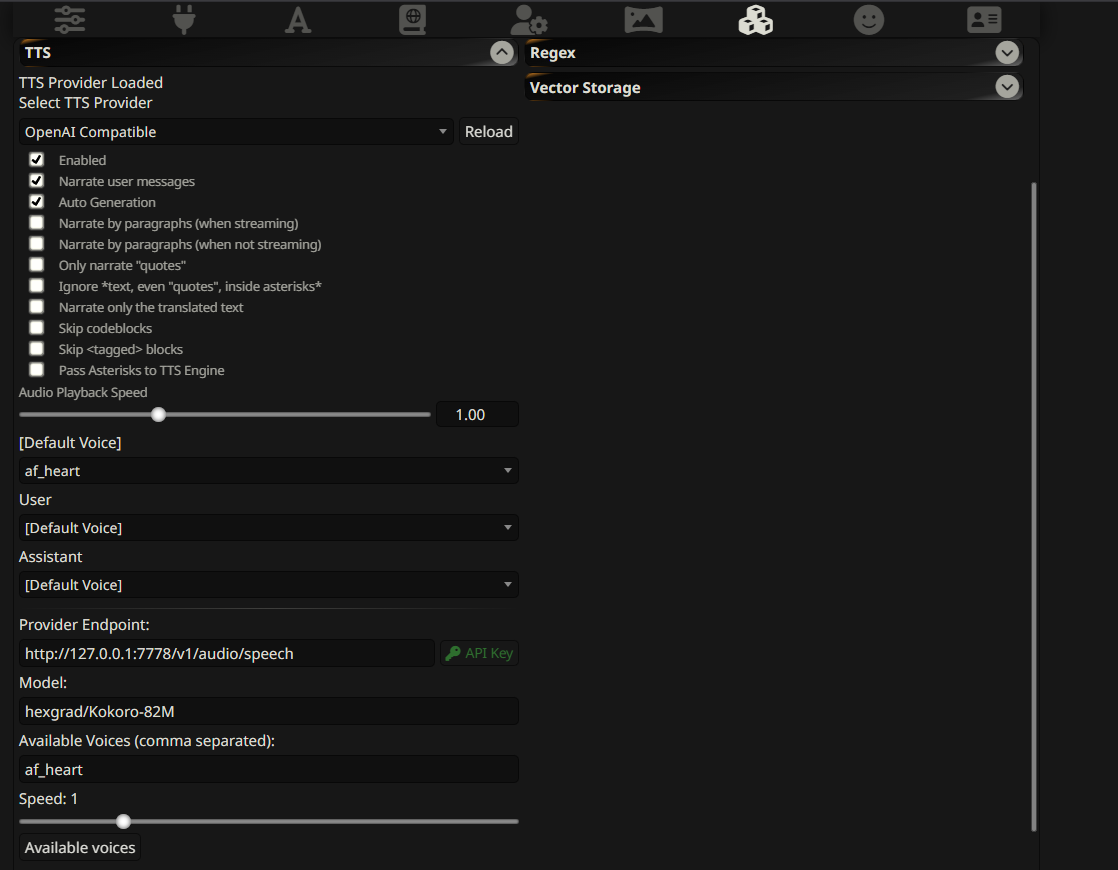 4. Test it out!
1. Install https://github.com/rsxdalv/text-to-tts-webui extension in text-generation-webui
2. Start the API and test it with Python Requests
3. Configure using the panel: 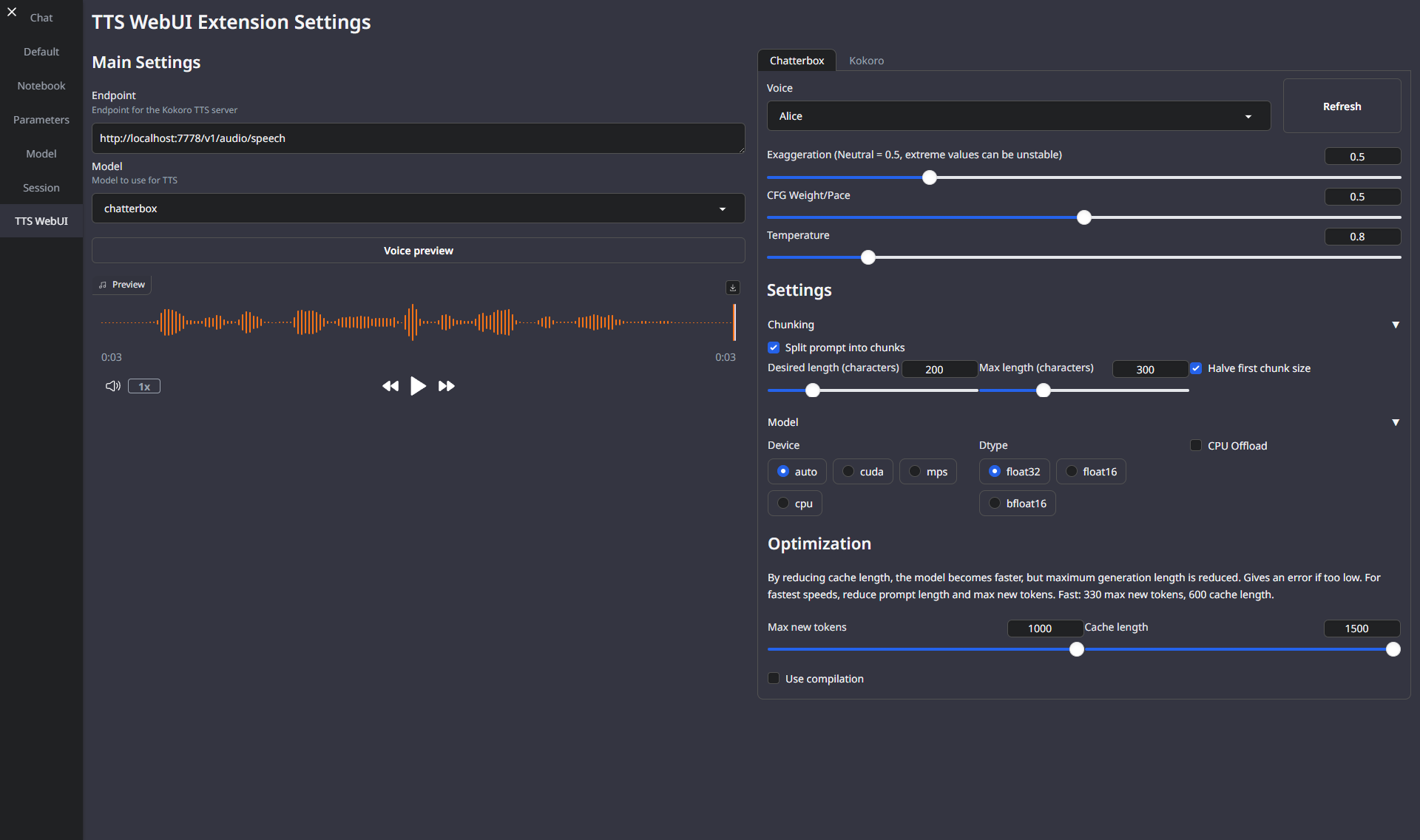
1. Enable OpenAI API extension in TTS WebUI
2. Start the API and test it with Python Requests
3. Once you can see the audio generates successfully, go to OpenWebUI, and add a new TTS API
Default provider endpoint: http://localhost:7778/v1/audio/speech
4. Test it out!
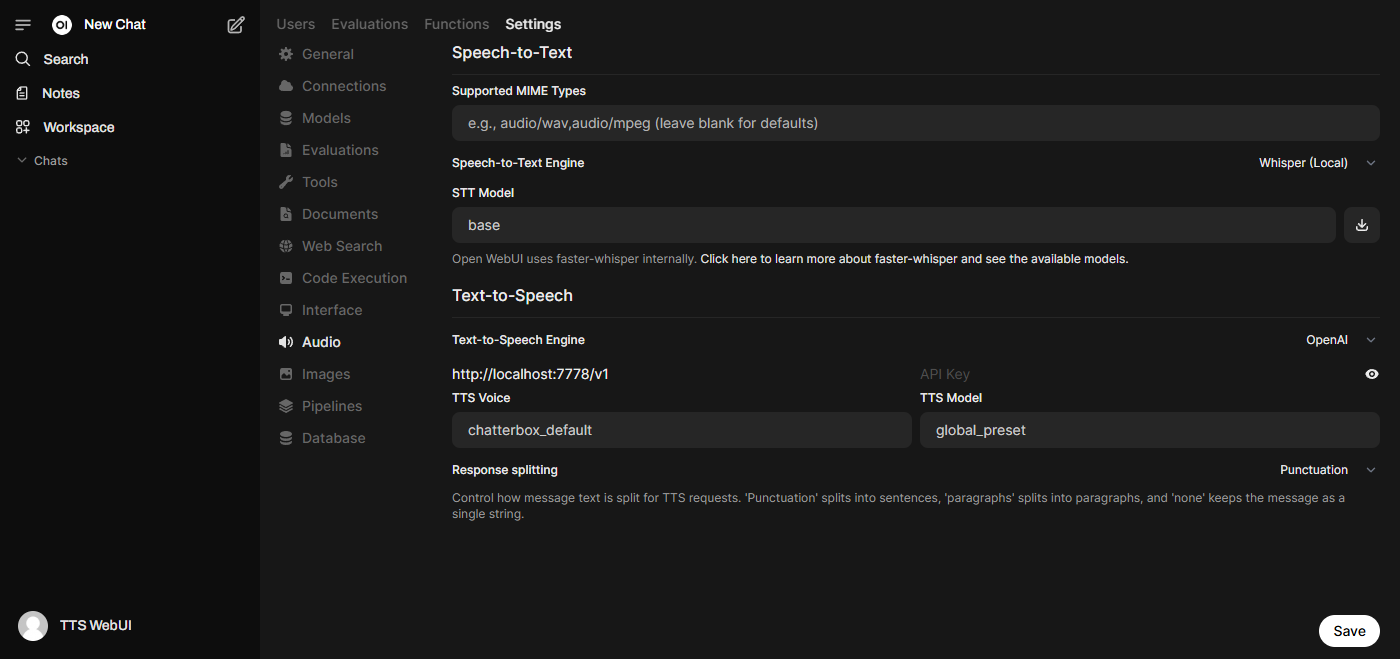
Using the instructions above, you can install an OpenAI compatible API, and use it with Silly Tavern or other OpenAI compatible clients.
---- requires ----, but you have ---- which is incompatible.
By engaging with this AI model, you acknowledge and agree to abide by these guidelines, employing the AI model in a responsible, ethical, and legal manner.
The codebase is licensed under MIT. However, it's important to note that when installing the dependencies, you will also be subject to their respective licenses. Although most of these licenses are permissive, there may be some that are not. Therefore, it's essential to understand that the permissive license only applies to the codebase itself, not the entire project.
That being said, the goal is to maintain MIT compatibility throughout the project. If you come across a dependency that is not compatible with the MIT license, please feel free to open an issue and bring it to our attention.
Known non-permissive dependencies: | Library | License | Notes | |-------------|-------------------|-------------------------------------------------------------------------------------------| | encodec | CC BY-NC 4.0 | Newer versions are MIT, but need to be installed manually | | diffq | CC BY-NC 4.0 | Optional in the future, not necessary to run, can be uninstalled, should be updated with demucs | | lameenc | GPL License | Future versions will make it LGPL, but need to be installed manually | | unidecode | GPL License | Not mission critical, c
→ →
→ →
→ →
→ →
→ →
→