1
 →

A modern, privacy-first Android keyboard: offline intelligence, 600+ languages, themes, tools and an addon ecosystem.
wasi-master/wmkeyboard is an open-source project on GitHub, mainly written in Kotlin. A modern, privacy-first Android keyboard: offline intelligence, 600+ languages, themes, tools and an addon ecosystem. It currently holds 893 stars and 53 forks with 36 open issues, and was last pushed on 2026-11-10 (repository created 2026-08-10).
Git Homed tracks it on the Today's Trending board, currently at rank #52 with 85 new stars today.
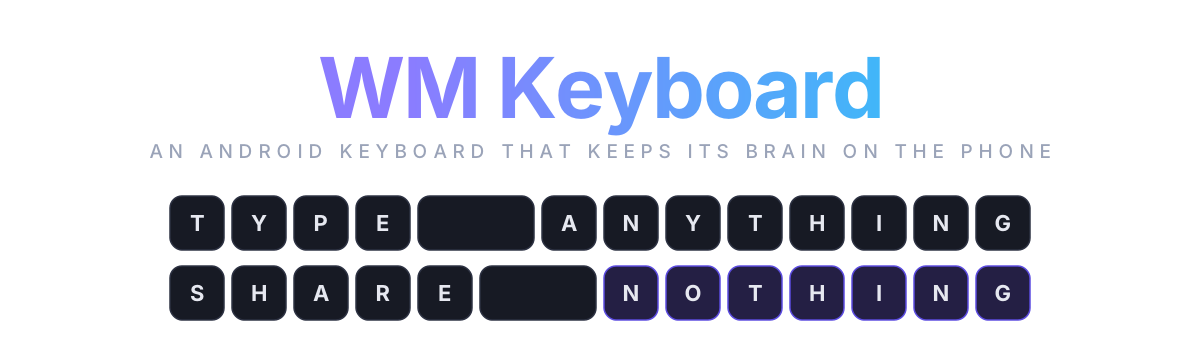
An open source multilingual Android keyboard with prediction, glide typing, transliteration, emoji search and an 89-tool toolbox that all run on the phone and never phone home.
Install · Tour · Languages · Privacy · Builds · FAQ · Build · Read the docs
https://github.com/user-attachments/assets/3bd063a9-6701-4ccd-82ef-edd40a42b8e0
A keyboard is the one app that sees everything you write. Your messages, your passwords, your half-typed thoughts you deleted before sending. Somewhere along the way the popular keyboards decided that was a business model. The prediction got better, and the price for that was a copy of your keystrokes getting sent to somebody else's server.
The keyboards that refused that deal were mostly forks of the same decade-old Android code. Good bones, honest intentions, but no glide typing without a proprietary blob, no real toolbox, and nothing for the language I actually type in. Bangla was an afterthought everywhere: either a phonetic engine bolted on with no prediction, or a layout with no smart features behind it.
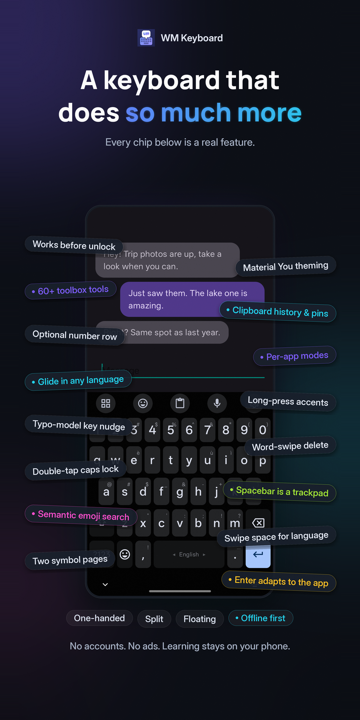
So I wanted a keyboard that did three things at once. Type Bangla the way Avro taught a whole country to type it. Carry the features I reach for all day, clipboard, snippets, translate, calculator, scanner, without leaving the text field. And keep all of that on the phone, where it belongs. This is that keyboard. It is written from scratch in Kotlin and Jetpack Compose, keyboard surface included, and the whole intelligence layer runs offline.
 |
 |
 |
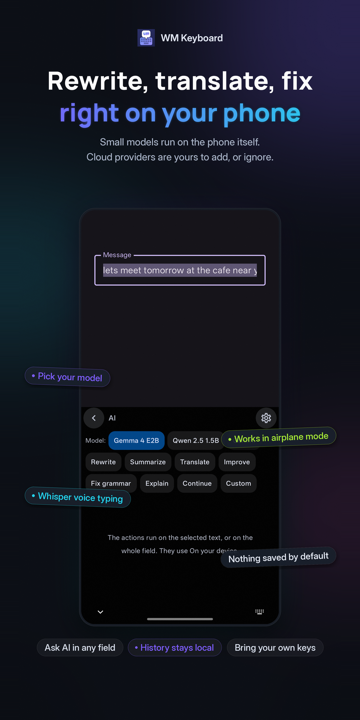 |
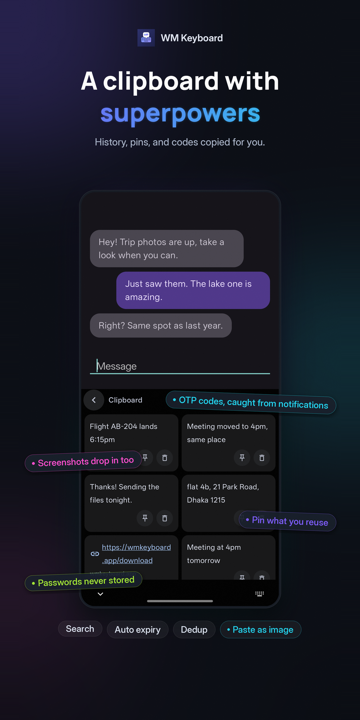 |
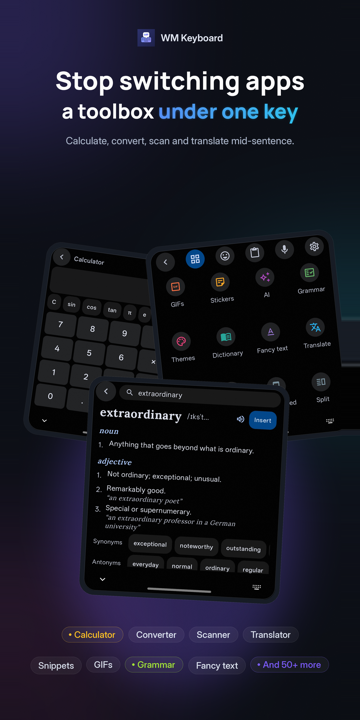 |
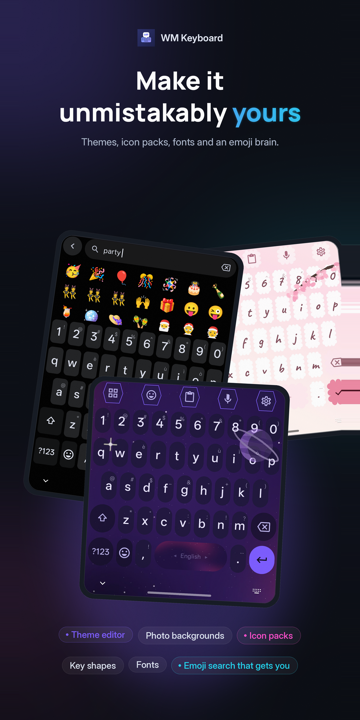 |
 |
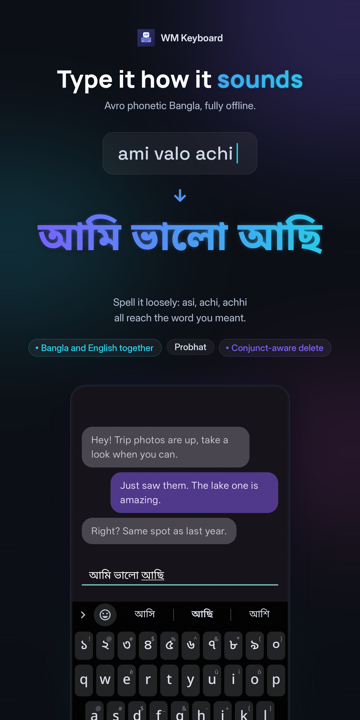
Type a word the way it sounds in Latin letters, and the keyboard finds the word you meant. Every one of these runs on the device, with no network and no delay.
| You type | You get | Engine |
|---|---|---|
| ami valo achi | আমি ভালো আছি | Avro-compatible Bangla phonetic, with a lenient index: asi, achi and achhi all reach আছি |
| namaste | नमस्ते | Hindi phonetic with a map of how people actually romanise Hindi |
| aap kaise ho | آپ کیسے ہو | Urdu phonetic, folding to the consonant skeleton the script itself spells with |
| vanakkam, nenu, 3arabi | Tamil, Telugu, Arabic script | Phonetic layouts for eleven more languages, Arabizi digits included |
| nihao | 你好 | Pinyin, including a T9 nine-key variant |
| konnichiwa | こんにちは | Romaji to kana with conversion candidates |
| xin chaof | xin chào | Vietnamese Telex |
The same prediction engine sits behind every one of them, so glide typing, autocorrect and next-word suggestions work in Bangla exactly as they do in English.
The features the keyboard has
Languages overview · Bengali · CJK · Custom layouts
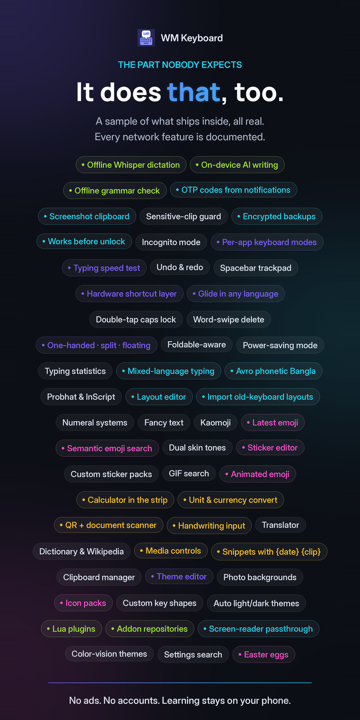
party finds 🎉 🥳 🍾 🎂, and so does the word89 tools sit one tap behind the toolbar, and you drag the ones you use onto it. Most of them work in airplane mode.
| | |
|---|---|
| Text | Clipboard with history, pins, search and screenshot capture. Snippets with {date} and {clip} variables. Text expansion. Undo and redo. Selection mode. A trackpad. Fancy text. Notes. |
| Numbers | A calculator in the suggestion strip. Unit and currency conversion. Calendars, with events you can add and edit. |
| Words | Dictionary, Wikipedia and Look up cards. Translate on device with ML Kit, Firefox Translations or NLLB-200. Grammar check with Harper, fully offline. Vocabulary practice. |
| Camera | Text scan with ML Kit, Tesseract for 100+ languages, or PaddleOCR. QR and barcode with ML Kit or zxing-cpp. Document scanner, Google's or the keyboard's own. |
| Phone | Media controls. An app launcher. KDE Connect. Smart home controls. Sending files. Flashlight. One-time codes caught from notifications. |
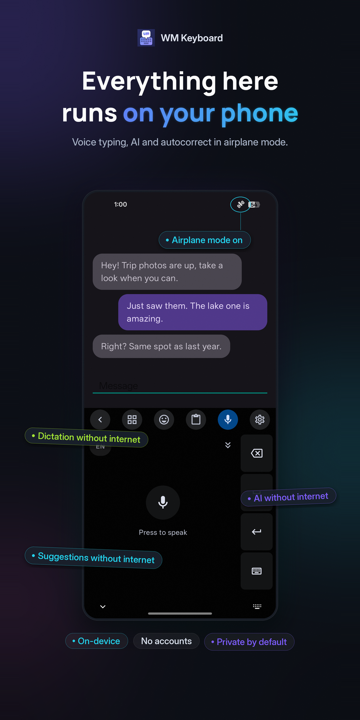
| Voice | Android's recogniser with a continuous mode, or offline engines: Whisper on whisper.cpp, Whistle, Asr4All, Parakeet, Moonshine, Sherpa and Omnilingual. A transcription server of your own works too. |
| Writing | AI rewrite, summarise, translate and fix. On-device with LiteRT-LM or GGUF models on llama.cpp, or bring your own key for any provider that speaks the OpenAI shape. Nothing is enabled behind your back. |
The toolbar · Clipboard · Whisper · AI tools
The typing engine has no network code in it. Prediction, autocorrect, glide, layouts and learning behave identically with the radio off.
Privacy at a glance · Network policy · Your data on device
FEATURES.md tracks the surface across 12 areas, three levels deep.
| Area | Families | Features | Capabilities | |---|---:|---:|---:| | Typing core: prediction, autocorrect, learning, spell check | 9 | 50 | 205 | | Input behaviour: glide, gestures, cursor, editing, keys | 11 | 80 | 220 | | Languages, scripts, layouts, transliteration | 11 | 65 | 220 | | Themes and appearance | 14 | 73 | 183 | | Emoji, GIFs, stickers, kaomoji | 16 | 96 | 94 | | Toolbar and the tool set | 10 | 88 | 364 | | Clipboard, snippets, text expansion | 7 | 37 | 191 | | AI, voice, handwriting, scanning | 12 | 81 | 168 | | Privacy, backup, storage, statistics | 14 | 70 | 180 | | Accessibility, form factors, platform integration | 13 | 61 | 111 | | Extensibility: addons, plugins, imports, formats | 5 | 35 | 164 | | Modes, rows, field adaptation, runtime | 12 | 97 | 203 | | Total | 134 | 830 | 2,288 |
Entries marked RARE there are things few or no mainstream keyboards ship. There are over 500.
One app, three builds. Everything about typing, prediction, themes, languages and privacy is identical. Up to 0.6.2 there were two editions, Full and Lite; from 0.6.3 there is no Lite, and the optional feature libraries download the first time a feature needs them instead.
| | Standard | F-Droid | Offline | |---|:---:|:---:|:---:| | Where | Google Play, GitHub | F-Droid | GitHub | | Handwriting | ML Kit, 126 languages | zinnia for Chinese and Japanese, PaddleOCR for nine other scripts | ML Kit, 126 languages | | Text scan | ML Kit, Tesseract, PaddleOCR | PaddleOCR | ML Kit, Tesseract, PaddleOCR | | QR and barcode | ML Kit or zxing-cpp | zxing-cpp | ML Kit or zxing-cpp | | Document scanner | Google's or the built-in one | built-in | Google's or the built-in one | | Grammar check (Harper) | ✓ | ✓ | ✓ | | Offline Whisper (whisper.cpp), Asr4All, Parakeet, Moonshine, Sherpa, Omnilingual | ✓ | ✓ | ✓ | | Whisper on LiteRT, Whistle | ✓ | | ✓ | | On-device AI | LiteRT-LM and GGUF | GGUF | LiteRT-LM and GGUF | | On-device translate | ML Kit, Firefox Translations, NLLB-200 | Firefox Translations, NLLB-200 | ML Kit, Firefox Translations, NLLB-200 | | Google libraries on the compile classpath | ML Kit, LiteRT | none | ML Kit, LiteRT | | Feature libraries | downloaded on first use | downloaded once you allow it | in the APK | | Internet permission | ✓ | ✓ | |
The UI-language choice only affects the words the settings app shows you. Every layout and dictionary is in every build.



-fdroid.apk on the
GitHub release.
arm64-v8a, armeabi-v7a, x86_64 and aarm64-v8a and universal. Almost every phone made since 2017
wants arm64-v8a. GitHub lists each file's SHA-256 beside it.
Install it, open the app, follow the setup card. Android will warn you that a third-party keyboard can see what you type. It says that about every keyboard, Gboard included, because that is what a keyboard is. F-Droid and GitHub builds share a signing key from 0.5.10 on, so moving between them is an ordinary update. Google Play signs its copy with its own key, so moving between Play and the other two takes a backup, an uninstall and a restore.
Needs Android 7.0 or newer.
Installation · Setup · A two-minute tour
The docs have a longer FAQ and a troubleshooting page.
wmkeyboard.pages.dev is the full manual: pages with screenshots, a settings reference for every screen, and a "verify every claim in code" rule for the people who write it. The wiki mirrors the same pages for reading on GitHub.
| Start here | Go deeper | |---|---| | Install and set up | Architecture | | A two-minute tour | Building from source | | Languages and layouts | Dictionary formats | | The toolbar | Plugin API | | Privacy | Hosting an addon repository | | Settings reference | File formats |
The source lives in docs/ and runs on Astro Starlight. npm run dev in that folder
gives you a local preview.
→ →
 →
 →
 →
 →
 →
 →