1
 →

Tiny, Performant & 100% Native client for Discord made in Rust
ViceVerse-cz/Serein is an open-source project on GitHub, mainly written in Rust. Tiny, Performant & 100% Native client for Discord made in Rust It currently holds 1,661 stars and 164 forks with 139 open issues, and was last pushed on 2026-11-21 (repository created 2026-09-09).
Git Homed tracks it on the Today's Trending board.
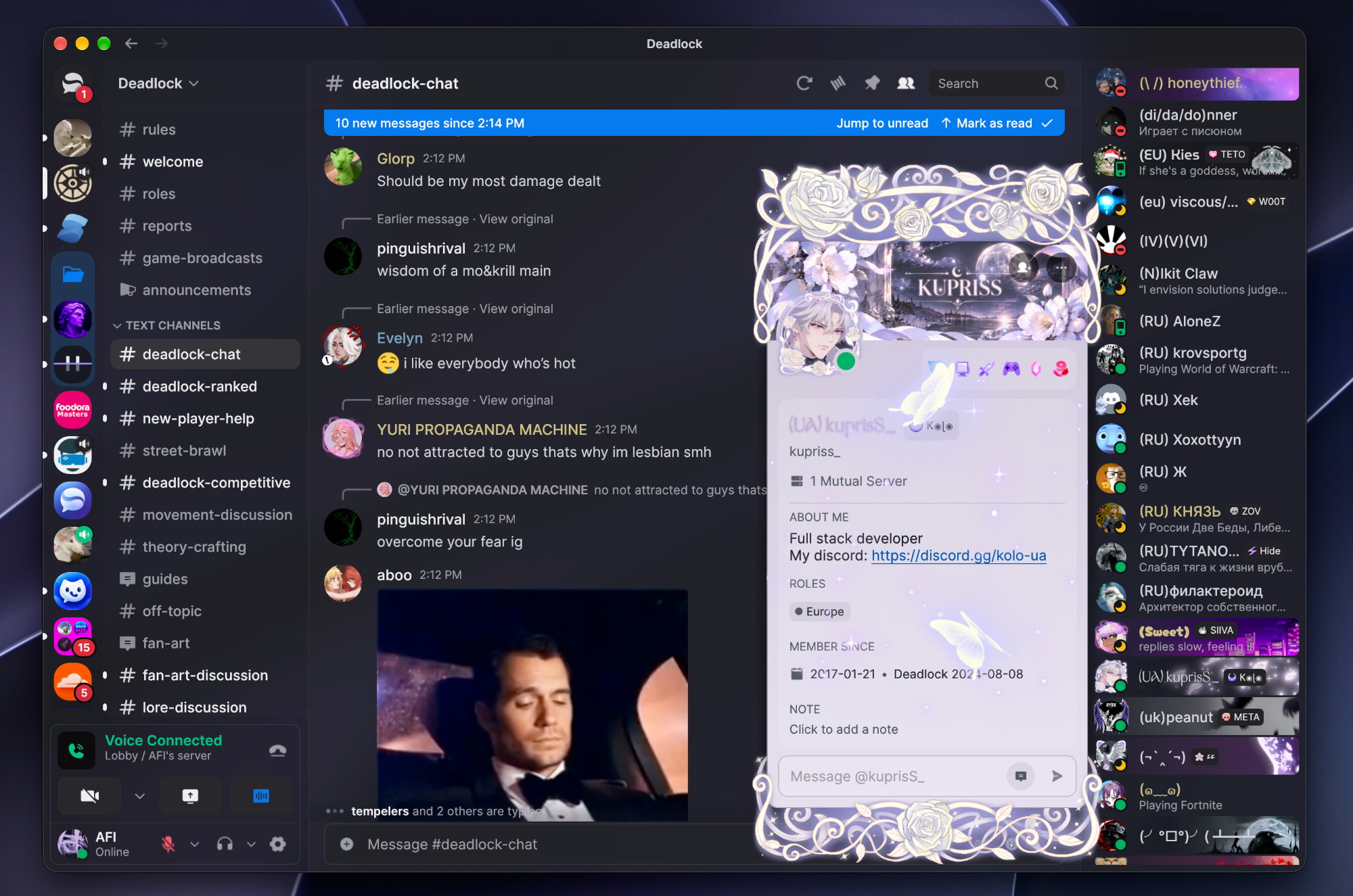
A lightweight, native Discord desktop client written in Rust, powered by egui and wgpu.
📦 Downloads • ⚡ Highlights • ✨ Showcase • 📊 Benchmarks • 🛠️ Quick Start • 📋 Features • 🏗️ Architecture




---
[!WARNING]
Unofficial and not endorsed by Discord.
Serein communicates directly with Discord's public gateway and REST endpoints for your existing account. Automating normal accounts outside the official OAuth2/bot API violates Discord's Terms of Service and carries risk of account termination. Technical interoperability does not imply platform approval. Review the compatibility matrix and authentication guide before use.
---
Pre-compiled releases for macOS, Linux, and Windows are published on GitHub Releases.
| Platform | Format | Architectures | Details |
|---|---|---|---|
| Windows | -Setup.exe, .zip | x86_64, aarch64 | Per-user NSIS installer (recommended) or standalone portable archive |
| macOS | Homebrew Cask, .zip, Nix flake | Apple Silicon (aarch64) | Signed and notarized .app bundle; the Nix build is unsigned |
| Linux | Flatpak (recommended), Repositories (apt, dnf, zypper, pacman), Gentoo ebuild, Nix flake, .AppImage | x86_64 | Flatpak with automatic updates; signed package repositories; portable AppImage |
---
Flatpak is the recommended distribution format for Linux, featuring sandbox isolation, bundled GNOME/WebKit runtimes, and automatic background updates.
flatpak install --user https://viceverse-cz.github.io/Serein/flatpak/serein.flatpakref
flatpak update will automatically discover and install updates.
Serein-linux.flatpak from Releases:
  flatpak install --user ./Serein-linux.flatpak
  flatpak run cz.viceverse.serein
See Flatpak guide for sandbox permissions and source build details.
Configure the signed package repository for your distribution with one command:
curl -fsSL https://viceverse-cz.github.io/Serein/setup.sh | sh
After setup, manage Serein with your native package manager:
# Ubuntu / Debian: sudo apt install serein
Fedora:          sudo dnf install serein
openSUSE:        sudo zypper install serein
Arch Linux:      sudo pacman -S serein
apt upgrade, dnf upgrade, zypper update, pacman -Syu) will keep Serein updated. See Signed package repositories for manual GPG verification steps.
Gentoo users can install Serein from the vitaly-zdanevich-overlay overlay. It provides a source ebuild (net-im/serein) and a prebuilt amd64 ebuild (net-im/serein-bin).
sudo eselect repository add vitaly-zdanevich-overlay git https://github.com/vitaly-zdanevich/gentoo-overlay.git
sudo emaint sync -r vitaly-zdanevich-overlay
echo 'net-im/serein ~amd64' | sudo tee /etc/portage/package.accept_keywords/serein
sudo emerge --ask net-im/serein
Use net-im/serein-bin in the keyword file and emerge command to install the prebuilt binary instead. The source ebuild requires Rust 1.99 or newer. The binary ebuild targets amd64 systems with glibc 2.43 or newer. The two ebuilds install the same files, so choose one.
Nix installs are updated through Nix, not the in-app updater. On macOS the build produces an unsigned, non-notarized Serein.app. See the Nix package guide for the development shell and details.
The repository flake builds Serein from source for x86_64-linux and aarch64-darwin:
nix run github:ViceVerse-cz/Serein#serein
nix profile install github:ViceVerse-cz/Serein#serein
Or declaring it in the flake
Both modules below take inputs as an argument, so your flake must pass it through specialArgs (NixOS) and extraSpecialArgs (Home Manager). Without this, importing the modules fails with a missing inputs argument.
flake.nix
{
    inputs = {
        nixpkgs.url = "github:NixOS/nixpkgs/nixos-unstable";
        home-manager = {
            url = "github:nix-community/home-manager";
            inputs.nixpkgs.follows = "nixpkgs";
        };
        serein = {
            url = "github:ViceVerse-cz/Serein";
            inputs.nixpkgs.follows = "nixpkgs";
        };
    };
outputs = { nixpkgs, home-manager, ... }@inputs: {
        # NixOS
        nixosConfigurations.hostname = nixpkgs.lib.nixosSystem {
            system = "x86_64-linux";
            specialArgs = { inherit inputs; };
            modules = [ ./configuration.nix ];
        };
# Standalone Home Manager
        homeConfigurations.username = home-manager.lib.homeManagerConfiguration {
            pkgs = nixpkgs.legacyPackages.x86_64-linux;
            extraSpecialArgs = { inherit inputs; };
            modules = [ ./home-manager.nix ];
        };
    };
}
If you use Home Manager as a NixOS module instead, pass inputs through its own option:
{
    nixosConfigurations.hostname = nixpkgs.lib.nixosSystem {
        system = "x86_64-linux";
        specialArgs = { inherit inputs; };
        modules = [
            ./configuration.nix
            home-manager.nixosModules.home-manager
            {
                home-manager.extraSpecialArgs = { inherit inputs; };
                home-manager.users.username = import ./home-manager.nix;
            }
        ];
    };
}
configuration.nix
{
    inputs,
    pkgs,
    ...
}: {
    environment.systemPackages = [
        inputs.serein.packages.${pkgs.stdenv.hostPlatform.system}.default
    ];
}
home-manager.nix
{
    inputs,
    pkgs,
    ...
}: {
    home.packages = [
        inputs.serein.packages.${pkgs.stdenv.hostPlatform.system}.default
    ];
}
Download serein--Linux-X64.AppImage from Releases, make it executable, and run:
chmod +x ./serein-*-Linux-X64.AppImage
./serein-*-Linux-X64.AppImage
Windows-X64-Setup.exe or Windows-ARM64-Setup.exe asset for your system from Releases and run it:
%LOCALAPPDATA%\Programs\Serein without requiring administrator/UAC elevation.cz.viceverse.serein) for native Windows toast notifications.Windows-X64.zip or Windows-ARM64.zip asset for your system and run:
powershell -ExecutionPolicy Bypass -File .\setup.ps1
powershell -ExecutionPolicy Bypass -File .\setup.ps1 -Uninstall
Windows-X64.zip or Windows-ARM64.zip asset for your system anywhere and launch serein.exe. To enable native desktop notifications:
powershell -File .\install-notifications.ps1
serein.exe. If PowerShell's RemoteSigned policy blocks the downloaded script, review it and run Unblock-File -LiteralPath .\install-notifications.ps1 in that folder before retrying. The Windows installer registers the shortcut automatically, so installed builds do not need this script.
brew tap ViceVerse-cz/serein
brew install --cask serein
homebrew-serein tap, so installing does not clone this repository. If you tapped the old URL, run brew untap ViceVerse-cz/serein first and tap again.
serein--macOS-ARM64.zip from Releases, unzip, and drag Serein.app to your /Applications folder.
---
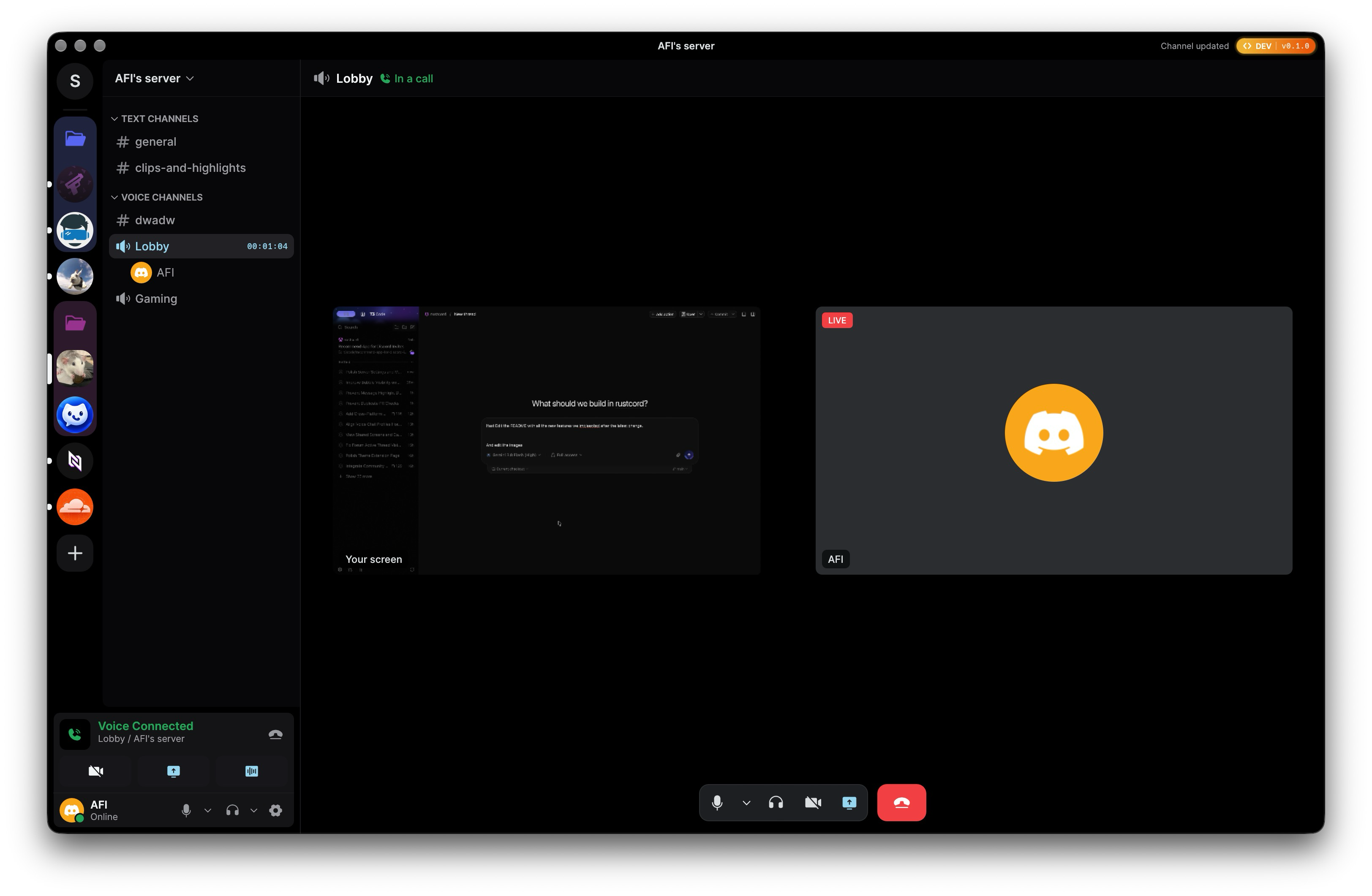
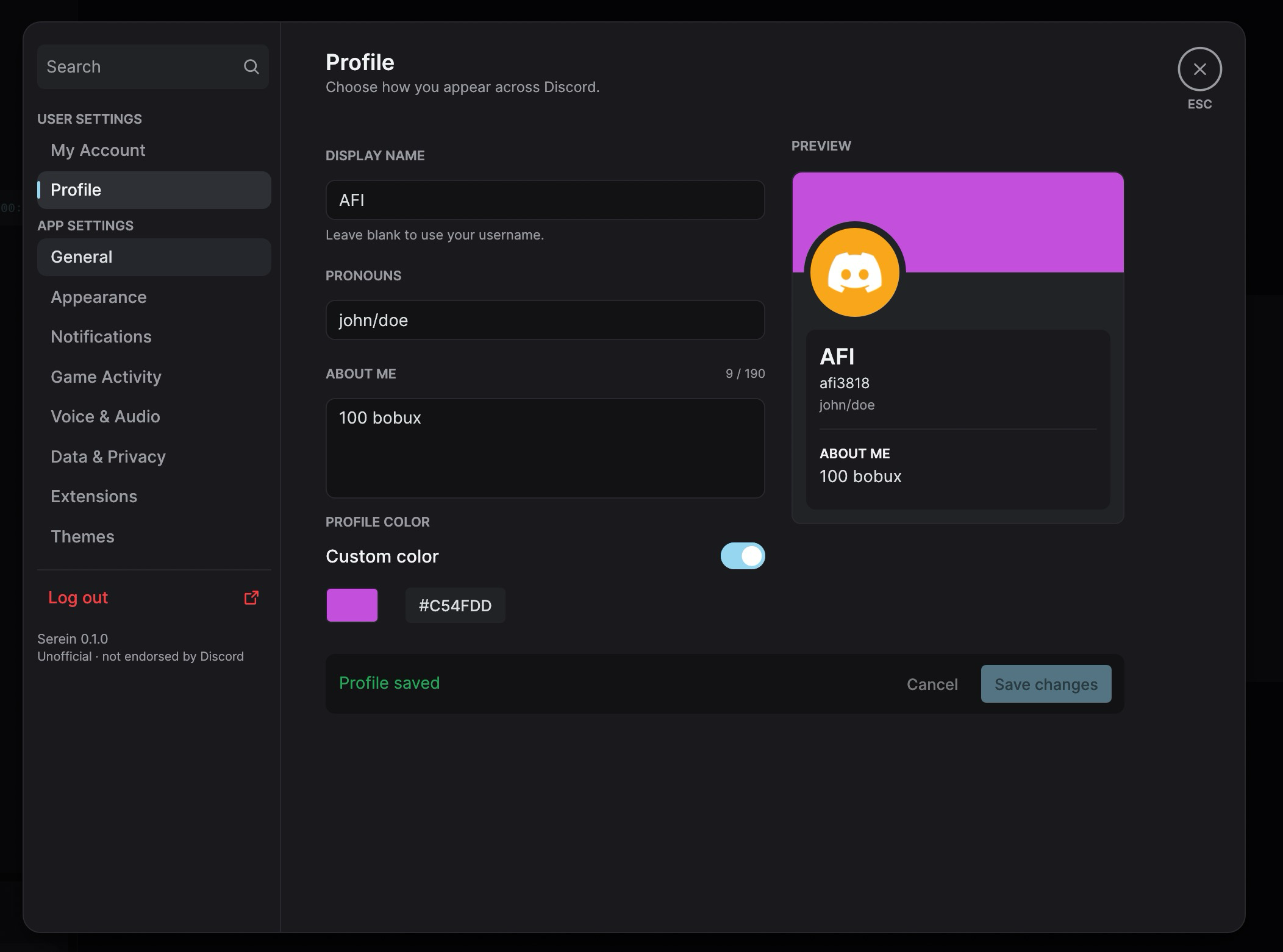
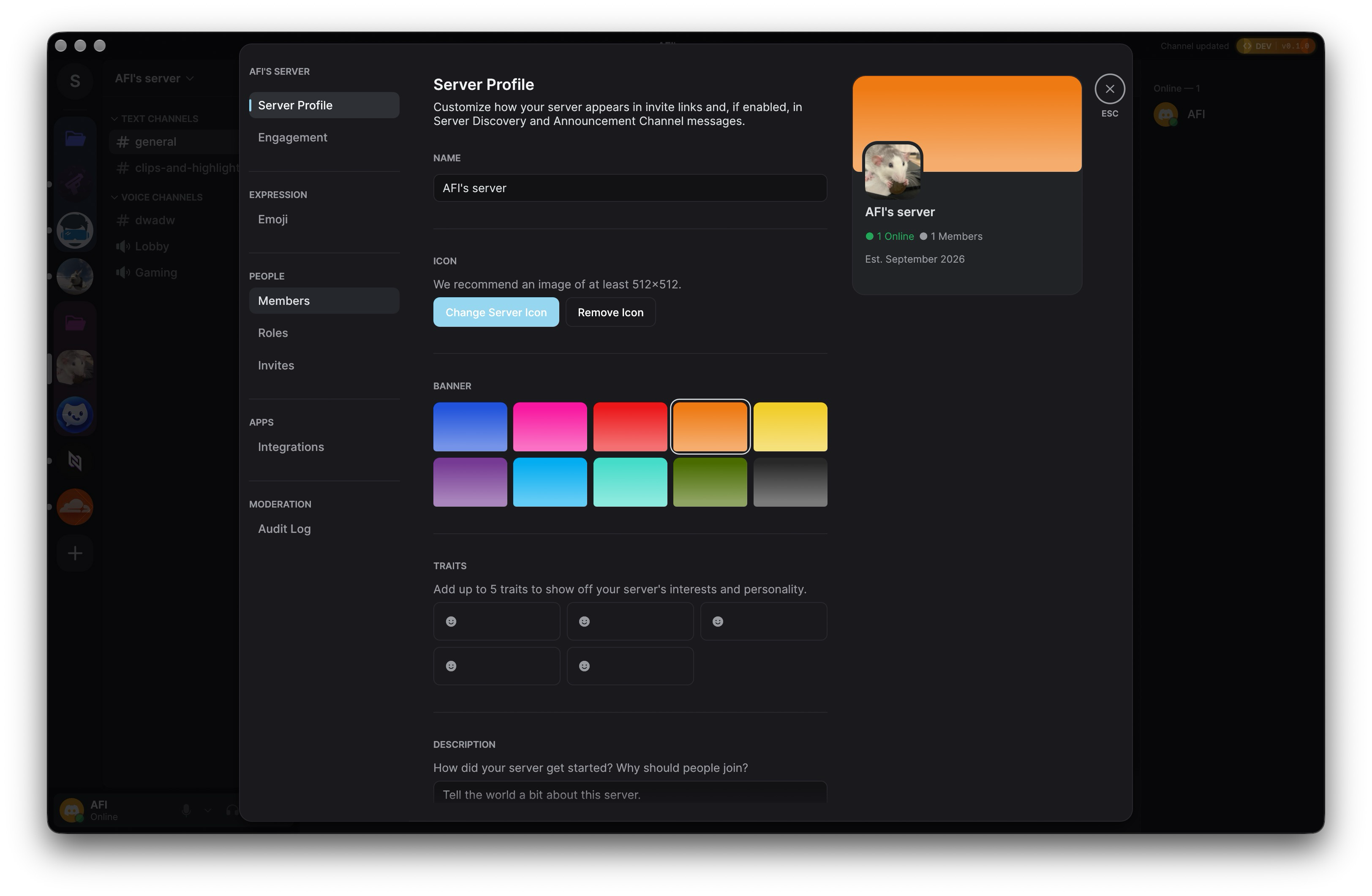
egui, and wgpu. Immediate-mode rendering with minimal idle CPU, low memory footprint, and instantaneous launch times — zero Electron, Node.js, or web runtime overhead.Up), quick delete (Backspace), and intuitive keyboard navigation.| Voice Calls & Live Screen Sharing | User Settings & Profile Customizer |
| :---: | :---: |
|  |
 |
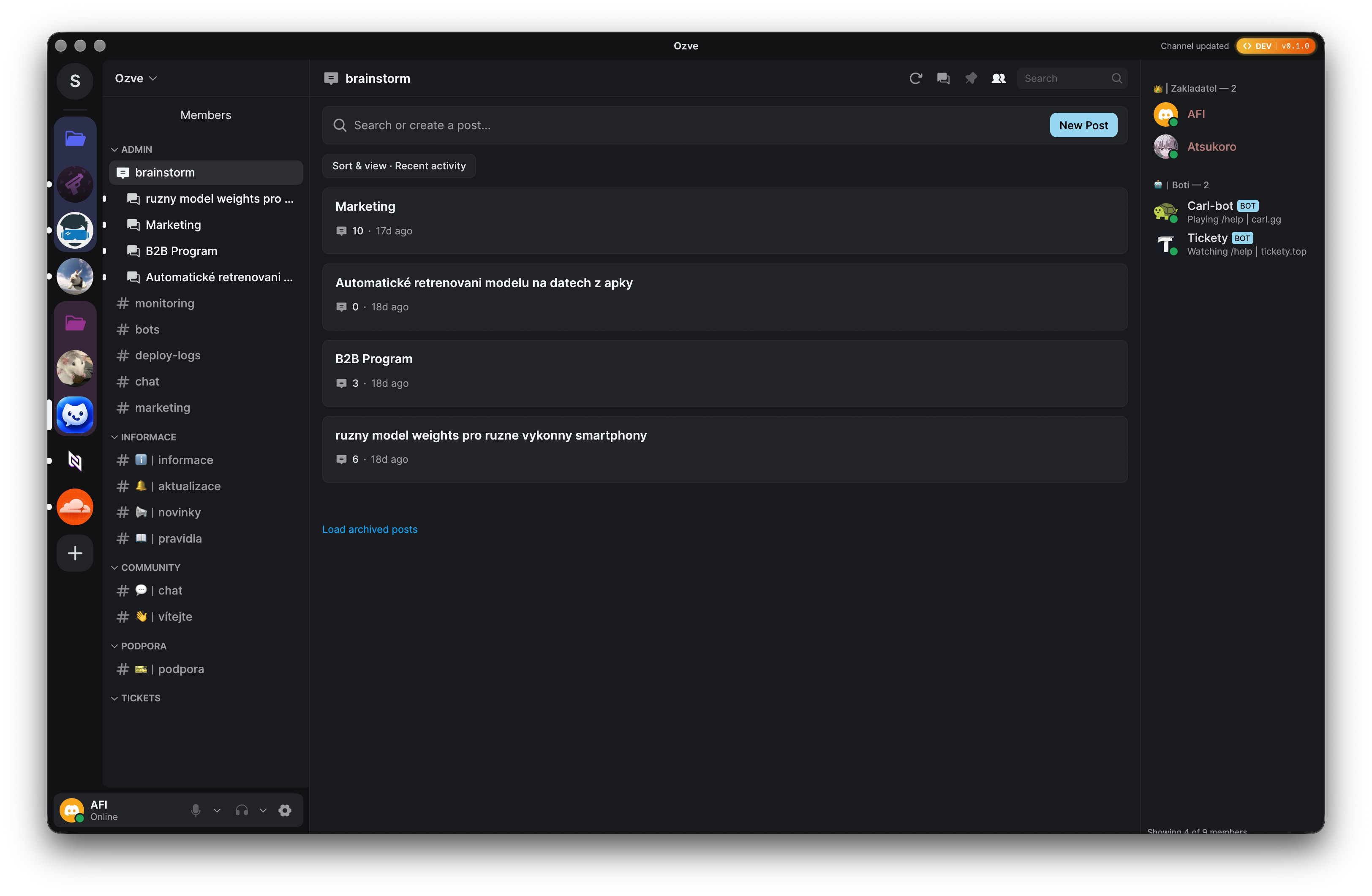
| Server Administration & Profiles | Threads & Forum Channels |
|
 |
 |
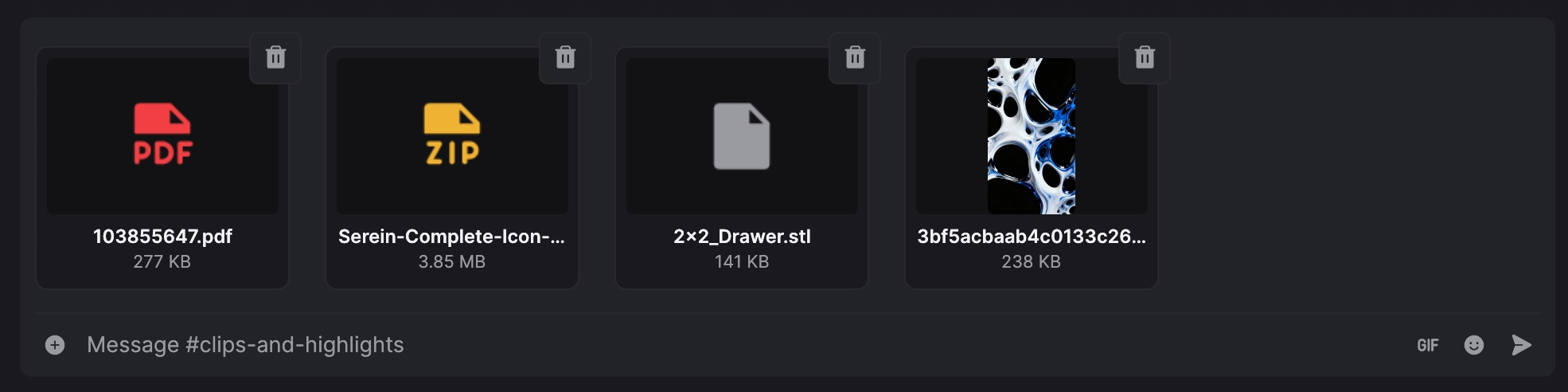
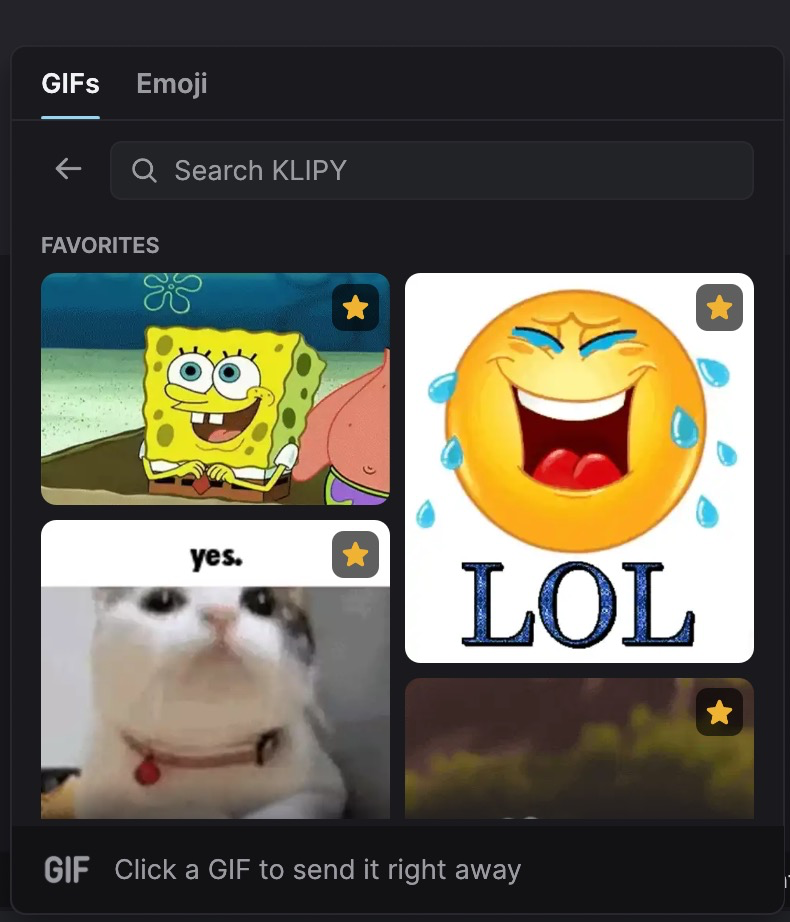
| Multi-File Attachment Uploads | GIFs & Twemoji Picker |
|
 |
 |
---
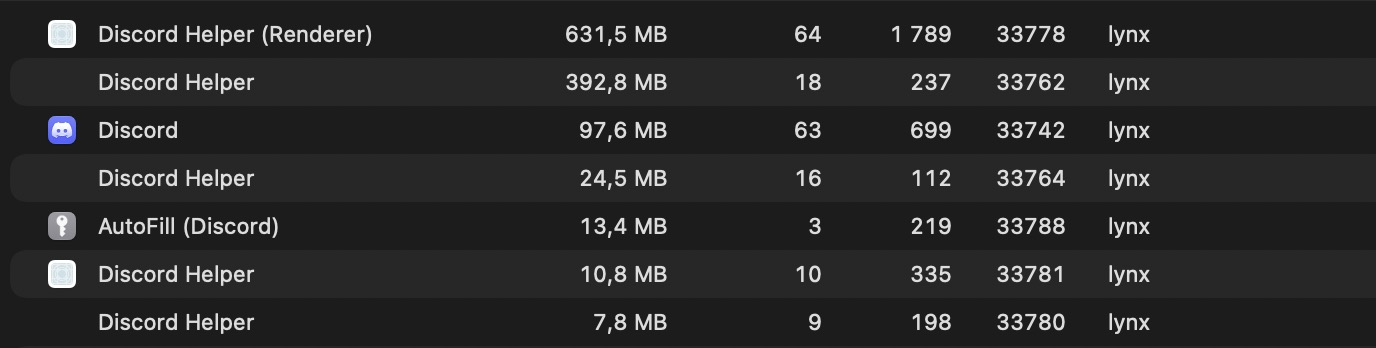
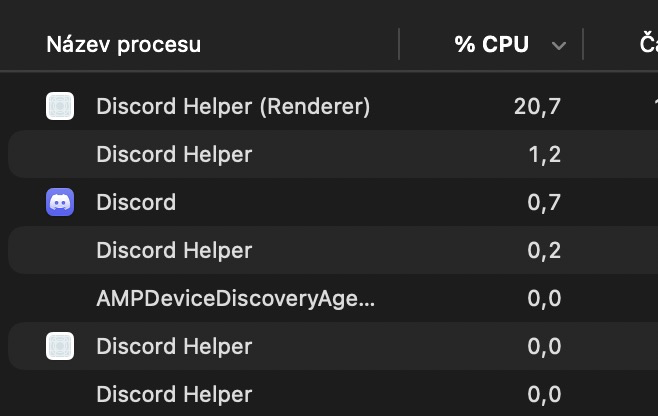
Testing Scenario: Browsing channels while joined in a Voice Channel (VC) and streaming screen at 60 FPS on macOS.
| Metric | Official Discord Client (Electron) | Serein (Native Rust + egui/wgpu) | Advantage | |---|:---:|:---:|:---:| | Memory (RAM) | 1,178.4 MB (across 7 helper processes) | 129.7 MB (single unified process) | ~9× less memory (-89%) | | CPU Usage | 22.8% (Renderer + Helper processes) | 8.1% | ~2.8× lower CPU (-64%) |
| Official Discord (Electron) | Serein (Native Rust) |
| :---: | :---: |
| RAM: ~1,178.4 MB across 7 processes | RAM: 129.7 MB single process |
|  |
 |
| CPU: 22.8% total | CPU: 8.1% total |
|
 |
 |
---
xcode-select --install)pkg-config, GTK 4, WebKitGTK 6.0, fontconfig, and Vulkan drivers (see Platform Support)# 1. Run synthetic conversations; extension browsing uses public GitHub downloads
cargo run --locked --features demo -- --demo
2. Launch standard client with voice (uses saved login or official webview)
cargo run --locked
Default source builds keep SQLite, image caches, extensions and game metadata in the OS-local
serein-development directory, isolated from installed Serein data and safe from cargo clean.
Set SEREIN_DATA_DIR to another absolute path when development copies need separate data roots;
packaged builds use the normal serein directory when the variable is absent. Login tokens remain
in the operating-system credential store under separate development and packaged-build entries.
# Run full workspace validation (formatting, Clippy, tests, policy checks)
cargo xtask check
Run release reducer benchmark
cargo replay
Run authentication bridge JS test harness
node tests/login-handoff.cjs
Package release including voice (macOS .app bundle, Linux .deb by default)
cargo xtask package
---
| Capability | Status | Notes |
|---|---|---|
| Navigation & Guilds | Implemented | Collapsible categories, cached icons, guild channels, forum channels, active threads, DM lists, People pane, and server channel context menus |
| Message Timeline | Implemented | Virtualized variable-height rows, inline link confirmations, spoiler text/media reveal, unread message banners, deleted message protector, and local timezone timestamps |
| Markdown & System Messages | Implemented | Bold, italics, code blocks, blockquotes, clickable links, and styled system events with tinted Phosphor icons and clickable member names |
| Reactions & Emojis | Implemented | Twemoji rendering, native reaction counts, eight-emoji quick picker, full emoji picker integration, custom guild emojis, and add/remove reaction controls |
| GIFs & Media Search | Implemented | KLIPY GIF picker with search, favorites category, and one-click direct sending |
| User Mentions & Autocomplete | Implemented | Clickable user mentions with interactive composer autocompletion and visual highlight styling |
| Media Previews & Video Player | Implemented | Inline MOV, MP4, and WebM playback where platform codecs are available; media copy/save context menus, inline image cards, embed cards, related embed image galleries, and full-resolution image viewer modals |
| File & Attachment Uploads | Implemented | Multi-attachment batch staging with file-type badges (PDF, ZIP, STL, images), thumbnail previews, individual file removal, upload progress bar, and drag-and-drop |
| Voice Engine & Calls | Implemented | 1-to-1/group DM calls & server channels, Opus codec, DAVE v1 E2EE, Sonora AEC3 acoustic echo cancellation, RNNoise or DeepFilterNet suppression, push-to-talk (V), audio device selector |
| Voice Messages | Implemented | Inline voice message playback with interactive waveforms and bounded streaming audio buffering |
| Screen Sharing & Video | Implemented | Native screen capture (macOS ScreenCaptureKit, Windows Graphics Capture, Linux portal/PipeWire with VA-API/NVENC hardware encoding and software fallback; Linux native capture remains unverified), quality presets (480p/720p/1080p/1440p/2160p, up to 60fps), and local camera/screen previews |
| Camera Video & Stream Viewing | Implemented | Hardware-accelerated decoding (macOS VideoToolbox, Linux VA-API, Windows DXVA/D3D11) for incoming screen streams and camera video feeds |
| Threads & Forum Channels | Implemented | Forum post listing, recent activity sorting, active thread browsing, and new forum post / thread creation |
| Server Administration | Implemented | Server profile editor (banners, icons, traits), custom sticker upload/edit/delete, role management with permissions matrix, audit log viewer, invite tracking and revocation, integrations/webhooks, and member moderation |
| Extensions & Theme Shop | Implemented | Git-backed plugins, community theme catalog with preview cards and color presets, permission prompt modals, and deleted-message protector |
| Keybinds & Shortcuts | Implemented | In-app keybind cheat sheet with raised keycaps, quick edit (Up), quick delete (Backspace), and keyboard navigation hotkeys |
| Rich Presence & Game IPC | Implemented | Discord IPC and WebSocket RPC servers plus running-game detection; displays activities in member rosters, DMs, and user profiles; opt-in system tray |
| Profile Cards & Editing | Implemented | On-demand profile popouts with banners, bios, badges, connections; native in-app editor for display name, bio, pronouns, and custom accent color with live preview |
| Server & Group Actions | Implemented | Server dropdown with friend invites and leave server; group DM actions (edit name/icon preview, mute, leave) |
| Context Menus & Shortcuts | Implemented | Right-click context menus for messages, media (save/copy), server channels, and members |
| Typing Indicators | Implemented | Displays incoming typing with short expiry; Serein strictly avoids emitting outgoing typing signals |
| Persistence & Drafts | Implemented | Bounded SQLite cache for history, drafts, settings, and diagnostics; OS credential store for auth tokens; sanitary logout |
| Internationalization | Partial | Bundled Inter font, CJK and Arabic font fallbacks included; full IME and bidirectional editing unverified |
---
Serein is engineered as a clean multi-crate Cargo workspace, isolating UI rendering from networking, persistence, and service protocols:
``` serein/ ├── apps/ │ └── desktop/ # Application entrypoint, CLI flags, window lifecycle ├── crates/ │ ├── client-core/ # Client state coordinator, generation tracking, events │ ├── session-cache/ # In-memory bounded cache and state reconciliation │ ├── ui/ # egui widgets, message virtualizer, themes, design tokens │ ├── model/ # Strongly-typed Discord domain entities │ ├── discord-protocol/ # Wire protocol serialization and partial payload patches │ ├── discord-api/ # HTTP/2 REST client with rate limiting and backoff │ ├── discord-gateway/ # WebSocket gatew
→ →
 →
 →
 →
 →
 →
 →