1
 →
→
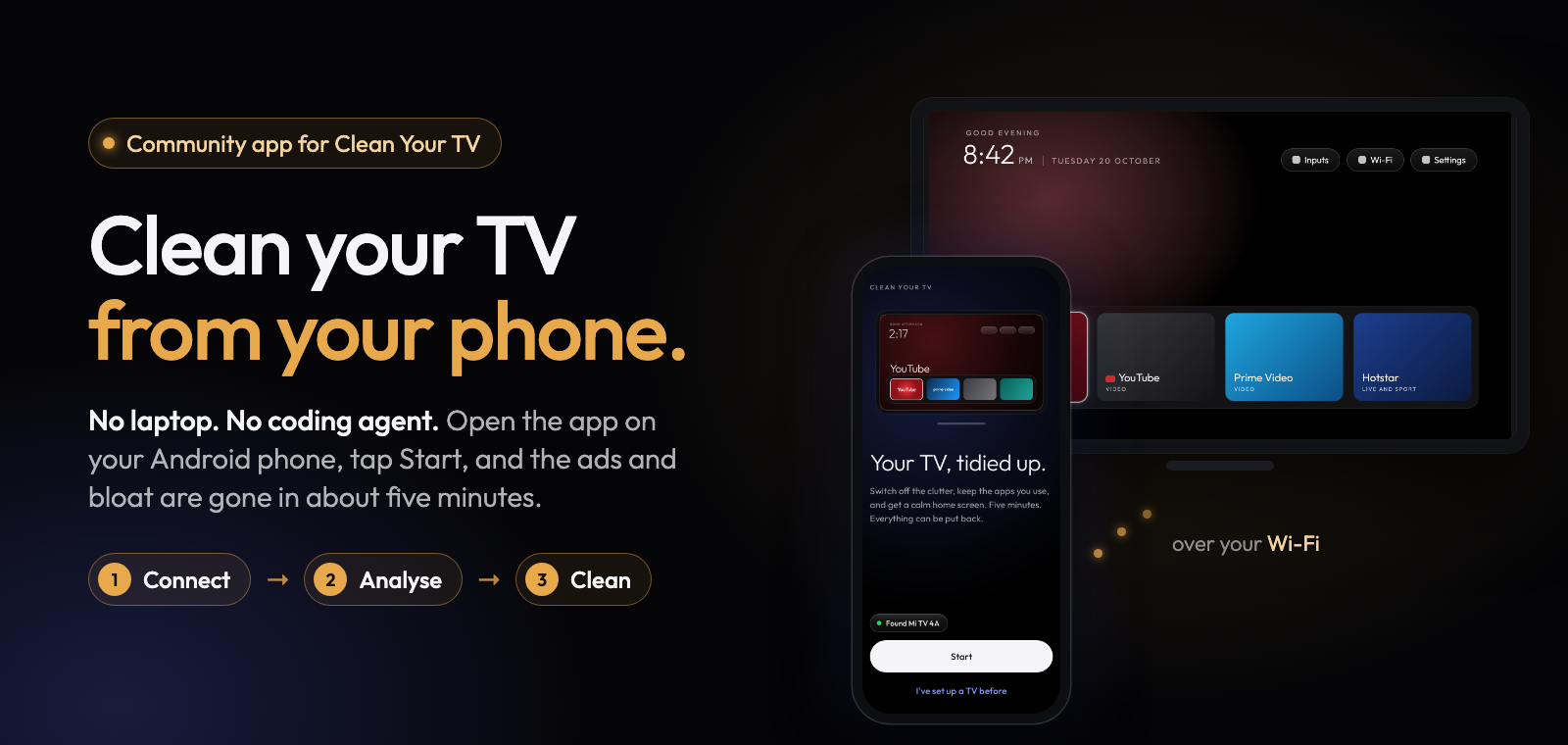
A community-built phone app for Clean Your TV: clean up an Android TV from your phone. No laptop, no coding agent, nothing uninstalled.
udhaykumarbala/cleanyourtv-app is an open-source project on GitHub, mainly written in Kotlin. A community-built phone app for Clean Your TV: clean up an Android TV from your phone. No laptop, no coding agent, nothing uninstalled. It currently holds 1,060 stars and 97 forks with 0 open issues, and was last pushed on an unknown date (repository created unknown).
Git Homed tracks it on the Today's Trending board.
Download ·
Get it with Obtainium ·
How it works ·
Is it safe? ·
Supported TVs
Obtainium follows this app's GitHub releases and updates it by itself.
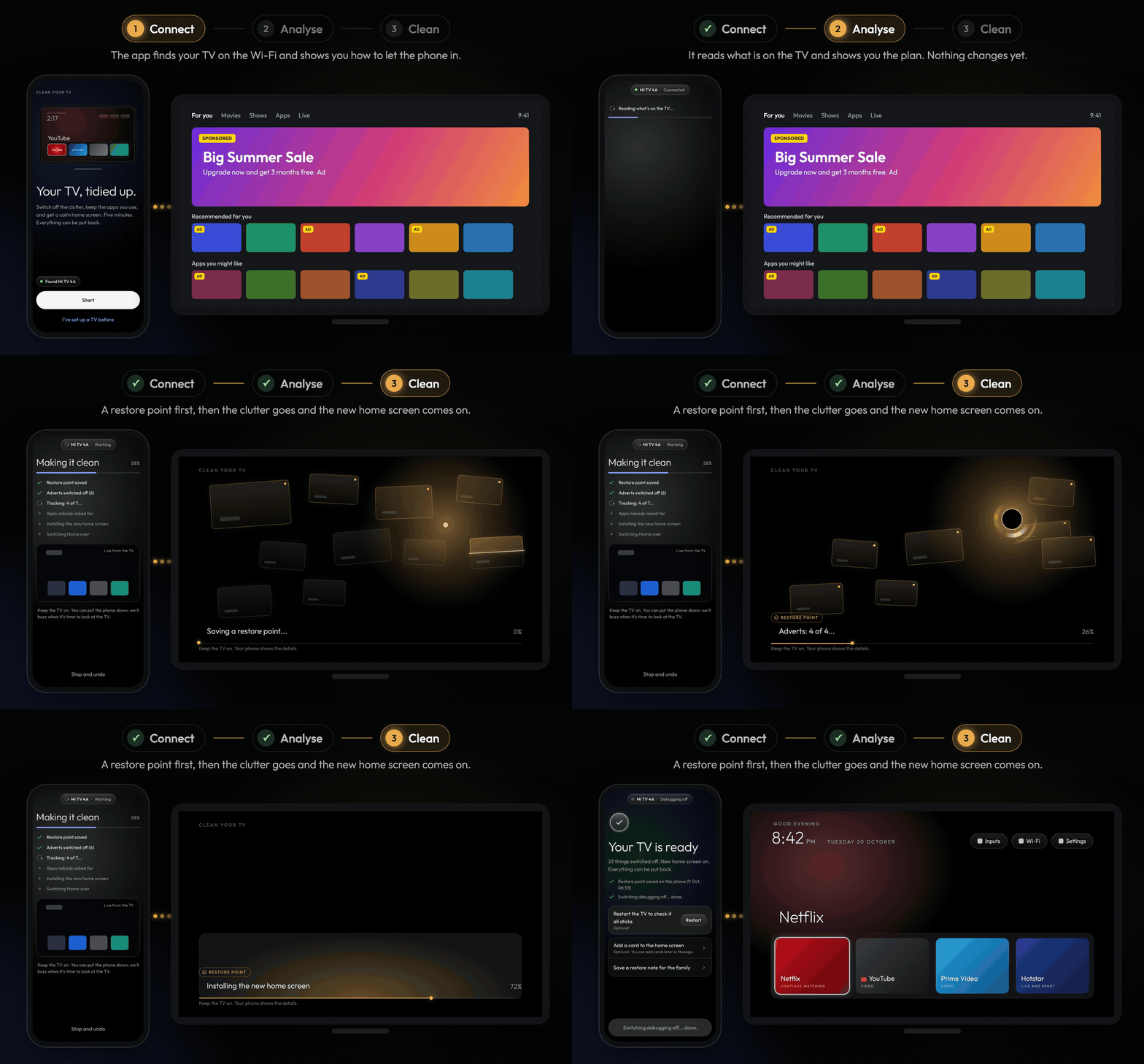
| 1. Connect | 2. Analyse | 3. Clean |
| :-: | :-: | :-: |
|  |
|  |
| 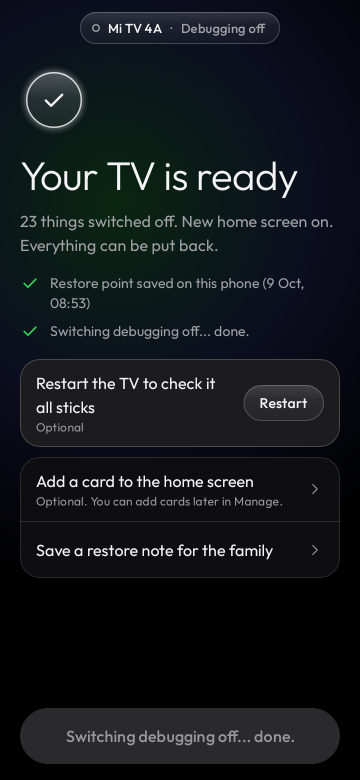 |
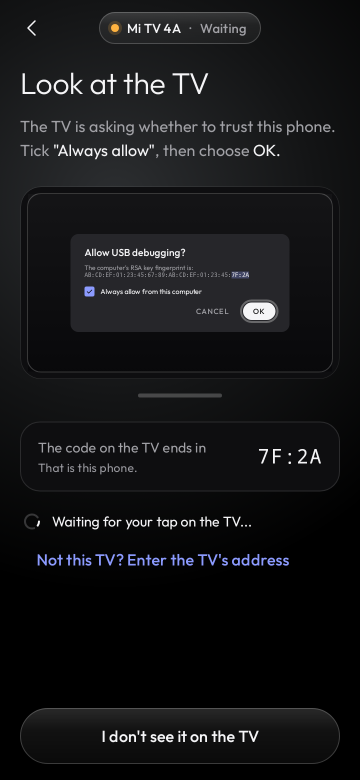
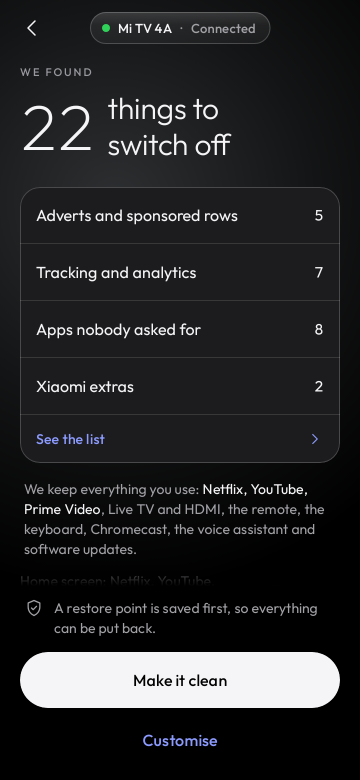
| The app finds your TV on the Wi-Fi and shows you how to let the phone in with the remote. | It reads what is on the TV and shows the plan: what goes off and what stays. Nothing changes yet. | Tap "Make it clean". A restore point first, then the clutter goes and the new home screen comes on. |
|
| The app finds your TV on the Wi-Fi and shows you how to let the phone in with the remote. | It reads what is on the TV and shows the plan: what goes off and what stays. Nothing changes yet. | Tap "Make it clean". A restore point first, then the clutter goes and the new home screen comes on. |
You need an Android phone (Android 9 or newer, with a screen lock) on the same Wi-Fi as the TV. Download the APK and open it to install. Connecting takes about a minute (you switch on network debugging with the remote; the app shows you how), and the whole clean-up about five minutes.
Come back any time to put an app back, check for leftovers after a TV update, change the dock or the look, or undo everything.
Clean Your TV gives any Android TV a calm, ad-free home screen and switches off the bloat, using lists tested by its community. On its own it needs a computer: you run its scripts, or hand its prompt to a coding agent. This app does the whole job from your phone.
| | Clean Your TV repo | Clean Your TV app (this repo) | | :- | :- | :- | | You need | A computer with ADB, or a coding agent such as Claude Code | Just an Android phone on the same Wi-Fi as the TV | | You do | Run the scripts, or give the prompt to the agent | Tap Start, check the plan, tap "Make it clean" | | Made for | Tinkerers, themes and new TV lists | Everyone: you, your parents, your friends |
Both give you the same Clean Your TV home screen and the same community TV lists, switch apps off without uninstalling them, and keep a way back for every change.
173 TV lists from 47 brands, from the Clean Your TV community lists: TCL, Sony, Xiaomi, Hisense, Philips, Amazon Fire TV, Panasonic, XGIMI, BenQ, NVIDIA Shield, onn, Google and many more, on Android TV, Google TV and Fire OS. A model nobody has listed yet still gets a careful clean-up based on its brand.
Your TV is not listed? TV lists live in Clean Your TV, so they help everyone, with or without the app. Add yours there by following its contributing guide, and the app picks it up in its next release. See also CONTRIBUTING.md.
tv.cleanyour (from cleanyour.tv) areEvery release is signed by the same key, whose certificate SHA-256 is (also in docs/release-signer.sha256):
eaf7af3867bb29ff4bb038854842c93f42ffe4198a087e611cb18f925201cd65
sha256sum cleanyourtv-0.2.0.apk                 # compare with the release notes
apksigner verify --print-certs cleanyourtv-0.2.0.apk
Android refuses an update signed by any other key, so after the first install every update is
checked for you. The build is reproducible: for every release tag CI builds the unsigned APK from
the public source, and scripts/verify-release.sh checks that the published APK is exactly that
build plus a signature.
git clone --recurse-submodules https://github.com/udhaykumarbala/cleanyourtv-app.git
cd cleanyourtv-app
./gradlew check assembleDebug        # JDK 21 and the Android SDK
A Kotlin and Jetpack Compose app that speaks ADB to the TV itself, with no computer in between. CONTRIBUTING.md covers tests, screenshot goldens, the module rules and how releases are built and signed. How the app was designed and reviewed is in docs/history, and what changed in each version in CHANGELOG.md.
The app is developed with AI coding agents under human review: the maintainer set the design and reviewed and tested the app, and every change went through automated tests and review.
→ →
→ →
→ →
→ →
→ →
→ →
→ →
→