1
 →
→
AI digital-human talking-head videos from one photo: Renoise MCP generation + 5 editing styles + 48 creator-grade packaging components. Agent skill for Claude Code / Codex / OpenClaw / WorkBuddy …
andyhuo520/digital-human-koubo is an open-source project on GitHub, mainly written in TypeScript. AI digital-human talking-head videos from one photo: Renoise MCP generation + 5 editing styles + 48 creator-grade packaging components. It currently holds 1,237 stars and 290 forks with 2 open issues, and was last pushed on 2026-10-26 (repository created 2026-10-26).
Git Homed tracks it on the Today's Trending board, currently at rank #2 with 0 new stars today.
One photo + one sentence → a finished talking-head video with a digital human. Script, lip-synced AI presenter, voice clean-up, captions, and pro-YouTuber-style packaging — fully automated by your AI agent.
English · 简体中文

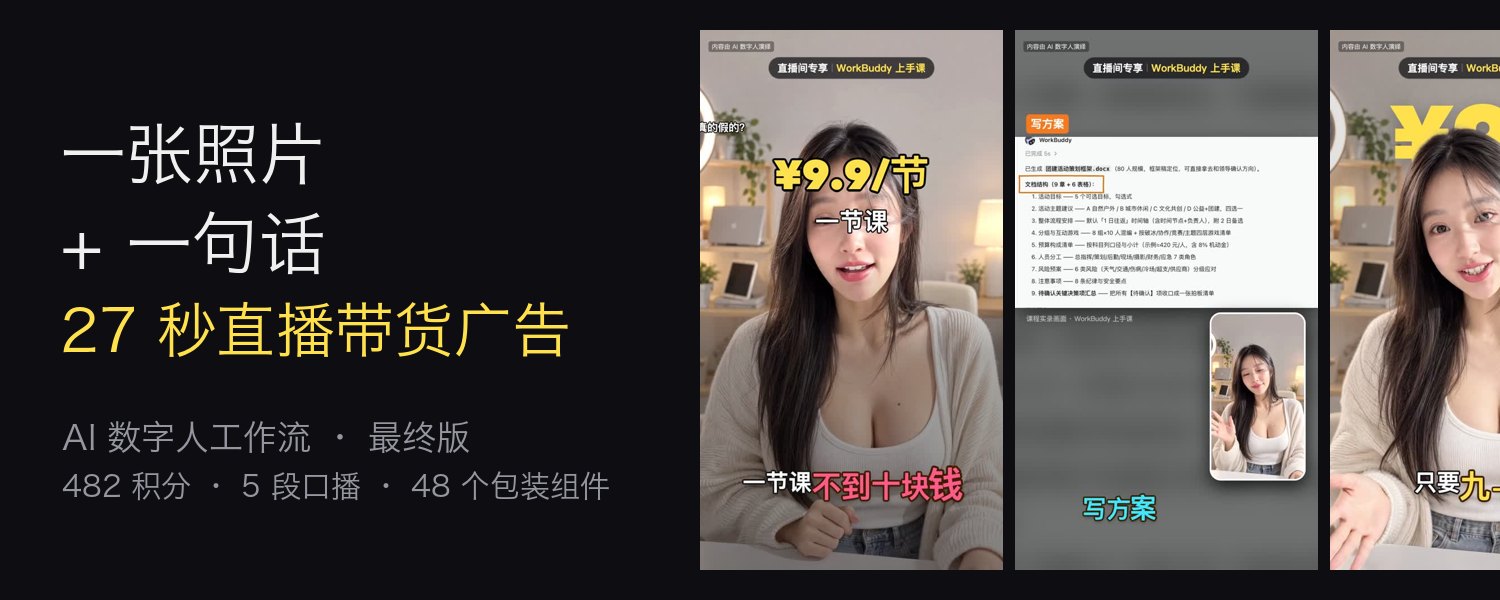
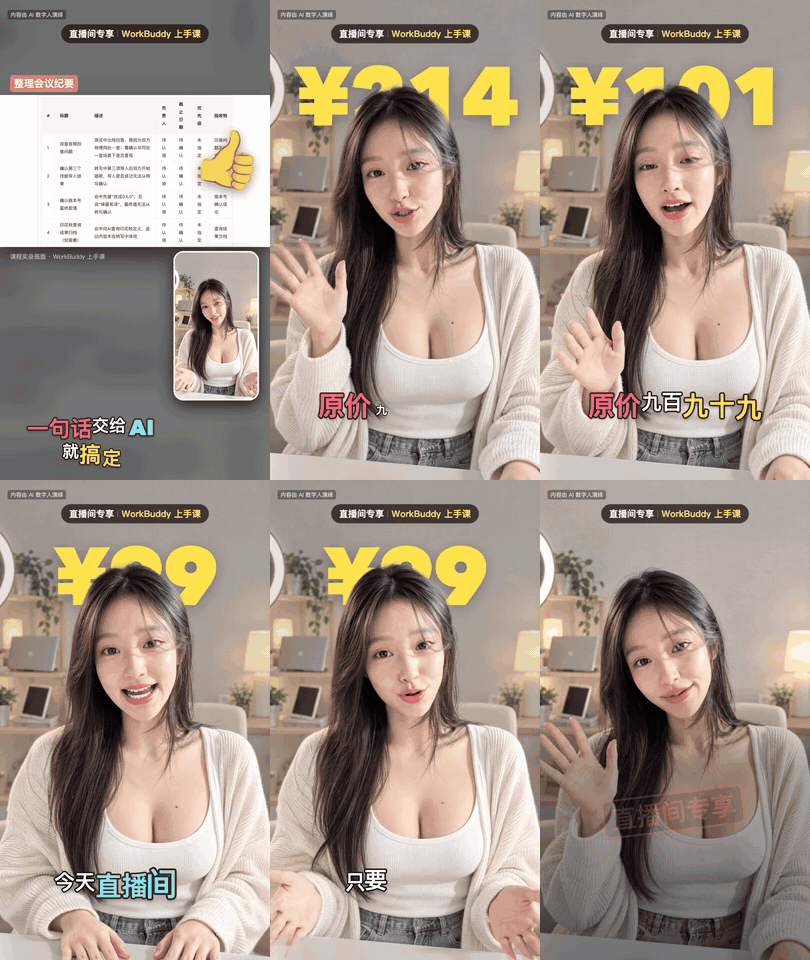
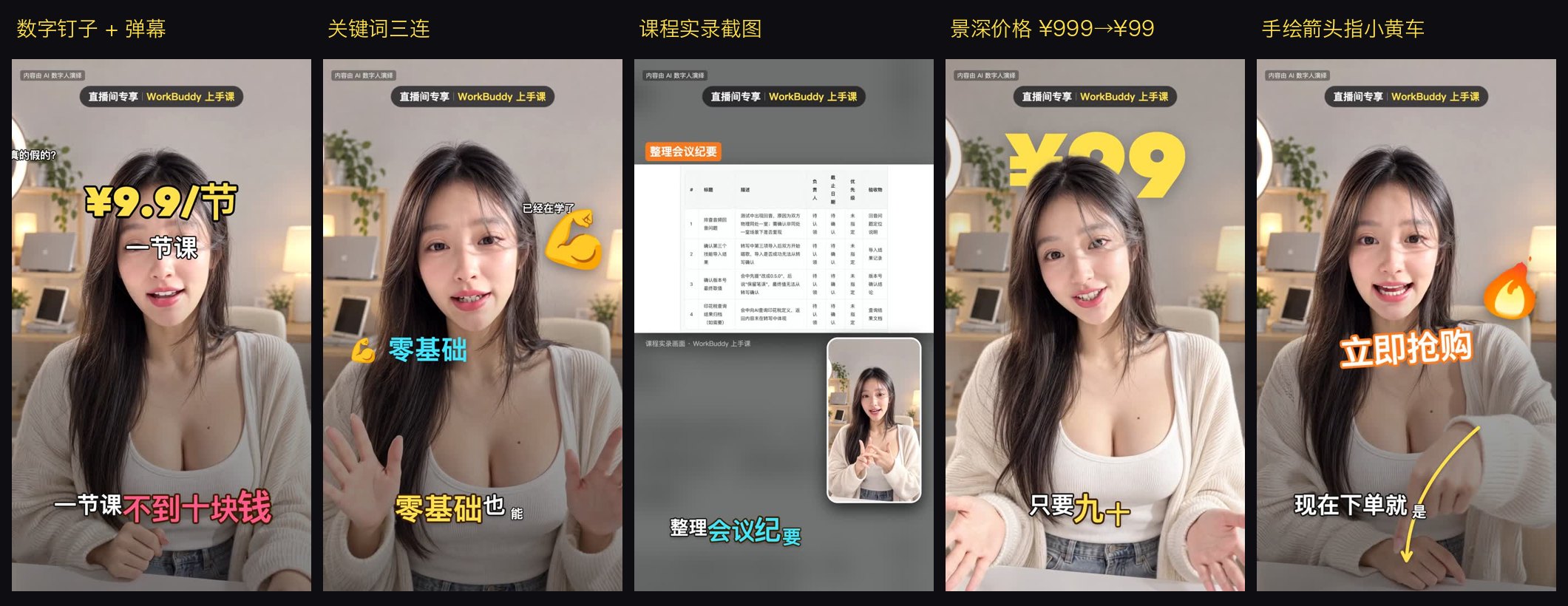
This 27-second livestream ad has no real presenter. Face, voice, studio, captions and the price animation are all AI.
The only input was one sentence: "Use this digital human to make a 30-second livestream ad for the WorkBuddy course — 10 lessons, ¥99, was ¥999."
Total cost: 482 Renoise credits.
---
Click a GIF (or "Watch") to play the full video. Every demo below was produced with this repo.
| | | |
|:---:|:---:|:---:|
|  |
|  |
|  |
| Livestream sales ad · 9:16 · 27 s
|
| Livestream sales ad · 9:16 · 27 s
Style B + depth-text price ¥999→¥99
▶ Watch | Product recommendation · 9:16 · 89 s
Animated captions, emoji, picture-in-picture
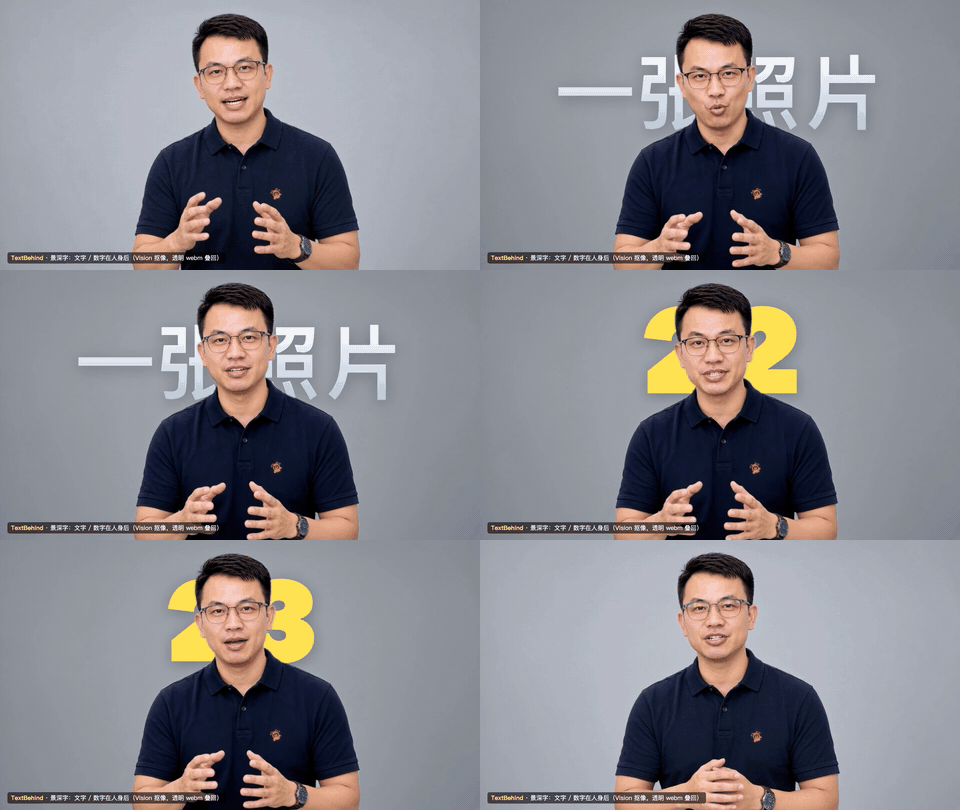
▶ Watch | Text behind the presenter · 5 s
Vision person matting, 3-layer composite
▶ Watch |
| | |
|:---:|:---:|
|  |
|  |
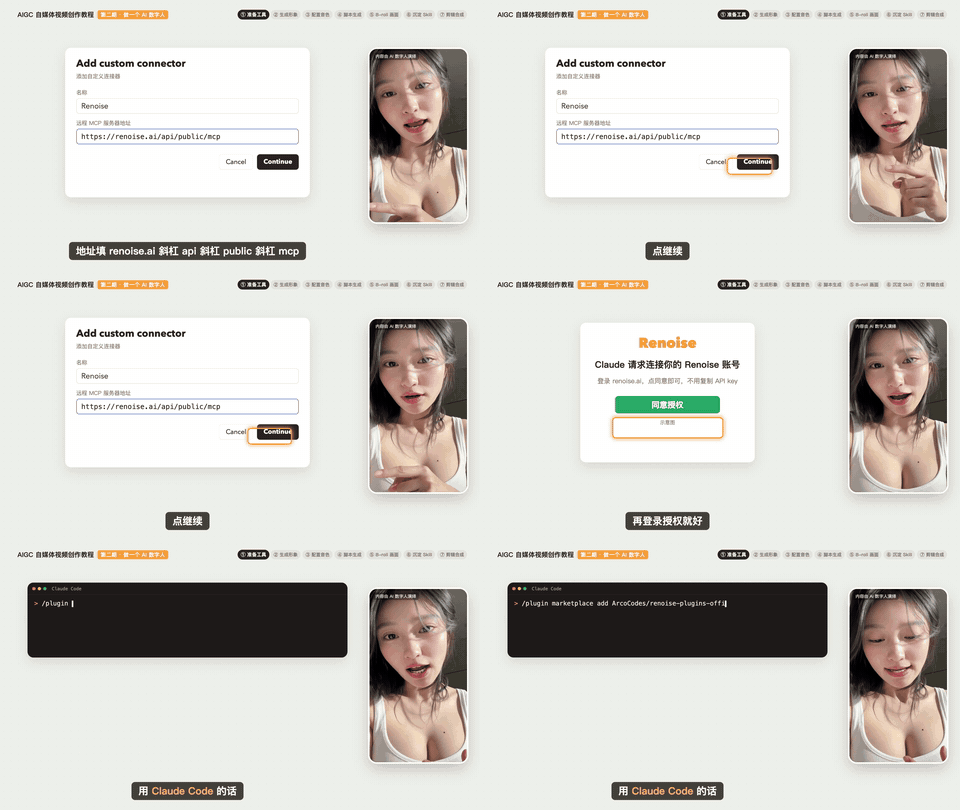
| Step-by-step tutorial · 16:9 · 4:36
|
| Step-by-step tutorial · 16:9 · 4:36
The digital human teaches how she was made (Style D)
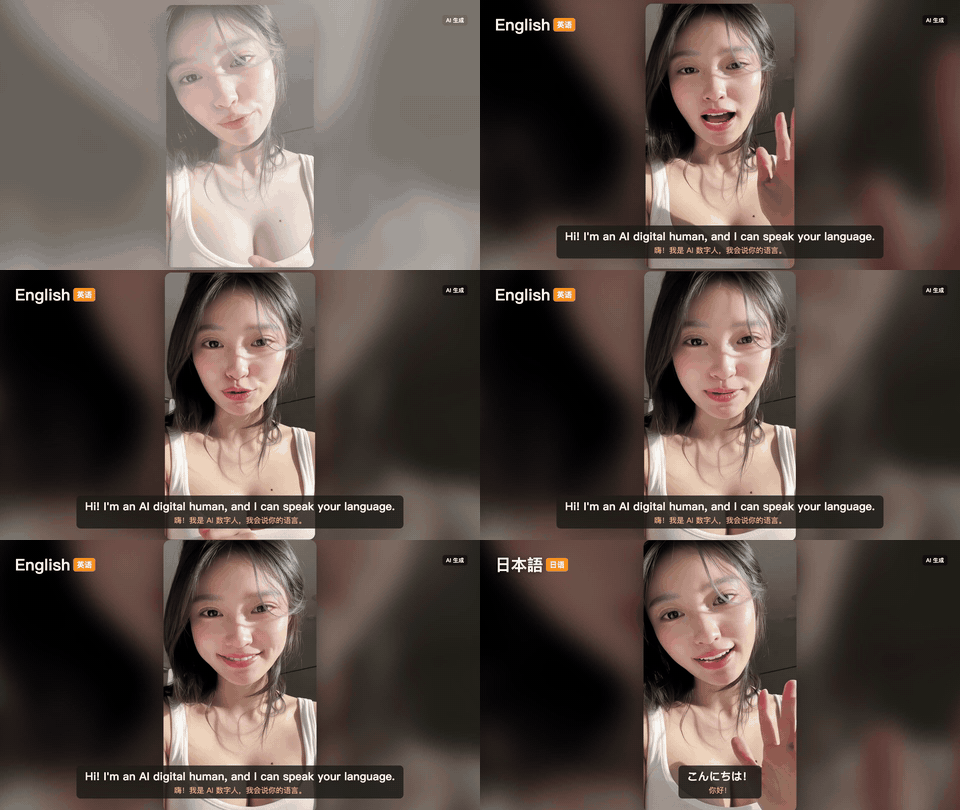
▶ Watch | Digital human, upgraded · 16:9 · 5:55
Two presenters, 6 languages, 4 scenes, cat & dog (Style E)
▶ Watch |
|  |
|  |
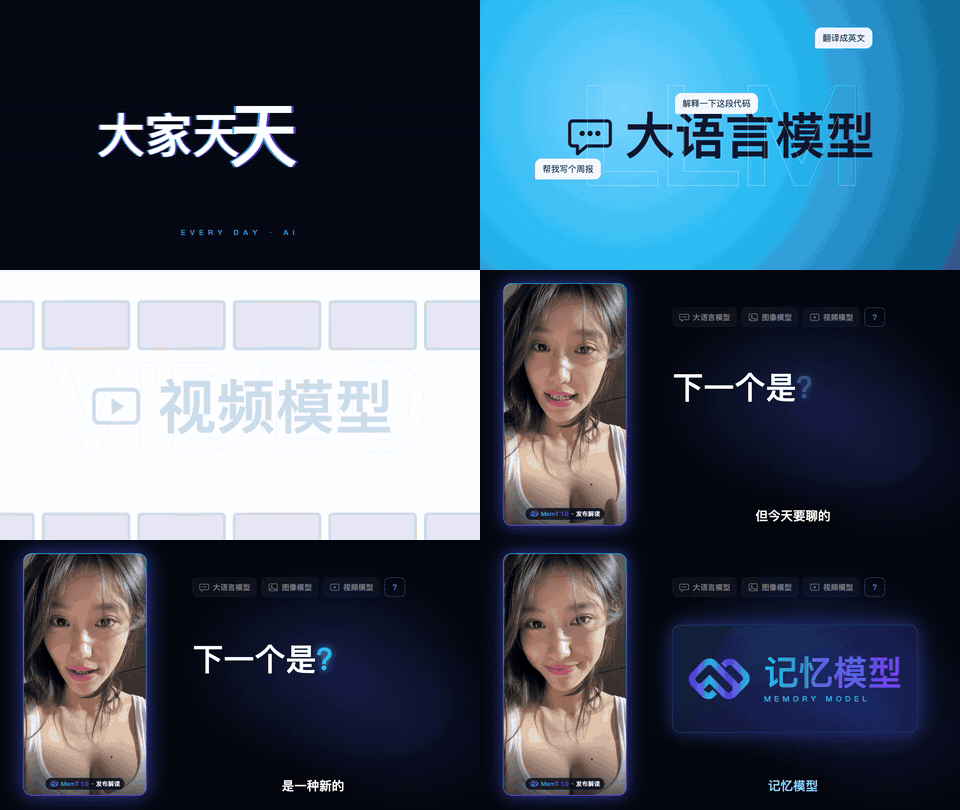
| Launch breakdown · 16:9 · 39 s
|
| Launch breakdown · 16:9 · 39 s
Presenter on the side, code B-roll on the right (Style C)
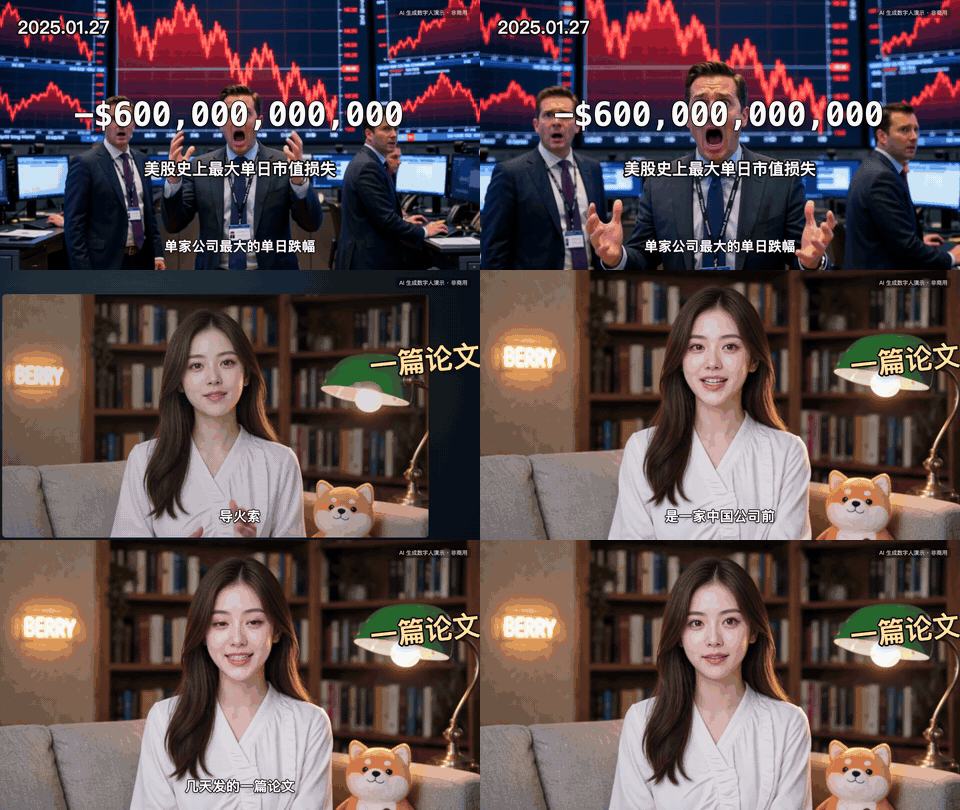
▶ Watch | Finance / tech explainer · 16:9 · 2:21
Charts, documents, chapter cards (Style A)
▶ Watch |
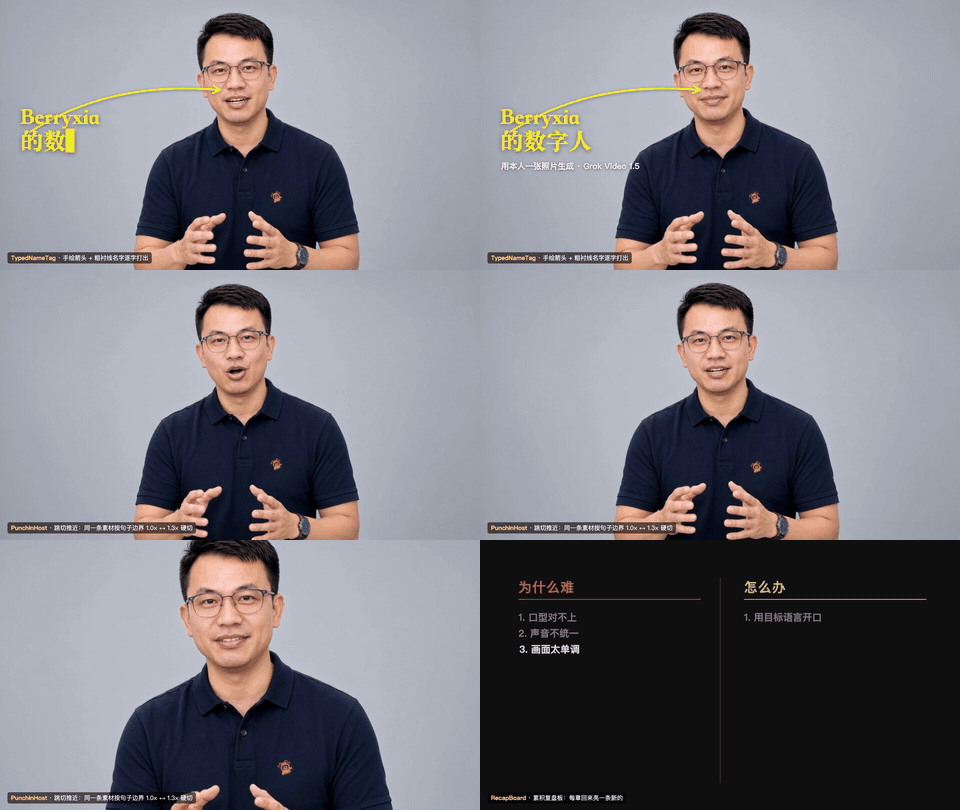
All presenters in the demos are AI digital humans and every video is labelled "内容由 AI 数字人演绎" (performed by an AI digital human). The male presenter is the author's own digital twin, made from his own photo.
---
persona.json, so every video is the same person. Composite her into any scene (livestream studio, shop, classroom, Kyoto street) with GPT Image first, then make her talk.SKILL.md Agent Skill plus scripts; any agent that can load skills, connect a remote MCP server and run local commands can drive it.your content ──► 0. setup check (Renoise MCP / ffmpeg / whisper — skip what you already have)
1. diagnose content → recommend 2 of 5 styles → ask once → brief.json
2. script.json (≤15 s per segment, ~5.4 Chinese chars/s)
3. quote credits → wait for "yes" → generate segment 1 → you check → batch
4. range-download (CDN-safe) → whisper back-check → frame check
5. voice unification (spectral match + de-ess + shared room)
6. word-level timeline (tl.json)
7. edit in Remotion: style template + default packaging (+ your requests)
8. render → check mid-transition frames → loudness (-14 / -16 LUFS)
---
The skill is a folder with a SKILL.md (the open Agent Skills format) plus Python / shell / Remotion scripts. To run the whole pipeline an agent needs three things:
1. Load Agent Skills (a skills folder or skill upload), 2. Connect a remote MCP server (Renoise — streamable HTTP, browser login, no API key), 3. Run commands on your computer (ffmpeg, Python, Node — for downloading, QA and editing).
| Agent | Skills | Renoise MCP | Local commands | Status |
|---|---|---|---|---|
| Claude Code | ~/.claude/skills/ | /plugin (below) | ✅ | ✅ Tested — this repo was built with it |
| Codex (CLI / desktop) | ~/.codex/skills/ | codex mcp add | ✅ | ✅ Expected to work (same scripts) |
| OpenClaw | skills folder per OpenClaw docs | openclaw plugins install | ✅ | ⚙️ Should work |
| WorkBuddy | Skills → import the folder / zip | Connectors → add custom MCP | ✅ desktop agent | ⚙️ Should work — menu names may differ by version |
| 豆包 (Doubao) · 千问办公 (Qwen Office) · 纳米Work (NamiWork) and other agent products | import if the product supports Agent Skills | add as a custom / remote MCP server if supported | needed for editing | ⚙️ Works if the product supports the 3 requirements above; check its docs |
| Claude desktop / claude.ai | upload the skill zip in Settings | Connectors → Add custom connector | ⚠️ sandbox only | Script writing, scene design, generation & quoting work; local editing needs a shell agent |
If your agent can only do MCP + chat (no local commands), you can still use it to plan, quote and generate the clips through Renoise; then run the editing steps with Claude Code / Codex, or by hand with the commands in SKILL.md.
---
git clone https://github.com/andyhuo520/digital-human-koubo.git
cd digital-human-koubo
The repo contains two skills: digital-human-koubo (main) and finance-explainer (the engine for Style A, the finance / tech explainer).
Claude Code
mkdir -p ~/.claude/skills && cp -R skills/digital-human-koubo skills/finance-explainer ~/.claude/skills/
mkdir -p ~/.codex/skills && cp -R skills/digital-human-koubo skills/finance-explainer ~/.codex/skills/
cd skills && zip -r ../digital-human-skills.zip digital-human-koubo finance-explainer && cd ..
Create an account at renoise.ai first. Login is in the browser — you never paste an API key.
| Agent | How |
|---|---|
| Claude Code | /plugin marketplace add ArcoCodes/renoise-plugins-official then /plugin install renoise@renoise-plugins-official |
| Codex | codex mcp add renoise --url https://renoise.ai/api/public/mcp then codex mcp login renoise |
| OpenClaw | openclaw plugins install renoise --marketplace ArcoCodes/renoise-plugins-official |
| Claude desktop / claude.ai | Settings → Connectors → Add custom connector → name Renoise, URL https://renoise.ai/api/public/mcp |
| WorkBuddy, Cursor, Windsurf, Cline, 豆包, 千问, 纳米Work, … | add a remote MCP server with URL https://renoise.ai/api/public/mcp (typical config: {"mcpServers":{"renoise":{"url":"https://renoise.ai/api/public/mcp"}}}) |
Latest official instructions: renoise.ai/plugin. Check it worked by asking your agent: "查一下我的 Renoise 余额 / check my Renoise balance."
| Tool | macOS | Windows | Linux |
|---|---|---|---|
| ffmpeg | brew install ffmpeg | winget install Gyan.FFmpeg | sudo apt install ffmpeg |
| Python 3 + numpy + Pillow | brew install python then python3 -m pip install numpy pillow | winget install Python.Python.3.12 | sudo apt install python3-pip |
| Node.js 18+ (Remotion) | brew install node | winget install OpenJS.NodeJS.LTS | nvm install --lts |
| whisper.cpp (whisper-cli) | brew install whisper-cpp | Releases | build from source |
| whisper model | ggml-medium-q5_0.bin → ~/models/ (or export WHISPER_MODEL=/path/to/model.bin) | same | same |
One-command check — it skips what you have and lists install options for what's missing:
bash ~/.claude/skills/digital-human-koubo/scripts/doctor.sh
The text-behind-presenter effect uses Apple Vision and needs macOS; everything else is cross-platform.
The repo ships no third-party audio. Generate an original set of 30 sound effects and a placeholder background track (pure code, no copyright):
python3 ~/.claude/skills/digital-human-koubo/scripts/make_assets.py
new_edit.sh also runs this automatically for every new project. For a better soundtrack, drop any track you have the rights to at /public/music/bgm.mp3.
The default voice is Grok's native voice (best lip-sync). For a designed voice, your own cloned voice, or narration-only videos, the skill uses Xiaomi MiMo TTS:
1. Register at platform.xiaomimimo.com and create an API key. At the time of writing Xiaomi offered the TTS models free for a limited time — check the site for current pricing.
2. Put the key in an environment variable, or in ~/.config/ai-teardown/mimo.env:
   mkdir -p ~/.config/ai-teardown && cat > ~/.config/ai-teardown/mimo.env <<'EOF'
   MIMO_API_KEY=your-key-here
   MIMO_BASE_URL=https://api.xiaomimimo.com/v1
   EOF
   chmod 600 ~/.config/ai-teardown/mimo.env
Note: Grok generates lip movement from its own voice. Swapping in a different voice afterwards leaves ~100 ms lip offset (fine in picture-in-picture, visible in full-screen close-ups). For your own recording with exact lip-sync, use an audio-driven model such as OmniHuman (documented in the skill).
---
Talk to your agent in plain language:
用我的数字人 Skill 讲这段:……(paste your content)
Use my digital human skill to make a 30-second livestream ad: WorkBuddy course, 10 lessons, ¥99 (was ¥999).
Make a 3-minute explainer about why Silicon Valley Bank collapsed, Xiaolin-style.
Add a map route when she mentions these countries. / Put "¥99" behind her. / Add a teaser cold open.
把包装组件图鉴发我看看  (show me the packaging gallery)
What happens next: 1. Setup check — anything already installed is skipped. 2. A one-line diagnosis + 2 recommended styles with preview images, and one round of questions. 3. Script + scene design + credit quote → you approve → segment 1 → you approve → the rest. 4. QA, voice clean-up, editing with the style's default packaging → the finished MP4.
---
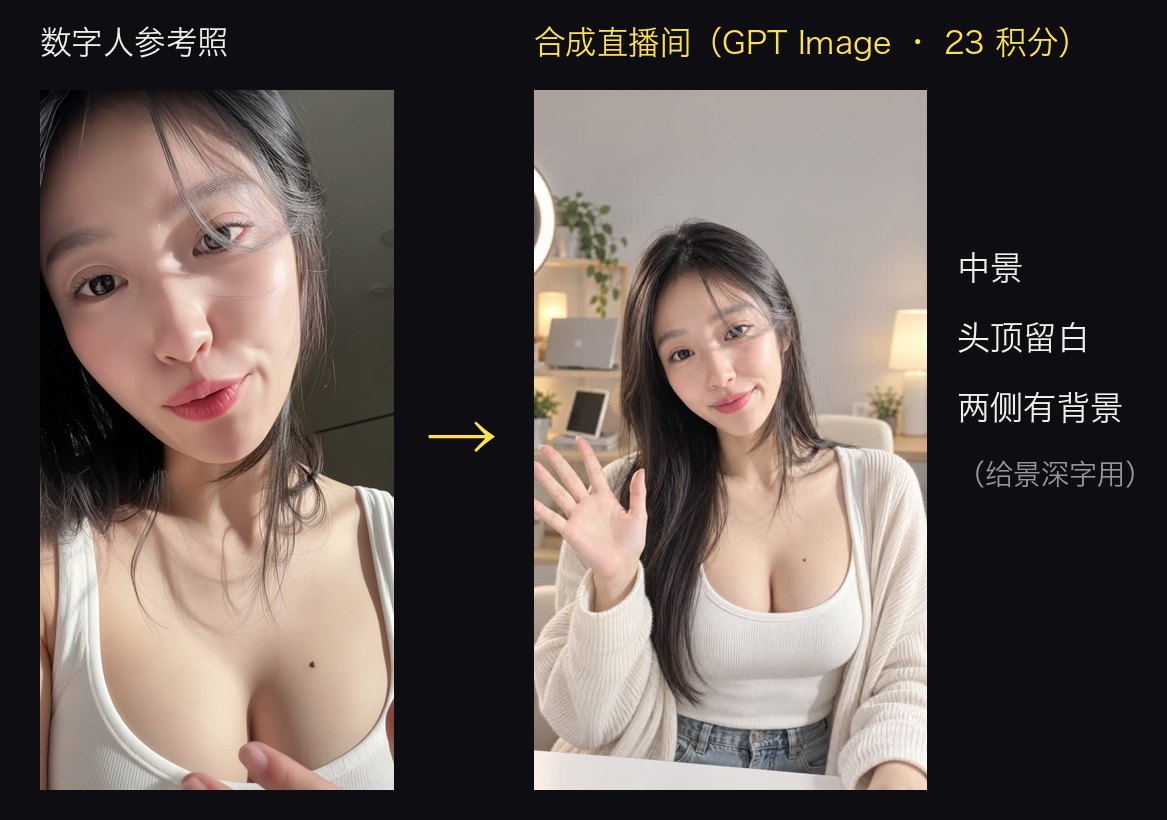
1. Pick a photo: frontal face, even light, hair off the face, mouth closed. Only your own photo or one you have permission to use.
2. Ask the agent to generate a 4-view sheet (front, both sides, back) — GPT Image 2.5, 2k, ~23 credits — so the face stays the same from every angle.
3. Compare models with the same image and line (Grok Video 1.5 vs Wan 3.0, 8 s each) and pick one.
4. Upload the reference to Renoise and put its material: into skills/digital-human-koubo/persona.json (renoise.reference_material, or other_hosts.me for a second presenter).
Details: references/new-avatar.md. The material: IDs in this repo belong to the author's account and won't work on yours — that's expected.
---
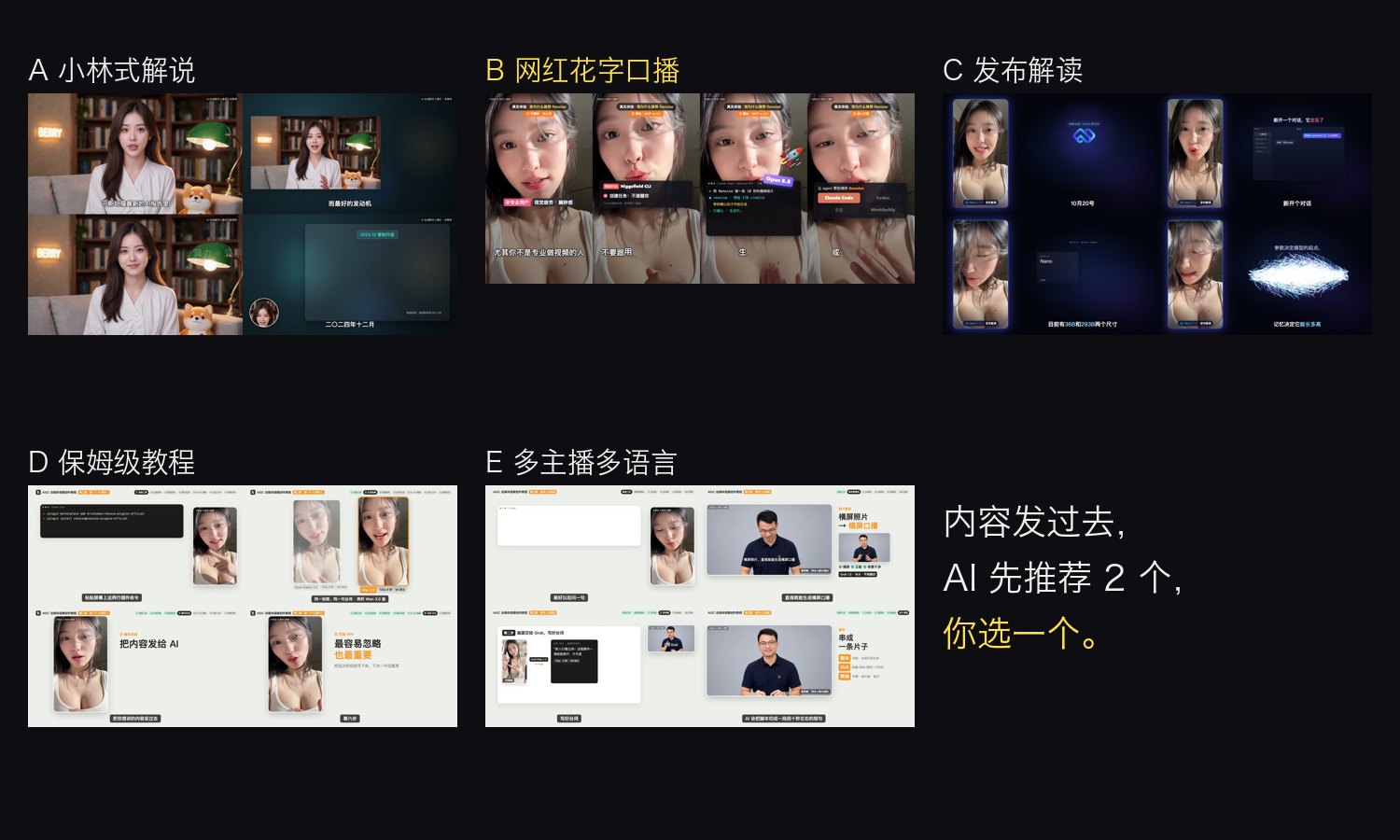
| Style | Ratio | Length | Best for | Template |
|---|---|---|---|---|
| A Finance / tech explainer (Xiaolin-style structure) | 16:9 | 3–20 min | events, data, "why…" | finance-explainer engine |
| B Influencer talking head with animated captions | 9:16 | 30–120 s | product picks, sales, opinions | templates/huazi-916 (data-driven) |
| C Launch breakdown | 16:9 | 30–90 s | new products / models | templates/reference/launch-169 |
| D Step-by-step tutorial | 16:9 | 3–8 min | "how to…", tool setup | templates/reference/tutorial-169 |
| E Multi-host · multi-language · multi-scene | 16:9 | 3–7 min | capability demos, going global | templates/reference/multihost-169 |
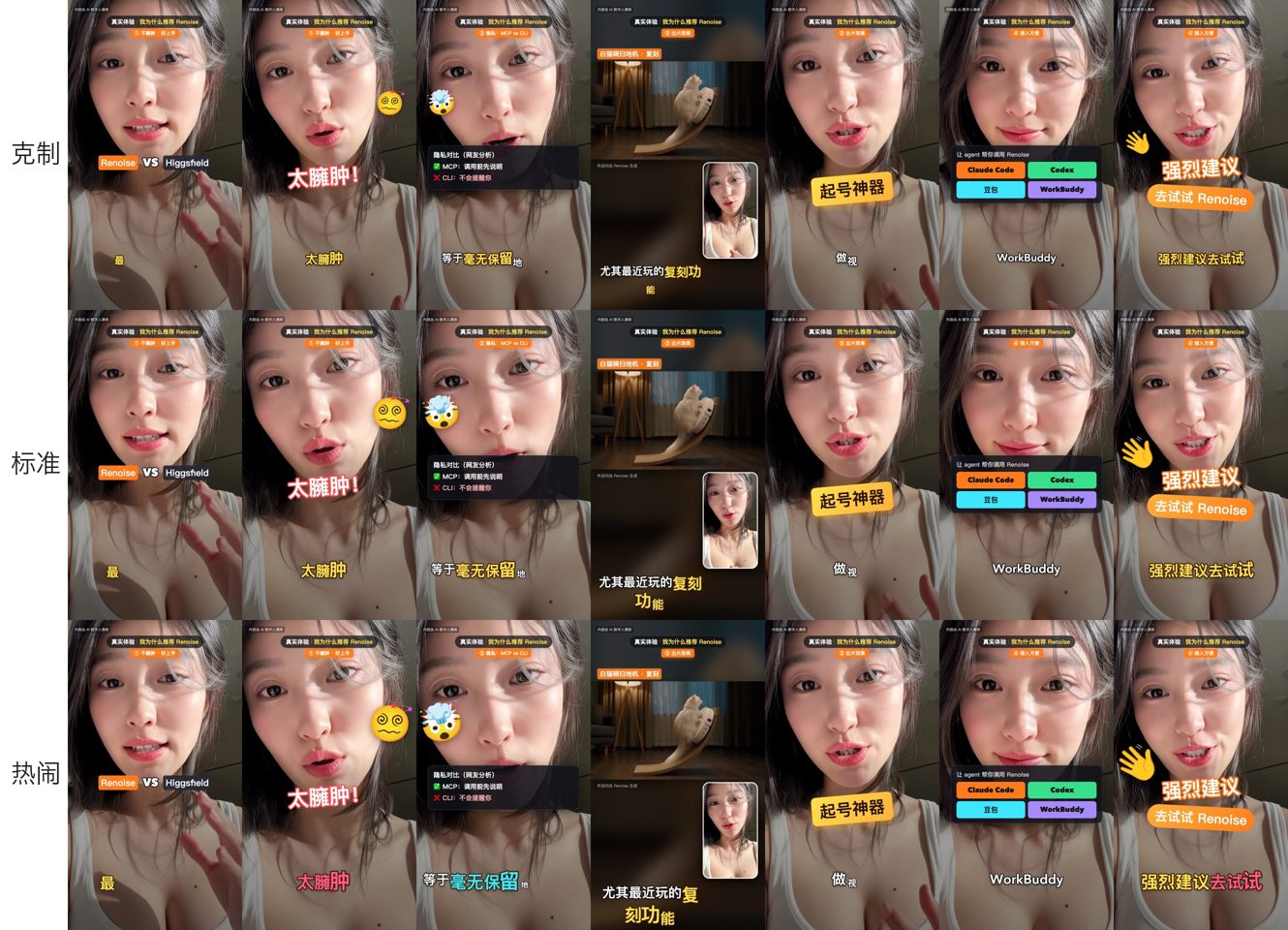
Style B has three caption intensities — restrained / standard / lively:
Style A learns only the structure and editing grammar of popular explainer channels. It never uses a real creator's face, voice, set or lines.
---
We measured 25 videos frame by frame (shot detection, opening beats, on-screen text, sound) — full reports in references/research/.
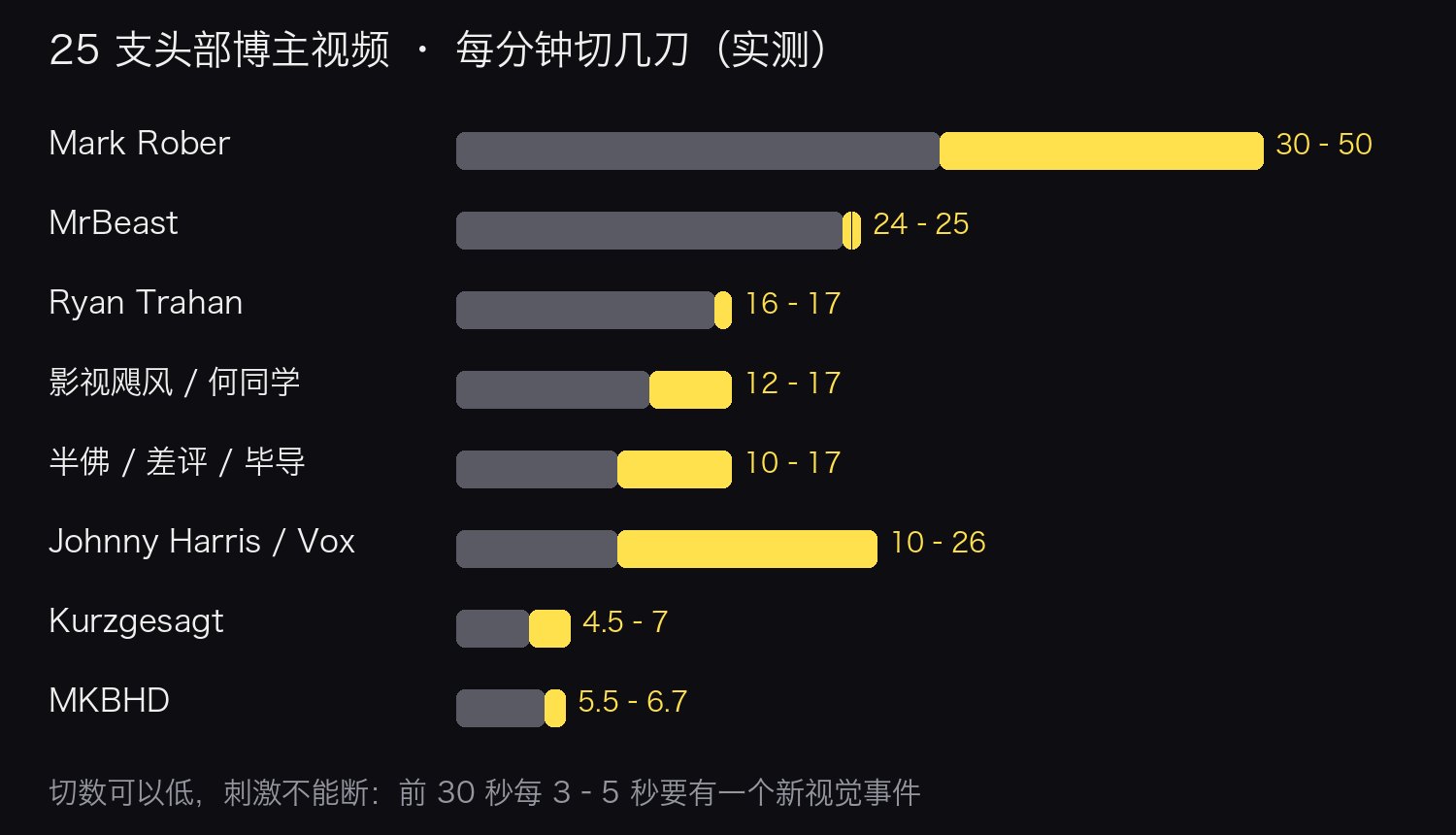
Rules distilled from the research (packaging-playbook.md):
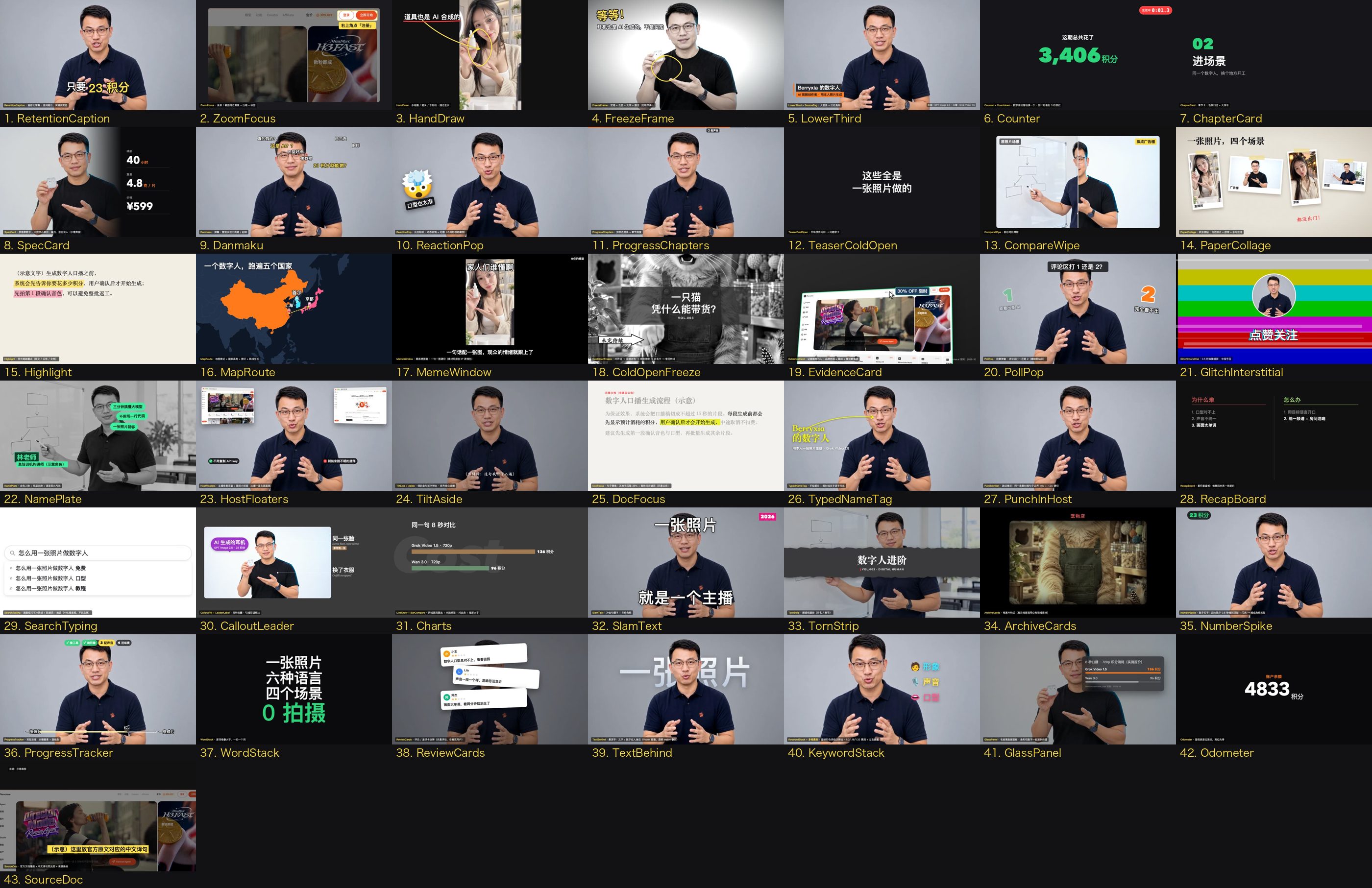
| Group | Components | |---|---| | Opening / hooks | TeaserColdOpen · ColdOpenFreeze · SearchTyping · NumberSpike · SlamText · WordStack · TornStrip · TextBehind | | Evidence / data | EvidenceCard · DocFocus · SourceDoc · ZoomFocus · Counter · Odometer · GlassPanel · SpecCard · LineDraw · BarCompare · ReviewCards · ArchiveCards · MapRoute · CompareWipe · PaperCollage | | Annotation / people | HandDraw · CalloutPill · LeaderLabel · TypedNameTag · LowerThird · NamePlate · SourceTag · FreezeFrame | | Rhythm / interaction | PunchInHost · KeywordStack · RetentionCaption · TiltLine · Aside · Danmaku · ReactionPop · MemeWindow · PollPop · GlitchInterstitial · HostFloaters · ProgressChapters · ProgressTracker · ChapterCard · RecapBoard · Countdown · GhostWord |
Every component is called by name in a pack list, with timings written as "segment:word" (e.g. "3:积分"), and adapts to 9:16 automatically:
"pack": [
  { "use": "NumberSpike", "at": "1:不到十块钱", "until": "1:end", "text": "¥9.9/节", "label": "一节课" },
  { "use": "Danmaku", "items": [{ "t": "真的假的?", "at": "1:" }, { "t": "AI 还能帮我干活?", "at": "1:教你", "hot": true }] },
  { "use": "TextBehind", "src": "main.mp4", "cutout": "main_cut_s4.webm", "cutoutFrom": 17.2, "at": "4:", "until": "4:end",
    "mode": "count", "lines": [{ "t": "¥99", "font": "en", "color": "#FFE14D", "size": 0.17 }], "count": { "from": 999, "to": 99, "prefix": "¥" } }
]
references/packaging.md. Validate before rendering: python3 scripts/check_edit.py /src.
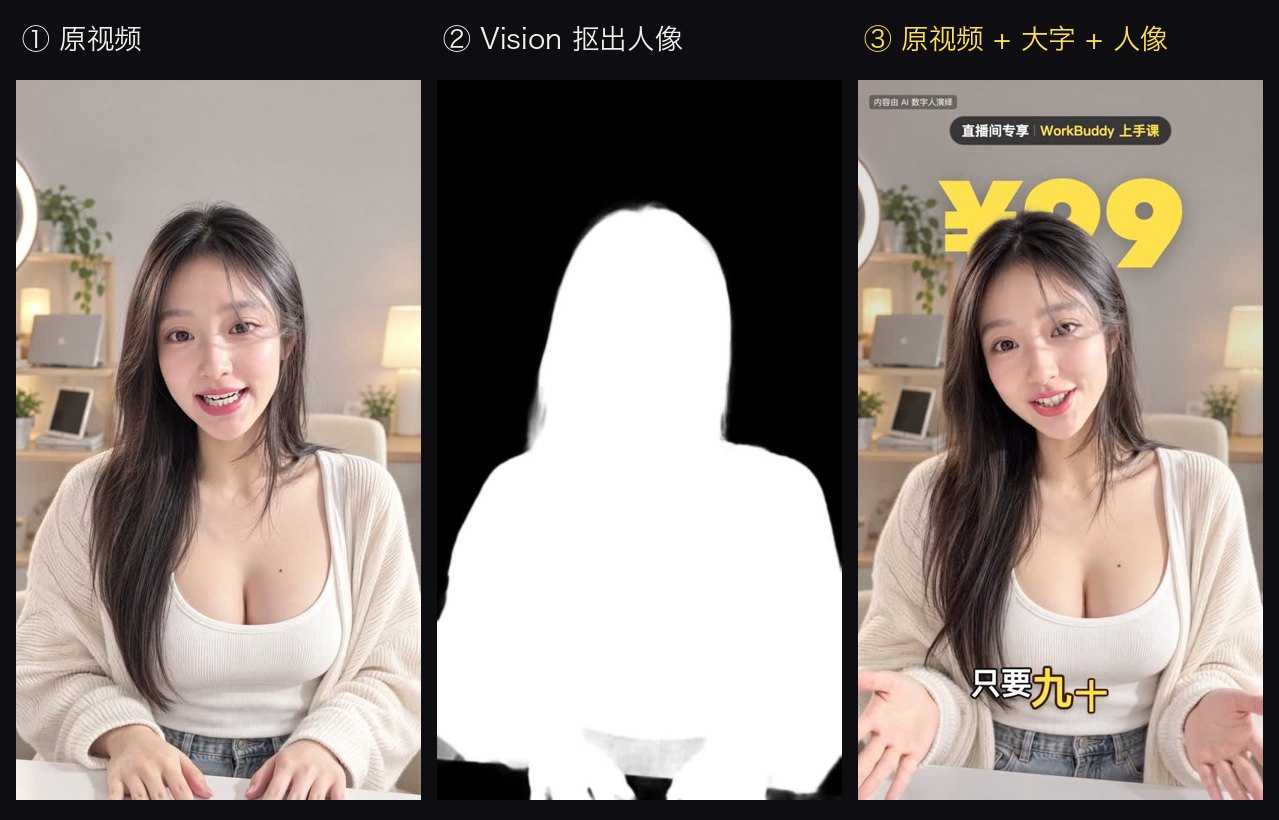
python3 scripts/cutout_video.py public/main.mp4 public/main_cut_s4.webm --from 17.2 --to 22.4 # matte only the seconds you need
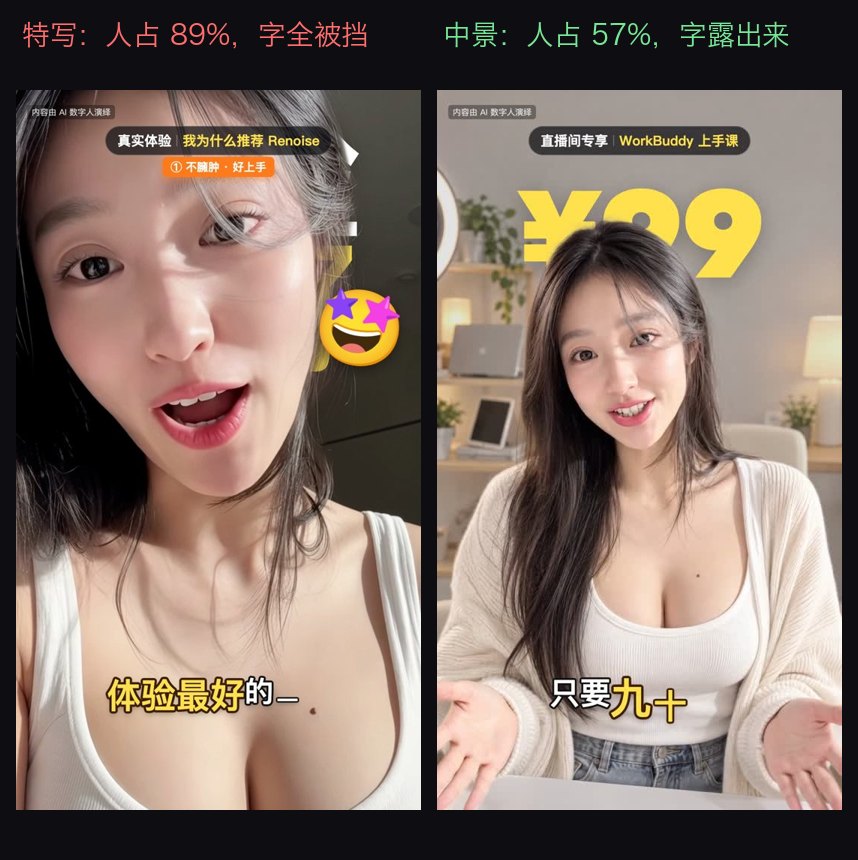
"shot": "depth" and they are generated as medium shots.
---
| Video | Generation | Credits | |---|---|---| | Livestream ad, 9:16, 27 s | 1 scene image + 5 Grok segments (720p) | 482 | | Tutorial Ep2, 16:9, 4:36 | 32 segments (full 720p / PiP 480p) + demos | ~3,250 | | Tutorial Ep3, 16:9, 5:54 | 30 new segments + 7 scene images, 17 segments reused | ~3,409 |
Prices at the time of writing: Grok Video 1.5 — 720p 17 credits/s, 480p 10 credits/s; GPT Image 2.5 2k — 23 credits. Always confirm with the agent's live quote.
skills/
  digital-human-koubo/            main skill
    SKILL.md                      workflow the agent follows
    persona.json                  presenters, voice descriptions, prompt templates
    references/                   style menu · packaging · playbook · install · research reports
    scripts/                      build_tasks · rangedl · assemble · align · check_edit · cutout_video
                                  voicefx/unify · doctor · new_edit · make_assets
    templates/
      huazi-916/                  9:16 data-driven talking-head template (edit.json)
      packaging/                  48-component kit + gallery project
      reference/                  launch-169 · tutorial-169 · multihost-169
    assets/                       style previews · packaging gallery · avatar reference
  finance-explainer/              Style A engine (episode.json beat sheet, research helpers)
docs/                             README images, GIF previews, posters
rangedl.py downloads in 6 ranges with resume + decode check.→ →
→ →
→ →
→ →
→ →
→ →
→ →
→