timoncool/YuE2-Studio is an open-source project on GitHub, mainly written in TypeScript. Local AI song generator with an editable score — YuE2 on your GPU: full songs with vocals, sheet music, covers, exact replay. It currently holds 1,947 stars and 228 forks with 21 open issues, and was last pushed on 2026-11-07 (repository created 2026-09-22).
YuE2 Studio is a desktop studio for YuE2, the open song model from M-A-P that writes a
score before it sings. Describe a style, write the lyrics, and the model composes a melody
with chords as sheet music, then performs it as a full song with vocals. The score comes
back with the track: read it, edit it, and render the same composition again with a
different sound. Windows installer with auto-update or a portable folder, runs offline on
an NVIDIA card with 6 GB of VRAM or more; AMD and Intel cards through Vulkan are experimental.
It is built on yue2.cpp, the native C++/CUDA
port of YuE2. The studio around it is Rust and React in a Tauri window — nothing in the
runtime path is Python.
For AI agents
Given this repository, an agent can set everything up and drive the studio by itself:
1. Install the studio from the latest release and start it.
2. Connect to its MCP server at http://127.0.0.1:8791/mcp:
claude mcp add --transport http yue2-studio http://127.0.0.1:8791/mcp
3. Read the skill it serves (resource studio://skill, prompt studio), the same text as
docs/mcp-skill.md, and start with the tool studio_status.
llms.txt says the same for tools that look for it. To keep the skill in Claude
Code, save docs/mcp-skill.md as ~/.claude/skills/yue2-studio/SKILL.md.
What you can do
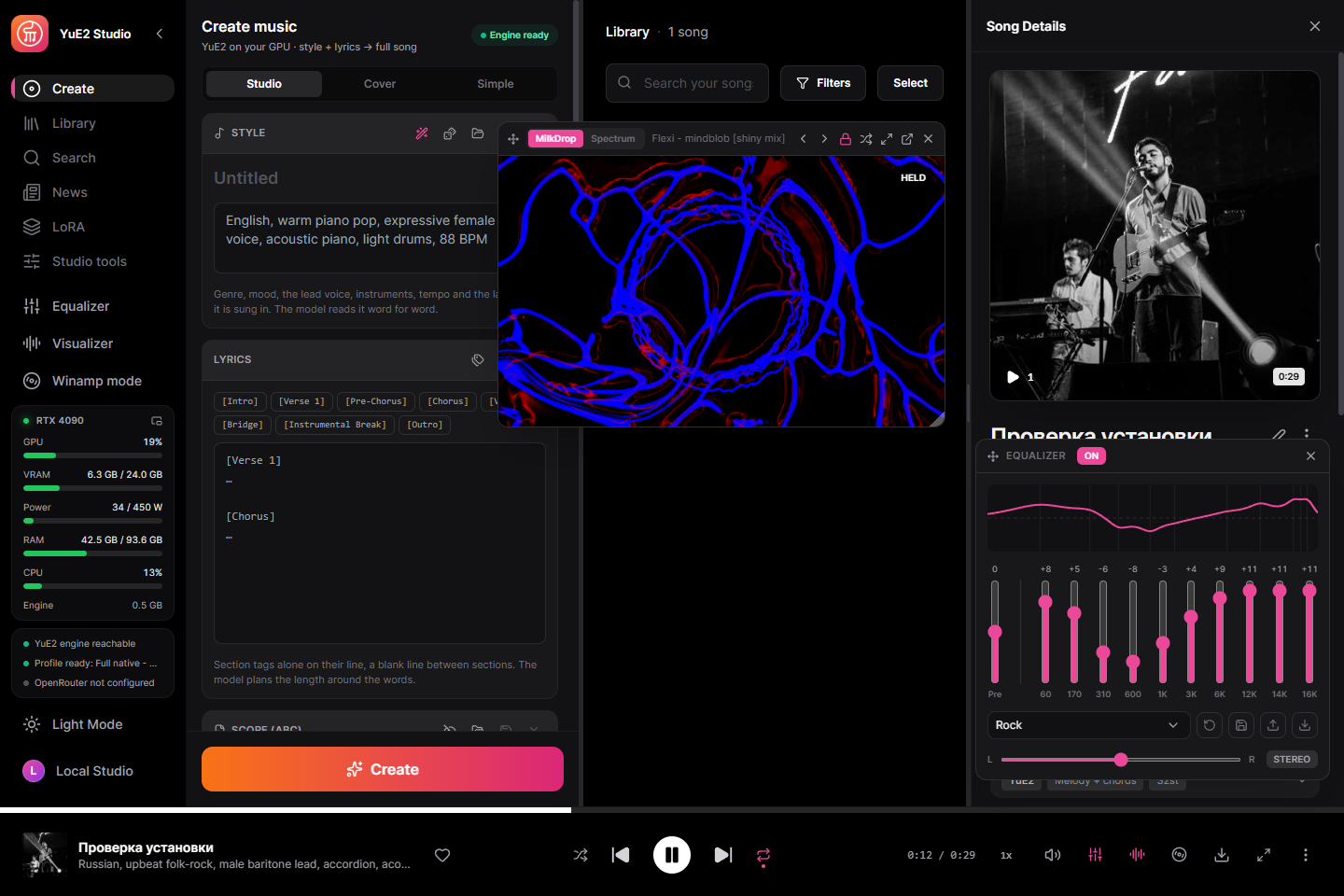
- A player of its own — a ten-band equalizer on Winamp's frequencies with its presets,
your own and .EQF files; a MilkDrop visualiser with hundreds of presets or a spectrum in ten
looks, over the studio, fullscreen or in its own window; and a Winamp mode that turns the whole
window into a skinned Winamp 2 whose windows move apart, dock and resize — the original skin
and ten more included, sharp at any scale, the Winamp Skin Museum one click away,
Ctrl+M to switch. The song, its place and the equalizer carry over both ways.
- Save as, and a Files panel — songs, stems, MIDI, lyric sheets, scores and videos are
saved where you say, in Windows' own Save dialog, and the Files panel shows each save.
- A proxy for the whole studio — HTTP, HTTPS, SOCKS5 or SOCKS4, with a login: model
downloads, Hugging Face, OpenRouter and updates go through it.
- Full songs from a style and lyrics — up to ten minutes, in the languages the model
sings. In Russian a stress mark (the combining acute U+0301, Alt+0769 on Windows) after a
vowel moves the sung stress to it, as Ruach Studio documents. On an RTX 4090 with the Q8_0 set a 3:38 song renders in about 46 seconds.
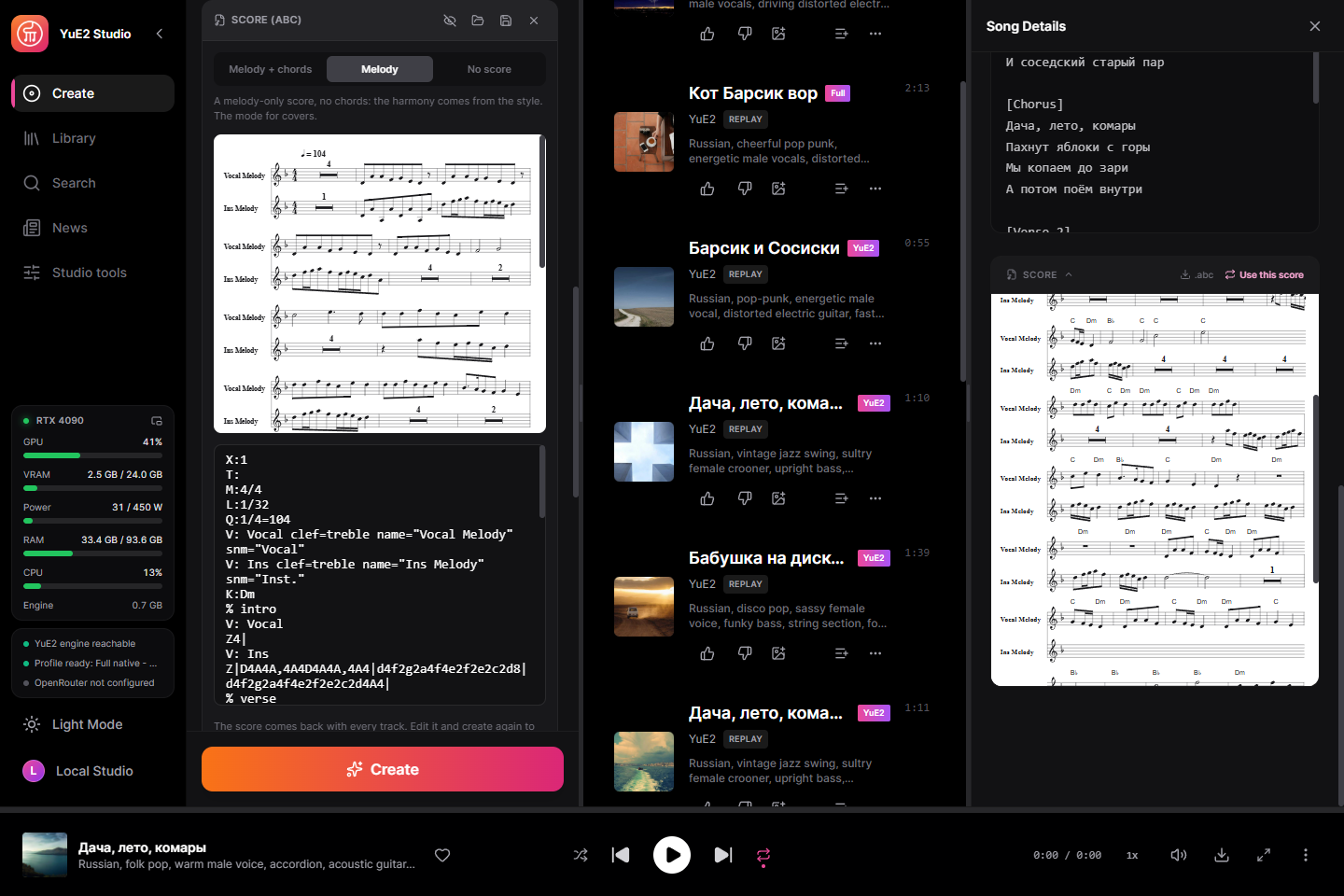
- Read and edit the score — the model writes its composition in ABC notation first; the
studio engraves it as sheet music. Edit the notes, tempo or key and create again: the
composition stays, the performance changes. Or switch to melody-only, or no score at all.
- Compose the score first — write only the score from the style and lyrics, without
singing it (the studio's take on yue2.cpp's
yue-plan), read and fix it, then create.
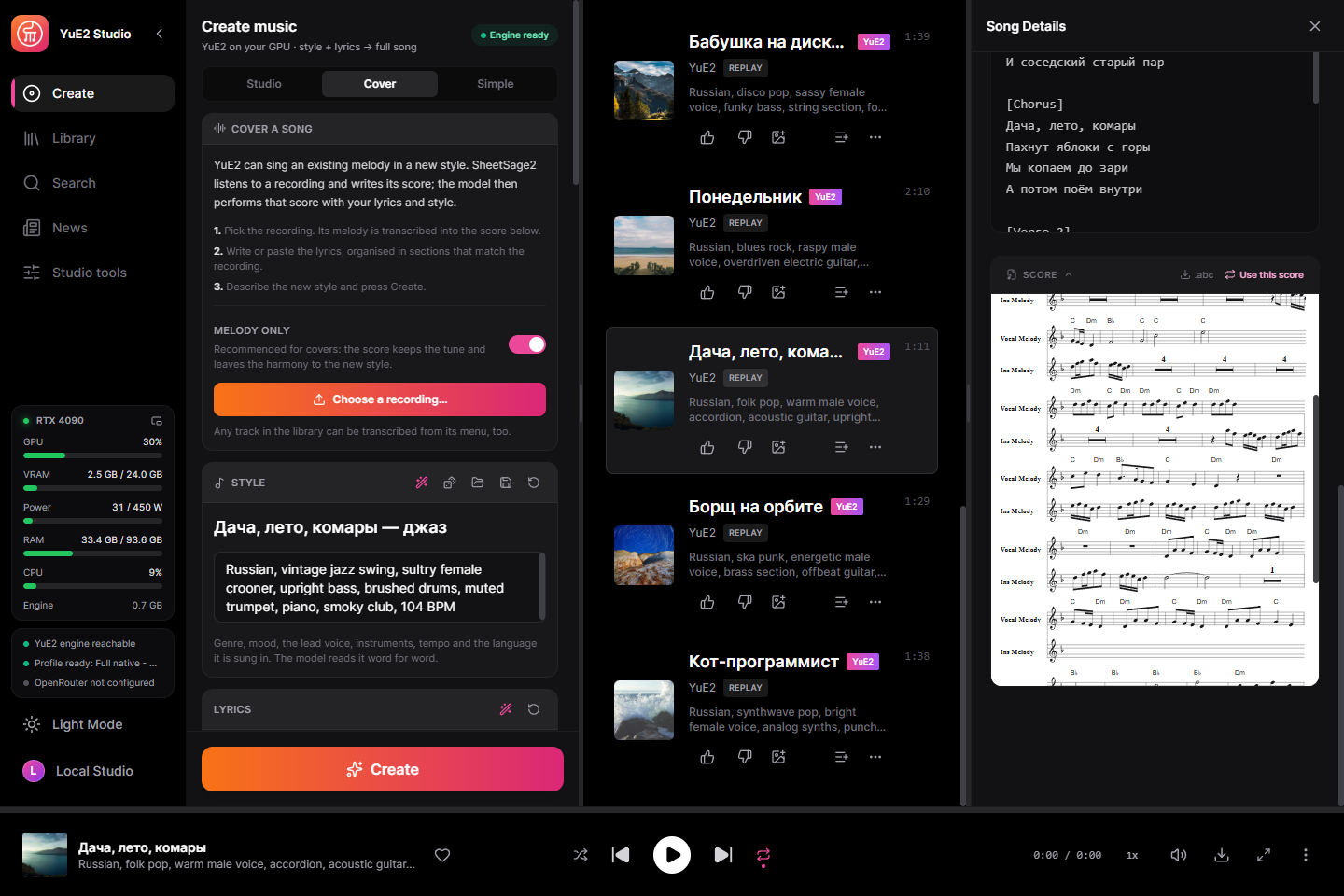
- Covers — SheetSage2 listens to a recording and writes its melody as a score; YuE2
then sings that melody in your style. The words have to fit the melody: the original
lyrics work best, new ones need the same syllables line by line with the stresses on
the same notes, or the singing drifts off the tune — lines stretch, pause and slide into
the wrong section. Transcription mistakes carry into the cover too. A track from your
library can be transcribed from its menu.
- Exact replay — every track keeps its request and its audio codes, so it can be
re-rendered bit for bit, or re-rendered with other steps, a new sound seed, several
variations, or another output format, without composing again.
- 110 ready examples — the style/lyrics/score sets that ship with yue2.cpp, covers
included, one click to load.
- Every engine setting — all seven sampling knobs (temperature, top-p, top-k,
repetition penalty and its window, minimum and maximum tokens) for the score and for the
audio codes, flow-matching steps, guidance, both seeds, lossless FLAC or MP3. Prompts open and save as JSON or YAML in the engine's own request
format, so they move freely between the studio, the yue2.cpp WebUI and
yue-synth.
- Structured song writing — build a style from its musical fields and arrange lyrics in editable sections, while keeping the plain text editable. Give the writing assistant a language, a target of 8–32 lines and additional instructions.
- Song and render controls — voice and tempo fields; section, line/stanza and text-case tools; Keep/Words lyric preservation and exact checkpoint tokens; batch score-plan selection and chord mirroring in repeated sections. Edit scores with MIDI grid and octave controls. Transpose generation by −24 to +24 semitones, render vocals only through native HT-Demucs as MP3 or 32-bit WAV, and switch each LoRA on or off with weights from −10 to +10.
- A writing assistant — a local Gemma model or OpenRouter writes the style and lyrics
from an idea and edits the score on request; or pick your connected agent (MCP) and it
writes instead. Lyrics you wrote yourself get their section tags with one button, the
words exactly as you wrote them.
- Word-level karaoke — enhanced LRC with a timestamp on every word, aligned by Parakeet
or Whisper. Your lyrics are kept; only the timing is borrowed.
- Six stems on the GPU — drums, bass, other, vocals, guitar and piano with HT-Demucs.
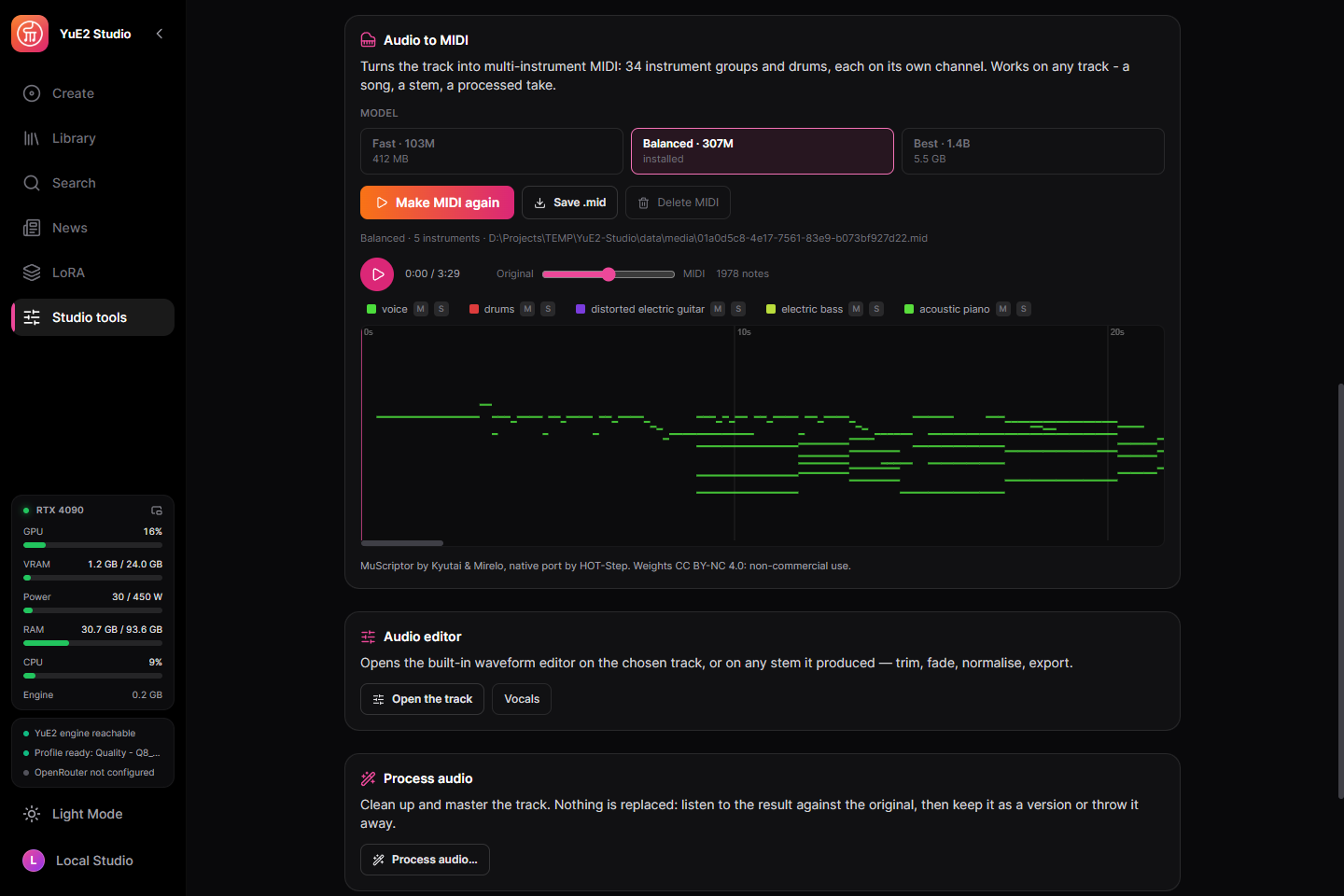
- Any track to MIDI — a song, a stem or a processed take becomes multi-instrument MIDI
(34 instrument groups and drums) with MuScriptor on the GPU, through HOT-Step's native
port. A piano roll fills in while it listens; play it against the original, mute or solo
an instrument, save the .mid. Downloaded the first time it is used.
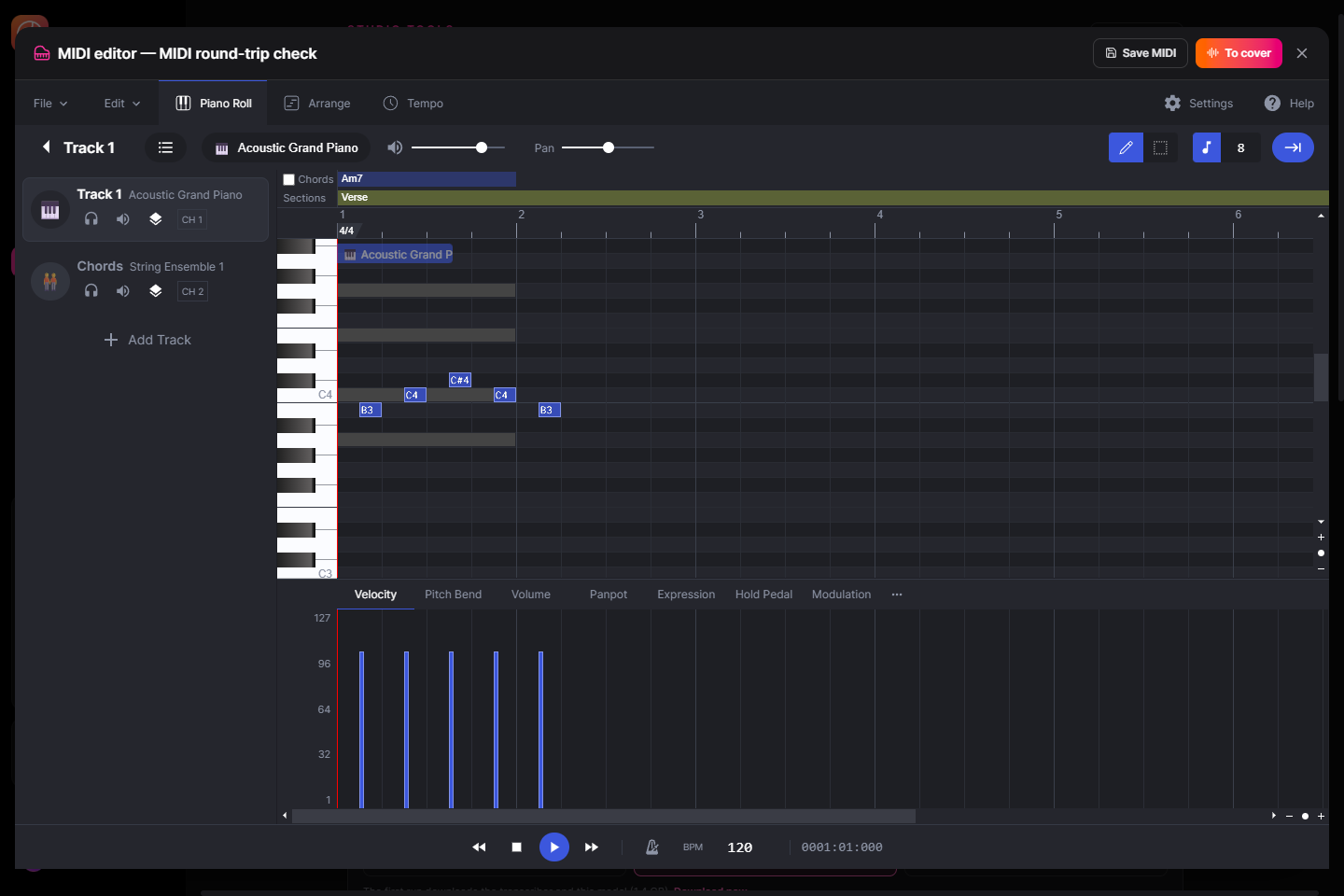
- A MIDI editor — a piano roll with tracks, instruments and drums: play a song in from a
MIDI keyboard or the computer's keys, record or draw it, edit a track's MIDI, save it to the
library as a track and send it to a cover, or open the create form's score in it. A .mid
file becomes the score: the voice and instrument chosen, chords read or guessed, karaoke
words offered for the lyrics.
- Every result is a track — stems, a processed take, a re-render and a cover land in the
library as tracks of their own, each marked with the one it was made from and keeping the
settings it was made with.
- LoRA — LoRA and LoKr files for either half of the model, the composition or the
sound, each with its own strength, picked in the create form. A catalogue of ready ones
with their authors credited, and a search on Hugging Face that downloads what you pick.
- Train your own LoRA — an optional tab on the LoRA page: songs of one artist or
style become a LoRA on your own card with HOT-Step's trainer and its tuned recipe (LoKr,
Prodigy, lyric timing from a forced aligner that also reads Cyrillic). Every setting of
the recipe is editable. Datasets move between this studio and MiniMax Music3 Studio as a
folder, and each saved checkpoint goes into the LoRA library in one click.
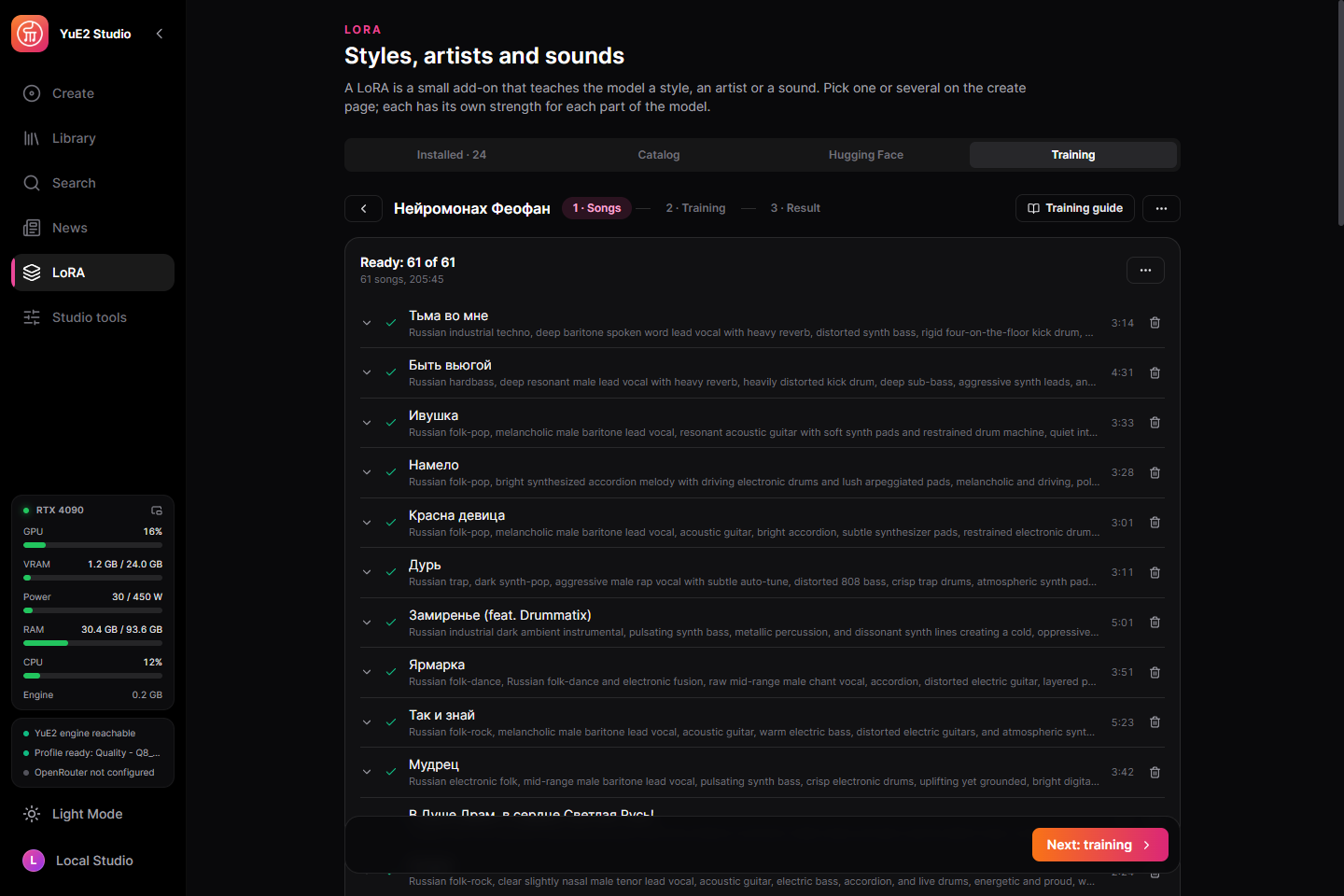
- A three-step wizard — drop a folder of songs, check them, train. Albums with a
cue sheet are cut into songs; titles and artists come from the tags, the file name and
the folders.
- Preparation on its own — lyrics come from the lyric databases players use (LRCLIB,
QQ Music, Kugou), word for word; only a song none of them knows has its vocals
separated and is heard by Whisper, with its usual hallucinations filtered out. The
assistant lays the lyrics out in sections. MOSS-Music listens to every song and the
assistant writes its style, with the tempo measured by Beat This! on the card.
- Every song shows where it is — the lyrics and styles appear as each song is done,
one model on the card at a time, each loaded once for the whole batch. A song that
failed or was stopped has a button that finishes just that song.
- Picks up after a restart — each song keeps what it has; a preparation cut off by a
crash or a restart carries on by itself and redoes nothing.
- Stop by drift or by epochs — stop when the composition half drifts too far from
the base, or after a set number of passes over the songs.
- A trigger word from the start — every dataset gets a rare word made from its name,
which you can change.
- Train further — not there yet at 750 steps? Set 1000 and the run goes on from its
latest checkpoint with the same recipe and songs; the loss chart and the checkpoints
continue instead of starting over.
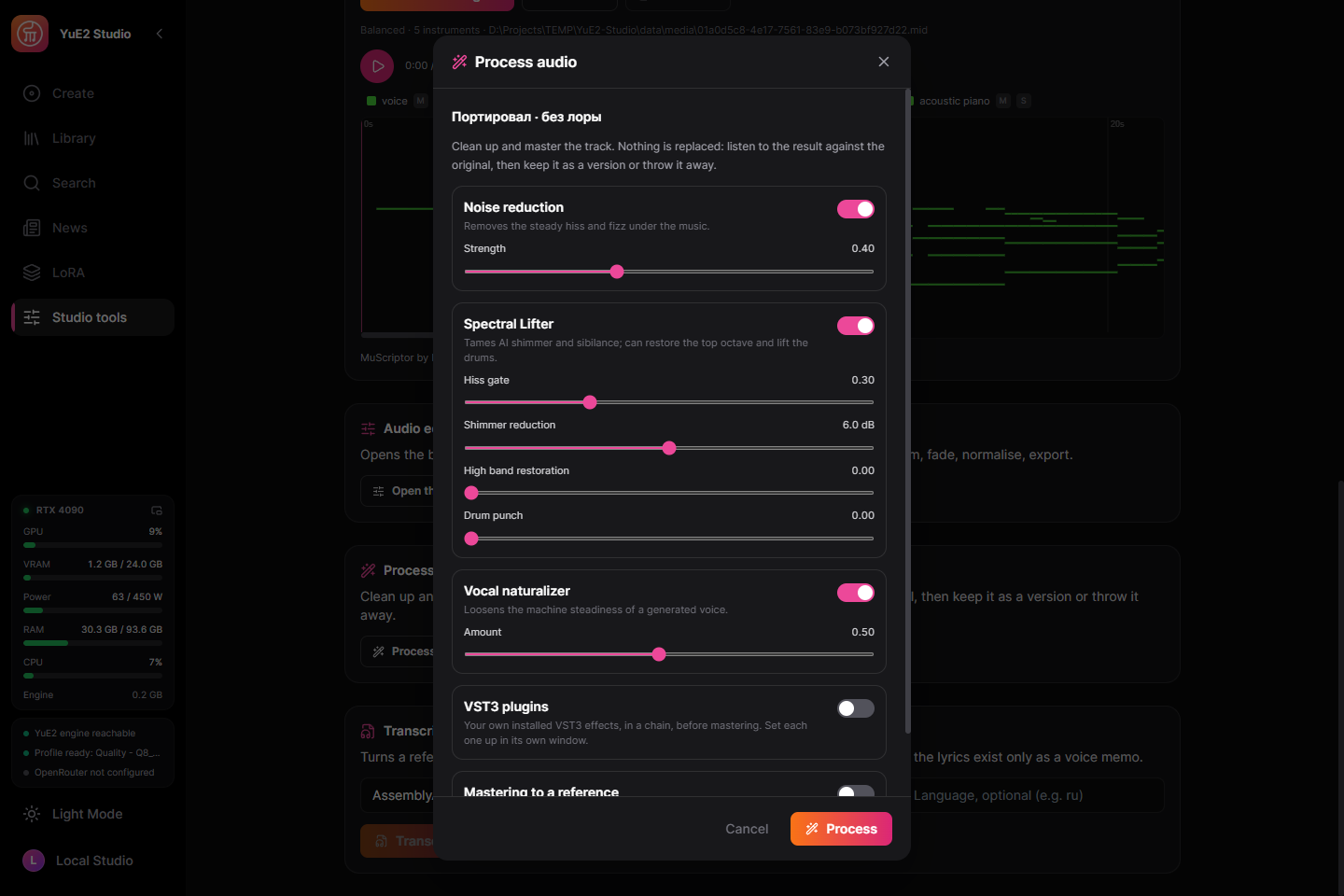
- Audio processing — noise reduction, the Spectral Lifter, a vocal naturaliser, your
own VST3 plugins in a chain, and mastering to a reference track. Compare before and
after while it plays, then keep the result as a version of the track or throw it away.
- The sound as the model made it — the engine renders 32-bit float and the studio encodes
it once, changing nothing on the way: lossless 24-bit FLAC by default (libFLAC, the reference
encoder), MP3 with LAME when you choose it. Normalisation is a stage under Process, after
mastering, never part of generation.
- A library of plain files — search, playlists, cover art from prompt templates, tracks
exported with title, lyrics and cover in their own tags (Vorbis comments in a FLAC, ID3 in an
MP3). Interface in English, Russian,
Chinese, Japanese and Korean.
- A cover for every track — a track without one wears a free (CC0) Wikimedia Commons
photograph that fits the genres, moods and instruments of its style, a pattern in one of 21
DiceBear styles, or a cover OpenRouter generates for every new track. It is chosen by the
track's seed, so it stays the same, a stem wears its song's, and it is written into the file,
so players show it after the download.
- One picture window — for a cover, and for the background and centre of a music video:
Commons photographs by search starting from the scenes a style calls up, clips free of
copyright for a background, the track's pattern in any style, generation through
OpenRouter, or a file of your own. No keys, no stock-site accounts.
- Music videos — a visualiser video of any track in 16:9, 9:16 or 1:1, with karaoke
lyrics, text layers and effects, rendered to MP4 on your machine.
- Activity — a log in the sidebar of every change a connected agent makes and every
message the studio shows.
- Likes, sorting and stems in order — a like is kept with the song for every window and
agent, every list sorts by date, title or length, and a song's stems fold under it.
- A song from a seed — hum, play or write an opening, turn on "Continue the song from this
score", and the model writes the rest of the song on from it in its key and meter, the opening
coming back as a hook.
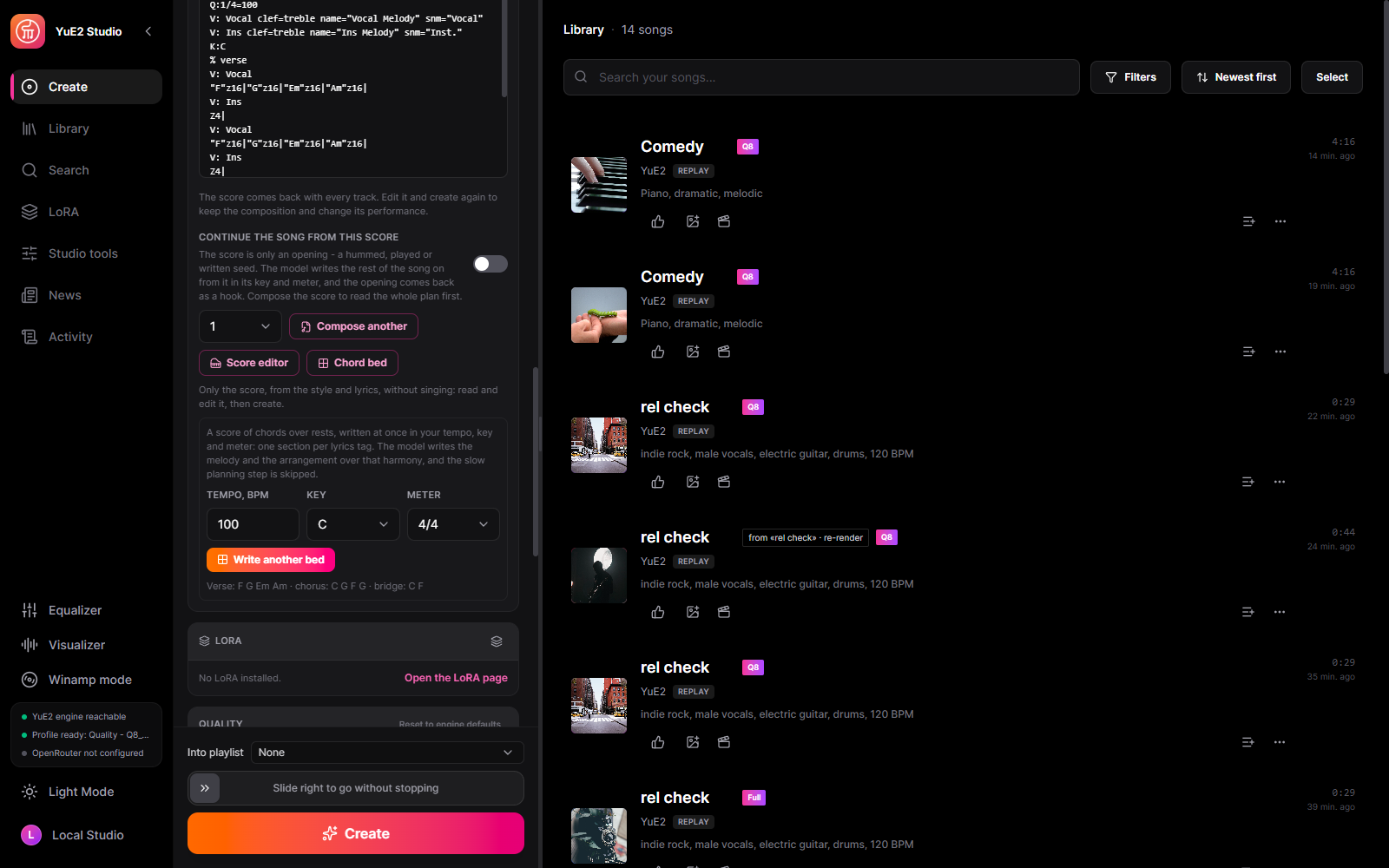
- Chord bed — a score of chords over rests written at once in the tempo, key and meter you set,
one section per lyrics tag; the model writes the melody and the arrangement over it and the
planning step is skipped.
- Chords and sections — chord variety so the song stops looping one progression, sections that
do not open the way the one before did, chords outside the key, and the score held to the
lyrics' sections in their order.
- Covers that line up — Match sections to the score retags the lyric blocks by where the source
recording sings them; the score view moves the voice an octave down or up, apart from the band,
and Instrumental hands the voice's notes to the instrument and keeps the chords.
- Extend a song — Re-render composes on from the track's last frame by 15 seconds to 2 minutes;
with a score, each section's words wait until the score reaches it.
- AB2 solver — one network evaluation a step instead of two, about twice as fast at the same
steps; midpoint stays the default.
- Around every song — a note of your own on each song, its parameters sent back to the form,
shown as JSON or saved to a file; the engine's stage, step and time left on the card while it
renders; video export from 1080p to 240p with AAC from 128 to 320 kbps; quitting while a song is
made asks first, and a song the studio was closed on starts again; karaoke can recognise words
with Parakeet Ultra, Moondream's fine-tune of Parakeet.
Compose and edit MIDI
The embedded Signal editor has multiple tracks, instruments, drums, MIDI keyboard recording, tempo changes, editable chord symbols and section markers. Save a new composition as MIDI and rendered audio in the library, or update an existing track’s MIDI. SoundFonts are bundled locally; the editor sends no analytics.
In YuE2, the same editor opens ABC scores and applies notes, chords and sections back to the create form. The visual editor replaces the older separate score editor. Use Apply to update the ABC score, or send a library MIDI track to cover mode.
Screenshots
| | |
|---|---|
|  |
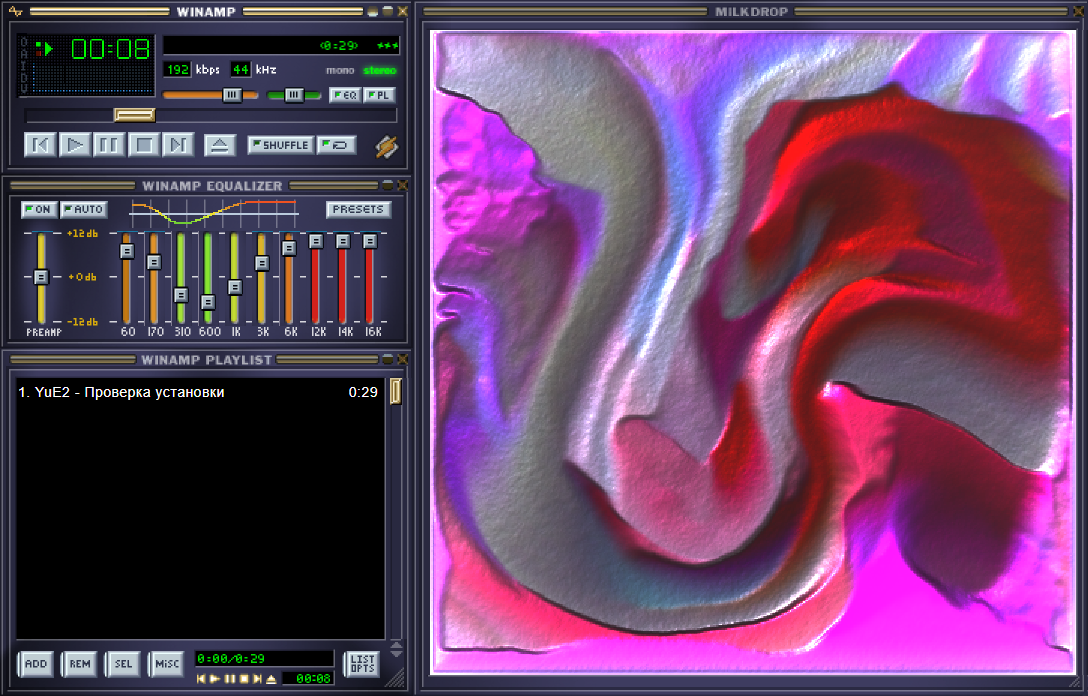 |
| The equalizer with its curve and MilkDrop over the studio, as the song plays | The whole window as Winamp 2: equalizer, playlist and MilkDrop, skinned |
|
 |
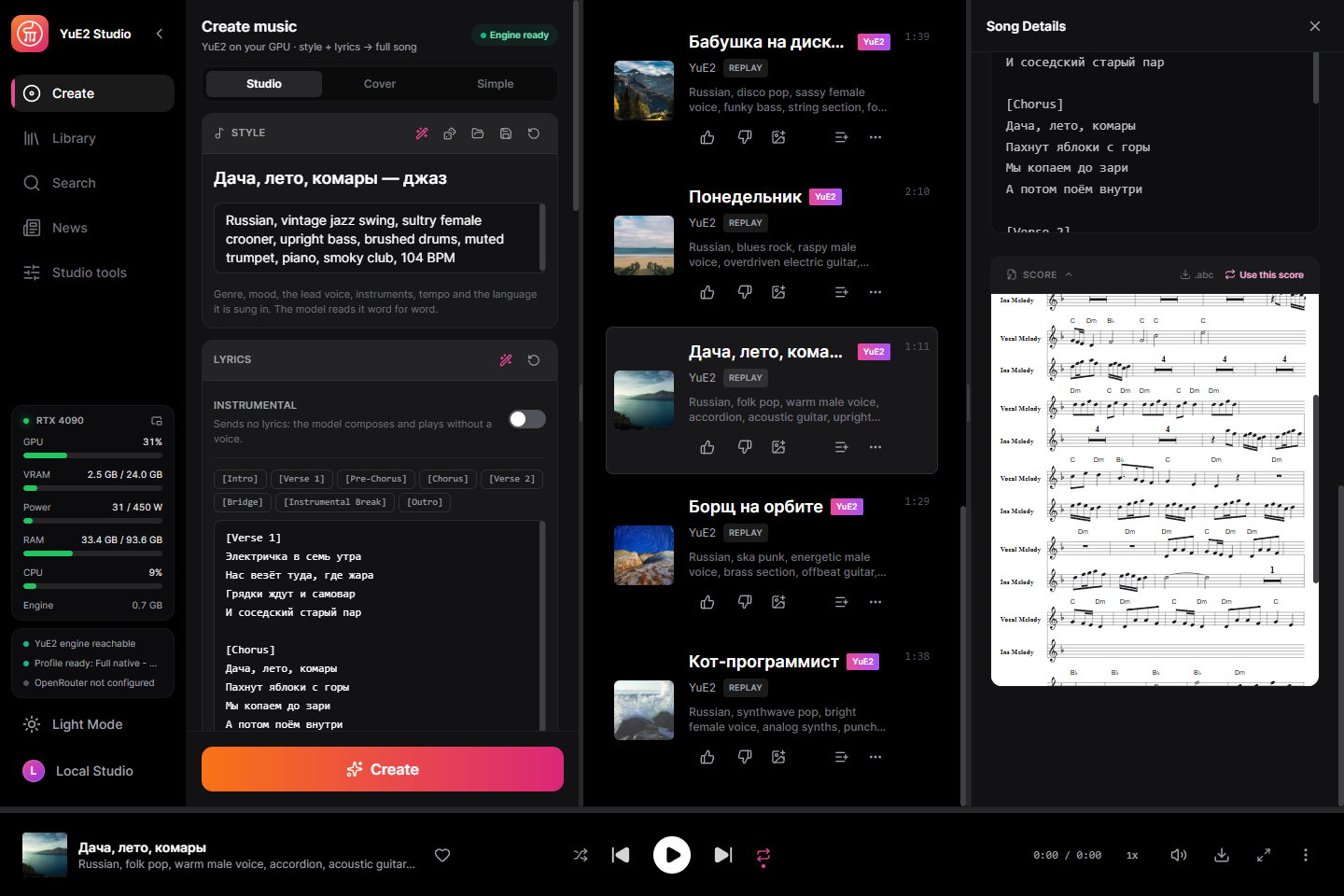 |
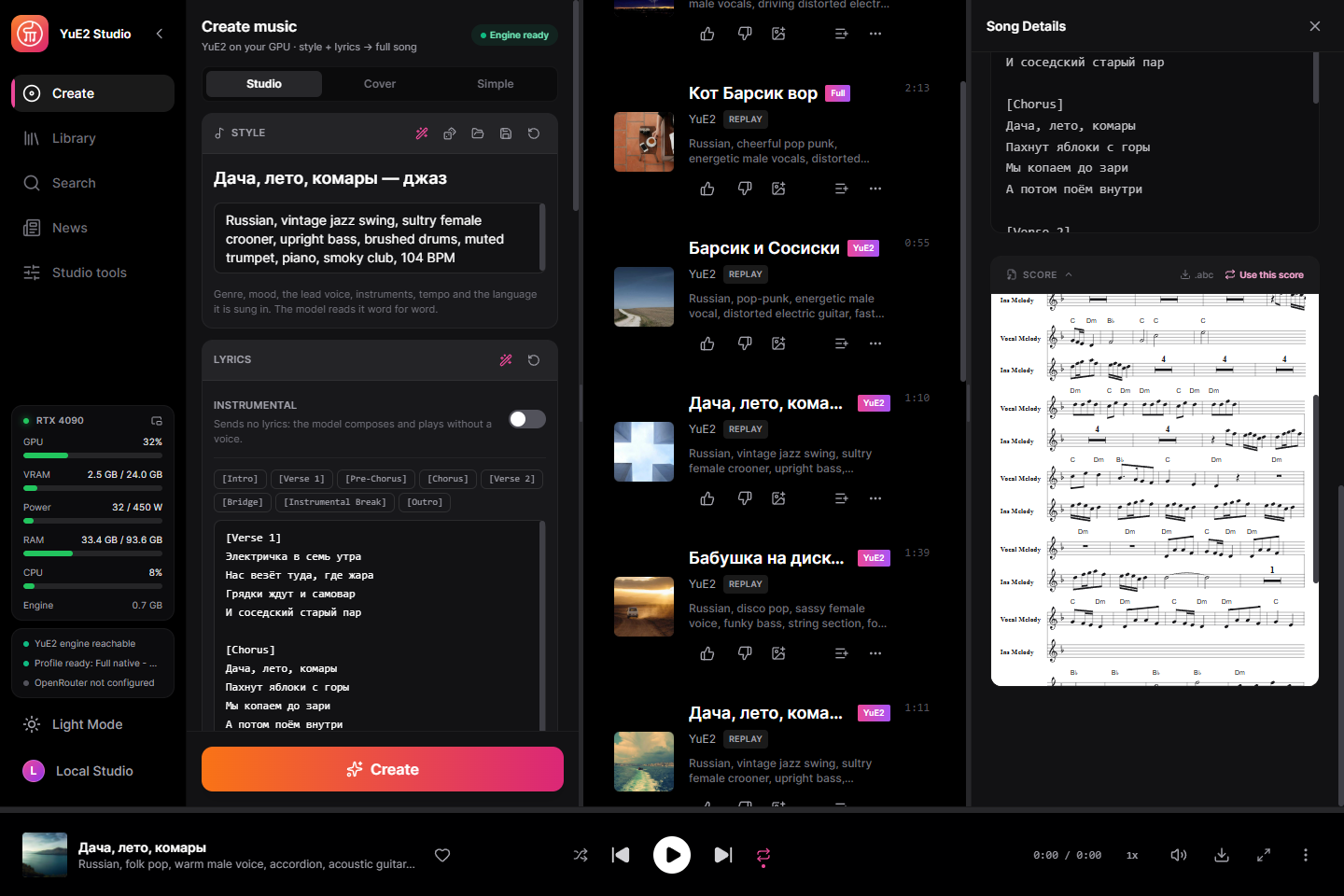
| The score as sheet music and as ABC text — melody + chords, melody only, or none | A finished track — its lyrics and the score it was sung from, ready to reuse |
|
 |
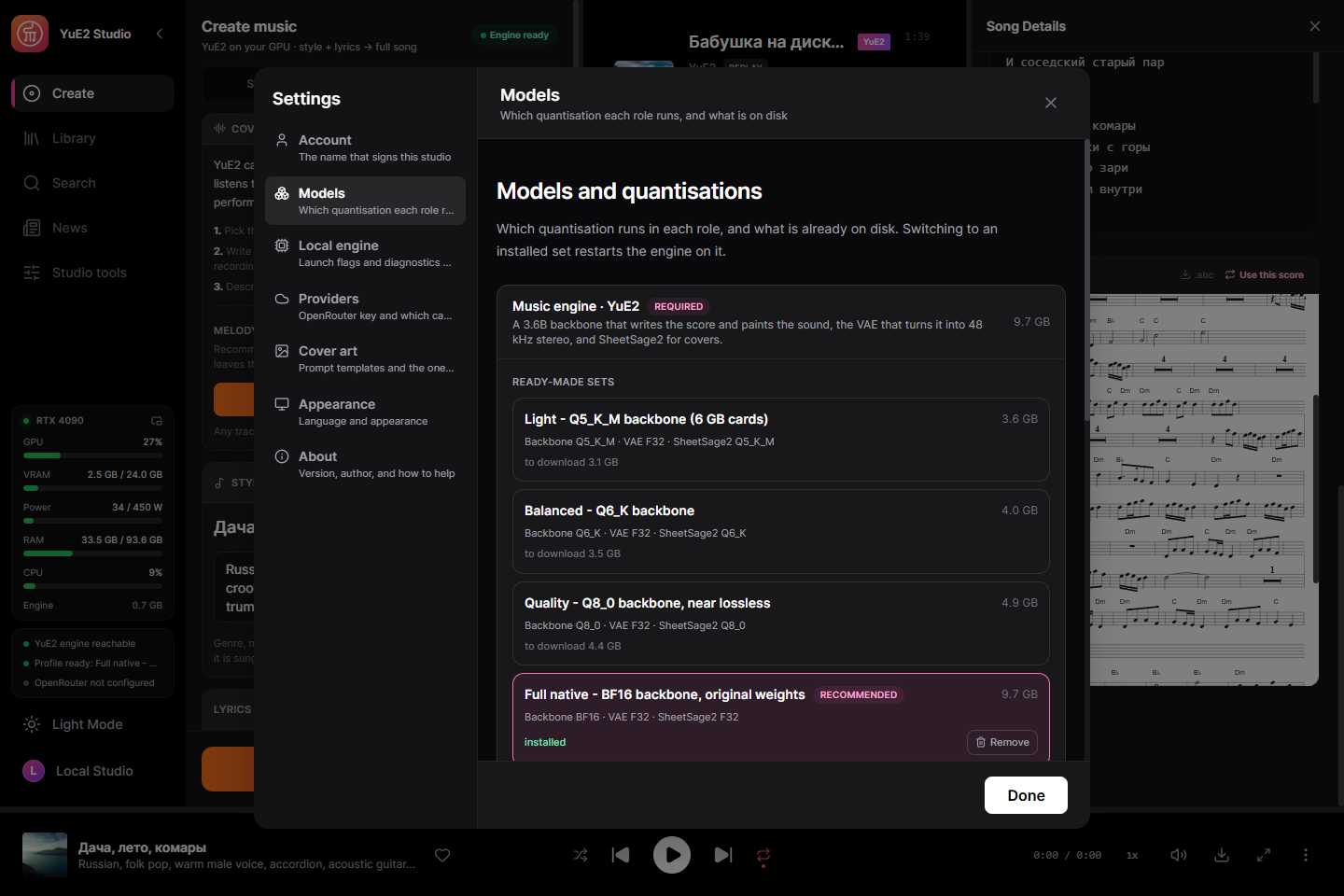 |
| Cover mode — pick a recording, SheetSage2 writes its melody down | Model sets — one quantisation per role, what is on disk, switch in one click |
|
 |
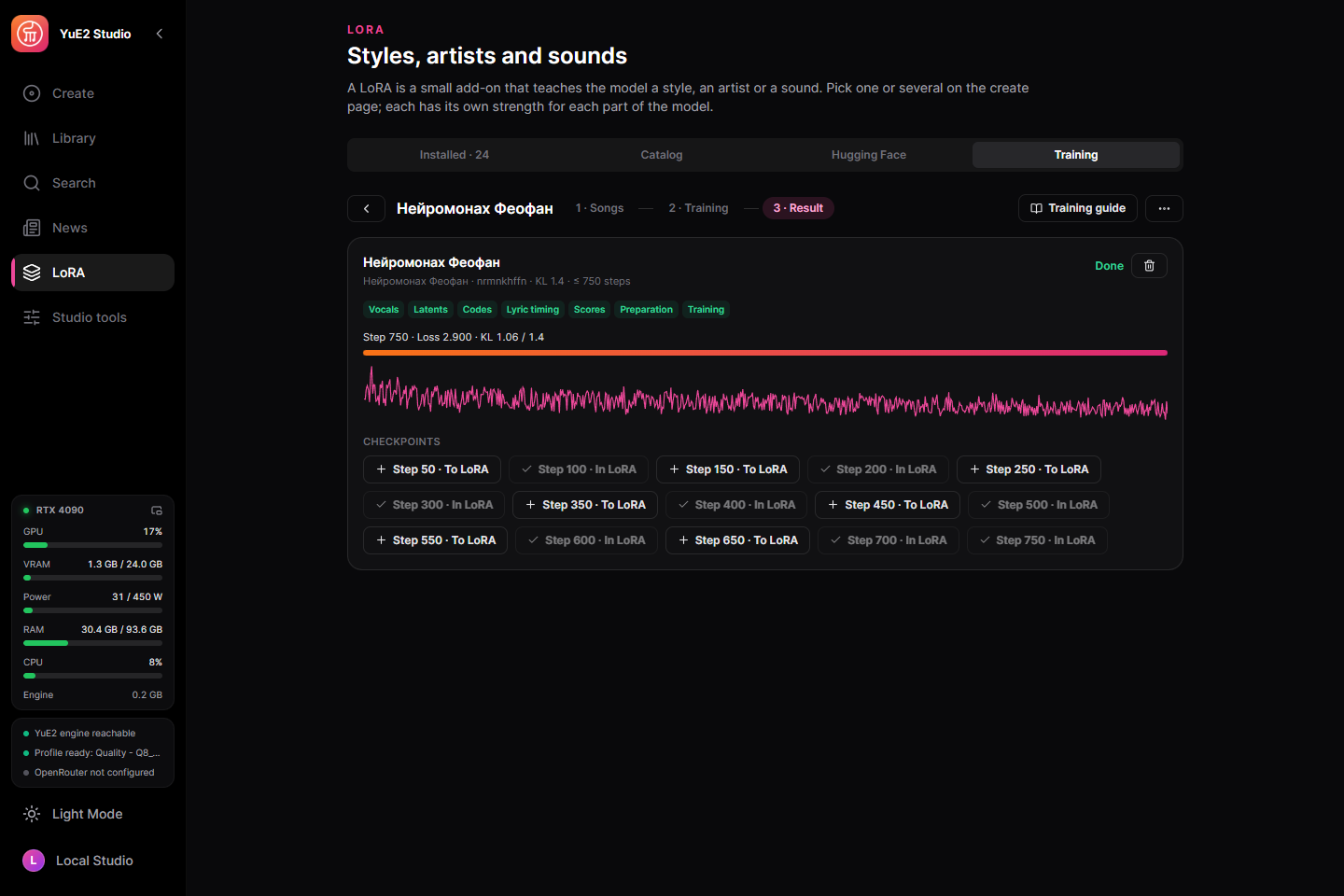 |
| Any track to MIDI — a piano roll of every instrument, played against the original, with mute and solo | Your own LoRA trained on the card — loss and drift as it learns, a checkpoint every 50 steps |
|
 |
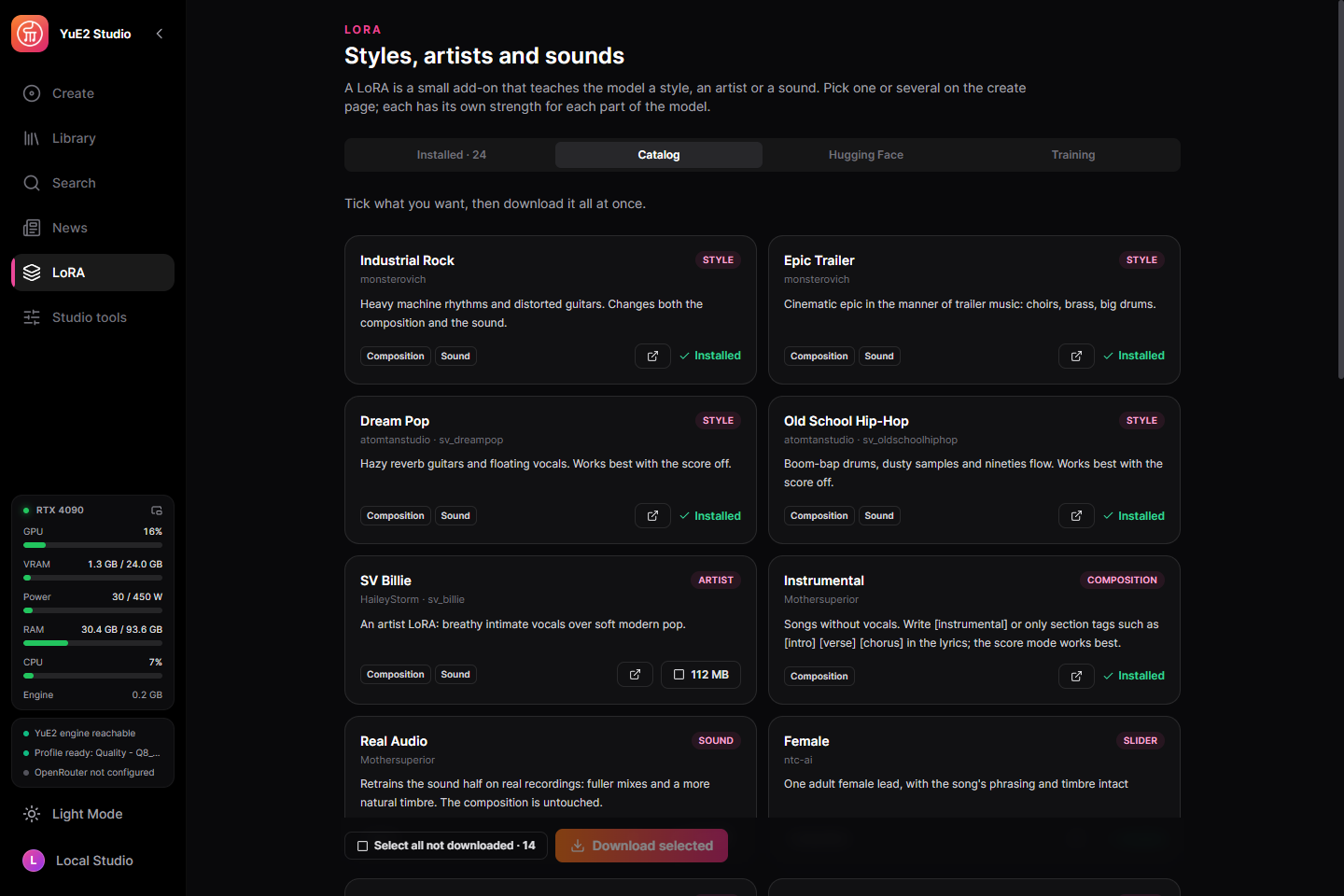 |
| A dataset of 61 songs — lyrics found in the databases players use, styles written by ear | The LoRA catalogue — styles, artists and sound, each credited to its author |
|
 |
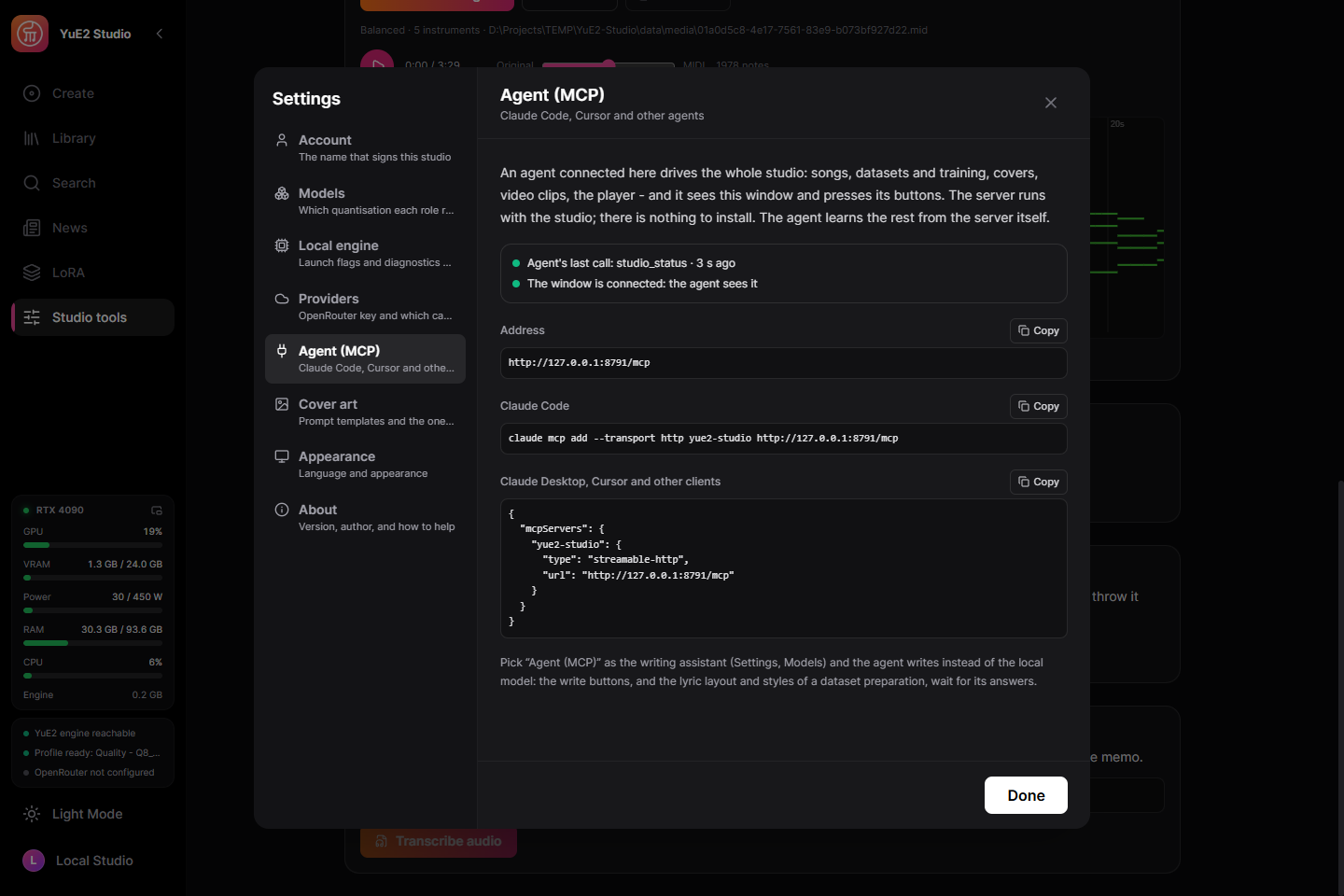 |
| Audio processing — noise reduction, the Spectral Lifter, a vocal naturaliser, VST3, mastering | An agent over MCP — the address and the lines to paste into Claude Code or any client |
The same screens in the language you read: Русский,
中文, 日本語,
한국어 — on the project page, or in
docs/screenshots.
Samples
Made in the released build on an RTX 4090 with the recommended BF16 set, nothing edited
afterwards. Listen in the browser on the project page
or download the MP3s from docs/samples.
| Song | How it was made | Style |
|---|---|---|
| Houseplant Party | English funk disco | funk disco, slap bass, wah guitar, brass, 118 BPM |
| My Truck Talks Back | Country | country, male baritone, pedal steel, fiddle, 96 BPM |
| La Siesta | Latin pop in Spanish | latin pop, nylon guitar, congas, piano montuno, 102 BPM |
| 外卖小哥 | Mandarin city pop | city pop, electric piano, funky bass, 108 BPM |
| 月曜日のサムライ | Japanese rock, anime-opening style | j-rock, female voice, distorted guitars, 168 BPM |
| Дача, лето, комары | A full song from a style and lyrics | folk pop, warm male voice, accordion, 104 BPM |
| Дача, лето, комары — джаз | Cover: SheetSage2 wrote down the melody of the song above, YuE2 sang it as jazz | vintage jazz swing, sultry female crooner, muted trumpet |
| Понедельник | Blues rock, raspy voice | blues rock, overdriven guitar, hammond organ, 96 BPM |
| Бабушка на дискотеке | Re-rendered from its saved audio codes with 64 solver steps | disco pop, funky bass, string section, 120 BPM |
| Борщ на орбите | Ska punk | ska punk, brass section, offbeat guitar, 150 BPM |
| Кот-программист | Synthwave pop, the second take | synthwave pop, analog synths, drum machine, 112 BPM |
| Ночной вор Барсик | Style and lyrics written by the built-in assistant from a one-line idea | pop-punk, distorted guitars, 185 BPM |
Community reviews
Video reviews and tutorials from the community (the description links this repo):

AI Controversy · EN
Ditch Suno: This FREE AI Makes Full Songs on Your PC
|
ArtSonica · ID
Music AI GRATIS OFFLINE / NO INTERNET
|
AI VINCI · EN
The Suno Killer is Here: it's called YuE2 Studio
|
Mamedov Info · RU
YuE2-Studio: лучшая локальная замена Suno
|

ЮЛАВИ Studio · RU
Забудь про Suno? Тестируем YuE2 Studio локально
|
Wizzdome-Music · EN
YuE2 Studio On Your Own PC
|
More tutorials and reviews:
Made a review or tutorial? Put a link to the project in the description — we feature the best ones on the
site and here. Send yours through
Issues.
What it needs
- Windows 10/11 x64.
- A GPU with 6 GB of VRAM or more:
- NVIDIA, from the GTX 900 series on, runs on CUDA — the fastest path. The studio
ships two CUDA builds of the engine and picks the one your card and driver run:
CUDA 13 for Turing and newer (GTX 16, RTX 20–50, Tesla T4, A100, RTX A-series,
L4/L40, H100) with driver 580 or newer, CUDA 12 for Maxwell, Pascal and Volta
(GTX 900/1000, Titan X/Xp/V, Tesla M40, P40, P100, V100) and for any card on a driver
from 525 to 579. Both carry compiled code for every one of those architectures, so
nothing is left for the driver to compile.
- AMD or Intel — experimental. The engine runs on Vulkan through the card's own
driver. The Vulkan path itself is verified on NVIDIA (the same words heard as on
CUDA), but on AMD Radeon integrated graphics the song came out with unintelligible
vocals, and discrete AMD and Intel cards are untested. Reports from owners are welcome.
- Without a GPU the engine falls back to the processor, which works but is many times
slower.
- 4–10 GB of disk for one model set.
- Training a LoRA (optional): an NVIDIA RTX 30-series card or newer with 11 GB of VRAM
and about 8 GB more disk for the trainer and its weights, downloaded only when you open
training. Describing songs by ear
 →

 →
 →
 →
 →
 →
 →
 →