1
 →
→
Persistent file-based planning for AI coding agents and long-running tasks. Crash-proof markdown plans, session recovery after /clear and compaction, per-turn re-injection against context rot
OthmanAdi/planning-with-files is an open-source project on GitHub, mainly written in Shell. Persistent file-based planning for AI coding agents and long-running tasks. Crash-proof markdown plans, session recovery after /clear and compaction It currently holds 27,243 stars and 2,265 forks with 8 open issues, and was last pushed on 2026-09-27 (repository created 2026-01-03).
Git Homed tracks it on the AI Agent Skills Trending board and on the AI AI Agent Skills Trending list.
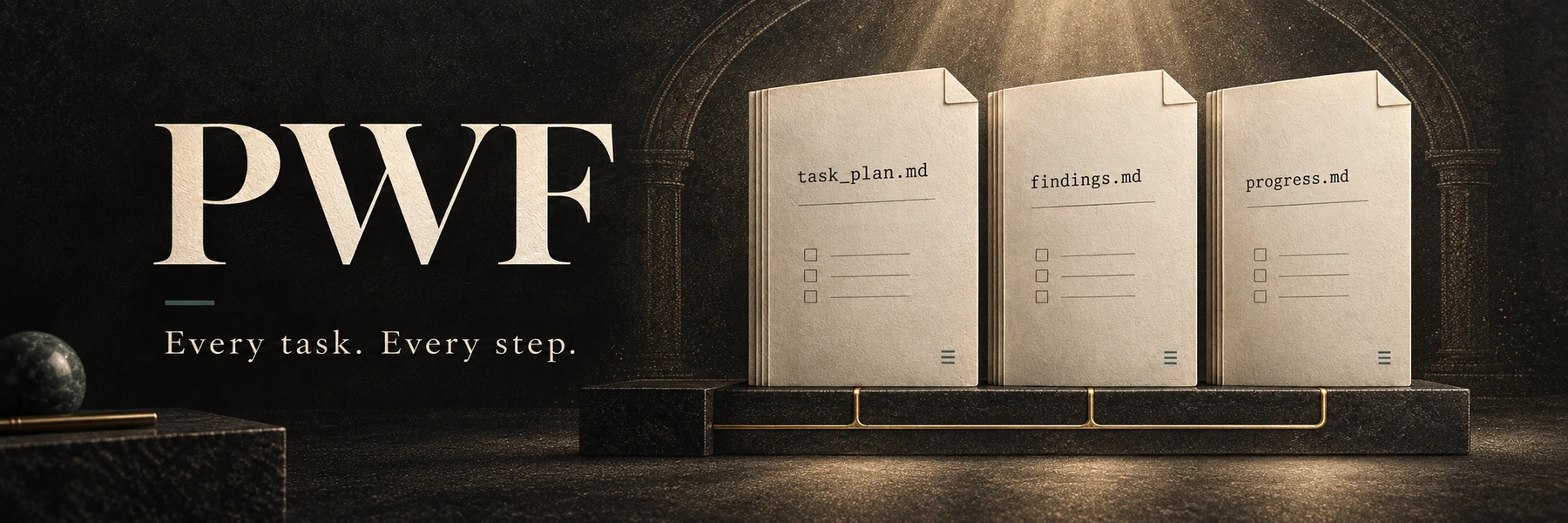

The planning skill your agent cannot ignore.
Not a prompt it might follow. A hook that fires every turn, a plan on disk that survives /clear, and 3 out of 3 blind A/B wins to show it works.
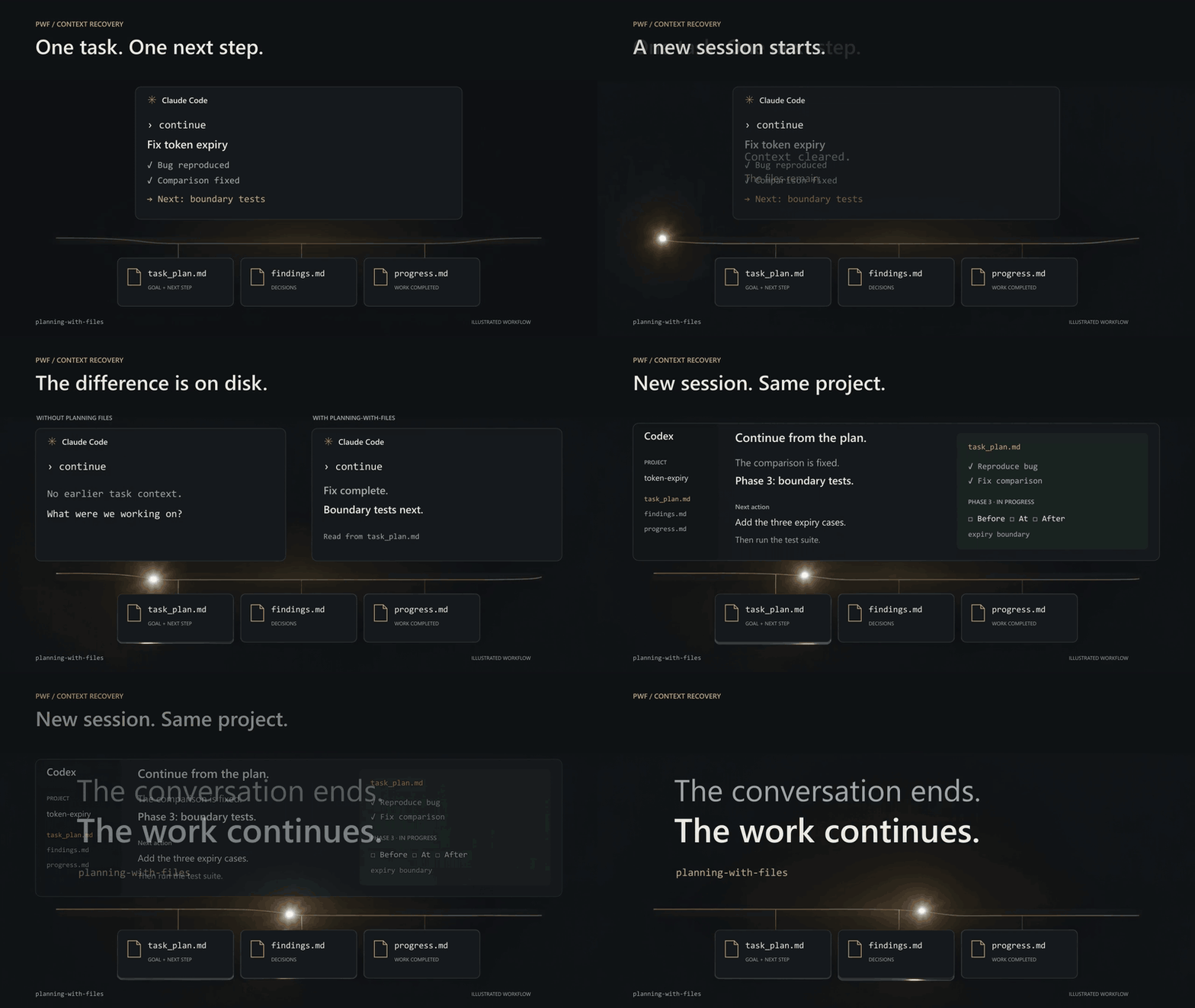
Your agent's context window dies. The plan does not.
Persistent file-based planning for AI coding agents and long-running agent tasks: the skill keeps task_plan.md, findings.md, and progress.md on disk. Activated lifecycle hooks inject selected project planning context, so the plan survives context loss, /clear, crashes, and compaction. Automatic recovery reads project files only. Reading same-project local agent session records for aggregate counts or bounded replay requires an explicit catchup mode. Installs across 60+ agents via the Agent Skills standard, with native plugins for Claude Code, Codex CLI, Pi, Hermes Agent, OpenCode and DeepSeek Harness.










See it survive /clear · Install · Long-running tasks · First-class hosts · Multi-agent · The numbers
Proof, comparisons and the repository reference are further down · Full install guide
npx skills add OthmanAdi/planning-with-files --skill planning-with-files -g
All install methods: docs/installation.md.
---
Every coding agent loses its working memory when the context window resets. The plan does not have to die with it.
[!IMPORTANT]
Most harnesses ship a to-do list that lives inside the context window. planning-with-files ships a plan that lives on disk, is re-injected every turn, is hash-attested, and can hold the agent's stop until the plan reports complete.
> That is the difference between an agent that forgets after /clear, compaction or a crash and one that resumes at the current phase. In the project's own measurements the plan on disk turned a 13.3-turn re-orientation into 5.0 turns, and the skill won 3 of 3 blind A/B comparisons (numbers and limits). Every mechanism below is a file on disk plus a hook, so it works the same on hour ten as on turn one.
Context Window = RAM (volatile, limited)
Filesystem = Disk (persistent, unlimited)
→ Anything important gets written to disk.
The skill keeps your plan, findings, and progress in your project:
your-project/
├── task_plan.md   ← phases + checkboxes; the resume point after /clear
├── findings.md    ← research notes and decisions, appended as you go
└── progress.md    ← session log and test results
Parallel tasks get isolated directories instead: .planning/YYYY-MM-DD-slug/ with the same three files, selected via .active_plan (v2.36.0+). Plain markdown, gitignored by default, no runtime state anywhere else.
The pattern is the one Manus described before Meta acquired it for $2 billion on December 29, 2025, eight months and $100M+ of revenue after launch:
"Markdown is my 'working memory' on disk. Since I process information iteratively and my active context has limits, Markdown files serve as scratch pads for notes, checkpoints for progress, building blocks for final deliverables."
— Manus AI
[!TIP]
On these hosts planning-with-files runs as a native plugin: per-turn plan injection, progress reminders, the completion gate, /pwf commands and model-callable tools, with no shell hooks to register. Every other platform gets the skill through the Agent Skills standard and, where the host supports it, the frontmatter or config-file hooks listed in the platform setup guides.
🇸🇦 العربية / Arabic
npx skills add OthmanAdi/planning-with-files --skill planning-with-files-ar -g
🇩🇪 Deutsch / German
npx skills add OthmanAdi/planning-with-files --skill planning-with-files-de -g
🇪🇸 Español / Spanish
npx skills add OthmanAdi/planning-with-files --skill planning-with-files-es -g
🇨🇳 中文版 / Chinese (Simplified)
npx skills add OthmanAdi/planning-with-files --skill planning-with-files-zh -g
🇹🇼 正體中文版 / Chinese (Traditional)
npx skills add OthmanAdi/planning-with-files --skill planning-with-files-zht -g
These are real translations, not an English body with a translated description: the SKILL.md prose, the templates, and the user-facing output of check-complete, init-session and session-catchup are all localized. The status tokens stay literal English (Status: complete) on purpose, because check-complete.sh matches them with grep -F, so translating them would disable the completion gate.
Since v3.10.0 the variants also ship the full script surface: attestation, the Stop gate, the ledger, phase status and plan-doctor used to be canonical-only, which quietly made every non-English install a subset install. Full details, including what changed on the plugin route in v3.11.0, are in docs/languages.md.
They live under skills/i18n/, one directory deeper than the canonical skill. The install commands above are unchanged, because npx skills add resolves --skill by skill name across the whole repository. The Claude Code plugin scan reads skills/*/SKILL.md without recursing, so the plugin route registers the canonical skill alone and no longer carries five extra descriptions in every session's system prompt. On that route the /plan-ar, /plan-de, /plan-es, /plan-zh and /plan-zht commands read the translated skill from disk instead of invoking it by name.
| IDE | Installation Guide | Integration |
|-----|-------------------|-------------|
| Claude Code | Installation | Plugin + SKILL.md + Hooks |
| Cursor | Cursor Setup | Skills + hooks.json |
| GitHub Copilot | Copilot Setup | Hooks (incl. errorOccurred) |
| Mastra Code | Mastra Setup | Skills + Hooks |
| Gemini CLI | Gemini Setup | Skills + Hooks |
| Kiro | Kiro Setup | Agent Skills |
| Codex | Codex Setup | Skills + Hooks |
| Hermes Agent | Hermes Setup | Skill + native plugin (tools, /pwf, pre_llm_call, post_tool_call, pre_verify gate), CLI and Desktop |
| CodeBuddy | CodeBuddy Setup | Skills + Hooks |
| FactoryAI Droid | Factory Setup | Skills + Hooks |
| OpenCode | OpenCode Setup | Native plugin opencode-planning-with-files (chat.message injection, write reminders, compaction flush, session.idle gate, pwf_* tools, /pwf commands) + skill |
| DeepSeek Harness | DeepSeek Harness Setup | Native plugin dsh-planning-with-files (agent/pre-step injection, write reminders, post-compaction restore, agent/turn-stopping gate, pwf_* tools, /pwf commands) + skill |
| IDE | Installation Guide | Skill Discovery Path |
|-----|-------------------|---------------------|
| Continue | Continue Setup | .continue/skills/ + .prompt files |
| Pi Agent | Pi Agent Setup | .pi/skills/ (npm package) |
| OpenClaw | OpenClaw Setup | .openclaw/skills/ (docs) |
| Autohand Code | Autohand Code Setup | ~/.autohand/skills/ or .autohand/skills/ |
| Antigravity | Antigravity Setup | .agent/skills/ (docs) |
| Kilocode | Kilocode Setup | .kilocode/skills/ (docs) |
| AdaL CLI (Sylph AI) | AdaL Setup | .adal/skills/ (docs) |
Note: If your IDE uses the legacy Rules system instead of Skills, see the legacy-rules-support branch.
| Runtime | Status | Guide | Notes | |---------|--------|-------|-------| | BoxLite | ✅ Documented | BoxLite Setup | Run Claude Code + planning-with-files inside hardware-isolated micro-VMs |
BoxLite is a sandbox runtime, not an IDE. Skills load via ClaudeBox, BoxLite's official Claude Code integration layer.
The plan lives on disk in task_plan.md, findings.md, and progress.md, not only in the context window. At the start of each turn the UserPromptSubmit hook re-injects selected active-plan context, and after a /clear or a new session the skill re-reads project files from disk. This automatic path does not inspect agent transcript stores.
Agent memory tools (vector stores, knowledge graphs) help an agent recall facts from past sessions. planning-with-files manages active execution state: the phases, status, dependencies, and completion check for the task the agent is working on right now. The problem it solves is planning continuity, not retrieval, and the two are complementary.
Context rot is the drift that sets in as the context window fills and earlier instructions get crowded out. Because the plan is re-injected at the start of each turn from disk, the goals and phase status stay in the model's attention window as the conversation grows. This is an implementation of what Anthropic calls structured note-taking: write durable state to files outside the window, then read it back in when needed.
Claude Code, OpenAI Codex CLI, Cursor, GitHub Copilot, Kiro, OpenCode, Continue, Pi, Hermes Agent, CodeBuddy, Factory, Mastra, and 70+ others via the SKILL.md open standard (the npx skills installer alone targets 71 agents). Since v3.7.0 the repo also ships the cross-tool .agents/skills/planning-with-files/ layout in-tree, so tools that read the Agent Skills standard path natively (Zed, Amp, Warp, Devin, Antigravity, Gemini CLI, Cursor) discover the current skill from a plain git clone with no per-tool setup. Installation is one command; see Quick Install above.
They are complementary stages, not alternatives. Plan mode is where you design and approve the approach before execution. planning-with-files persists the live execution state (phase status, findings, errors, progress) on disk while the work runs and re-injects it every turn. The handoff is one step: after accepting a plan-mode plan, tell the agent to write it into task_plan.md as phases (or invoke /plan and let the skill create the files from it), then execute in normal mode. From that point the hooks keep the phases in the attention window, and the files survive /clear, compaction, and session death.
They are working memory, not a tracked deliverable. task_plan.md, findings.md, progress.md, and the .planning/ directory are gitignored by default and are not archived automatically: the next task overwrites the root plan, and a slug directory just stops being active. Anything worth keeping should be promoted into code, a commit, or a doc. See After Completion: What Happens to the Plan Files for the full lifecycle and how to retain a completed plan. This is a deliberate default, not a missing feature; a completion-triggered archive step is a welcome opt-in extension.
One hook fire measures 289ms wall-clock since the v3.6.0 optimization, down from 2.0 to 2.4 seconds before it, and the injected plan block is KV-cache stable by construction. The plan stays in the attention window every turn, and /clear stops being fatal.
| Version | Highlights |
|---------|------------|
| v3.23.0 | Public file-only recovery fixture with separate trial arms (#303). DSH V4 message-source compatibility (#306), resolver-based manual workflows (#300), and accurate Codex opt-out documentation (#302). |
| v3.22.0 | OpenCode 2 support with native plugin registration, context injection, planning tools and the completion gate. OpenCode 1 remains supported; moved v2 sessions follow their current project (#298). |
| v3.21.0 | Explicit root and named attestation targets preserve active selection and project containment (#296). PowerShell initialization retries the concurrent pointer pre-check race with bounded, validated attempts (#294). |
| v3.20.8 | Claude Code sessions without a plan no longer end every reply with a Stop notice (#288). Cursor hooks move to the current schema with sessionStart injection (#262), Gemini CLI hooks inject through BeforeAgent and AfterTool hookSpecificOutput (#292), and both adapters' hook scripts are now executable on macOS and Linux; the Cursor stop hook stays silent once every phase is complete. PowerShell pointer replacement recovers or removes only its own ReplaceFile backup (#254). |
| v3.20.7 | Fixes npm capability disclosure metadata and three unavailable contributor portrait endpoints. The npm package continues to ship the canonical skill and full repository README. |
| v3.20.6 | Phase-status writers claim one lock owner even with Windows-native mkdir (#282). OpenCode, DSH and Hermes safely replace linked active pointers (#283, #284). PowerShell named plans reject read-only pointers before creation (#285), work under bracketed paths (#286), and retry transient concurrent pointer writes and inspection races (#287). The remaining ReplaceFile artifact case stays open in #254. |
| v3.20.5 | OpenCode replay tolerates malformed parts (#273). Initialization reports attestation failures accurately (#277), analytics plans include Next Step (#279), and PowerShell denied writes fail without activating an incomplete named plan (#280). |
| v3.20.4 | PowerShell route on OneDrive: an .active_plan pointer carrying the OneDrive Files On-Demand reparse attribute no longer counts as unsafe, so the Cursor hooks, the resolver and set-active-plan.ps1 work in projects under OneDrive (#275). The session-catchup copy guard checks tracked copies only (#274). |
| v3.20.3 | A symlinked or junctioned directory under .planning/ is never a plan on any route: the shell counters skip it (PR #271 by @ShaunLinTW, #270), and the selection paths of the shell family plus the Codex, OpenCode and DSH counters refuse it too, so one real plan next to a linked one no longer becomes an mtime guess. |
| v3.20.2 | Hermes plugin: Hermes 0.21.3 re-homes TERMINAL_CWD to the home directory on the first CLI turn, so the plan in the launch directory was skipped silently. The first turn now says why nothing was injected and names the PWF_PLAN_ROOT pin, /pwf-status and /pwf print the same diagnostic, and the slash commands honor the pin (#272, reported by @ericshunhinglee-cloud). |
| v3.20.1 | Fixes four maintainer-filed issues from the v3.19.0 and v3.20.0 cycles: newline-safe shell slugs (#257, PR #266 by @TayfurYldz), attestation bound to the current project when PWF_PLAN_ROOT is inherited (#261, PR #265 by @TayfurYldz), malformed OpenCode part rows skipped by session catchup (#258, PR #263 by @ShaunLinTW), and the several-plans rule in the Hermes plugin (#264, PR #267 by @kuei51307-hub). |
| v3.20.0 | DeepSeek Harness becomes a first-class host (closes #252, reported by @loarland): the native Cordis plugin dsh-planning-with-files injects the plan on every prompt and after compaction, reminds after writes, holds the turn boundary in gated mode, and registers /pwf, /pwf-status and the pwf_* tools; dsh plugin --profile web add dsh-planning-with-files. Cursor's native PowerShell hooks resolve named plans (PR #251 by @kuei51307-hub, item 9 of #250); the PowerShell resolver and attester run on Windows PowerShell 5.1 with a pin and in bracketed project paths; the OpenCode and DSH plugins require PLAN_ID for several named plans (the #240 rule); the README is shorter (one 3-file pattern block, a first-class hosts table, one commands collapsible). |
| v3.19.0 | Adds PowerShell named-plan slug mode (#247), anchors session catchup only on exact planning filenames across every shipped copy (#248), and replaces active-plan pointers through the selectors with planning-root containment in both initializers (#249). |
| v3.18.3 | Silences completed-plan notices in shared Stop gates and Codex while preserving explicit reports and gate safeguards. |
| v3.18.2 | Isolates Python in Codex, Gemini, and Copilot shell adapters and makes IDE sync verification fail on missing canonical sources (#244, #245). |
| v3.18.1 | Fixes active-plan display and listing for UTF-8 BOM-prefixed pointers from Windows editors and PowerShell workflows across the canonical shell helpers (#243). |
| v3.18.0 | Lists saved plans and phase counts with --list or PowerShell -List (#242). Supports the shipped translated templates, checks project containment, and delivers the canonical helpers across IDE bundles. |
| v3.17.2 | Fixes #241: the native Codex manifest disables legacy command migration, removing 13 redundant source-command-* skills from plugin installs. The canonical planning skill, Codex hooks, and Claude commands remain available. |
| v3.17.1 | Fixes #240: two named plans in the same project now require PLAN_ID, even without .planning/sessions/. A shared pointer or newest-plan guess cannot redirect a Codex session across compaction. Ambiguous hooks inject no plan and Stop does not gate against a guessed plan. |
| v3.17.0 | Every Claude Code hook fire forked about 130 processes, and under Git Bash on Windows that took 7 to 12 seconds against the 10 second hook timeout. Claude Code discarded the plan context ("UserPromptSubmit hook timed out after 10s") and every Bash, Read, Grep and Edit call waited 5 more seconds in PreToolUse before it ran. Linux and macOS never showed it because a fork costs milliseconds there. The events now run in one Python process, scripts/inject-plan.py, a byte-identical twin of the shell chain proven by a parity suite on all three CI legs, with the shell chain kept as the reference and as the fallback for hosts without Python: 0.3 s per prompt and per tool call on the reporting machine. Hook interpreters now start in isolated mode, so a repository's own secrets.py or hashlib.py is never imported by a hook. PWF_FAST_PATH=0 forces the shell chain. |
| v3.16.1 | Attached Codex, Hermes and Pi sessions require an explicit plan when several tasks share an armed project. Standalone hooks deliver model context through the proper event fields, preserve native session identity and throttle progress reminders. Packages include the loop template and Stop dependencies; recovery and security guidance state the selected-plan and trust boundaries. |
| v3.16.0 | The PostToolUse progress reminder was shown to you and never to Claude (closes #239, reported by @sortakool). It was emitted as systemMessage, whic
→ →
→ →
→ →
→ →
→ →
→ →
→ →
→