1
 →

An open source PDF viewer/editor with it's own blazing fast rust engine
OpenAEC-Foundation/open-pdf-studio is an open-source project on GitHub, mainly written in HTML. An open source PDF viewer/editor with it's own blazing fast rust engine It currently holds 1,122 stars and 110 forks with 58 open issues, and was last pushed on 2026-11-11 (repository created 2026-01-22).
Git Homed tracks it on the Today's Trending board, currently at rank #50 with 91 new stars today.
English · Nederlands
A free, open-source PDF editor for people who work with drawings: markup, measuring to scale, revision compare and CAD import, on Windows, macOS, Linux, Android and in the browser.

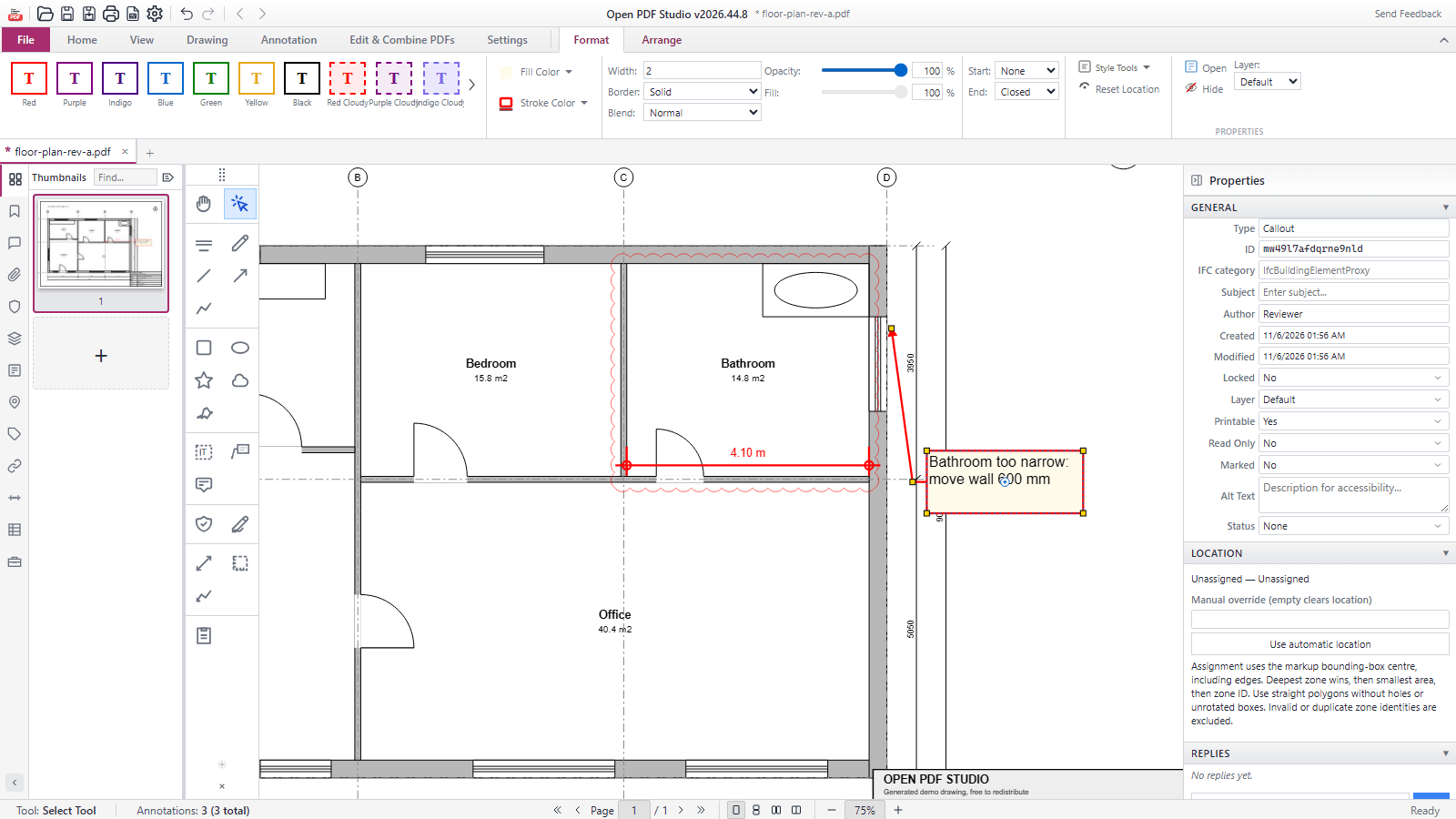
Open PDF Studio is a PDF editor for architects, engineers, contractors and everyone else who reviews drawings and documents. You mark up, measure with the scale the drawing carries, compare revisions, place symbols, count quantities and organise pages, with no subscription, account or watermark.
It runs as a desktop app on Windows, macOS and Linux, as an Android app, and in your browser with nothing to install. The desktop app adds what needs your computer: printing, OCR, DWG and DXF import and export, digital signatures and a local AI connection (MCP).
Open the browser version and open a PDF from your computer. You get the same ribbon, markup, measuring, compare, symbol and page tools as in the desktop app. Your document stays in your browser and is not uploaded; a page reload starts empty. Buttons for desktop-only features are switched off and say why.
Every release is on the releases page.
| Platform | Files |
|----------|-------|
| Windows | …_x64-setup.exe (all users, needs admin), …_x64_user-setup.exe (current user only), …_x64_portable.zip (no install, details) |
| macOS | …_universal.dmg (Apple silicon and Intel, macOS 10.15 or later) |
| Linux | .deb, .AppImage and .snap for x86_64, also in the Snap Store; Nix flake. See docs/install-linux.md |
| Android | open-pdf-studio-release.apk (64-bit ARM) |
| Other | open-pdf-studio.mcpb (AI connection for MCP clients), open-pdf-studio-web-.tar.gz (web version to host yourself), winget manifests, the Python library (.whl and .tar.gz) |
Updates. The Windows installers, the macOS app, the .deb and the AppImage check for updates and install them through the built-in updater, which only accepts updates signed with the project's update key. The snap updates through the Snap Store. The portable version and the Android app do not update themselves.
Signing. The Windows installers and the program files they install are Authenticode-signed with Azure Trusted Signing; the release workflow installs the signed installer and checks every signature. The macOS app is signed with a Developer ID and notarized by Apple; the workflow checks it with codesign, spctl and stapler. From the first release after 2026.45.0 (the signing job came later), the .deb, the AppImage and the snap each have a detached OpenPGP signature (.asc) of the OpenAEC Foundation release key, fingerprint 13F6D414ADEE4ED4CD09AC60601D86C93C504D29, and SHA256SUMS with SHA256SUMS.asc covers the Linux files; check them with gpg --verify .asc against docs/keys/openaec-signing-public-key.asc (see docs/install-linux.md). The .sig files are the update signatures that the built-in updater checks. The Android APK is signed, but with a new key for every release (see Current limitations). The portable zip and the web bundle come with a .sha256 file.
| | |
|---|---|
| 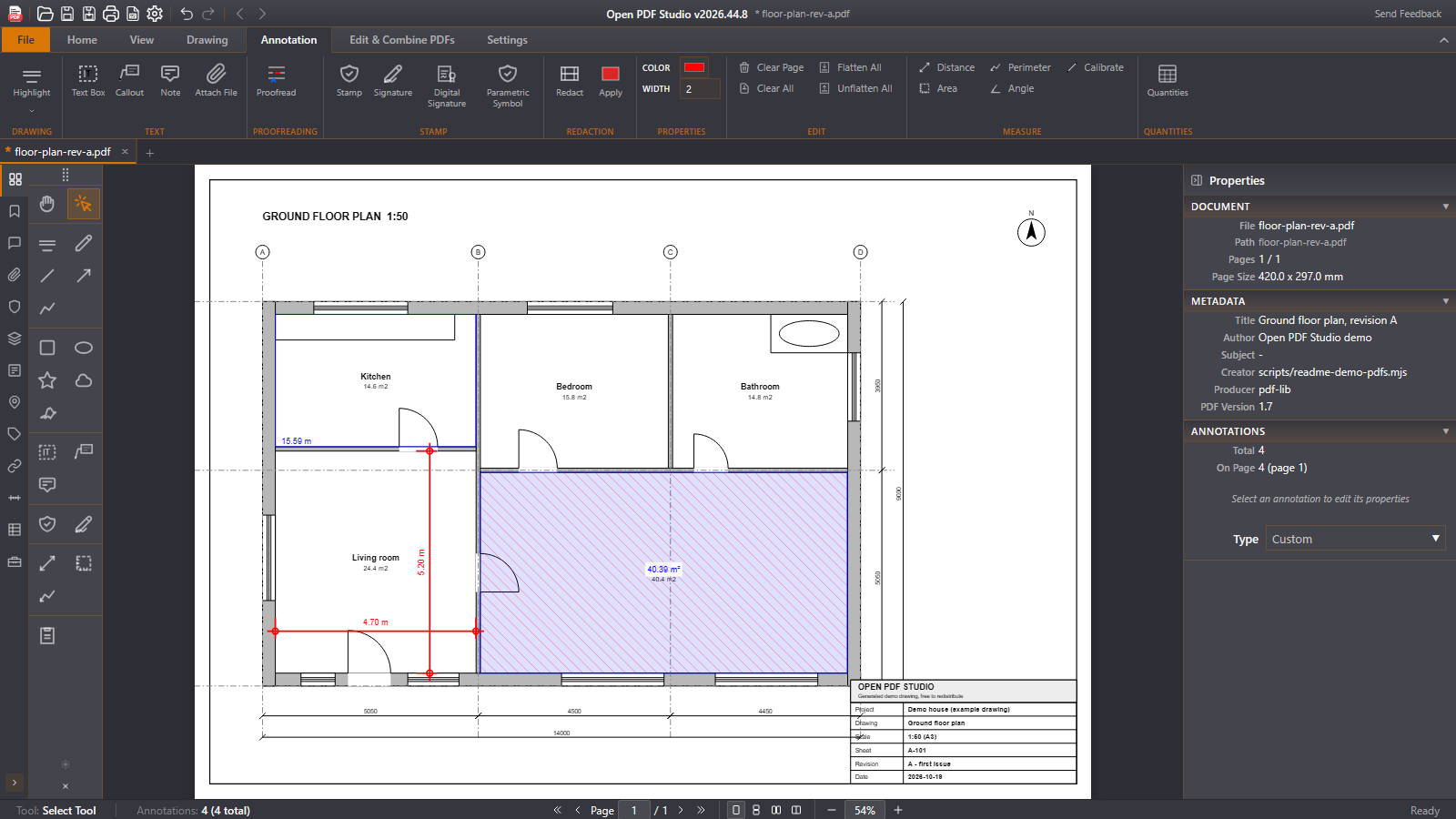 Measuring with the scale of the drawing |
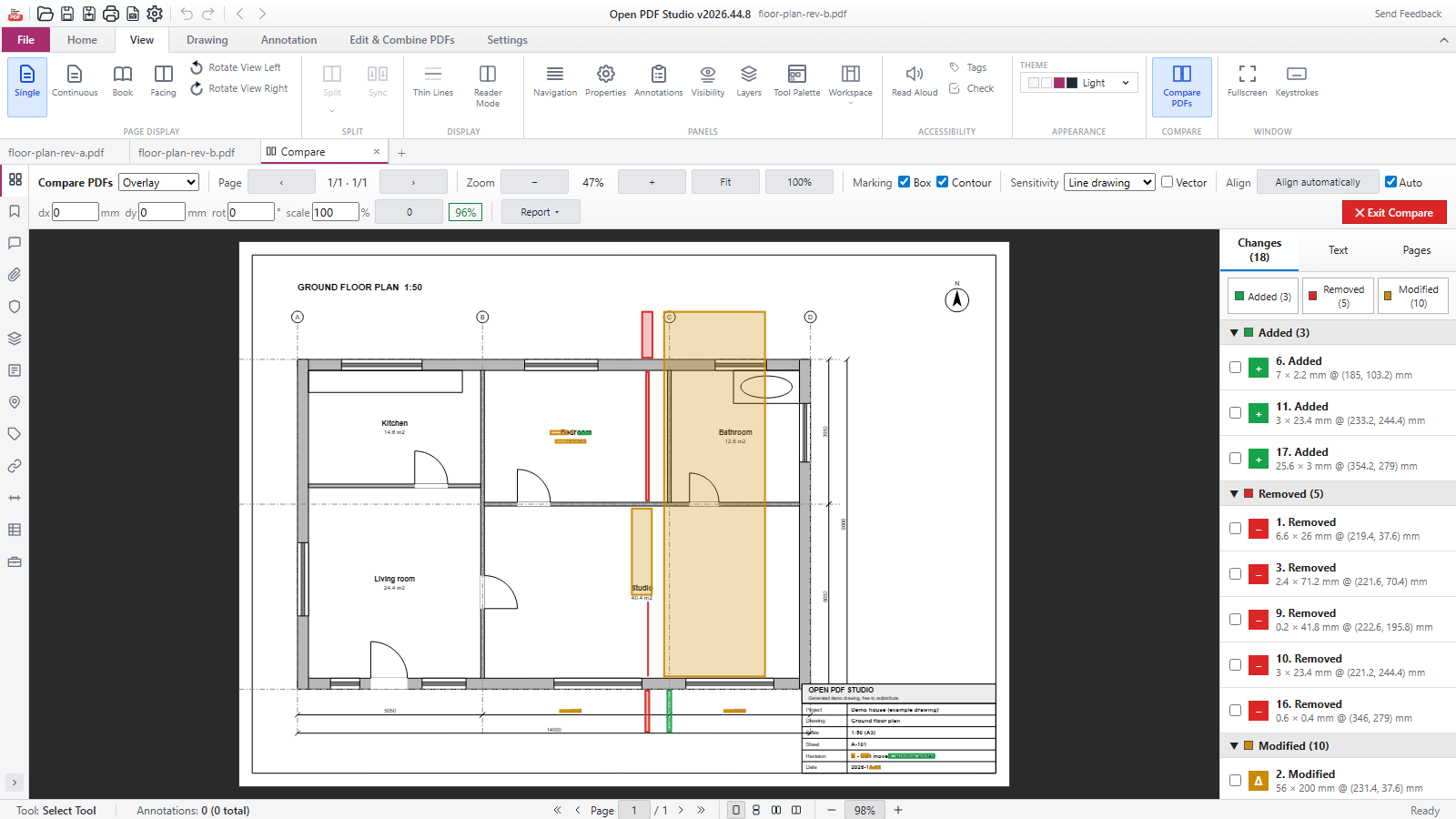 Comparing two revisions |
|
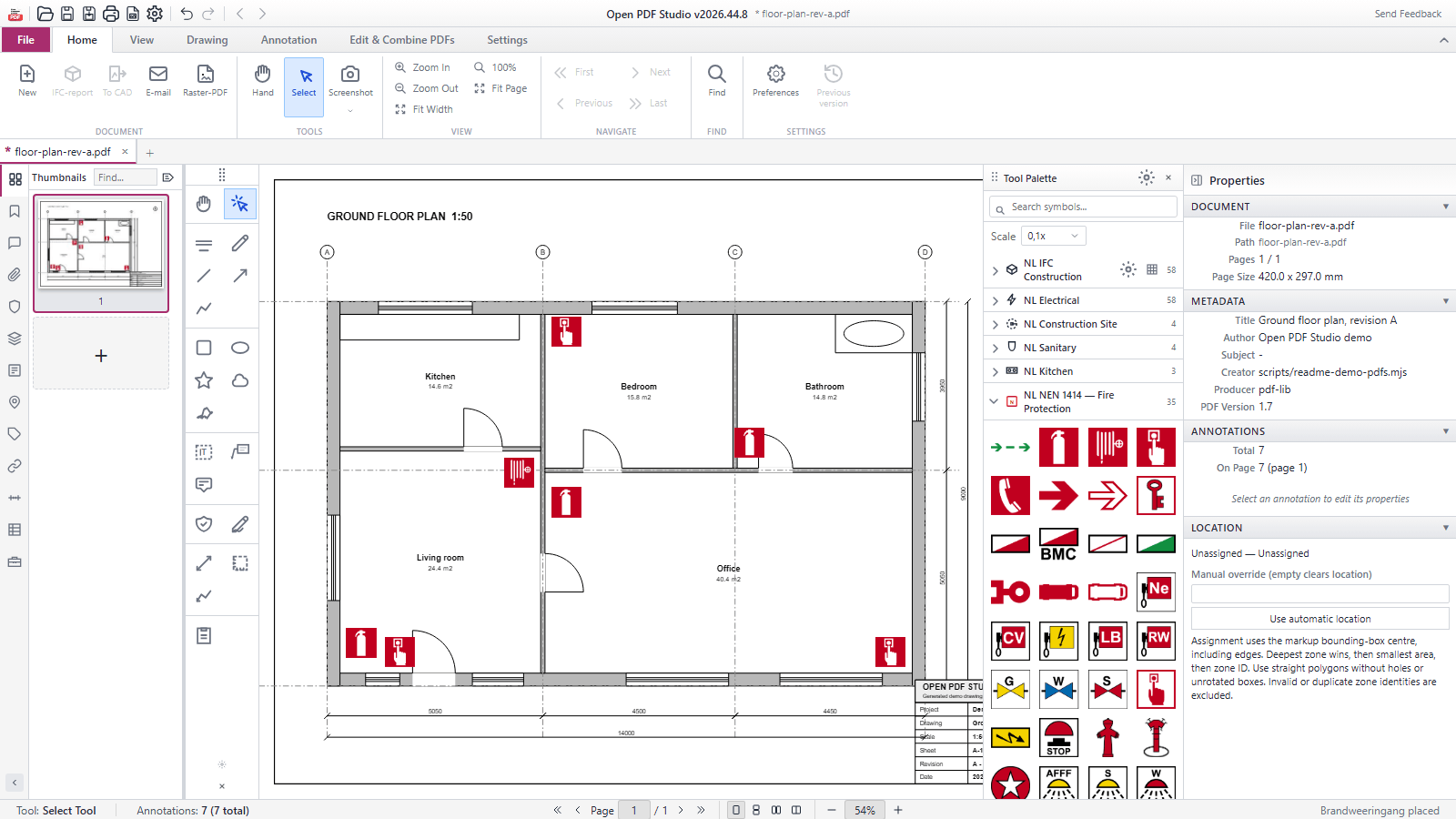 Symbols from the palette |
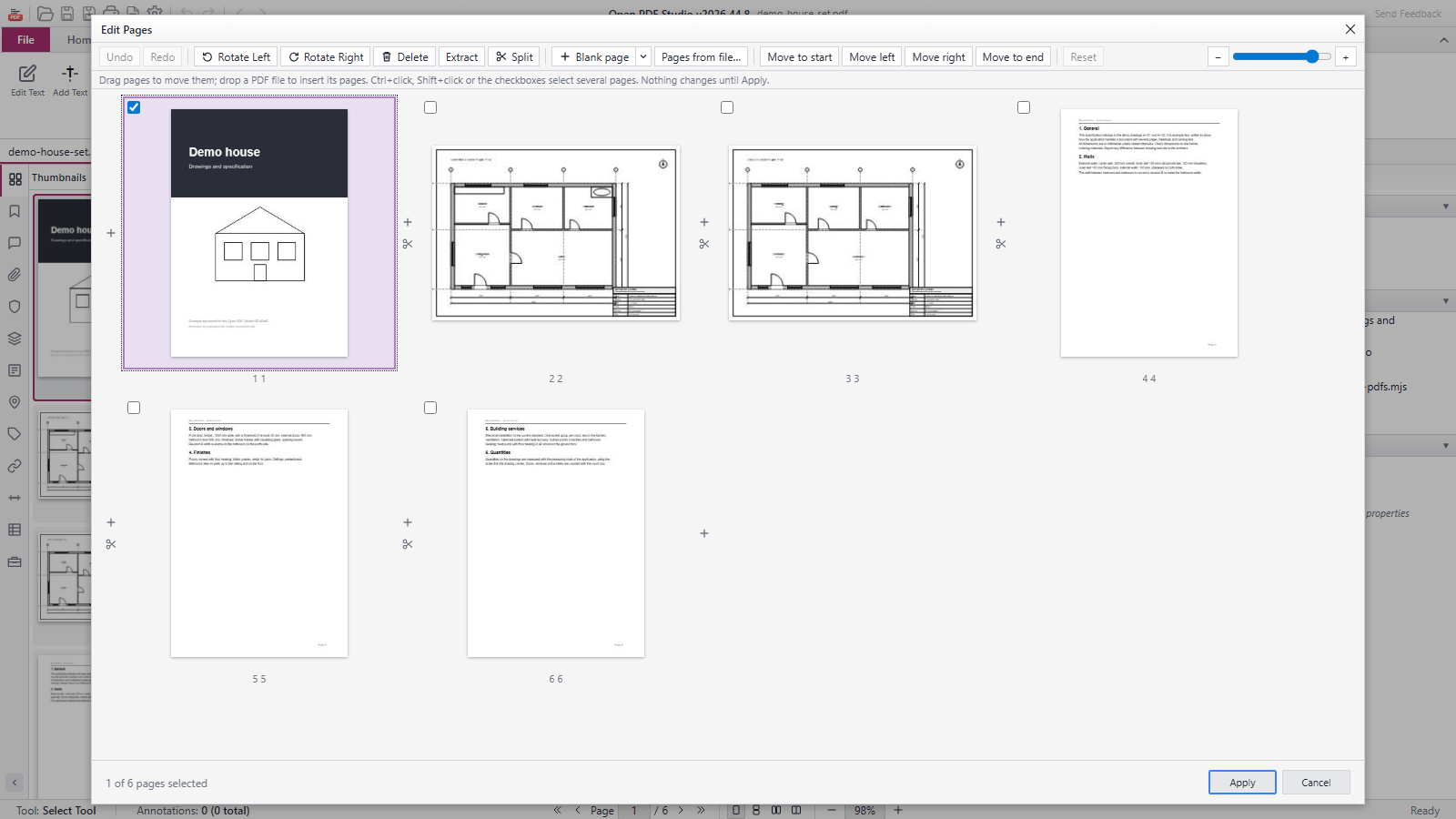 Organising pages |
|
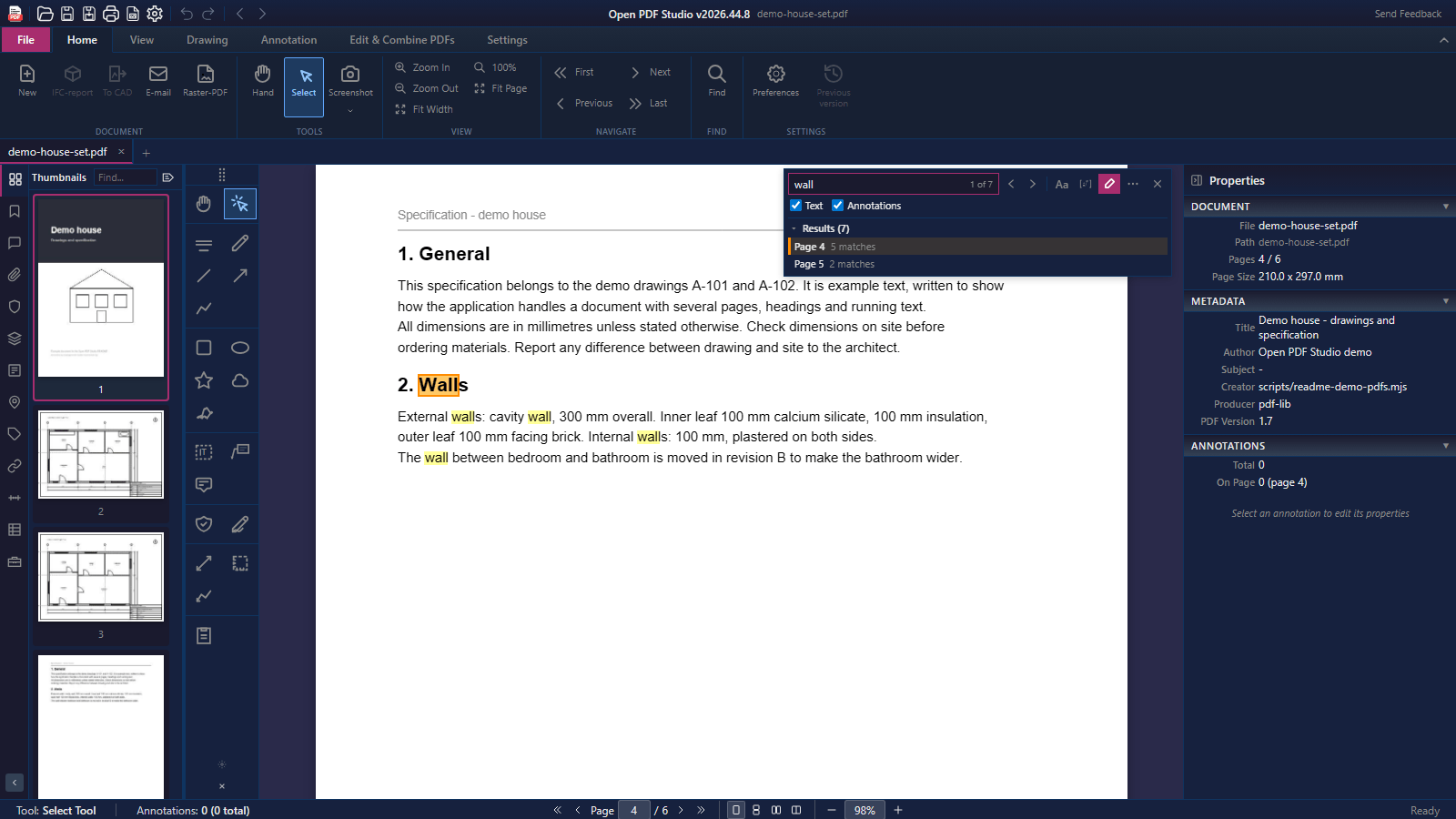 Searching text and annotations, theme Dark |
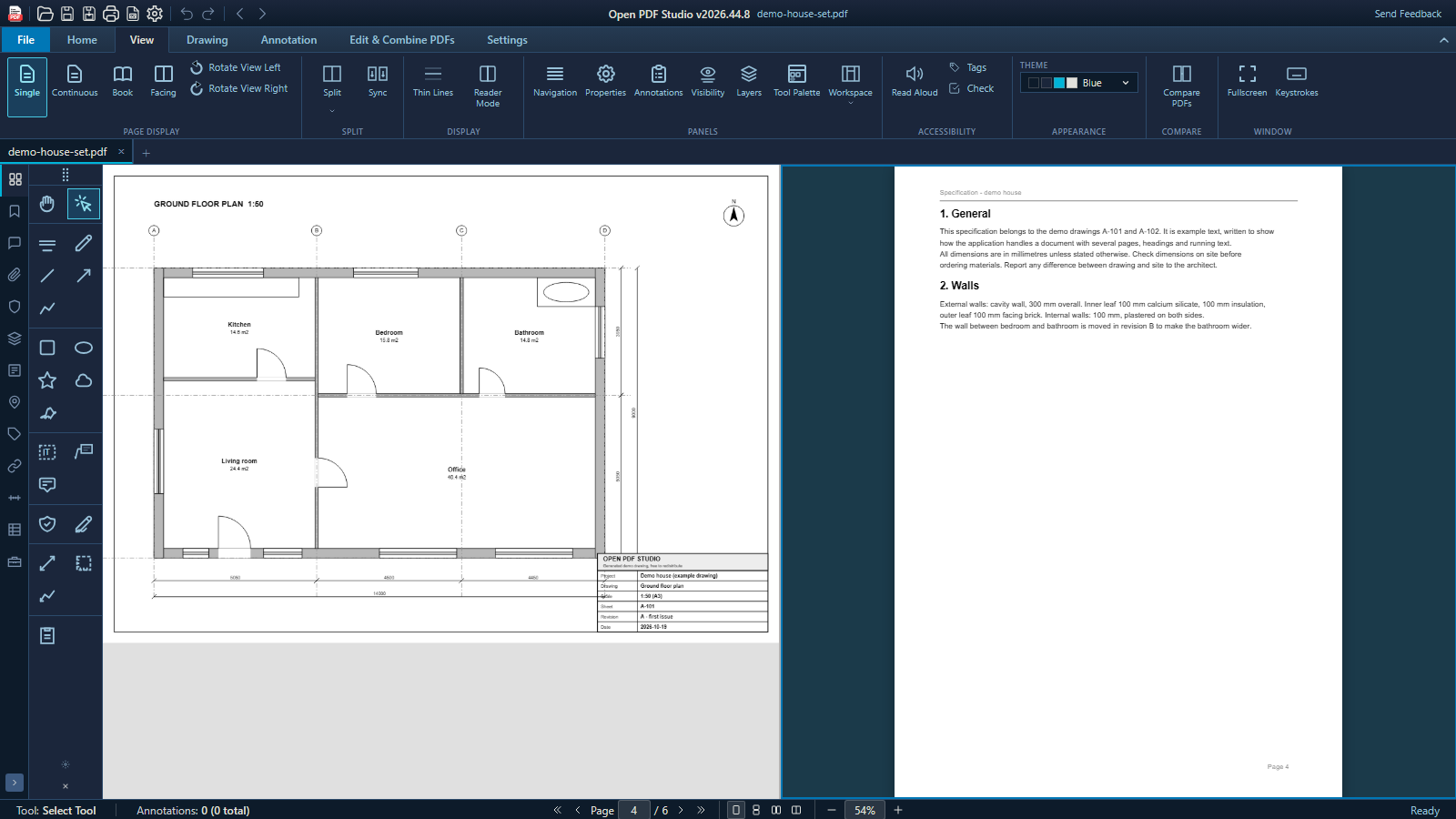 Split view, theme Blue |
The screenshots come from the browser version with demo PDFs that the script makes itself: open-pdf-studio/scripts/generate-readme-screenshots.mjs.
OPENAEC_BEHEERD=1 and a fixed start folder: docs/managed-deployments.md.| Format | Open / import | Save / export | |--------|---------------|---------------| | PDF | Yes, including forms (AcroForm, XFA) and layers | Yes; PDF/A validation and saving, PDF/X export, raster PDF, flattened copy | | XFDF | Annotations; a tool set from sample markups | Annotations | | BCF 2.1 | Issues as annotations | Annotations as issues | | DWG, DXF | Yes, as a vector PDF (desktop) | A page with its layers and markups (desktop) | | IFCX (IFC5 JSON) | No | Yes, beta (docs/ifcx-export.md) | | PNG, JPEG | As an image on a page | Pages, at 72 to 600 DPI | | DOCX, ODT, XLSX | No | Text and tables | | CSV | Edited tags of a saved quantities schedule (label, IFC category, location, count category) | Quantities schedule, with an ID column per markup |
What does not survive: XFDF and BCF carry annotations only, not the page content. A flattened copy leaves out form field values. DOCX, ODT and XLSX get the text and tables, and complex layouts may need correction. PDF/X keeps standard fonts that are not embedded as they are. What IFCX keeps and loses is listed in docs/ifcx-export.md.
A separate, lightweight build lets another web application show a drawing with measuring and comments in its own page: npm run build:web-unit writes open-pdf-studio/dist-web-unit/. The script a host loads is about 10 KiB gzip; PDF.js arrives with the first document, the PDF writer only when the host asks for the result, and nothing in the unit uses the desktop shell. It uses the same annotation model as the desktop app, so a drawing marked up on the web opens the same way on the desktop.
The same unit works as a ` element and inside an iframe with a postMessage protocol. Options include a read-only mode (readOnly: true), a dark theme and CSS variables, a hidden toolbar for hosts with their own buttons, and storage: 'local' to remember the page and scale per document (off by default). The events are opds:load, opds:change, opds:save and opds:error. A minimal host page is in open-pdf-studio/web-unit/voorbeeld/`. The unit measures distances and places sticky notes and rectangles; area, perimeter, text boxes, editing existing annotations and XFDF are not in it yet (#451).
The desktop app has a built-in MCP server, so an AI assistant can work with your documents: open and save files, navigate, create and edit annotations, set the measuring scale, take off quantities, import and export CAD and print to a PDF file. It has 94 public tools.
You stay in control. The server is on for a new installation and listens only on your own computer (127.0.0.1, port 9223); switch it off or change the port under Settings > General. The status bar shows when an assistant is connected and which tool it used last. open-pdf-studio.mcpb from the release installs the connection in MCP clients that support .mcpb bundles; mcp-stdio/README.md explains the bridge for other clients. A Python library drives the same tools from a script.
Where your document goes. The MCP connection itself stays on your computer, but the assistant you connect decides where the work is done. If it uses an online AI service, the page text, screenshots and annotations it reads through the tools can be sent to that service. Check that service's data terms before you let it work on confidential drawings, or use an assistant with a model that runs locally.
npm run test:unit on Windows, Linux and macOS in CI for every pull request, plus 3 quality regression test files (npm run test:quality).node open-pdf-studio/scripts/check-readme-images.mjs fails when an image is missing, unused or larger than 150 kB.open-pdf-studio/scripts/unit-testlijst.txt; quality tests are the test:quality script in open-pdf-studio/package.json; MCP tools are the entries in mcp-stdio/tools.json; languages are the folders in open-pdf-studio/js/i18n/locales/.
pdfium-worker sidecar, so every page rendered in-process and large documents were slow (#923). The fix is on main and ships with the next release..rpm, and the Flatpak is not on Flathub yet (docs/flathub.md).The app is a Tauri 2 desktop app with a Rust back end and a SolidJS front end built with Vite. Pages render through a multi-process PDFium worker pool, off the UI thread and isolated from crashes, with progressive tiles for very large drawings; the browser and Android versions render with PDF.js, which also provides the text layer. pdf-lib writes the PDF changes. The browser version is the same front end built without the Tauri shell. The licences of all components are in LICENSING.md.
git clone https://github.com/OpenAEC-Foundation/open-pdf-studio.git
cd open-pdf-studio/open-pdf-studio
npm ci
npm run tauri:dev
Requires Node.js 22, Rust stable, CMake and a C/C++ toolchain, plus the WebKitGTK development packages on Linux. Details, release builds, the web version and tests are in docs/building.md.
Versions follow the OpenAEC scheme YYYY.W.N: year, ISO week without a leading zero, and a number within the week that starts at 0, such as 2026.44.8.
Open PDF Studio is part of the OpenAEC Foundation family of apps.
Open PDF Studio is licensed under the GNU Lesser General Public License v3.0 or later. The LGPL builds on the GNU General Public License v3.0, whose text ships alongside it. LICENSING.md explains what that means in plain language, lists the licence of every component and of the third-party components the app ships with, and answers the AGPL question around the MuPDF dependency.
→ →
 →
 →
 →
 →
 →
 →