
1
 →
→microsoft/TRELLIS.2 is an open-source project on GitHub, mainly written in Python. Native and Compact Structured Latents for 3D Generation It currently holds 11,766 stars and 1,427 forks with 158 open issues, and was last pushed on 2026-07-10 (repository created 2025-11-26).
Git Homed tracks it on the Today's Trending board, currently at rank #22 with 207 new stars today.





https://github.com/user-attachments/assets/63b43a7e-acc7-4c81-a900-6da450527d8f
(Compressed version due to GitHub size limits. See the full-quality video on our project page!)
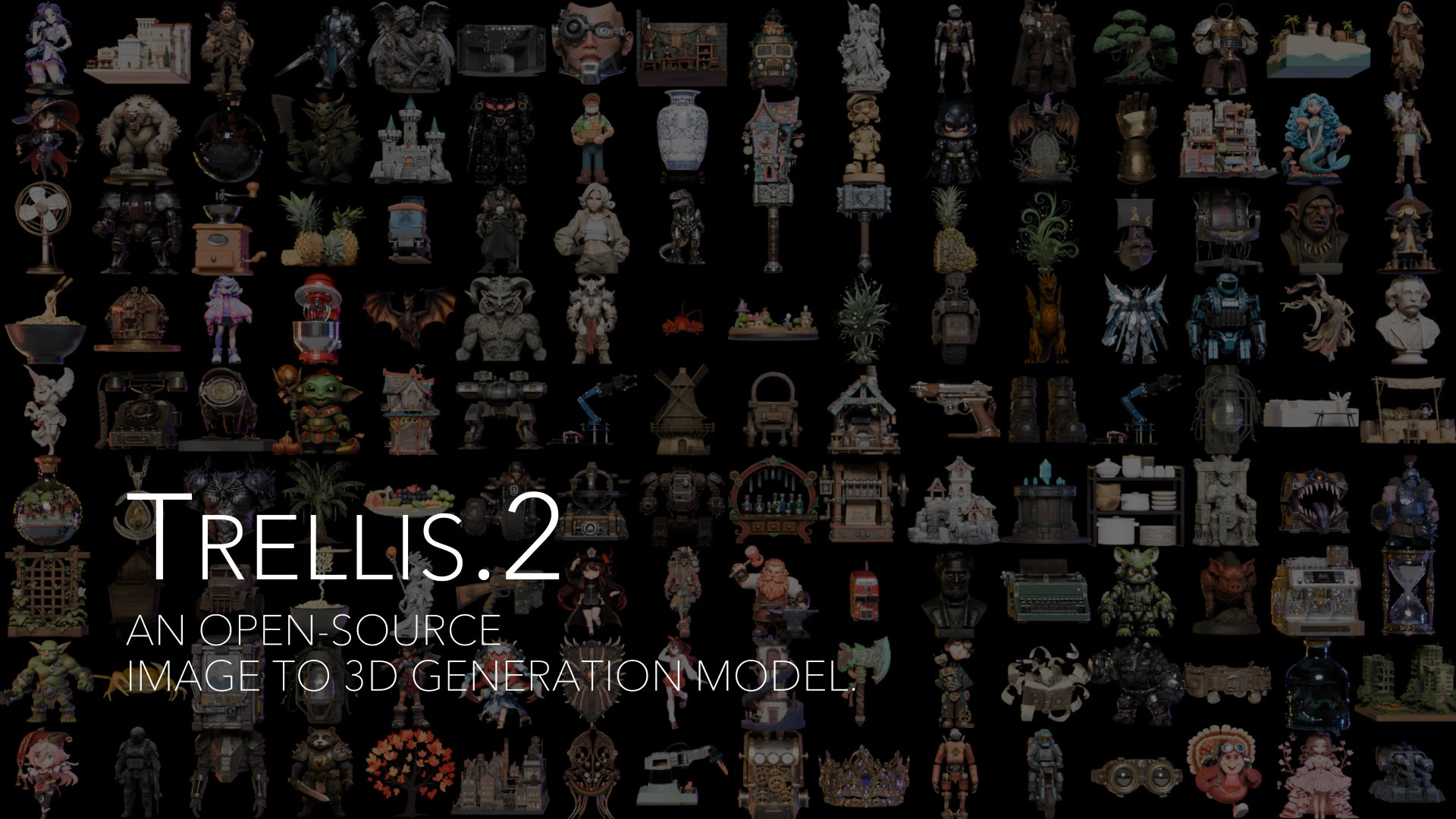
TRELLIS.2 is a state-of-the-art large 3D generative model (4B parameters) designed for high-fidelity image-to-3D generation. It leverages a novel "field-free" sparse voxel structure termed O-Voxel to reconstruct and generate arbitrary 3D assets with complex topologies, sharp features, and full PBR materials.
| Resolution | Total Time* | Breakdown (Shape + Mat) | | :--- | :--- | :--- | | 512³ | ~3s | 2s + 1s | | 1024³ | ~17s | 10s + 7s | | 1536³ | ~60s | 35s + 25s |
*Tested on NVIDIA H100 GPU.
    git clone -b main https://github.com/microsoft/TRELLIS.2.git --recursive
    cd TRELLIS.2
2. Install the dependencies: Before running the following command there are somethings to note:
--new-env, a new conda environment named trellis2 will be created. If you want to use an existing conda environment, please remove this flag.trellis2 environment will use pytorch 2.6.0 with CUDA 12.4. If you want to use a different version of CUDA, you can remove the --new-env flag and manually install the required dependencies. Refer to PyTorch for the installation command.CUDA_HOME should be set to the correct version before running the command. For example, if you have CUDA Toolkit 12.4 and 13.0 installed, you can run export CUDA_HOME=/usr/local/cuda-12.4 before running the command.flash-attn backend for attention. For GPUs do not support flash-attn (e.g., NVIDIA V100), you can install xformers manually and set the ATTN_BACKEND environment variable to xformers before running the code. See the Minimal Example for more details.trellis2 and install the dependencies:
. ./setup.sh --new-env --basic --flash-attn --nvdiffrast --nvdiffrec --cumesh --o-voxel --flexgemm
setup.sh can be found by running . ./setup.sh --help.
    Usage: setup.sh [OPTIONS]
    Options:
        -h, --help              Display this help message
        --new-env               Create a new conda environment
        --basic                 Install basic dependencies
        --flash-attn            Install flash-attention
        --cumesh                Install cumesh
        --o-voxel               Install o-voxel
        --flexgemm              Install flexgemm
        --nvdiffrast            Install nvdiffrast
        --nvdiffrec             Install nvdiffrec
The pretrained model TRELLIS.2-4B is available on Hugging Face. Please refer to the model card there for more details.
| Model | Parameters | Resolution | Link | | :--- | :--- | :--- | :--- | | TRELLIS.2-4B | 4 Billion | 512³ - 1536³ | Hugging Face |
Here is an example of how to use the pretrained models for 3D asset generation.
import os
os.environ['OPENCV_IO_ENABLE_OPENEXR'] = '1'
os.environ["PYTORCH_CUDA_ALLOC_CONF"] = "expandable_segments:True"  # Can save GPU memory
import cv2
import imageio
from PIL import Image
import torch
from trellis2.pipelines import Trellis2ImageTo3DPipeline
from trellis2.utils import render_utils
from trellis2.renderers import EnvMap
import o_voxel
1. Setup Environment Map
envmap = EnvMap(torch.tensor(
    cv2.cvtColor(cv2.imread('assets/hdri/forest.exr', cv2.IMREAD_UNCHANGED), cv2.COLOR_BGR2RGB),
    dtype=torch.float32, device='cuda'
))
2. Load Pipeline
pipeline = Trellis2ImageTo3DPipeline.from_pretrained("microsoft/TRELLIS.2-4B")
pipeline.cuda()
3. Load Image & Run
image = Image.open("assets/example_image/T.png")
mesh = pipeline.run(image)[0]
mesh.simplify(16777216) # nvdiffrast limit
4. Render Video
video = render_utils.make_pbr_vis_frames(render_utils.render_video(mesh, envmap=envmap))
imageio.mimsave("sample.mp4", video, fps=15)
5. Export to GLB
glb = o_voxel.postprocess.to_glb(
    vertices            =   mesh.vertices,
    faces               =   mesh.faces,
    attr_volume         =   mesh.attrs,
    coords              =   mesh.coords,
    attr_layout         =   mesh.layout,
    voxel_size          =   mesh.voxel_size,
    aabb                =   [[-0.5, -0.5, -0.5], [0.5, 0.5, 0.5]],
    decimation_target   =   1000000,
    texture_size        =   4096,
    remesh              =   True,
    remesh_band         =   1,
    remesh_project      =   0,
    verbose             =   True
)
glb.export("sample.glb", extension_webp=True)
Upon execution, the script generates the following files:
sample.mp4: A video visualizing the generated 3D asset with PBR materials and environmental lighting.sample.glb: The extracted PBR-ready 3D asset in GLB format..glb file is exported in OPAQUE mode by default. Although the alpha channel is preserved within the texture map, it is not active initially. To enable transparency, import the asset into your 3D software and manually connect the texture's alpha channel to the material's opacity or alpha input.
app.py provides a simple web demo for image to 3D asset generation. you can run the demo with the following command:
python app.py
Then, you can access the demo at the address shown in the terminal.
Please refer to the example_texturing.py for an example of how to generate PBR textures for a given 3D shape. Also, you can use the app_texturing.py to run a web demo for PBR texture generation.
We provide the full training codebase, enabling users to train TRELLIS.2 from scratch or fine-tune it on custom datasets.
Before training, raw 3D assets must be converted into the O-Voxel representation. This process includes mesh conversion, compact structured latent generation, and metadata preparation.
📂 Please refer to data_toolkit/README.md for detailed instructions on data preprocessing and dataset organization.
Training is managed through the train.py script, which accepts multiple command-line arguments to configure experiments:
--config: Path to the experiment configuration file.--output_dir: Directory for training outputs.--load_dir: Directory to load checkpoints from (defaults to output_dir).--ckpt: Checkpoint step to resume from (defaults to the latest).--data_dir: Dataset path or a JSON string specifying dataset locations.--auto_retry: Number of automatic retries upon failure.--tryrun: Perform a dry run without actual training.--profile: Enable training profiling.--num_nodes: Number of nodes for distributed training.--node_rank: Rank of the current node.--num_gpus: Number of GPUs per node (defaults to all available GPUs).--master_addr: Master node address for distributed training.--master_port: Port for distributed training communication.To train the shape SC-VAE, run:
python train.py \
  --config configs/scvae/shape_vae_next_dc_f16c32_fp16.json \
  --output_dir results/shape_vae_next_dc_f16c32_fp16 \
  --data_dir "{\"ObjaverseXL_sketchfab\": {\"base\": \"datasets/ObjaverseXL_sketchfab\", \"mesh_dump\": \"datasets/ObjaverseXL_sketchfab/mesh_dumps\", \"dual_grid\": \"datasets/ObjaverseXL_sketchfab/dual_grid_256\", \"asset_stats\": \"datasets/ObjaverseXL_sketchfab/asset_stats\"}}"
This command trains the shape SC-VAE on the Objaverse-XL dataset using the shape_vae_next_dc_f16c32_fp16.json configuration. Training outputs will be saved to results/shape_vae_next_dc_f16c32_fp16.
The dataset is specified as a JSON string, where each dataset entry includes:
base: Root directory of the dataset.mesh_dump: Directory containing preprocessed mesh dumps.dual_grid: Directory with precomputed dual-grid representations.asset_stats: Directory containing precomputed asset statistics.shape_vae_next_dc_f16c32_fp16_ft_512.json configuration. Remember to update the finetune_ckpt field and adjust the dataset paths accordingly.
To train the texture SC-VAE, run:
python train.py \
  --config configs/scvae/tex_vae_next_dc_f16c32_fp16.json \
  --output_dir results/tex_vae_next_dc_f16c32_fp16 \
  --data_dir "{\"ObjaverseXL_sketchfab\": {\"base\": \"datasets/ObjaverseXL_sketchfab\", \"pbr_dump\": \"datasets/ObjaverseXL_sketchfab/pbr_dumps\", \"pbr_voxel\": \"datasets/ObjaverseXL_sketchfab/pbr_voxels_256\", \"asset_stats\": \"datasets/ObjaverseXL_sketchfab/asset_stats\"}}"
To train the sparse structure flow model, run:
python train.py \
  --config configs/gen/ss_flow_img_dit_1_3B_64_bf16.json \
  --output_dir results/ss_flow_img_dit_1_3B_64_bf16 \
  --data_dir "{\"ObjaverseXL_sketchfab\": {\"base\": \"datasets/ObjaverseXL_sketchfab\", \"ss_latent\": \"datasets/ObjaverseXL_sketchfab/ss_latents/ss_enc_conv3d_16l8_fp16_64\", \"render_cond\": \"datasets/ObjaverseXL_sketchfab/renders_cond\"}}"
This command trains the sparse-structure flow model on the Objaverse-XL dataset using the specified configuration file. Outputs are saved to results/ss_flow_img_dit_1_3B_64_bf16.
The dataset configuration includes:
base: Root dataset directory.ss_latent: Directory containing precomputed sparse-structure latents.render_cond: Directory containing conditional rendering images.The second- and third-stage flow models for shape and texture generation can be trained using the following configurations:
slat_flow_img2shape_dit_1_3B_512_bf16.jsonslat_flow_imgshape2tex_dit_1_3B_512_bf16.json# Shape flow model
python train.py \
--config configs/gen/slat_flow_img2shape_dit_1_3B_512_bf16.json \
--output_dir results/slat_flow_img2shape_dit_1_3B_512_bf16 \
--data_dir "{\"ObjaverseXL_sketchfab\": {\"base\": \"datasets/ObjaverseXL_sketchfab\", \"shape_latent\": \"datasets/ObjaverseXL_sketchfab/shape_latents/shape_enc_next_dc_f16c32_fp16_512\", \"render_cond\": \"datasets/ObjaverseXL_sketchfab/renders_cond\"}}"
Texture flow model
python train.py \
--config configs/gen/slat_flow_imgshape2tex_dit_1_3B_512_bf16.json \
--output_dir results/slat_flow_imgshape2tex_dit_1_3B_512_bf16 \
--data_dir "{\"ObjaverseXL_sketchfab\": {\"base\": \"datasets/ObjaverseXL_sketchfab\", \"shape_latent\": \"datasets/ObjaverseXL_sketchfab/shape_latents/shape_enc_next_dc_f16c32_fp16_512\", \"pbr_latent\": \"datasets/ObjaverseXL_sketchfab/pbr_latents/tex_enc_next_dc_f16c32_fp16_512\", \"render_cond\": \"datasets/ObjaverseXL_sketchfab/renders_cond\"}}"
Higher-resolution fine-tuning can be performed by updating the finetune_ckpt field in the following configuration files and adjusting the dataset paths accordingly:
slat_flow_img2shape_dit_1_3B_512_bf16_ft1024.jsonslat_flow_imgshape2tex_dit_1_3B_512_bf16_ft1024.jsonTRELLIS.2 is built upon several specialized high-performance packages developed by our team:
Core library handling the logic for converting between textured meshes and the O-Voxel representation, ensuring instant bidirectional transformation. Efficient sparse convolution implementation based on Triton, enabling rapid processing of sparse voxel structures. CUDA-accelerated mesh utilities used for high-speed post-processing, remeshing, decimation, and UV-unwrapping.This model and code are released under the MIT License.
Please note that certain dependencies operate under separate license terms:
If you find this model useful for your research, please cite our work:
@article{
    xiang2025trellis2,
    title={Native and Compact Structured Latents for 3D Generation},
    author={Xiang, Jianfeng and Chen, Xiaoxue and Xu, Sicheng and Wang, Ruicheng and Lv, Zelong and Deng, Yu and Zhu, Hongyuan and Dong, Yue and Zhao, Hao and Yuan, Nicholas Jing and Yang, Jiaolong},
    journal={Tech report},
    year={2025}
}
 →
→ →
→ →
→ →
→ →
→ →
→ →
→