1
 →
→
Self-hosted, Gmail-style mail client. Multi-account IMAP, threaded conversations, real-time push via IMAP IDLE + Mercure. Built with Symfony, FrankenPHP, Hotwire Turbo. Clone and docker compose up.
karatektus/pl_mail is an open-source project on GitHub, mainly written in PHP. Self-hosted, Gmail-style mail client. Multi-account IMAP, threaded conversations, real-time push via IMAP IDLE + Mercure. It currently holds 255 stars and 15 forks with 25 open issues, and was last pushed on 2026-10-11 (repository created 2026-07-02).
Git Homed tracks it on the Today's Trending board, currently at rank #89 with 33 new stars today.
Self-hosted mail with a calendar beside it. Connect the mailboxes you already have — IMAP, Gmail, Outlook — and read them side by side in one inbox, on a server you own.




Installing on Docker, Linux, WSL2, macOS or a NAS · every feature in detail · connecting Gmail and
Outlook, with the exact permissions to tick · how the internals work.
Also on the wiki and in docs/ — all three
are built from the same files.
---
A mail client you host yourself. It connects to the mailboxes you already have — IMAP, Gmail, Outlook — syncs them into your own PostgreSQL database, and gives them one inbox, one search box and one set of labels in the browser.
It is not a mail server: it doesn't receive mail from the internet or host your domain. Because everything is synced locally, search runs against your database, and your mail stays readable when a provider doesn't.
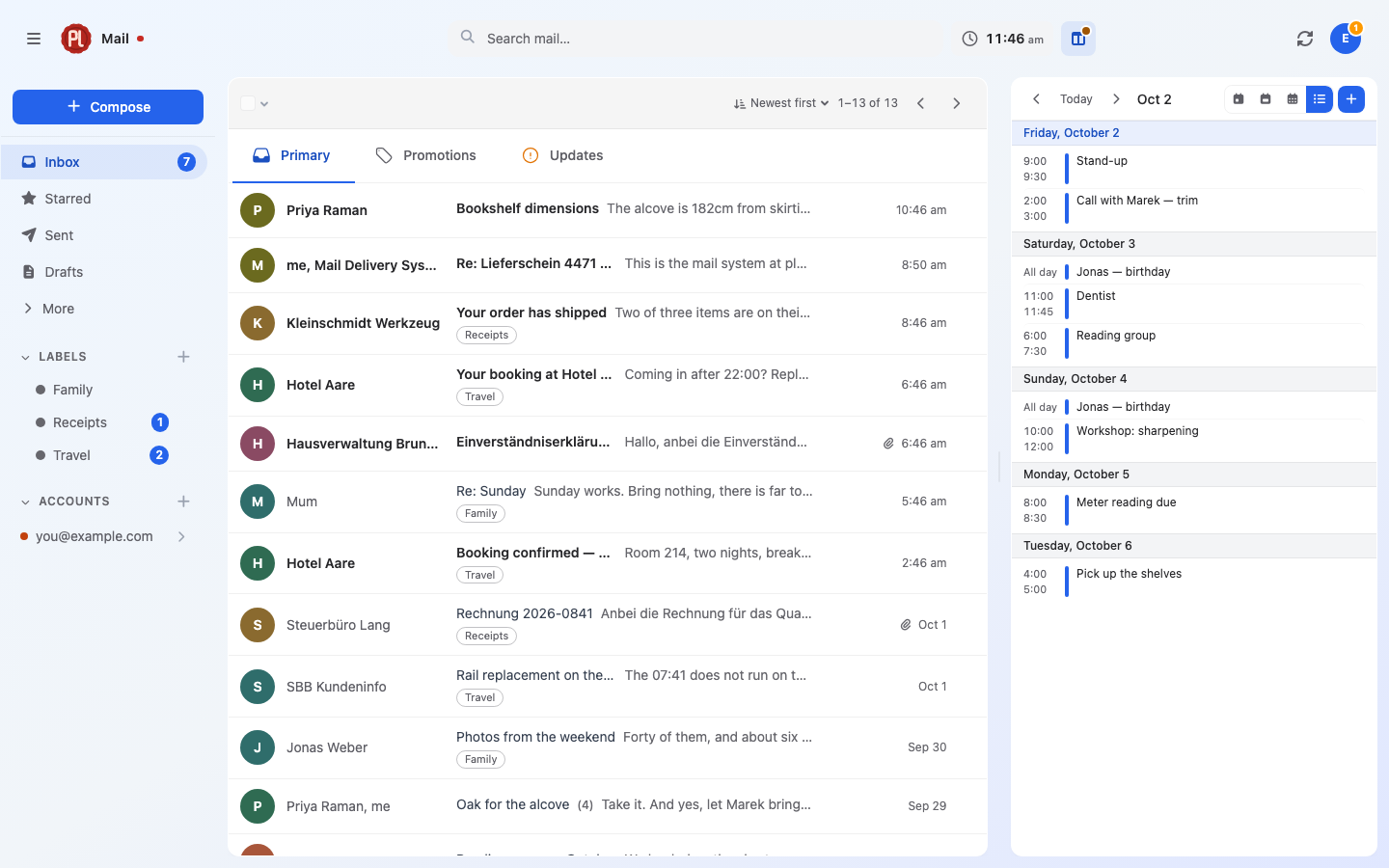
from:, subject:, label:, has:, before: and| | |
|---|---|
|  |
| 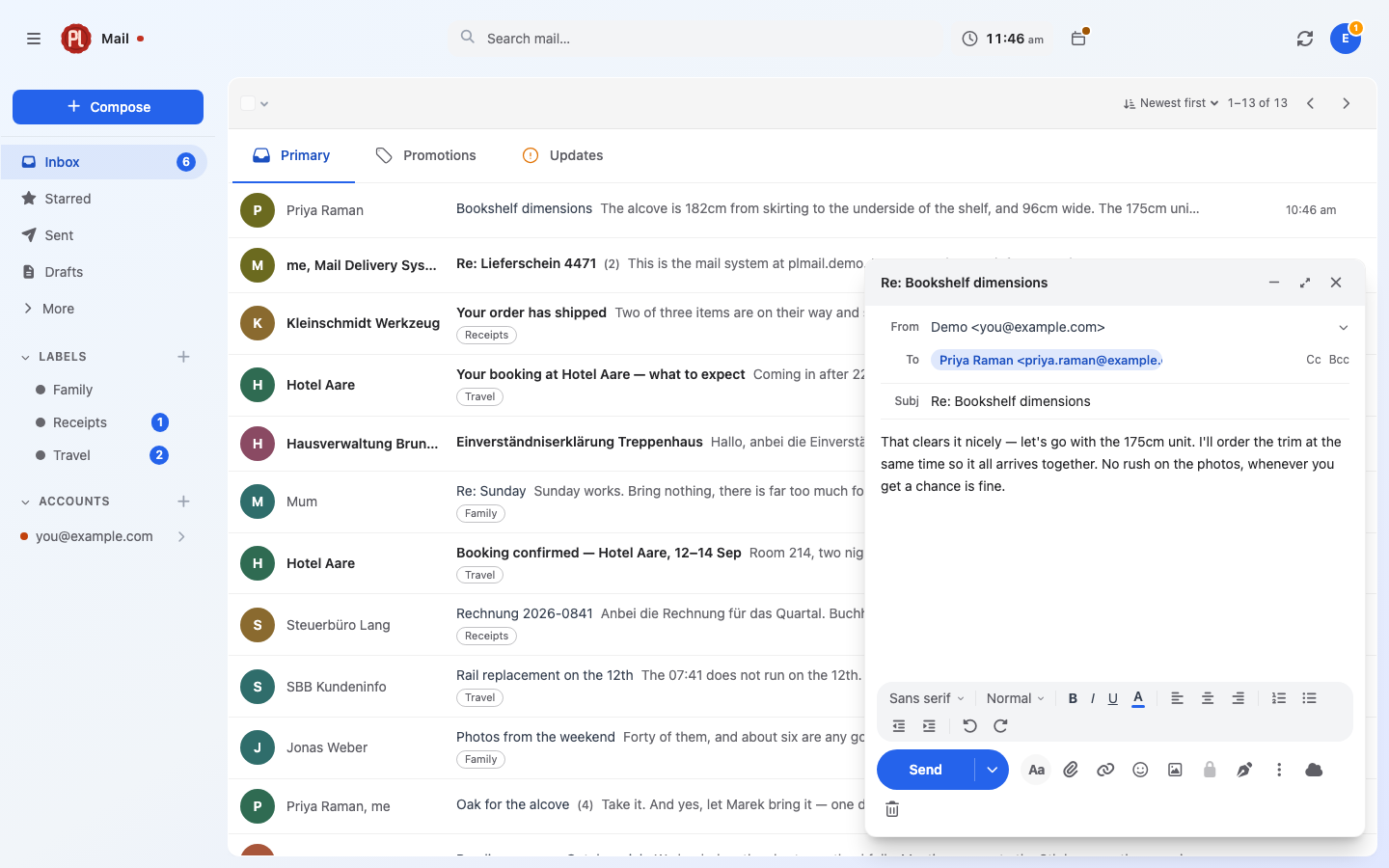 |
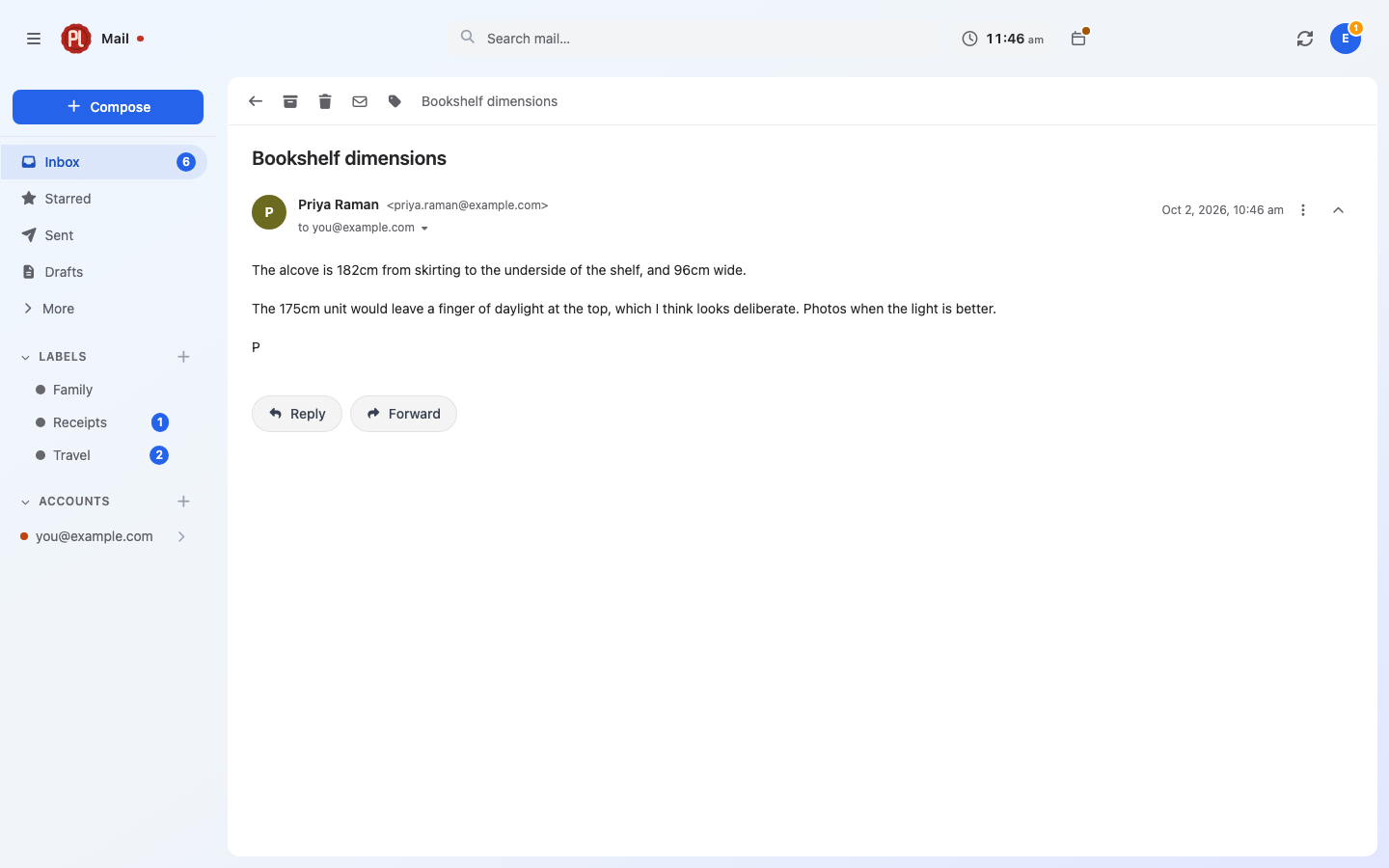
| Threads — replies collapse into one conversation. | Compose — rich text, autocomplete, undo send. |
|
|
| Threads — replies collapse into one conversation. | Compose — rich text, autocomplete, undo send. |
|  |
| 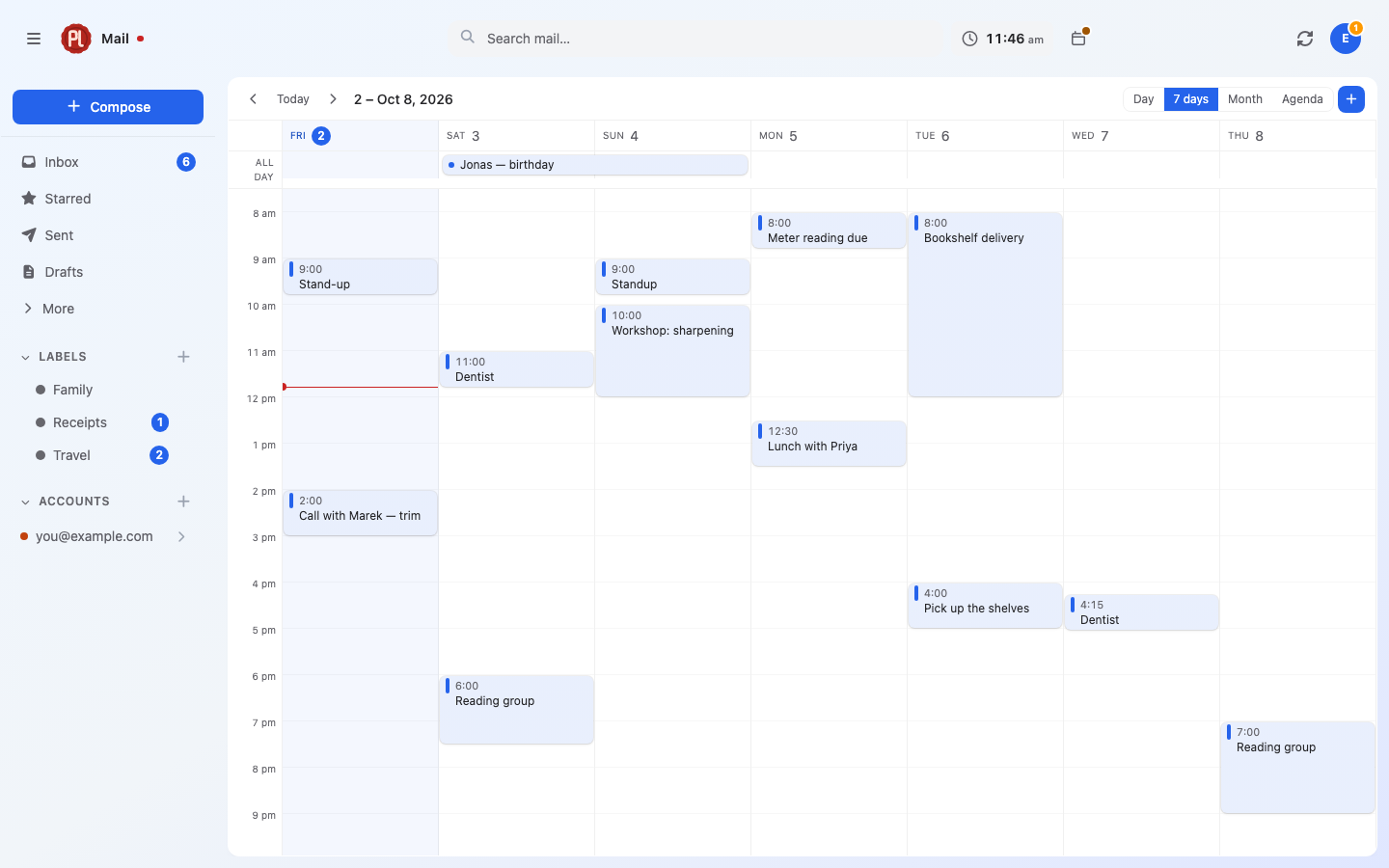 |
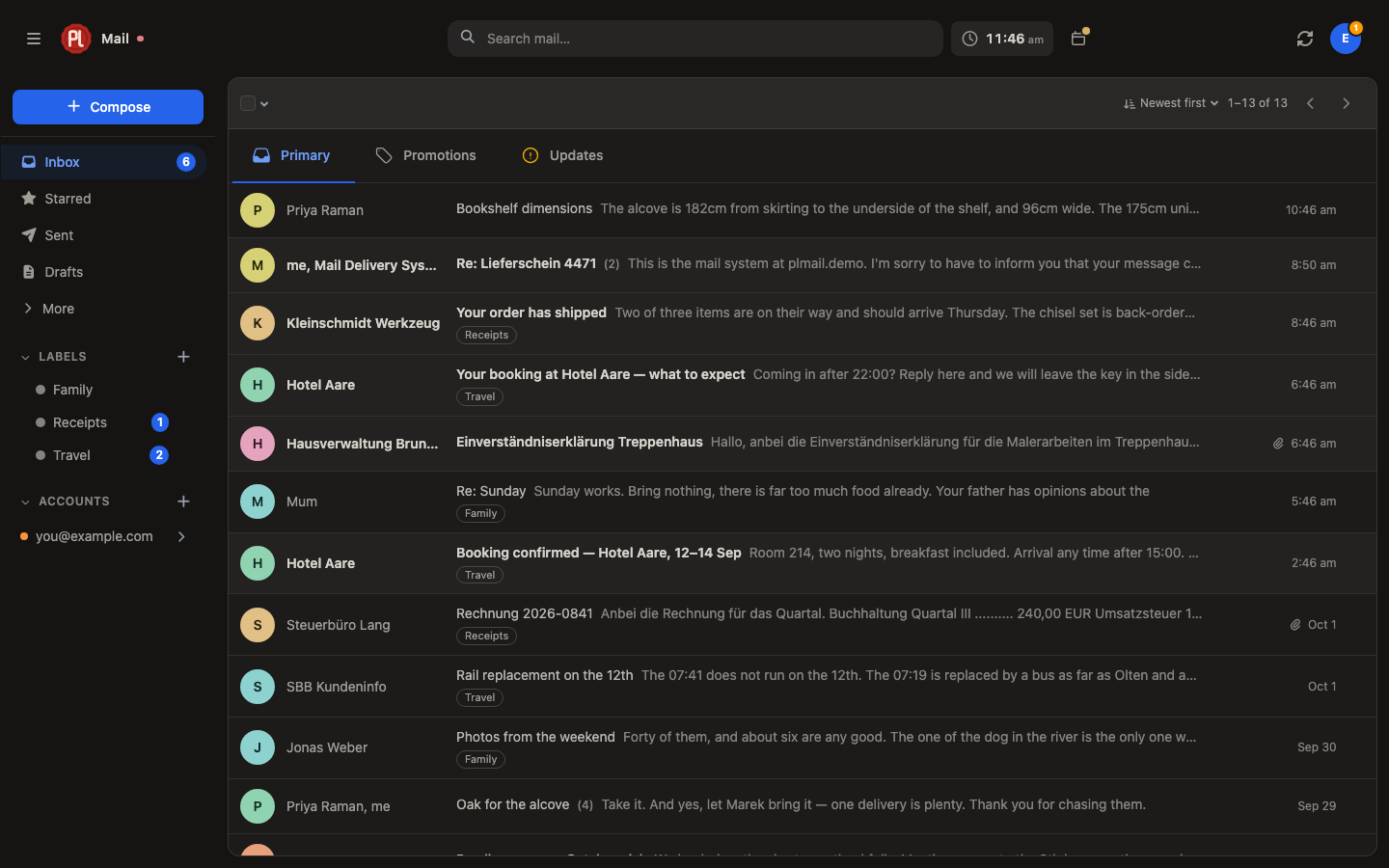
| Themes — 41 of them, light and dark. | Calendar — docked beside the mail, or its own page. |
|
|
| Themes — 41 of them, light and dark. | Calendar — docked beside the mail, or its own page. |
|  |
| 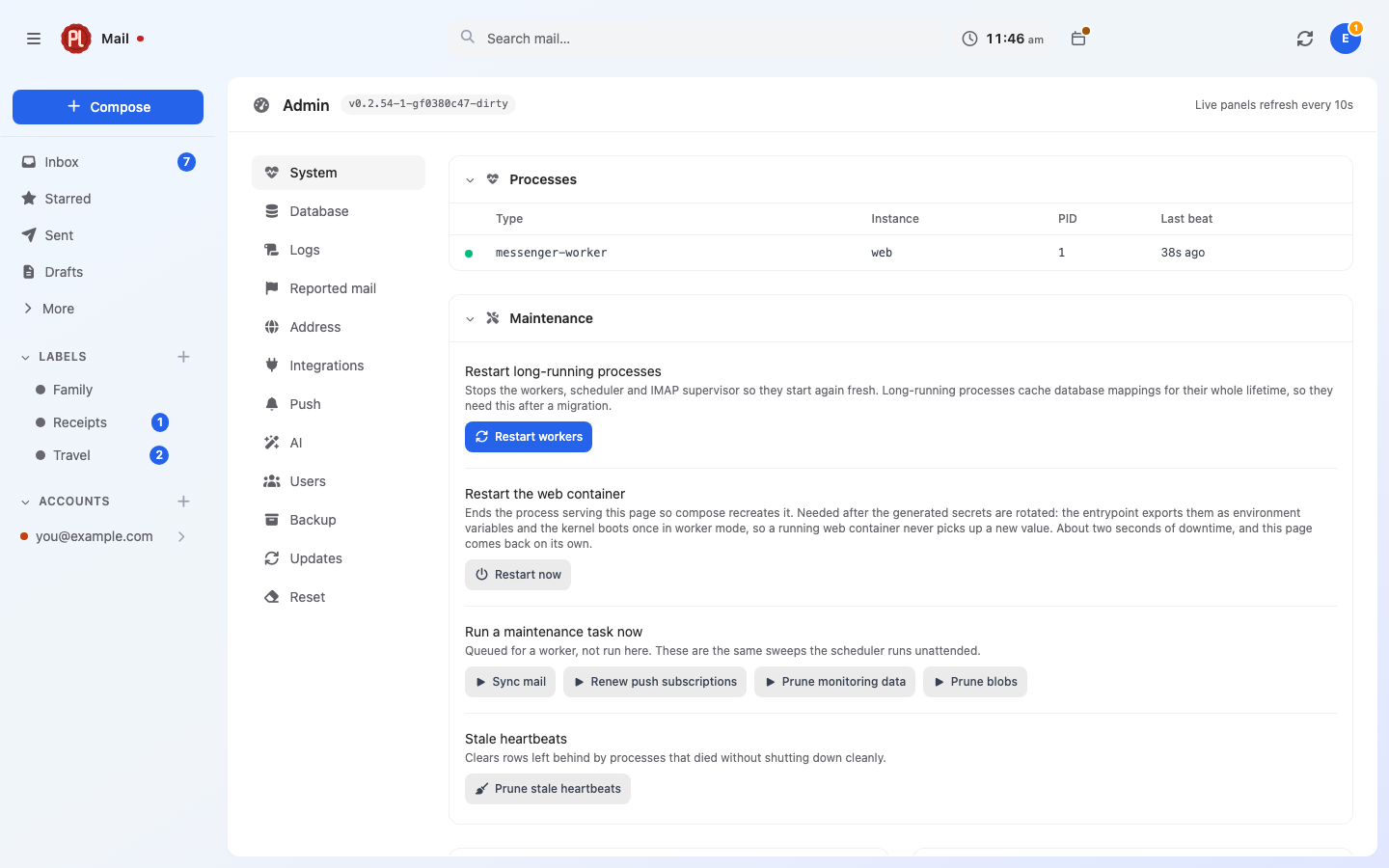 |
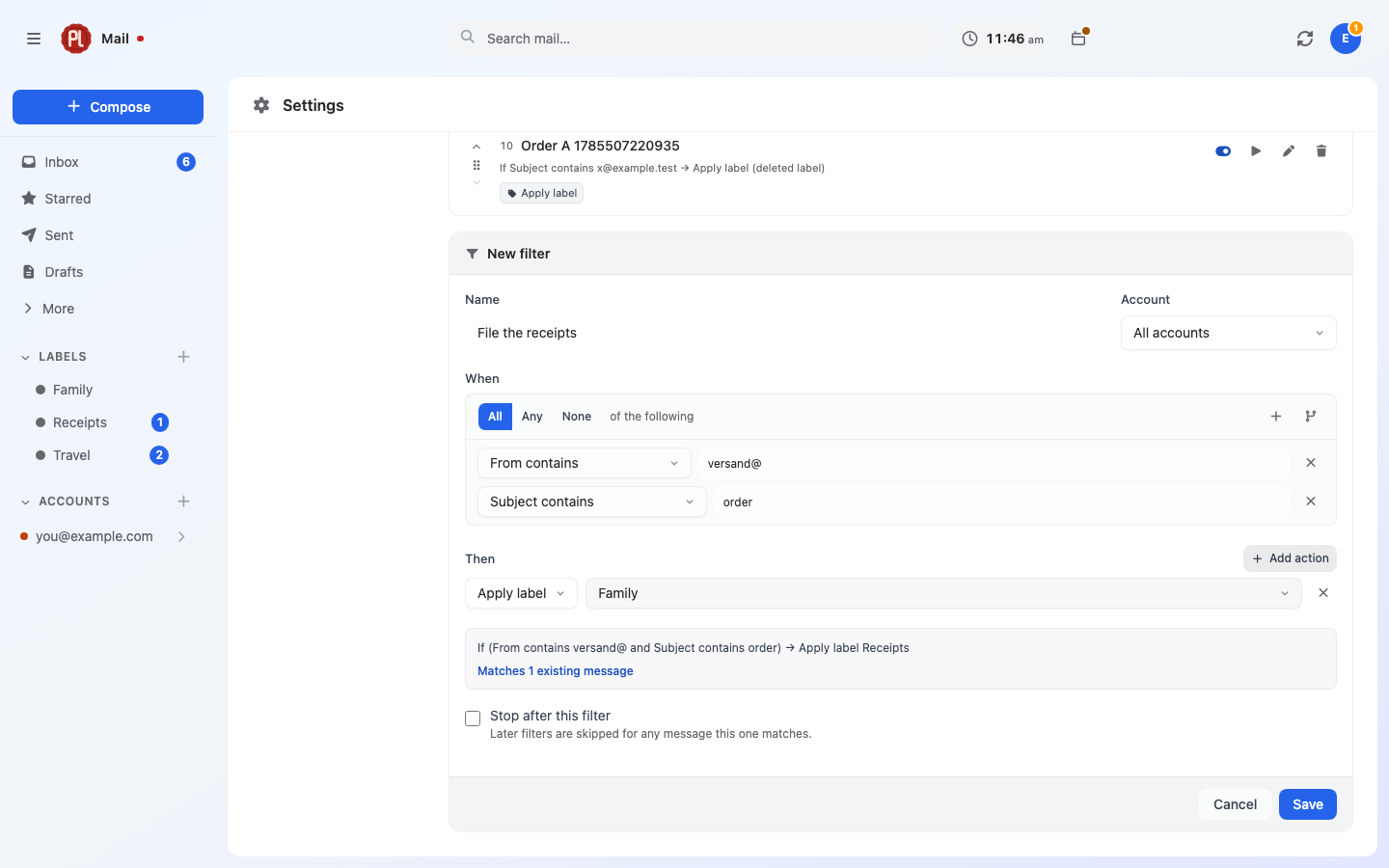
| Filters — counted before you save. | Admin — workers, push health, logs, queue. |
|
|
| Filters — counted before you save. | Admin — workers, push health, logs, queue. |
|  |
| 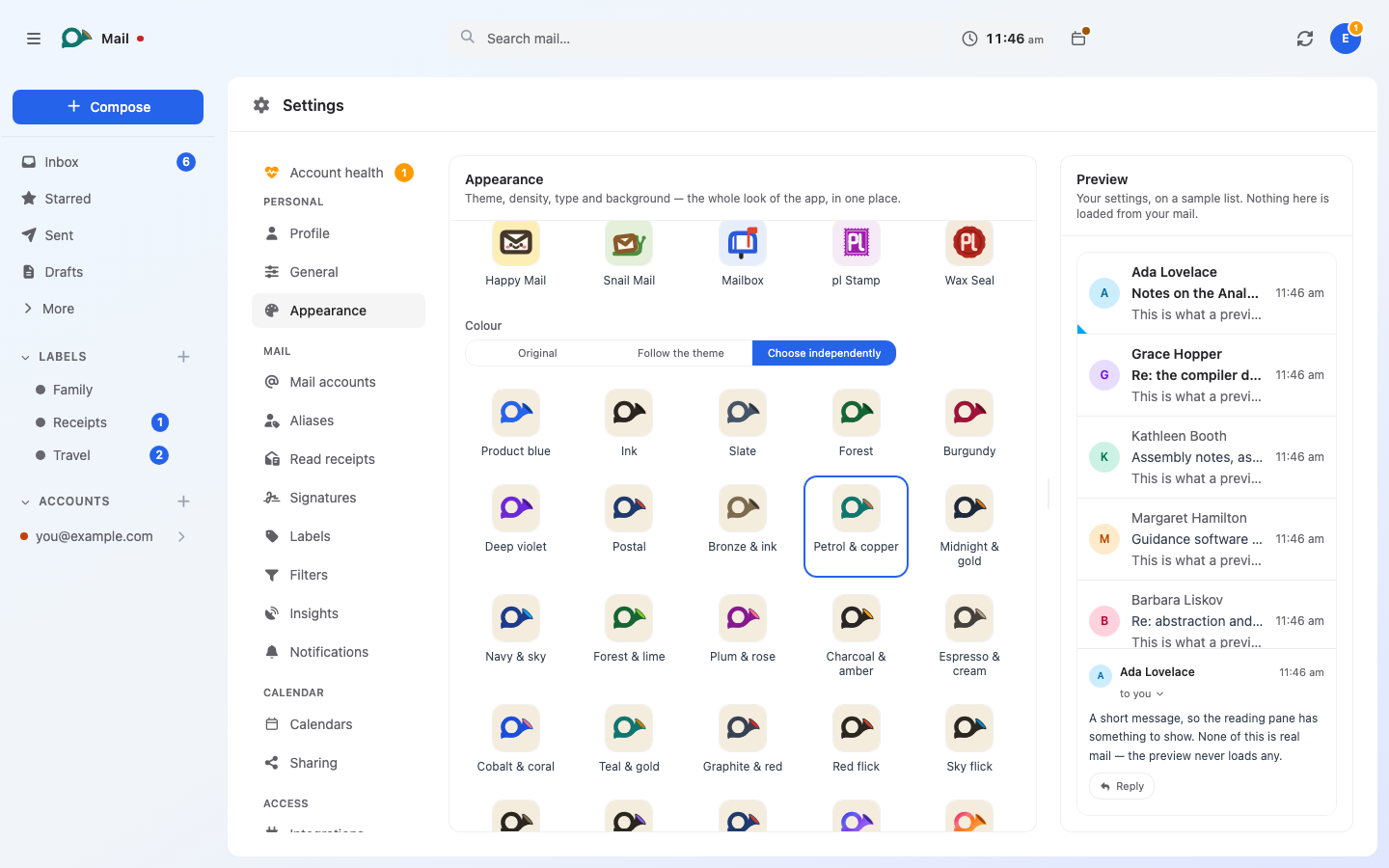 |
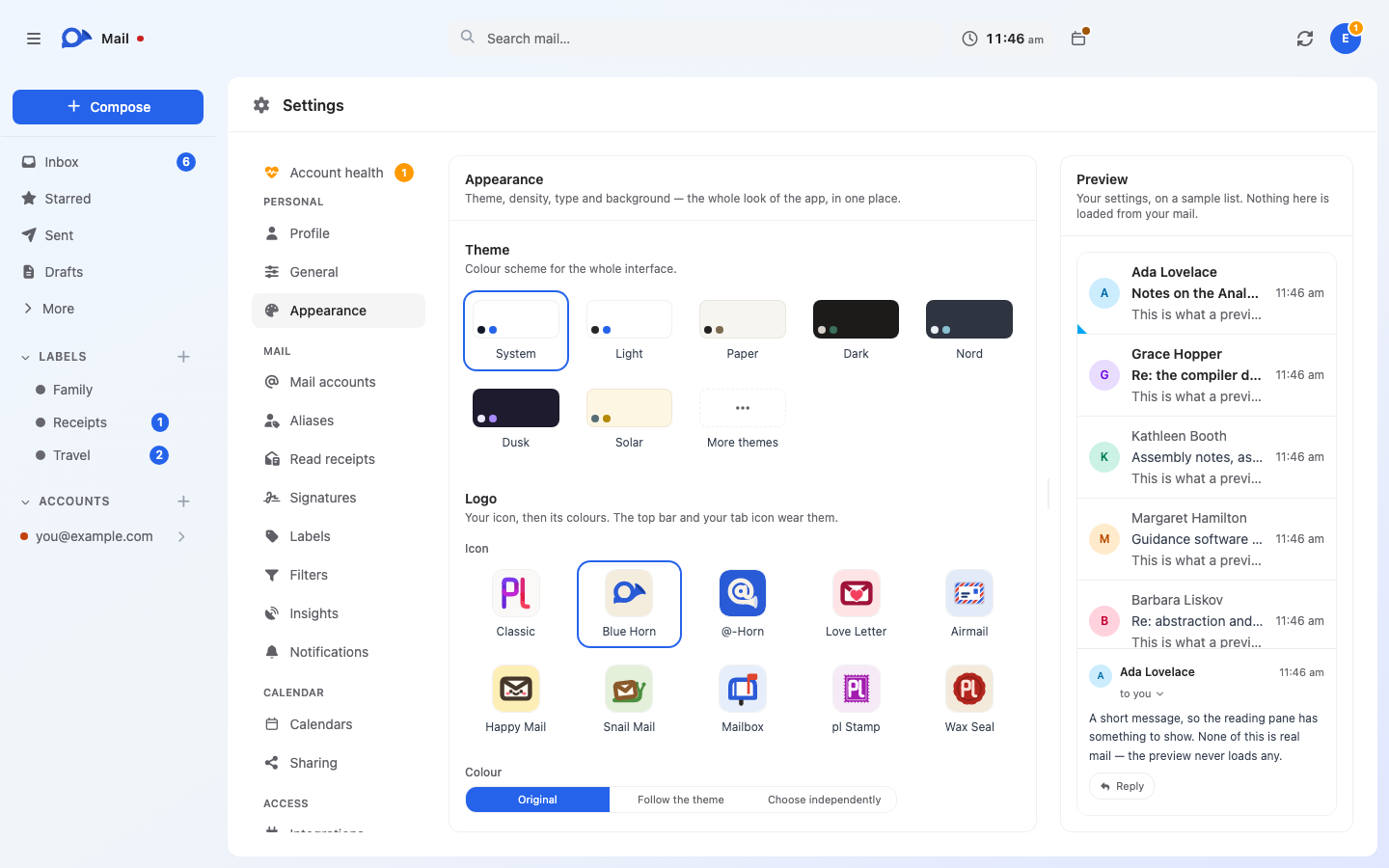
| Icons — ten of them, a blue horn among them. | Colourways — each icon in its own colours, or any of 32. |
|
| Icons — ten of them, a blue horn among them. | Colourways — each icon in its own colours, or any of 32. |
Screenshots use demo data — none of the accounts, senders or messages shown are real.
Images are published for linux/amd64 and linux/arm64. Nothing to fill in first: the secrets are
generated on first start, and the public address is asked for on the setup screen.
git clone https://github.com/karatektus/pl_mail.git
cd pl_mail
docker compose up -d
Open https://localhost and create your account. From another machine, open
https:// and the server's address instead; the browser warns about the self-signed certificate
once and lets you continue.
plMail is in the TrueNAS app catalogue. Apps → Discover Apps, search for plMail, and install it. The form asks for one thing, a database password; everything else has a default that works.
Reach it on port 30519, and put a reverse proxy in front of it if it should be reachable from
outside. Updates arrive through the catalogue like any other app's.
Add an IMAP mailbox in Settings → Mail accounts and you're done. Gmail and Outlook need OAuth credentials from Google or Microsoft first — the handbook walks through both, including the optional Pub/Sub topic for instant Gmail delivery.
Back up two things, separately: the PostgreSQL data and var/secrets/generated.env. The
database holds your mail; the key inside that file unlocks the credentials in it. Keeping them
apart is the point — and losing the key means the stored mailbox passwords are gone.
Bug reports and pull requests welcome — see CONTRIBUTING.md for the dev setup, the test suites and the console commands.
AGPL-3.0.
→ →
→ →
→ →
→ →
→ →
→ →
→ →
→