1
 →
→
Free up your Mac, safely. Clears the cache and junk it piles up on its own. Open source, and everything goes to the Trash, so nothing is ever lost.
jithin-sabu/purge-app is an open-source project on GitHub, mainly written in Swift. Free up your Mac, safely. Clears the cache and junk it piles up on its own. Open source, and everything goes to the Trash, so nothing is ever lost. It currently holds 825 stars and 46 forks with 15 open issues, and was last pushed on 2026-09-19 (repository created 2026-05-11).
Git Homed tracks it on the Today's Trending board, currently at rank #90 with 29 new stars today.

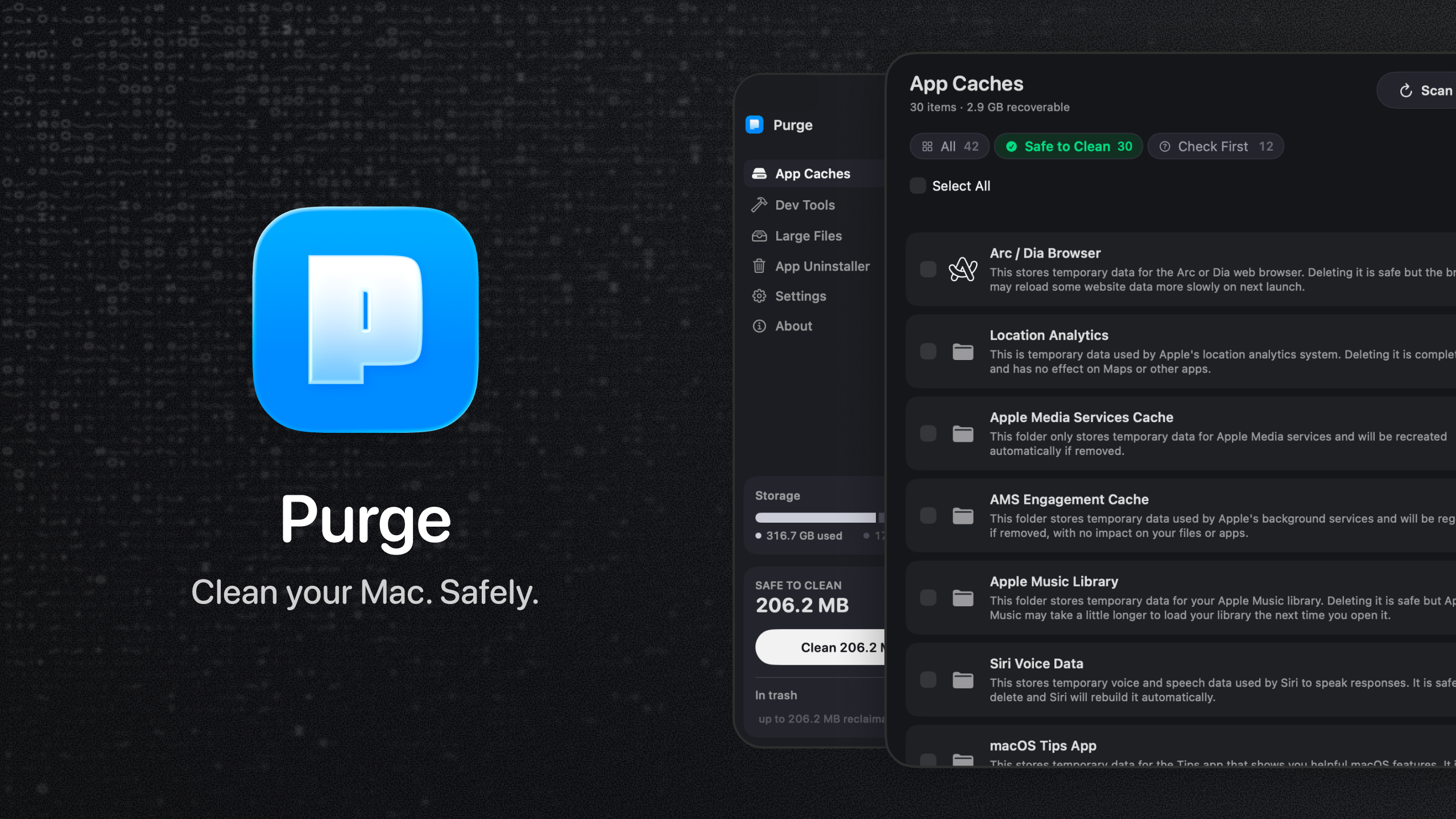
Free up your Mac. Safely.
Clear out the cache and junk your Mac collects on its own.
Open source, trash-by-default.




Download · Install guide · Build from source · Security
---
Your Mac quietly fills up with cache and junk you never see and never asked for. Purge finds it, marks what is safe, and clears it in one click.
[!NOTE]
Nothing is ever deleted permanently. Everything moves to the Trash, so anything can come back.
You do not need to understand any of it to use it. But if you ever want to check, every item carries a plain-English explanation and a safety label, so nothing gets touched that you cannot see and verify first.
---
Scans ~/Library/Caches, sandbox container caches, and common system junk:
Three sections in one view:
node_modules, Python virtual environments, Rust target, Flutter build output, Xcode Pods, Android .gradle, and other artifacts grouped by projectFind space-hogging personal files without digging through folders:
node_modules, Pods, DerivedData and build output. Deleting a single file out of a dependency tree only breaks the install, so those belong in Dev Tools, which removes them a folder at a timeModels you downloaded with Ollama or LM Studio are often the largest files on a Mac and are easy to forget. They appear in Large Files under the AI Models category, one row per model, named the way you installed it. Purge understands Ollama's content-addressed storage, so a model's size counts only the bytes that would actually be reclaimed rather than blobs shared with another model.
Dragging an app to the Trash leaves most of it behind: caches, preferences, containers, saved state, logs, and login helpers pile up on disk. The Uninstaller removes the app and those leftovers in one pass.
Purge assigns a safety label to every item it recognizes:
| Label | Meaning | |-------|---------| | ✅ Safe to Clean | Known cache or rebuildable artifact, safe to remove | | ⚠️ Check First | May be safe, but could cause inconvenience |
Filter with All, Safe to Clean, or Check First (⌘1–⌘3). Sort by size, date modified, or name.
Unidentified folders are left out of the list entirely. Purge only shows what it knows about.
The labels and explanations are there to be checked, not read cover to cover. Clean the safe items in one click and move on, or open the reasoning behind any single row first. Either way is fine.
| Shortcut | Action | |----------|--------| | ⌘R | Scan — rescan App Caches and Dev Tools | | ⇧⌘R | Scan All — the same rescan, from any tab | | ⌘1–⌘3 | Filter by All, Safe to Clean, or Check First |
---

---
There are two ways to install Purge: with Homebrew if you live in the terminal, or by downloading the app directly. Both land in the same place.
brew install --cask jithin-sabu/tap/purge
This taps the repo and installs Purge in one step, and Homebrew verifies the download's checksum for you automatically.
The steps below walk through the direct download.
Click the download link above and download the .dmg.
[!TIP]
Since Purge deletes files, verifying the checksum confirms your download is byte-for-byte the one that was published, with nothing altered in transit.
Each release includes a matching .dmg.sha256 checksum file. Download both the .dmg and its .dmg.sha256 file into the same folder, then in Terminal:
cd ~/Downloads
shasum -a 256 -c Purgev*.dmg.sha256
A result ending in OK means the file matches the published release.
Open the .dmg and drag Purge to your Applications folder.
Double-click Purge to open it. Purge is notarized by Apple, so it opens normally with no extra steps.
Purge needs Full Disk Access to scan your cache folders.
1. Click Open Privacy Settings inside the app 2. Find Purge in the list 3. Turn on the toggle next to Purge 4. Come back to the app and click I've granted access
---
Purge updates itself in place. Once a day it checks for a new version, and when one is available the update window appears with the release notes. Choose Install Update and Purge downloads it, verifies its signature, installs it, and relaunches. You don't need to visit the release page or drag anything.
Nothing is ever installed without your confirmation. You can also check whenever you like from the About screen, and if you'd rather Purge didn't check on its own, turn off Check for updates automatically in Settings → Updates.
Updates are delivered through Sparkle, the standard update framework for Mac apps outside the App Store. Each update is signed with a key that lives only on the developer's machine, and Purge refuses any download that doesn't carry a matching signature.
If you installed through Homebrew, you can update from the terminal instead:
brew upgrade --cask purge
Either route is fine. Your settings, cleaning schedule, and history are kept whichever way you update; they live separately from the app. You won't need to grant Full Disk Access again either, since the permission stays with Purge.
You can also browse past versions on the releases page anytime.
---
Prefer to build Purge yourself instead of downloading the release? Here is how.
git clone https://github.com/jithin-sabu/purge-app.git
cd purge-app
Open the project in Xcode and run:
open purge.xcodeproj
Then select the purge scheme and press ⌘R.
Or build straight from the command line:
# Build a Debug app
xcodebuild -project purge.xcodeproj -scheme purge -configuration Debug build
Build a Release app
xcodebuild -project purge.xcodeproj -scheme purge -configuration Release build
The built Purge.app is written under Xcode's DerivedData folder (the build output ends with its path).
The app cache icons are generated from simple-icons. To rebuild them:
npm install
npm run generate:icons
xcodebuild test -project purge.xcodeproj -scheme purge -destination 'platform=macOS' CODE_SIGN_IDENTITY="" CODE_SIGNING_REQUIRED=NO CODE_SIGNING_ALLOWED=NO
The signing flags matter: without a development certificate on the machine, the test build fails before a single test runs. Continuous integration builds the same way.
---
Purge runs entirely on your Mac. Scans, explanations, manual overrides, and cleanup history stay in local Application Support. Nothing is uploaded.
The one time Purge talks to the network is the update check: once a day it fetches a small XML file from GitHub to see whether a newer version is available. It sends nothing about you or your Mac, and you can turn it off in Settings → Updates.
Purge never reads or sends file contents.
---
Purge deletes files, so safety is the point. A few things worth knowing:
---
Bug reports, safety findings, and pull requests are welcome. CONTRIBUTING.md covers how to set up the project and what makes a change easy to review. Anything touching the safety allowlist, the never-delete protections, or the scanning logic gets extra scrutiny and takes longer to review, which is deliberate.
Security issues are the exception: report those privately through SECURITY.md rather than opening an issue.
---
Purge is released under the MIT License. You are free to use, read, modify, and distribute it.
---
Purge is free. If it saved you some disk space, you can chip in toward the running costs from the About screen inside the app, or directly at Buy Me a Coffee.

---
Jithin Sabu



→ →
→ →
→ →
→ →
→ →
→ →
→ →
→