
1
 →
→
Advanced AI Explainability for computer vision. Support for CNNs, Vision Transformers, Classification, Object detection, Segmentation, Image similarity and more.



pip install grad-cam
Documentation with advanced tutorials: https://jacobgil.github.io/pytorch-gradcam-book
This is a package with state of the art methods for Explainable AI for computer vision. This can be used for diagnosing model predictions, either in production or while developing models. The aim is also to serve as a benchmark of algorithms and metrics for research of new explainability methods.
⭐ Comprehensive collection of Pixel Attribution methods for Computer Vision.
⭐ Tested on many Common CNN Networks and Vision Transformers.
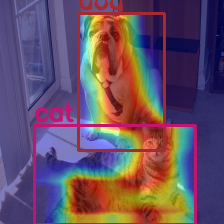
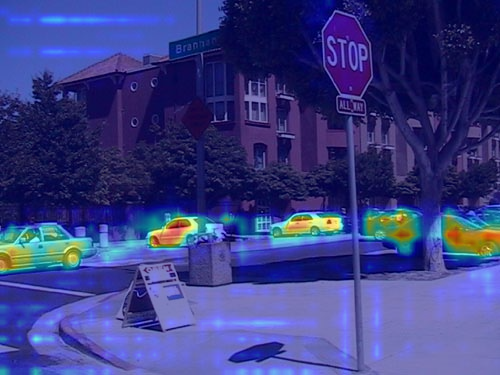
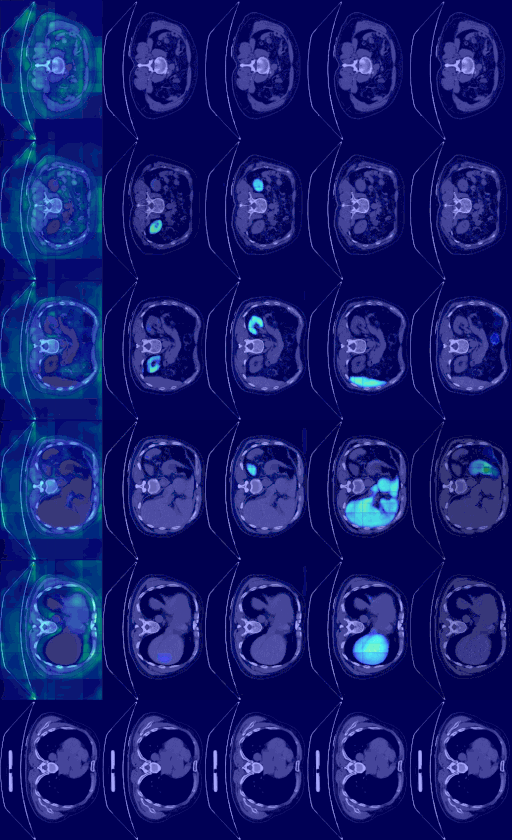
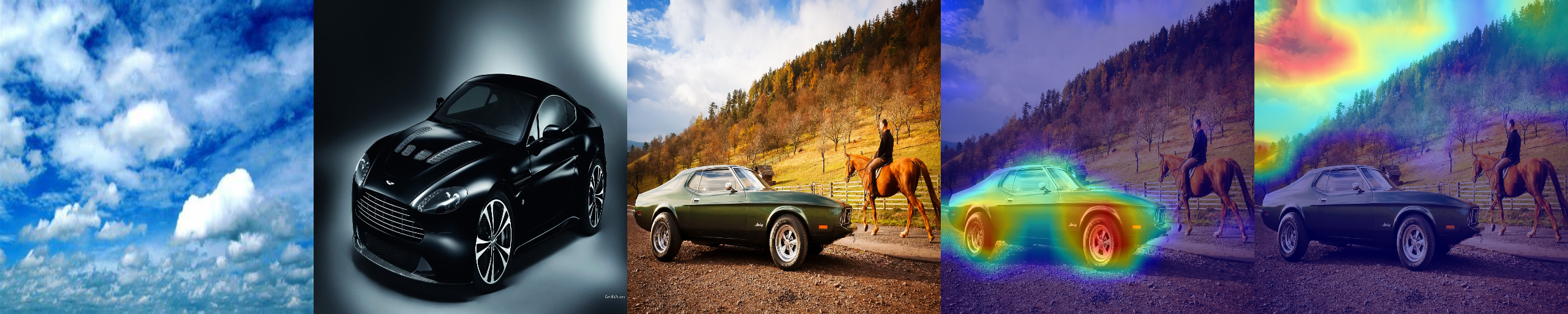
⭐ Advanced use cases: Works with Classification, Object Detection, Semantic Segmentation, Embedding-similarity and more.
⭐ Includes smoothing methods to make the CAMs look nice.
⭐ High performance: full support for batches of images in all methods.
⭐ Includes metrics for checking if you can trust the explanations, and tuning them for best performance.

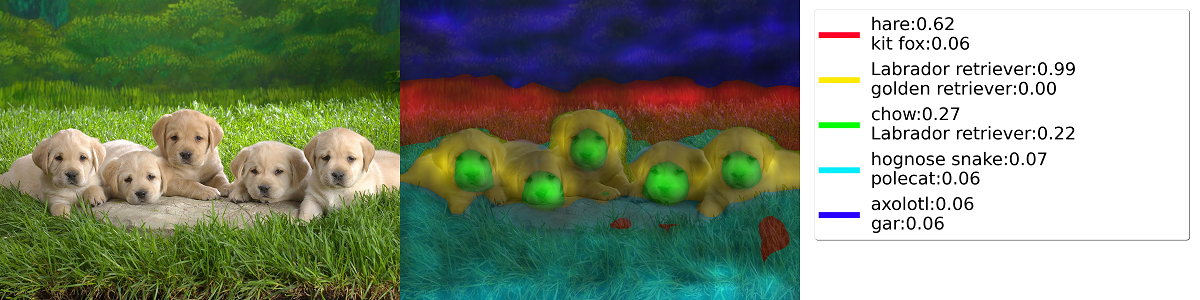
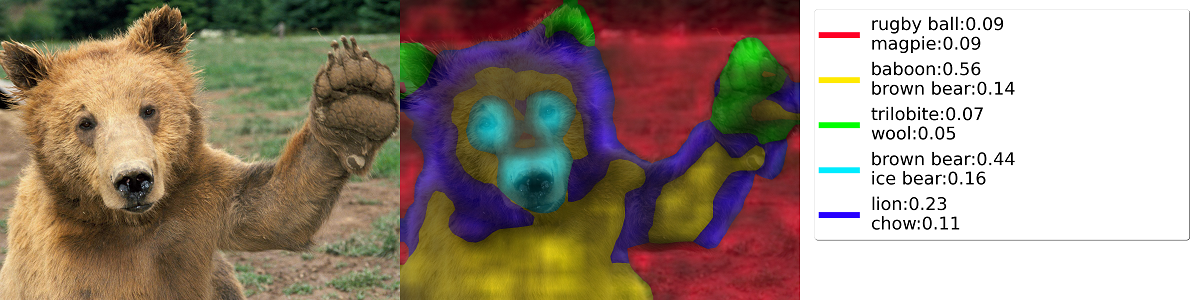
| Method | What it does | |---------------------|-----------------------------------------------------------------------------------------------------------------------------| | GradCAM | Weight the 2D activations by the average gradient | | HiResCAM | Like GradCAM but element-wise multiply the activations with the gradients; provably guaranteed faithfulness for certain models | | GradCAMElementWise | Like GradCAM but element-wise multiply the activations with the gradients then apply a ReLU operation before summing | | GradCAM++ | Like GradCAM but uses second order gradients | | XGradCAM | Like GradCAM but scale the gradients by the normalized activations | | AblationCAM | Zero out activations and measure how the output drops (this repository includes a fast batched implementation) | | ScoreCAM | Perbutate the image by the scaled activations and measure how the output drops | | EigenCAM | Takes the first principle component of the 2D Activations (no class discrimination, but seems to give great results) | | EigenGradCAM | Like EigenCAM but with class discrimination: First principle component of Activations*Grad. Looks like GradCAM, but cleaner | | LayerCAM | Spatially weight the activations by positive gradients. Works better especially in lower layers | | FullGrad | Computes the gradients of the biases from all over the network, and then sums them | | Deep Feature Factorizations | Non Negative Matrix Factorization on the 2D activations | | KPCA-CAM | Like EigenCAM but with Kernel PCA instead of PCA | | FEM | A gradient free method that binarizes activations by an activation > mean + k * std rule. | | ShapleyCAM | Weight the activations using the gradient and Hessian-vector product.| | FinerCAM | Improves fine-grained classification by comparing similar classes, suppressing shared features and highlighting discriminative details. | | SegEigenCAM | Like EigenCAM but with gradient weighting (absolute gradients ⊙ activations) before SVD and sign correction to fix SVD sign ambiguity; designed for semantic segmentation | | RefineCAM | A meta-method that computes a CAM at multiple layers, and then it combines them to ubtain a higher resolution and better focused CAM. It can be used with any of the other CAM methods. | | SESS | A meta-method that computes CAMs for sliding window patches taken at multiple scales, and fuses them with score based channel weights and a spatial weighted average. Makes the CAM robust to scale variance, multiple occurrences of the object and distractors. It can be used with any of the other CAM methods. |
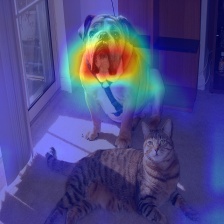
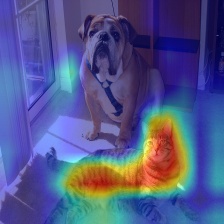
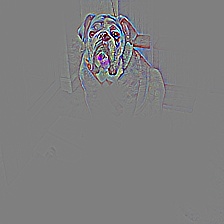
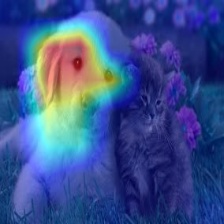
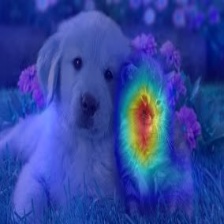
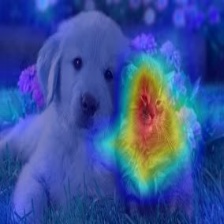
| What makes the network think the image label is 'pug, pug-dog' | What makes the network think the image label is 'tabby, tabby cat' | Combining Grad-CAM with Guided Backpropagation for the 'pug, pug-dog' class |
| ---------------------------------------------------------------|--------------------|-----------------------------------------------------------------------------|
 |
|  |
|  |
|
 |
|  |
|
| 3D Medical Semantic Segmentation |
| -------------------------- |
|  |
|
 |
|  |
|
 |
|  |
|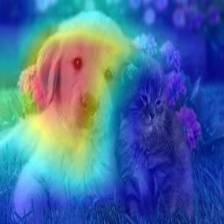 |
| Cat |
|
| Cat | 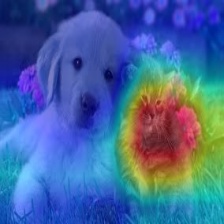 |
| 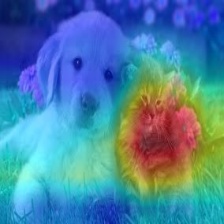 |
|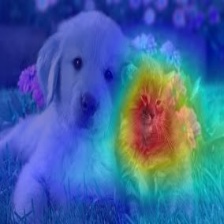 |
|
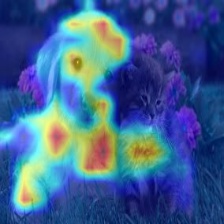 |
| 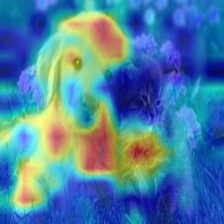 |
|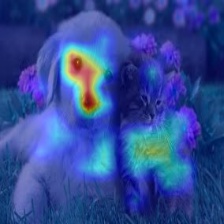 |
| Cat |
|
| Cat | 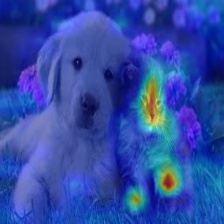 |
| 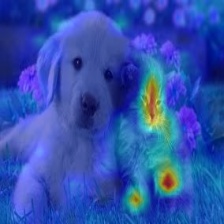 |
|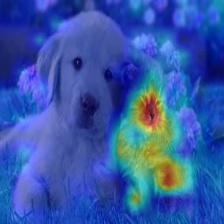 |
|
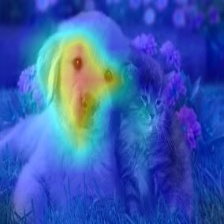 |
| 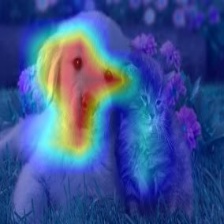 |
| |
| Cat |
|
| Cat | 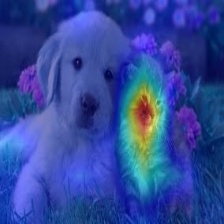 |
|  |
| |
|
----------
from pytorch_grad_cam import GradCAM, HiResCAM, ScoreCAM, GradCAMPlusPlus, AblationCAM, XGradCAM, EigenCAM, FullGrad
from pytorch_grad_cam.utils.model_targets import ClassifierOutputTarget
from pytorch_grad_cam.utils.image import show_cam_on_image
from torchvision.models import resnet50, ResNet50_Weights
model = resnet50(weights=ResNet50_Weights.DEFAULT)
target_layers = [model.layer4[-1]]
input_tensor = # Create an input tensor image for your model..
Note: input_tensor can be a batch tensor with several images!
We have to specify the target we want to generate the CAM for.
targets = [ClassifierOutputTarget(281)]
Construct the CAM object once, and then re-use it on many images.
with GradCAM(model=model, target_layers=target_layers) as cam:
  # You can also pass aug_smooth=True and eigen_smooth=True, to apply smoothing.
  grayscale_cam = cam(input_tensor=input_tensor, targets=targets)
  # In this example grayscale_cam has only one image in the batch:
  grayscale_cam = grayscale_cam[0, :]
  visualization = show_cam_on_image(rgb_img, grayscale_cam, use_rgb=True)
  # You can also get the model outputs without having to redo inference
  model_outputs = cam.outputs
cam.py has a more detailed usage example.
----------
If you pass a list with several layers, the CAM will be averaged accross them. This can be useful if you're not sure what layer will perform best.
----------
Methods like GradCAM were designed for and were originally mostly applied on classification models, and specifically CNN classification models. However you can also use this package on new architectures like Vision Transformers, and on non classification tasks like Object Detection or Semantic Segmentation.
The be able to adapt to non standard cases, we have two concepts.
In case of another architecture, like the Vision Transformer, the shape might be different, like (rows x cols + 1) x channels, or something else. The reshape transform converts the activations back into a multi-channel image, for example by removing the class token in a vision transformer. For examples, check here
For classification tasks, the model target will typically be the output from a specific category.
The targets parameter passed to the CAM method can then use ClassifierOutputTarget:
targets = [ClassifierOutputTarget(281)]
However for more advanced cases, you might want a different behaviour. Check here for more examples.
----------
These point to the new documentation jupter-book for fast rendering. The jupyter notebooks themselves can be found under the tutorials folder in the git repository.
----------
from pytorch_grad_cam import GuidedBackpropReLUModel
from pytorch_grad_cam.utils.image import (
    show_cam_on_image, deprocess_image, preprocess_image
)
gb_model = GuidedBackpropReLUModel(model=model, device=model.device())
gb = gb_model(input_tensor, target_category=None)
cam_mask = cv2.merge([grayscale_cam, grayscale_cam, grayscale_cam])
cam_gb = deprocess_image(cam_mask * gb)
result = deprocess_image(gb)
----------
from pytorch_grad_cam.utils.model_targets import ClassifierOutputSoftmaxTarget
from pytorch_grad_cam.metrics.cam_mult_image import CamMultImageConfidenceChange
Create the metric target, often the confidence drop in a score of some category
metric_target = ClassifierOutputSoftmaxTarget(281)
scores, batch_visualizations = CamMultImageConfidenceChange()(input_tensor,
  inverse_cams, targets, model, return_visualization=True)
visualization = deprocess_image(batch_visualizations[0, :])
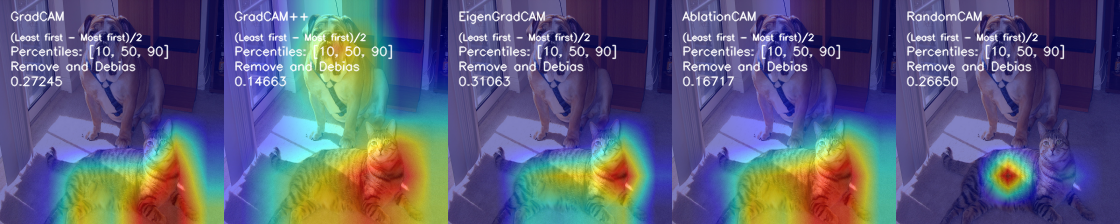
State of the art metric: Remove and Debias
from pytorch_grad_cam.metrics.road import ROADMostRelevantFirst, ROADLeastRelevantFirst
cam_metric = ROADMostRelevantFirst(percentile=75)
scores, perturbation_visualizations = cam_metric(input_tensor,
  grayscale_cams, targets, model, return_visualization=True)
You can also average across different percentiles, and combine
(LeastRelevantFirst - MostRelevantFirst) / 2
from pytorch_grad_cam.metrics.road import ROADMostRelevantFirstAverage,
                                          ROADLeastRelevantFirstAverage,
                                          ROADCombined
cam_metric = ROADCombined(percentiles=[20, 40, 60, 80])
scores = cam_metric(input_tensor, grayscale_cams, targets, model)
You can also use aggregate metrics such as ARCC
from pytorch_grad_cam.metrics.ARCC import ARCC
cam_metric = ARCC(base_method=cam)
arcc_score = cam_metric(input_tensor, grayscale_cams, targets, model)
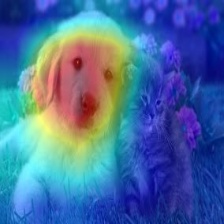
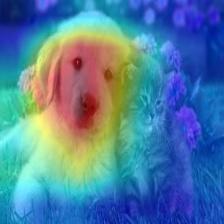
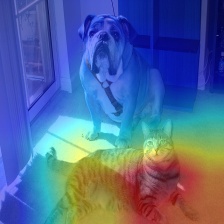
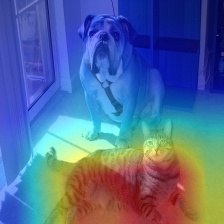
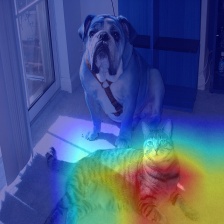
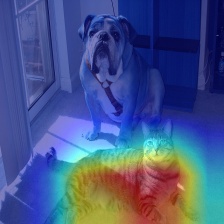
To reduce noise in the CAMs, and make it fit better on the objects, two smoothing methods are supported:
aug_smooth=TrueApplies a combination of horizontal flips, and mutiplying the image by [1.0, 1.1, 0.9].
This has the effect of better centering the CAM around the objects.
eigen_smooth=Trueactivations*weights
This has the effect of removing a lot of noise.
|AblationCAM | aug smooth | eigen smooth | aug+eigen smooth|
|------------|------------|--------------|--------------------|
 |
|  |
|  |
|  |
|
----------
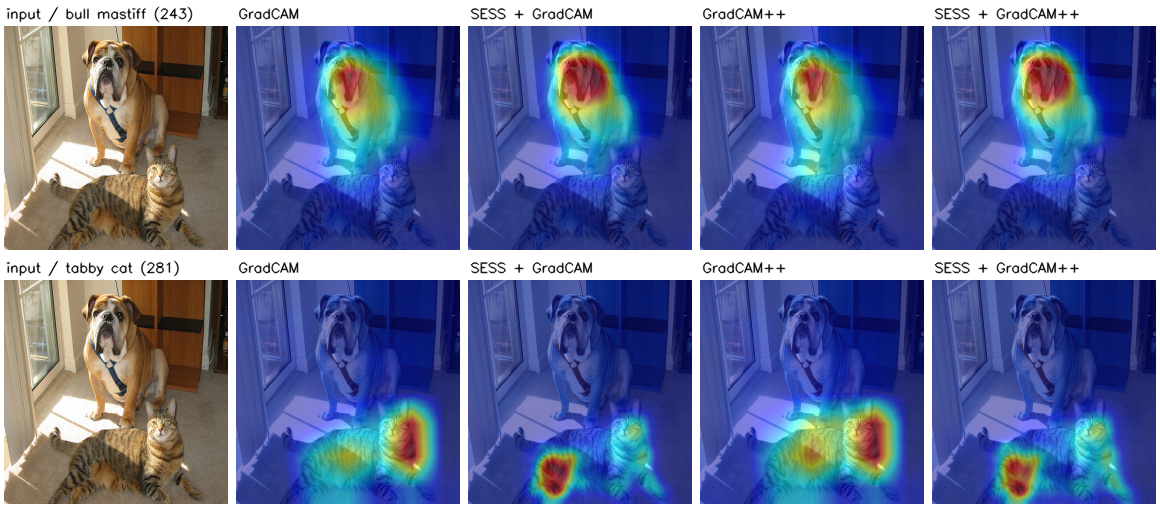
SESS is a method agnostic wrapper around any of the other CAM methods.
It resizes the image to several scales, slides a window over every scale, and fuses
the CAM of every patch back into the original image coordinates, weighted by the
score the model gives that patch.
This makes the CAM robust to scale variance, to multiple occurrences of the object
and to distractors, at the cost of running the base method once per patch.
from pytorch_grad_cam import SESS, GradCAM
with SESS(model=model,
          target_layers=target_layers,
          base_method=GradCAM) as cam:
    grayscale_cam = cam(input_tensor=input_tensor, targets=targets)
The run time is controlled by the number of scales and by the sliding window stride:
cam = SESS(model=model,
           target_layers=target_layers,
           base_method=GradCAM,
           num_scales=4,      # The image is resized to 4 scales instead of 12
           step_size=224,     # Non overlapping windows
           pre_filter_ratio=0.5,  # Skip the 50% lowest scoring patches
           batch_size=32)
----------
Usage: python cam.py --image-path <path_to_image> --method --output-dir <output_dir_path>
To use with a specific device, like cpu, cuda, cuda:0, mps or hpu:
python cam.py --image-path <path_to_image> --device cuda --output-dir <output_dir_path>
----------
You can choose between:
GradCAM , HiResCAM, ScoreCAM, GradCAMPlusPlus, AblationCAM, XGradCAM , LayerCAM, FullGrad, EigenCAM, ShapleyCAM, FinerCAM, SegEigenCAM and RefineCAM.
Some methods like ScoreCAM and AblationCAM require a large number of forward passes, and have a batched implementation.
You can control the batch size with
cam.batch_size =
----------
@misc{jacobgilpytorchcam,
  title={PyTorch library for CAM methods},
  author={Jacob Gildenblat and contributors},
  year={2021},
  publisher={GitHub},
  howpublished={\url{https://github.com/jacobgil/pytorch-grad-cam}},
}
----------
https://arxiv.org/abs/2011.08891
`Use HiResCAM instead of Grad-CAM for faithful explanations of convolutional neural networks
Rachel L. Draelos, Lawrence Carin`
https://arxiv.org/abs/1710.11063
`Grad-CAM++: Improved Visual Explanations for Deep Convolutional Networks
Aditya Chattopadhyay, Anirban Sarkar, Prantik Howlader, Vineeth N Balasubramanian`
https://arxiv.org/abs/1910.01279
`Score-CAM: Score-Weighted Visual Explanations for Convolutional Neural Networks
Haofan Wang, Zifan Wang, Mengnan Du, Fan Yang, Zijian Zhang, Sirui Ding, Piotr Mardziel, Xia Hu`
https://ieeexplore.ieee.org/abstract/document/9093360/
`Ablation-cam: Visual explanations for deep convolutional network via gradient-free localization.
Saurabh Desai and Harish G Ramaswamy. In WACV, pages 972–980, 2020`
https://arxiv.org/abs/2008.02312
`Axiom-based Grad-CAM: Towards Accurate Visualization and Explanation of CNNs
Ruigang Fu, Qingyong Hu, Xiaohu Dong, Yulan Guo, Yinghui Gao, Biao Li`
https://arxiv.org/abs/2008.00299
`Eigen-CAM: Class Activation Map using Principal Components
Mohammed Bany Muhammad, Mohammed Yeasin`
http://mftp.mmcheng.net/Papers/21TIP_LayerCAM.pdf
`LayerCAM: Exploring Hierarchical Class Activation Maps for Localization
Peng-Tao Jiang; Chang-Bin Zhang; Qibin Hou; Ming-Ming Cheng; Yunchao Wei`
https://arxiv.org/abs/1905.00780
`Full-Gradient Representation for Neural Network Visualization
Suraj Srinivas, Francois Fleuret`
https://arxiv.org/abs/1806.10206
`Deep Feature Factorization For Concept Discovery
Edo Collins, Radhakrishna Achanta, Sabine Süsstrunk`
https://arxiv.org/abs/2410.00267
`KPCA-CAM: Visual Explainability of Deep Computer Vision Models using Kernel PCA
Sachin Karmani, Thanushon Sivakaran, Gaurav Prasad, Mehmet Ali, Wenbo Yang, Sheyang Tang`
https://hal.science/hal-02963298/document
`Features Understanding in 3D CNNs for Actions Recognition in Video
Kazi Ahmed Asif Fuad, Pierre-Etienne Martin, Romain Giot, Romain
Bourqui, Jenny Benois-Pineau, Akka Zemmar`
https://arxiv.org/abs/2501.06261
`CAMs as Shapley Value-based Explainers
Huaiguang Cai`
https://arxiv.org/pdf/2501.11309
Finer-CAM : Spotting the Difference Reveals Finer Details for Visual Explanation
Ziheng Zhang*, Jianyang Gu*, Arpita Chowdhury, Zheda Mai, David Carlyn,Tanya Berger-Wolf, Yu Su, Wei-Lun Chao
https://doi.org/10.3390/app15137562
`Seg-Eigen-CAM: Eigen-Value-Based Visual Explanations for Semantic Segmentation Models
Ching-Ting Chung, Josh Jia-Ching Ying`
https://arxiv.org/abs/2605.14641
How to Evaluate and Refine your CAM
Luca Domeniconi, Alessandra Stramiglio, Michele Lombardi, Samuele Salti
https://arxiv.org/abs/2207.01769
`SESS: Saliency Enhancing with Scaling and Sliding
Osman Tursun, Simon Denman, Sridha Sridharan, Clinton Fookes`
→ →
→ →
→ →
→ →
→ →
→