


1
 →
Ultra-lightweight, open-source, self-hosted personal AI agent framework in Python with WebUI, tools, memory, MCP, multi-agent workflows, automation, and chat apps
HKUDS/nanobot is an open-source project on GitHub, mainly written in Python. Ultra-lightweight, open-source, self-hosted personal AI agent framework in Python with WebUI, tools, memory, MCP, multi-agent workflows, automation It currently holds 49,617 stars and 8,696 forks with 868 open issues, and was last pushed on 2026-10-29 (repository created 2026-02-01).
Git Homed tracks it on the AI Agent Skills Trending board and on the AI AI Agent Skills Trending list.

English | 简体中文 | 繁體中文 | Español | Français | Bahasa Indonesia | 日本語 | 한국어 | Русский | Tiếng Việt


Discord · X · WeChat 微信交流群 · Feishu
🐈 nanobot is a lightweight, open-source, self-hosted personal AI agent written in Python. Chat with it from your browser, terminal, or favorite chat app to work with files, remember preferences, use tools, and run scheduled tasks—powered by any supported cloud or local AI model.
.docx, .xlsx, .pptx), edits files, connects to MCP servers and plugins, builds long-term memory with Dream, and runs scheduled tasks, local triggers, and sustained goals.| What you want to do | Where to go | |---|---| | Install nanobot with no terminal or config experience | Start Without Technical Background | | Install quickly and get your first reply | Install → Quick Start | | Explore the browser workbench | WebUI | | Connect Telegram, Discord, Slack, Feishu, WeChat, Email, Linear, or others | Chat Apps Guide | | Configure models, MCP tools, memory, or security | Documentation · Configuration | | Run nanobot continuously or on a server | Deploy · Deployment Guide | | Embed nanobot in Python | Python SDK | | Contribute or extend nanobot | Architecture · Contributing |
Requires Python 3.11 or newer and an account on a supported AI provider or local model server. Packaged installs include both the WebUI and terminal UI—no frontend build tools required.
[!NOTE]
This README tracks the latest development branch; the installer below installs the latest stable release. For published release docs, visit nanobot.wiki.
Recommended: one-command installer (installs into an isolated environment and opens the WebUI automatically on desktop)
macOS / Linux
curl -fsSL https://raw.githubusercontent.com/HKUDS/nanobot/main/scripts/install.sh | sh
Windows PowerShell
irm https://raw.githubusercontent.com/HKUDS/nanobot/main/scripts/install.ps1 | iex
Preview what the installer will do without changing anything:
# macOS / Linux
curl -fsSL https://raw.githubusercontent.com/HKUDS/nanobot/main/scripts/install.sh | sh -s -- --dry-run
# Windows PowerShell
& ([scriptblock]::Create((irm https://raw.githubusercontent.com/HKUDS/nanobot/main/scripts/install.ps1))) --dry-run
Or read scripts/install.sh and scripts/install.ps1 directly.
uv
uv tool install nanobot-ai
nanobot webui
pip (inside a virtual environment)
python -m pip install nanobot-ai
nanobot webui
From source (latest main, requires Git)
git clone https://github.com/HKUDS/nanobot.git
cd nanobot
python3 -m venv .venv
source .venv/bin/activate   # Windows PowerShell: .venv\Scripts\Activate.ps1
python -m pip install -e .
nanobot webui
For full install options, troubleshooting nanobot: command not found, or updating an existing install, see Install and Quick Start and Updating nanobot.
If the installer already opened the WebUI in your browser, continue right there. Otherwise run:
nanobot webui
Your first three steps:
1. Open Settings → Models, create a preset, and add your provider API key (or sign in with OAuth). See Configure Your Model.
2. Start a new topic and send Hello! to verify your model connection.
3. Try a file task: pick a practice folder with Restricted access and ask "Read notes.txt and write a short summary to summary.md." See Your first file task.
Once that works, you can ask nanobot right in chat to help configure your next feature—for example: "I am using the WebUI. Help me connect Telegram and allow only my account." (See Continue with nanobot.)
Configure a model without a browser:
nanobot onboard --wizard
Send a single test message or launch the interactive terminal UI (shares history and gateway with the WebUI):
nanobot agent -m "Hello!"
nanobot
Useful TUI shortcuts: type / for commands, @ for apps/topics, $ for skills, Ctrl+V / Alt+V to paste images, /diff to view edits, /context to inspect usage, and /detach to keep the gateway running in the background after closing the TUI. See CLI Reference.
On the remote server:
nanobot webui --no-open
On your computer, forward port 8765:
ssh -N -L 127.0.0.1:8765:127.0.0.1:8765 user@SERVER
Then open the complete login link printed on the server (including everything after #) in your local browser. You can also connect to existing remote servers directly from your local WebUI via Manage connections…—see Connect to an Existing Remote nanobot.
With the official installer, nanobot already stays running in the background after you close the browser or terminal. For other installs, run:
nanobot gateway --background
Manage the background gateway anytime:
nanobot gateway status
nanobot gateway logs
nanobot gateway restart
nanobot gateway stop
For automatic startup across reboots, see Deployment.
If nanobot is helpful to you, giving the repo a star on GitHub is the simplest way to support the project!
One-click on Render
Deploy the gateway and bundled WebUI with persistent storage (requires a paid Render Starter plan for the persistent disk):

Self-host
See the Deployment Guide for Docker Compose, Docker, Linux systemd, and macOS LaunchAgent setup.
The WebUI is included out of the box—just run nanobot webui.
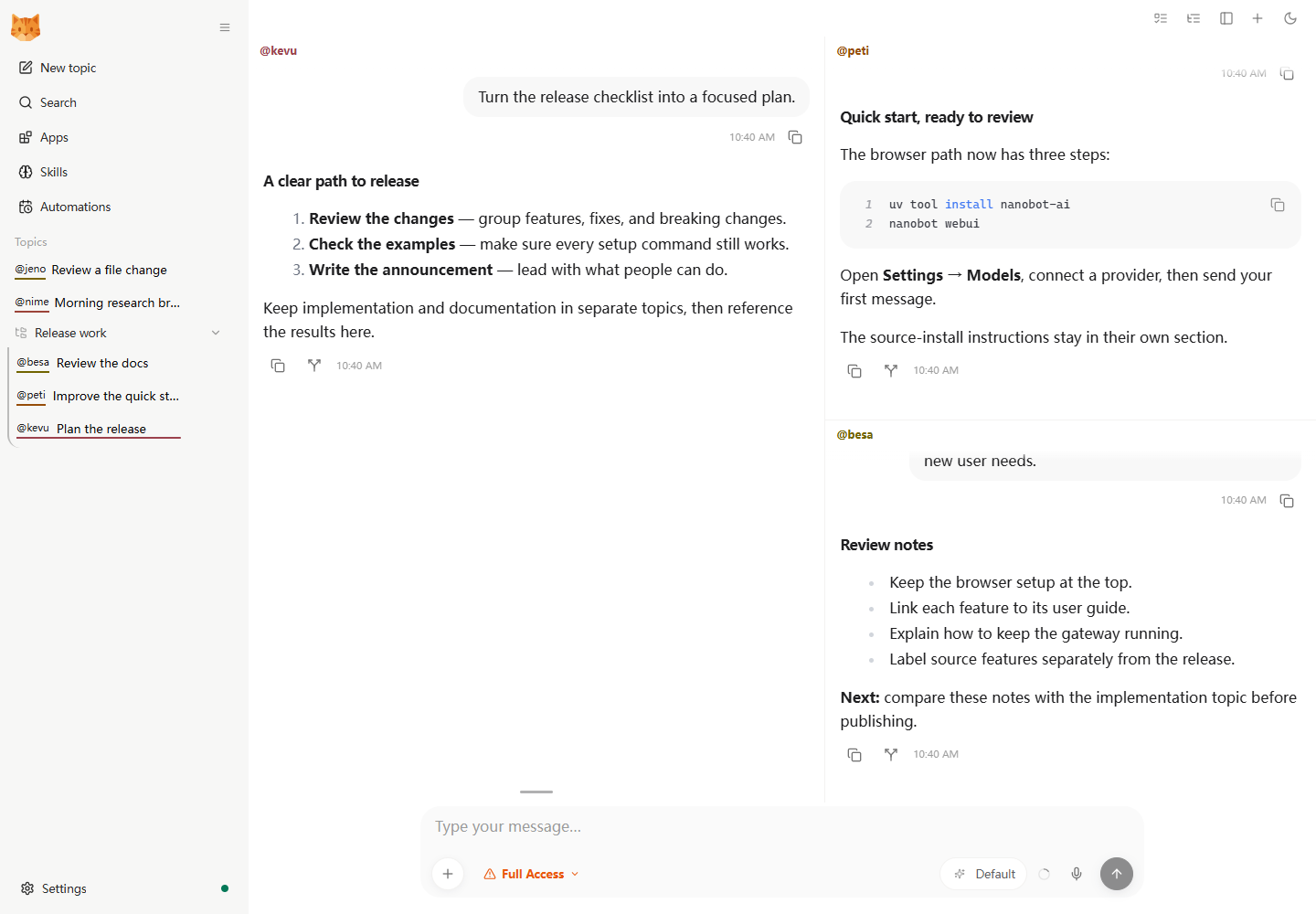
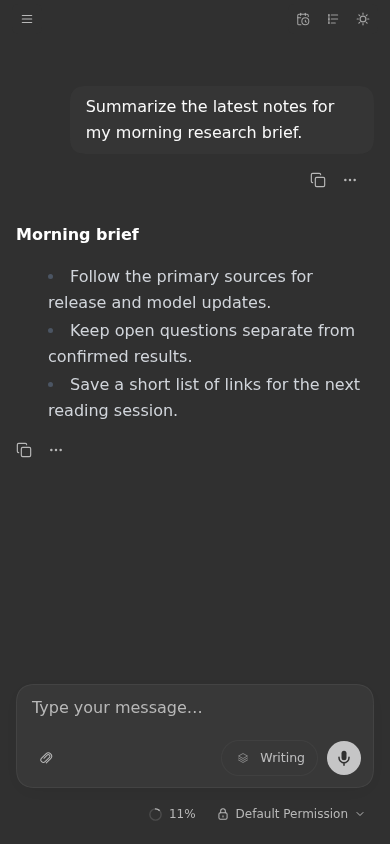
Group up to four topics in resizable panes, fork any conversation from an earlier reply, or mention another topic with @ to pull in its context. Pick a project folder and access mode per topic—and use Temporary chats for throwaway questions outside saved history and memory. Explore topics and panes →
Expand agent activity to inspect reasoning, tool calls, inline file diffs, and read-only file previews. Click the context indicator to review token usage, cache reuse, and the file graph across turns.
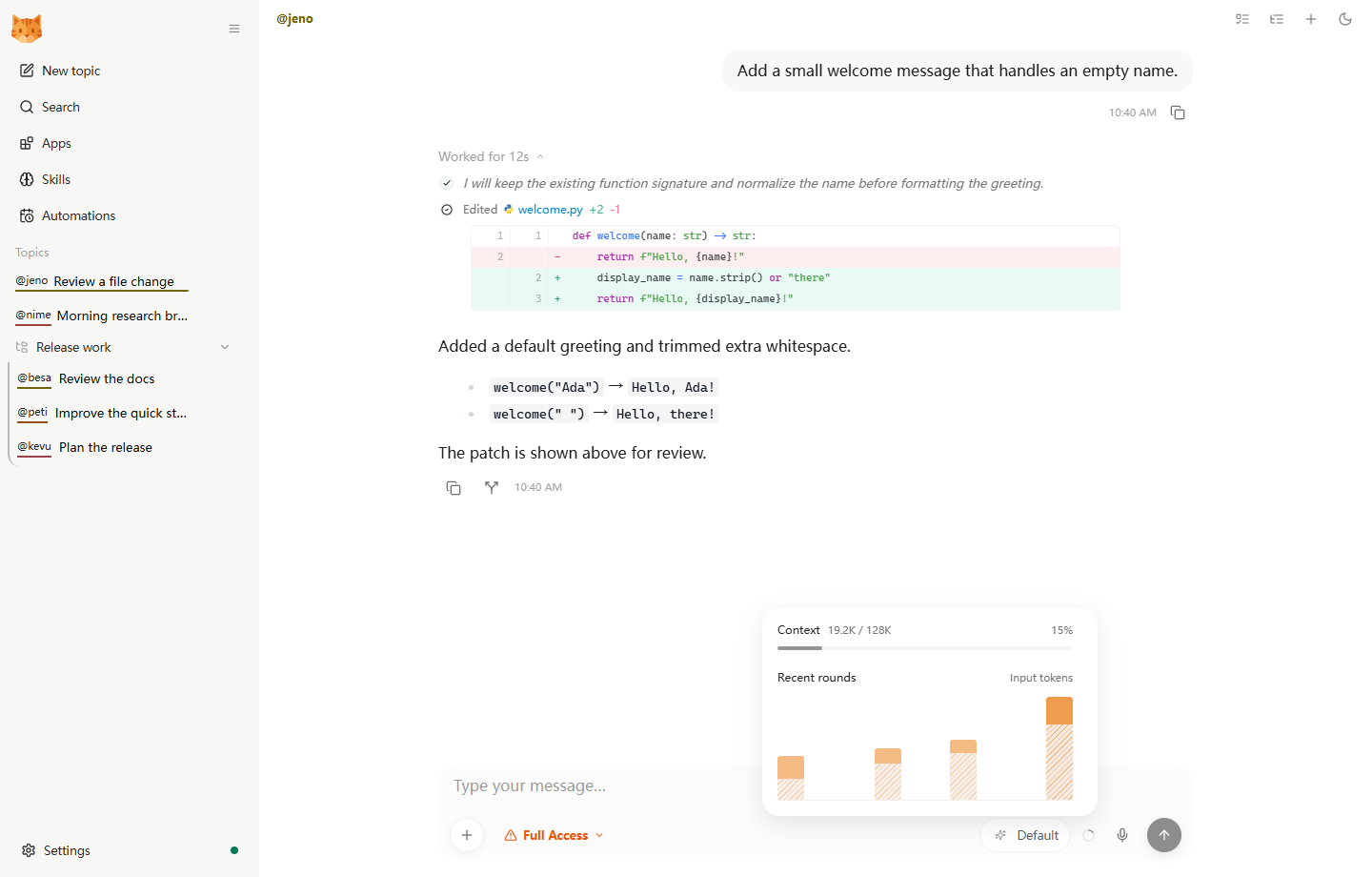
Explore activity and context →
Use Apps to add MCP servers (with built-in OAuth and keyless presets), Agent Plugins, and CLI Apps, then attach them in chat with @. Manage built-in and marketplace skills in Skills, and connect chat platforms with guided setup in Channels.
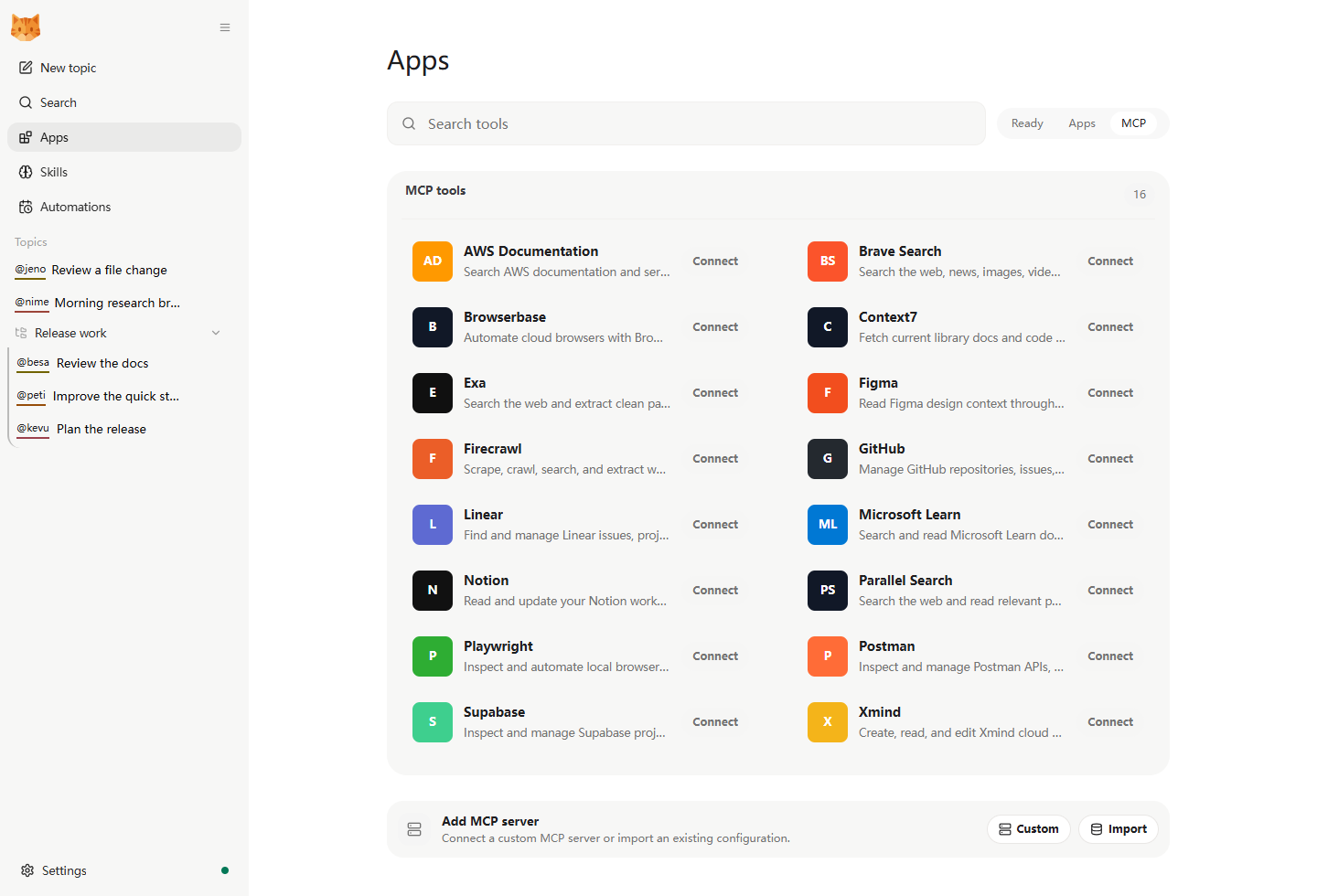
Explore Apps → · Discover Skills → · Connect chat apps →
Ask nanobot in any topic to schedule reminders or recurring reports, or create local triggers (/trigger) for scripts and CI jobs. Manage everything from Automations with list and calendar views.
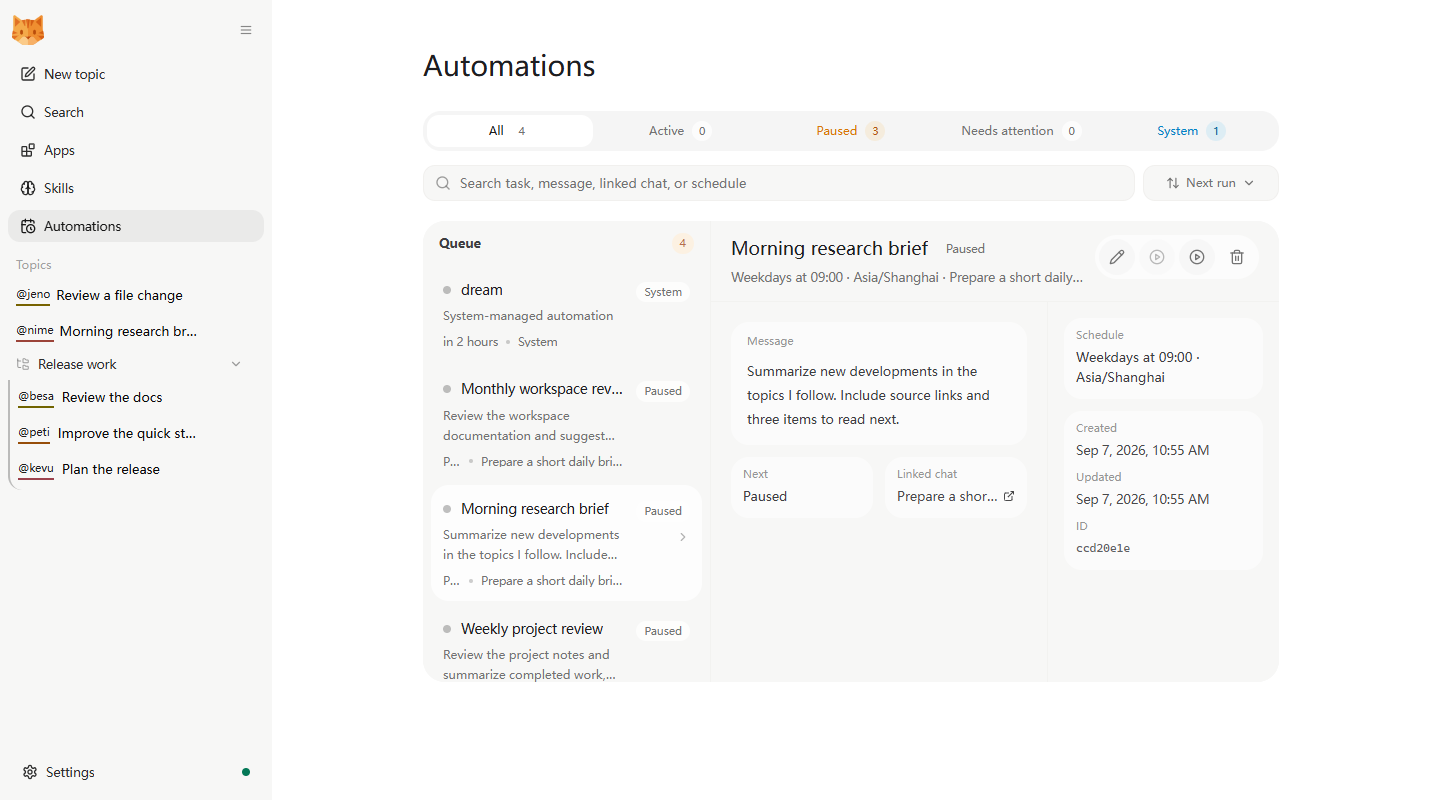
Explore Automations → · Full WebUI Guide →
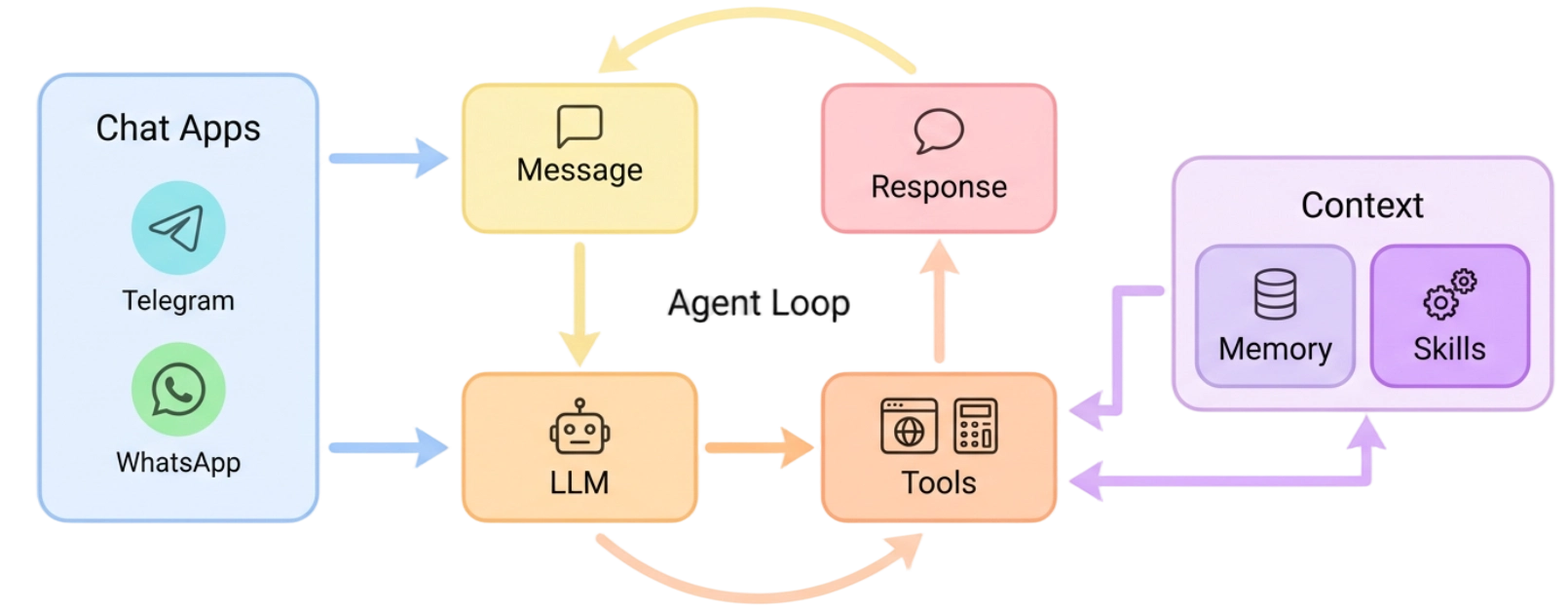
A single Python gateway powers the WebUI, terminal UI, and all chat apps—handling sessions, tools, memory, automations, and security policy in one place. Use the Python SDK to embed nanobot in your own Python applications, or read Architecture for source-level details.
Browse the documentation index (or nanobot.wiki for the latest stable release):
Latest release: v0.4.1 — improves workspace permissions, sandboxed commands, connection recovery, file-context previews, and navigation. See release notes, Updating nanobot, and the release archive.

Everyone is welcome to open an issue with a bug, reproduction, use case, or suggestion. Discuss the problem first; pull requests are currently limited to repository collaborators. See CONTRIBUTING.md for the contribution process and recognition.
 Xubin Ren |
 Yongru Cheng |
→ →
 →
 →
 →
 →
 →
 →