1
 →
→
The open source simple and complete warehouse management system is derived from our many years of experience in implementing erp projects.
fjykTec/ModernWMS is an open-source project on GitHub, mainly written in Vue. The open source simple and complete warehouse management system is derived from our many years of experience in implementing erp projects. It currently holds 1,756 stars and 472 forks with 37 open issues, and was last pushed on 2025-06-22 (repository created 2022-12-12).
Git Homed tracks it on the Today's Trending board, currently at rank #78 with 36 new stars today.

A simple, complete and open source warehouse management system






















The inventory management system is a set of small logistics warehousing supply chain processes that we have summarized from years of ERP system research and development. In the process of work, many of our small and medium-sized enterprises, due to limited IT budget, cannot use the right system for them, but there are real needs in warehouse management, that's how we started the project. To help some people who need it.
+ Ubuntu 18.04(LTS),20.04(LTS),22.04(LTS) + CentOS Stream 8,9 + RHEL 8(8.7),9(9.1) + Debian 10,11 + openSUSE 15
+ Windows 10(1607+),11(21H2+) + Windows Server 2012+
+ download the source code and compile + Step 1, download the source code
cd /tmp/ && wget https://gitee.com/modernwms/ModernWMS/repository/archive/master.zip
+ Step 2, Install .NET SDK and NodeJS
  wget https://packages.microsoft.com/config/ubuntu/20.04/packages-microsoft-prod.deb -O packages-microsoft-prod.deb
  sudo dpkg -i packages-microsoft-prod.deb
  sudo apt-get update && sudo apt-get install -y dotnet-sdk-7.0
  curl -fsSL https://deb.nodesource.com/setup_16.x | sudo -E bash -
  sudo apt install -y nodejs
  sudo apt-get install gcc g++ make
  sudo npm install -g yarn
+ Step 3, compile frontend and backend
  sudo apt install unzip
  cd /tmp/ && unzip master.zip && cd ./ModernWMS-master
  mkdir -p /ModernWMS/frontend/ /ModernWMS/backend/
  cd /tmp/ModernWMS-master/frontend/
  sed -i 's#http://127.0.0.1#http://IP address#g' ./.env.production
  yarn && yarn build && cp -rf /tmp/ModernWMS-master/frontend/dist/* /ModernWMS/frontend/
  cd /tmp/ModernWMS-master/backend/ && sudo dotnet publish && cp -rf /tmp/ModernWMS-master/backend/ModernWMS/bin/Debug/net7.0/publish/* /ModernWMS/backend/
  cp -rf /tmp/ModernWMS-master/backend/ModernWMS/wms.db /ModernWMS/backend/
+ Step 4, Install Nginx
  cd /tmp/ && wget http://nginx.org/download/nginx-1.18.0.tar.gz
  tar -zxvf nginx-1.18.0.tar.gz && cd nginx-1.18.0
  ./configure --prefix=/etc/nginx --with-http_secure_link_module --with-http_stub_status_module --with-http_realip_module --without-http_rewrite_module --without-http_gzip_module
  make && make install
  cp -rf /ModernWMS/frontend/* /etc/nginx/html/
  nohup /etc/nginx/sbin/nginx -g 'daemon off;' &
  cd /ModernWMS/backend/ && dotnet ModernWMS.dll --urls http://0.0.0.0:20011
+ download the source code and compile + Step 1, download the source code
  cd C:\
  wget -Uri https://gitee.com/modernwms/ModernWMS/repository/archive/master.zip  -OutFile master.zip
  Expand-Archive -Path C:\master.zip -DestinationPath C:\
  wget -Uri https://download.visualstudio.microsoft.com/download/pr/35660869-0942-4c5d-8692-6e0d4040137a/4921a36b578d8358dac4c27598519832/dotnet-sdk-7.0.101-win-x64.exe  -OutFile dotnet-sdk-7.0.101-win-x64.exe
  .\dotnet-sdk-7.0.101-win-x64.exe /install /quiet /norestart
  wget -Uri https://nodejs.org/dist/v16.13.1/node-v16.13.1-x64.msi  -OutFile node-v16.13.1-x64.msi
  msiexec /i .\node-v16.13.1-x64.msi /passive /norestart
  npm install -g yarn
  md C:\ModernWMS\frontend\
  md C:\ModernWMS\backend\
  cd C:\ModernWMS-master\backend
  dotnet publish
  copy-item -path "C:\ModernWMS-master\backend\ModernWMS\bin\Debug\net7.0\publish\*" -destination "C:\ModernWMS\backend\" -recurse
  copy-Item "C:\ModernWMS-master\backend\ModernWMS\wms.db" -Destination "C:\ModernWMS\backend\"
  cd C:\ModernWMS-master\frontend
  yarn
  yarn build
  copy-item -path "C:\ModernWMS-master\frontend\dist\*" -destination "C:\ModernWMS\frontend\" -recurse
  cd C:\
  wget -Uri http://nginx.org/download/nginx-1.16.1.zip -OutFile nginx-1.16.1.zip
  Expand-Archive -Path C:\nginx-1.16.1.zip -DestinationPath C:\
  copy-item -path "C:\ModernWMS\frontend\*" -destination "C:\nginx-1.16.1\html\" -recurse
  cd C:\nginx-1.16.1\
  start nginx.exe
  cd C:\ModernWMS\backend\
  dotnet ModernWMS.dll --urls http://0.0.0.0:20011
+ Approach 1, download the image from docker hub
+ Step 1, install docker and download the image
  sudo apt install docker.io
  sudo docker pull modernwms/modernwms:1.0
+ Step 2,deploy
  sudo docker run -d -p 20011:20011 -p 80:80  modernwms/modernwms:1.0 ./run.sh
  sudo docker ps -a | awk 'NR>1 && $2=="modernwms/modernwms:1.0" {print $1}'
  sudo docker exec -it  /bin/bash
After entering the Docker container, execute the following command in the container.
  grep -rl "http://127.0.0.1:20011" /frontend | xargs sed -i 's#http://127.0.0.1:20011#http://IP address:20011#g'
  exit
restart container
sudo docker restart
+ Approach 2, Build your own image + Step 1, download the source code
cd /tmp/ && wget https://gitee.com/modernwms/ModernWMS/repository/archive/master.zip
+ Step 2,Install .NET SDK and NodeJS
  wget https://packages.microsoft.com/config/ubuntu/20.04/packages-microsoft-prod.deb -O packages-microsoft-prod.deb
  sudo dpkg -i packages-microsoft-prod.deb
  sudo apt-get update && sudo apt-get install -y dotnet-sdk-7.0
  curl -fsSL https://deb.nodesource.com/setup_16.x | sudo -E bash -
  sudo apt install -y nodejs
  sudo apt-get install gcc g++ make
  sudo npm install -g yarn
+ Step 3, compile frontend and backend
  sudo apt install unzip
  cd /tmp/ && unzip master.zip && cd ./ModernWMS-master
  cd /tmp/ModernWMS-master/frontend/ && sed -i 's#http://127.0.0.1#http://IP address#g' ./.env.production
  yarn && yarn build && cp -rf /tmp/ModernWMS-master/frontend/dist/* /tmp/ModernWMS-master/docker/frontend/
  cd /tmp/ModernWMS-master/backend/ && sudo dotnet publish && cp -rf /tmp/ModernWMS-master/backend/ModernWMS/bin/Debug/net7.0/publish/* /tmp/ModernWMS-master/docker/backend/
  cp -rf /tmp/ModernWMS-master/backend/ModernWMS/wms.db /tmp/ModernWMS-master/docker/backend/
+ Step 4, deploy
  sudo apt install docker.io
  cd /tmp/ModernWMS-master/docker/
  docker build -t modernwms:1.0 .
  docker run -d -p 20011:20011 -p 80:80  modernwms:1.0 ./run.sh
  Accessing ip address (http://127.0.0.1 or http://the IP address you depolyed) via web browser

  Account: admin
  Password: 1
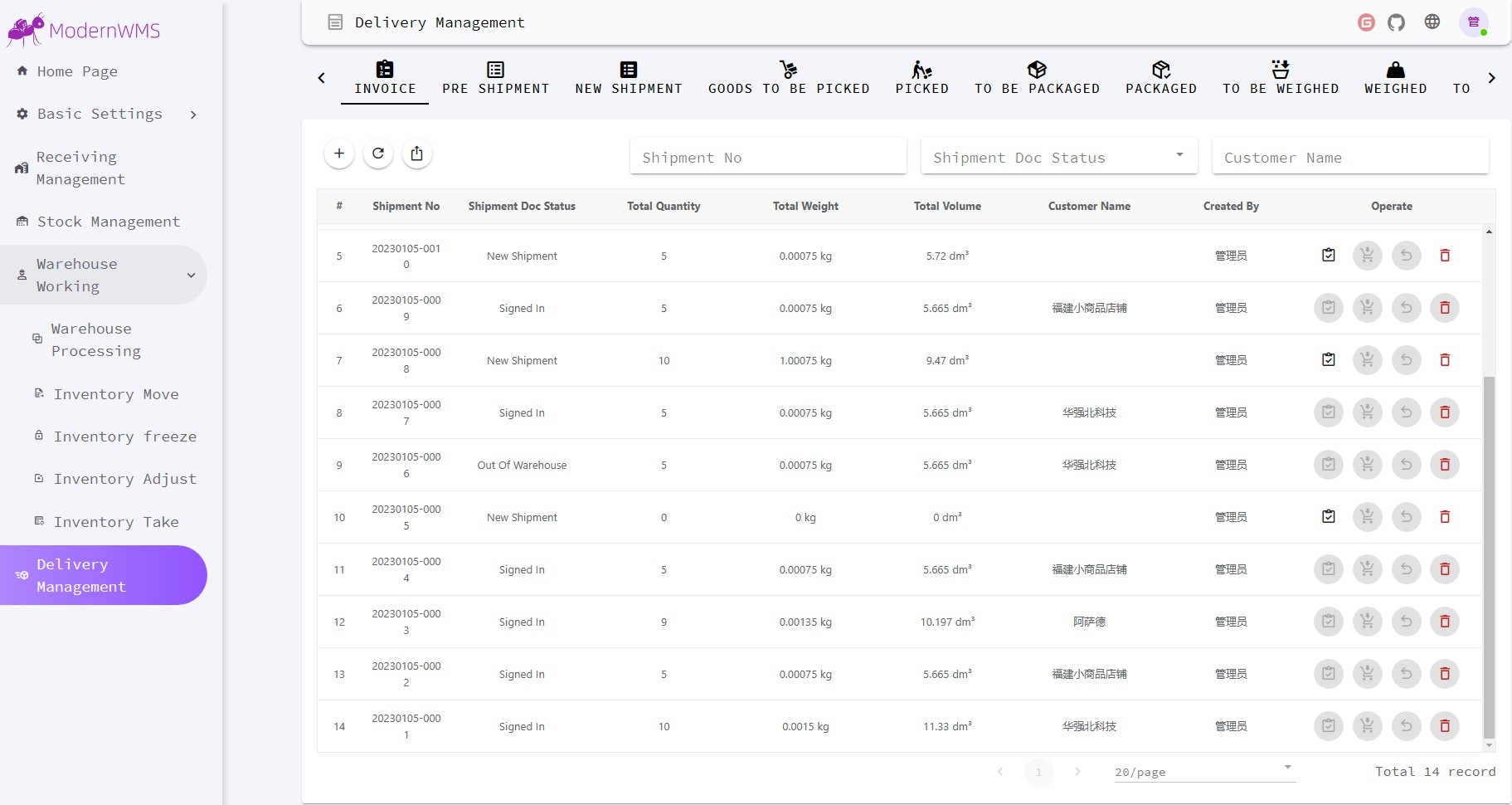
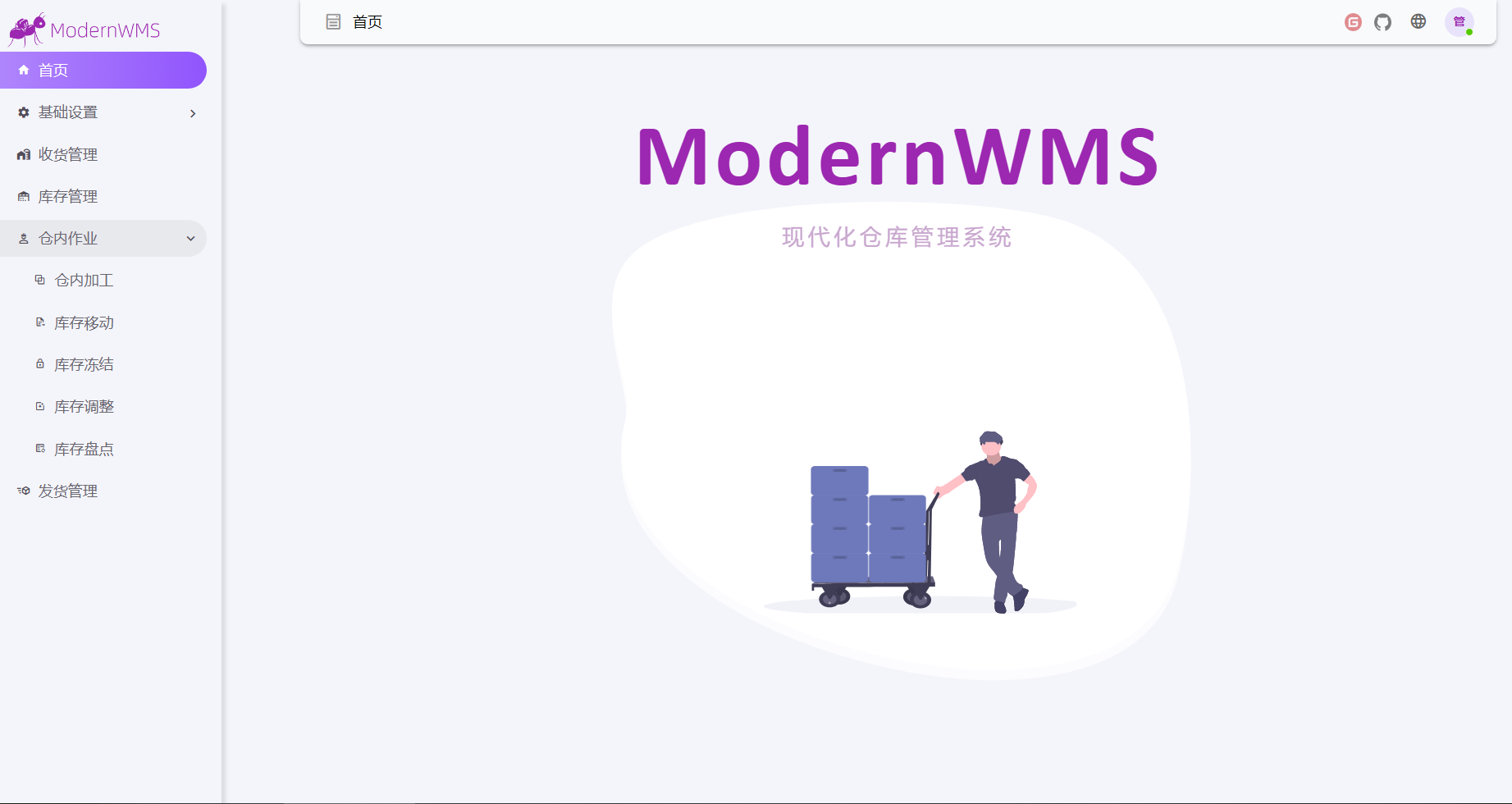
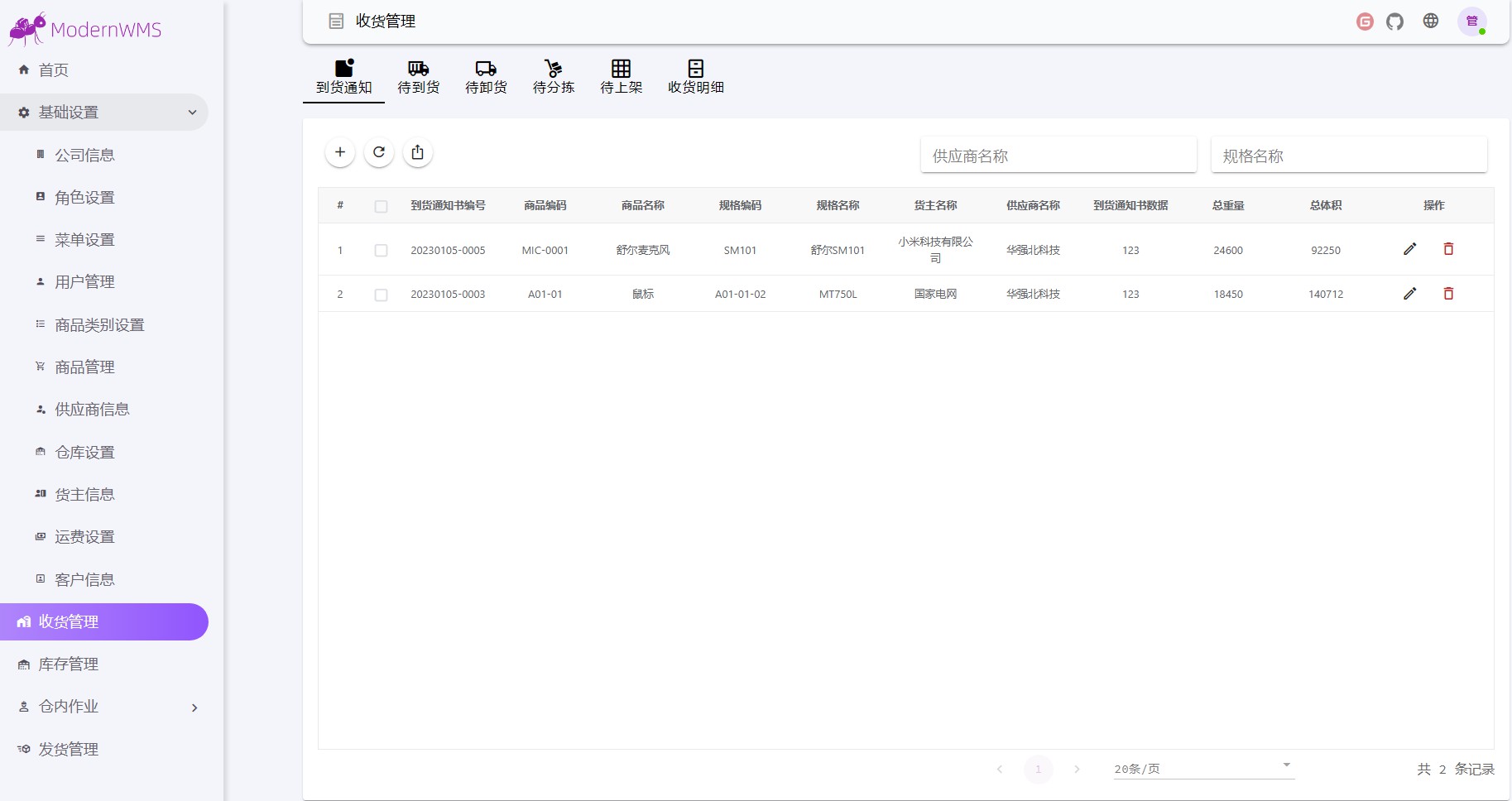
Distributed under the MIT License. See LICENSE.txt for more information.This must be observed.
If it's helpful to you, you can donate us by alipay,by wechat. Your support will encourage us to continue creating

 →
→ →
→ →
→ →
→ →
→ →
→ →
→ →
→