1
 →
→
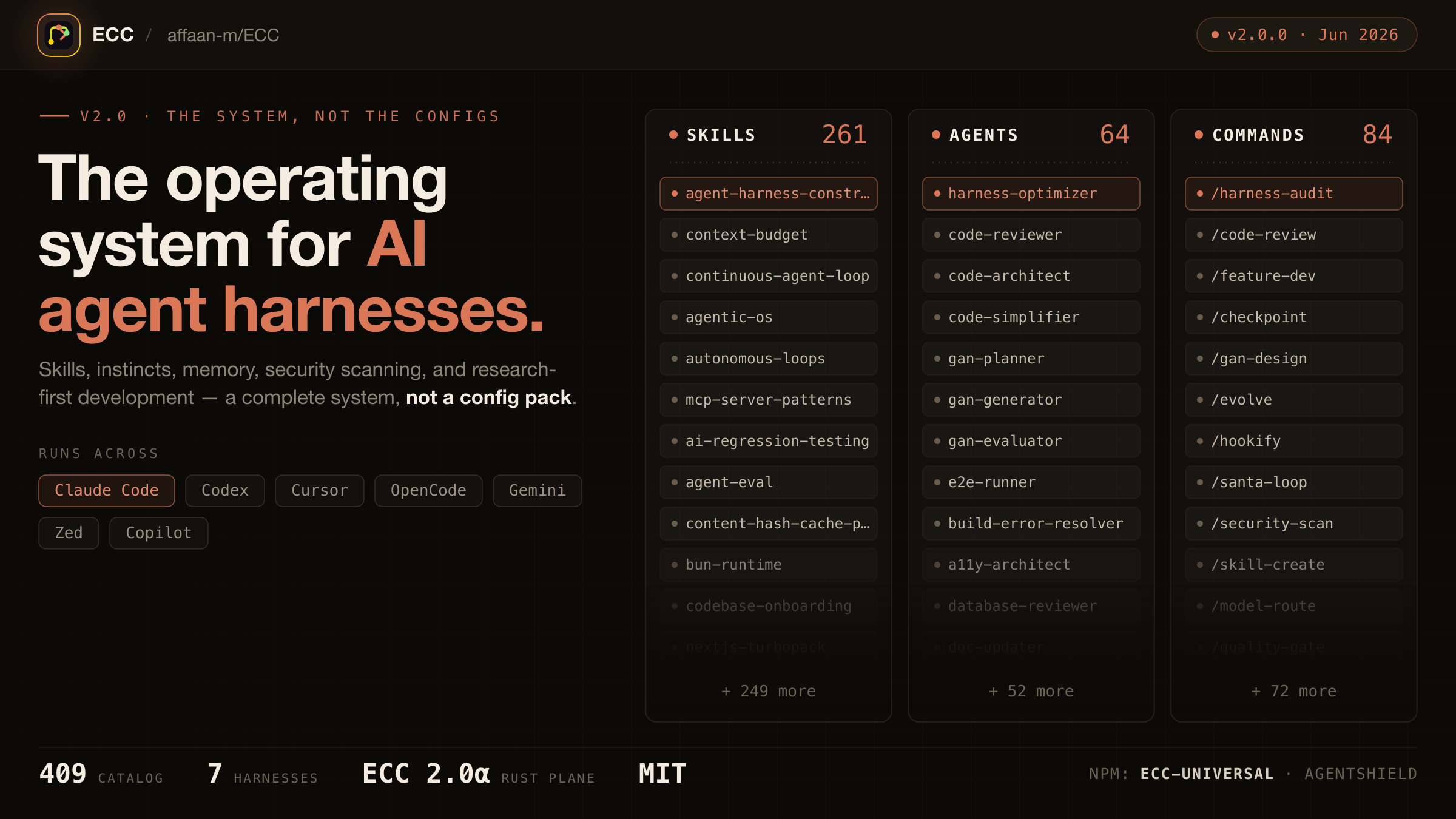
The agent harness performance optimization system. Skills, instincts, memory, security, and research-first development for Claude Code, Codex, Opencode, Cursor and beyond.


Language: English | Português (Brasil) | 简体中文 | 繁體中文 | 日本語 | 한국어 | Türkçe | Русский | Tiếng Việt | ไทย | Deutsch | Español | Українська












[!WARNING]
Official sources only. Install ECC only from verified channels: the GitHub repository github.com/affaan-m/ECC, the npm packagesecc-universalandecc-agentshield, the GitHub App, the plugin slugecc@ecc, and the project website ecc.tools. Third-party re-uploads and unofficial mirrors are not maintained or reviewed by the project and may contain malware.
Use the guided setup or native plugin commands. Both install the same ecc@ecc plugin. Choose one and do not stack a full manual Claude install on top.
 ECC Pro + GitHub App Install free · Private repos from $19/seat/mo |
 Sponsor ECC Fund the open-source project |
 Community Discord · Q&A · Show and Tell |
OSS stays free. This repo is MIT-licensed forever. ECC Pro is the hosted GitHub App for private repos. Sponsors and Pro subscribers fund the work. That's why a single maintainer ships weekly across 7 harnesses.
Partners & sponsors





Community sponsors: Mike Morgan · @jasonwu513 · @1anter · @massimotodaro · @meadmccabe
Your agent can write code, but ECC gives it a coordinated engineering system and toolbox: it plans before it builds, verifies changes with tests, reviews its own work from a fresh context, remembers what matters, and turns repeated wins into reusable skills and workflows.
plan -> test -> implement -> review -> verify -> remember -> improve
Instead of rebuilding that process in every prompt, you install it once and make it part of how your agent works.
Optimize the context window. Persist everything else.
ECC is MIT-licensed open source. It works best with Claude Code today, has a supported Codex sync path, and provides capability-limited adapters for Cursor, OpenCode, Gemini, Zed, GitHub Copilot, Antigravity, Qwen, and other harnesses. See the support status matrix before assuming feature parity.
Access to 68 agents, 292 skills, and 94 legacy command shims, plus hooks, rules, memory, continuous learning, and AgentShield security scanning. The agents are specialized for planning, review, build repair, security, architecture, and domain work.
| Included | Count | What it gives you | | ---------------- | ----------: | ------------------------------------------------------------------------------------ | | Agents | 68 agents | Planning, review, build repair, security, architecture, and domain work | | Skills | 292 skills | TDD, research, security, docs, frontend, data, ML, operations, and more | | Commands | 94 commands | Convenient entry points while ECC moves to a skills-first surface | | Hooks and memory | Runtime | Enforcement, session summaries, continuous learning, instincts, and context controls | | Rules | Selective | Always-loaded standards you choose by language or project | | AgentShield | Included | Scanning for prompts, hooks, MCP config, permissions, secrets, and agent files |
[!IMPORTANT]
ECC 2.2 includes guided package setup for Claude Code, Codex, and Kimi Code.
The universal package requires Node.js 18 or newer. Claude plugin setup also
requires Git and Claude Code 2.1 or newer on PATH.
For Claude Code plugin setup, updates, scope changes, and hook-profile changes:
npx [email protected] setup
If npm reports a version or cache error, confirm the registry version before retrying:
npm view ecc-universal version
ECC 2.2 supports the same guided setup through modern package runners:
| Package runner | Guided setup command |
|---|---|
| npm / npx | npx [email protected] setup |
| pnpm | pnpm dlx [email protected] setup |
| Yarn 2+ | yarn dlx [email protected] setup |
| Bun | bunx [email protected] setup |
The examples select the published ECC 2.2.1 release, matching this repository's release version. A version pin is not a security audit or an integrity check. Review the release source and registry integrity before running package code; use a reviewed checkout for unreleased changes.
Yarn Classic 1 does not provide yarn dlx; use npx, install the package globally, or upgrade Yarn for a temporary one-shot run.
The wizard inventories the official marketplace and every native Claude install scope before making changes, then installs, updates, or safely moves ecc@ecc to the scope you choose. Rerun the same command whenever you want to update ECC, change scope, or change its hook profile. This setup wizard currently configures the Claude Code plugin; use the multi-harness wizard below for Codex or Kimi Code.
To configure more than one coding agent in one reviewed flow, use the multi-harness wizard:
npx [email protected] install --guided
It lets you select any combination of Claude Code, Codex, and Kimi Code, shows each install channel and destination, preflights every selection before the first write, and asks for one final confirmation.
| Harness | Guided install behavior |
|---|---|
| Claude Code | Native ecc@ecc plugin with one user, project, or local scope and an ECC hook profile |
| Codex | Native Codex marketplace/plugin lifecycle; hook review and trust remain Codex-owned |
| Kimi Code | Managed project files under ./.kimi-code; ECC hooks, model/provider settings, and authentication are not configured |
For automation, make every provider-specific choice explicit:
npx [email protected] install --guided \
  --harness claude --harness codex --harness kimi \
  --claude-scope local --claude-hooks standard \
  --profile core --yes
Verify the native guided Codex path and managed Kimi path without writing first:
npx [email protected] install --guided --harness codex --dry-run
npx [email protected] install --profile core --target kimi --dry-run
Additional package-name commands are also available through the 2.2 alias:
npx [email protected] consult "security reviews" --target claude
npx [email protected] install --profile minimal --target claude --with capability:machine-learning
npx [email protected] doctor --target kimi
Do not use npx ecc-install --profile minimal --target claude: ecc-install is a binary name inside ecc-universal, not a separately published npm package.
ECC also ships advanced managed adapters for cursor, antigravity, gemini, opencode, codebuddy, joycode, qwen, zed, hermes, and openclaw. Those targets still use their documented ecc install --target ... paths until each adapter has passed the guided collision, update, repair, and uninstall lifecycle matrix. Neither wizard silently installs into every detected harness.
You can use ECC with Claude Code, Codex, and other harnesses at the same time. Choose one install method for each harness:
If you already layered multiple installs and things look duplicated, skip straight to Reset / Uninstall ECC.
Install trouble? Open the short install or runtime problem form, or run ecc feedback. ECC never uploads diagnostics automatically.
Alternatively, run Claude Code's native plugin commands inside Claude Code:
/plugin marketplace add https://github.com/affaan-m/ECC
/plugin install ecc@ecc
The native path installs ECC's skills, agents, commands, and plugin-managed hooks. If you choose it, stop there. Do not also run a full manual install into Claude Code.
Claude Code owns these built-in commands, including their errors when a marketplace, plugin, or conflicting scope already exists. ECC cannot intercept that parser. If either native command reports an existing install or scope conflict, use the 2.2 guided setup or resolve the conflicting Claude plugin scope before retrying; do not layer a manual install on top.
After ECC is installed, /ecc:configure-ecc is the namespaced in-Claude reconfiguration skill. It delegates to the same safe setup flow, but it is available only after the plugin is installed and cannot replace Claude Code's built-in /plugin command during a first install.
Claude Code plugins cannot distribute rules, so add only the rule packs you actually want:
git clone https://github.com/affaan-m/ECC.git
cd ECC
mkdir -p ~/.claude/rules/ecc
cp -R rules/common ~/.claude/rules/ecc/
cp -R rules/typescript ~/.claude/rules/ecc/  # replace with your stack
Start with rules/common plus one language or framework pack you actually use. If you install the plugin, do not run ./install.sh --profile full afterward.
Add directly to your ~/.claude/settings.json:
{
  "extraKnownMarketplaces": {
    "ecc": {
      "source": {
        "source": "github",
        "repo": "affaan-m/ECC"
      }
    }
  },
  "enabledPlugins": {
    "ecc@ecc": true
  }
}
This gives you the same result as the two /plugin commands above.
ECC has three public identifiers, and they are not interchangeable:
affaan-m/ECCecc@eccecc-universalecc@ecc to keep tool names and slash-command namespaces short enough for strict Desktop/API validators. Older posts may still show the former long marketplace identifier; treat that as a legacy alias only. Separately, the npm package stayed on ecc-universal, so npm installs and marketplace installs intentionally use different names.
npm releases are cut per version tag, not per commit, so ecc-universal tracks releases (2.1, 2.2, ...) rather than every push to main. Install from git if you want the bleeding edge.
If your local Claude setup was wiped or reset, that does not mean you need to repurchase anything. Start with node scripts/ecc.js list-installed, then run node scripts/ecc.js doctor and node scripts/ecc.js repair before reinstalling. That usually restores ECC-managed files without rebuilding your setup.
Current Codex releases can install ECC as a native repo-marketplace plugin. The marketplace entry uses the repository root so Codex's cache receives the manifest together with all referenced skills, MCP configuration, hook runtime, scripts, and assets:
codex plugin marketplace add affaan-m/ECC
codex plugin add ecc@ecc
codex plugin list --json
node scripts/codex/check-plugin-cache.js
Both add commands are idempotent. To refresh later, run codex plugin marketplace upgrade ecc followed by codex plugin add ecc@ecc. Codex stores one enabled plugin state in the active CODEX_HOME; it does not offer Claude's user, project, and local scopes. Its native hooks require an explicit trust decision and do not use Claude's four ECC hook profiles. Inside Codex, invoke $configure-ecc for the guided provider-aware flow.
The older scripts/sync-ecc-to-codex.sh path is a deprecated compatibility option for users who intentionally need copied and merged configuration in ~/.codex; it is not required for the native plugin. New sync runs write an ownership manifest so cleanup can preserve modified user files. Run Codex once first so ~/.codex/config.toml exists, then:
git clone https://github.com/affaan-m/ECC.git
cd ECC
npm install
bash scripts/sync-ecc-to-codex.sh
To inspect or remove that legacy layer without touching Codex conversations or native plugin caches:
node scripts/ecc.js uninstall --legacy-codex-sync --dry-run
node scripts/ecc.js uninstall --legacy-codex-sync
Pre-manifest installations are handled conservatively: ECC removes its marked AGENTS.md block but preserves copied files it cannot prove it owns and reports them for review.
You can also open the ECC repository directly in Codex for a project-local setup. Codex reads the root AGENTS.md and the trusted project configuration in .codex/ without a global sync. Do not add the native marketplace plugin on top of the sync flow.
For repo navigation, surface ownership, and PR diff packet guidance, read the Codex ECC Navigation Map. See the .codex plugin notes for native lifecycle details.
Clone ECC once, then choose the target that matches your harness:
git clone https://github.com/affaan-m/ECC.git
cd ECC
| Harness | Install or setup | Notes |
|---|---|---|
| Cursor | ./install.sh --profile minimal --target cursor | Project-local .cursor/ adapter |
| OpenCode | npm install && npm run build:opencode && ./install.sh --profile full --target opencode --enable-hooks | Builds the plugin payload before the full install |
| Gemini CLI | ./install.sh --profile minimal --target gemini | Project-local .gemini/ config |
| Zed | ./install.sh --profile minimal --target zed | Project-local .zed/ adapter |
| Antigravity | ./install.sh --profile minimal --target antigravity | See the Antigravity guide |
| Qwen CLI | ./install.sh --profile minimal --target qwen | See the Qwen guide |
| Hermes | ./install.sh --profile minimal --target hermes | See the Hermes setup guide |
| OpenClaw | ./install.sh --profile minimal --target openclaw | Managed home-directory install |
| Kimi Code CLI | ./install.sh --profile minimal --target kimi | Project-local .kimi-code/ install · Get Kimi Code |
| CodeBuddy | ./install.sh --profile minimal --target codebuddy | Project-local .codebuddy/ install |
| JoyCode | ./install.sh --profile minimal --target joycode | Project-local .joycode/ install |
GitHub Copilot support is already included in this repository. .github/copilot-instructions.md provides the instruction layer, .github/prompts/ contains the reusable /plan, /tdd, /security-review, /build-fix, and /refactor prompts, and .vscode/settings.json enables chat.promptFiles.
For a harness without a native ECC target, use the manual adaptation guide. It explains how to carry a small set of ECC skills and workflow instructions into chat-style tools without pretending hooks or native skill discovery are available.
Cursor installs agent definitions under .cursor/agents/ecc-*.md. Cursor-native loading behavior can vary by Cursor build. ECC does not install root AGENTS.md into .cursor/. The adapter keeps Cursor's context scoped to its native rules and agent surfaces.
Deep per-harness notes (feature parity, hook adapters, limitations) live in Platform Support below.
Use this when you want ECC's rules, agents, commands, platform config, and core workflows without runtime hooks:
npx [email protected] install --profile minimal --target claude
From a source checkout, the equivalent command is:
./install.sh --profile minimal --target claude
Windows:
.\install.ps1 --profile minimal --target claude
Thi
→ →
→ →
→ →
→ →
→ →
→