1
 →
→
Hello AI World guide to deploying deep-learning inference networks and deep vision primitives with TensorRT and NVIDIA Jetson.

Supported DNN vision primitives include imageNet for image classification, detectNet for object detection, segNet for semantic segmentation, poseNet for pose estimation, and actionNet for action recognition. Examples are provided for streaming from live camera feeds, making webapps with WebRTC, and support for ROS/ROS2.
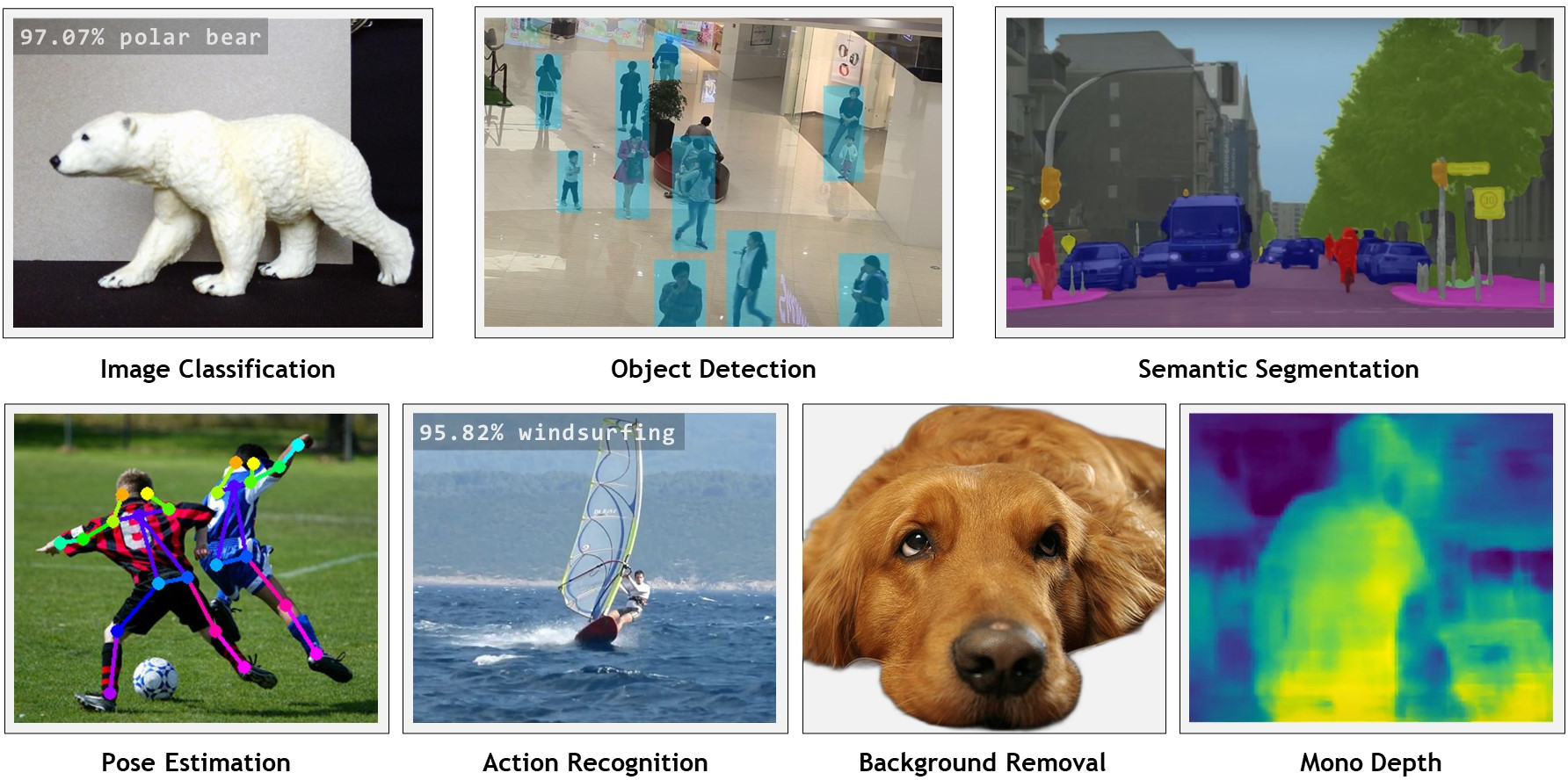
Follow the Hello AI World tutorial for running inference and transfer learning onboard your Jetson, including collecting your own datasets, training your own models with PyTorch, and deploying them with TensorRT.
> JetPack 6 is now supported on Orin devices (developer.nvidia.com/jetpack)
> Check out the Generative AI and LLM tutorials on Jetson AI Lab!
> See the Change Log for the latest updates and new features.
Hello AI World can be run completely onboard your Jetson, including live inferencing with TensorRT and transfer learning with PyTorch. For installation instructions, see System Setup. It's then recommended to start with the Inference section to familiarize yourself with the concepts, before diving into Training your own models.

The Jetson AI Lab has additional tutorials on LLMs, Vision Transformers (ViT), and Vision Language Models (VLM) that run on Orin (and in some cases Xavier). Check out some of these:
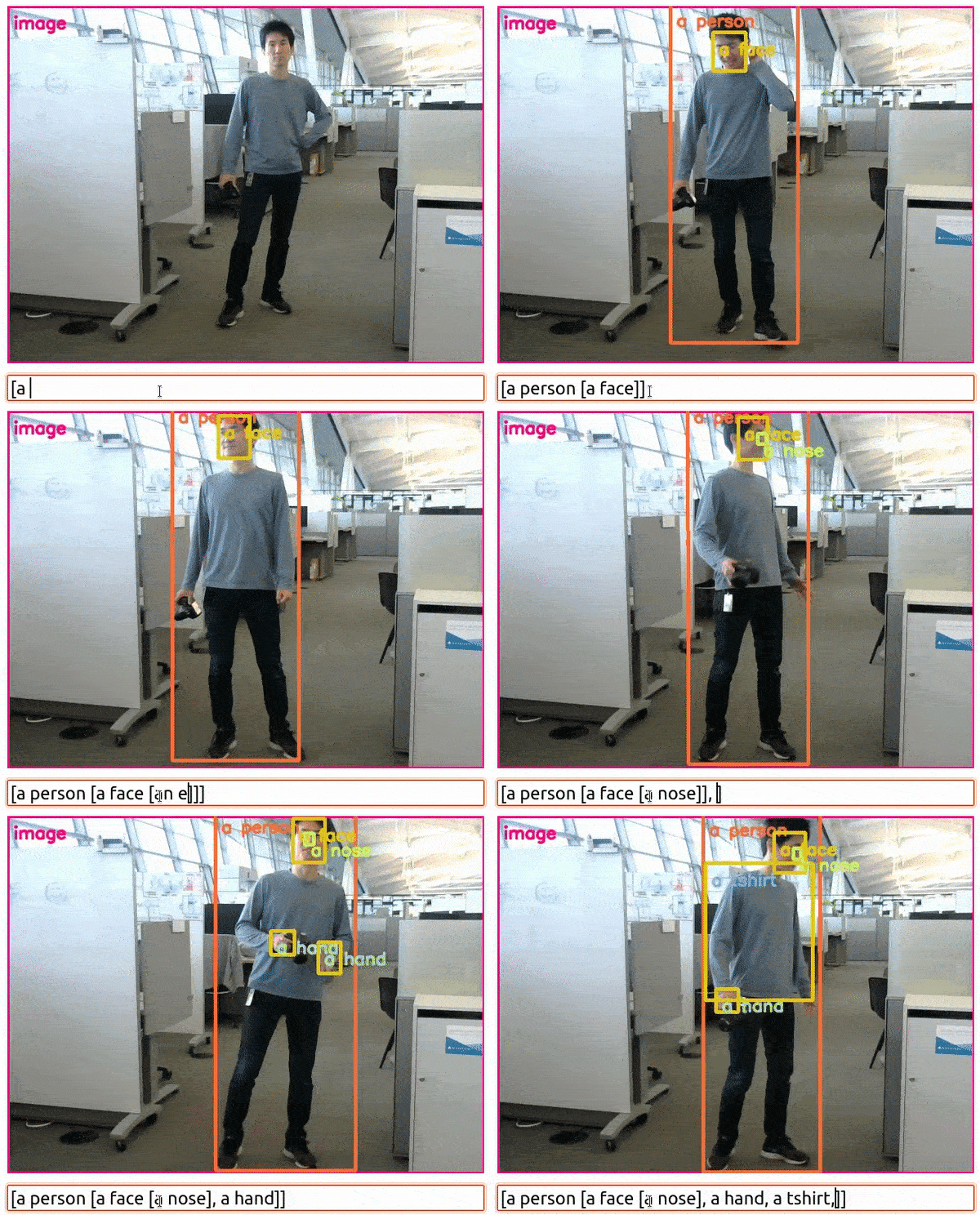
NanoOWL - Open Vocabulary Object Detection ViT (container: nanoowl)

Live Llava on Jetson AGX Orin (container: local_llm)
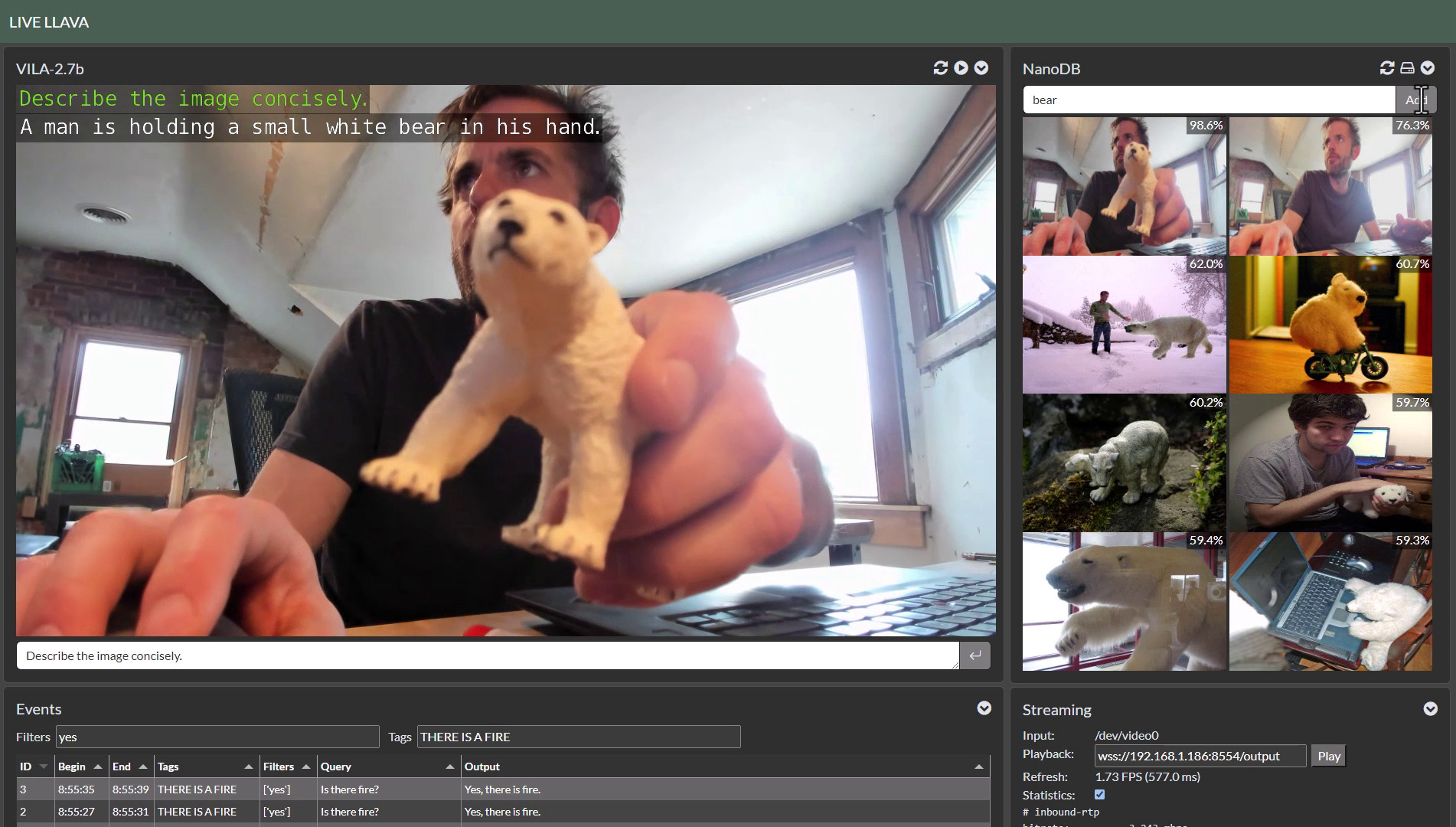
Live Llava 2.0 - VILA + Multimodal NanoDB on Jetson Orin (container: local_llm)
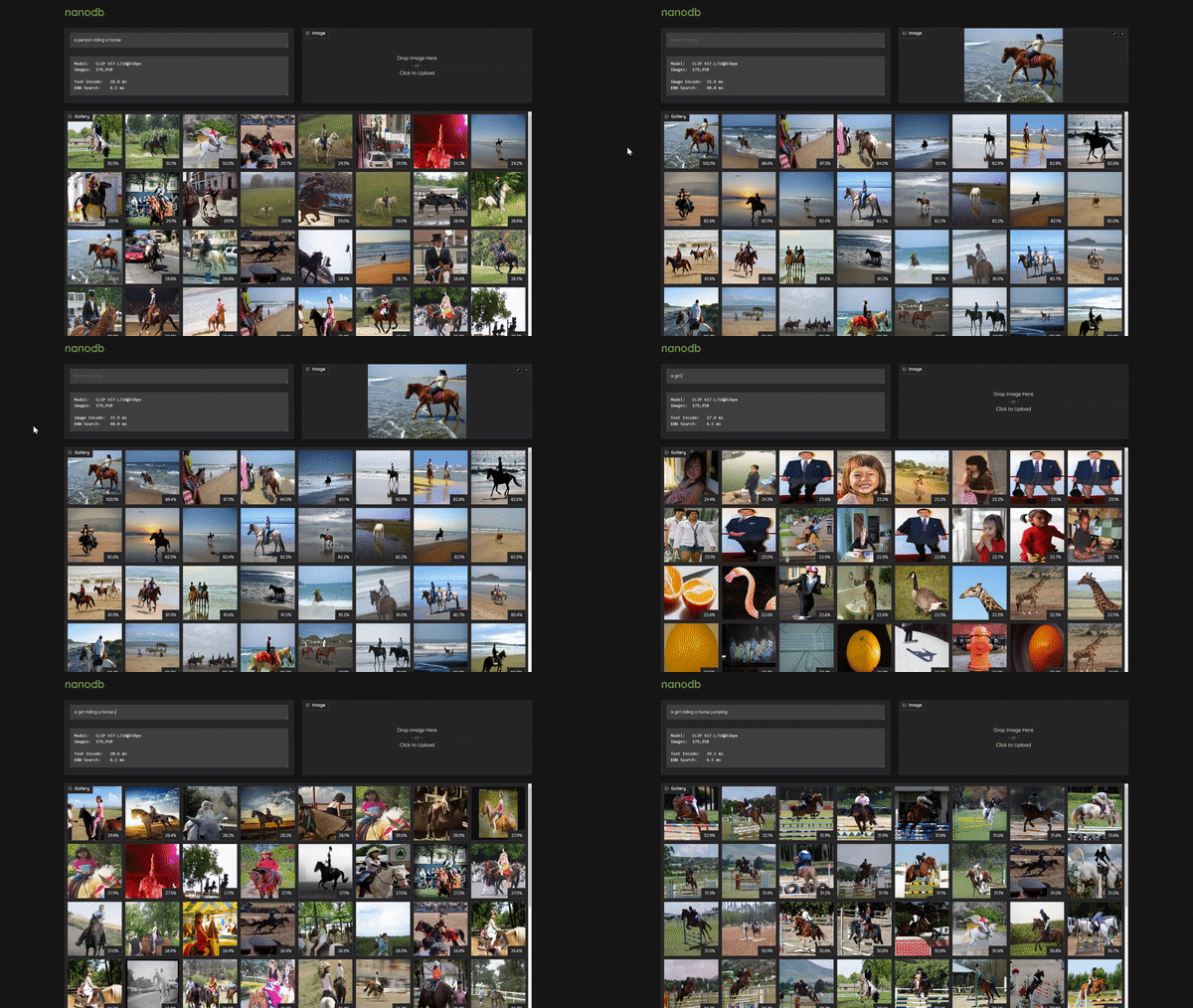
Realtime Multimodal VectorDB on NVIDIA Jetson (container: nanodb)
Below are screencasts of Hello AI World that were recorded for the Jetson AI Certification course:
| Description | Video |
|--------------------------------------------------------------------------------------------------------------------------------------------------------------------------------------------------------------------------------------------------------------------------------------------------------------------|-------------------------------------------------------------------------------------------------------------------------------------------------------------------------------------------------------------------------------------------------------|
| Hello AI World Setup
Download and run the Hello AI World container on Jetson Nano, test your camera feed, and see how to stream it over the network via RTP. | |
| Image Classification Inference
Code your own Python program for image classification using Jetson Nano and deep learning, then experiment with realtime classification on a live camera stream. | |
| Training Image Classification Models
Learn how to train image classification models with PyTorch onboard Jetson Nano, and collect your own classification datasets to create custom models. | |
| Object Detection Inference
Code your own Python program for object detection using Jetson Nano and deep learning, then experiment with realtime detection on a live camera stream. | |
| Training Object Detection Models
Learn how to train object detection models with PyTorch onboard Jetson Nano, and collect your own detection datasets to create custom models. | |
| Semantic Segmentation
Experiment with fully-convolutional semantic segmentation networks on Jetson Nano, and run realtime segmentation on a live camera stream. | |
Below are links to reference documentation for the C++ and Python libraries from the repo:
| | C++ | Python |
|--------------------|--------------|--------------|
| Image Recognition | imageNet | imageNet |
| Object Detection | detectNet | detectNet
| Segmentation | segNet | segNet |
| Pose Estimation | poseNet | poseNet |
| Action Recognition | actionNet | actionNet |
| Background Removal | backgroundNet | actionNet |
| Monocular Depth | depthNet | depthNet |
libjetson-inference and libjetson-utils.
Introductory code walkthroughs of using the library are covered during these steps of the Hello AI World tutorial:
Additional C++ and Python samples for running the networks on images and live camera streams can be found here:| | C++ | Python |
|-------------------|---------------------|---------------------|
| Image Recognition | imagenet.cpp | imagenet.py |
| Object Detection | detectnet.cpp | detectnet.py |
| Segmentation | segnet.cpp | segnet.py |
| Pose Estimation | posenet.cpp | posenet.py |
| Action Recognition | actionnet.cpp | actionnet.py |
| Background Removal | backgroundnet.cpp | backgroundnet.py |
| Monocular Depth | depthnet.cpp | depthnet.py |
note: see the Array Interfaces section for using memory with other Python libraries (like Numpy, PyTorch, ect)
These examples will automatically be compiled while Building the Project from Source, and are able to run the pre-trained models listed below in addition to custom models provided by the user. Launch each example with --help for usage info.
The project comes with a number of pre-trained models that are available to use and will be automatically downloaded:
| Network | CLI argument | NetworkType enum |
| --------------|----------------|------------------|
| AlexNet | alexnet | ALEXNET |
| GoogleNet | googlenet | GOOGLENET |
| GoogleNet-12 | googlenet-12 | GOOGLENET_12 |
| ResNet-18 | resnet-18 | RESNET_18 |
| ResNet-50 | resnet-50 | RESNET_50 |
| ResNet-101 | resnet-101 | RESNET_101 |
| ResNet-152 | resnet-152 | RESNET_152 |
| VGG-16 | vgg-16 | VGG-16 |
| VGG-19 | vgg-19 | VGG-19 |
| Inception-v4 | inception-v4 | INCEPTION_V4 |
| Model | CLI argument | NetworkType enum | Object classes |
| ------------------------|--------------------|--------------------|----------------------|
| SSD-Mobilenet-v1 | ssd-mobilenet-v1 | SSD_MOBILENET_V1 | 91 (COCO classes) |
| SSD-Mobilenet-v2 | ssd-mobilenet-v2 | SSD_MOBILENET_V2 | 91 (COCO classes) |
| SSD-Inception-v2 | ssd-inception-v2 | SSD_INCEPTION_V2 | 91 (COCO classes) |
| TAO PeopleNet | peoplenet | PEOPLENET | person, bag, face |
| TAO PeopleNet (pruned) | peoplenet-pruned | PEOPLENET_PRUNED | person, bag, face |
| TAO DashCamNet | dashcamnet | DASHCAMNET | person, car, bike, sign |
| TAO TrafficCamNet | trafficcamnet | TRAFFICCAMNET | person, car, bike, sign |
| TAO FaceDetect | facedetect | FACEDETECT | face |
| Model | CLI argument | NetworkType enum | Object classes |
| ------------------------|--------------------|--------------------|----------------------|
| DetectNet-COCO-Dog | coco-dog | COCO_DOG | dogs |
| DetectNet-COCO-Bottle | coco-bottle | COCO_BOTTLE | bottles |
| DetectNet-COCO-Chair | coco-chair | COCO_CHAIR | chairs |
| DetectNet-COCO-Airplane | coco-airplane | COCO_AIRPLANE | airplanes |
| ped-100 | pednet | PEDNET | pedestrians |
| multiped-500 | multiped | PEDNET_MULTI | pedestrians, luggage |
| facenet-120 | facenet | FACENET | faces |
| Dataset | Resolution | CLI Argument | Accuracy | Jetson Nano | Jetson Xavier |
|:------------:|:----------:|--------------|:--------:|:-----------:|:-------------:|
| Cityscapes | 512x256 | fcn-resnet18-cityscapes-512x256 | 83.3% | 48 FPS | 480 FPS |
| Cityscapes | 1024x512 | fcn-resnet18-cityscapes-1024x512 | 87.3% | 12 FPS | 175 FPS |
| Cityscapes | 2048x1024 | fcn-resnet18-cityscapes-2048x1024 | 89.6% | 3 FPS | 47 FPS |
| DeepScene | 576x320 | fcn-resnet18-deepscene-576x320 | 96.4% | 26 FPS | 360 FPS |
| DeepScene | 864x480 | fcn-resnet18-deepscene-864x480 | 96.9% | 14 FPS | 190 FPS |
| Multi-Human | 512x320 | fcn-resnet18-mhp-512x320 | 86.5% | 34 FPS | 370 FPS |
| Multi-Human | 640x360 | fcn-resnet18-mhp-512x320 | 87.1% | 23 FPS | 325 FPS |
| Pascal VOC | 320x320 | fcn-resnet18-voc-320x320 | 85.9% | 45 FPS | 508 FPS |
| Pascal VOC | 512x320 | fcn-resnet18-voc-512x320 | 88.5% | 34 FPS | 375 FPS |
| SUN RGB-D | 512x400 | fcn-resnet18-sun-512x400 | 64.3% | 28 FPS | 340 FPS |
| SUN RGB-D | 640x512 | fcn-resnet18-sun-640x512 | 65.1% | 17 FPS | 224 FPS |
nvpmodel 0 (MAX-N)| Network | CLI Argument | NetworkType enum | Classes |
| ------------------------|---------------------------------|---------------------------------|---------|
| Cityscapes (2048x2048) | fcn-alexnet-cityscapes-hd | FCN_ALEXNET_CITYSCAPES_HD | 21 |
| Cityscapes (1024x1024) | fcn-alexnet-cityscapes-sd | FCN_ALEXNET_CITYSCAPES_SD | 21 |
| Pascal VOC (500x356) | fcn-alexnet-pascal-voc | FCN_ALEXNET_PASCAL_VOC | 21 |
| Synthia (CVPR16) | fcn-alexnet-synthia-cvpr | FCN_ALEXNET_SYNTHIA_CVPR | 14 |
| Synthia (Summer-HD) | fcn-alexnet-synthia-summer-hd | FCN_ALEXNET_SYNTHIA_SUMMER_HD | 14 |
| Synthia (Summer-SD) | fcn-alexnet-synthia-summer-sd | FCN_ALEXNET_SYNTHIA_SUMMER_SD | 14 |
| Aerial-FPV (1280x720) | fcn-alexnet-aerial-fpv-720p | FCN_ALEXNET_AERIAL_FPV_720p | 2 |
| Model | CLI argument | NetworkType enum | Keypoints |
| ------------------------|--------------------|--------------------|-----------|
| Pose-ResNet18-Body | resnet18-body | RESNET18_BODY | 18 |
| Pose-ResNet18-Hand | resnet18-hand | RESNET18_HAND | 21 |
| Pose-DenseNet121-Body | densenet121-body | DENSENET121_BODY | 18 |
| Model | CLI argument | Classes |
| -------------------------|--------------|---------|
| Action-ResNet18-Kinetics | resnet18 | 1040 |
| Action-ResNet34-Kinetics | resnet34 | 1040 |
In this area, links and resources for deep learning are listed:
note: the DIGITS/Caffe tutorial from below is deprecated. It's recommended to follow the Transfer Learning with PyTorch tutorial from Hello AI World.
→ →
→ →
→ →
→ →
→ →
→