1
 →
→
Image-driven 3D scene generation system. Users provide a reference image and prompt words, and the system generates previewable, replayable
deepopen-com/deepopen-3d-webs is an open-source project on GitHub, mainly written in Python. Image-driven 3D scene generation system. Users provide a reference image and prompt words, and the system generates previewable, replayable It currently holds 450 stars and 1 forks with 0 open issues, and was last pushed on 2026-10-27 (repository created 2026-10-26).
Git Homed tracks it on the Today's Trending board, currently at rank #8 with 0 new stars today.
中文 中文说明
Guangyu Zaojing (光域造景) is an image-driven 3D scene generation system. You supply one reference image and a prompt, and the system generates scene results along a camera trajectory that you can preview, replay, and trace. The official 3D demo assets play color/depth animations and Gaussian point clouds directly in the browser. The web app ships as a Docker image and listens on port 8090 by default.
A single image rarely turns into spatial content you can look around in, move through, and hand off. The traditional pipeline splits depth estimation, image completion, 3D representation, and camera flythrough across separate tools, so creators can't carry a scene from start to finish in one interface.
Guangyu Zaojing collapses that chain into a single studio:
demo-* assets work well in classrooms and pitch sessionsThe system has five tabs.
Workbench
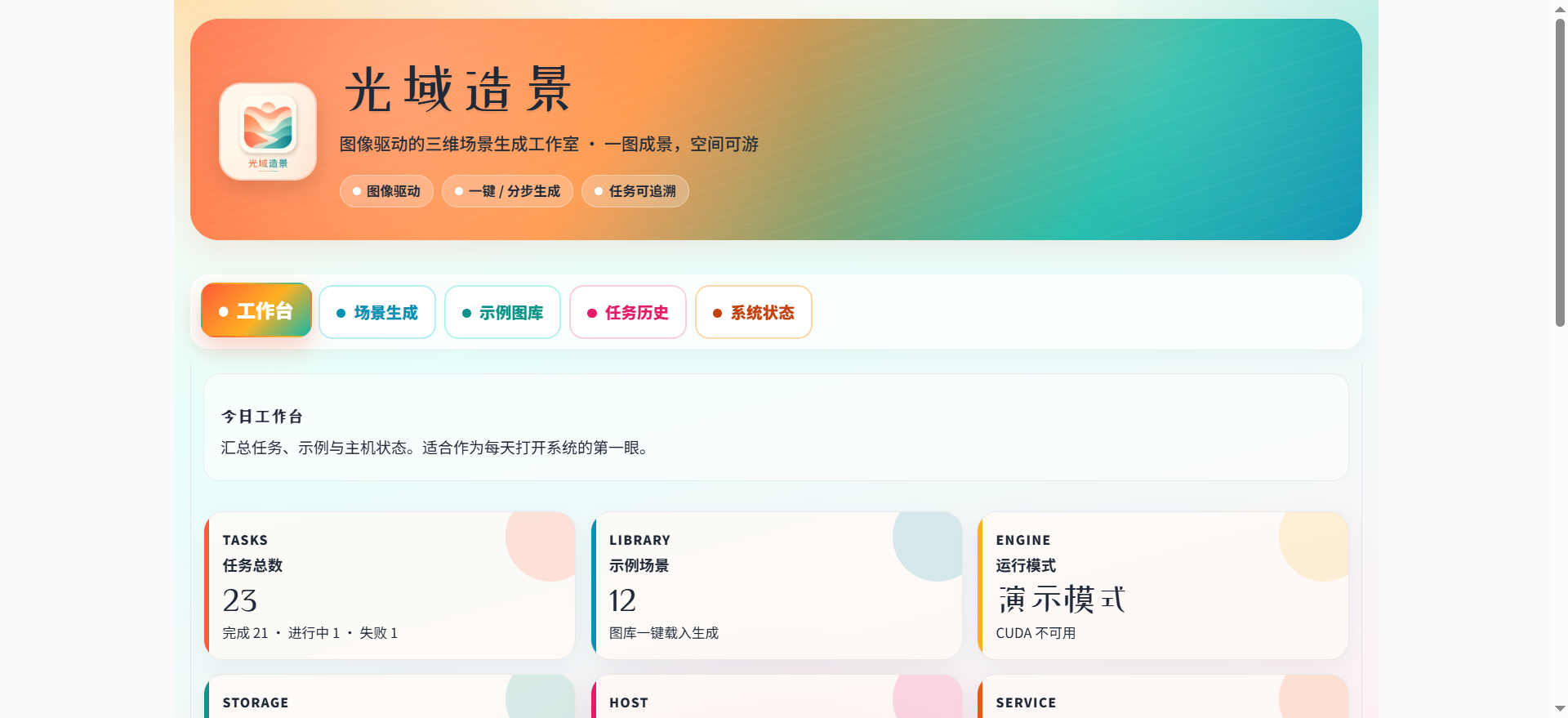
Summarizes total tasks, completed and failed counts, sample scene count, run mode, CUDA, disk, host, and service port. Click "Refresh System Data" to re-collect.
Scene Generation
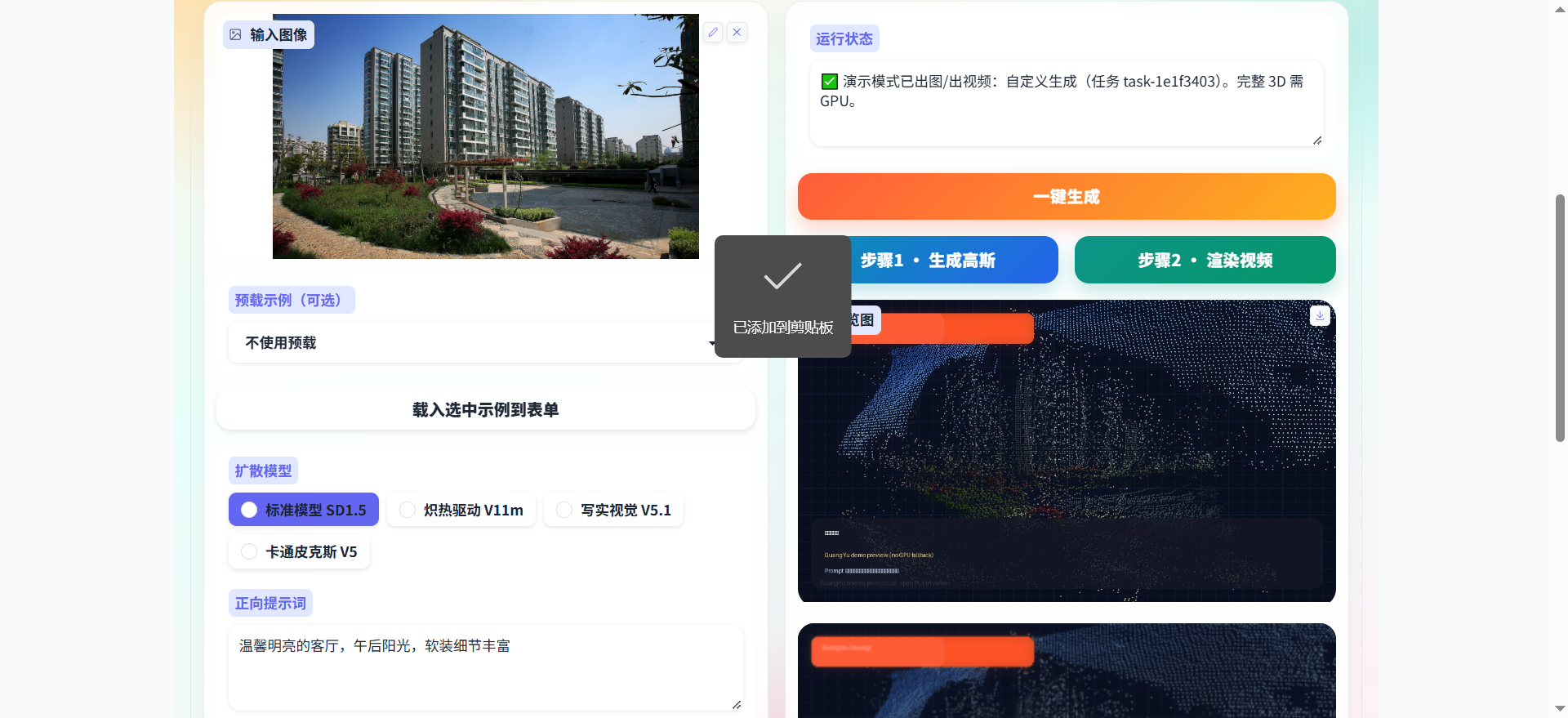
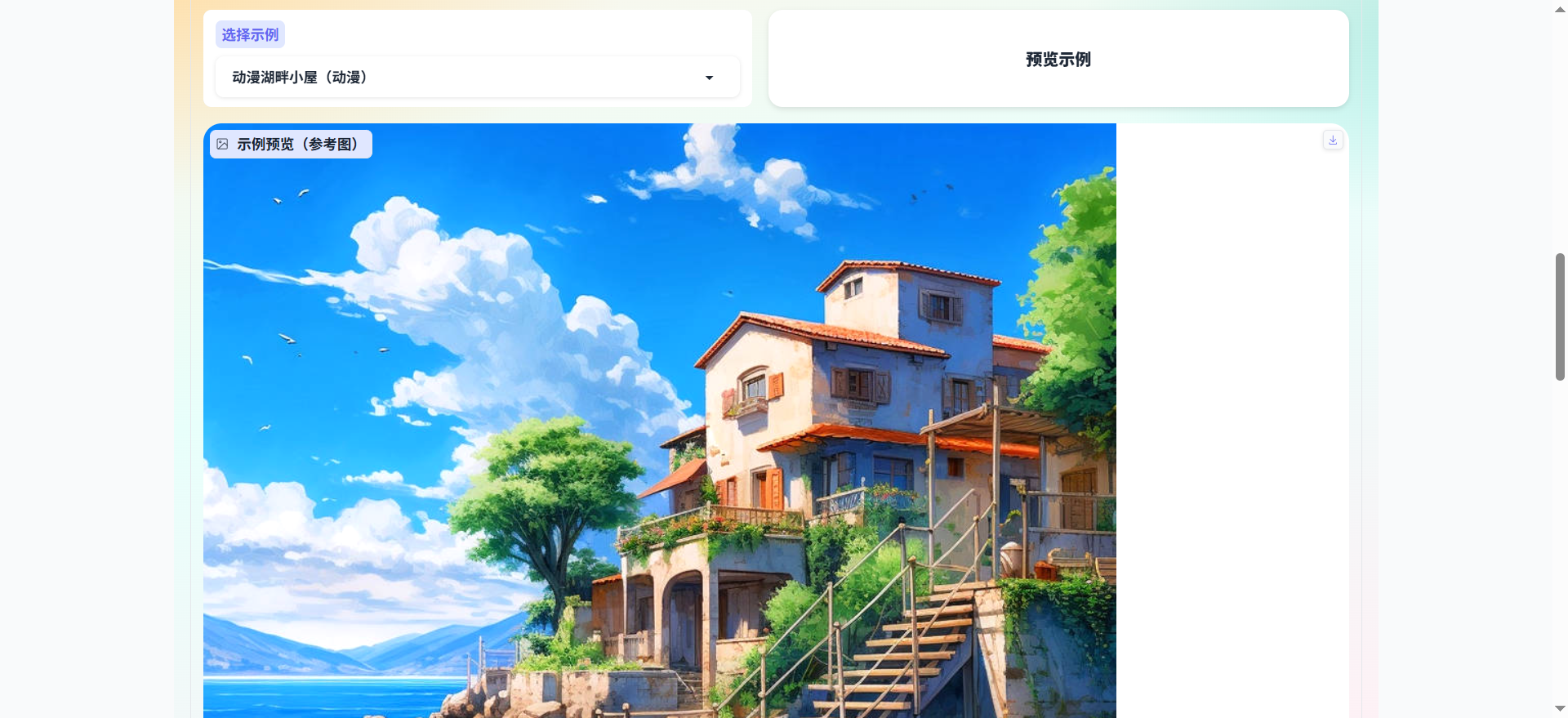
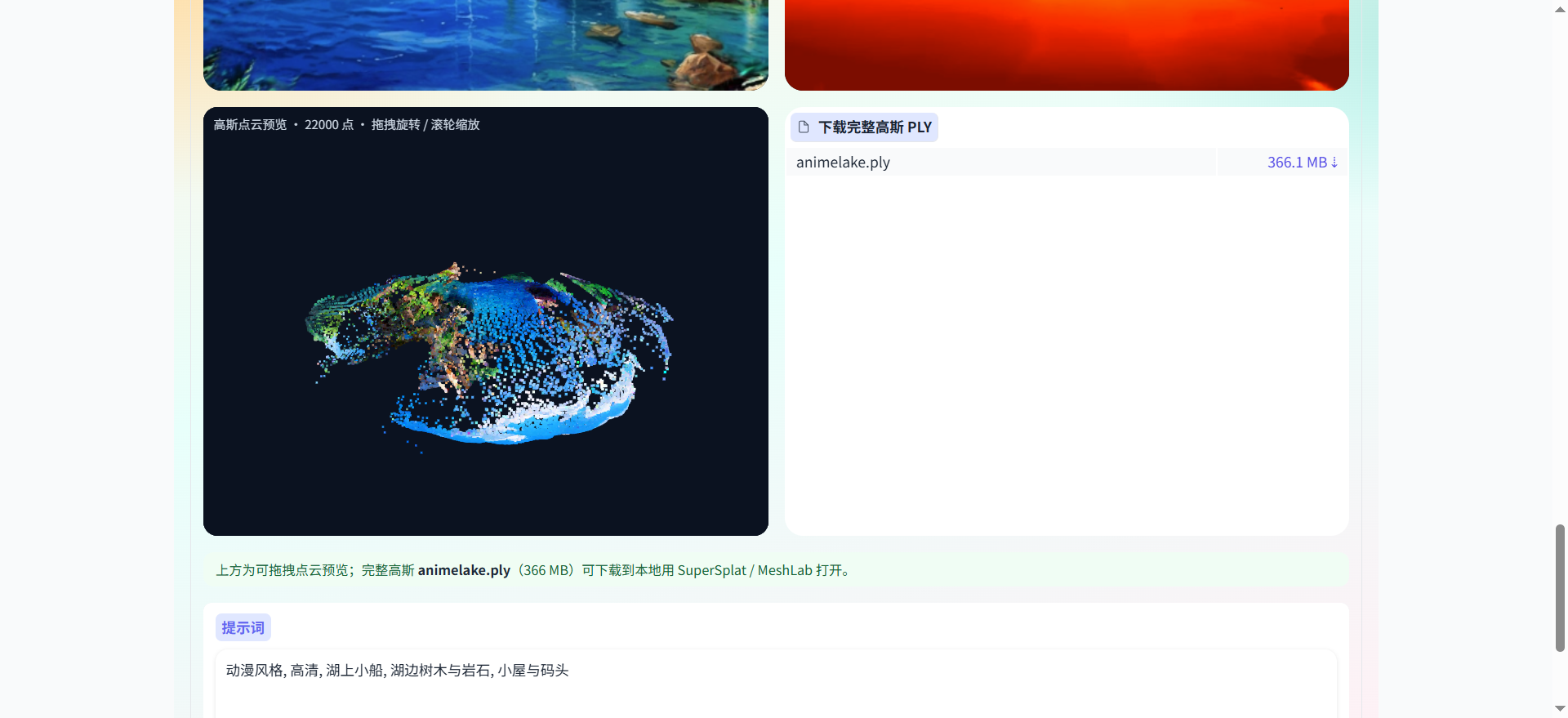
Lists examples by name, category, model, trajectory, and date. Previews show, together:
Task History
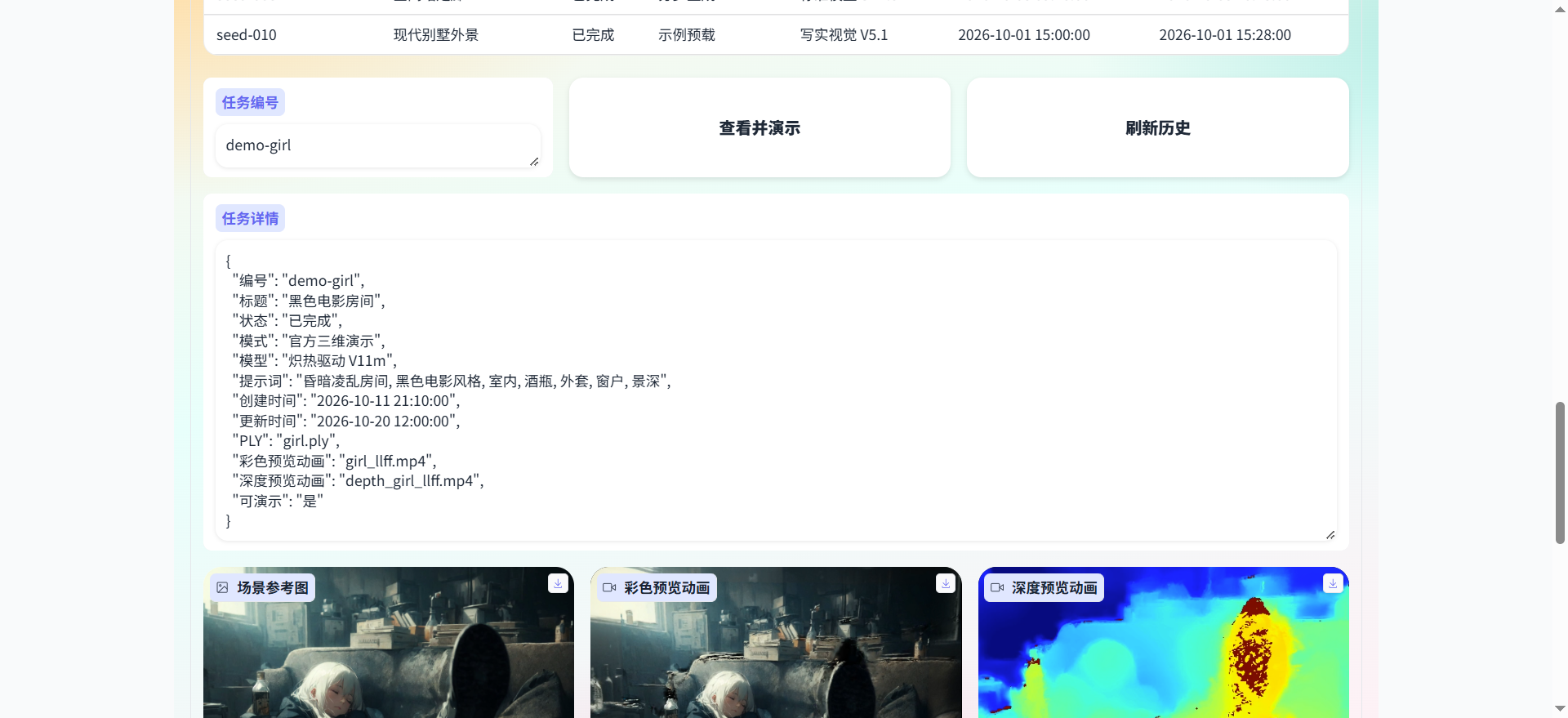
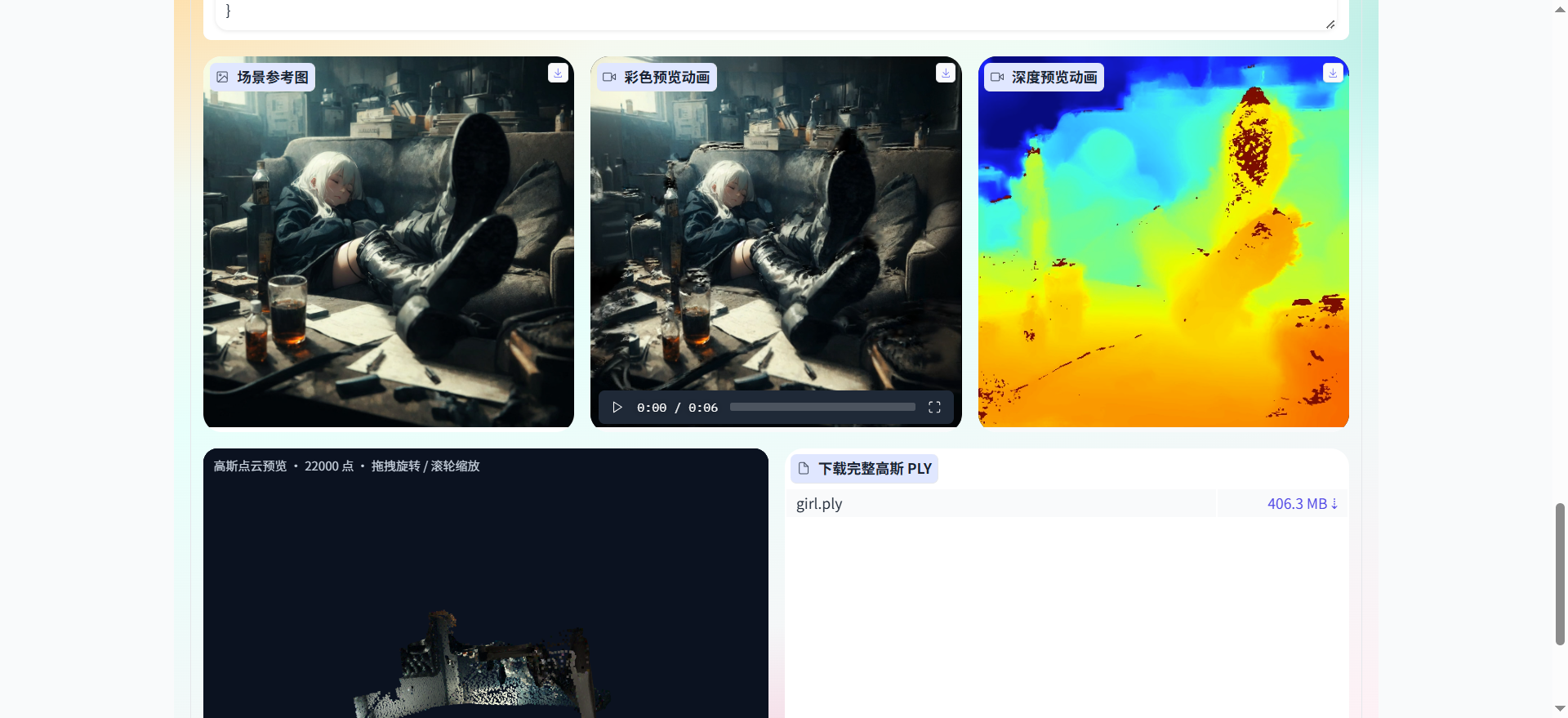
Generation actions are written to data/history.json. Official demo-* 3D demo tasks are preloaded. Enter an ID and click "View & Demo" to see task details, the reference image, both animations, the point cloud preview, and the PLY download together.
System Status
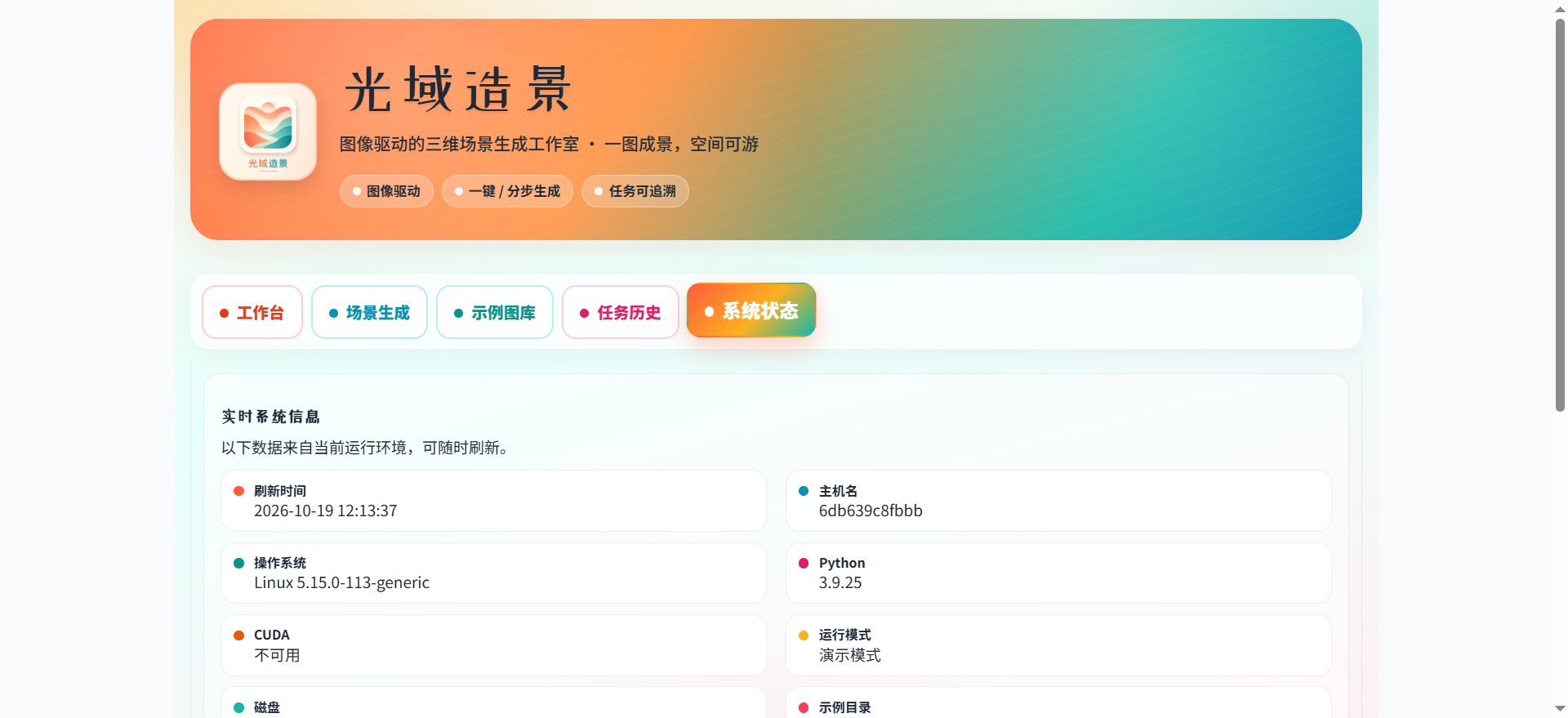
Shows host, OS, Python, CUDA, run mode, and the data directory, along with the recommended order of operations.
In demo mode, the preview loop runs on the input image; the official PLY / MP4 assets in the gallery and history can be demoed independently. When LD_DEMO_MODE=0 and the engine loads successfully, the full luciddreamer.py pipeline runs.
| Layer | Technology |
| ------------------- | ------------------------------------------------------------------ |
| UI | Gradio 3.50, multi-tab, Chinese |
| Web runtime | Python 3.9, FastAPI, Starlette, Uvicorn |
| Image / video | Pillow, NumPy, imageio |
| Scene generation | LucidDreamer: diffusion inpainting, depth estimation, 3D Gaussians |
| Depth | ZoeDepth |
| Gaussian rendering | 3D Gaussian Splatting rasterization and simple-knn |
| Point cloud preview | Down-sampling preview via webui/ply_preview.py |
| Task data | Local JSON (data/history.json) |
| Delivery | Docker Compose; demo image and CUDA image |
The web image uses requirements-web.txt. Full / CUDA dependencies are in requirements.txt and requirements-cuda.txt. Local machine and CUDA notes are in RUN\_CUDA.md.
guang-yu-zao-jing
├── web_app.py                 Web entry point, listens on 8090
├── luciddreamer.py            Main 3D generation pipeline
├── Dockerfile                 Demo image
├── Dockerfile.cuda            Full CUDA image
├── docker-compose.yml         Demo orchestration
├── docker-compose.cuda.yml    CUDA orchestration
├── requirements-web.txt       Web dependencies
├── requirements-cuda.txt      CUDA dependencies
├── RUN_CUDA.md / start_*.bat  Local and CUDA start guide
├── webui
│   ├── app.py                 Five tabs
│   ├── engine.py              One-click / step-by-step generation and demo fallback
│   ├── catalog.py             Example gallery
│   ├── history.py             Task history and demo-* assets
│   ├── ply_preview.py         PLY down-sampling and browser preview
│   ├── stats.py / styles.py   Workbench stats and styling
│   └── paths.py               Data and output paths
├── scene / gaussian_renderer  Gaussian scene and rendering
├── utils / cameras / ZoeDepth
├── submodules                 Rasterization and simple-knn
├── examples                   Example images, prompts, official PLY / MP4
├── assets / data / outputs
├── scripts                    Deployment and local CUDA install/start scripts
└── docs                       Deployment docs, user manual, and screenshots
flowchart LR
  Browser[Browser] --> WebApp[web_app.py]
  WebApp --> UI[webui tabs]
  UI --> Engine[engine.py]
  Engine --> Demo[Demo preview]
  Engine --> Core[luciddreamer.py]
  Core --> Depth[ZoeDepth]
  Core --> Gauss[Gaussian scene and rendering]
  UI --> History[history and demo assets]
  History --> Examples[examples PLY/MP4]
  UI --> PlyPrev[ply_preview point cloud preview]
  Engine --> Outputs[outputs and results]
All screenshots are from docs/user/images/.
Workbench
Scene Generation

Example Gallery · Reference image and 3D demo
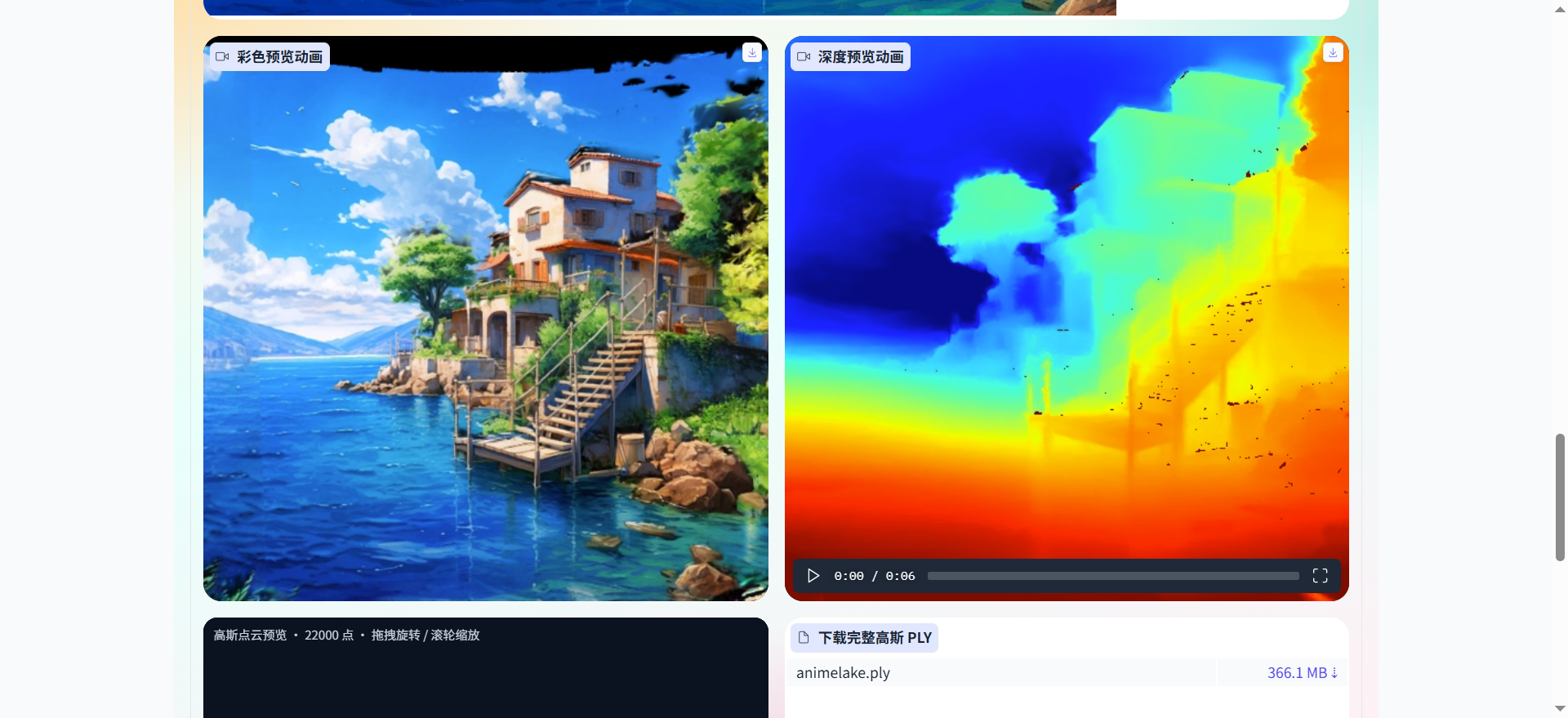
Task History · View & Demo
System Status
Field descriptions and the order of operations for each tab are in the User Manual.
docker compose available8090 open on the local machine or serverLD_DEMO_MODE=1) needs no GPU — the default Dockerfile is enoughLD_DEMO_MODE=0 requires an NVIDIA GPU (16 GB VRAM recommended), the NVIDIA Container Toolkit or a local CUDA environment, requirements-cuda.txt / the CUDA build of PyTorch, and compiled submodules/simple-knn and submodules/depth-diff-gaussian-rasterization-minDemo (no GPU / default):
docker compose up -d --build
Linux server with GPU:
docker compose -f docker-compose.cuda.yml up -d --build
On Windows you can also double-click start_demo.bat / start_cuda.bat, or follow RUN\_CUDA.md.
View logs and stop:
docker compose logs -f
docker compose down
Local:
http://127.0.0.1:8090
Server:
http://:8090
There is no login. Anyone who can open the address above in a browser can use the system. In production, restrict access by source with a firewall or reverse proxy.
1. Open the workbench and confirm the run mode and free disk space.
2. In the example gallery, pick an entry such as "Anime Lakeside Cabin" and click "Preview Example" to see the reference image, both animations, and the point cloud; download the full PLY if you need it.
3. Or, in task history, enter demo-animelake / demo-girl and click "View & Demo".
4. Go to Scene Generation, load an example or upload an image, and confirm the model, prompts, generation trajectory, and render trajectory.
5. Click "One-Click Generate". To bake the space only, use "Step 1 · Generate Gaussians"; to change the camera moves, use "Step 2 · Render Video".
6. Check the preview in the results area, then look up the details and media under the new task ID in Task History.
→ →
→ →
→ →
→ →
→ →
→ →
→ →
→