1
 →
→
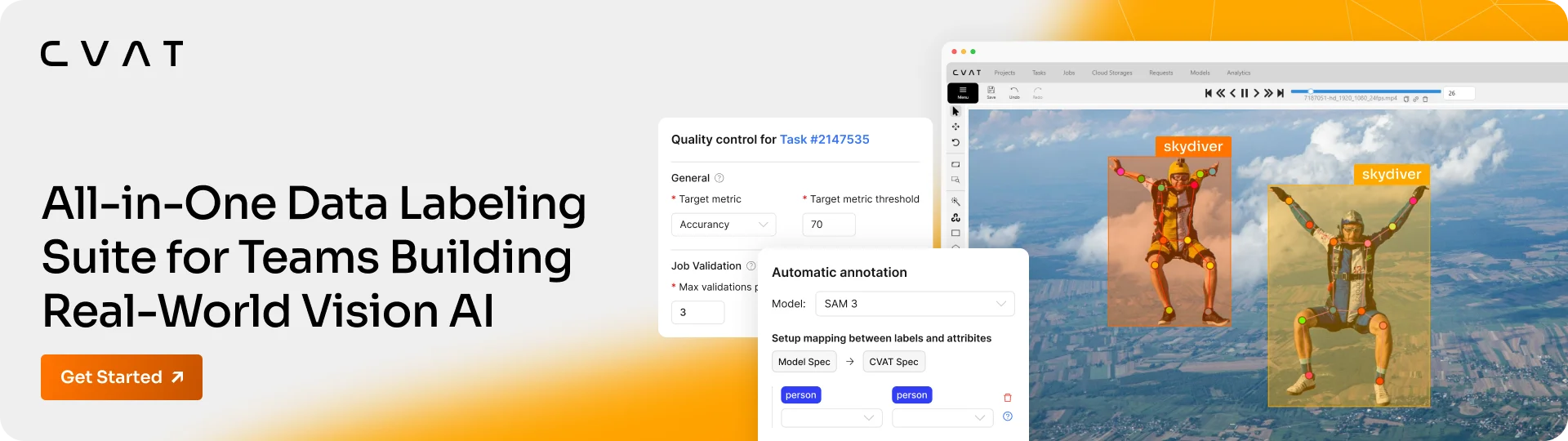
Computer Vision Annotation Tool (CVAT) is a leading platform for building high-quality visual datasets for vision AI. It offers open-source, cloud, and enterprise products, as well as labeling services, for image, video, and 3D annotation with AI-assisted labeling, quality assurance, team collaboration, analytics, and developer APIs.
[![Release][release-img]][release-url] [![GitHub stars][stars-img]][stars-url] [![License][license-img]][license-url] [![CI][ci-img]][ci-url] [![server pulls][docker-server-pulls-img]][docker-server-image-url] [![ui pulls][docker-ui-pulls-img]][docker-ui-image-url] [![CVAT Online][online-img]][online-url] [![CVAT Enterprise][enterprise-img]][enterprise-url] [![Status][status-img]][status-url] [![Discord][discord-img]][discord-url] [![Docs][docs-img]][docs-url]
Website · Docs · Changelog · Tutorials · Academy · Blog
CVAT Community is the free, self-hosted open-source edition of CVAT — one of the most widely used data annotation platforms for building high-quality visual datasets for computer vision and visual AI. Since 2018, CVAT has become one of the best-known data annotation tools in computer vision, with a large open-source community, millions of Docker pulls, and broad adoption across research and production AI teams.
CVAT Community supports image, video, and 3D annotation, dataset management, team collaboration, cloud storage integration, developer-friendly SDKs and APIs, and gives your team full control over your data and annotation infrastructure. The platform serves as the foundation of CVAT Online and CVAT Enterprise, and is actively maintained by the CVAT engineering team.
Why teams choose CVAT Community:
For a fully managed setup, annotation services, or enterprise features, see CVAT Online, CVAT Enterprise and CVAT Labeling Services.
💡 Want to explore CVAT before deploying anything?
Try CVAT Online (Free plan) directly in your browser.
Feature availability and usage limits vary by plan; see
CVAT Online pricing for details.
Prerequisites:
💡 CVAT is primarily tested with Chromium-based browsers (Google Chrome, Microsoft Edge).
Firefox may work with some caveats; Safari/WebKit is not supported.
1. Start the default stack
Clone the repository and launch the services.
git clone https://github.com/cvat-ai/cvat
cd cvat
Optional: set your IP or domain
export CVAT_HOST=your-ip-or-domain
docker compose up -d
2. Create an admin account
docker exec -it cvat_server bash -ic 'python3 ~/manage.py createsuperuser'
See the Installation Guide for full instructions and OS-specific setup.
3. Sign in and start labeling
CVAT_HOST) in your browser._For alternative deployments (AWS, Kubernetes, external PostgreSQL, backups, upgrades), see the Deployment Guides._
Advanced capabilities such as advanced project analytics, quality control UI, built-in auto-labeling with SAM 2 and SAM 3, AI agents, SSO, and more are available in CVAT Online paid plans (Solo, Team) and CVAT Enterprise.
CVAT is designed for automation. Beyond the Web UI, you can integrate it into your pipelines using:
pip install cvat-sdk and automate task creation,pip install cvat-cliCVAT Community supports image, video, and 3D (point cloud) annotation workflows. You can move data in and out using 20+ industry-standard formats: CVAT (XML), COCO (JSON), YOLO (TXT), Ultralytics YOLO (TXT/YAML), Pascal VOC (XML), KITTI (TXT), MOT (TXT), and more.
Full list of supported formats.
CVAT Community supports automatic annotation via pre-built serverless models powered by Nuclio, covering detection, segmentation, pose estimation, and tracking:
| Model | Framework | Type | | --- | --- | --- | | Segment Anything (SAM) | PyTorch | Interactor | | Inside-Outside Guidance (IOG) | PyTorch | Interactor | | RetinaNet R101 | PyTorch | Detector | | HRNet32 Whole Body Pose | PyTorch | Pose Estimation | | TransT | PyTorch | Tracker | | YOLO v7 | ONNX | Detector | | Mask RCNN Inception ResNet v2 | OpenVINO | Detector | | Face Detection 0205 | OpenVINO | Detector | | Faster RCNN Inception v2 | TensorFlow | Detector |
To enable automatic annotation, add the serverless component to your deployment:
docker compose -f docker-compose.yml -f components/serverless/docker-compose.serverless.yml up -d
This starts the serverless infrastructure. To make models available in CVAT, install nuctl and deploy
the functions you need, for example SAM or YOLO, as described in the Automatic Annotation Guide.
For detailed plan limits and feature availability, see CVAT Online pricing, CVAT Enterprise, and Labeling Services.
cvat tag.
We welcome all contributions: bug reports, documentation fixes, integrations, and code.
CVAT Community is released under the MIT License.
/serverless is also MIT-licensed, but may use third-party assets under separate licenses (includingFor the latest product releases, feature walkthroughs, and all things CVAT see:
 |
 |
 |
 |
 |
[ci-img]: https://github.com/cvat-ai/cvat/actions/workflows/main.yml/badge.svg?branch=develop [ci-url]: https://github.com/cvat-ai/cvat/actions
[docs-img]: https://img.shields.io/badge/docs-docs.cvat.ai-blue?style=flat-square [docs-url]: https://docs.cvat.ai
[online-img]: https://img.shields.io/badge/CVAT%20Online-app.cvat.ai-success?style=flat-square [online-url]: https://app.cvat.ai
[release-img]: https://img.shields.io/github/v/release/cvat-ai/cvat?style=flat-square [release-url]: https://github.com/cvat-ai/cvat/releases
[license-img]: https://img.shields.io/github/license/cvat-ai/cvat?style=flat-square [license-url]: https://github.com/cvat-ai/cvat/blob/develop/LICENSE
[stars-img]: https://img.shields.io/github/stars/cvat-ai/cvat?style=flat-square [stars-url]: https://github.com/cvat-ai/cvat/stargazers
[status-img]: https://uptime.betterstack.com/status-badges/v2/monitor/1yl3h.svg [status-url]: https://status.cvat.ai
[enterprise-img]: https://img.shields.io/badge/CVAT%20Enterprise-cvat.ai-orange?style=flat-square [enterprise-url]: https://www.cvat.ai/enterprise
[docker-server-pulls-img]: https://img.shields.io/docker/pulls/cvat/server.svg?style=flat-square&label=server%20pulls [docker-server-image-url]: https://hub.docker.com/r/cvat/server
[docker-ui-pulls-img]: https://img.shields.io/docker/pulls/cvat/ui.svg?style=flat-square&label=UI%20pulls [docker-ui-image-url]: https://hub.docker.com/r/cvat/ui
[discord-img]: https://img.shields.io/discord/1000789942802337834?label=discord [discord-url]: https://discord.gg/fNR3eXfk6C
→ →
→ →
→ →
→ →
→ →
→