1
 →

A free Chromium browser for the Mac: Arc's sidebar, Dia's polish. Chat on Discord: discord.gg/TdhuXrbcA6
ardia-browser/ardia is an open-source project on GitHub, mainly written in TypeScript. A free Chromium browser for the Mac: Arc's sidebar, Dia's polish. Chat on Discord: discord.gg/TdhuXrbcA6 It currently holds 2,856 stars and 378 forks with 1,161 open issues, and was last pushed on 2026-11-23 (repository created 2026-06-19).
Git Homed tracks it on the Today's Trending board.
Arc’s sidebar and Dia’s polish on real Chromium.
Free and open source. Ads and trackers stay out.
134 MB DMG · macOS 14 Sonoma or later · Apple Silicon · Notarized by Apple
Like your paint wet? The nightly has every fix the day it’s made, smudges and all.
Homebrew: brew install ardia-browser/tap/ardia
On your phone: iPhone (TestFlight) · Android (APK)
ardia.dev · What’s new · All releases · Discord
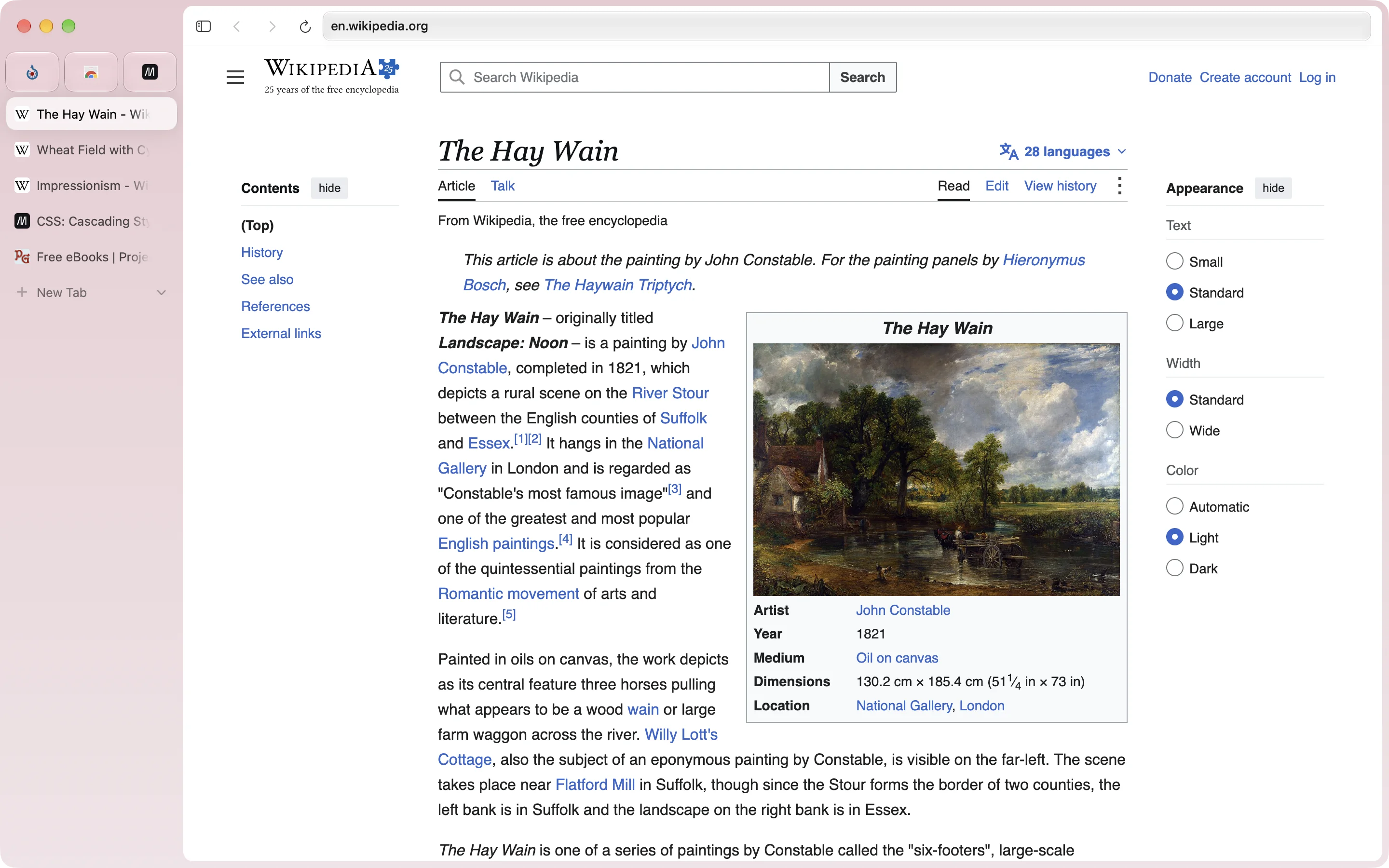
Move the address bar into the sidebar and the page runs all the way to the top of the window.
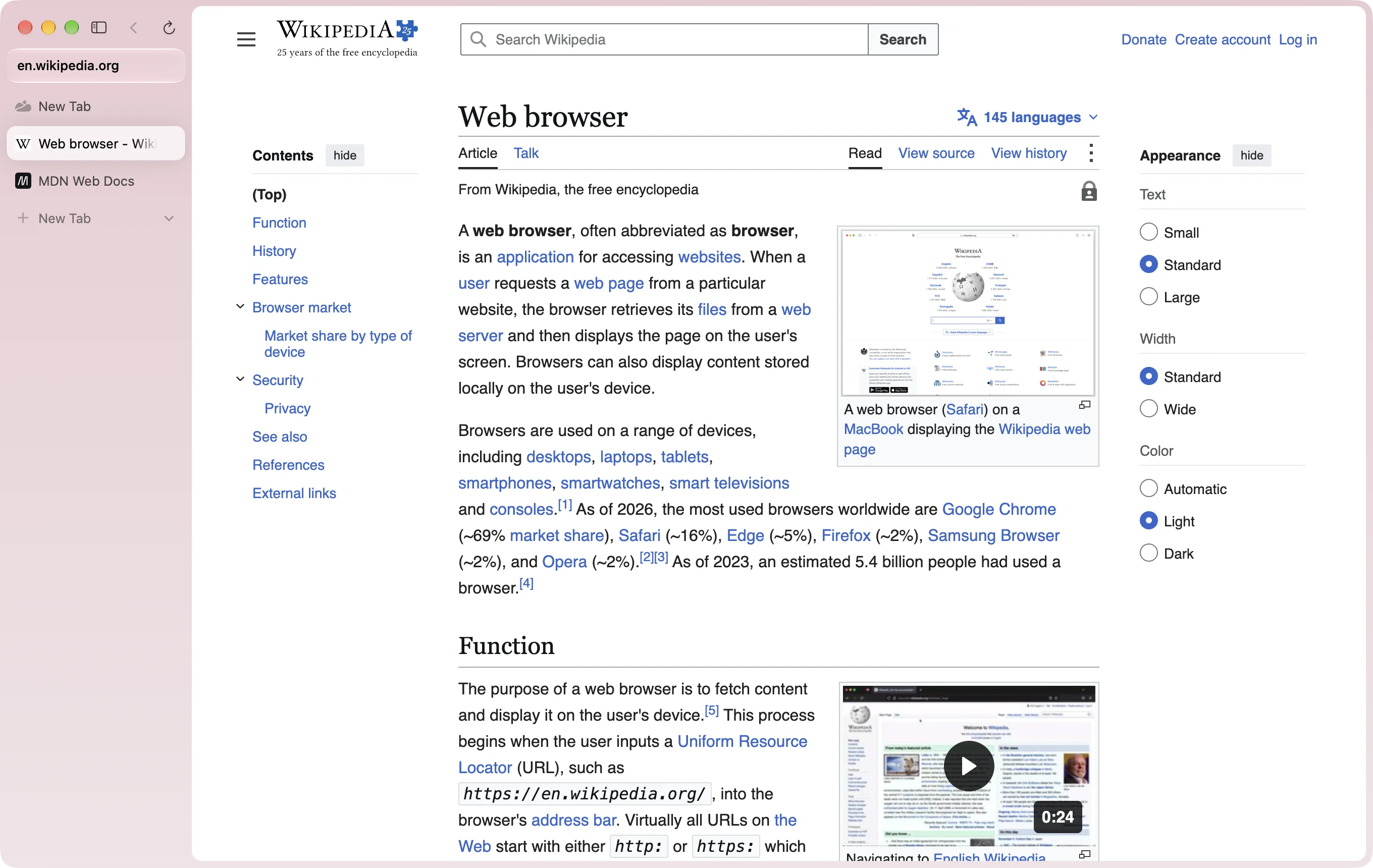
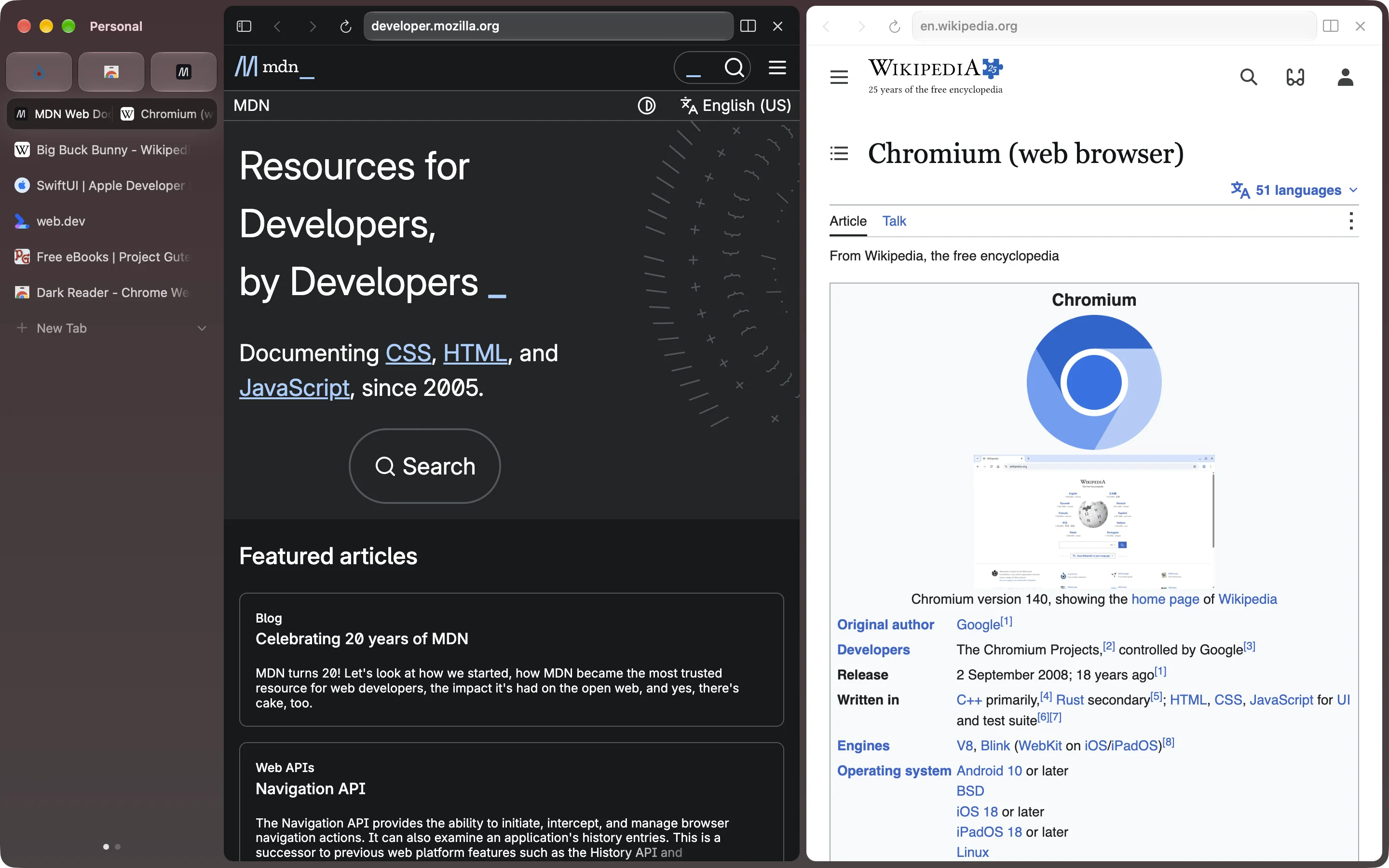
Drag a tab onto the page. Up to three panes, side by side or stacked.
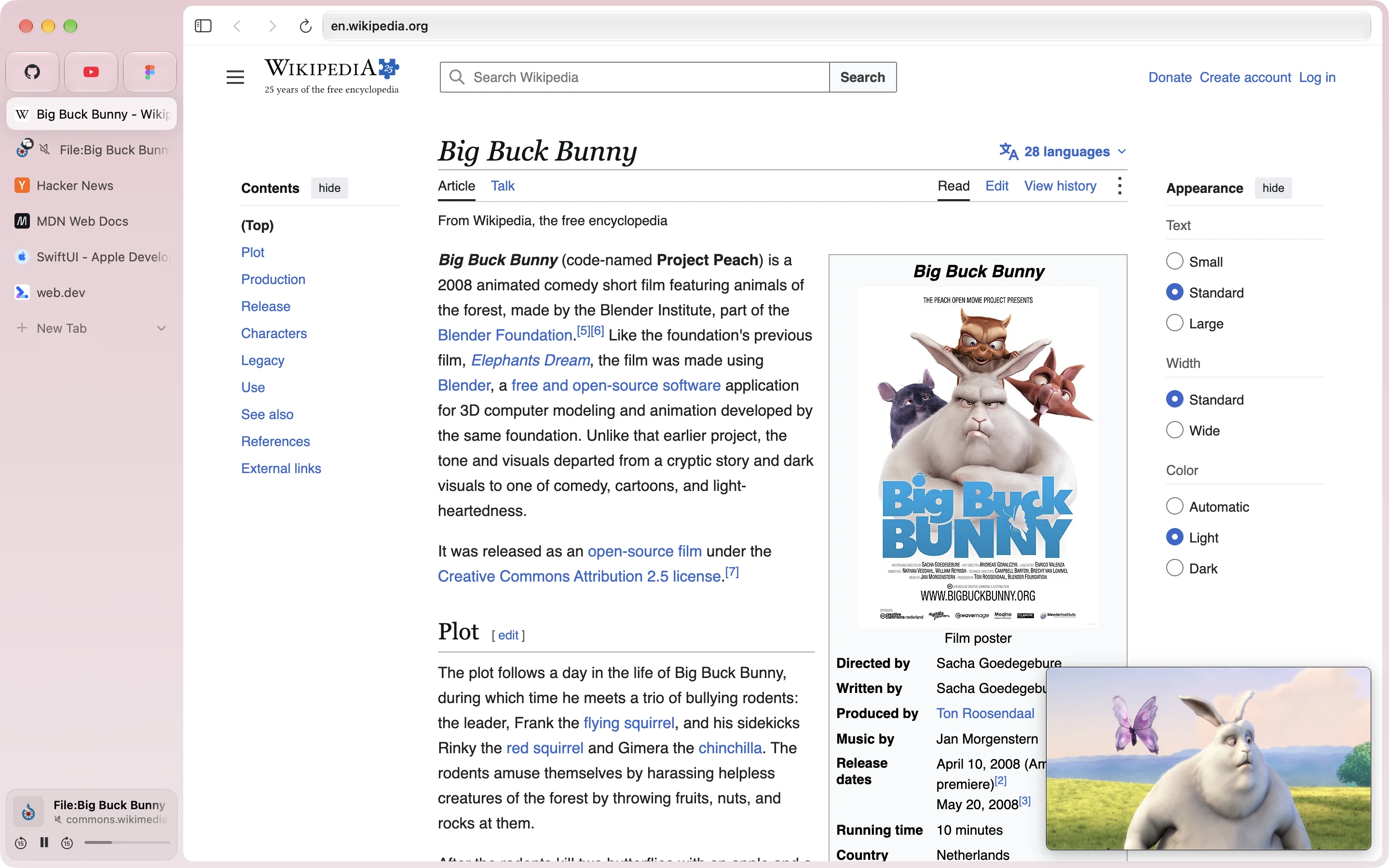
Switch tabs mid-video and it floats along in the corner. Go back to its tab and it slips back into the page.
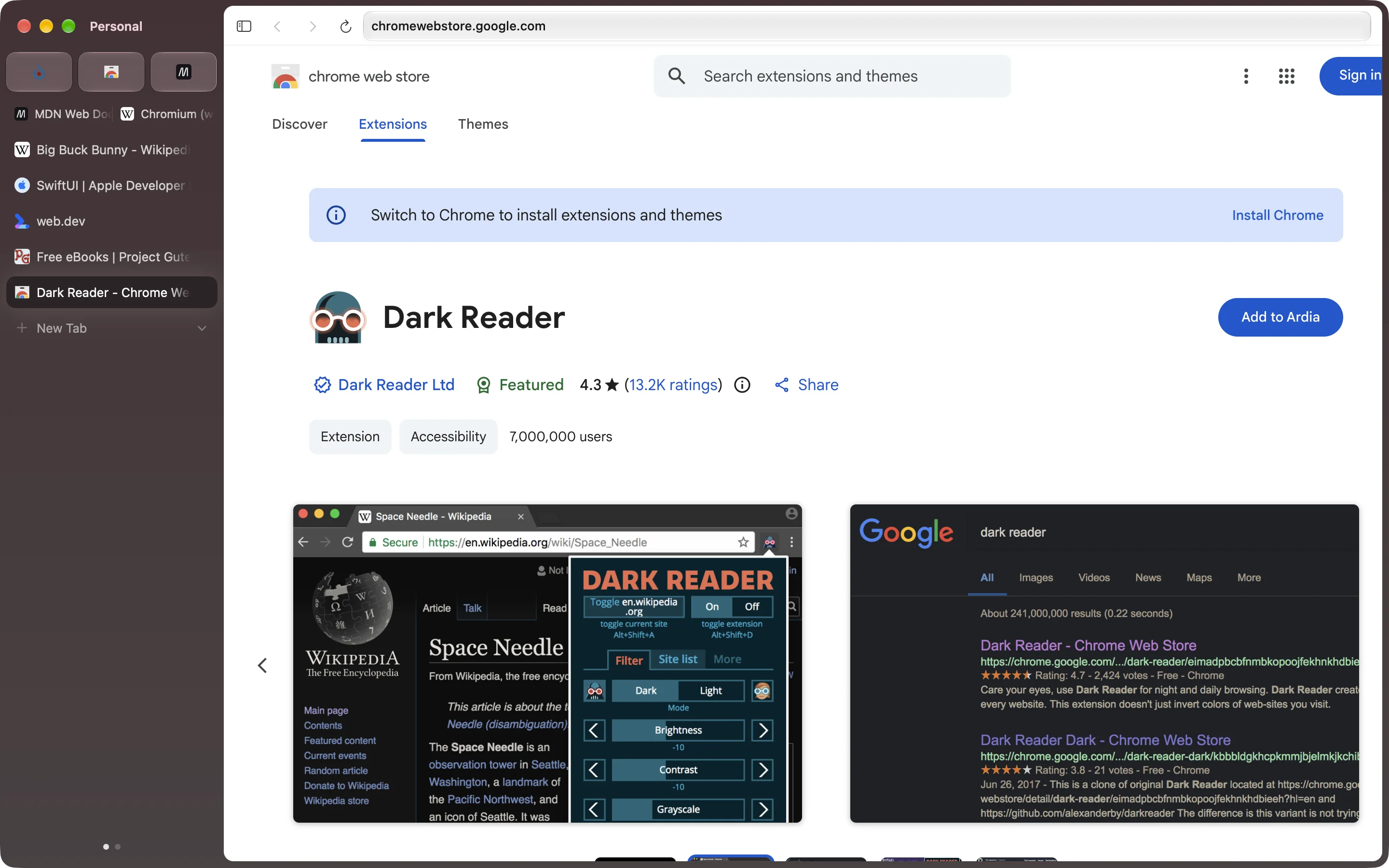
The Chrome Web Store just works, its button says Add to Ardia, and Sync takes them to your other Macs.
The full uBlock Origin is built in, cookie banners included. Google’s pings are compiled out. Crash reports are opt-in and never carry your sites or searches.
Not WebKit. Not Electron. Every window is Chrome’s own, so sites, extensions and DevTools behave like they do in Chrome.
| Part | Details | Status | | --- | --- | --- | | Engine | Chromium 158, on Chrome’s own framework. | ✓ Yes | | De-Googled | Google’s background services stripped out. | ✓ Yes | | H.264 and AAC | The codecs Chromium leaves out. | ✓ Yes | | DevTools | Docked, with device mode. Like Chrome. | ✓ Yes | | Sync | End-to-end encrypted, through your own iCloud Drive. | ✓ Yes | | Translate | On your Mac. Nothing leaves it. | ✓ macOS 26 | | Passkeys | Touch ID and iCloud Keychain. | ~ Partly | | Netflix and DRM | Streaming sites open in WebKit, where they play. Widevine in Chromium waits on Google. | ~ Partly | | Intel Macs | Apple Silicon only. | ✗ No |
It’s 134 MB and one drag into Applications.
Not on a Mac? Watch › Custom › Releases up top and GitHub tells you when it is.
---
A macOS browser that looks and feels like Dia: Chrome's own framework from our patched Chromium with our layer on top (ArdiaCore), an Expo + React Native macOS shell, and Metal shaders reconstructed from Dia's own New Tab effects.
apps/
  browser/            Expo + react-native-macos app (UI in src/, Xcode project in macos/)
  linux/              Linux desktop entry, window controls and native host integration; shares the browser UI
packages/
  ardiacore/             The engine: Chromium 158's framework with our layer (Chrome tabs hosted in our views), JS API in src/
  shell/              Native menu bar + shortcuts → JS, windows, SF Symbols, native primitives
  shaders/            Metal: New Tab effects + grained OKLab window backdrop
  import/             Import from other browsers (bookmarks, history, passwords, Arc spaces)
  core/               Pure TS: omnibox input → URL, suggestions, Dia-style breadcrumbs (tested)
The Linux desktop target is apps/linux, for x86-64 Linux on Wayland or X11. Releases ship it as a .deb
(sudo apt install ./Ardia--linux-x64.deb), an AppImage, a tarball and an Arch source package, and stables as
ardia-bin on the AUR: docs/linux-port.md › Installing on Linux. The same
file has the source-build and packaging instructions. It builds against the dedicated Linux Chromium host.
The macOS app requires Xcode 26+, CocoaPods, Node 24 (pinned in .nvmrc), pnpm 12.
pnpm install
The engine (Chrome's framework, built from our patched Chromium) comes prebuilt: with no local engine build, the app's
build downloads the one matching your checkout's macOS engine key (engine/engine-key.sh --platform macos; about
110 MB, once; Apple Silicon only) and checks it against packages/ardiacore/prebuilt-engines.tsv. Every release whose engine changed publishes one. If main's engine
is newer than the last release's, work from a release tag (v0.2.30, say), or run
packages/ardiacore/scripts/fetch-engine.sh --nearest to build against the newest prebuilt anyway. Passkeys and saved
cards need our team ID and won't work in a build signed by anyone else.
To change the engine itself (anything under engine/), build it from source: Chrome's framework from our patched
Chromium tree in ~/chromium-build (Chromium 158.0.8127.36 with the patch series in engine/patches;
docs/engine-build.md › "Rebuilding", then engine/chromium/apply.sh,
engine/ardiacore/apply.sh and autoninja -C out/Release_GN_arm64 chrome_framework; the first build takes about 2
hours). The app's build stages it from there when it exists.
pnpm pods
In one terminal, start Metro:
pnpm dev
In another, build and launch the Debug app (on its own data, ~/Library/Application Support/Ardia Dev, or
ARDIA_DATA_DIR):
pnpm macos
Other tasks: pnpm typecheck, pnpm test, pnpm shaders:check (compiles the embedded Metal offline),
scripts/agent/build-app --config Release (a Release .app with a Hermes bytecode bundle in
apps/browser/build-, under the shared build locks; --help).
Signed releases (DMG, Sparkle zip and appcast) are built by the Release workflow with scripts/release.sh, see
docs/releasing.md.
Shortcuts: ⌘T new tab, ⌘L command bar, ⌘W close, ⇧⌘T reopen, ⌘S sidebar, ⌘[ / ⌘] back/forward, ⌘R reload, ⌘1–⌘9 select tab, ⌃Tab cycle.
Dia 1.50 turns this light off along with its rebrand (a painted mark, a single-colour power-up band
and a halo around the bar; docs/dia-spec.md › "1.50 Sunglow"), and so does Ardia. The
reconstruction left the tree with it: git show f2c0e251:packages/shaders/ios/AreaLightView.swift.
These findings come from disassembling the Metal libraries in Dia.app (v1.49.1) with
xcrun metal-objdump. BoostBrowser_PowerUp.bundle/default.metallib contains
breathingAreaLightFragment, which the Swift class NewTabPage.NewTabAreaLightView hosts. The
reconstruction was AreaLightView.swift (above).
lift points above the page. Each pixel receives the closed-form irradiance of that rectangle: the
solid-angle formula, one atan term per corner, times 1/2π. Rounded corners subtract (1 − π/4) of
each corner square. The result is a physically correct penumbra: a higher lift gives a softer, wider
glow.
(h/d)^falloff, where d is the distance to theProgressBarColor2…7 in its asset catalog):#0358F7, steel #5092C7, lavender #E1E1FE, yellow #FFD400, orange #FA3D1D and magenta
#FD02F5. It is laid out as a wrapping, slightly diagonal gradient that scrolls every 20 s. IQ's 2D
simplex noise warps the gradient under the bar, and the warp fades out into the penumbra.
hash12) prevents banding in the long soft falloff.
lift and intensity. Those curves live in Dia's
Swift code, so the ones here (quartic ease-out over 1.1 s, ±7% intensity on a 5.5 s sine) are my
approximation.
The window backdrop comes from ARC_WindowThemeUI.bundle
(gradientFragment + renderFragment). Gradient stops are stored and mixed in OKLab, then
converted to linear sRGB and gamma-encoded in the shader. A tiled grain texture is then
multiply-blended on top. WindowBackdropView does the same with procedural grain.
Only math and colour values are reused. No Dia images, fonts or binaries are copied into this repo.
react-native-macos tops out at 0.81, which pairs with Expo SDK 54 (whoseExpoAppDelegate / ExpoReactNativeFactory have macOS code paths).
expo start. Metro runs through the react-native-macos CLI. metro.config.jsreact-native → react-native-macos for platform=macos, because defining our own
resolveRequest replaces the redirect the CLI would install.
Animated.nodeLinker: hoisted because CocoaPods and Metro resolvereact-native-macos by path. The Podfile rewrites REACT_NATIVE_PATH to the hoisted location and
raises every pod's deployment target to 14.0, since Xcode 26+ rejects the 11.0 some Expo pods declare.
setFrameSize, not layout(). RN macOS assigns frames directly andFeature parity with Dia (everything but its AI) is tracked row by row in docs/dia-feature-parity.md; releases and their notes are at ardia.dev/release-notes.
Ardia as distributed is licensed under the GNU General Public License v3, because its engine is built with GPL-3.0 patches. Ardia's own source files are under the Apache License 2.0. It builds on Chromium, carries a few of the Chromium Embedded Framework's patches to Chromium (BSD-3-Clause), and bundles uBlock Origin, each under its own license; see NOTICE. Every release links its source.
→ →
 →
 →
 →
 →
 →
 →