1
 →
→
Agent skills for designers and builders using Codex, Claude, Cursor, and other AI coding agents
MengTo/Skills is an open-source project on GitHub, mainly written in HTML. Agent skills for designers and builders using Codex, Claude, Cursor, and other AI coding agents It currently holds 6,178 stars and 733 forks with 7 open issues, and was last pushed on 2026-09-17 (repository created 2026-02-03).
Git Homed tracks it on the Today's Trending board, currently at rank #56 with 58 new stars today.
A curated collection of agent skills for designers and builders using Codex, Claude, Cursor, and other AI coding agents to build rich user interfaces, playable games, frontend systems, agent loops, automations, and reusable workflows.
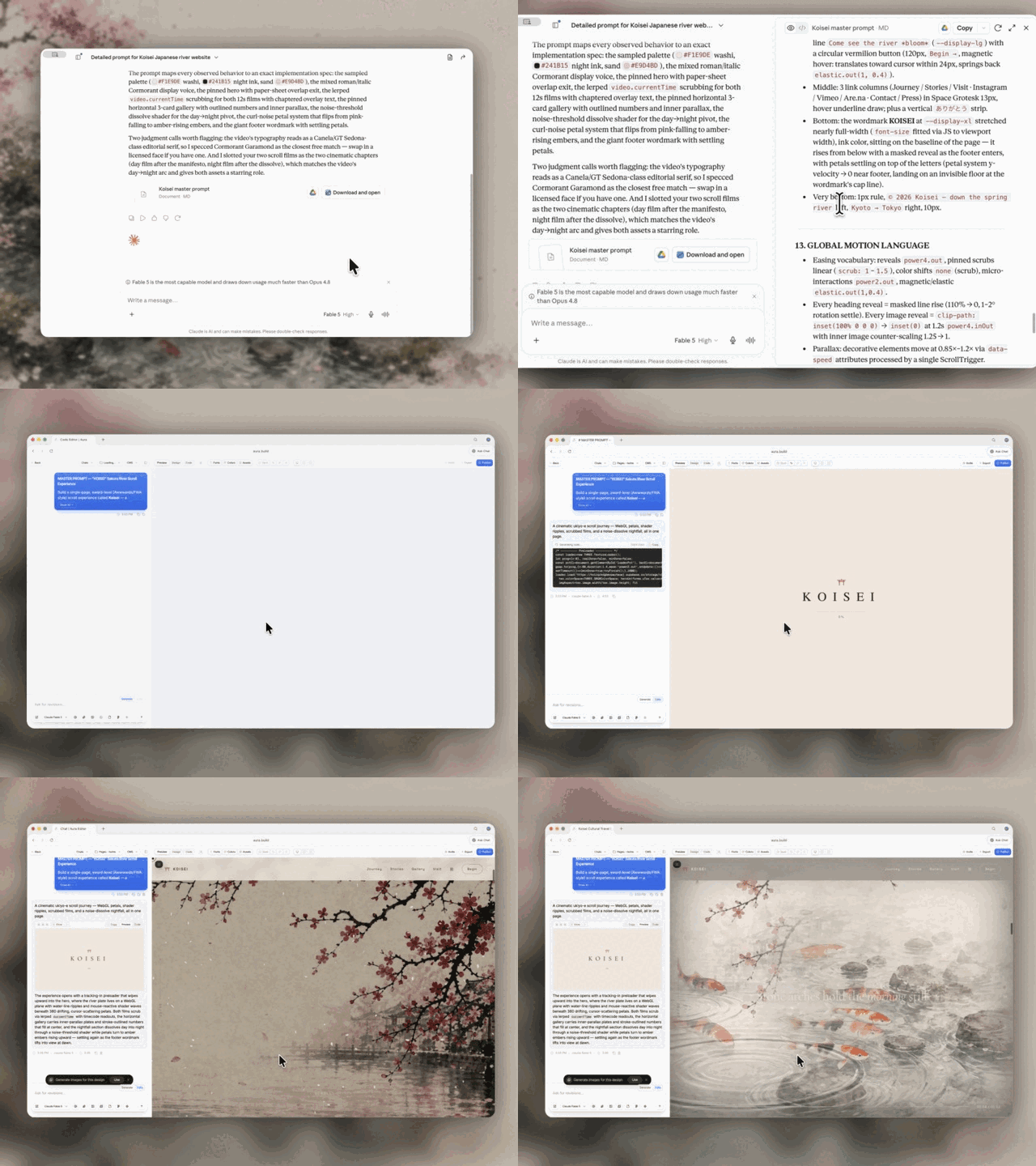
Use these skills with Codex, Claude Design, Aura Build, Lovable, and the rest of your agent stack to turn references into prompts, generate detailed landing pages, build playable Three.js systems, and create reusable implementation workflows.
Start with the flagship web-design workflow:
1. Video to Super Prompt Turns a screen recording of a design, landing page, or animation into a super detailed prompt that Fable 5 can use to one-shot HTML. 2. HTML to Interaction Prompts Turns an existing HTML page, like an Aura Build page, into reusable prompts for one section, one animation, one button, one hover state, or one WebGL effect. 3. Stitched Full Page Capture Captures the entire landing page instead of only the hero, giving your agent a full-page reference for structure, pacing, and visual hierarchy. 4. Daily UI Inspiration Combines browsing, capture, reference study, and prompt generation into a useful agent loop that turns strong landing pages into detailed prompt packs.
These are portable agent skill folders: concise SKILL.md playbooks with optional references, articles, scripts, and assets. The goal is simple: turn good prompts, workflows, style systems, capture recipes, and debugging habits into versioned files an agent can load and follow.
Portable by default. Each skill should work for any user, repo, or workspace unless the user supplies project-specific context through local agent instructions.
Browse all runnable demos and recreation prompts.
Explore the 3D rendering skills for virtual tours, sky rays, sky backgrounds, falling leaves, four seasons, detailed textures and models, and Retina rendering at 200%.
Use these skills when you want:
The format is intentionally plain Markdown and folder-based.
SKILL.md before acting. Repo behavior belongs in AGENTS.md; browser work in this repo should use the Codex browser.CLAUDE.md, copy it into a Claude skills setup, or open the SKILL.md directly as working context.---
agent-skills/
  3d/
    README.md
    3d-virtual-tour/
    3d-sky-rays/
    3d-sky-background/
    3d-falling-leaves/
    3d-four-seasons/
    3d-high-resolution-textures/
    3d-high-poly-models/
    3d-retina-resolution/
  codex/
    audit-verify-explain-grade-5/
      SKILL.md
    build-daily-inspiration-sites/
      SKILL.md
    daily-ui-inspiration-capture/
      SKILL.md
  game-development/
    README.md
    build-isometric-arpg/
      SKILL.md
    author-game-levels/
      SKILL.md
    design-action-combat/
      SKILL.md
    build-threejs-enemy-systems/
      SKILL.md
    build-game-monster-system/
      SKILL.md
    build-vesperfall-review-assets/
      SKILL.md
    test-playable-web-games/
      SKILL.md
  media/
    aura-asset-images/
      SKILL.md
    unsplash-asset-images/
      SKILL.md
  ui/
    design-first-ui-prompting/
      SKILL.md
      ARTICLE.md
      REFERENCES.md
  web-design/
    add-shader-cursor-trail/
      SKILL.md
    build-awwwards-quality-sites/
      SKILL.md
    pricing-page/
      SKILL.md
      REFERENCES.md
    landing-page/
      SKILL.md
      REFERENCES.md
    gsap/
      SKILL.md
      REFERENCES.md
    threejs/
      SKILL.md
      REFERENCES.md
    tailwindcss/
      SKILL.md
      REFERENCES.md
    matterjs/
      SKILL.md
    globe-gl/
      SKILL.md
    css-border-gradient/
      SKILL.md
    progressive-blur/
      SKILL.md
    animation-on-scroll/
      SKILL.md
    css-alpha-masking/
      SKILL.md
    vantajs/
      SKILL.md
      REFERENCES.md
    cobejs/
      SKILL.md
      REFERENCES.md
    unicorn-studio/
      SKILL.md
      REFERENCES.md
Folder contract:
agent-skills///
  SKILL.md            # required: frontmatter + workflow
  REFERENCES.md       # optional: links only
  ARTICLE.md          # optional: long-form explanation
  assets/             # optional: images, templates, examples
  scripts/            # optional: helper scripts
  demo/               # optional: visual or interaction proof
    index.html         # standalone HTML, CSS, and JavaScript
    PROMPT.md          # exact recreation and remix prompts
    assets/            # local demo assets when required
Conventions:
SKILL.md is the skill an agent loads and follows.REFERENCES.md is links only. Keep SKILL.md lean.demo/index.html and demo/PROMPT.md.demo/input.md and demo/expected-output.md handoffs when they materially improve proof.This snapshot contains 123 skills across five categories.
Use find agent-skills -name SKILL.md | sort for the source of truth.
Operational skills for repeatable Codex work:
article-prompts-to-skills - turn articles and prompt packs into focused, validated skill packages.audit-reference-originality - compare a website with its references and identify originality risks.audit-verify-explain-grade-5 - audit work, verify claims, and explain results simply.browser-video-recording - render polished browser screen-recording videos from scripted UI scenes.build-daily-inspiration-sites - turn five captured references into five original Sites builds.daily-ui-inspiration-capture - recurring UI inspiration bundles with screenshots, motion, and prompts.elevenlabs-tts - generate reusable ElevenLabs voiceovers from local profiles.generate-reference-inspired-brand-worlds - turn reference grammar into original brand-world directions.html-to-interaction-prompts - turn HTML pages into screenshot-backed interaction prompt articles.optimize-web-animations - profile and reduce animation, canvas, and WebGL performance cost.performance-profiling - Apple platform profiling with Instruments, diagnostics, and MetricKit.stitched-full-page-capture - reliable full-page screenshots for lazy, animated, and WebGL pages.video-to-superprompt - analyze reference videos into detailed recreation prompts.web-technique-to-skill - turn an effect you already built into a reusable web-design skill.write-like-meng-on-x - calibrate concise X drafts against an authored voice corpus.x-bookmark-quote-posts - turn recent X bookmarks into source-backed quote-post drafts.Image sourcing skills:
aura-asset-images - use Aura Assets for stock-style design and marketing imagery.unsplash-asset-images - pick high-quality Unsplash assets by use case, crop, and ratio.design-first-ui-promptingagent-skills/ui/design-first-ui-prompting/SKILL.mdagent-skills/ui/design-first-ui-prompting/ARTICLE.mdPlayable Three.js and browser-game workflows. See the game-development guide for the skill-selection table and system boundaries.
Foundation and world:
build-isometric-arpg, author-game-levels, build-game-camera-controls, build-mobile-threejs-gamesdesign-action-combat, build-threejs-enemy-systems, build-game-monster-system, tune-enemy-ai, design-game-encountersbuild-game-inventory, create-game-vfx, build-game-audio-feedbackbuild-hybrid-game-assets, build-vesperfall-review-assets, optimize-threejs-games, test-playable-web-games, ship-web-gamesConversion and implementation:
build-awwwards-quality-sites, landing-page, pricing-page, tailwindcss, animation-systems, webgl-landing-steeringanimation-on-scroll, cinematic-gsap-lenis-motion-system, cinematic-scroll-storytelling, gsap, gsap-scrolltrigger-storytelling, marquee-loop, masked-reveal, staggered-word-revealadd-shader-cursor-trail, background-grid-webgl, cobejs, globe-gl, globe-particles, matterjs, threejs, threejs-landscape, threejs-towers, threejs-weather, unicorn-studio, vantajs, webgl-3d-object, webgl-laserbeautiful-shadows, company-logos, container-lines, corner-diagonals, corner-lasers, css-alpha-masking, css-border-gradient, gooey-blob-system, number-details, progressive-blur, solar-duotone-boldagency-grid-layout-minimal, book-serif-index, editorial-tech, framed-grid-layout, image-first-grid-layout, nested-container-frames, split-layout-technical, technical-wireframe-info-layoutatmosphere-background, blue-cloudy-clean-modern, blue-laser-clean-glass-layout, bright-green-tech-system-webgl, clean-minimal-beige-light-mode, dark-blue-contrasting-clean, dark-glass-clean-layout, dither-background, dither-laser-dark-mode, framed-tech-dark-border-gradient, funky-purple-container-tech, glass-dark-mode-clock, glass-dark-ui, high-contrast-skeuomorphic-clean, light-mode-paper-technical, mesh-gradient-dark-blue-clean, nested-container-clean-agency, orange-clean-paper-saas, skeuomorphic-ui, tech-green-dark-mode-modernambient-section-particles, beam-glow-states, documentary-brutalist-agency, editorial-portfolio-chapters, editorial-service-booking, falling-leaves, liquid-metal-border, operational-enterprise-ai, pointer-trail-emitter, product-proof-saas, reveal-hover-effect, scroll-progress-timeline, scroll-scrubbed-visual-sequence, scroll-scrubbed-word-reveal, scroll-world-storytelling, shaders-cursor-ripples, thinking-orbs1) Create a folder:
agent-skills///SKILL.md:
name, descriptiondemo/index.html with inline CSS and JavaScriptdemo/PROMPT.md with minimal, recreation, and remix promptsdemo/assets/REFERENCES.md:
Add skill or Update skillARTICLE.md, not SKILL.md.REFERENCES.md, not the workflow.GitHub: https://github.com/MengTo/Skills
Push updates:
cd /Users/mengto/clawd/@MengTo/Skills
git push origin main
---
→ →
→ →
→ →
→ →
→ →
→ →
→ →
→