1
 →

基于 DeepSeek Harness 插件机制构建的远程访问方案,通过低延迟、端到端加密的 P2P 网络,支持使用 PC、移动端 和 Web 随时访问本地设备上的DSH 、CodeX、Cursor、Claude Code等工作区。 (Built on DeepSeek Harness plugins, this low-latency
liguobao/ds-harness-remote is an open-source project on GitHub, mainly written in TypeScript. 基于 DeepSeek Harness 插件机制构建的远程访问方案,通过低延迟、端到端加密的 P2P 网络,支持使用 PC、移动端 和 Web 随时访问本地设备上的DSH 、CodeX、Cursor、Claude Code等工作区。 (Built on DeepSeek Harness plugins It currently holds 1,407 stars and 125 forks with 27 open issues, and was last pushed on 2026-11-03 (repository created 2026-08-14).
Git Homed tracks it on the Today's Trending board, currently at rank #51 with 135 new stars today.

English · 中文 · 日本語 · Documentation · Web · Android · iOS
Self-hosting
·
npm
·
Continue using your DeepSeek Harness instance from a phone, computer, or browser. Return to the same Harness session from whichever device is with you.
Harness keeps running on your work computer, with the same workspaces, tools, and project setup. DS Harness Remote is simply another window into that environment.
The DeepSeek Harness desktop edition is supported. Install the latest release:
| Client | Form | Status | Notes |
| --- | --- | --- | --- |
| DSH Desktop plugin | Remote sidebar | Supported | Install [email protected]; this computer can also be the Host |
| Web | Browser page | Supported | Open https://dsh.r2049.cn; reuses the native Harness interface |
| Android | Native app | Supported | Download the APK from Releases; see the Android guide |
| DSH Go | A standout app by ccch1mneyyy | Supported | See ccch1mneyyy/dsh-go: an Android client for DeepSeek Harness. Run it directly on your phone or control DSH on your computer remotely. |
| iOS | TestFlight beta | Beta | Not publicly released; see issue #20 |
| Browser extension | Chrome | Entry point only | Exchanges an already signed-in Web authorization for a separate device credential, lists online Hosts and opens the same-origin Remote Web; it does not host a conversation UI |
| dsh-TUI | Terminal-only CLI | Supported | Can act as a Host; see the dsh-TUI Remote guide. The installer never creates a Web service for it automatically |
| Linux | Cloud server | Supported | Sign in on the official website for unattended installation with a single command and no configuration. |
Several clients can connect to the same Host at once; RPC calls and streams are isolated per connection.
Open Extensions / Plugin management in DeepSeek Harness Desktop, choose installation from npm, and enter this package:
Restart Desktop afterward. Its official dsh launcher can also install the pinned package
with dsh plugin --profile desktop add -w [email protected].
Visit https://dsh.r2049.cn, sign in, and obtain an installation authorization code to install with one command.
For terminal Host setup with dsh-TUI, see the dsh-TUI Remote guide.
Keep conversations connected across multiple workspaces at once, and use Bot mode, powered by Fei2411/DS-Bot.
Download the latest APK from GitHub Releases, and sign in to the same account to see your Hosts.
ccch1mneyyy/dsh-go has built-in support for the ds-harness-remote protocol. You can run DeepSeek Harness locally on your phone or connect to your computer remotely.
After installing the ds-harness-remote plugin in DSH Go on your phone, you can also connect to the phone’s DSH from your computer or the web and use Mobile Use seamlessly.
1. Open Remote from the DeepSeek Harness sidebar. 2. Choose Zhihu, GitHub, or Google authorization, or sign in with an account and password. Account registration requires an invitation code; email the repository author to request one. 3. On another device, install the same plugin in DeepSeek Harness and sign in as described in steps 1–2. Alternatively, use Remote Web, iOS, Android, or DSH Go directly without installing a plugin. 4. Select an online Host, then choose an existing workspace or browse remote directories to open one.
By default, Remote uses this project's hosted Server at https://dsh.r2049.cn.
For self-hosting, use the repository's minimal Server. The current version includes P2P coordination and a Relay Server, but does not provide the full hosted Remote Web experience.
On another computer, select an online Host and open its workspace. The workspace opens in the native Harness interface, with the active Host and encrypted connection status in the header.
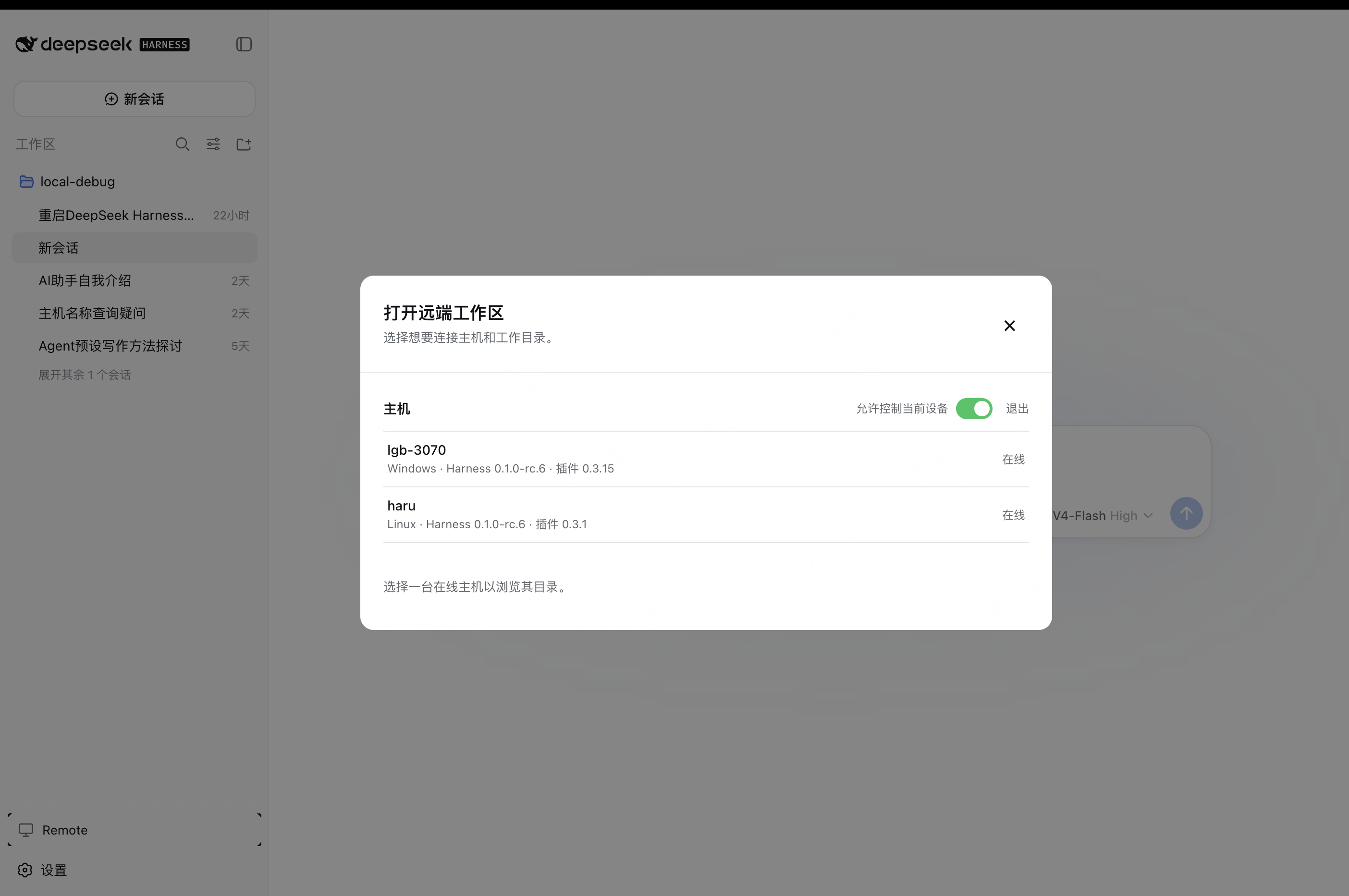
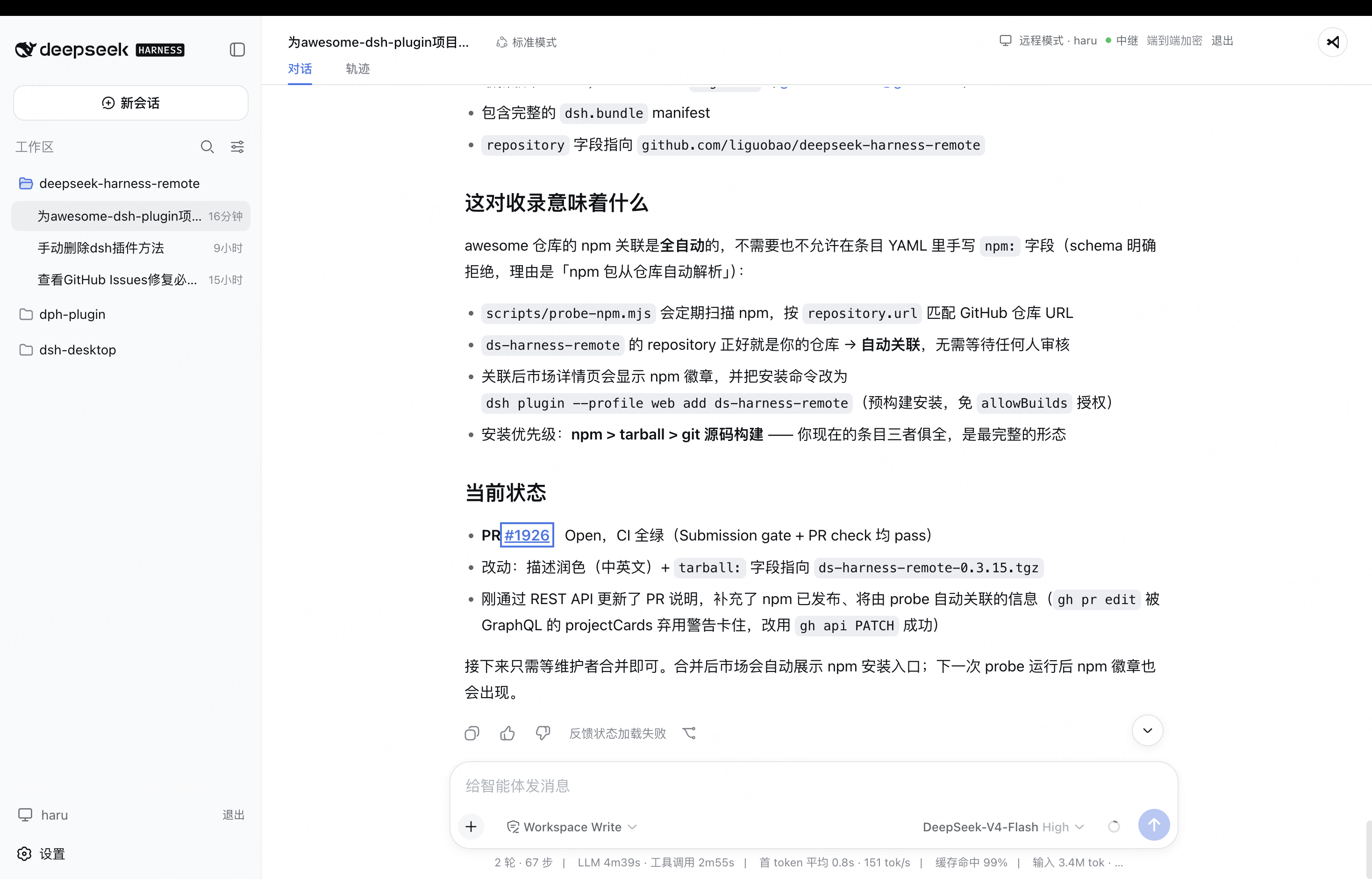
To prevent this computer from controlling other Hosts, open the Host list at https://dsh.r2049.cn/ and enable Controlled only. This device will no longer see other devices under your account, while Web and other clients can still connect to it remotely.
Use text or image prompts, switch models, and access supported workspace files and terminals.
The interface follows the system language and supports English, Simplified and Traditional Chinese, Japanese, Spanish, German, and French. In language settings, tap “More ...” to show all languages. See the Android guide for details.
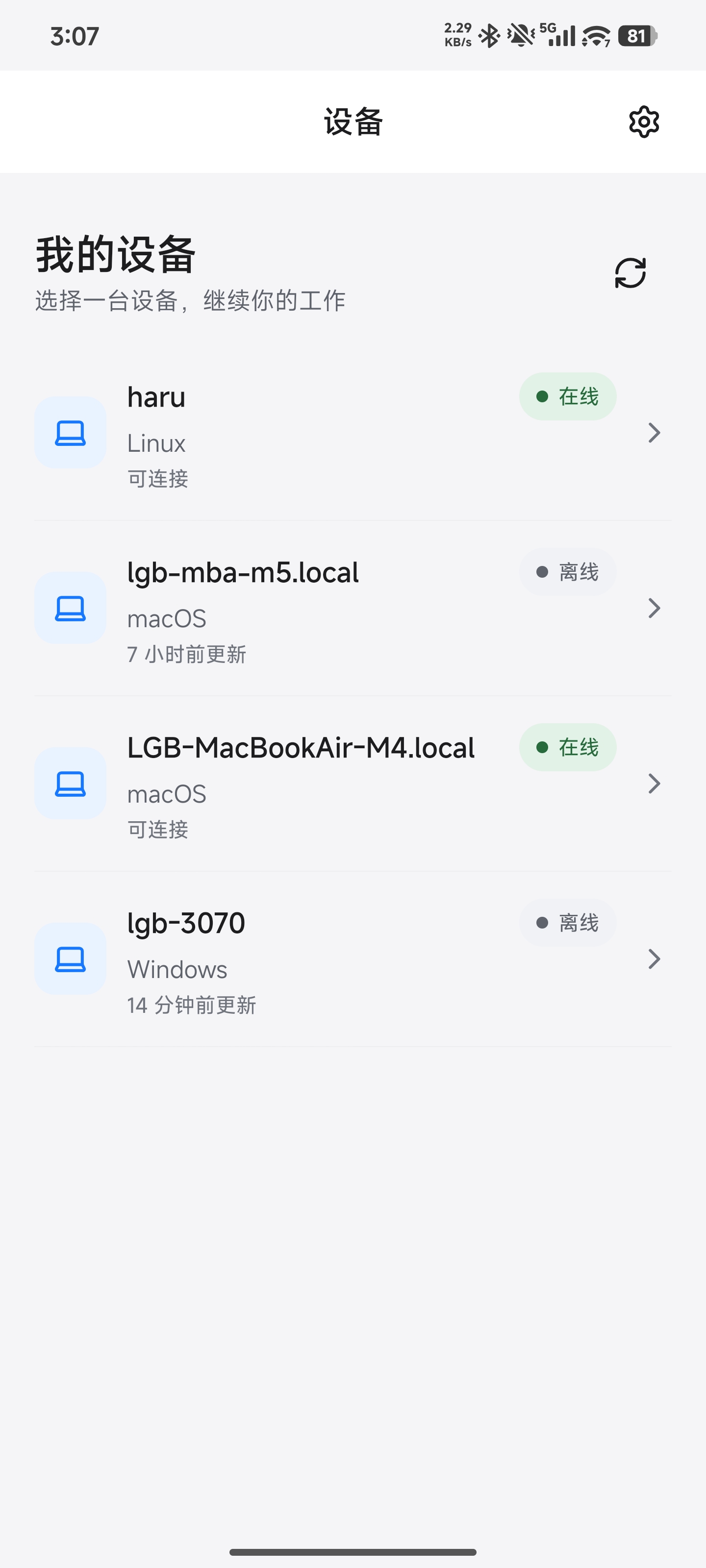
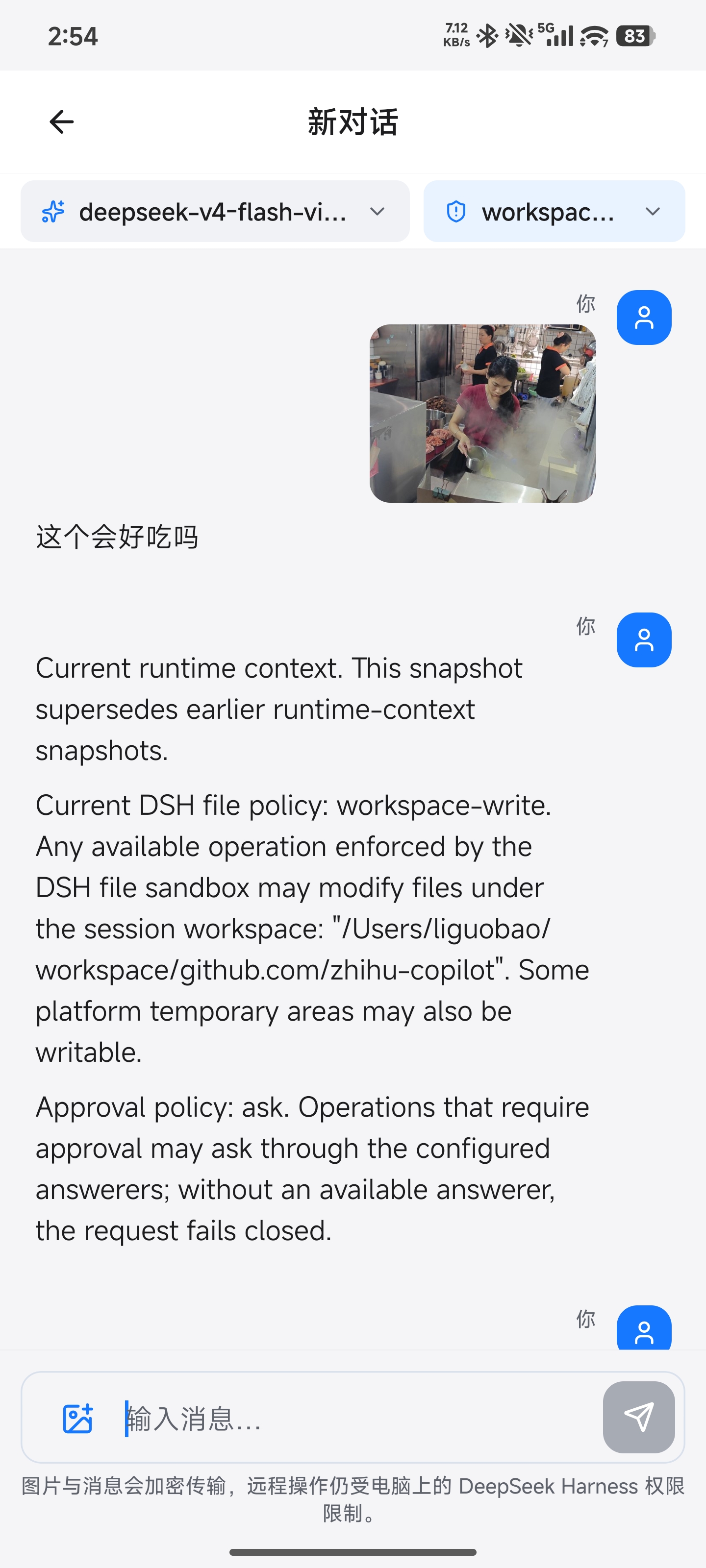
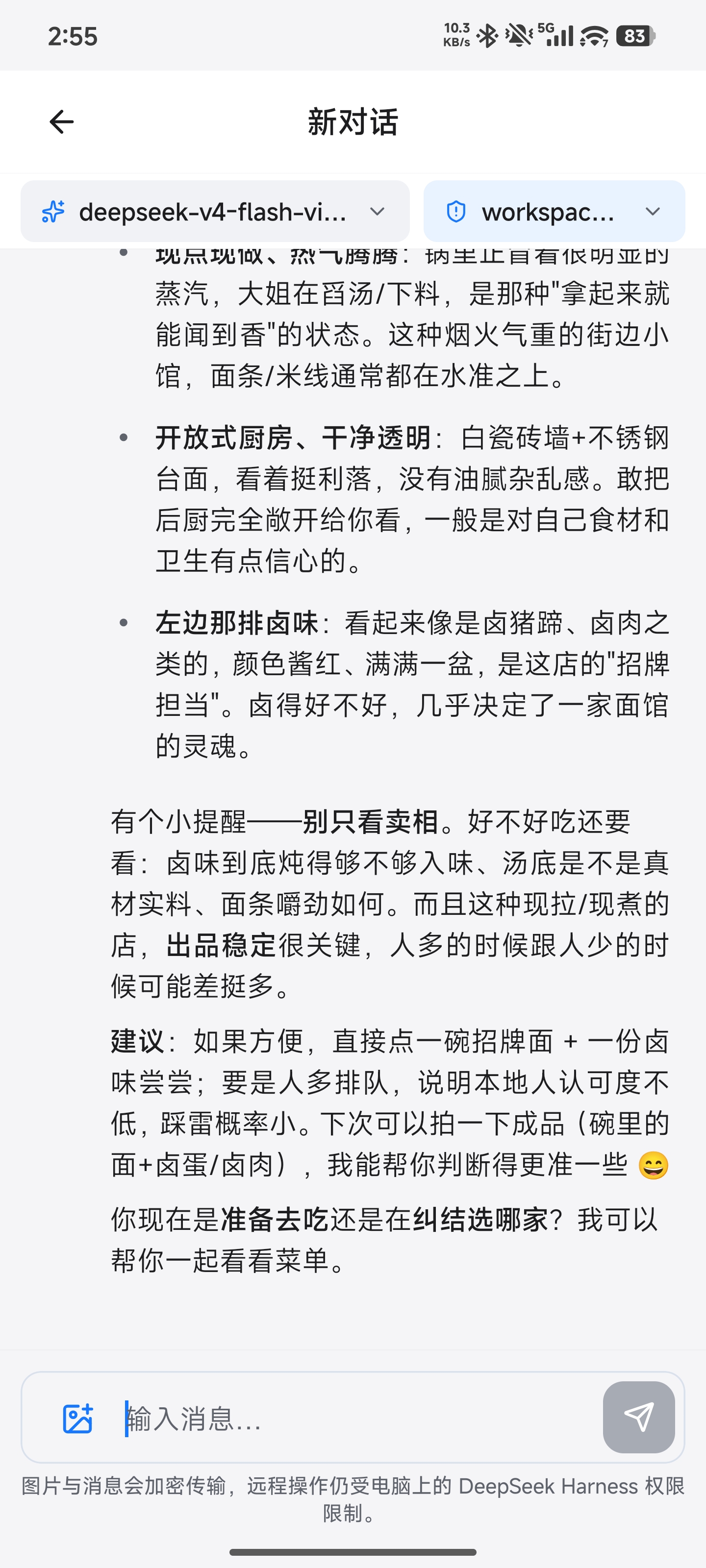
Mobile Settings includes a global Compact conversations switch, off by default and applied when a conversation is next opened.
Supporting Hosts reduce historical tool details while preserving messages and tool status. Turn the setting off and reopen the conversation to load full history.
DSH Desktop / Remote Web / Android
  ↔ authenticated, end-to-end encrypted channel
Remote Plugin on the Host
  ↔ supported Harness or optional Codex workspace support
Harness sessions/workspaces or Codex projects
The Harness Host does not need a public listening port. Connect from anywhere with internet access over ds-harness-remote’s bidirectional end-to-end encrypted channel.
The client switches to the selected Host’s native Harness API, keeping the original workspaces, tools, and permission flows on that computer.
Every settings namespace registered by the Host can also be configured remotely through the official Harness settings API, with full support for most plugin settings.
The Host runs local ACP-capable Agents and forwards prompts, streamed replies, and approvals through ds-harness-remote. Each Agent keeps its own workspaces and sessions; only session translation for DSH is performed, without writing to Harness storage.
Supported backends:
@earendil-works/pi-coding-agent and pi-acp on the Host, configure Pi's provider locally; Remote automatically detects and initializes Pi unless explicitly disabled in Remote settings. The workspace is available only after ACP initialization succeeds. Uses the separate ACP data plane. Tools run with Host-user permissions; per-tool confirmation requires a Pi extension and is not enabled by default.opencode acp, with workspace discovery and history recovery. Host startup checks the CLI's supported options, accepting both native-listener and stdio-only ACP builds. Native session archiving on Desktop/Android requires the authenticated loopback API; builds without it report archiving unavailable. Archive state is saved by OpenCode; history is retained. Unarchive is not yet exposed.claude-agent-acp on the Host; enable it in Remote settings. Desktop/Android support workspaces, history, text prompts and approvals. Image input and direct Files/Terminal access are not available.hermes acp); opt-in in Remote settings. Desktop/Android support workspaces, history, streamed thinking and tool output, text prompts, approvals and model selection. Image input and direct Files/Terminal access are not available.Model selection for Cursor, Claude, Hermes, Pi, OpenCode, and AGY on Desktop/Android uses the Host's actual model catalog as determined by the Agent’s ACP interface.
Reasoning effort options depend on what the backend provides. Cursor uses a separate process per session, so model changes do not affect other conversations.
Harness business traffic is encrypted on the Client and decrypted only by the selected Host using the fixed Noise_IK_25519_ChaChaPoly_SHA256 suite.
Connections must pass both same-account membership and locally pinned device identity key checks.
The service can coordinate connections and observe necessary network metadata, but it cannot read session messages, prompts, tool output, workspace paths, or remote file contents.
See End-to-end encryption for the handshake, key lifecycle, visible metadata, replay protection, and security limits.
The Host opens outbound connections only; it does not listen on a public port or require router port forwarding.
Remote negotiates paths in the order LAN -> P2P -> TURN -> Relay.
When WebRTC is unavailable or cannot connect, it falls back to the encrypted WebSocket Relay.
Every path carries the same Noise ciphertext and keeps the same Host/Client identity boundary.
See Network and transport for the topology, control and data planes, NAT behavior, fallback, reconnect semantics, and current validation status.
remote_* session tools; enabled by default and configurable in detailed Remote settings.terminal.enabled switch (on by default). They run as the Host user, independently of Agent approvals.Do I need a public IP or port forwarding?
No. The Host only opens outbound connections and never listens on a public port.
Can the service read my conversations?
No. The service relays ciphertext only. Routing, authorization, presence and rate limiting require control metadata such as account and device ownership, online status, connection times and connectionId; prompts, conversation content, tool input and output, workspace paths and file preview contents stay unreadable.
Which machine can act as a Host?
Any signed-in Harness instance with the Remote plugin installed can act as a Host, whether on Windows, macOS, Linux, or even DSH Go.
Can several devices connect to one Host at the same time?
There is currently no limit on concurrent client connections, with RPC calls and streams isolated per connection.
Which Harness versions are supported?
The current baseline is dsh-v0.2.1-rc.5, compatible with 0.2.0 rc.2 / rc.1. See the compatibility guide.
Harness 0.1.1-rc.2 ApiProxy support has been removed from the Host plugin, its bundled Remote client, and Android. Use a Host with the official Typert Remote carrier; Hosts that only provide ApiProxy or lack capability discovery are rejected, with no fallback.
CodeX/ACP keep their independent data planes, and Desktop projections use Typert in memory.
Why does the Linux installer require root?
It configures a systemd system service, so the Host, Agent tools and remote terminals run with root privileges. Only expose it to trusted accounts.
Can I install the iOS app directly?
It is in TestFlight beta today and not publicly released; see issue #20.
How is this different from frp, a tunnel, or remote desktop?
Conventional server-based TCP port forwarding routes traffic through a Server, making its bandwidth a potential bottleneck.
This project probes four connection modes in sequence to establish P2P connections even in complex network environments.
Remote desktop captures the entire computer screen and reproduces it on the client, placing demands on upload and download bandwidth as well as computer performance.
This project encrypts and transmits only the messages needed by the native Harness conversation interface. General tool RPC and desktop control are not exposed, and permissions and approvals remain on the Host.
Tailscale, CF Turn, and UU Remote are also excellent solutions; choose whichever fits your needs.
Intelligent UI lets models answer with cards, tables, charts, and forms. The Android client renders them natively and lists the plugin under Plugins → Remote ready, where you can enable or disable it and edit live settings.
DS Bot is a bot plugin for DeepSeek Harness (dsh) that turns dsh into a bot. You can chat and work with the bots you create.
dsh-v0.2.1-rc.5; validation scope is documented in the compatibility guide.
This is an independent community project and is not an official DeepSeek product. DeepSeek and related names and marks belong to their respective owners.
→ →
 →
 →
 →
 →
 →
 →