
1
 →
→jdx/mise is an open-source project on GitHub, mainly written in Rust. dev tools, env vars, task runner It currently holds 34,315 stars and 1,448 forks with 18 open issues, and was last pushed on 2026-09-26 (repository created 2023-01-09).
Git Homed tracks it on the Today's Trending board, currently at rank #80 with 33 new stars today.





Dev tools, env vars, and tasks in one CLI
Getting Started • Documentation • Dev Tools • Environments • Tasks
Sponsored by

View all sponsors
mise manages your development tools, environment variables, and project tasks.
Declare them in mise.toml, commit the file, and use the same setup in your shell,
your editor, and CI.
.env files.On macOS or Linux:
curl https://mise.run | sh
~/.local/bin/mise --version
On Windows, install with winget install jdx.mise. See the
installation guide for package managers
and other installation methods.
The examples below use mise. If it isn't on your PATH yet, use
~/.local/bin/mise instead on macOS or Linux.
mise exec node@24 -- node --version
This installs Node.js if needed and runs it for this command, without changing your project configuration. No shell activation is required.
For an existing project that already has a reviewed mise.toml, run mise install
from its directory and mise tasks ls to discover its tasks.
In a project directory, create mise.toml:
[tools]
node = "24"
[env]
NODE_ENV = "development"
[tasks.hello]
description = "Print the project's Node.js version and environment"
run = '''node -e "console.log(process.version, process.env.NODE_ENV)"'''
Run the task:
mise run hello
mise installs the configured tool if needed, loads NODE_ENV, and runs the task.
The output includes the Node.js version and development. Commit mise.toml so
teammates and CI can run the same command.
To add tools later, run mise use [email protected] from the project directory.
Use mise use --global to set personal defaults. Version requests such as "24"
select a release in that series; use exact pins or a lockfile
when you need everyone to use the same resolved version.
Activation makes project tools and environment variables available directly when
you enter a directory. For an installation from mise.run, add one of these
lines to the corresponding shell config:
# ~/.bashrc
eval "$(~/.local/bin/mise activate bash)"
# ~/.zshrc
eval "$(~/.local/bin/mise activate zsh)"
# ~/.config/fish/config.fish
~/.local/bin/mise activate fish | source
Restart your shell, then run node --version inside the project. For PowerShell
and other installation methods, follow the
shell setup guide.
mise config ls
mise ls --current
mise exec -- node --version
These show which configuration files are loaded, which versions are selected,
and whether the tool runs in the project environment. If mise exec works but
node --version does not, check shell activation with mise doctor.
| I want to… | Read | | -------------------------------------- | ----------------------------------------------------------------------------------------------------------------------------------------- | | Set up mise for the first time | Getting started | | Add mise to an existing project | Walkthrough | | Understand configuration and overrides | Configuration | | Use mise in an editor or CI | IDE integration · Continuous integration | | Find a command or solve a problem | CLI reference · Troubleshooting | | Contribute to mise | Contributing · Writing docs |
Watch mise install tools and switch Node.js versions as you change directories.
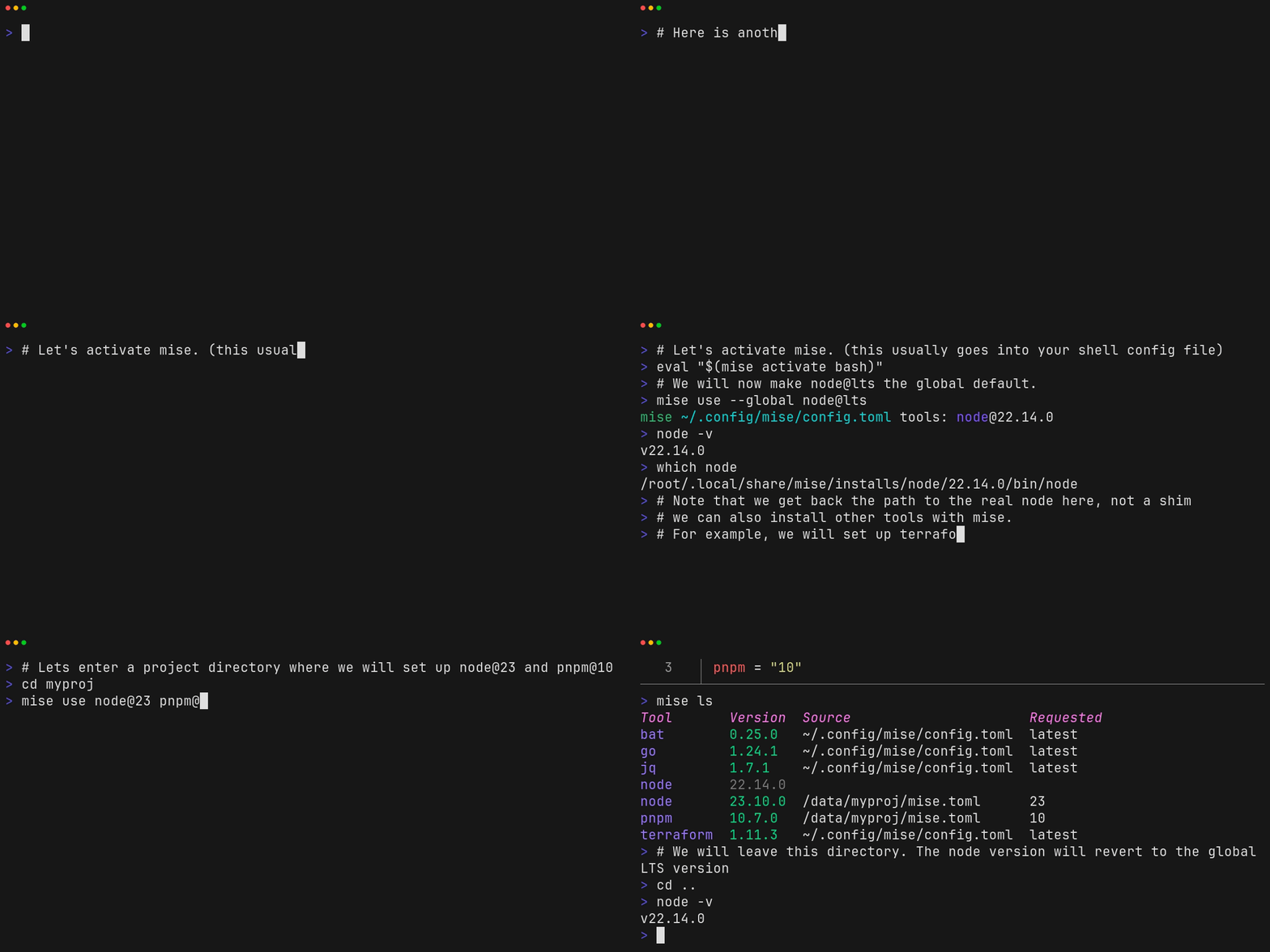
A text transcript is also available.
Report bugs in GitHub Issues. Use GitHub Discussions for questions and feature ideas.

Thanks to Namespace for providing CI services for mise.
→ →
→ →
→ →
→ →
→ →
→ →
→ →
→