1
 →
→
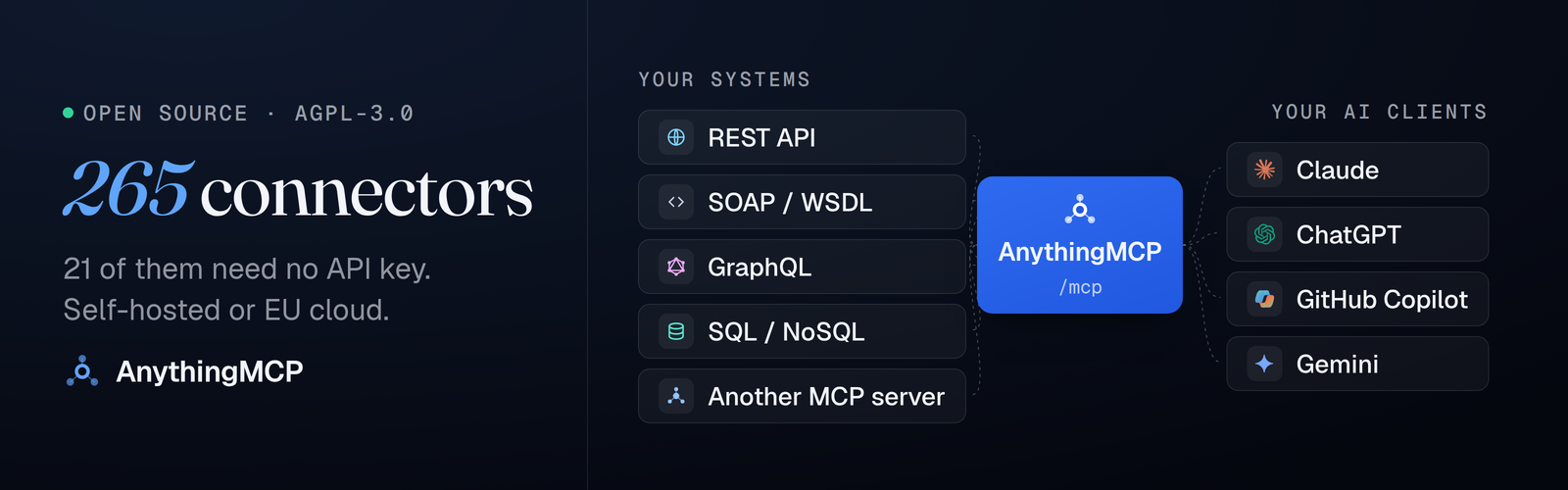
Turn any REST, SOAP, GraphQL, OData or SQL API into MCP tools for Claude & ChatGPT. Self-hosted. 265 connectors: SAP S/4HANA & Business One, ERP, e-commerce.
HelpCode-ai/anythingmcp is an open-source project on GitHub, mainly written in TypeScript. Turn any REST, SOAP, GraphQL, OData or SQL API into MCP tools for Claude & ChatGPT. Self-hosted. 265 connectors: SAP S/4HANA & Business One, ERP, e-commerce. It currently holds 549 stars and 69 forks with 27 open issues, and was last pushed on 2026-09-28 (repository created 2026-02-28).
Git Homed tracks it on the Today's Trending board, currently at rank #42 with 84 new stars today.
English · Deutsch · 简体中文 · 日本語
Turn any REST/OpenAPI, SOAP, GraphQL or SQL API into MCP tools for Claude, ChatGPT and Copilot.
A self-hosted MCP server and gateway, no code, 265 ready connectors including ERP and e-commerce: SAP Business One, Odoo, Xentral, weclapp, Shopware, WooCommerce, Amazon Seller, Kaufland and more.






Claude answering a question no chatbot could answer, because the data lives in a field-service system that speaks REST, not MCP:
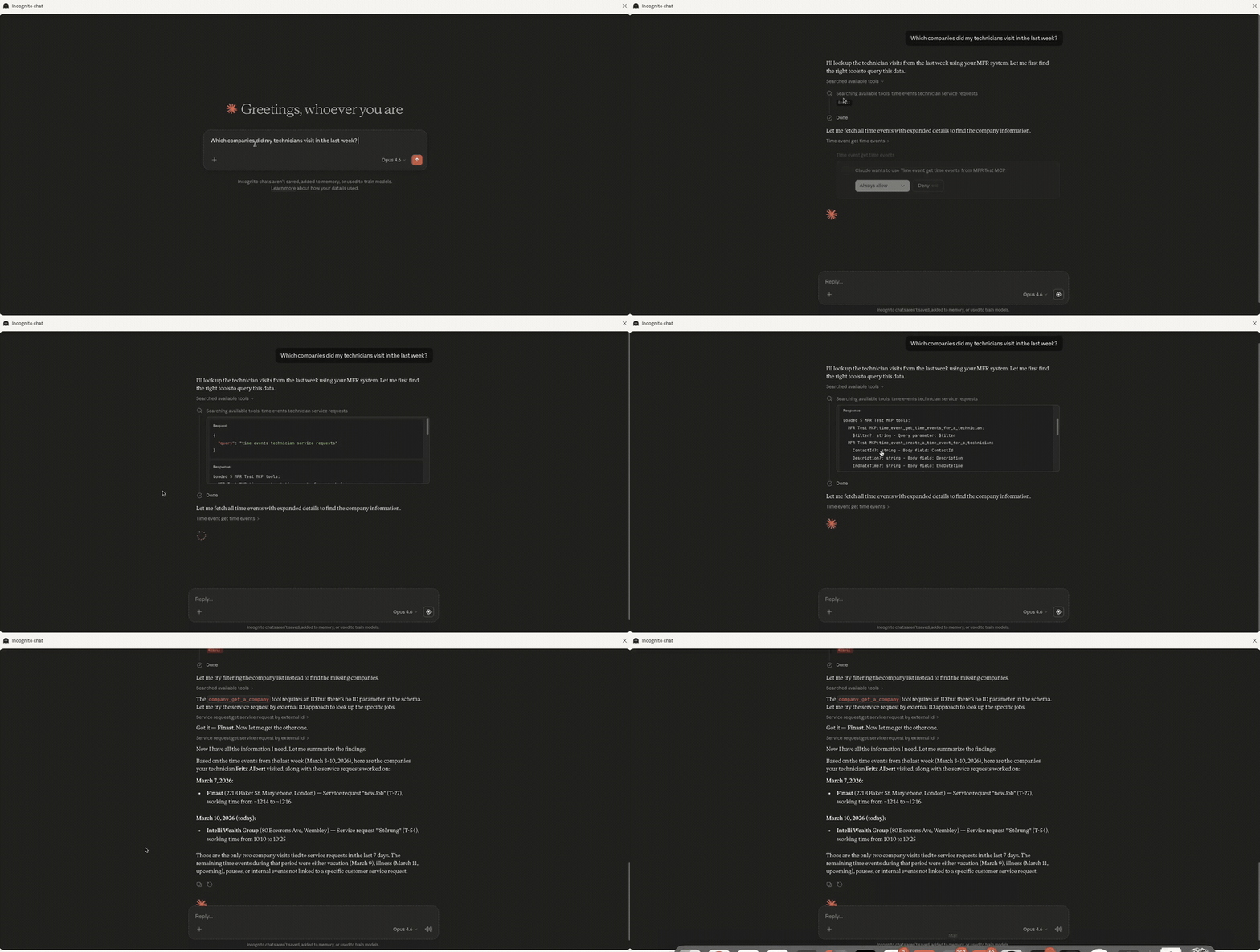
Run it yourself — three lines, no clone, details below:
mkdir anythingmcp && cd anythingmcp
curl -fsSLo docker-compose.yml \
  https://raw.githubusercontent.com/HelpCode-ai/anythingmcp/main/docker-compose.quickstart.yml
printf 'JWT_SECRET=%s\nENCRYPTION_KEY=%s\n' "$(openssl rand -hex 32)" "$(openssl rand -hex 32)" > .env
docker compose up -d   # → http://localhost:3000
---
Three words appear throughout and mean three different things:
In production at KOCH Freiburg GmbH, where it connects AI assistants to 15+ internal systems — ERP, CRM, SOAP services and on-prem databases. AnythingMCP was extracted from that system by helpcode.ai in Freiburg, Germany, and open-sourced because an adapter catalog grows faster as a community than as a product.
---
The recommended path, and the one measured below. Requires Docker 24+ and openssl; on macOS, start Docker Desktop first.
mkdir anythingmcp && cd anythingmcp
curl -fsSLo docker-compose.yml \
  https://raw.githubusercontent.com/HelpCode-ai/anythingmcp/main/docker-compose.quickstart.yml
printf 'JWT_SECRET=%s\nENCRYPTION_KEY=%s\n' "$(openssl rand -hex 32)" "$(openssl rand -hex 32)" > .env
docker compose up -d
Open and register — the first account becomes admin.
Keep the generated.env.ENCRYPTION_KEYis what decrypts the credentials you store. Lose it and every connector has to be re-credentialed; back it up wherever you keep your other secrets.
| Service | Default URL |
|---|---|
| Web UI | http://localhost:3000 |
| MCP endpoint | http://localhost:4000/mcp |
| Swagger docs | http://localhost:4000/api/docs |
Measured on amd64: 31 s to pull the image, 24 s to a healthy API and a login page. The published image is amd64 only for now — the compose file pins the platform so it also runs on Apple Silicon under Docker Desktop's emulation, where the same boot took 24 s on an M-series laptop but can take a few minutes on older hardware.
The quickstart binds to 127.0.0.1 on purpose: nothing in front of it terminates TLS. For an instance other people or a cloud AI client can reach, clone the repo and run ./setup.sh — it asks for a domain, gets certificates through Caddy, generates the secrets and sets the MCP auth mode. See the Deployment Guide.
AnythingMCP Cloud is the same AGPL code, operated by us in Frankfurt, Germany. Start there to see it work on your own APIs without provisioning anything, and move it in-house when you want the credentials to stop travelling — the connectors are the same either way. DPA/AVV on request via [email protected]. SSO and SCIM are self-hosted only.


---
Most companies have no MCP servers yet. They have a REST API, an ERP, a SOAP service and a database. Each of them becomes a set of MCP tools, and one MCP server URL hands them to Claude, ChatGPT or Copilot.
Import an OpenAPI 3.x or Swagger 2.0 spec, by URL or by pasting it, and every operation becomes an MCP tool with its parameters, auth and endpoint mapping filled in. Rename and describe the tools in the visual editor so the model picks the right one. REST connector docs · guide · 5-minute demo: openapi-to-mcp
Point AnythingMCP at a WSDL and each SOAP operation becomes a tool: envelopes, parameter order and WCF services are handled for you, with Basic, Bearer or API-key auth. That is how a SOAP service from 2009 ends up in front of a 2026 model, in minutes rather than weeks. SOAP connector docs · guide · 5-minute demo: soap-to-mcp
PostgreSQL, MySQL, MariaDB, SQL Server, Oracle, SAP HANA, SQLite and MongoDB. The connector generates schema, example and query tools; you decide whether the model writes SQL or only fills in the parameters of queries you wrote. Query tools are read-only by default: AnythingMCP runs a single SELECT and blocks writes and stacked statements. Add a read-only database user and a role that sees only the tools it needs. Database connector docs · SAP HANA · guide · 5-minute demo: sql-to-mcp
Introspection turns the queries and mutations of a GraphQL endpoint into MCP tools, or you define the operations yourself. GraphQL connector docs · guide
Import a Postman v2.1 collection: folders, auth, body modes and {{variables}} carry over, and every request becomes a tool. cURL commands work the same way. Postman import docs
---
Ready adapters for the ERPs behind most order, stock and invoice questions. Install one, add your credentials, and the tools are live on your MCP server. Each name links to its setup guide.
| System | Market | Tools | What the AI can do | |---|---|---|---| | SAP Business One | Global | 12 | Business partners, items, orders, invoices, quotations, deliveries; create sales orders | | SAP S/4HANA Cloud | Global | 15 | Business partners, sales and purchase orders, billing documents, deliveries, journal entries | | Odoo | Global | 11 | Any model: partners, sales orders, invoices, products; create and update | | Microsoft Dynamics NAV | Global | 6 | Any published OData page: customers, items, sales orders; create and update | | ERPNext | Global | 11 | Any DocType: customers, sales orders, invoices, items, stock | | Dolibarr | Global | 10 | Third parties, invoices, orders, proposals, products, stock | | JTL-Wawi † | DE | 9 | Items, stock per warehouse, customers, sales orders, shipments | | Xentral | DE | 7 | Articles, customers, sales orders, invoices, stock | | weclapp | DACH | 11 | Customers, sales orders, invoices, articles, quotations, opportunities | | Sage 100 † | DE | 6 | Addresses, items, sales documents, any Web API entity | | Haufe X360 † | DE | 7 | Customers, stock items, sales orders, invoices, shipments | | ScopeVisio | DE | 6 | Contacts, invoices, projects, tasks | | AFAS Profit † | NL | 6 | Any GetConnector: debtors, invoices, employees | | Zucchetti † | IT | 6 | Anagrafiche, documents, items | | TeamSystem † | IT | 6 | Customers, suppliers, invoices, items | | Axonaut † | FR | 9 | Companies, invoices, quotations, expenses, products, projects |
† Built from the vendor's published API documentation and not yet exercised against a live tenant. If you run one of these, a report or a fix is very welcome.
Repositories: erp-mcp-server · weclapp-mcp-server · odoo-mcp-server · sap-mcp-server · sap-business-one-mcp-server · xentral-mcp-server
Your ERP isn't listed, or it's a custom or on-prem build? Connect it through its REST API, SOAP services or straight to its SQL database, read-only. That is how KOCH Freiburg runs its ERP in production.
---
Shops and marketplaces, from Amazon and eBay to the DACH marketplaces. Each name links to its setup guide.
| System | Market | Tools | What the AI can do | |---|---|---|---| | Amazon Seller Central | Global | 15 | Orders, catalog, FBA inventory, offers, fees, financial events, reports | | WooCommerce | Global | 49 | Products, variations, stock, orders, refunds, customers, reports | | Shopware 6 | DACH | 6 | Storefront catalog via the Store API: products, categories, cross-sells | | Magento 2 / Adobe Commerce | Global | 12 | Products, stock, orders, customers | | BigCommerce | Global | 14 | Products, variants, inventory, orders, customers | | eBay Sell | Global | 10 | Inventory, offers, orders, disputes, price updates | | Etsy | Global | 9 | Listings, receipts (orders), reviews | | Ecwid | Global | 10 | Products, categories, orders, customers | | Kaufland Marketplace | DE | 8 | Orders and units, shipments, tickets, storefronts | | OTTO Market † | DE | 8 | Orders, products, returns, stock and price updates | | Zalando Direct Ship † | EU | 7 | Orders, shipments, returns, stock, prices | | Billbee | DACH | 8 | Orders, products, customers, shipping providers | | Mercado Libre | LATAM | 4 | Item search, seller orders |
† Built from the vendor's published API documentation and not yet exercised against a live seller account.
Repositories: ecommerce-mcp-server · amazon-seller-mcp-server · billbee-mcp-server · magento-mcp-server · woocommerce-mcp-server · shopware-mcp-server · kaufland-mcp-server · otto-market-mcp-server
---
{{VAR}} interpolation, hidden from the AI.readOnlyHint, destructiveHint), derived from the operation and overridable per tool, so a client can show the difference between reading an invoice and issuing a credit note. Role-based tool whitelisting lets you publish an MCP server that can only read — which is how most people should start with an ERP.Forwarding calls leaves the hard part to the agent: knowing which tool to call next, and what your business actually means by "open order" or "active customer". AnythingMCP learns both — how the data in your connectors relates, and how your team really uses the tools — then feeds that back to the AI client as context rather than as extra tool calls.
kg_how_to_obtain tool, so theThe AI passes are off by default — opt in with a global env flag and a per-workspace switch, using OpenAI, OpenRouter or Anthropic. The graph, manual editing and the MCP tool work with no LLM key at all.
➡️ Knowledge Graph & AI skills guide →
---
Every tool can declare exactly which fields leave your infrastructure. The mapping is attached per tool and applied on the way out, so the AI client — and the third-party model behind it — only ever receives the shape you approved.
select template names the fields to keep"iban": "= [redacted]") instead of removing the
field.
"fallbackToRaw": false on those
tools and a broken mapping fails the call instead of leaking through it.
Two payoffs at once: sensitive fields never reach the model, and every field you drop is a field you don't pay for in the context window.
{
  "transform": {
    "mode": "select",
    "fallbackToRaw": false,
    "exclude": ["customer.iban", "customer.taxId"],
    "select": { "order": "$.id", "total": "$.amounts.gross", "status": "$.state" }
  }
}
The audit log still records the full upstream response inside your own
database. Shaping what the agent sees never costs you the evidence of what the
API actually returned.
➡️ Response mapping reference →
---
Claude supports custom connectors: remote MCP servers you add once in Customize → Connectors, and that work across Claude.ai, Claude Desktop and Claude Code. AnythingMCP creates that connector from any API you already have — without writing an MCP server:
1. Import your API spec, or pick a pre-built adapter 2. Adjust tool names, descriptions and parameters in the visual editor — what the AI sees is up to you 3. Add your MCP server's URL to Claude as a custom connector (OAuth 2.0 supported out of the box)
Your credentials stay on your infrastructure, every tool call lands in the audit log, and role-based access controls which users see which tools. Step-by-step guide →
---
Apps in ChatGPT are built on MCP, and AnythingMCP gives you that MCP backend without writing one. Point it at your REST, SOAP, GraphQL or database endpoint and you get a ChatGPT-ready connector: add it in ChatGPT's settings (or use it as the tool layer of an Apps SDK app) and ChatGPT can read and act on your business data.
The same connector works simultaneously in Claude, ChatGPT, Gemini, Copilot and Cursor — build once, connect everywhere. ChatGPT setup guide →
---
AI clients speak MCP, but your systems speak REST, SOAP, GraphQL and SQL. Writing and maintaining a bespoke MCP server per system — with auth, audit and access control — takes weeks each. AnythingMCP is the no-code layer in between:
| Problem | Solution | |---|---| | You have REST APIs but AI clients speak MCP | **REST
→ →
→ →
→ →
→ →
→ →
→ →
→ →
→