1
 →
→
Free, open-source AI Office suite: Docs, Sheets, Slides, PDF, Markdown and HTML editors with a built-in AI agent, plus a `genoffice` CLI and agent skill so Claude Code
genspark-ai/genoffice is an open-source project on GitHub, mainly written in TypeScript. Free, open-source AI Office suite: Docs, Sheets, Slides, PDF, Markdown and HTML editors with a built-in AI agent It currently holds 8,331 stars and 1,080 forks with 200 open issues, and was last pushed on 2026-10-01 (repository created 2026-07-31).
Git Homed tracks it on the Today's Trending board.
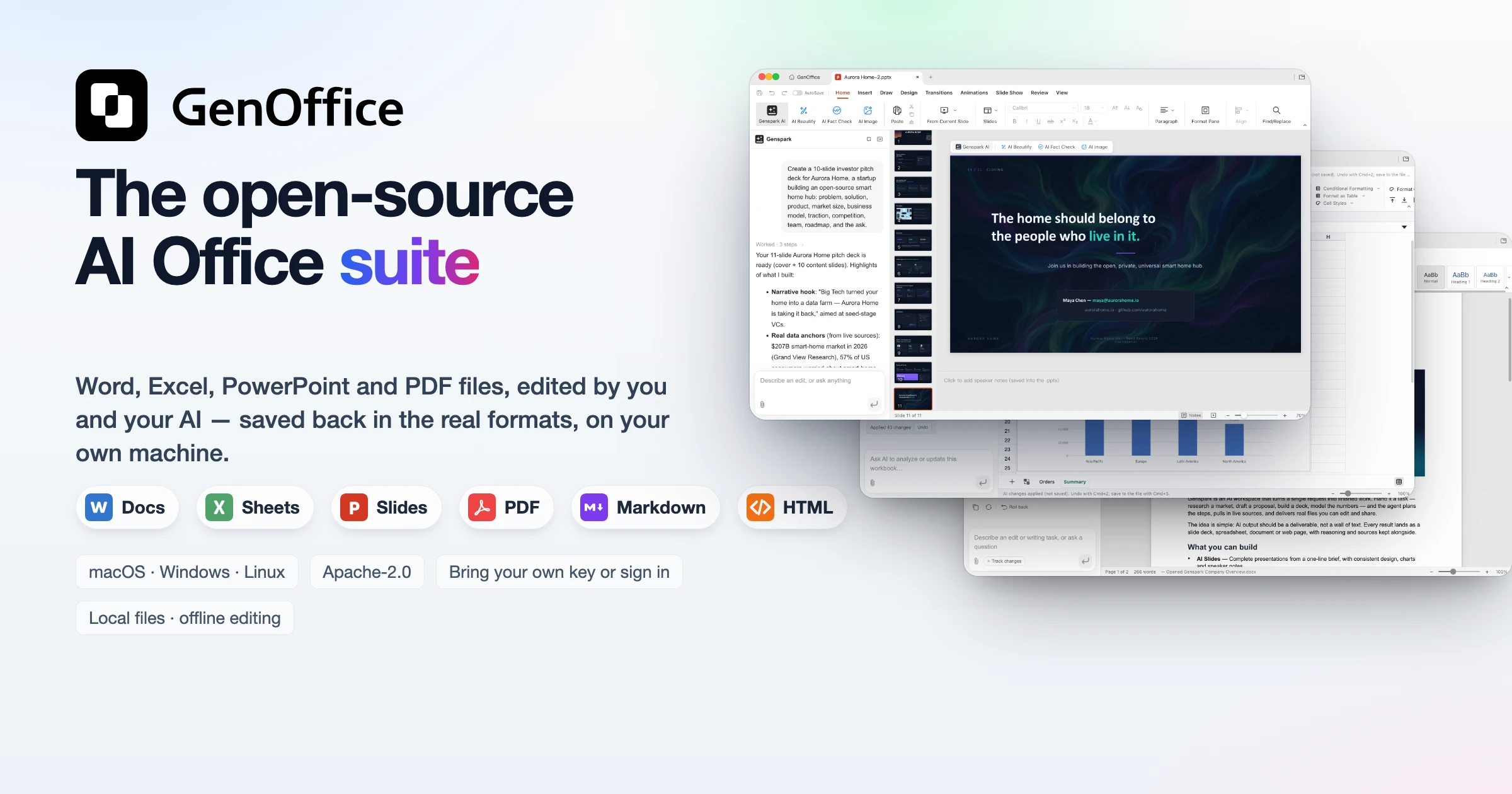
The world's first full-featured open-source AI Office suite.
Word, Excel, PowerPoint and PDF files, edited by you and your AI, saved back in the real formats.





English · Español · Português (Brasil) · Deutsch · Français · 简体中文 · 繁體中文 · 한국어 · 日本語 · العربية · Русский · Italiano · Nederlands · Polski · Čeština · Bahasa Indonesia · Bahasa Melayu · ไทย · हिन्दी · עברית
Download · CLI · MCP · Website · Community · X · Privacy
GenOffice is a free, open-source alternative to Microsoft Office for macOS,
Windows and Linux. It opens and saves native .docx, .xlsx and .pptx
files, edits PDF, Markdown and HTML, and puts an AI agent next to every
document — not a chat box bolted on the side, but an editor that reads the
file, makes the change, and shows you exactly what it touched.
.docx, .xlsx, .pptx, PDF, Markdown and
HTML files from a local SQLite index, CJK included. Optionally, the top hits
are reranked by TypeSafe Jev, the System One
judgment model, so the file that answers your question comes first.
genoffice command line andGet it: macOS (Apple Silicon and Intel) · Windows (x64 and Arm) · Linux (deb, rpm, AppImage) — details and requirements in Download.
Six apps, one AI panel, a file search reranked by TypeSafe Jev, and a command line for your coding agent. Every screenshot is the real app on macOS, with the AI driven from the prompt you can read in the panel.
.docx with an AI you can review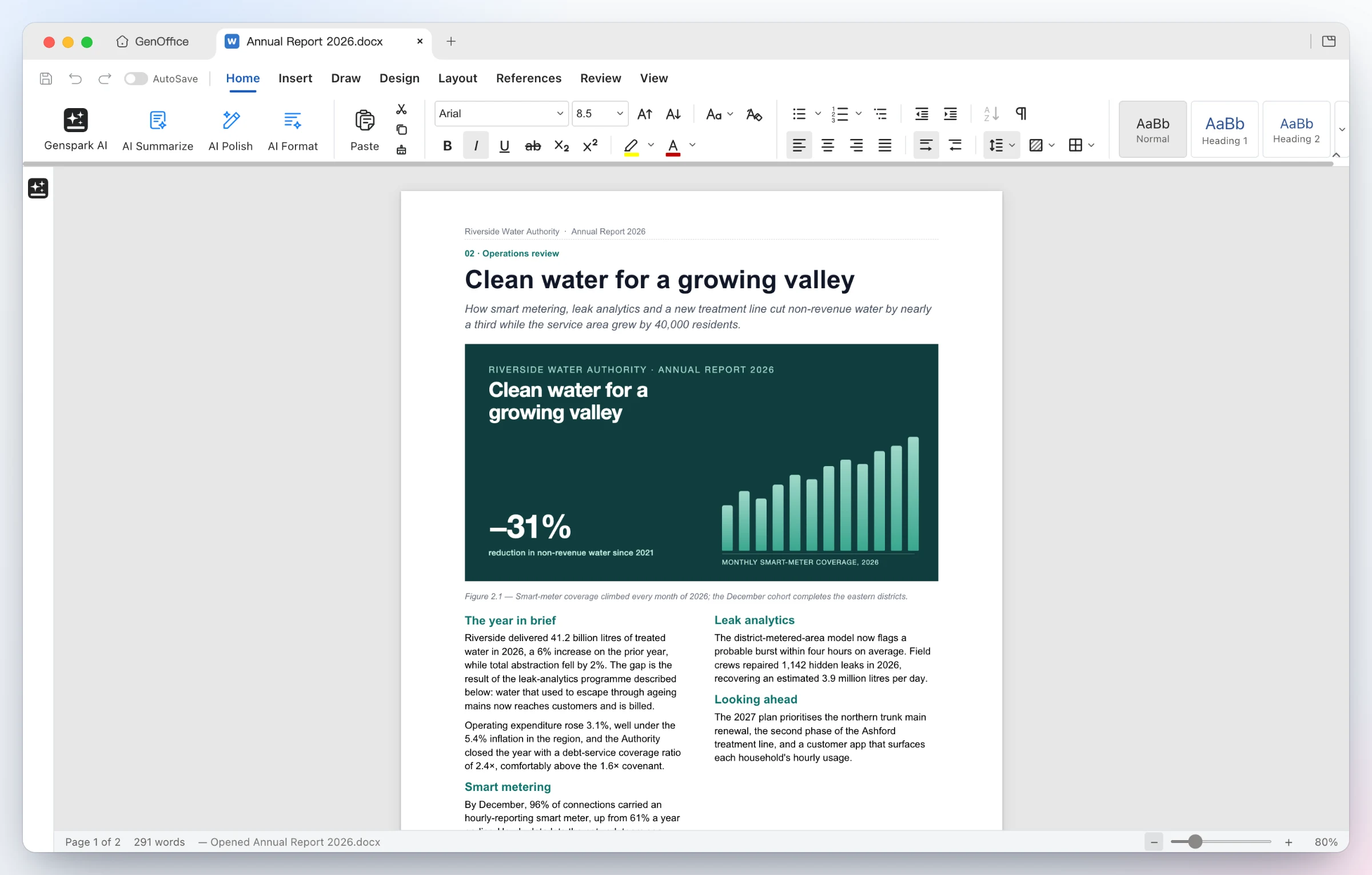 |
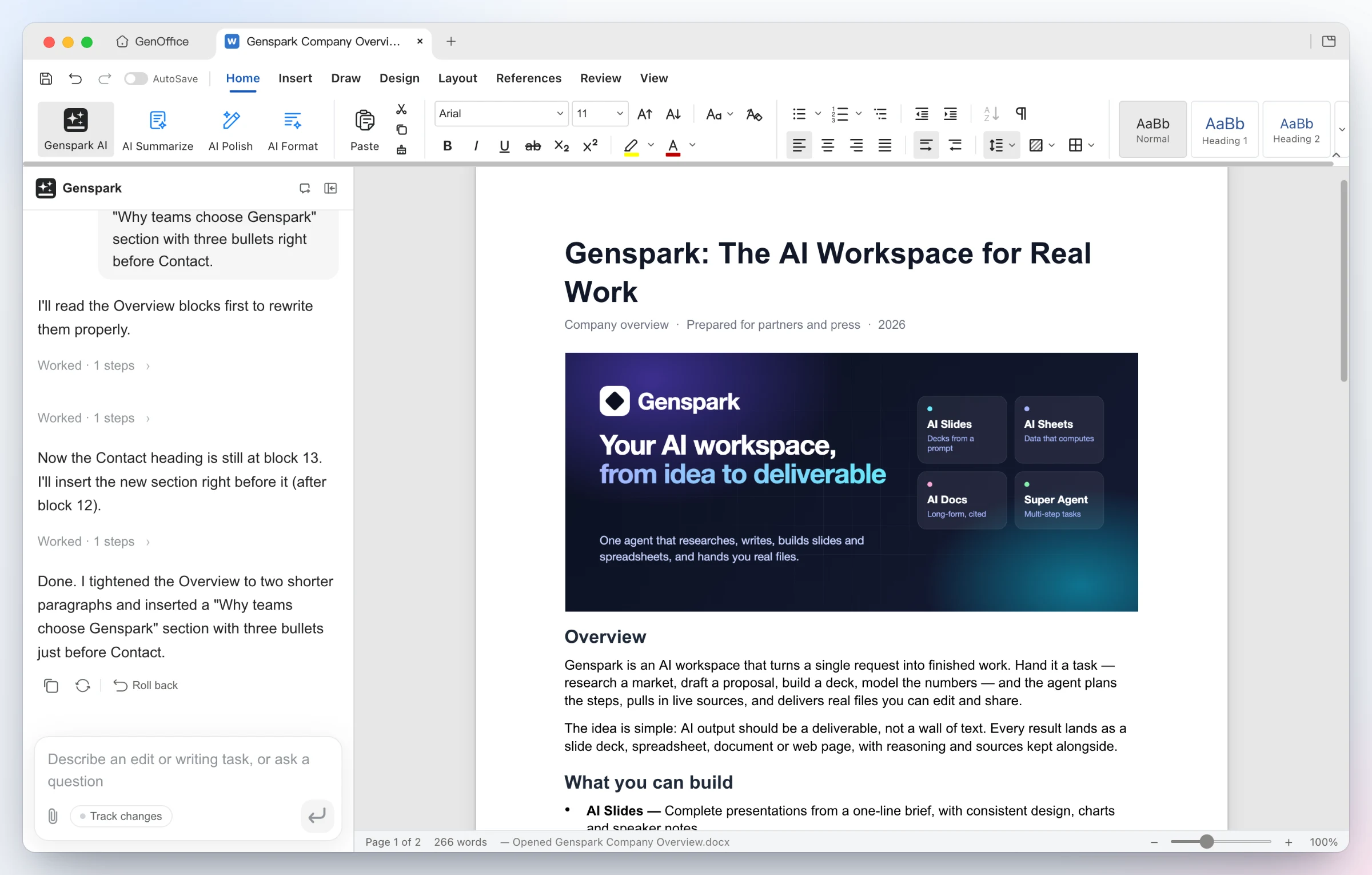 |
| Opens the file as Word lays it out — two-column sections, full-bleed images, shaded tables, headers and footers, pagination on Word's line metrics. Styles, comments, tracked changes, equations and ink round-trip untouched. | Ask for the edit — the AI reads the blocks it needs, rewrites the Overview and inserts a new bulleted section. Every AI turn is a snapshot you can roll back; with Track changes on, edits arrive as Word-style revisions. |
.xlsx with live formulas and charts, not pasted numbers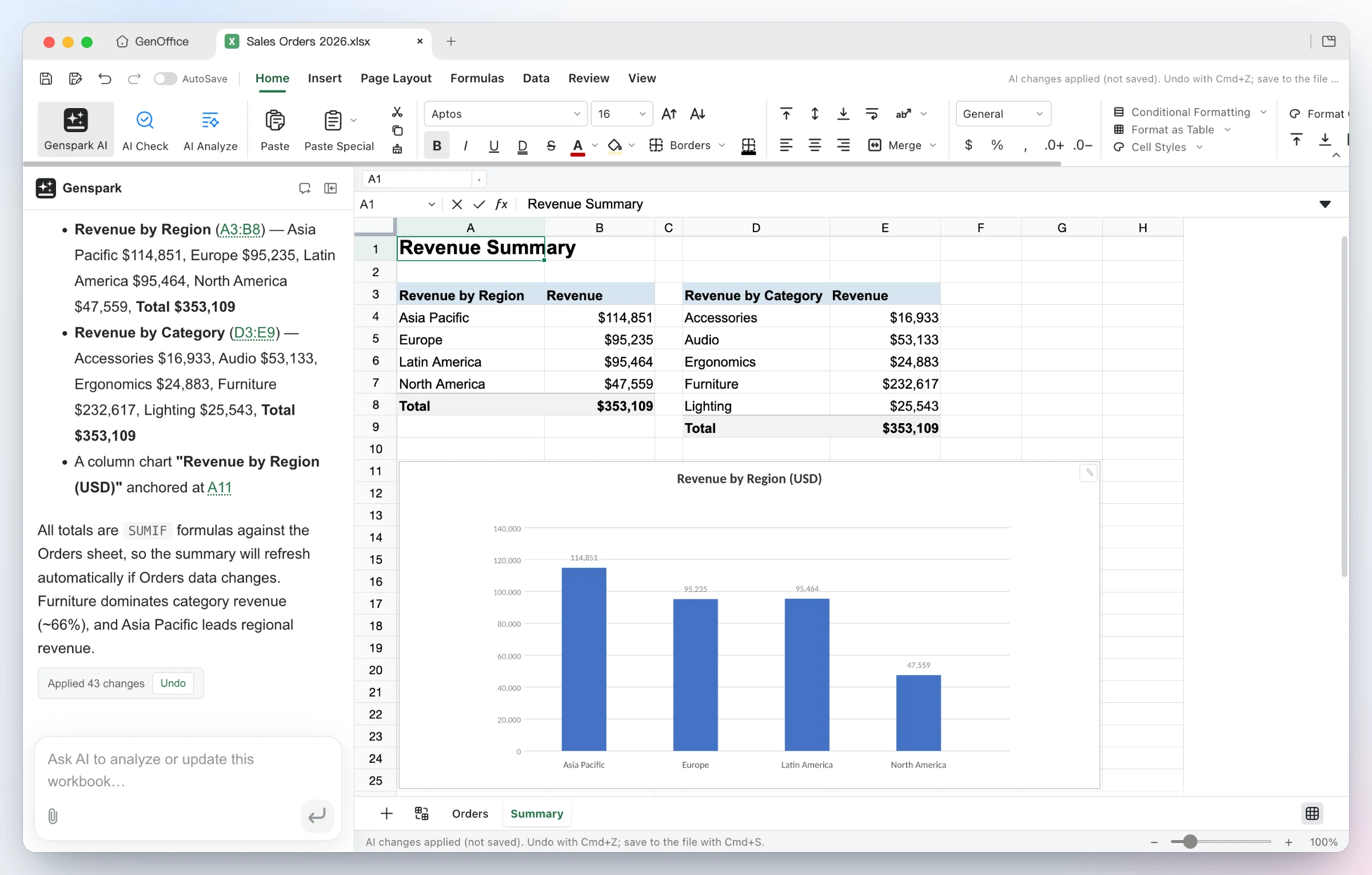 |
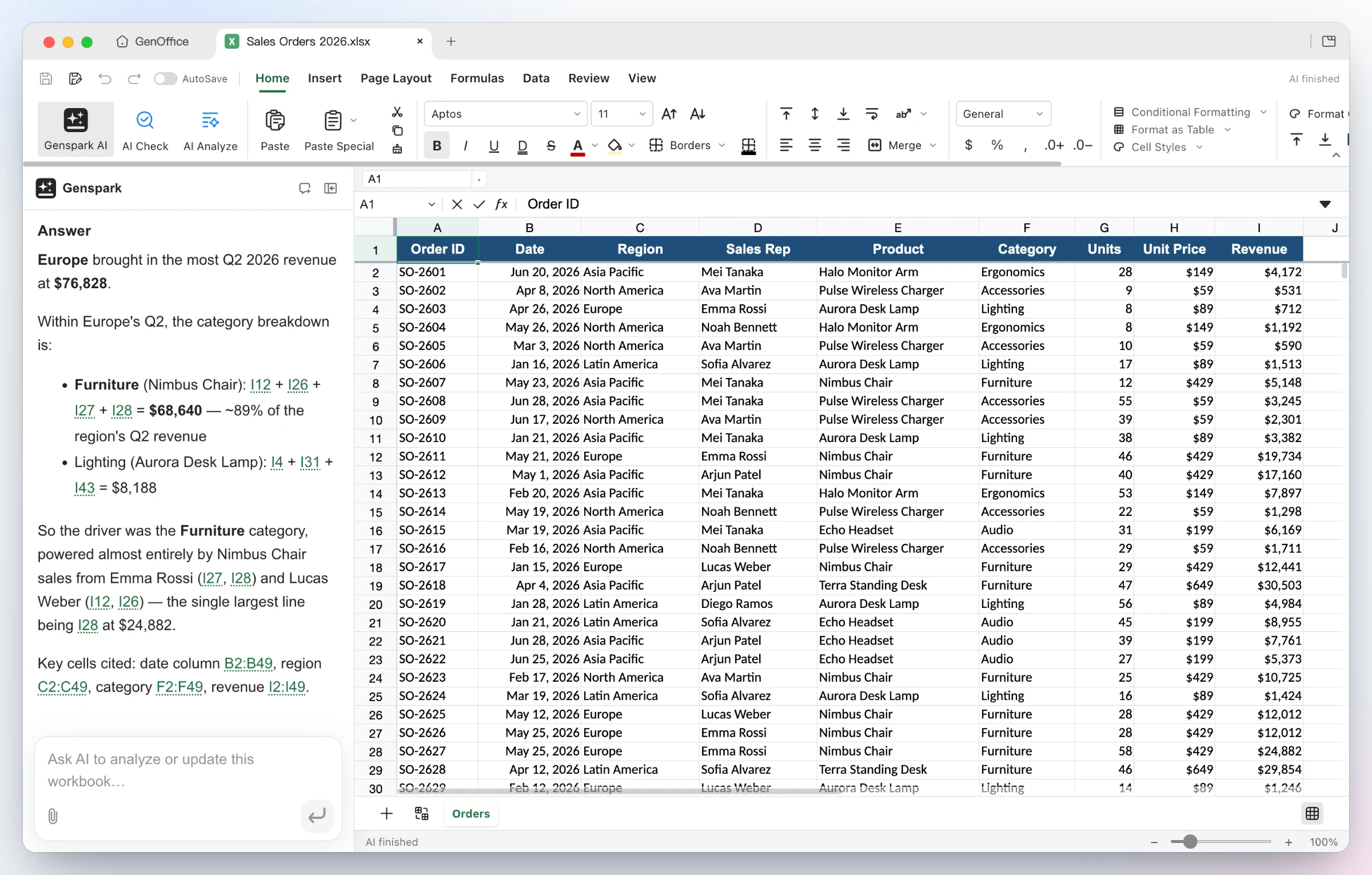 |
Build it — from one sentence the agent adds a Summary sheet with real SUMIFs by region and category, inserts a column chart, and applies the 43 changes as a single undoable batch. |
Ask it — questions about the workbook come back with the reasoning and the exact cells used as clickable citations. Under the hood: an in-house Rust .xlsx engine, pivot tables, slicers, conditional formatting and formula tracing. |
.pptx deck
 |
 |
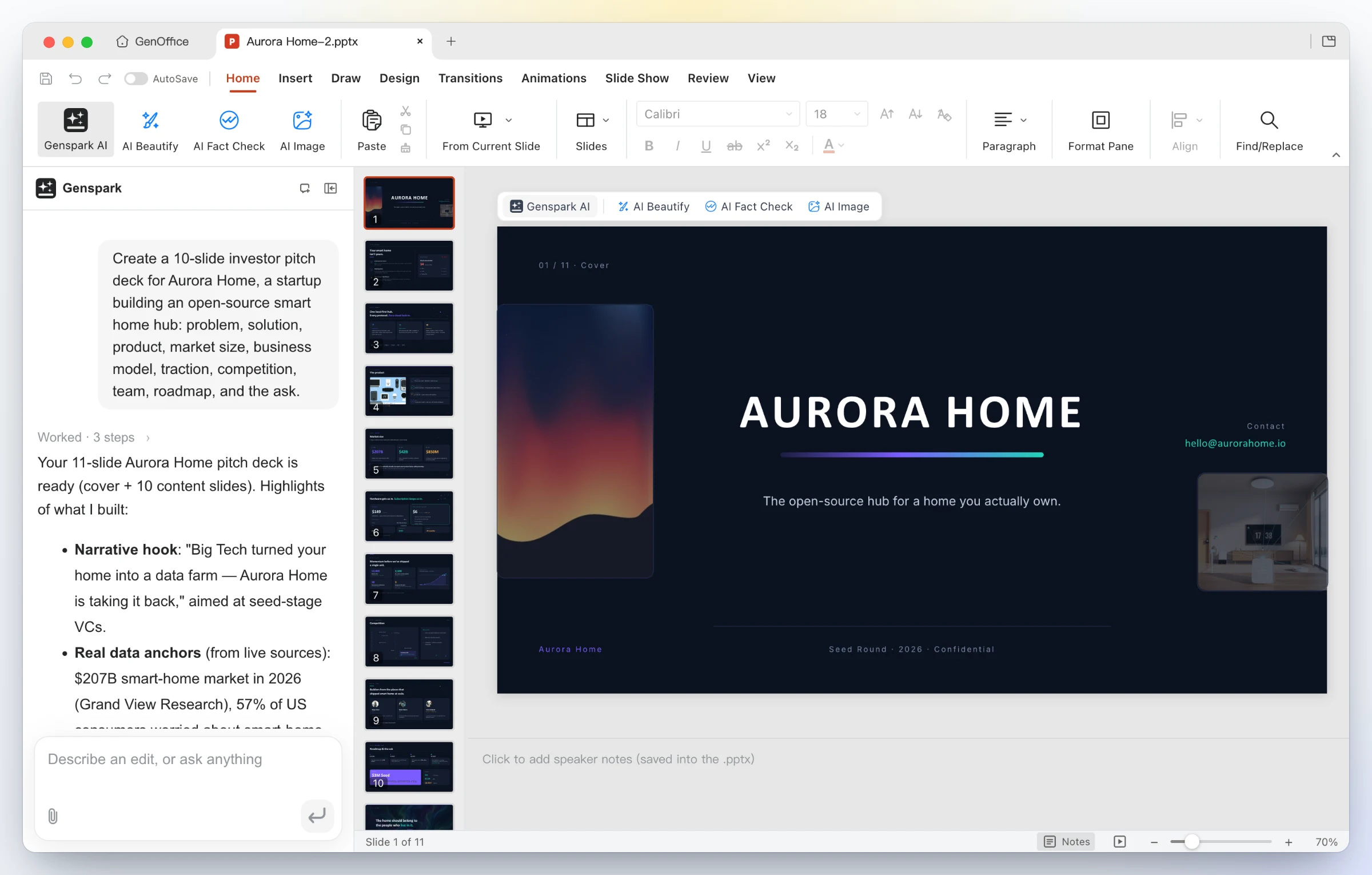
One line in — "Create a 10-slide investor pitch deck for Aurora Home…". GenOffice plans the storyline, researches the numbers, and drafts every slide onto the canvas as a real .pptx. |
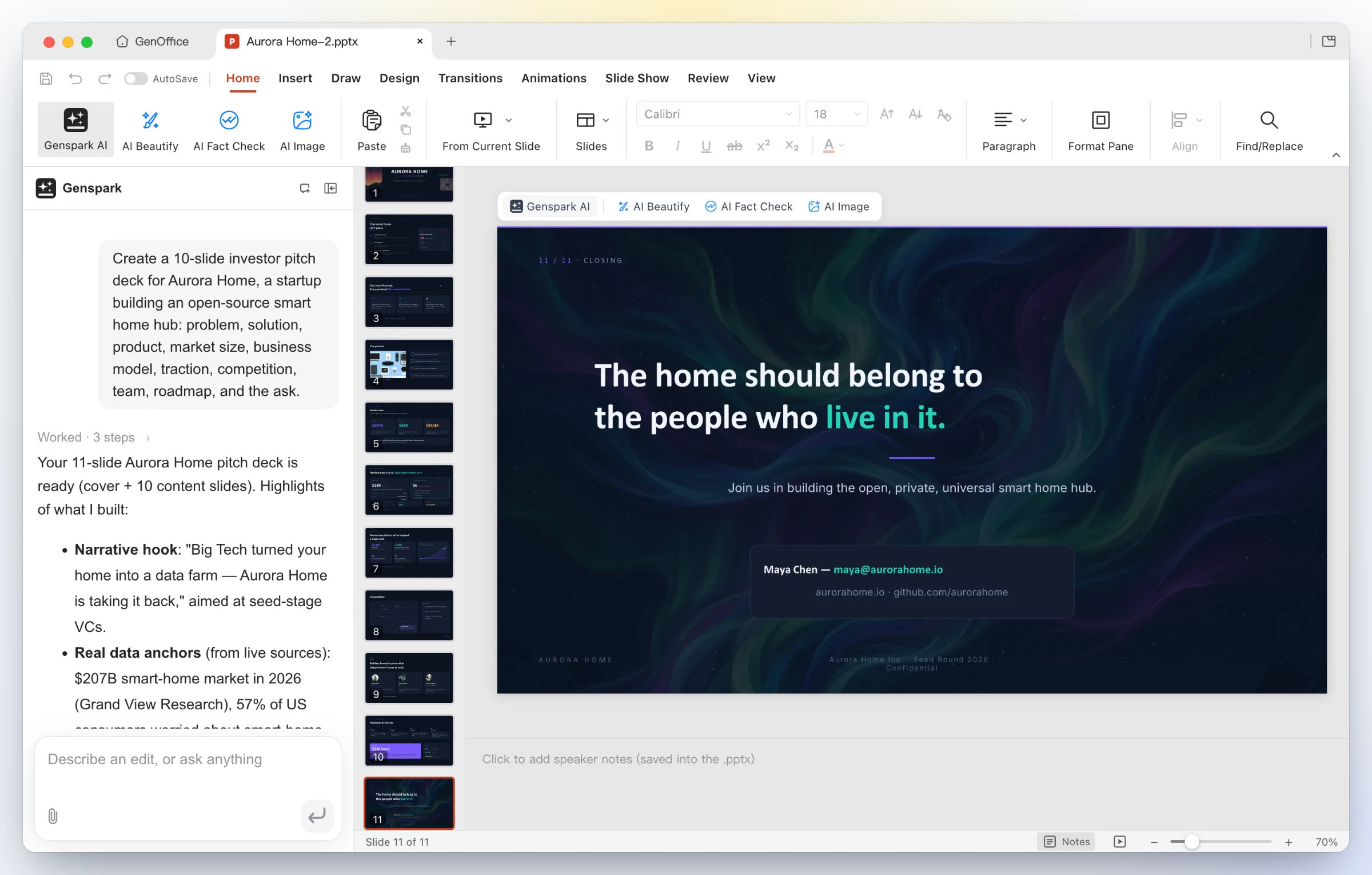
A finished deck out — eleven designed slides with consistent typography, imagery and a closing call to action; keep editing with masters, layouts, smart guides and non-destructive cropping, or ask the panel to restyle, rewrite and reorder. |
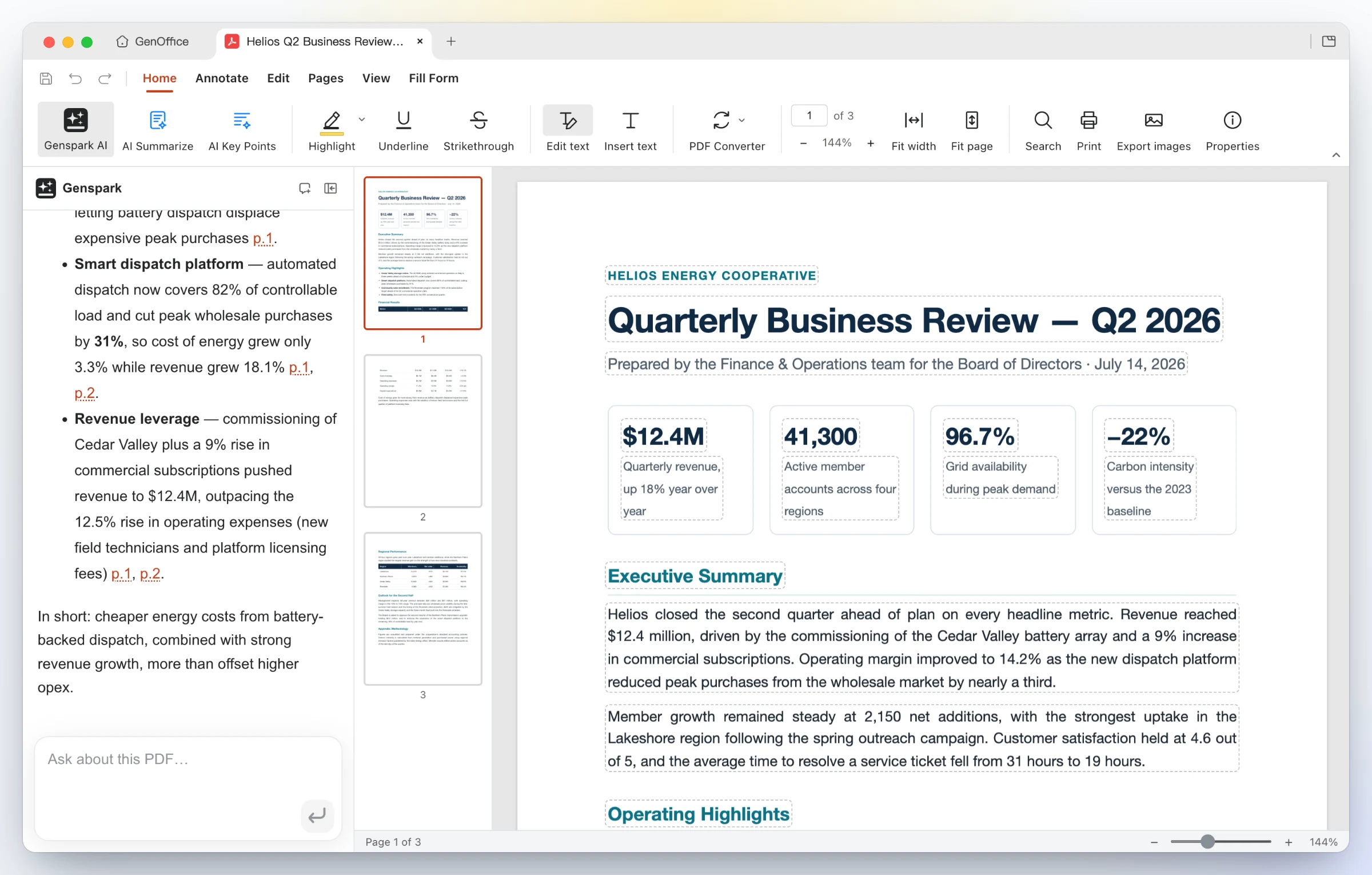 |
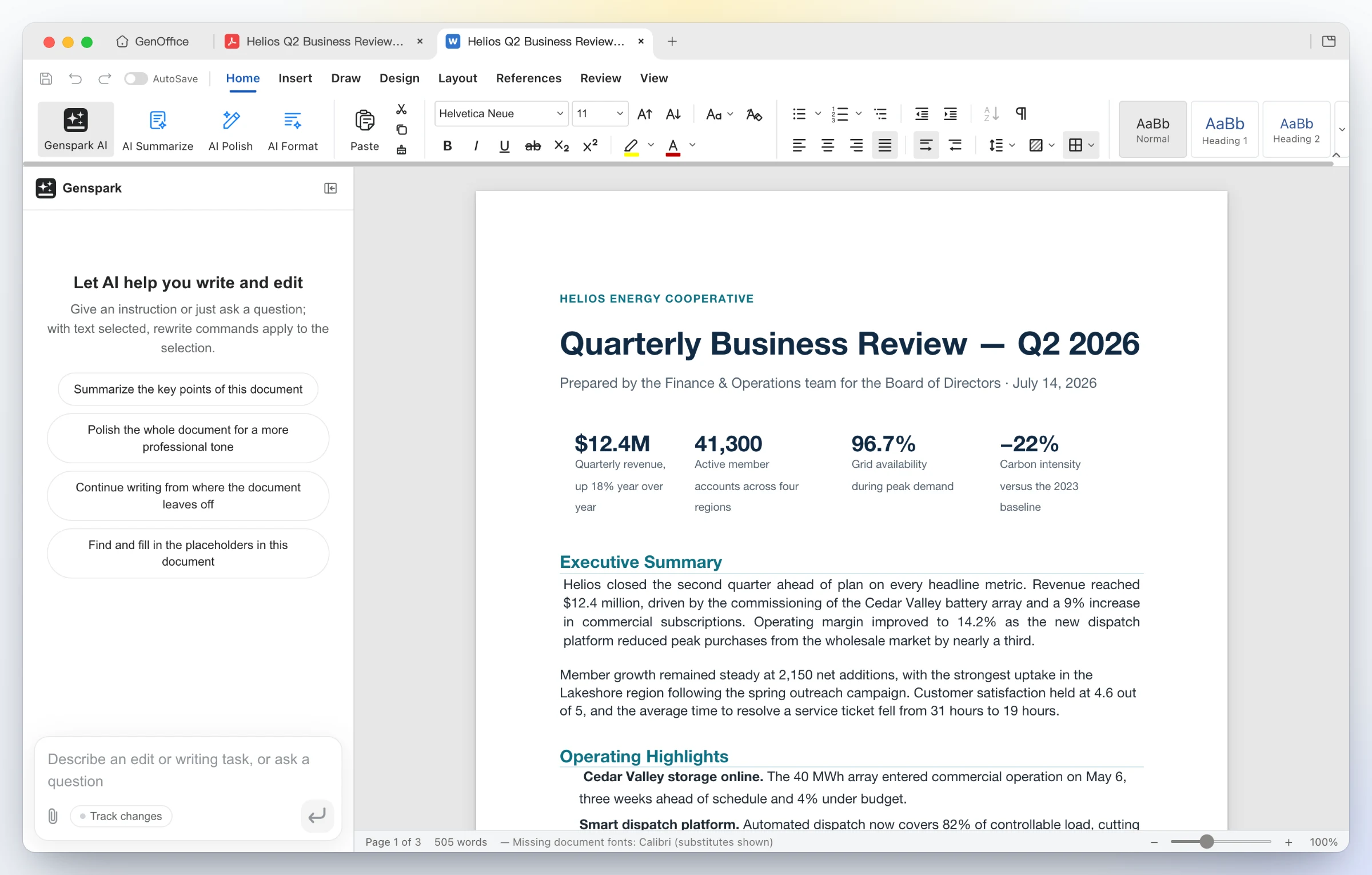 |
| Edit inside the page — Edit text mode outlines every text block for in-place retyping; the content stream is rewritten through PDFium with the original fonts, not a cover-up annotation. Ask the AI about a long report and get answers with page citations. | Convert on-device — PDF Converter → PDF to Word produces an editable .docx that opens in Docs next to the source, headings, stat rows and paragraphs intact. Excel and PowerPoint targets work the same way; scanned pages go through the system OCR. |
Say what the page is for and who it is for. The AI proposes a design brief
first — hook, palette, typography and style directions — then builds a single
self-contained .html file against those tokens.

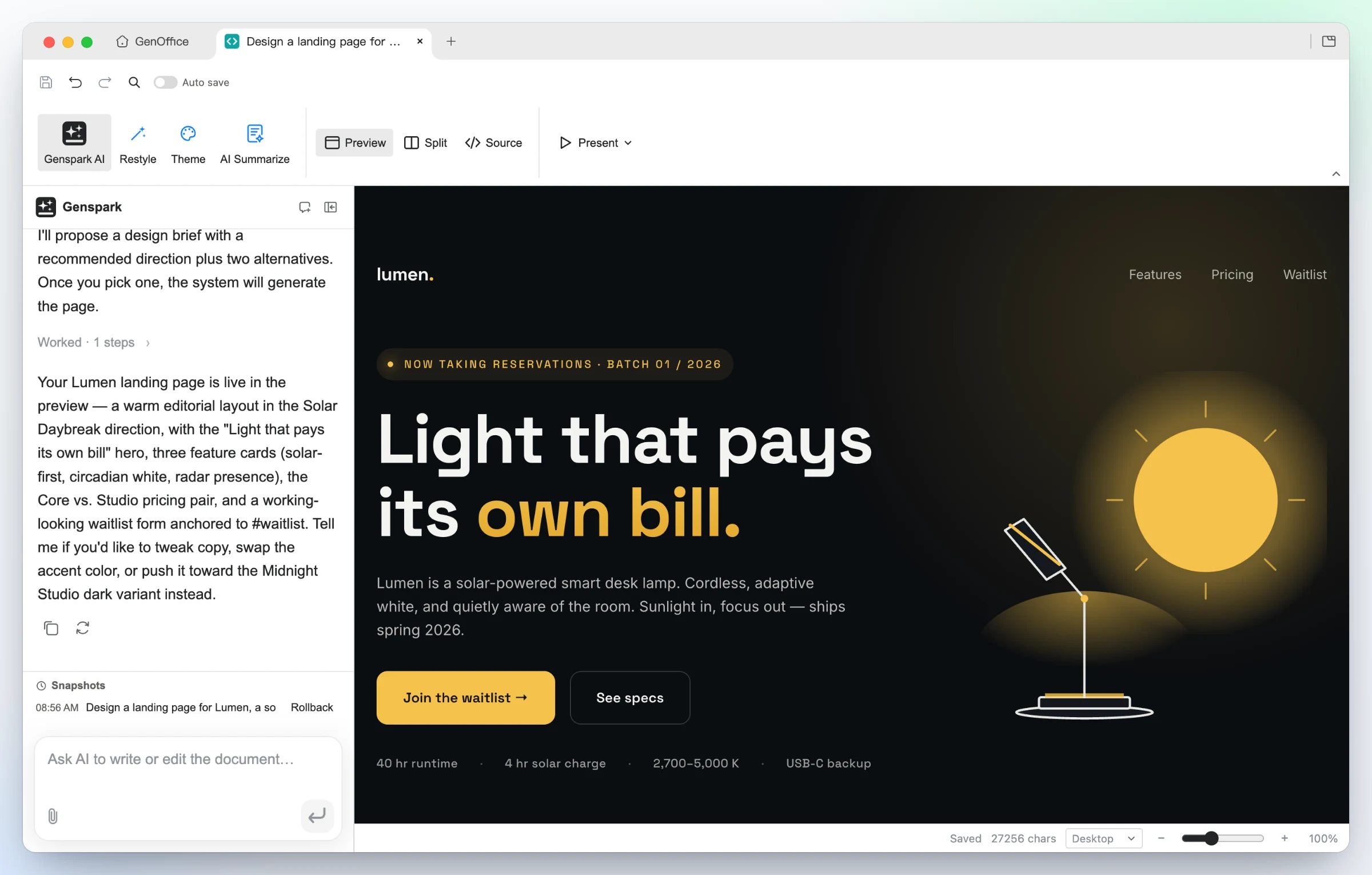 |
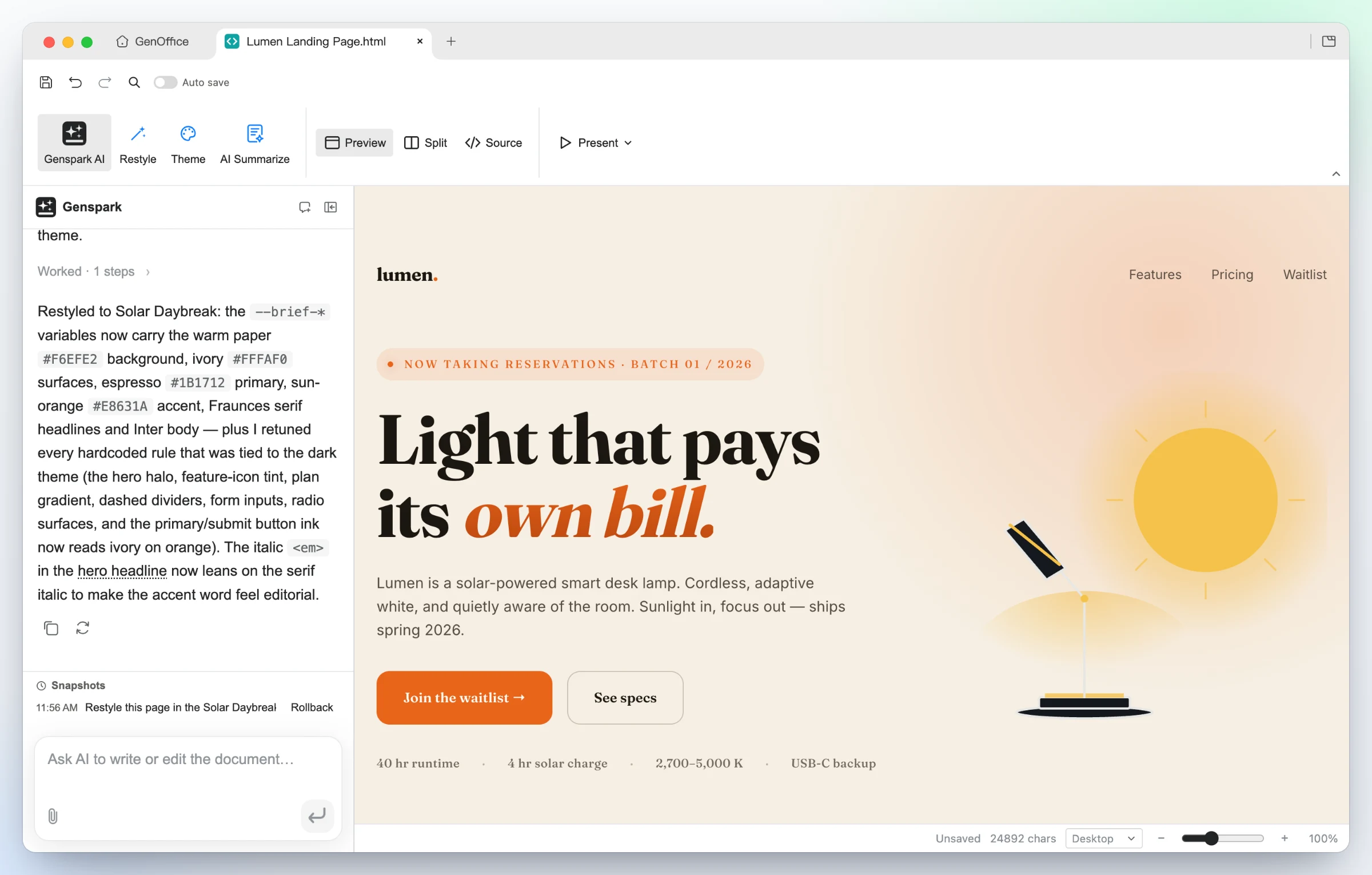 |
| Generated from one prompt — a bold hero, feature cards, pricing and a waitlist form for Lumen, built in the Midnight Studio direction. Click any element to restyle it, double-click to edit text, or switch to the CodeMirror source view. | Same design, new direction — one Restyle request swaps the brief's tokens and the page follows: warm paper, editorial serif, sun-orange accent, nothing rewritten. Present fullscreen, or export as PDF or a native editable Word document. |
 |
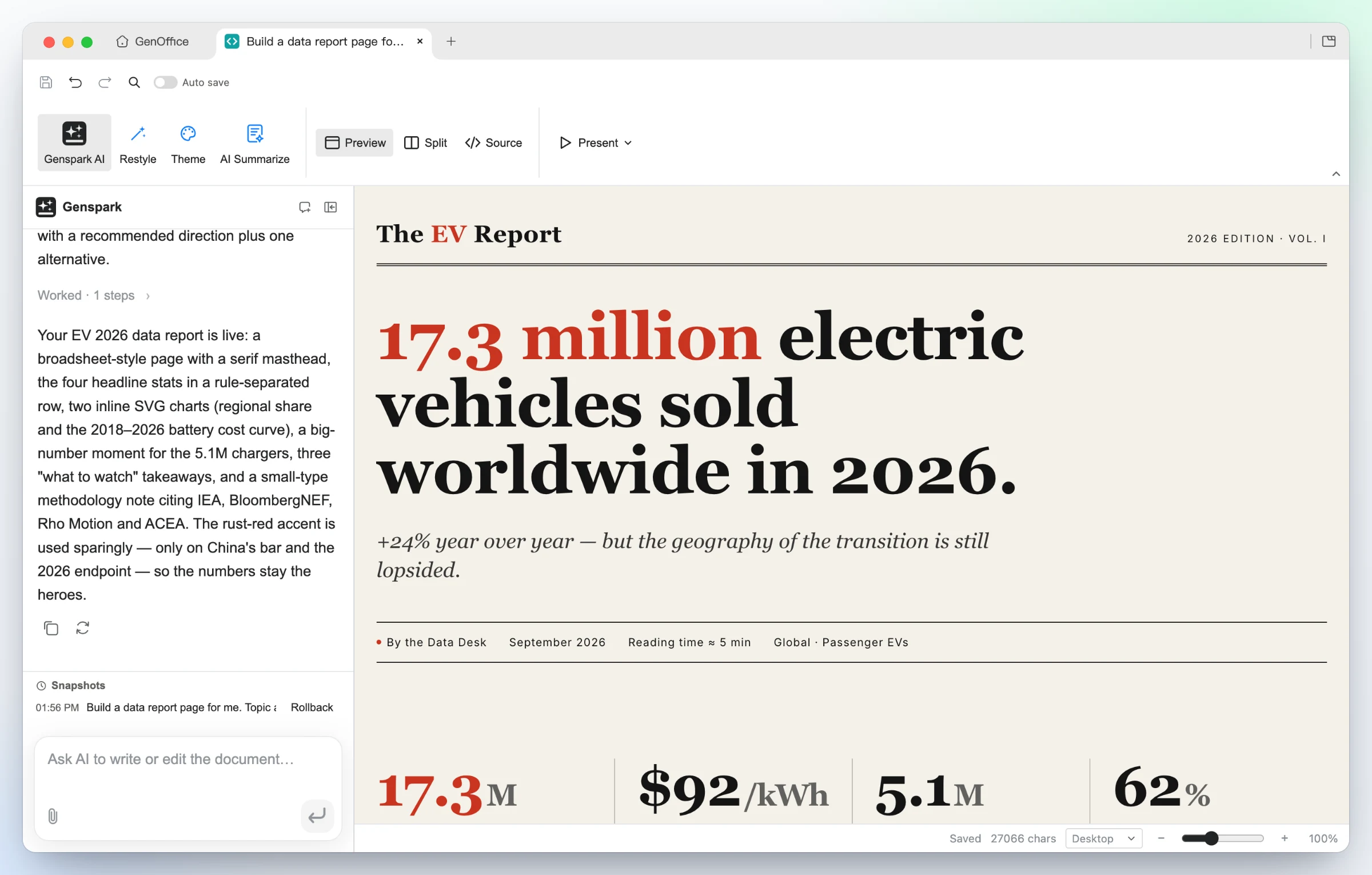 |
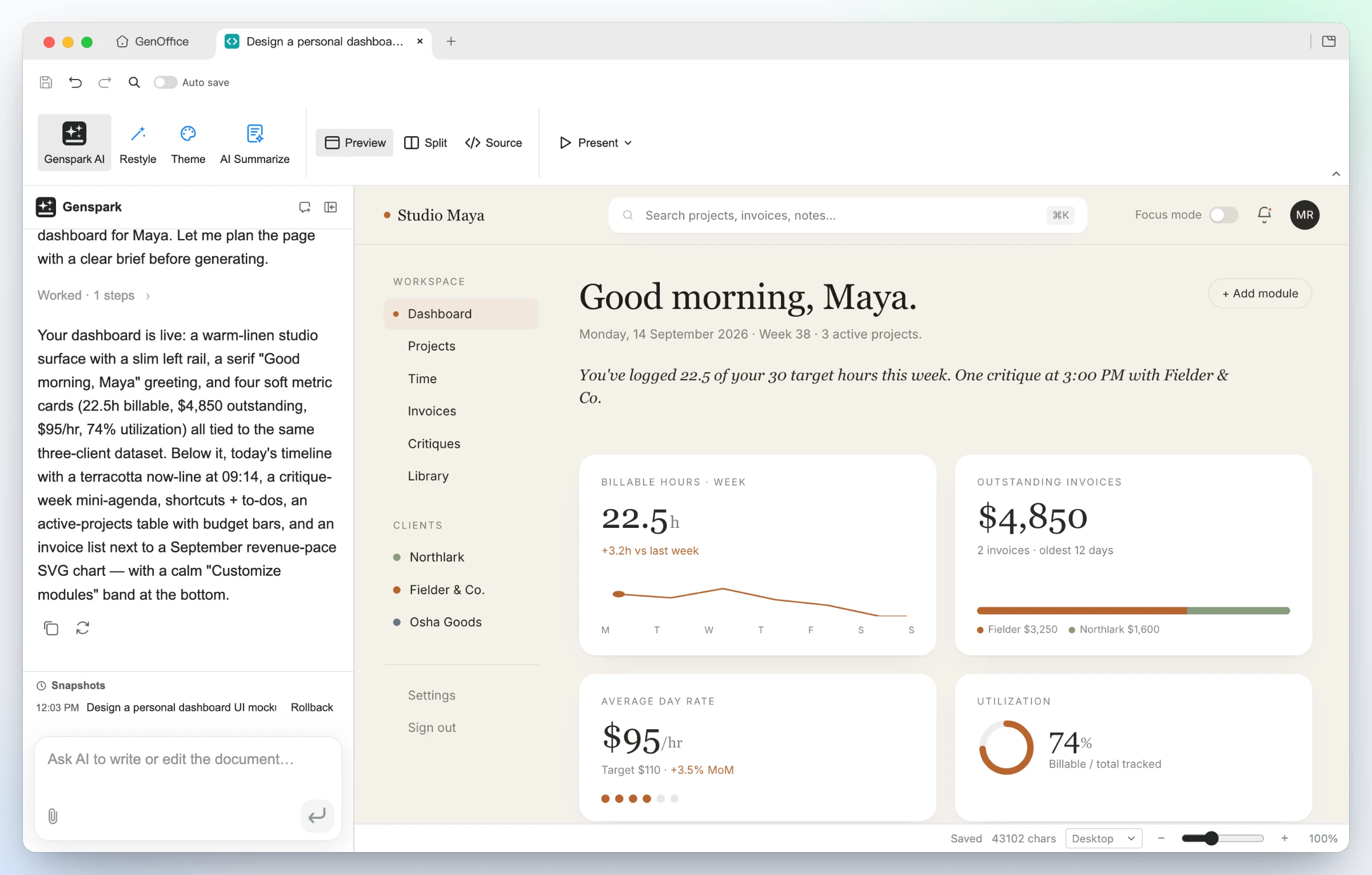
| UI mockups — the "personal dashboard" starter turns a persona into a working layout: left rail, greeting, billable-hours sparkline, invoice and utilization cards, all real HTML you can hand to a developer. | Data stories — the "data report" starter builds an editorial broadsheet: serif masthead, one headline number, a rule-separated stat row, inline SVG charts and a methodology note. |
.md, with Ask AI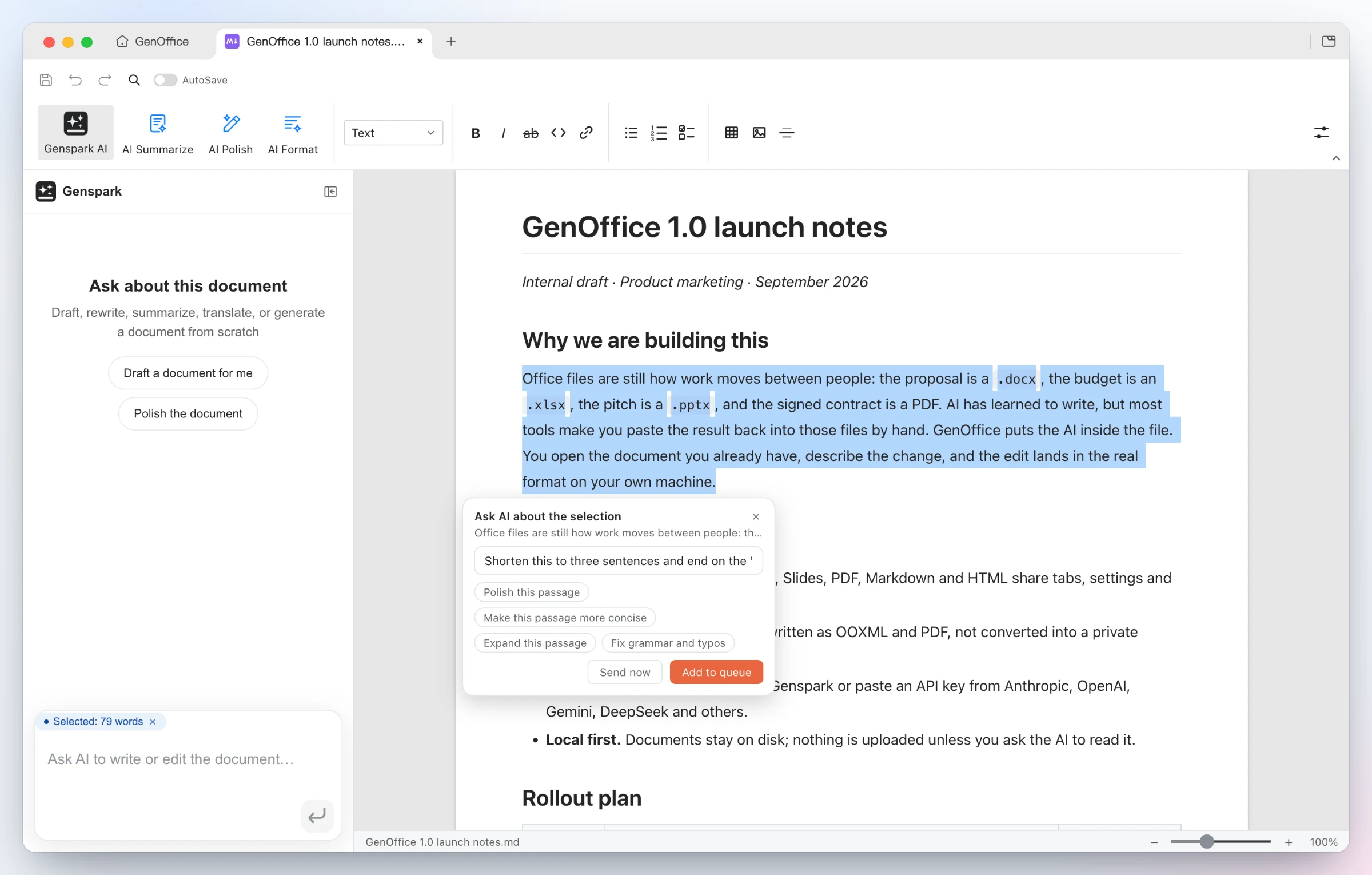 |
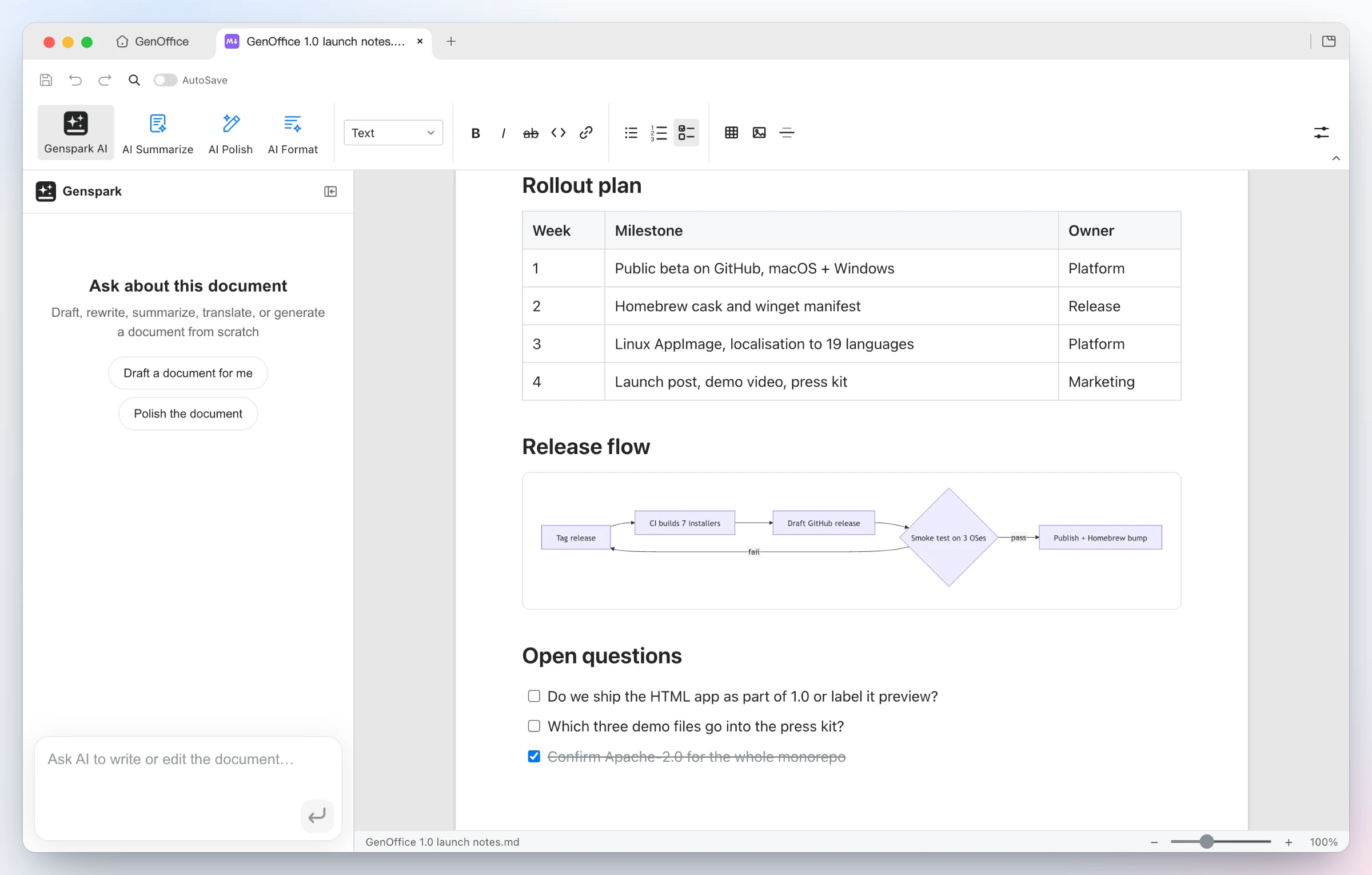 |
| Ask AI about a selection — select any passage and an Ask AI chip appears: type an instruction or pick a suggestion, send it now, or queue several anchored edits and run them in one pass. The same entry exists in every app. | Rendered, saved as plain Markdown — headings, lists, tables, images, code blocks and Mermaid diagrams in a Tiptap block editor, written back as plain .md, with a fully local Markdown → Word export. |
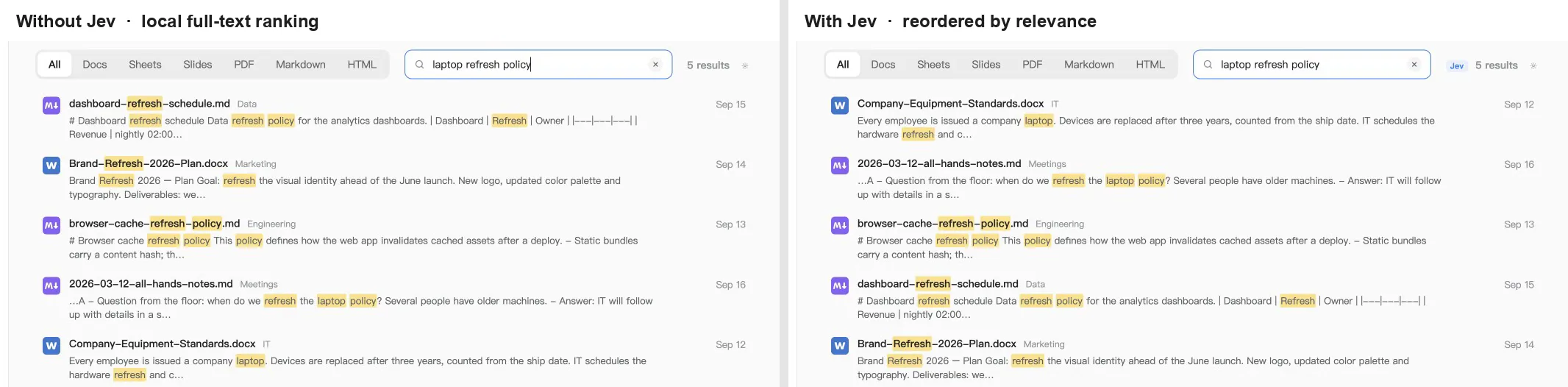
Every file in your work folder is indexed on-device: names, folders and the extracted text of Word, Excel, PowerPoint, PDF, Markdown and HTML files, in a SQLite full-text index with CJK-aware tokenizing. Switch on Jev search reranking and the top 20 local hits are judged by TypeSafe Jev, the System One model that returns one calibrated relevance score per document in a single call instead of generating text. The list is reordered by that score; if the call fails or times out, the local order stays.

 |
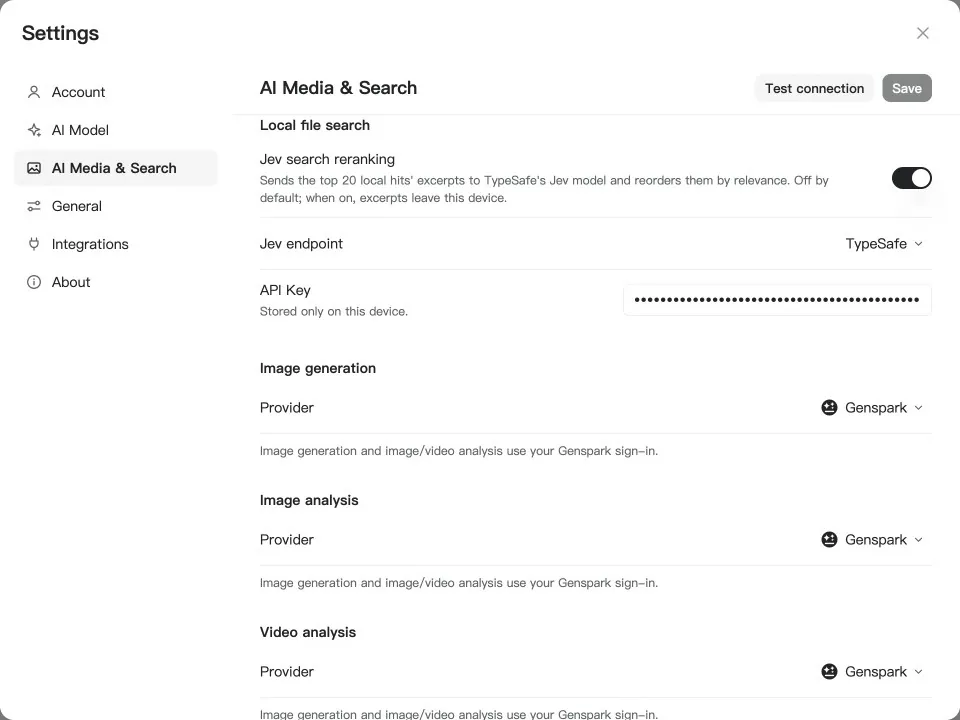 |
| Same words, different answers — "laptop refresh policy" matches a browser-cache refresh policy, a brand-refresh plan and a dashboard-refresh schedule word for word, so full-text ranking puts them first. Jev reads the excerpts and moves the equipment standards document, the one that states the three-year replacement cycle, to the top. The Jev badge next to the result count shows when the order came from the model. | Off by default, one switch to turn on — Settings → AI Media & Search → Local file search. Pick OpenRouter or TypeSafe direct, paste a key, hit Test connection. Only when the switch is on do excerpts of the top hits leave the device; the index itself never does. |
GenOffice ships a genoffice command line and an agent skill. Install the
skill and Claude Code, Codex, Cursor, Gemini CLI, GitHub Copilot, OpenCode or
Windsurf can create, convert, read and edit real Office files through the
same engines as the apps, without opening a window.
 |
 |
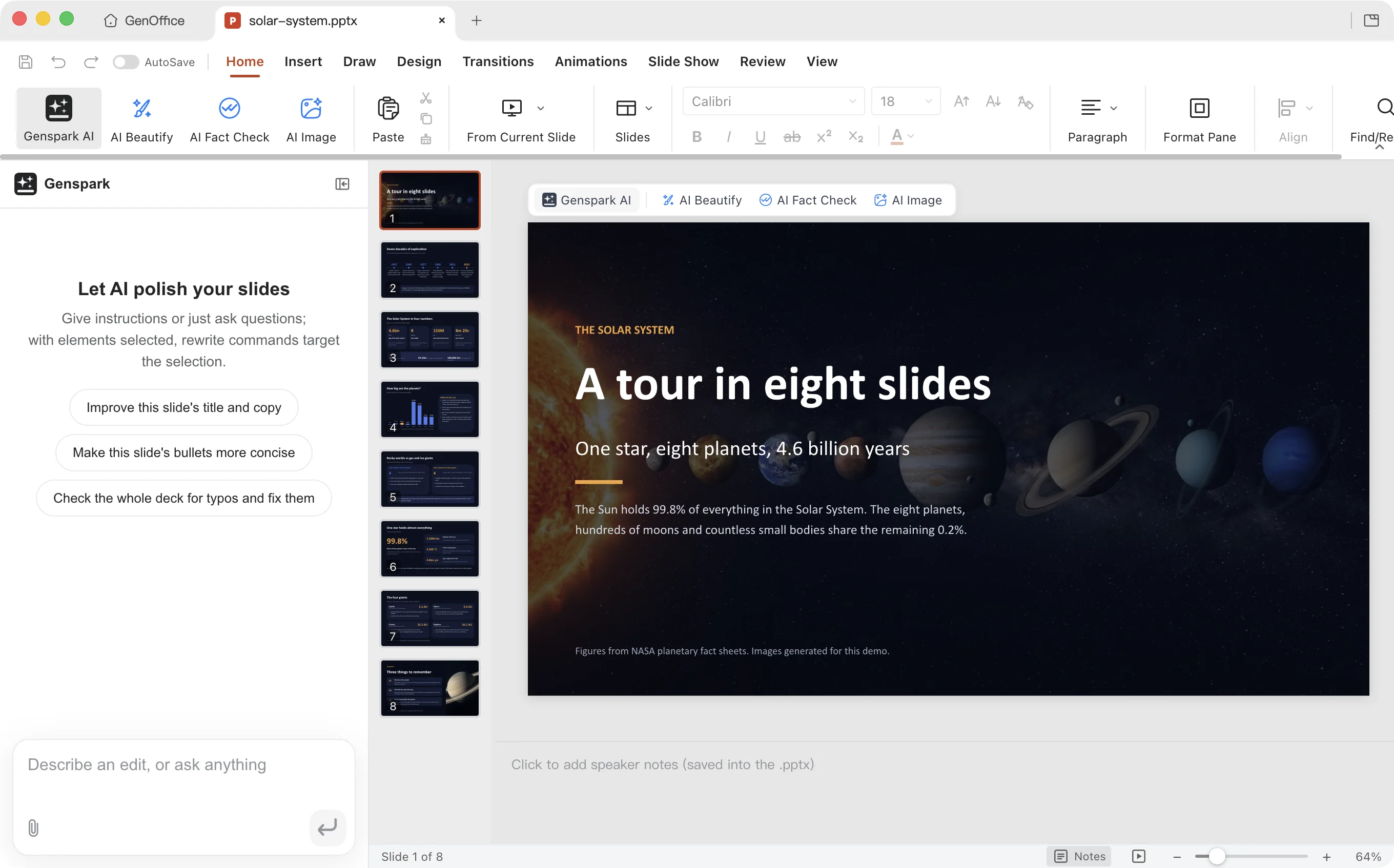
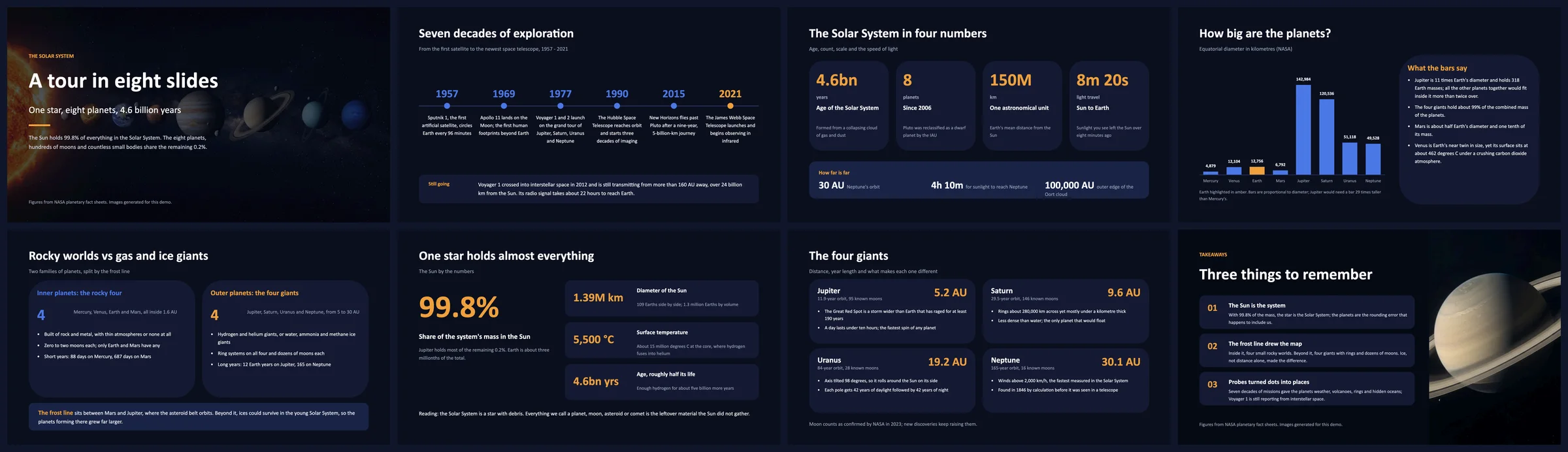
One prompt to your agent — "Build an eight-slide deck about the Solar System." The agent reads the skill, writes a style sheet, an outline and one page spec per slide, generates the two photos with genoffice image, and lets genoffice slides check reject anything that overflows or overlaps before genoffice create assembles the .pptx and slides render hands back a PNG per slide to look at. |
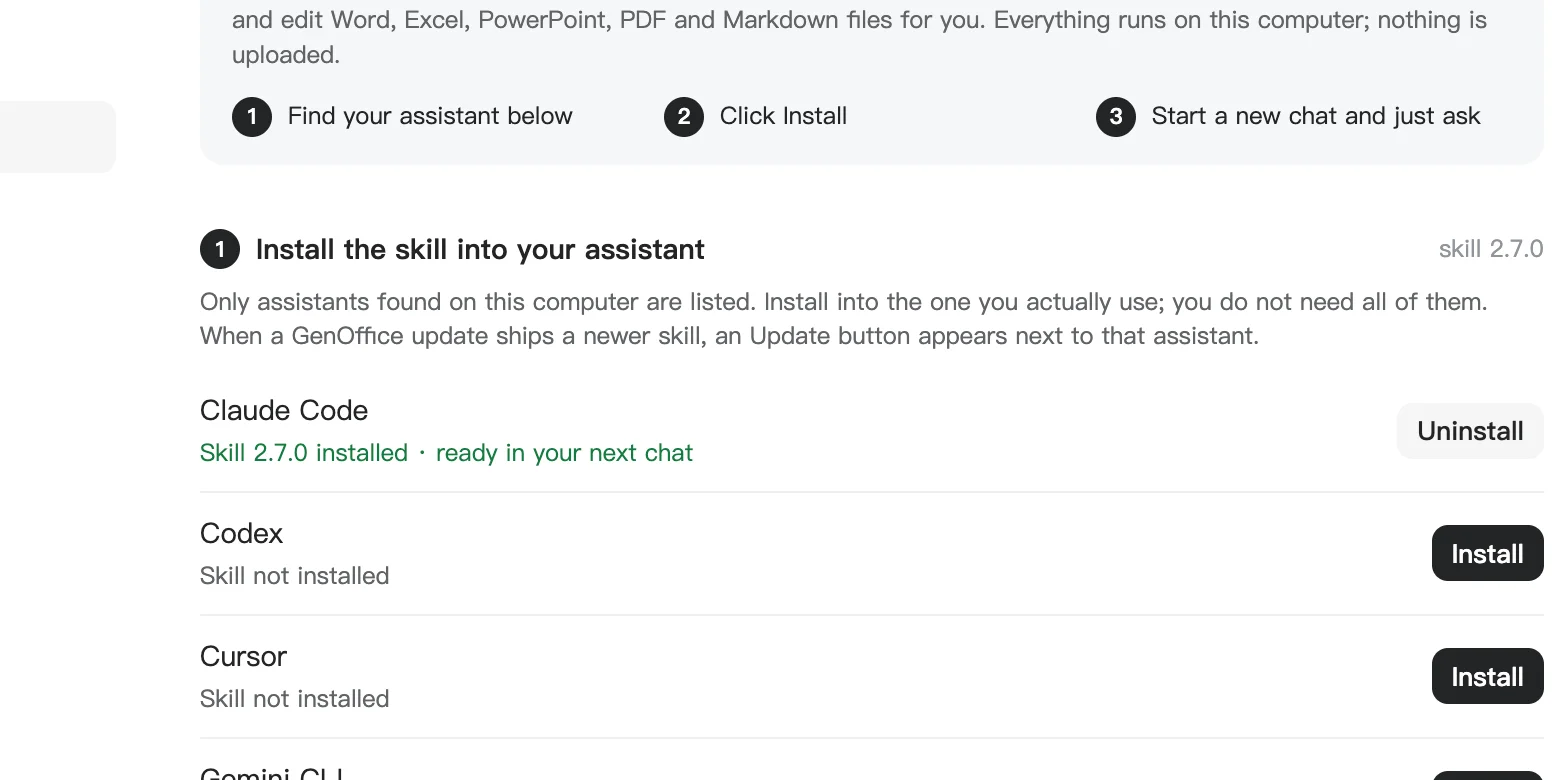
Install once, from Settings → Integrations — GenOffice lists the coding agents it finds on this computer and writes the skill into each one you pick. Or download the skill as a zip, or run npx skills add genspark-ai/genoffice. Commands and the full workflow are in Command line and agent skill. |
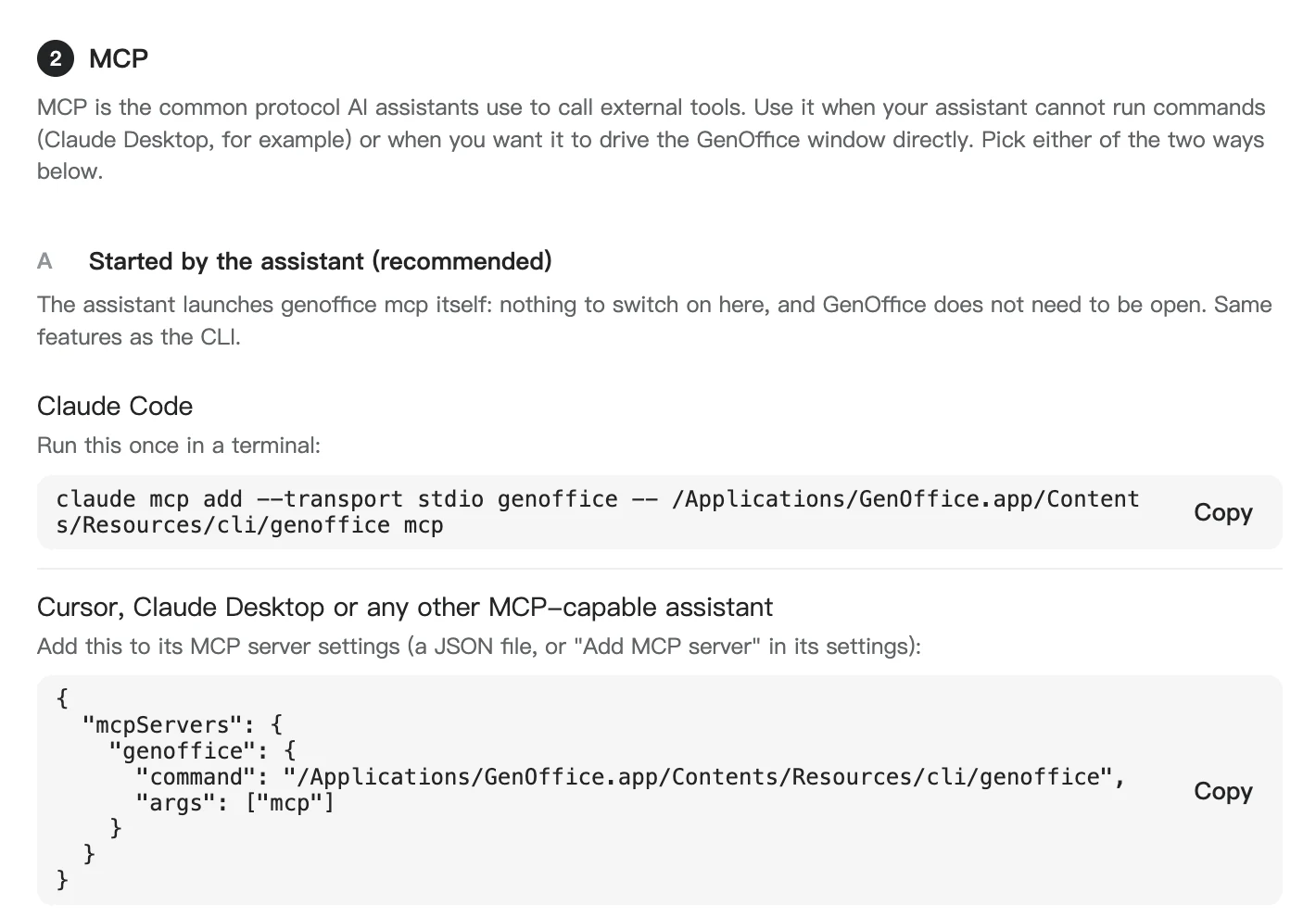
Every genoffice command is also an MCP tool. Claude Code, Claude Desktop,
Cursor and any other MCP client can start genoffice mcp themselves, with no
skill to install and no window open, and get 29 tools plus the op references
as resources. A second, HTTP server inside the app lets an agent build a Word
document in a visible editor tab while you watch.
 |
 |

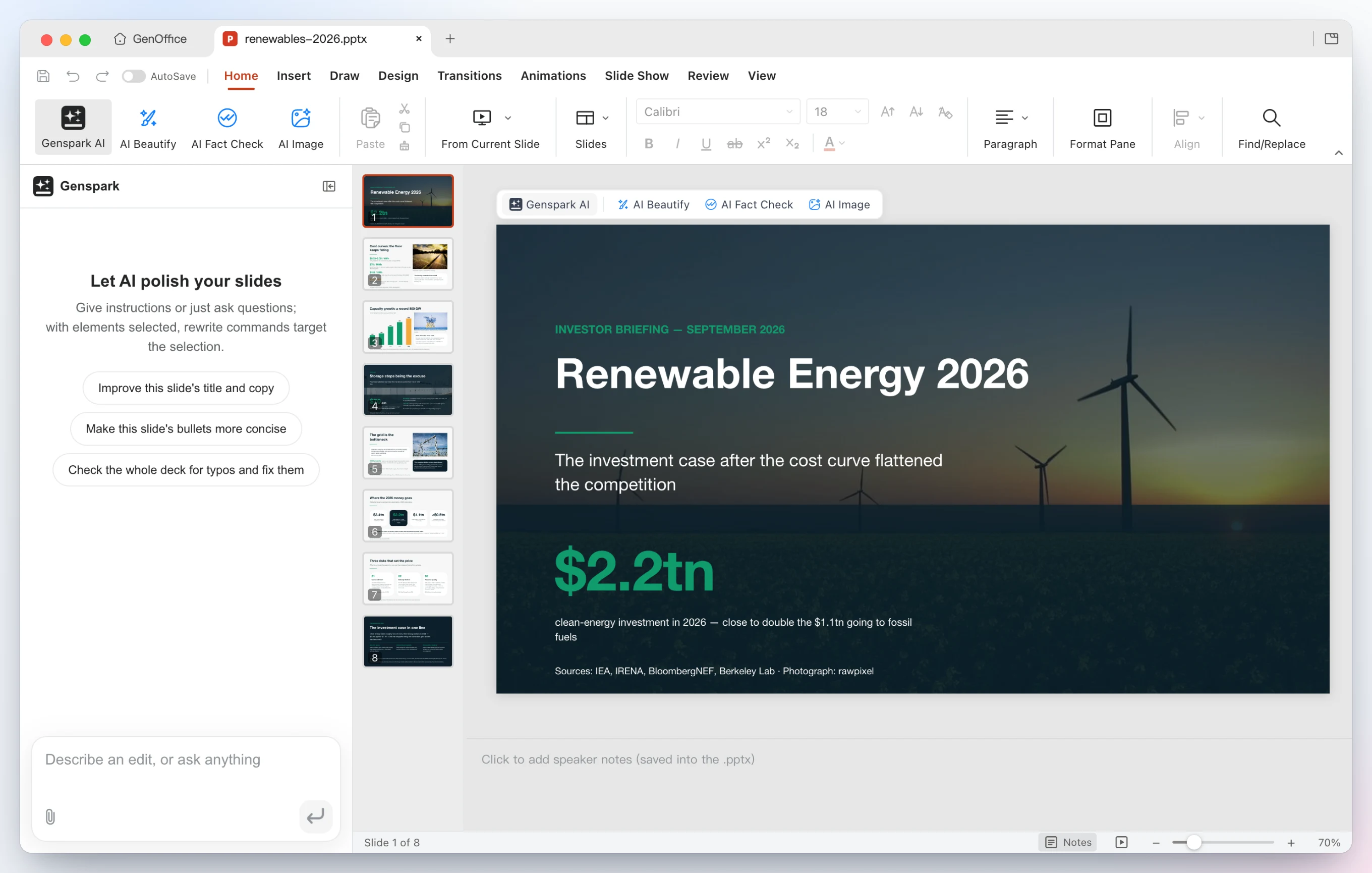
One prompt, 38 tool calls, no shell — "Build an eight-slide investor briefing about renewable energy in 2026, with a real photo on the cover and wherever a photo helps." The agent pulls the figures and the photos with search, asks media whether each candidate picture is a real photograph, calls deck_start with a style sheet and an outline, then deck_page once per slide; every page is checked against the outline and the palette before it is kept, deck_build assembles the .pptx, slides_audit looks for overflow, slides_render hands back a PNG per slide as image content the model can look at, and deck_replace fixes the three pages it did not like. |
Connect once, from Settings → Integrations — copy the claude mcp add line for Claude Code, or the JSON block into Cursor, Claude Desktop or any other MCP client. Option B switches on the local HTTP server for the visible Word editor. Both are described in MCP server. |
.docx, .xlsx and .pptx, byte-preserving:genoffice command line, an agent skill and an MCP serverSign in with Genspark and there is nothing to configure: model calls route through the Genspark proxy (Claude, GPT and Gemini families) and the agents get web and image search, image generation, and image/audio/video analysis.
Or bring your own key. Settings → AI lists Claude, OpenAI, Gemini, DeepSeek, Kimi, GLM, Qwen, Doubao, MiniMax, Grok, Mistral, OpenRouter, Requesty, Opper, Cheaper Inference and OpenCode Zen/Go, plus a custom slot for any OpenAI-compatible endpoint (base URL + key), including local model servers. Search and media have their own per-capability providers under AI Media & Search: Serper, Serply, Tavily or Parallel for web search, and OpenAI, Gemini, Doubao/Seedream, GLM, Grok, Qwen, MiniMax or any OpenAI-compatible images endpoint for image generation and image/video analysis, plus DeepSeek V4.1 Flash for image analysis.
TypeSafe Jev reranks the home screen's file search. Under AI Media & Search →
Local file search, switch on Jev search reranking and pick an endpoint:
OpenRouter (model typesafe/jev-1.13) or
TypeSafe's own API. The key is stored only on this device. It is off by
default; when on, the excerpts of the top 20 local hits are sent for judgment
and nothing else leaves the machine.
Parallel works without an account: its free Search MCP (rate-limited) is the default web search whenever no Genspark login or search key is configured, and it runs ahead of the DuckDuckGo scrape. Select Parallel under Web search and enter a Parallel key to use the Search API instead.
The whole suite ships light, dark and system themes. Themes only change what is on screen: exports, prints and saved files always keep the document's own colors.
Everything the apps can do to a file, the `
→ →
→ →
→ →
→ →
→ →
→ →
→ →
→