1
 →

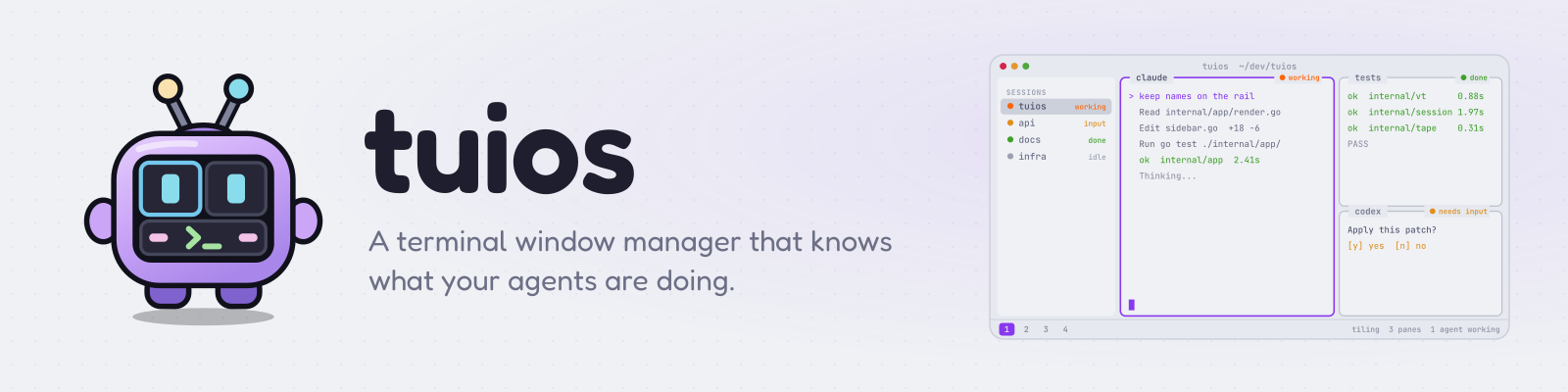
A terminal window manager that knows what your agents are doing. Tiling panes, workspaces, sessions that survive restarts, and one Inbox for every coding agent.
Gaurav-Gosain/tuios is an open-source project on GitHub, mainly written in Go. A terminal window manager that knows what your agents are doing. Tiling panes, workspaces, sessions that survive restarts It currently holds 6,196 stars and 290 forks with 39 open issues, and was last pushed on 2026-10-29 (repository created 2025-09-06).
Git Homed tracks it on the Today's Trending board.
TUIOS: Terminal UI Operating System


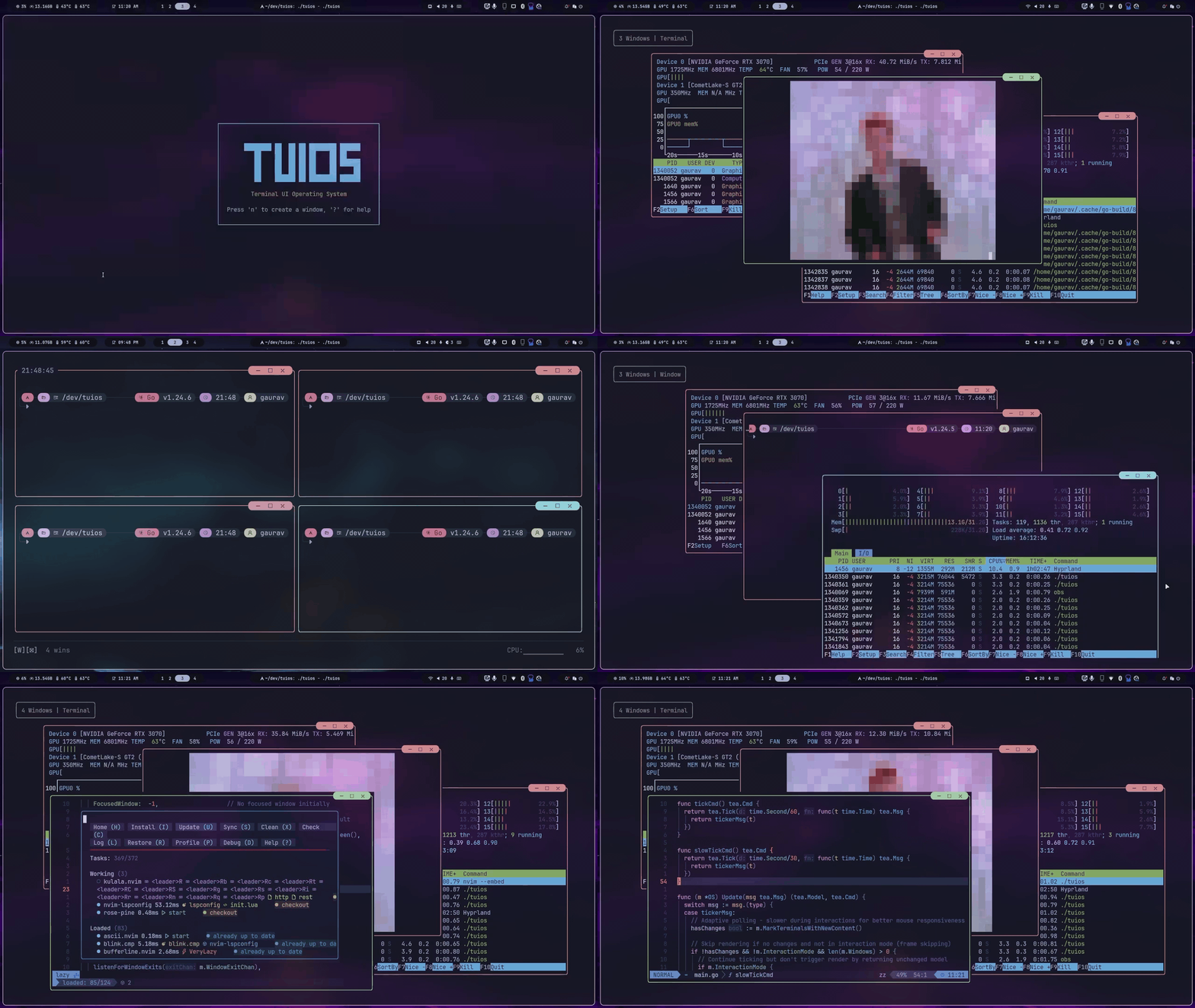
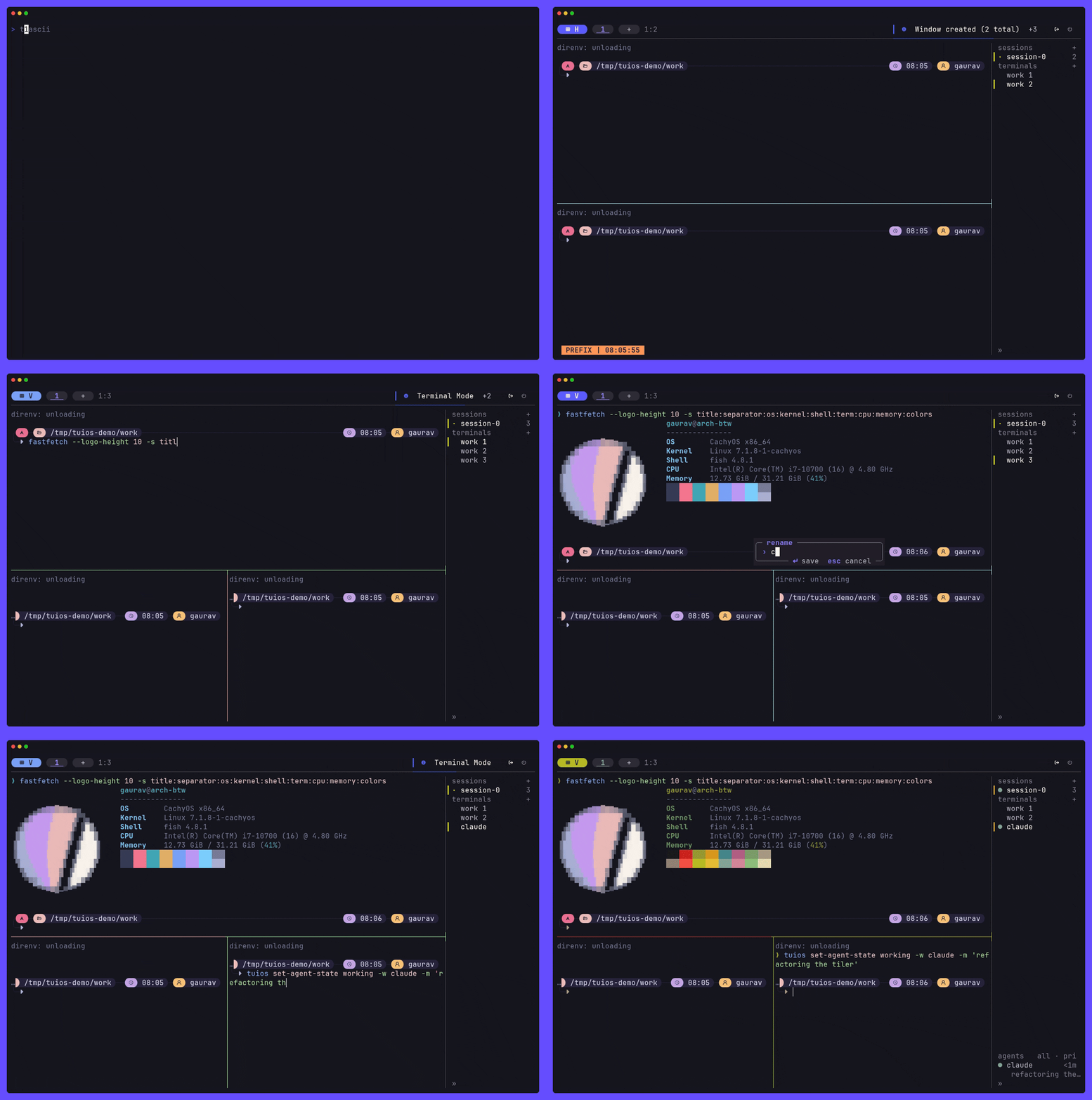
TUIOS is a modern terminal multiplexer and window manager built with Go. It provides a vim-like modal interface with multiple terminal panes, workspaces, BSP tiling, kitty graphics protocol support, and a command palette, all running inside your existing terminal. A daemon keeps sessions alive, reaches sessions on your other machines, and lets the coding agents in your panes report their state and message each other.
Built on the Charm stack (Bubble Tea v2, Lipgloss v2), TUIOS features event-driven rendering for near-zero idle CPU usage, flicker-free kitty image passthrough, and comprehensive keyboard/mouse interaction.
Full documentation is available at tuios.dev (hosted) or in the docs/ folder. To try tuios without installing it, take the guided tour at tuios.dev/learn: the real app, compiled to WebAssembly, with a practice shell in every pane.
What changed in v0.10.1 is in the release notes.
tuios status, and the reports tuios sends to its own terminalHomebrew (macOS/Linux):
brew install tuios
Homebrew, ghostty build (Linux only): tuios built with the libghostty-vt emulator. It installs a binary with the same name as the tuios formula. Uninstall the formula first.
brew uninstall tuios
brew install gaurav-gosain/tap/tuios-ghostty
Arch Linux (AUR):
yay -S tuios-bin
Nix:
nix run github:Gaurav-Gosain/tuios/v0.10.1#tuios   # a release
nix run github:Gaurav-Gosain/tuios#tuios          # the latest main
nix run nixpkgs#tuios                             # the nixpkgs package
Put a release tag after the repo name to build that release. Without a tag, Nix builds the newest commit on main.
# Quick install script (Linux/macOS, and Windows from Git Bash or PowerShell with WSL)
curl -fsSL https://raw.githubusercontent.com/Gaurav-Gosain/tuios/main/install.sh | bash
Go install
go install github.com/Gaurav-Gosain/tuios/cmd/tuios@latest
Docker
docker run -it --rm ghcr.io/gaurav-gosain/tuios:latest
GitHub Releases: Pre-built binaries for Linux, macOS, Windows, FreeBSD and OpenBSD, with a checksums.txt. The tuios-ghostty_* archives are tuios built on the libghostty-vt emulator, for Linux, macOS and Windows on amd64 and arm64.
Building from source needs Go 1.26.8 or newer.
Updating. If you installed with the quick install script or a release
binary, tuios update fetches the newest release and puts it in place
(tuios update --check just reports). Everything else has a package manager
that owns the binary, so use that instead; tuios update detects which you have
and prints the right command rather than overwriting it.
tuios completion prints a completion script for bash, zsh, fish or
PowerShell. Besides subcommands and flags, it completes values such as session
names for --session and configured hosts for --host.
# Bash (needs the bash-completion package)
tuios completion bash > ~/.local/share/bash-completion/completions/tuios
Zsh (the directory must be on your $fpath, before compinit runs)
tuios completion zsh > "${fpath[1]}/_tuios"
Fish
tuios completion fish > ~/.config/fish/completions/tuios.fish
# PowerShell: add this line to your $PROFILE
tuios completion powershell | Out-String | Invoke-Expression
Start a new shell afterwards. Run tuios completion --help for more
options, or see the CLI reference.
Requirements: A terminal with true color support. Kitty graphics and sixel support recommended (Ghostty, Kitty, WezTerm).
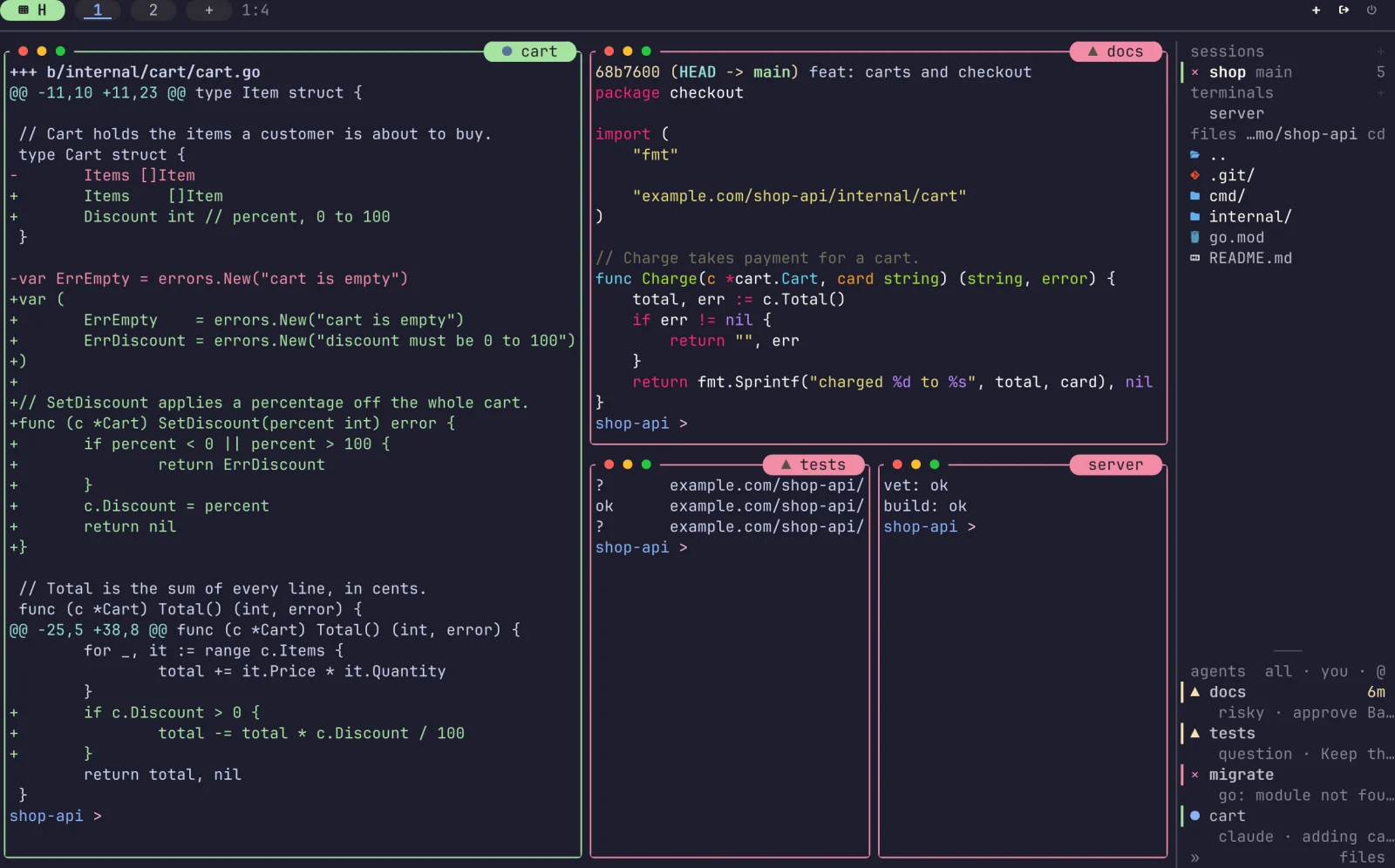 Panes and the rail. Tiled panes, and every agent's state at a glance. |
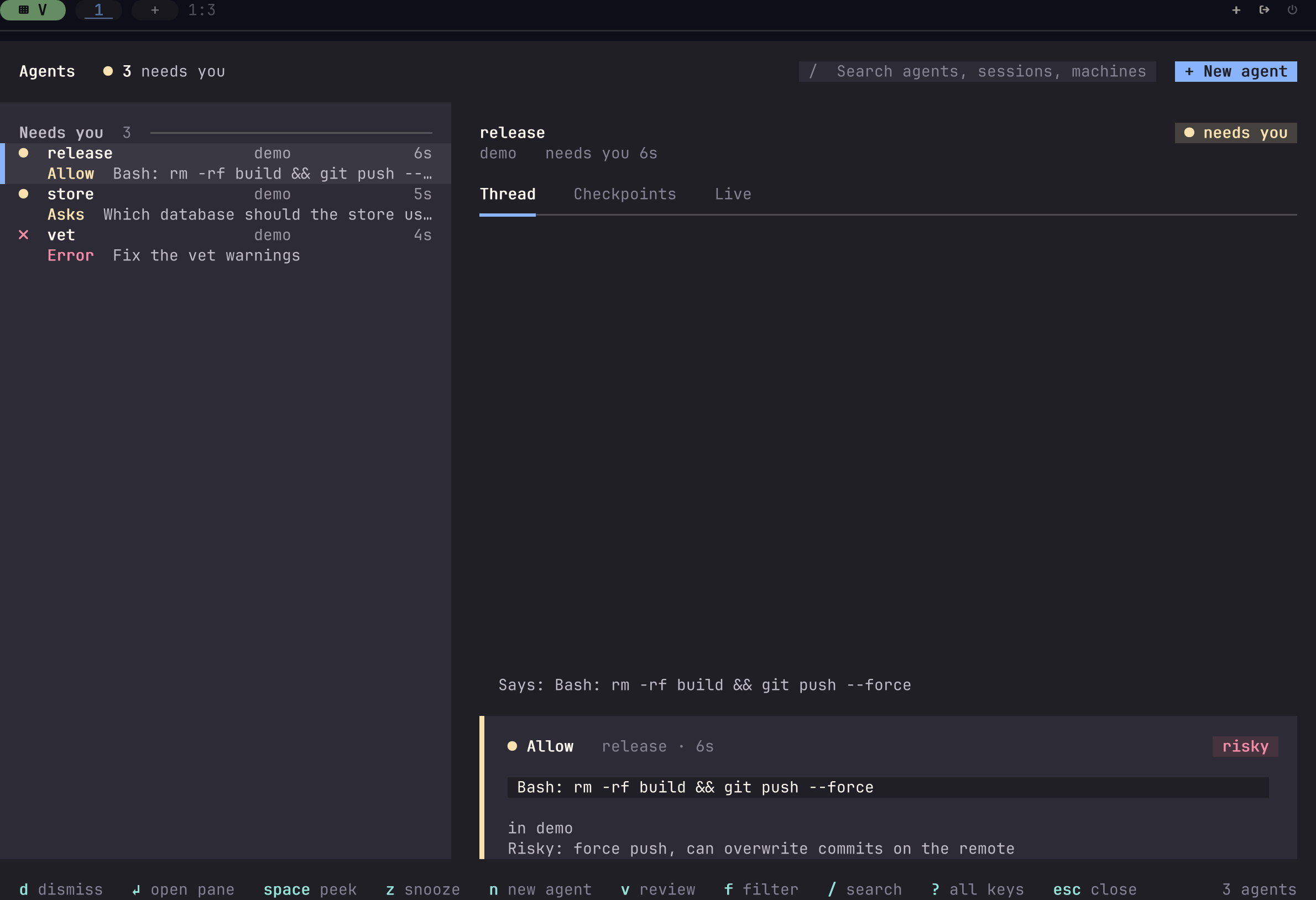 The Inbox. Everything your agents wait on, in one list. |
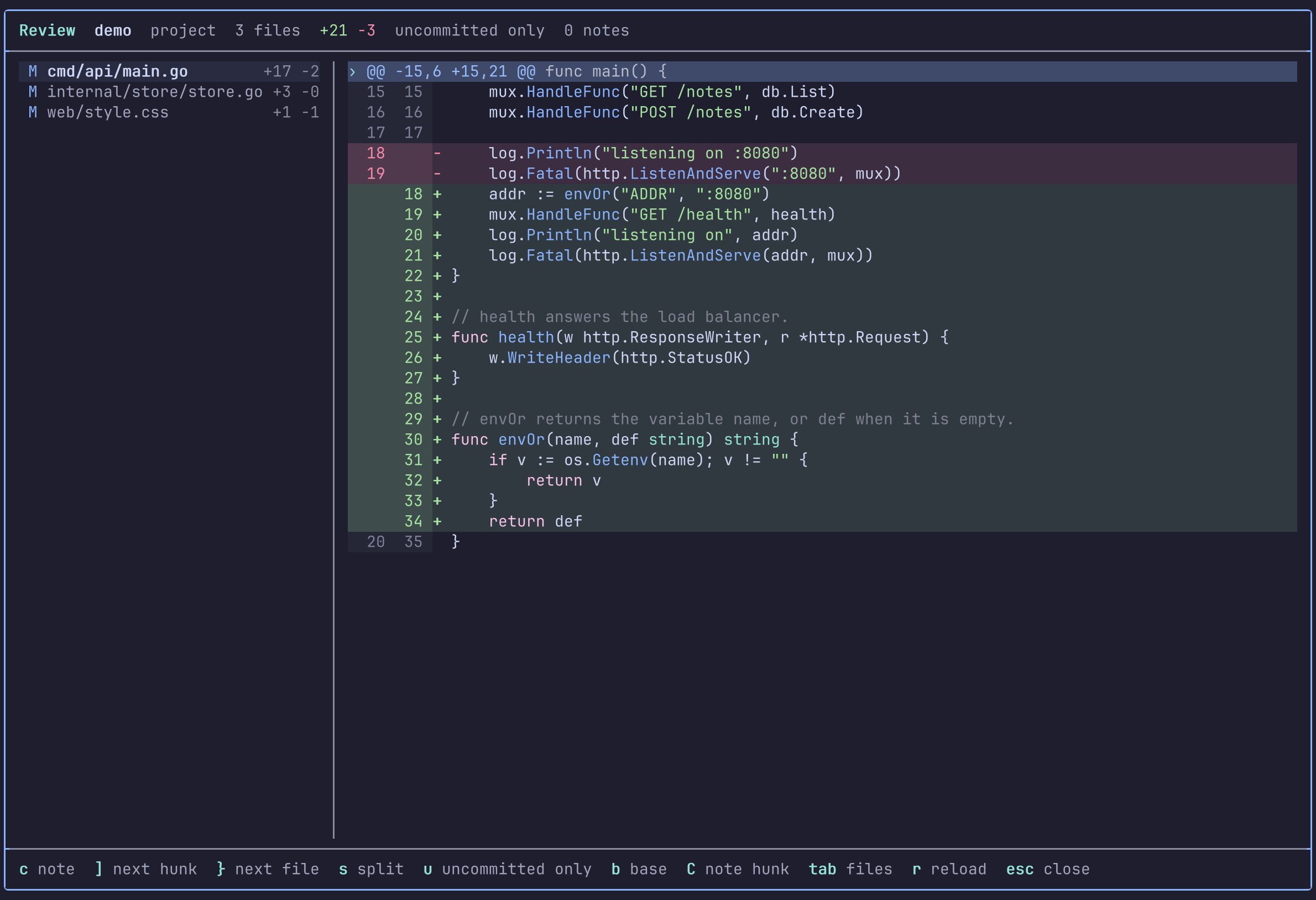 Review. Read an agent's changes and send notes back to it. |
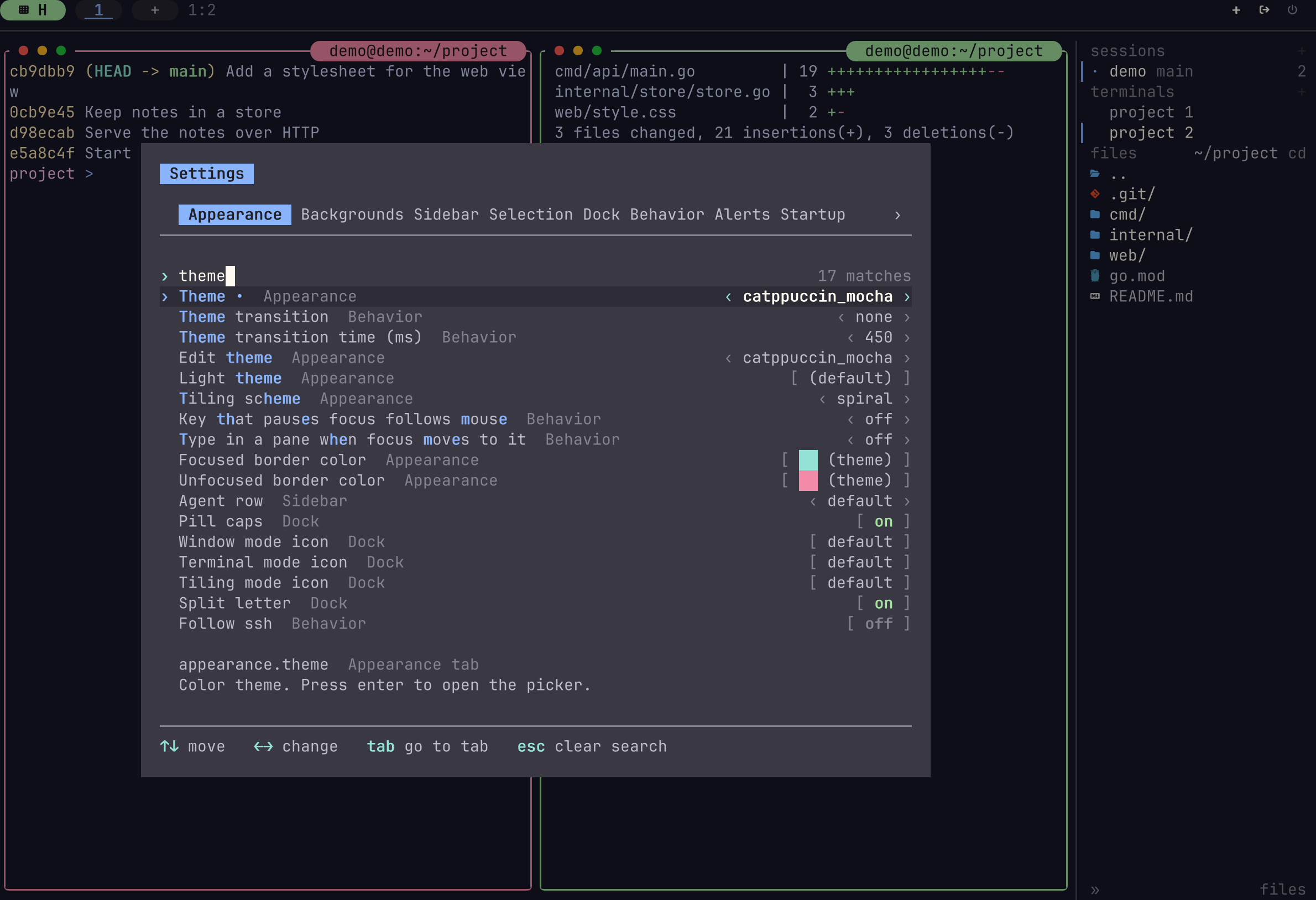 Settings. Every option on one page, applied at once. |
Each picture is a capture that tuios made of itself. Click one to read its docs page.
$PATH plus your installed desktop apps (Alt+Space), ranked by what you actually run. Enter starts it; Tab opens a shell with the command typed but not entered, so you can add arguments. App icons are drawn where the terminal supports kitty graphics.appearance.zoom_size = 100 for fullscreen. A fullscreen zoom hides the shared borders, and the dockbar shows a Z indicator.appearance.sidebar.enabled)tuios popup -- fzf runs a command in a floating pane that closes when it exitstuios integration install wires 19 harnesses (Claude Code, Codex, Gemini CLI, opencode and more) to report it, and tuios detects 24 agent CLIs by their process and screentuios status working --app build --progress 40. A build, a deploy script or brew then shows on the rail and in the Inbox like an agent. tuios also reports its panes to a terminal that reads the protocol, such as Rex (docs)[agents.approvals] answer Claude Code, opencode, Kilo and Qwen Code permission requests with one keytuios ask-human puts a question with fixed answers in your Inbox. Agents mail each other with tuios send-agent-message, and tuios ask-agent asks one and waits for its answer. It never types into a pane waiting on a prompt, and replies from you are marked verifiedtuios fan starts one prompt in several agents, mixed harnesses allowed, each in its own git worktree. tuios start-agent starts one helper beside you, in its TUI or headless over ACP or the Codex app-server. Selectors such as group:fan/retry needs:you address a whole groupread, write, fan, respond, admin), and give a helper less with --grantstuios mcp serves the same surface as MCP tools, read-only and held to the agent's own session unless you say otherwisetuios tmux-shim runs tools that drive tmux, such as Claude Code agent teams, with their panes opened as tuios panestuios stash put keeps a file for the session, so another agent can still open ittuios --skill prints the short guide an agent in a pane reads to drive tuios, and tuios --skill TOPIC the rest, recipes includedtuios hosts add names another machine, reached over ssh. tuios hosts tailnet lists the machines on a Tailscale tailnettuios attach --host build api draws a session on another machine in this client, and -s HOST:SESSION sends any command theretuios new-window NAME --host build runs one pane's process on another machine, in a session heretuios new NAME --global holds panes from several machines (docs)tuios fan --host build and tuios start-agent -s build:api run agents there, their Inbox items show here, and tuios worktree pull brings their work back. Each machine's [hosts] policy says what the others may do--shared-borders)/ and up with ?, yank with yv/V in each pane, and yank all selections as plain text, markdown or JSON, to the clipboard or a file (docs)mpv --vo=kitty works (both shm and base64), and youterm works.t=s passthrough for mpv --vo-kitty-use-shma=f frame edits are forwarded to the host, so a program that patches its own image costs a rectangle instead of a whole bitmap. TUIOS also patches guests that only retransmit. Panes are told whether the host carries frame edits through TUIOS_KITTY_ANIMATION, because the host's reply is not relayed back into the pane and a guest cannot find out for itself.tuios layout list, tuios layout delete, tuios layout exporttuios tape exec runs a tape against a running daemon sessionappearance.whichkey_enabled, docs)$PATH, frecency-ranked, with desktop-entry names and iconstuios keybinds doctor and tuios keybinds explain from the shellCtrl+Shift+click to select (docs)[spotlight] config table)tuios screenshot renders a pane to PNG, SVG, ANSI, HTML or texttuios-web binary)appearance.background paints empty cells with the theme's background or a colour of your own, per surface if you likeappearance.motion is none, basic or full (fades, the working shimmer, confetti)tuios # Launch TUIOS
tuios --show-keys # Launch with key overlay for learning
tuios --standalone # Launch without the daemon, for this run only
tuios attaches to a daemon-backed session, so the session outlives the
terminal window it started in. New panes are tiled. See
SESSIONS.md to turn either off.
| Key | Action | |-----|--------| | Ctrl+P | Command palette: search and run any action | | Alt+Space | Launcher: search and start a program (Enter runs it, Tab types it out) | | n | New pane (Window Management mode) | | i / Enter | Enter Terminal mode | | Prefix+Esc or Alt+Esc | Back to Window Management mode (a bare Esc goes to the shell) | | Prefix+d | Detach in a daemon session, otherwise back to Window Management mode | | z (WM) or Prefix+z | Toggle pane zoom | | Prefix+Space | Toggle BSP tiling | | Prefix+ | Enter copy mode (vim scrollback) | | Prefix+S | Session switcher | | Prefix+L then l/s | Load/Save layout template | | Prefix+? | Help overlay | | Prefix+q | Quit |
The prefix key is Ctrl+B by default (configurable).
tuios new mysession          # Create persistent session
tuios attach mysession       # Reattach
tuios ls                     # List sessions
tuios kill-session mysession # Kill session
# In-app: Ctrl+B, L, l to load / Ctrl+B, L, s to save
Or via command palette: Ctrl+P → "Save layout" / "Load layout"
CLI:
tuios layout list            # List saved layouts
tuios layout delete mysetup  # Delete a layout
tuios layout export mysetup  # Export as tape script
tuios config edit            # Edit config in $EDITOR
tuios keybinds list          # View the common keybindings
See the [configuration reference (or run tuios list-options) for all options including show_clock, show_cpu, show_ram, shared_borders, window_button_style, window_button_position, custom themes, and keybinding customization.
TUIOS follows the Model-View-Update pattern on Bubble Tea v2. For details, see Architecture Guide.
Key design decisions:
internal/app/os.go): Central state, workspaces, overlaysvt/): ANSI parser with scrollback, kitty/sixel graphics, kitty keyboard protocol, OSC 133internal/app/render.go): Layer composition, viewport culling, graphics batchinginternal/input/): Modal routing, 100+ configurable keybindings, mouse handlinginternal/app/kitty_passthrough.go): Flicker-free image forwarding with ID reuse and sync outputRender() instead of cell-by-cell, unless appearance.dim_unfocused needs each cell.git clone https://github.com/gaurav-gosain/tuios.git
cd tuios
go build -o tuios ./cmd/tuios
./tuios
To install a local build on your PATH instead, ./scripts/install.sh builds
and installs into ~/.local/bin. I
→ →
 →
 →
 →
 →
 →
 →