1
 →

Build your own AI office with Univer Office SDK. Bring editing, calculation, collaboration, and file processing into your product for people and AI agents. Built on an extensible open-source core.
dream-num/univer is an open-source project on GitHub, mainly written in TypeScript. Build your own AI office with Univer Office SDK. Bring editing, calculation, collaboration, and file processing into your product for people and AI agents. It currently holds 23,159 stars and 1,958 forks with 146 open issues, and was last pushed on 2026-11-11 (repository created 2022-09-29).
Git Homed tracks it on the Today's Trending board, currently at rank #42 with 128 new stars today.

Start with open-source Sheets and Docs, then connect your own application or agent.
🚀 Quick start · 📚 Documentation · ⚖️ Feature comparison · 🌐 Website · 🎮 Showcase · 🔧 API Reference · 📝 Blog
English · Français · Deutsch · Español · 简体中文 · 繁體中文 · 日本語 · 한국어
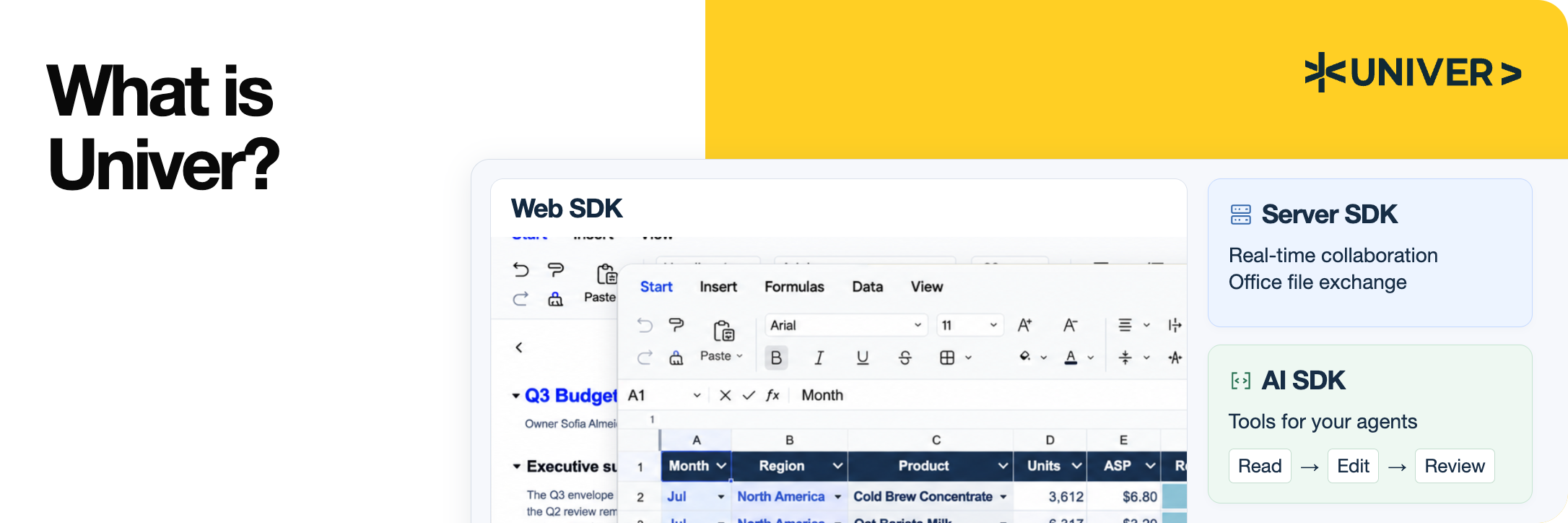
Univer is an Office SDK for building Office applications inside your own product. It provides Office editing, calculation, collaboration, and file processing for people and existing agents, using your data and permissions. The product family covers spreadsheets, documents, presentations, relational tables, canvases, and PDFs.
Univer Office SDK has three parts:
Agents can use the same open-source APIs; your application supplies the model and tool orchestration. The quotation example demonstrates editing, calculation, and saving without an AI SDK dependency.
| Area | Selected capabilities |
|---|---|
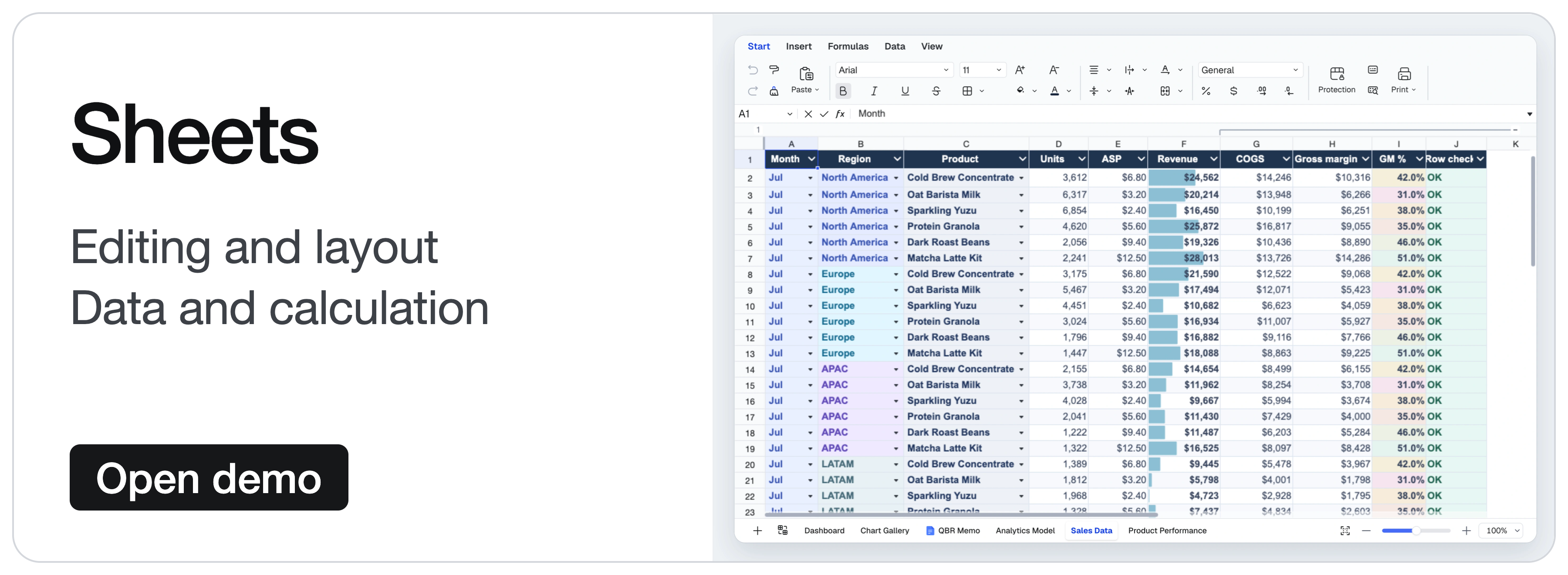
| Sheets · Editing and layout | Cell styles, merged cells, in-cell rich text, freeze panes, floating images, and undo/redo. |
| Sheets · Data and calculation | Formulas, defined names, filtering, sorting, data validation, conditional formatting, hyperlinks, comments, and find and replace. |
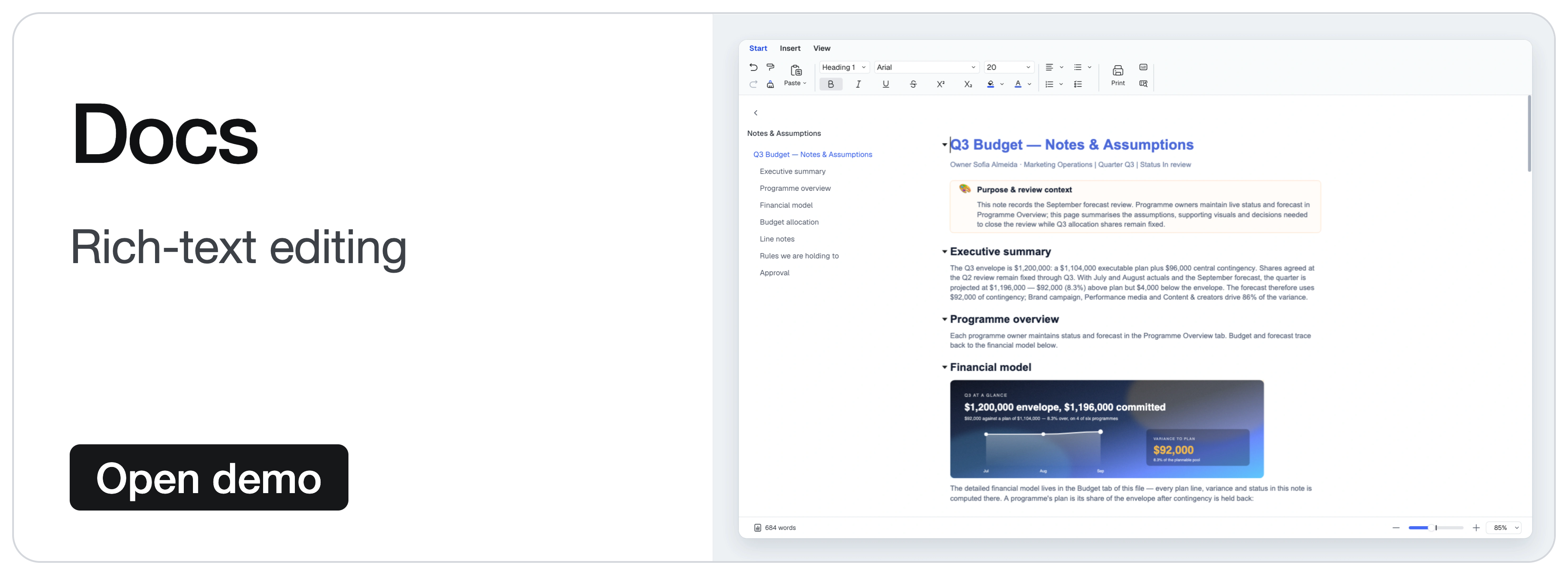
| Docs | Rich-text editing, paragraph formatting, lists, hyperlinks, comments, and drawing integration. |
Features are composed through plugins and presets; the quick start uses only the Sheets Core preset. Images use the corresponding drawing plugins. See the feature comparison for detailed open-source and commercial coverage.
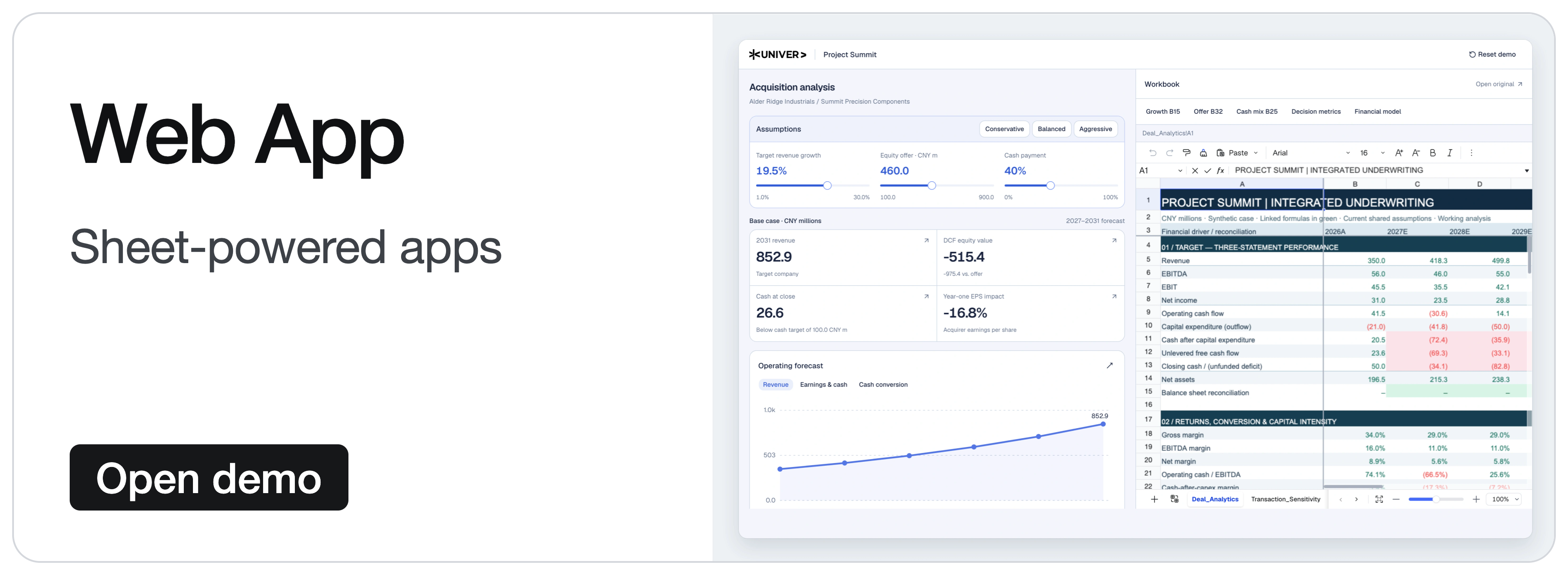
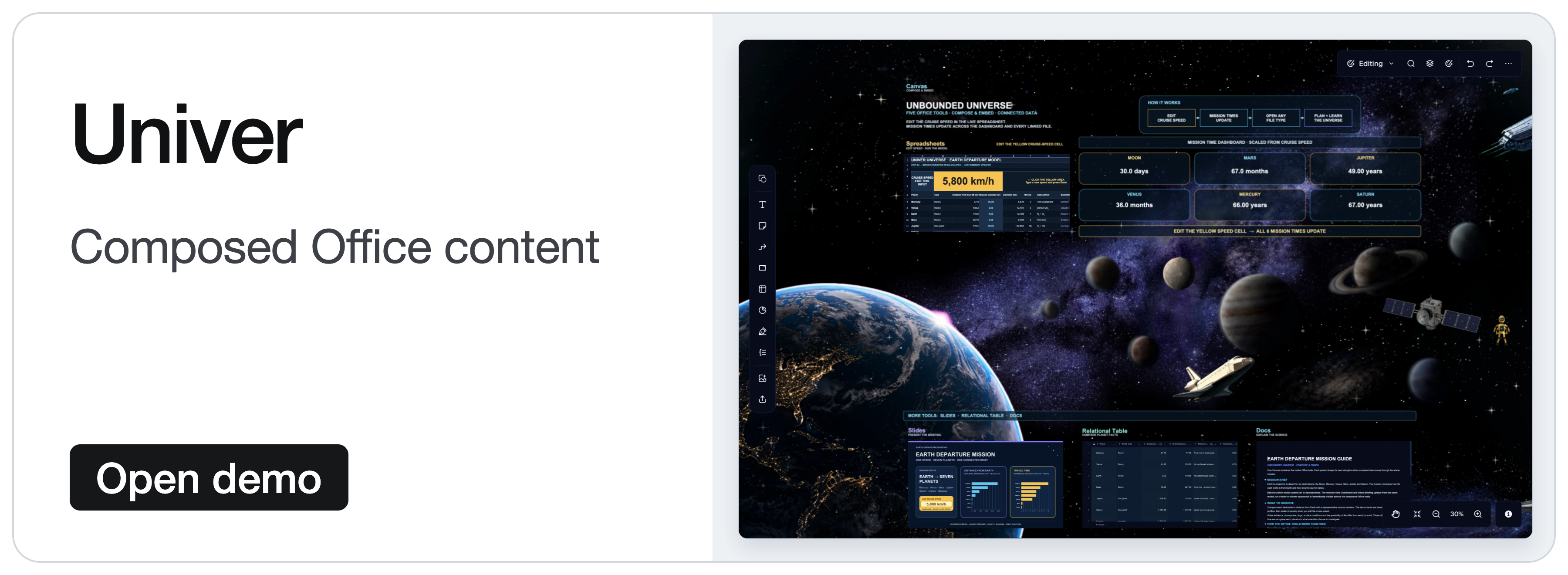
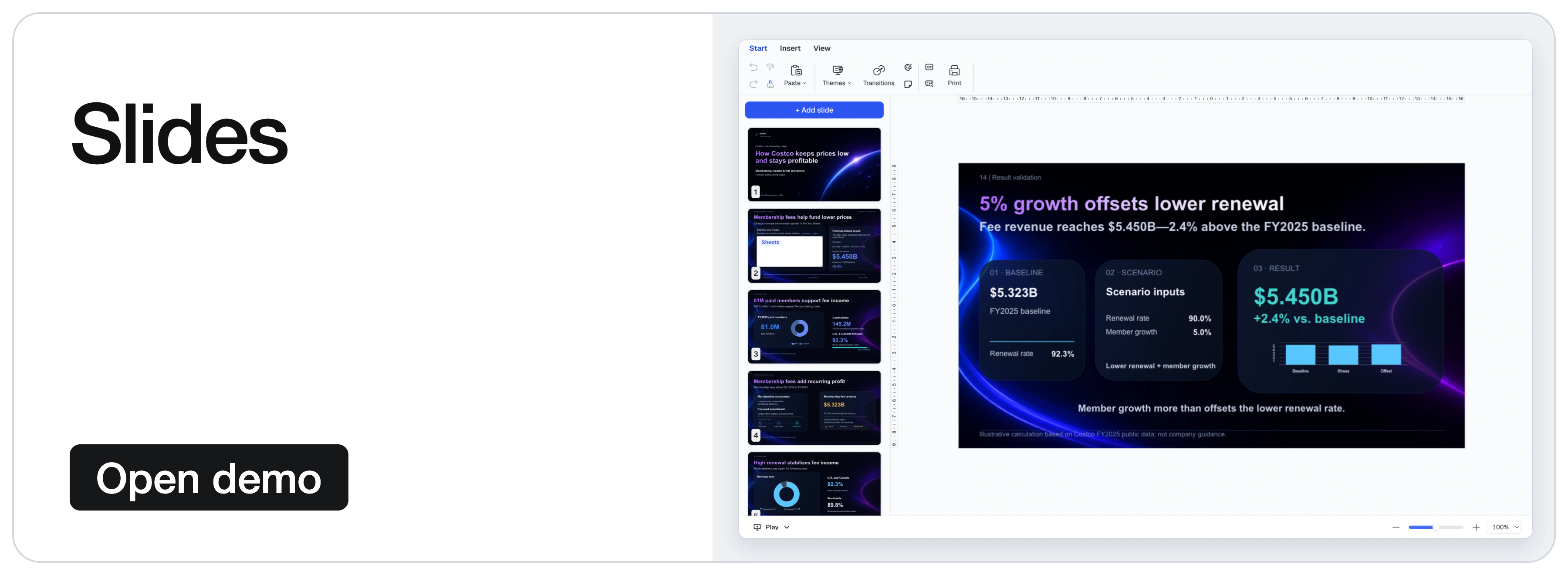
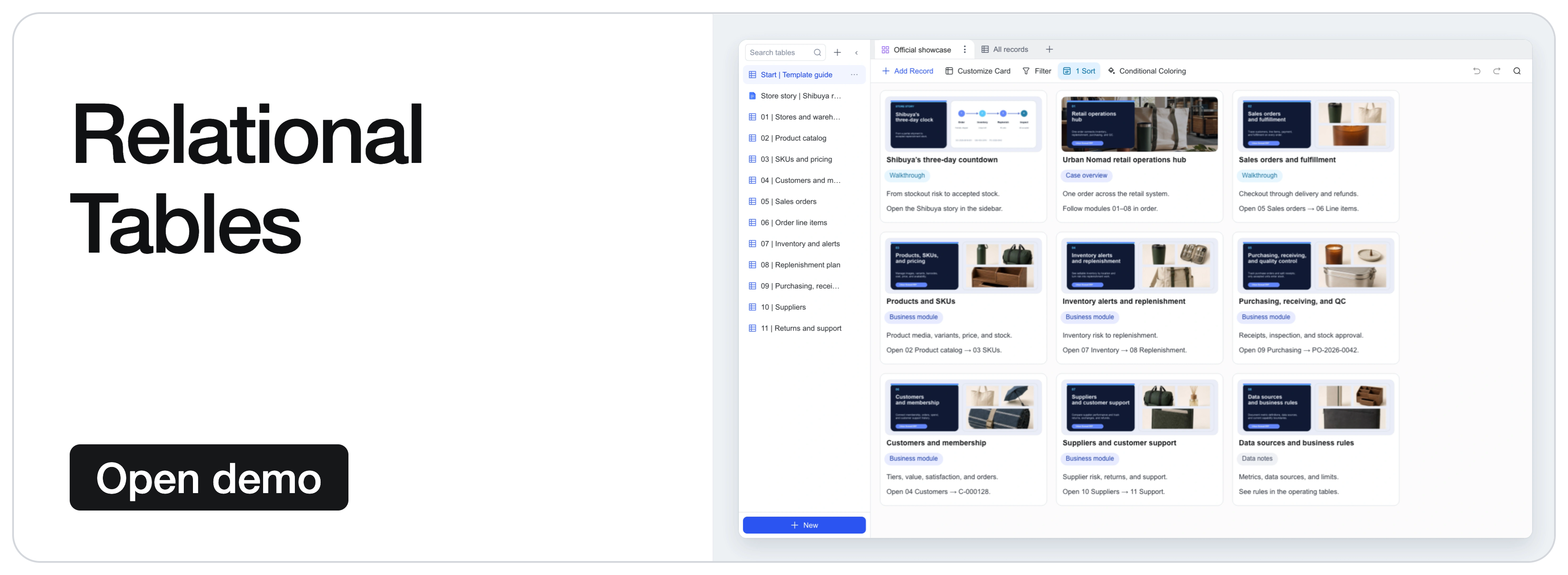
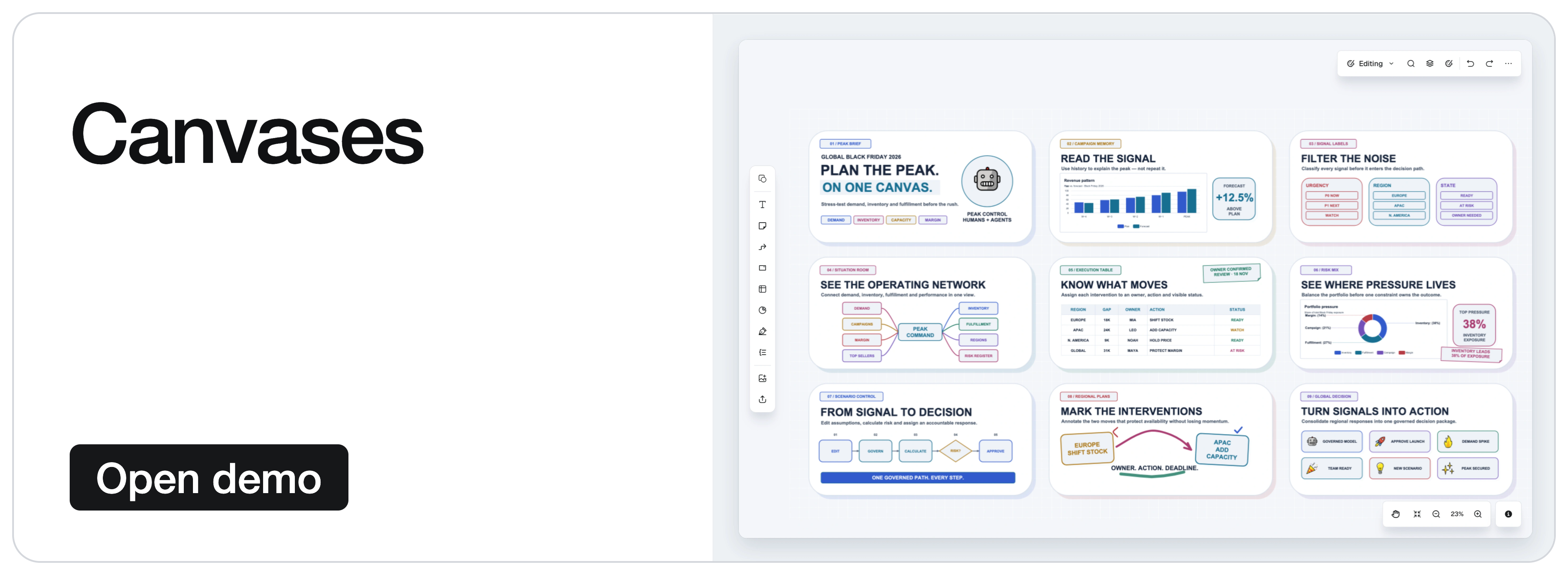
The demos below showcase the wider Univer Office SDK, including commercial capabilities. They show more than the default open-source setup; see open source and commercial extensions for scope.
 |
 |
 |
 |
 |
 |
 |
 |
| Your goal | Use the open-source foundation | Start here |
|---|---|---|
| Embed Sheets or Docs | Add an editable Office surface to your application or agent product, and connect your data through Facade APIs. | Quick start |
| Process content without an editor | Reuse content plugins, models, commands, and calculation in Node.js for editing, snapshots, and automated tasks. | Headless guide |
| Develop custom features or editors | Reuse the engines, UI components, plugin boundaries, dependency injection, and command/undo systems. Follow existing features to extend Sheets and Docs or develop your own editors. | Open-source architecture |
Coordinate edits and undo/redo across features. Inserting a row inside a filter range changes both the base content and the filter range; undo needs to restore both. Each feature supplies its own changes and undo data, and the command composes their execution and history. The architecture walkthrough explains how to extend these editing workflows.
In a browser application using a bundler such as Vite:
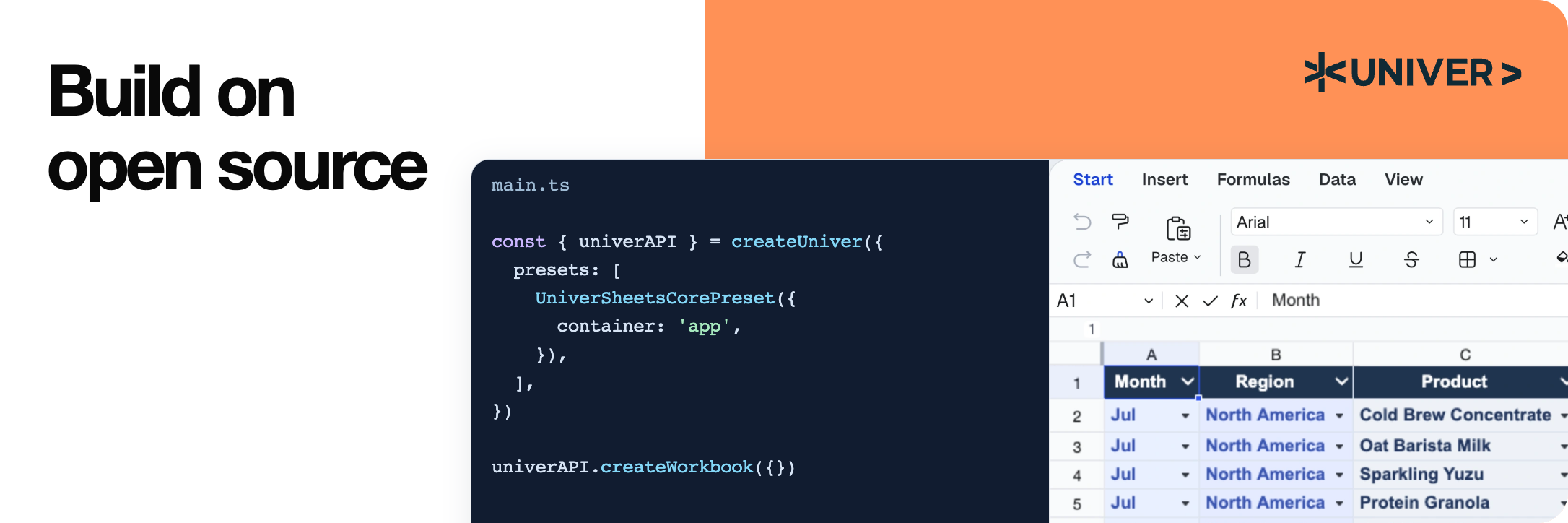
pnpm add @univerjs/presets @univerjs/preset-sheets-core
Create the container before initializing Univer:
import { UniverSheetsCorePreset } from '@univerjs/preset-sheets-core'
import UniverPresetSheetsCoreEnUS from '@univerjs/preset-sheets-core/locales/en-US'
import { createUniver, LocaleType, mergeLocales } from '@univerjs/presets'
import '@univerjs/preset-sheets-core/lib/index.css'
const { univerAPI } = createUniver({
  locale: LocaleType.EN_US,
  locales: {
    [LocaleType.EN_US]: mergeLocales(UniverPresetSheetsCoreEnUS),
  },
  presets: [
    UniverSheetsCorePreset({
      container: 'app',
    }),
  ],
})
univerAPI.createWorkbook({})
Your page now contains a spreadsheet editor. Use the returned univerAPI to work with its content. This example uses open-source packages and needs no commercial Univer license or Server SDK.
For component frameworks, retain the univer instance returned by createUniver and call univer.dispose() when the component unmounts. See the lifecycle guide.
Presets compose plugins and register their Facade APIs. For manual control, see the Plugin Mode example below. The installation guide covers both modes, peer dependencies, and framework integrations.
Keep coordinated @univerjs/* packages on the same version. Commercial packages must use the matching release line; independently released packages such as icons follow their declared compatibility. See the API Stability Policy.
Facade APIs are the application-facing interface to workbooks, worksheets, and ranges. Continue from the quick start to populate a quotation, update a quantity from application code, and read the recalculated total:
// Wait for formula controllers before editing a newly created workbook.
await new Promise((resolve) => {
  if (univerAPI.getCurrentLifecycleStage() >= univerAPI.Enum.LifecycleStages.Steady) {
    resolve()
    return
  }
  const listener = univerAPI.addEvent(univerAPI.Event.LifeCycleChanged, ({ stage }) => {
    if (stage === univerAPI.Enum.LifecycleStages.Steady) {
      listener.dispose()
      resolve()
    }
  })
})
const workbook = univerAPI.getActiveWorkbook()!
const sheet = workbook.getActiveSheet()
sheet.getRange('A1:D4').setValues([
  ['Item', 'Quantity', 'Unit price', 'Amount'],
  ['Seats', 2, 25, '=B2*C2'],
  ['Support', 1, 100, '=B3*C3'],
  ['Total', '', '', '=SUM(D2:D3)'],
])
// An application control or agent can make the same edit.
sheet.getRange('B2').setValue(4)
univerAPI.getFormula().onCalculationResultApplied().then(() => {
  console.log(sheet.getRange('D4').getValue()) // 200
  localStorage.setItem('quotation', JSON.stringify(workbook.save()))
}).catch(console.error)
The editor and your application operate on the same workbook; formula changes are recalculated automatically. workbook.save() returns a JSON snapshot containing the workbook and its registered plugin data. Your application owns persistence; this example uses browser storage. On a later page load, after initialization, restore the snapshot instead of creating a blank workbook:
const saved = localStorage.getItem('quotation')
if (saved) {
  univerAPI.createWorkbook(JSON.parse(saved))
}
This workflow uses only open-source packages. Snapshot persistence is separate from XLSX import and export, which uses the separately distributed file-conversion capabilities. Use public Facade APIs for application integration; the source links below explain internal implementation and extension points. See the API Stability Policy before depending on an extension point.
Use Plugin Mode when you need precise control over plugin selection, dependencies, or loading. The preset above handles this composition for you.
This alternative initialization uses the same app container and the Sheets Core preset's browser plugin stack without a Worker. Use it instead of the preset initialization, then run the same quotation example with the returned univerAPI.
pnpm add @univerjs/core @univerjs/design @univerjs/docs @univerjs/docs-ui \
  @univerjs/engine-formula @univerjs/engine-render @univerjs/network \
  @univerjs/sheets @univerjs/sheets-ui @univerjs/sheets-formula \
  @univerjs/sheets-formula-ui @univerjs/sheets-numfmt \
  @univerjs/sheets-numfmt-ui @univerjs/ui
import { LocaleType, mergeLocales, Univer } from '@univerjs/core'
import { FUniver } from '@univerjs/core/facade'
import DesignEnUS from '@univerjs/design/locale/en-US'
import { UniverDocsPlugin } from '@univerjs/docs'
import { UniverDocsUIPlugin } from '@univerjs/docs-ui'
import DocsUIEnUS from '@univerjs/docs-ui/locale/en-US'
import { UniverFormulaEnginePlugin } from '@univerjs/engine-formula'
import FormulaEnUS from '@univerjs/engine-formula/locale/en-US'
import { UniverRenderEnginePlugin } from '@univerjs/engine-render'
import { UniverNetworkPlugin } from '@univerjs/network'
import { UniverSheetsPlugin } from '@univerjs/sheets'
import SheetsEnUS from '@univerjs/sheets/locale/en-US'
import { UniverSheetsFormulaPlugin } from '@univerjs/sheets-formula'
import SheetsFormulaEnUS from '@univerjs/sheets-formula/locale/en-US'
import { UniverSheetsFormulaUIPlugin } from '@univerjs/sheets-formula-ui'
import SheetsFormulaUIEnUS from '@univerjs/sheets-formula-ui/locale/en-US'
import { UniverSheetsNumfmtPlugin } from '@univerjs/sheets-numfmt'
import { UniverSheetsNumfmtUIPlugin } from '@univerjs/sheets-numfmt-ui'
import SheetsNumfmtUIEnUS from '@univerjs/sheets-numfmt-ui/locale/en-US'
import { UniverSheetsUIPlugin } from '@univerjs/sheets-ui'
import SheetsUIEnUS from '@univerjs/sheets-ui/locale/en-US'
import { UniverUIPlugin } from '@univerjs/ui'
import UIEnUS from '@univerjs/ui/locale/en-US'
import '@univerjs/design/lib/index.css'
import '@univerjs/ui/lib/index.css'
import '@univerjs/docs-ui/lib/index.css'
import '@univerjs/sheets-ui/lib/index.css'
import '@univerjs/sheets-formula-ui/lib/index.css'
import '@univerjs/sheets-numfmt-ui/lib/index.css'
import '@univerjs/network/facade'
import '@univerjs/docs/facade'
import '@univerjs/docs-ui/facade'
import '@univerjs/engine-formula/facade'
import '@univerjs/sheets/facade'
import '@univerjs/ui/facade'
import '@univerjs/sheets-ui/facade'
import '@univerjs/sheets-formula/facade'
import '@univerjs/sheets-numfmt/facade'
import '@univerjs/sheets-formula-ui/facade'
const univer = new Univer({
  locale: LocaleType.EN_US,
  locales: {
    [LocaleType.EN_US]: mergeLocales(
      DesignEnUS,
      DocsUIEnUS,
      FormulaEnUS,
      SheetsEnUS,
      SheetsFormulaEnUS,
      SheetsFormulaUIEnUS,
      SheetsNumfmtUIEnUS,
      SheetsUIEnUS,
      UIEnUS,
    ),
  },
})
univer.registerPlugin(UniverNetworkPlugin)
univer.registerPlugin(UniverDocsPlugin)
univer.registerPlugin(UniverRenderEnginePlugin)
univer.registerPlugin(UniverUIPlugin, { container: 'app' })
univer.registerPlugin(UniverDocsUIPlugin)
univer.registerPlugin(UniverFormulaEnginePlugin)
univer.registerPlugin(UniverSheetsPlugin, {
  onlyRegisterFormulaRelatedMutations: false,
})
univer.registerPlugin(UniverSheetsUIPlugin, {
  protectedRangeShadow: true,
})
univer.registerPlugin(UniverSheetsNumfmtPlugin)
univer.registerPlugin(UniverSheetsNumfmtUIPlugin)
univer.registerPlugin(UniverSheetsFormulaPlugin)
univer.registerPlugin(UniverSheetsFormulaUIPlugin)
const univerAPI = FUniver.newAPI(univer)
univerAPI.createWorkbook({})
The Docs plugins support spreadsheet rich-text editing. When adding a feature, include its corresponding Facade extensions, locale bundles, and UI styles. Dispose univer when its container is unmounted.
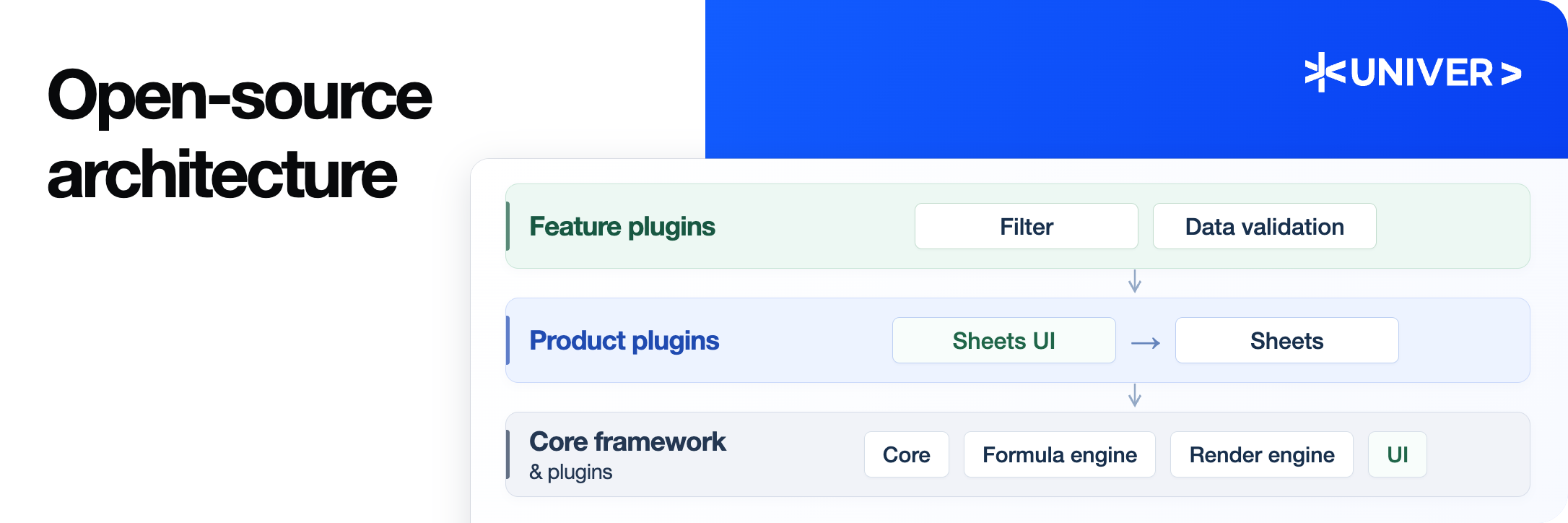
Univer organizes content logic and UI interaction in separate plugins. Feature plugins manage rules and content changes; UI plugins provide the interface and user interactions. For example, sheets-filter manages filter ranges and rules, while sheets-filter-ui provides panels, menus, and shortcuts.
%%{init: {'htmlLabels': false, 'theme': 'base', 'themeVariables': {'fontFamily': 'Arial, PingFang SC, Microsoft YaHei, sans-serif', 'fontSize': '17px', 'lineColor': '#64748b'}, 'flowchart': {'htmlLabels': false, 'curve': 'linear', 'nodeSpacing': 28, 'rankSpacing': 45, 'padding': 16, 'wrappingWidth': 270}}}%%
%% A layered overview, not a complete dependency graph.
%% Group arrows indicate reuse of the layer below; internal arrows show selected dependencies.
flowchart TD
  subgraph FEATURES["Feature Plugins"]
    direction LR
    FUI["Filter
UI Plugin"]
    VUI["Data Validation
UI Plugin"]
    FILTER["Filter Plugin"]
    VALIDATION["Data Validation Plugin"]
    FUI --> FILTER
    VUI --> VALIDATION
  end
subgraph PRODUCTS["Product Plugins"]
    direction LR
    SUI["Sheets UI Plugin"]
    SHEETS["Sheets Plugin"]
    SUI --> SHEETS
  end
subgraph FOUNDATION["Core Framework & Plugins"]
    direction LR
    UI["UI Plugin"]
    FORMULA["Formula Engine Plugin"]
    RENDER["Render Engine Plugin"]
    CORE["Core"]
    UI --> RENDER
    RENDER --> CORE
    FORMULA --> CORE
  end
FEATURES --> PRODUCTS
  PRODUCTS --> FOUNDATION
classDef logic fill:#eff6ff,color:#17365f,stroke:#93b4df,stroke-width:1.5px
  classDef ui fill:#f0fdf4,color:#17543a,stroke:#91c8a7,stroke-width:1.5px
  classDef shared fill:#f6f7f9,color:#334155,stroke:#bac3ce,stroke-width:1.5px
  classDef feature fill:#172d50,color:#ffffff,stroke:#172d50
  class FUI,VUI ui
  class FILTER,VALIDATION logic
  class SUI,SHEETS logic
  class UI,FORMULA,RENDER,CORE shared
style FEATURES fill:#f7fcf9,stroke:#b5d8c1,color:#17543a
  style PRODUCTS fill:#f5f9ff,stroke:#b6cbea,color:#17365f
  style FOUNDATION fill:#fafbfc,stroke:#cbd2dc,color:#334155
Figure 1: three plugin layers. Feature plugins build on product plugins, which reuse the core framework and plugins. Group arrows show dependencies on the layer below; Core provides content models, commands, dependency injection, and lifecycle management. Some plugins and dependencies are omitted.
New features keep their rules in their own plugins and cooperate through public services, commands, and defined extension points. UI plugins build on shared UI services and components.
Dependencies are explicit at two levels:
DependentOn declares runtime plugin dependencies. The plugin service orders them, and lifecycle stages separate dependency registration, content initialization, and UI initialization.The filter plugin and its UI plugin show these boundaries in working code.
→ →
 →
 →
 →
 →
 →
 →