1
 →
→
Stealth Chromium that passes every bot detection test. Drop-in Playwright replacement with source-level fingerprint patches. 30/30 tests passed.






| Not a patched config. Not a JS injection. A real Chromium binary with fingerprints modified at the C++ source level. Antibot systems score it as a normal browser — because it is a normal browser. |

Cloudflare Turnstile — 3 live tests passing (headed mode, macOS)
Drop-in Playwright/Puppeteer replacement for Python and JavaScript.
Same API, same code — just swap the import. 3 lines of code, 30 seconds to unblock.
humanize=True — human-like mouse curves, keyboard timing, and scroll patterns. One flag, behavioral detection passespip install cloakbrowser or npm install cloakbrowser — binary auto-downloads, zero configdocker run --rm cloakhq/cloakbrowser cloaktest
Python:
from cloakbrowser import launch
browser = launch()
page = browser.new_page()
page.goto("https://example.com")
browser.close()
JavaScript (Playwright):
import { launch } from 'cloakbrowser';
const browser = await launch();
const page = await browser.newPage();
await page.goto('https://example.com');
await browser.close();
Also works with Puppeteer: import { launch } from 'cloakbrowser/puppeteer' (details)
For sites with anti-bot protection, add a residential proxy and these flags:
browser = launch(
    proxy="http://user:pass@residential-proxy:port",  # residential IP, not datacenter
    geoip=True,       # match timezone + locale to proxy IP
    headless=False,    # some sites detect headless even with C++ patches
    humanize=True,     # human-like mouse, keyboard, scroll
)
const browser = await launch({
    proxy: 'http://user:pass@residential-proxy:port',
    geoip: true,
    headless: false,
    humanize: true,
});
See Troubleshooting for site-specific issues (FingerprintJS, Kasada, reCAPTCHA).
Python:
pip install cloakbrowser
JavaScript / Node.js:
# With Playwright
npm install cloakbrowser playwright-core
With Puppeteer
npm install cloakbrowser puppeteer-core
.NET / C#:
dotnet add package CloakBrowser
Community-maintained .NET client built on Microsoft.Playwright. See dotnet/README.md for the full API.
---
On first run, the stealth Chromium binary is automatically downloaded (~200MB, cached locally).
Optional: Auto-detect timezone/locale from proxy IP:
pip install 'cloakbrowser[geoip]'
Migrating from Playwright? One-line change:
- from playwright.sync_api import sync_playwright
- pw = sync_playwright().start()
- browser = pw.chromium.launch()
+ from cloakbrowser import launch
+ browser = launch()
page = browser.new_page()
page.goto("https://example.com")
... rest of your code works unchanged
⭐ Star to show support — Watch releases to get notified when new builds drop.
---
151.0.7922.108.6 on Linux x64, Linux ARM64, and Windows x64; macOS on 151.0.7922.108.3. Set a license_key (licenseKey in JS) or the CLOAKBROWSER_LICENSE_KEY env var and the wrapper fetches the latest Stable build for your platform automatically. See CloakBrowser ProCloakBrowser), mirroring the Python and JS wrappers.extension_paths — load Chrome extensions in all launch functionshuman_config — override humanize settings on individual method callsbuildLaunchOptions() and humanizeBrowser() for custom Playwright integrationsproxy="socks5://user:pass@host:port" works directly in all launch functions, Python + JS. QUIC/HTTP3 tunnels through SOCKS5 via UDP ASSOCIATE--fingerprint-webrtc-ip=auto resolves your proxy's exit IP and spoofs WebRTC ICE candidates. Auto-injected when using geoip=True (no extra network call)humanize=True — one flag makes all mouse, keyboard, and scroll interactions behave like a real user. Bézier curves, per-character typing, realistic scroll patternslaunch(proxy="...", geoip=True) auto-detects timezone and localelaunch_persistent_context() keeps cookies and localStorage across sessions, bypasses incognito detectionplaywright-stealth, undetected-chromedriver, and puppeteer-extra inject JavaScript or tweak flags. Every Chrome update breaks them. Antibot systems detect the patches themselves.Anti-bot systems change every week and an older binary quietly degrades. The latest build is the one that keeps passing. Try it free, then upgrade when you're running for real.
cloakbrowser login, then throw it at your hardest target.cloakbrowser login # GitHub sign-in for a free key, or paste a paid key
...or set it directly (env var, license_key= param, or ~/.cloakbrowser/license.key):
export CLOAKBROWSER_LICENSE_KEY=cb_xxxxxxxx
Try the latest free → cloakbrowser.dev/free · Scale up on Pro → cloakbrowser.dev
The anti-detect browser, with a GUI. A self-hosted alternative to Multilogin, GoLogin, and AdsPower, running on this same engine, on your own machine, not someone else's cloud.
Every profile is a genuinely separate computer: its own fingerprint, GPU, screen, timezone, proxy, cookies, and history. Nothing bleeds between them. Close a profile, reopen it next month, and it's the same person, warmed up and ready.
Get the Manager → · Manager repo — the GUI is open source (MIT)
All tests verified against live detection services. Results below are for the latest Pro/current build unless noted. Last tested: Aug 2026 (Chromium 151).
| Detection Service | Stock Playwright | CloakBrowser | Notes |
|---|---|---|---|
| reCAPTCHA v3 | 0.1 (bot) | 0.9 (human) | Pro/current build; server-side verified |
| Cloudflare Turnstile (non-interactive) | FAIL | PASS | Auto-resolve |
| Cloudflare Turnstile (managed) | FAIL | PASS | Single click |
| ShieldSquare | BLOCKED | PASS | Production site |
| FingerprintJS bot detection | DETECTED | PASS | Pro/current build; demo.fingerprint.com |
| BrowserScan bot detection | DETECTED | NORMAL (4/4) | browserscan.net |
| bot.incolumitas.com | 13 fails | 1 fail | WEBDRIVER spec only |
| deviceandbrowserinfo.com | 6 true flags | 0 true flags | isBot: false |
| navigator.webdriver | true | false | Source-level patch |
| navigator.plugins.length | 0 | 5 | Real plugin list |
| window.chrome | undefined | object | Present like real Chrome |
| UA string | HeadlessChrome | Chrome/151.0.0.0 | No headless leak |
| CDP detection | Detected | Not detected | isAutomatedWithCDP: false |
| TLS fingerprint | Mismatch | Identical to Chrome | ja3n/ja4/akamai match |
| | | Tested against 30+ detection sites | |
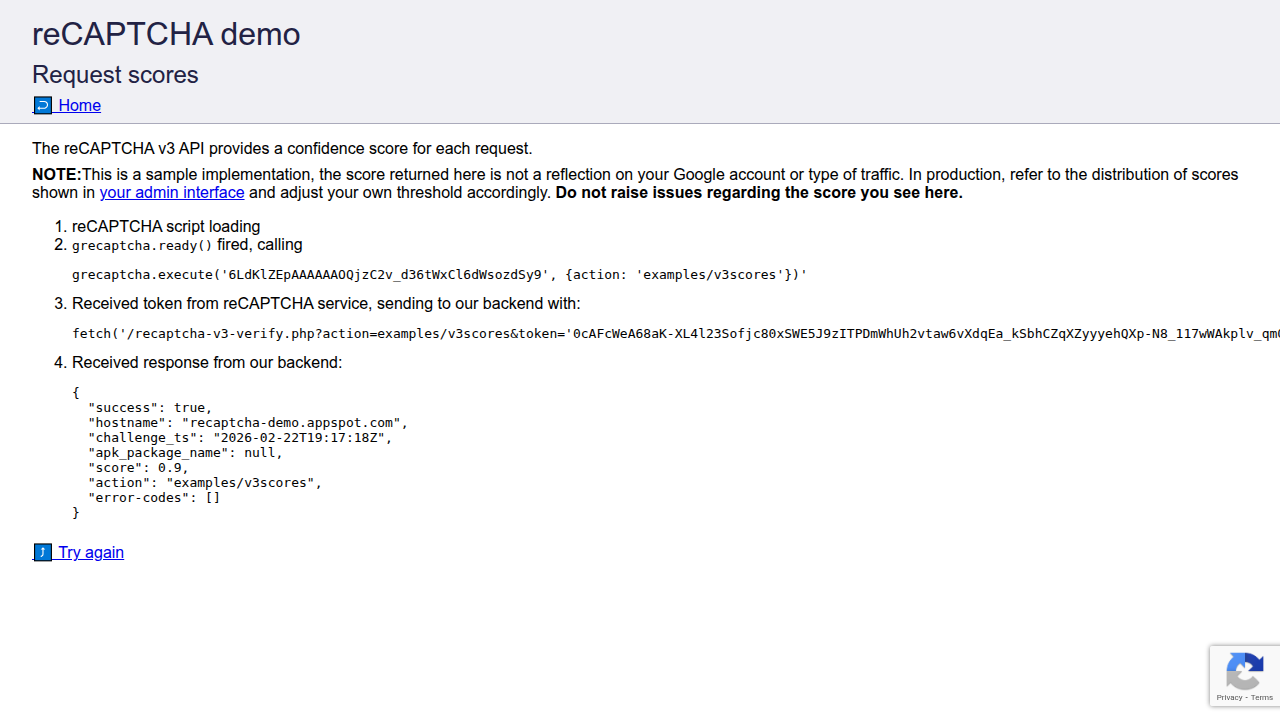
Pro/latest build: reCAPTCHA v3 score 0.9 — server-side verified (human-level)
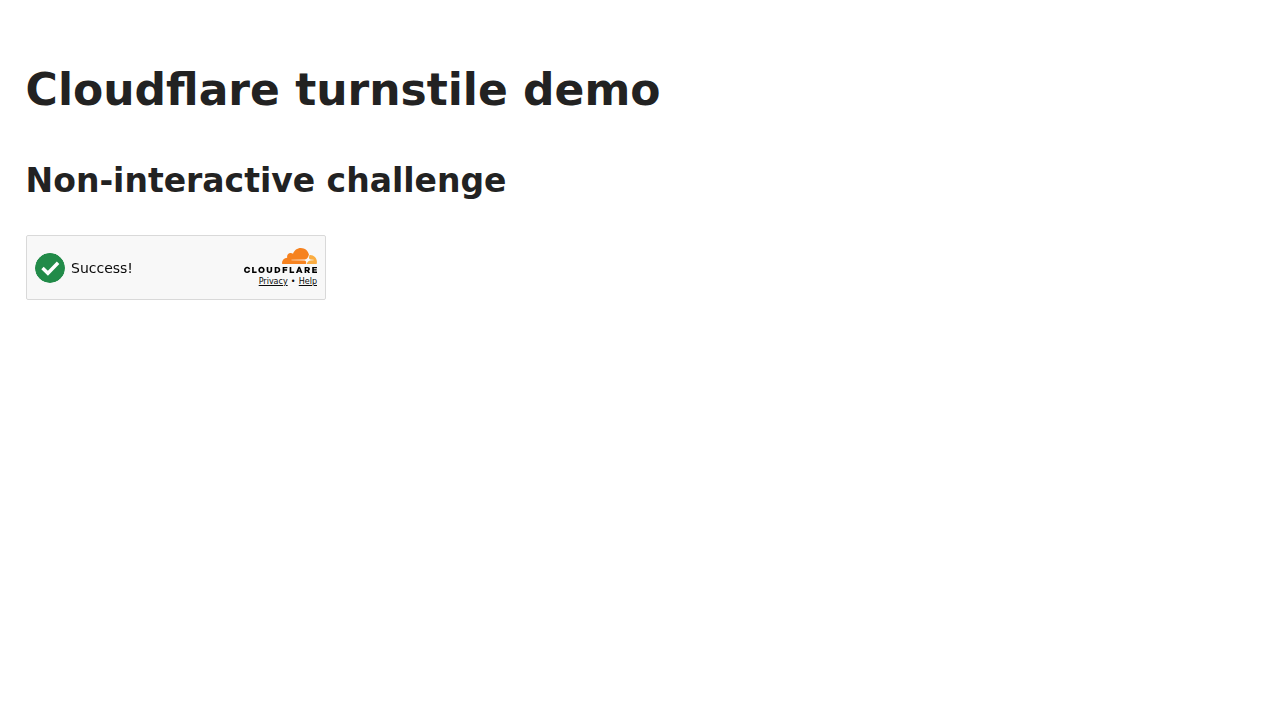
Cloudflare Turnstile non-interactive challenge — auto-resolved
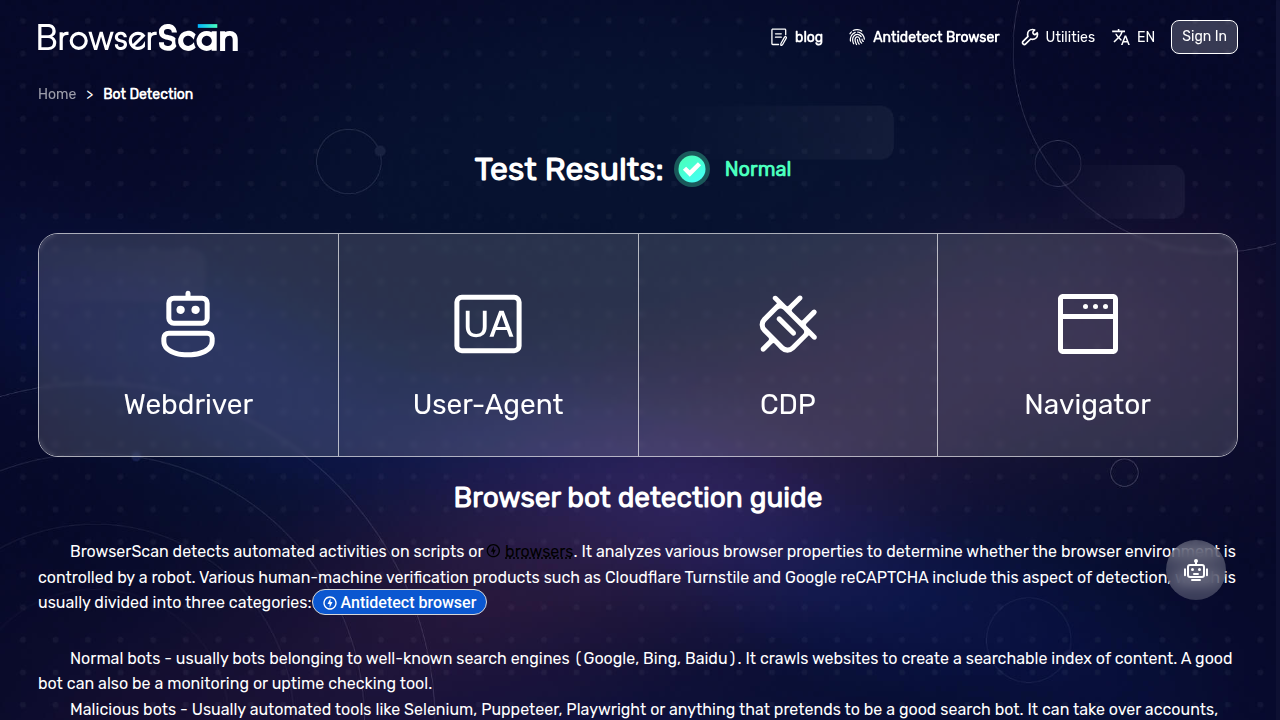
BrowserScan bot detection — NORMAL (4/4 checks passed)
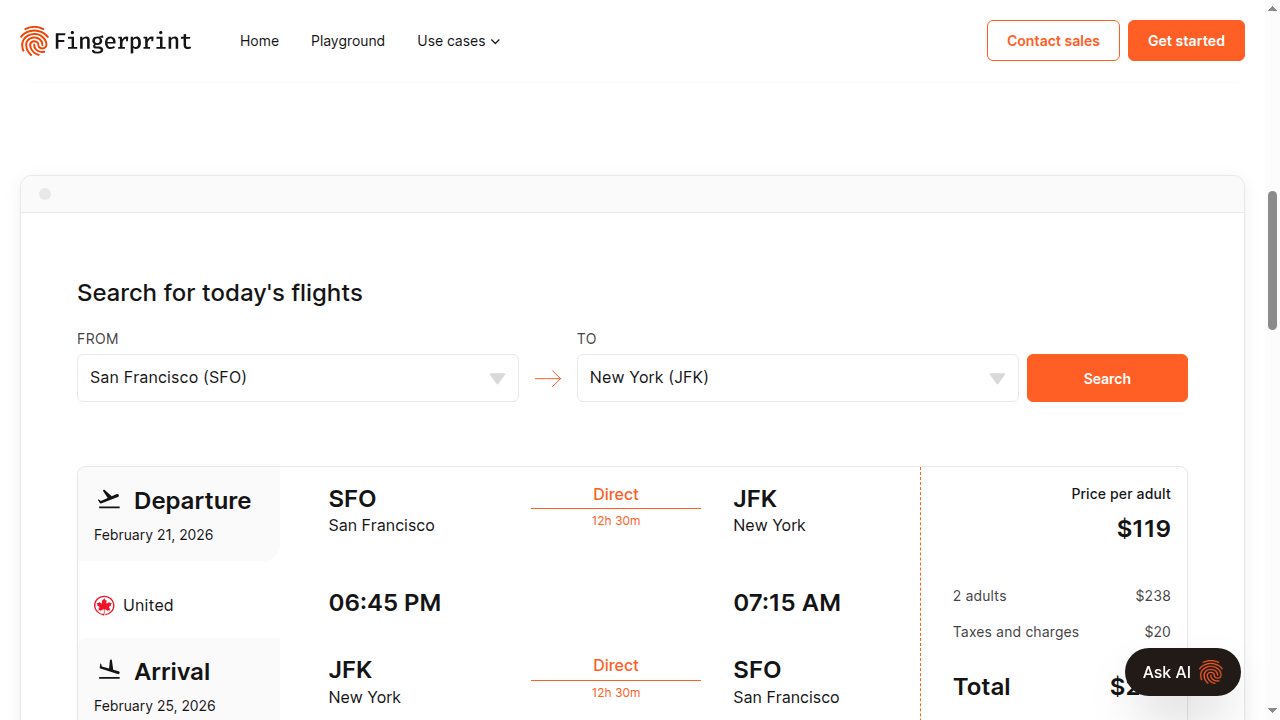
Pro/latest build: FingerprintJS web-scraping demo — data served, not blocked
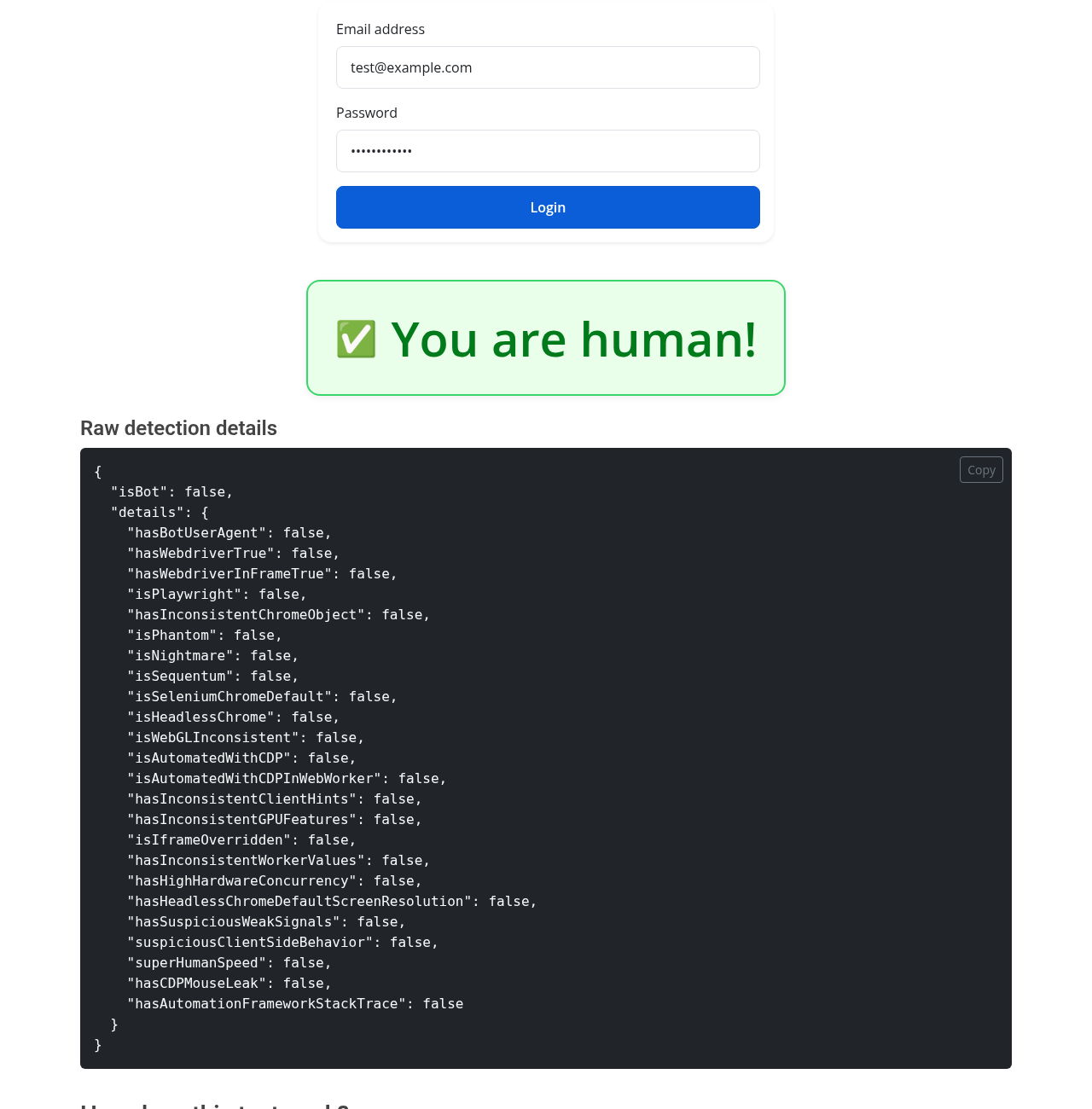
deviceandbrowserinfo.com behavioral bot detection — "You are human!" with humanize=True (24/24 signals passed)
| Feature | Playwright | playwright-stealth | undetected-chromedriver | CloakBrowser | |---|---|---|---|---| | reCAPTCHA v3 score (Pro/current) | 0.1 | 0.3-0.5 | 0.3-0.7 | 0.9 | | Cloudflare Turnstile | Fail | Sometimes | Sometimes | Pass | | Headless / Docker detection | Flagged | Flagged | Flagged | Passes | | Patch level | None | JS injection | Config patches | C++ (Chromium) | | Survives Chrome updates | N/A | Breaks often | Breaks often | Yes | | Maintained | Yes | Stale | Stale | Active | | Browser engine | Chromium | Chromium | Chrome | Chromium | | Playwright API | Native | Native | No (Selenium) | Native |
CloakBrowser is a thin wrapper (Python + JavaScript) around a custom-built Chromium binary:
1. You install → pip install cloakbrowser or npm install cloakbrowser
2. First launch → binary auto-downloads for your platform (Chromium 146)
3. Every launch → Playwright or Puppeteer starts with our binary + stealth args
4. You write code → standard Playwright/Puppeteer API, nothing new to learn
The binary includes 87 source-level patches covering canvas, WebGL, audio, fonts, GPU, screen properties, WebRTC, network timing, hardware reporting, automation signal removal, and CDP input behavior mimicking.
These are compiled into the Chromium binary — not injected via JavaScript, not set via flags.
Binary downloads are verified against a pinned Ed25519 signature on the published checksums before extraction, so the download is confirmed authentic (genuinely ours) and not just intact. A compromised mirror cannot serve a tampered or downgraded binary.
launch()from cloakbrowser import launch
Basic — headless, default stealth config
browser = launch()
Headed mode (see the browser window)
browser = launch(headless=False)
Latest binary — pass a key (free via cloakbrowser login, or paid) or set CLOAKBROWSER_LICENSE_KEY
browser = launch(license_key="cb_xxxxxxxx")
With proxy (HTTP or SOCKS5)
browser = launch(proxy="http://user:pass@proxy:8080")
browser = launch(proxy="socks5://user:pass@proxy:1080")
With proxy dict (bypass, separate auth fields)
browser = launch(proxy={"server": "http://proxy:8080", "bypass": ".google.com", "username": "user", "password": "pass"})
With extra Chrome args
browser = launch(args=["--disable-gpu"])
With timezone and locale (sets binary flags — no detectable CDP emulation)
browser = launch(timezone="America/New_York", locale="en-US")
Auto-detect timezone/locale from proxy IP (requires: pip install cloakbrowser[geoip])
Also auto-injects --fingerprint-webrtc-ip to prevent WebRTC IP leaks (no extra cost)
Note: makes HTTP calls through your proxy to resolve exit IP (ipify.org, checkip.amazonaws.com)
browser = launch(proxy="http://proxy:8080", geoip=True)
Explicit timezone/locale always win over auto-detection
browser = launch(proxy="http://proxy:8080", geoip=True, timezone="Europe/London")
WebRTC IP spoofing only (no geoip dep needed — resolves exit IP via HTTP call through proxy)
browser = launch(proxy="http://proxy:8080", args=["--fingerprint-webrtc-ip=auto"])
Explicit WebRTC IP (no network call)
browser = launch(proxy="http://proxy:8080", args=["--fingerprint-webrtc-ip=1.2.3.4"])
Human-like mouse, keyboard, and scroll behavior
browser = launch(humanize=True)
With slower, more deliberate movements
browser = launch(humanize=True, human_preset="careful")
Without default stealth args (bring your own fingerprint flags)
browser = launch(stealth_args=False, args=["--fingerprint=12345"])
Returns a standard Playwright Browser object. All Playwright methods work: new_page(), new_context(), close(), etc.
launch_async()import asyncio
from cloakbrowser import launch_async
async def main():
browser = await launch_async()
page = await browser.new_page()
await page.goto("https://example.com")
print(await page.title())
await browser.close()
asyncio.run(main())
launch_context()Convenience function that creates browser + context in one call with user agent, viewport, locale, and timezone:
from cloakbrowser import launch_context
context = launch_context(
    user_agent="Custom UA",
    viewport={"width": 1920, "height": 1080},
    locale="en-US",
    timezone="America/New_York",
)
page = context.new_page()
page.goto("https://protected-site.com")
context.close()
Extra kwargs are forwarded to Playwright's browser.new_context() — use this for storage_state, permissions, extra_http_headers, etc. without needing a persistent profile folder:
from cloakbrowser import launch_context
Restore a saved session (cookies, localStorage) from a JSON file
context = launch_context(storage_state="state.json")
page = context.new_page()
page.goto("https://example.com")
Save state back for next run
context.storage_state(path="state.json")
context.close()
launch_context_async()Async counterpart to launch_context(). Same signature and kwargs forwarding:
import asyncio
from cloakbrowser import launch_context_async
async def main():
    ctx = await launch_context_async(storage_state="state.json")
    page = await ctx.new_page()
    await page.goto("https://example.com")
    await ctx.storage_state(path="state.json")
    await ctx.close()
asyncio.run(main())
launch_persistent_context()Same as launch_context(), but with a persistent user profile. Cookies, localStorage, and cache persist across sessions.
Use this when you need to:
from cloakbrowser import launch_persistent_context
First run — creates the profile
ctx = launch_persistent_context("./my-profile", headless=False)
page = ctx.new_page()
page.goto("https://protected-site.com")
ctx.close()  # profile saved
Next run — cookies, localStorage restored automatically
ctx = launch_persistent_context("./my-profile", headless=False)
Load Chrome extensions
ctx = launch_persistent_context(
    "./my-profile",
    headless=False,
    extension_paths=["./my-extension"],
)
Supports all the same options as launch_context(): proxy, user_agent, viewport, locale, timezone, color_scheme, geoip, extension_paths.
Async version: launch_persistent_context_async().
Storage quota and incognito detection: the binary normalizes storage quota by default (this also hides the real disk size). Detectors that infer private/incognito mode from quota — e.g. BrowserScan's incognito check (−10%) — read the default as incognito. Raise it to present as a regular profile:
ctx = launch_persistent_context("./my-profile", args=["--fingerprint-storage-quota=5000"])
The binary is built with Widevine support, but the Widevine CDM is a proprietary Google component we can't redistribute. Get it one of two ways (full background in #96):
Fetch it — no Chrome install needed; pulls the CDM from Google's component server (Linux x86-64 only; SHA-256 + CRX3-signature verified). It lands at ~/.cloakbrowser/WidevineCdm, which the wrapper auto-detects — no env var needed:
python3 bin/fetch-widevine.py
Or copy it from an existing Chrome install, next to the binary:
cp -r /opt/google/chrome/WidevineCdm ~/.cloakbrowser/chromium-/WidevineCdm
(In Docker, just pass -e CLOAKBROWSER_FETCH_WIDEVINE=1 — the entrypoint runs the fetch automatically; see the Docker note below.)
With the CDM in place, launch_persistent_context() enables Widevine on the first launch — the wrapper auto-writes the CDM hint file into the profile, so you don't need the manual two-launch workaround. This lets you play DRM-protected video (e.g. Netflix, Spotify Web).
from cloakbrowser import launch_persistent_context
WidevineCdm sideloaded next to the binary -> Widevine works on first launch
ctx = launch_persistent_context("./my-profile", headless=False)
CLOAKBROWSER_WIDEVINE_CDM=/path/to/WidevineCdm, or disable seeding entirely with CLOAKBROWSER_WIDEVINE=0.-e CLOAKBROWSER_FETCH_WIDEVINE=1 and it pulls the CDM from Google's component server (the same source Chrome uses) on first launch, caches it at ~/.cloakbrowser/WidevineCdm in the mounted volume, where the wrapper auto-detects it — for free or Pro binaries, and for docker exec'd scripts alike. Off by default — no network call unless you opt in — and best-effort, so a failed fetch never blocks launch. The download is signature- and checksum-verified before install. Bare-metal Linux users can run the same fetcher directly: python3 bin/fetch-widevine.py (pip-only installs can → →
→ →
→ →
→ →
→ →
→