1
 →
→
A multi-platform proxy client based on ClashMeta,simple and easy to use, open-source and ad-free.
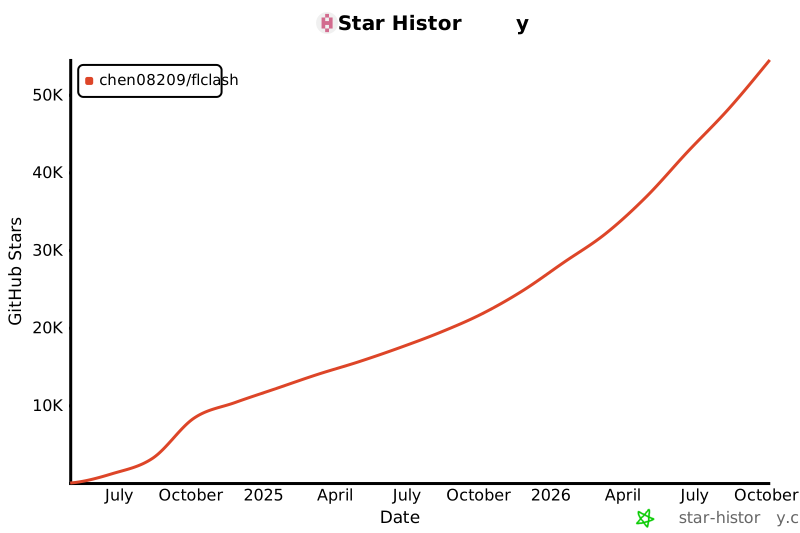
chen08209/FlClash is an open-source project on GitHub, mainly written in Dart. A multi-platform proxy client based on ClashMeta,simple and easy to use, open-source and ad-free. It currently holds 54,485 stars and 3,445 forks with 370 open issues, and was last pushed on 2026-10-03 (repository created 2023-08-15).
Git Homed tracks it on the Today's Trending board.

A multi-platform proxy client based on ClashMeta. Simple to use, open source and ad-free.
English · 简体中文




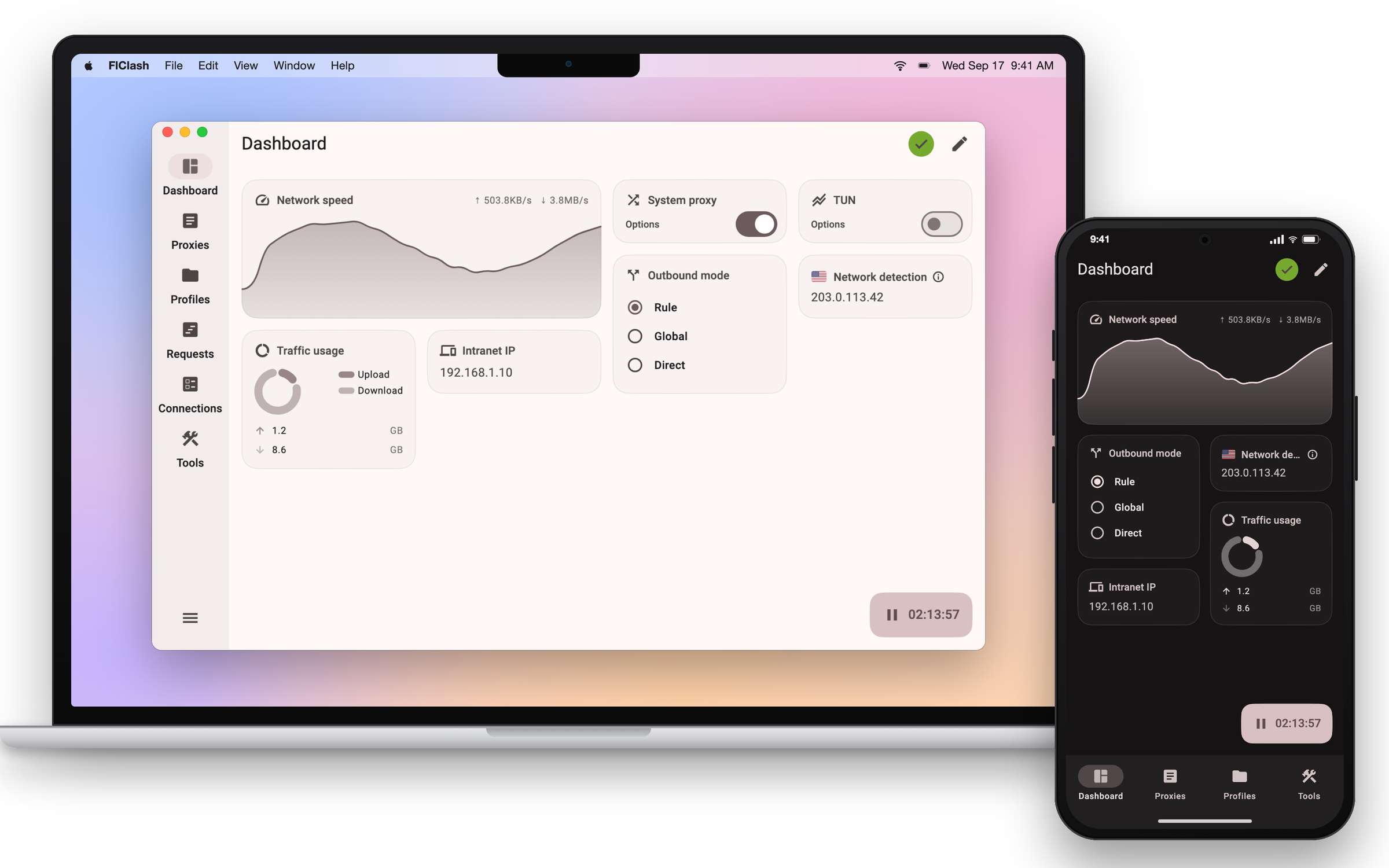
Get the latest build from GitHub Releases, or open the website, which picks the right file for your device.
| Platform | Packages | Notes |
| --- | --- | --- |
| Android | APK for arm64-v8a, armeabi-v7a and x86_64 | Most phones use arm64-v8a. Also on the F-Droid repository below. |
| Windows 10 and later | Installer (.exe) or portable .zip, for x64 and ARM64 | Pick ARM64 on Snapdragon and other ARM laptops. |
| macOS 12 and later | DMG for Apple Silicon and Intel | Also on Homebrew. |
| Linux | .deb, .rpm and AppImage, for x64 and ARM64 | See the tray note below. |

Homebrew
brew tap chen08209/tap
brew install --cask flclash
Linux tray icon
The .deb package installs its own dependencies. With the AppImage or the .rpm, install the AyatanaAppIndicator
library so the tray icon can show:
sudo apt-get install libayatana-appindicator3-1   # Debian and Ubuntu
sudo dnf install libayatana-appindicator-gtk3     # Fedora
Import a profile from a link. Opening a link in this form imports the subscription into FlClash. The clashmeta://
and flclash:// schemes work the same way.
clash://install-config?url=
Automate on Android. Tasker, MacroDroid and similar apps can start, stop or toggle the proxy by starting an activity with one of these actions:
com.follow.clash.action.START
com.follow.clash.action.STOP
com.follow.clash.action.TOGGLE
From a computer, the same works over adb:
adb shell am start -a com.follow.clash.action.TOGGLE
You need Flutter 3.47 (release builds use 3.47.4), Go 1.26 and Rust installed through rustup. Each platform builds on its own host, except Android, which builds anywhere.
git clone --recursive https://github.com/chen08209/FlClash.git
cd FlClash
flutter pub get
dart setup.dart android   # or windows, macos, linux
Packages land in dist/. The Go core and the Rust libraries are compiled as part of the Flutter build.
| Platform | Also needed |
| --- | --- |
| Android | Android SDK with the NDK. Add --arch arm64 to build a single ABI. |
| Windows | GCC (MinGW-w64) for the core and Inno Setup 6 for the installer. |
| macOS | Xcode and Node.js. The script installs appdmg through npm. |
| Linux | Debian or Ubuntu. The script installs the build packages with apt and downloads appimagetool. |
Run dart setup.dart --help for the remaining options, such as --targets to build only some package formats.
Starring the repository is the easiest way to support the project. Questions and announcements go to the Telegram channel; bugs and feature requests go to GitHub Issues.
FlClash is released under the GPL-3.0 license.
→ →
→ →
→ →
→ →→
→→ →
→ →
→