1
 →
→
The open-source AI research workbench for scientific research and agent workflows. Local-first, model-agnostic desktop app with extensible skills, MCP tools and connectors
aipoch/open-science is an open-source project on GitHub, mainly written in TypeScript. The open-source AI research workbench for scientific research and agent workflows. It currently holds 4,883 stars and 290 forks with 39 open issues, and was last pushed on 2026-09-21 (repository created 2026-07-03).
Git Homed tracks it on the Today's Trending board, currently at rank #41 with 90 new stars today.
AI research workbench for reproducible science — open-source, local-first, and model-agnostic.










AIPOCH Open-Science is an AI research workbench for scientists and researchers, developed by AIPOCH with an open-source, local-first, model-agnostic approach. It enables reproducible, inspectable research with scientific AI agents, Python and R execution, scientific data connectors, and cross-platform support for macOS, Windows, and Linux. Create a project, describe your research goal in plain language, and let the agents read files, search the web, run code, query scientific data sources, and produce reports, tables, and figures with traceable provenance—all in one workspace.
AIPOCH Open-Science supports computational and data-intensive research across disciplines, including machine learning, statistics, life sciences, chemistry, materials science, physics and environmental science. It supports the research process from literature review and hypothesis development to code execution, data analysis, simulation, visualization, and the production of traceable research outputs.
💡 AIPOCH Open-Science v0.32.0 released _(last updated September 2026)_. AIPOCH Open-Science v0.32.0 makes PDF evidence durable and artifact exports interoperable: persistent annotations and a per-file document notebook keep text styles, area marks, notes, comments, colors, and tags with the file version they belong to, exporting to annotated PDFs or Markdown/CSV without touching source bytes, and verified artifact versions now package as complete RO-Crate archives with their exact inputs. Sequence and omics work gains asynchronous NCBI BLAST searches, ENA run discovery with original submitted files, PRIDE project file listings, and UniProt protein discovery by gene or organism. Installing local PDF parsing models no longer depends on a single download source thanks to verified mirrors, capability selection can point at a custom self-hosted classification service, and unattended CLI runs can be barred from waiting on humans. Startup and long conversations run faster through batched recovery, deferred Markdown work, and reduced observer overhead. See the latest release notes for full details.
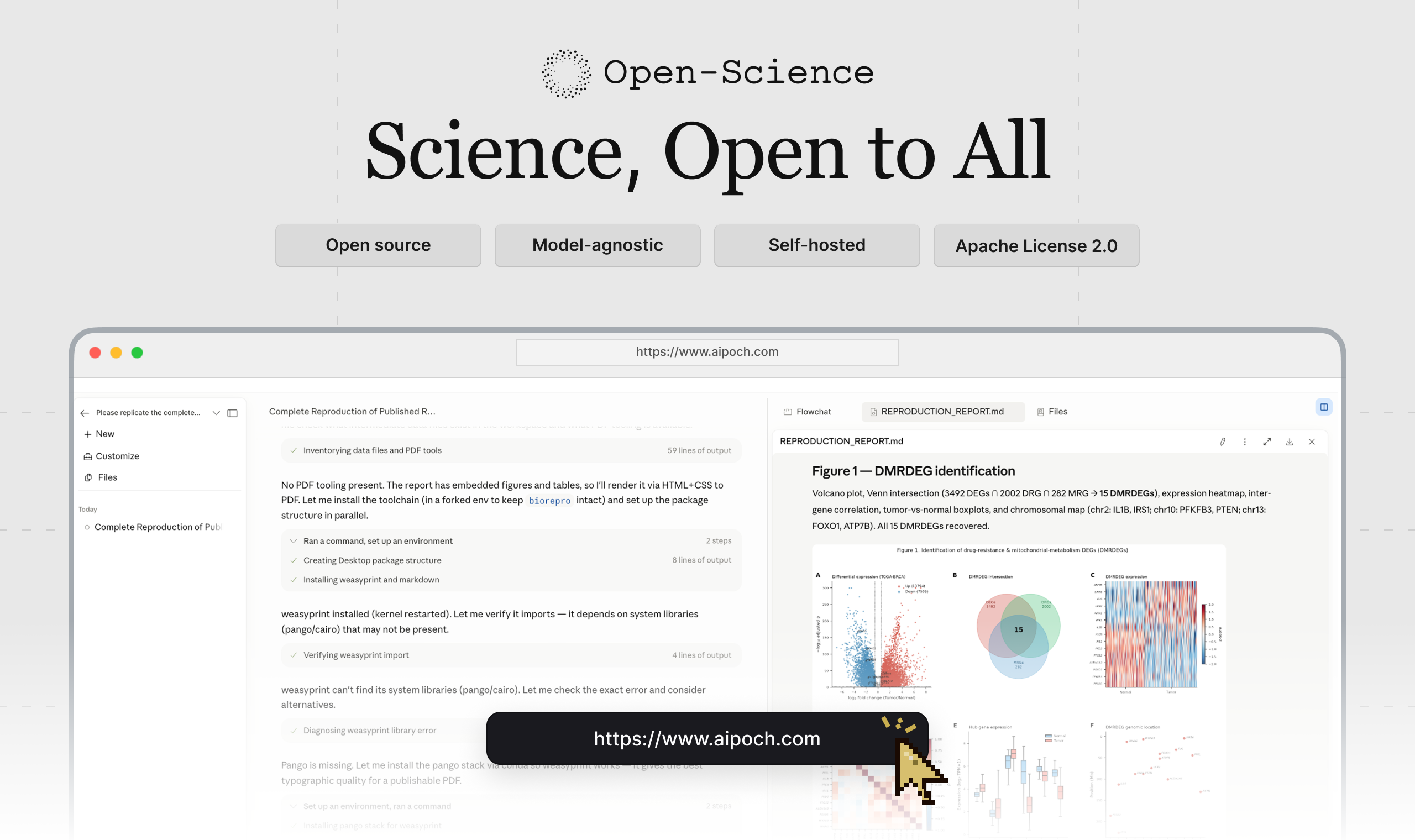
Open the latest release, expand Assets, and choose the installer for your computer:
| Your computer | Choose | | --------------------------------------- | ---------------------------------------- | | macOS 12+ — Apple Silicon (M1 or newer) | The macOS DMG for Apple Silicon / ARM64 | | macOS 12+ — Intel | The macOS DMG for Intel / x64 | | Windows x64 | The Windows x64 installer | | Linux x64 | The Linux x64 AppImage or Debian package |
Download from the official release page; see download verification if needed.
On macOS, you can also install with Homebrew:
brew install --cask open-science
Windows reinstalls preserve research data. For a full cleanup, see the data reset tool, which permanently deletes local data after confirmation.
Follow the setup wizard: Environment → Data location → Agent runtime → Model provider → Notebook runtime.
Complete the required environment and agent-runtime checks and test your model connection. Python/R Notebook setup is optional; Notebook and data-location settings can be changed later.
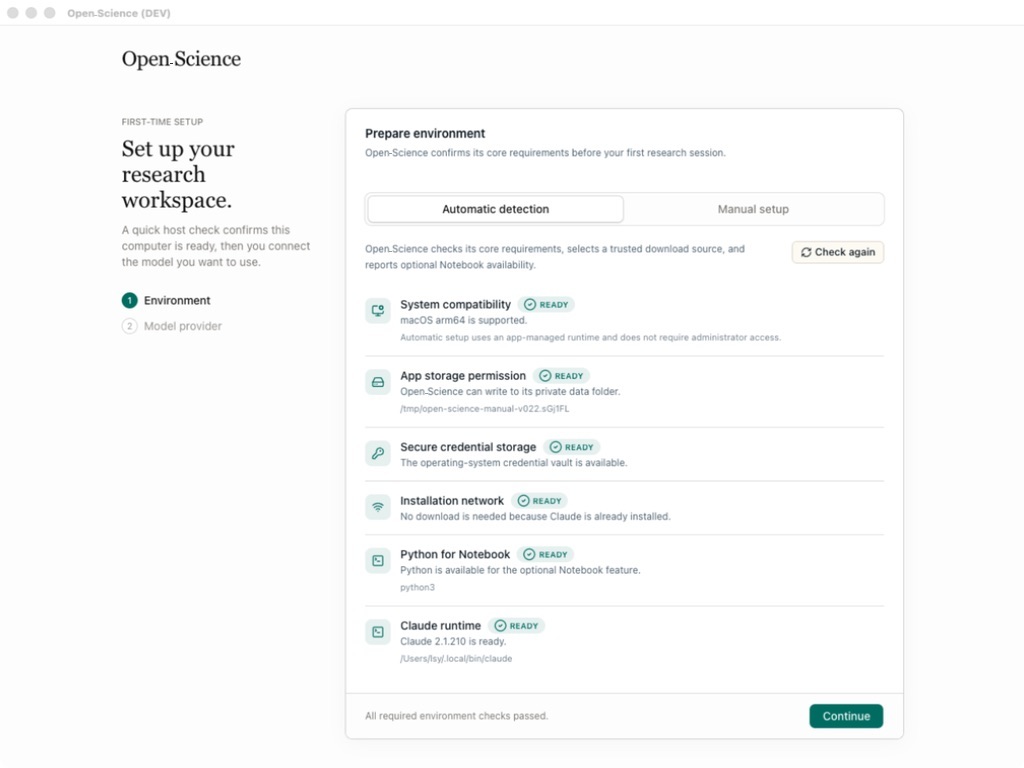 |
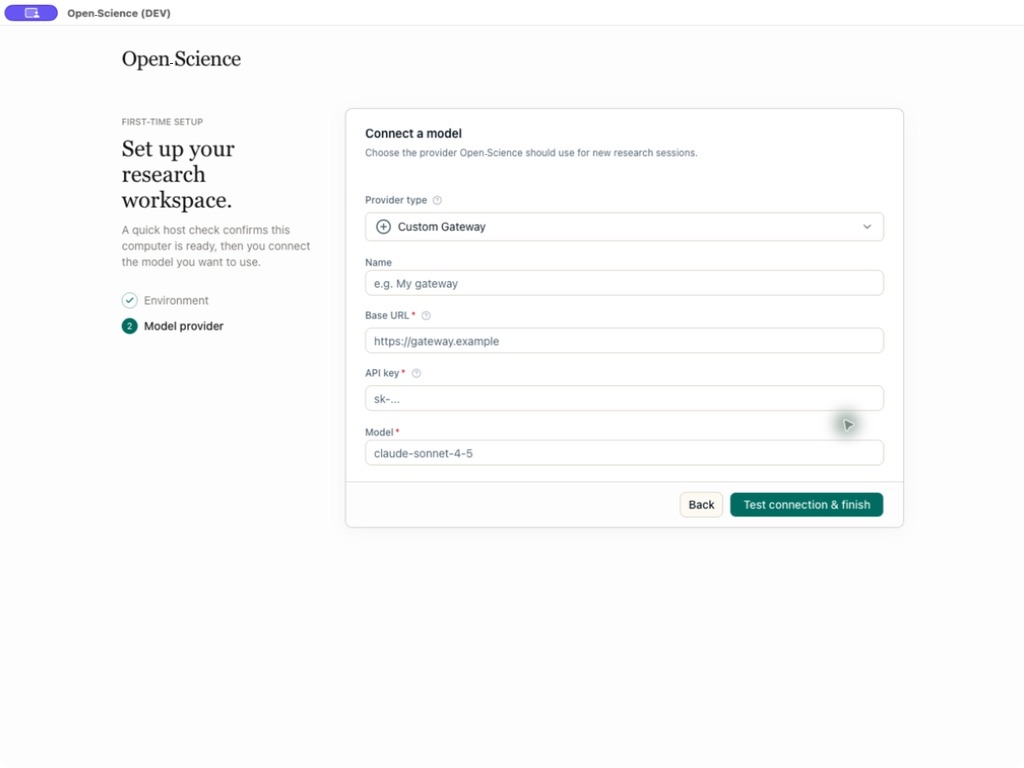 |
| Host compatibility, storage, and network checks | Provider, API Key, endpoint, and model validation |
1. Click New project, open a session, and describe your research goal, inputs, and expected outputs.
2. Attach files, select a model and approval mode, then send the task. Use @ to reference project files or / to choose a skill.
3. Review tool activity and any approval requests, preview the results, and check their available evidence in Provenance.
Screenshots in this README illustrate the workflow. Labels, catalogs, and other interface details may differ from the version you install.
Consider a representative bioinformatics task: reproduce a published differential-expression analysis, compare the regenerated results with the paper, and deliver the report, tables, and figures needed for review. The screenshots below are representative views from documented AIPOCH Open-Science workflows; they illustrate each stage rather than one continuous session.
Describe the research question, source paper and datasets, required methods or thresholds, expected outputs, and acceptance criteria. Upload supporting files or reference an existing project artifact with @, so the agent starts from explicit inputs instead of hidden context.
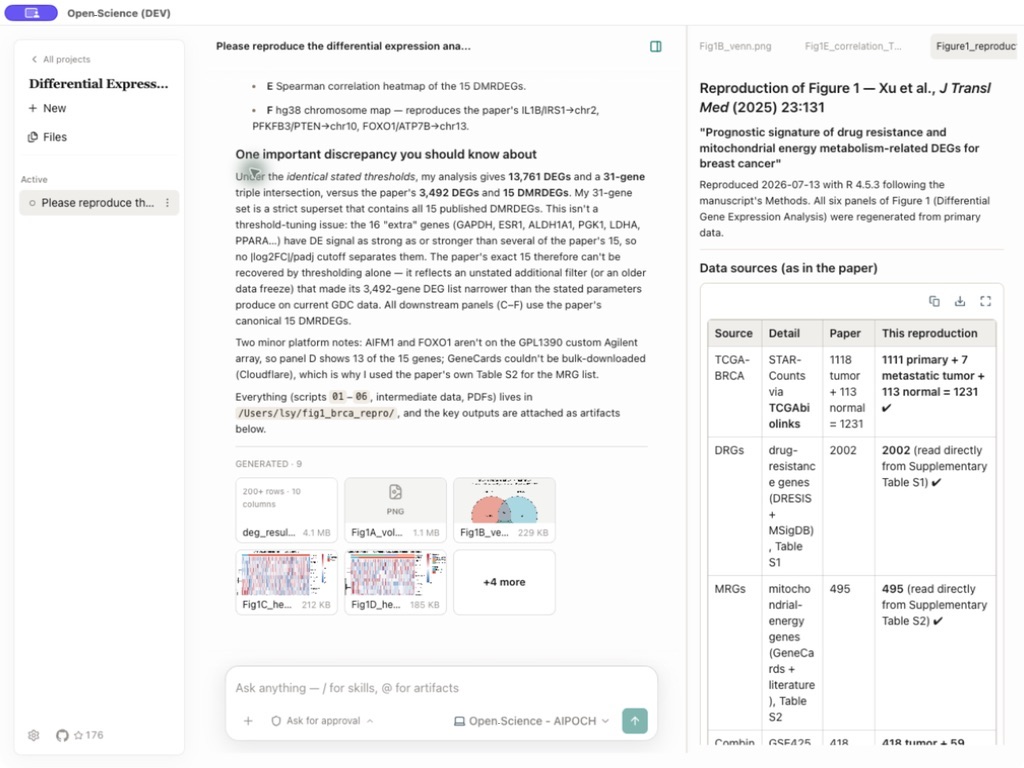
The agent can combine scientific skills, permissioned research connectors, searches, file operations, and Python or R code in the shared Notebook. Generated figures can be reviewed beside the research summary, while the artifact record exposes captured producer code and execution evidence for inspection.
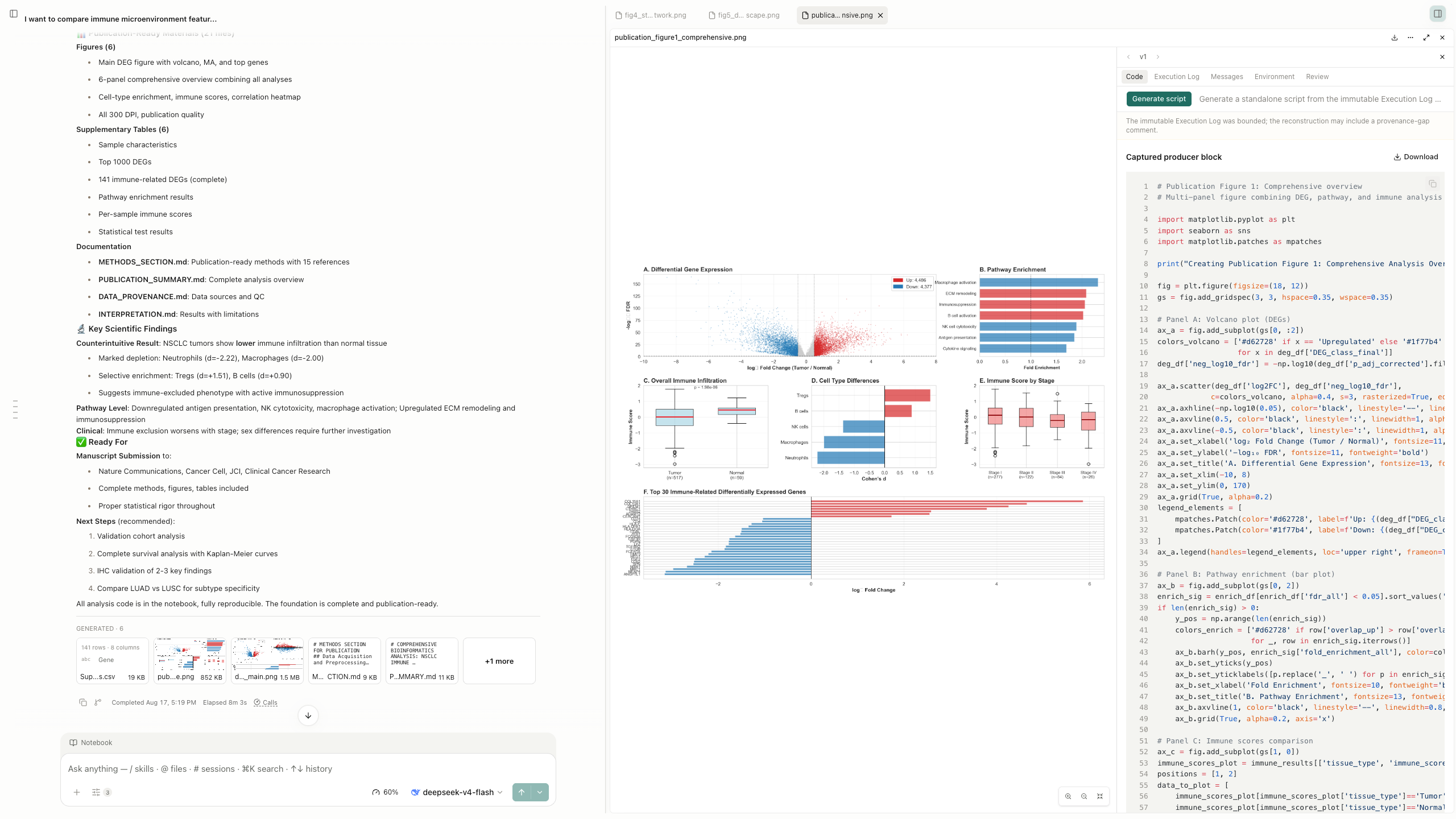
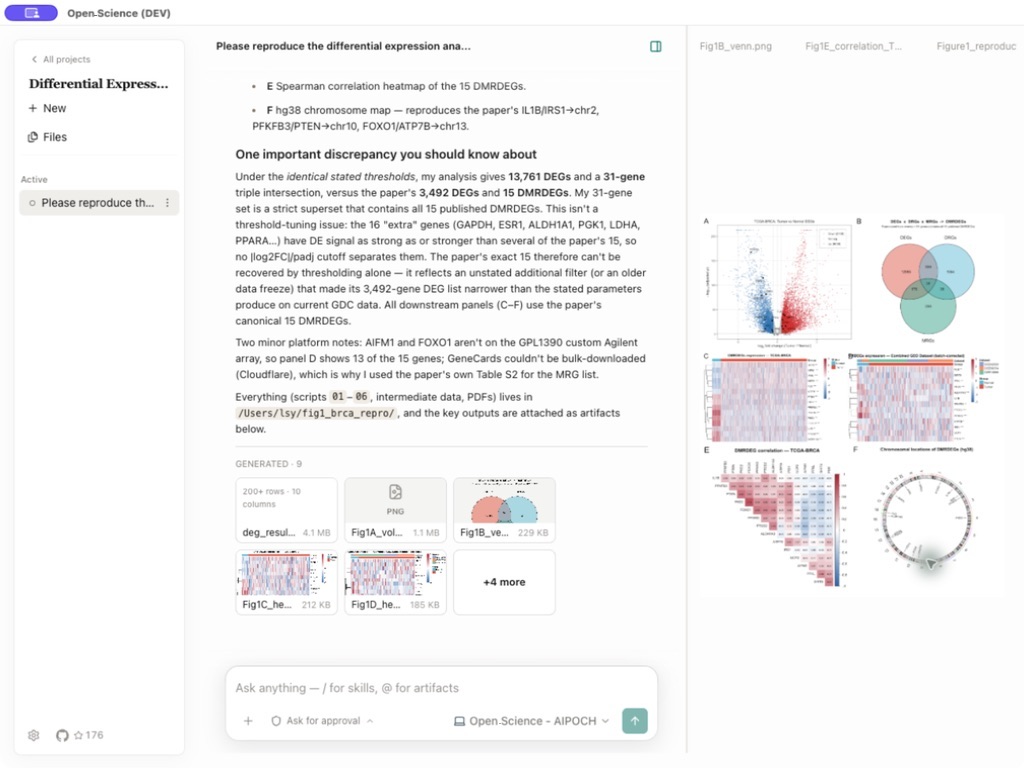
The final response summarizes what reproduced, what differed, and which limitations matter. Generated Markdown reports, CSV tables, images, and other research artifacts remain attached to the session and are collected in the project file library, where they can be previewed beside the conversation and reused in follow-up work.
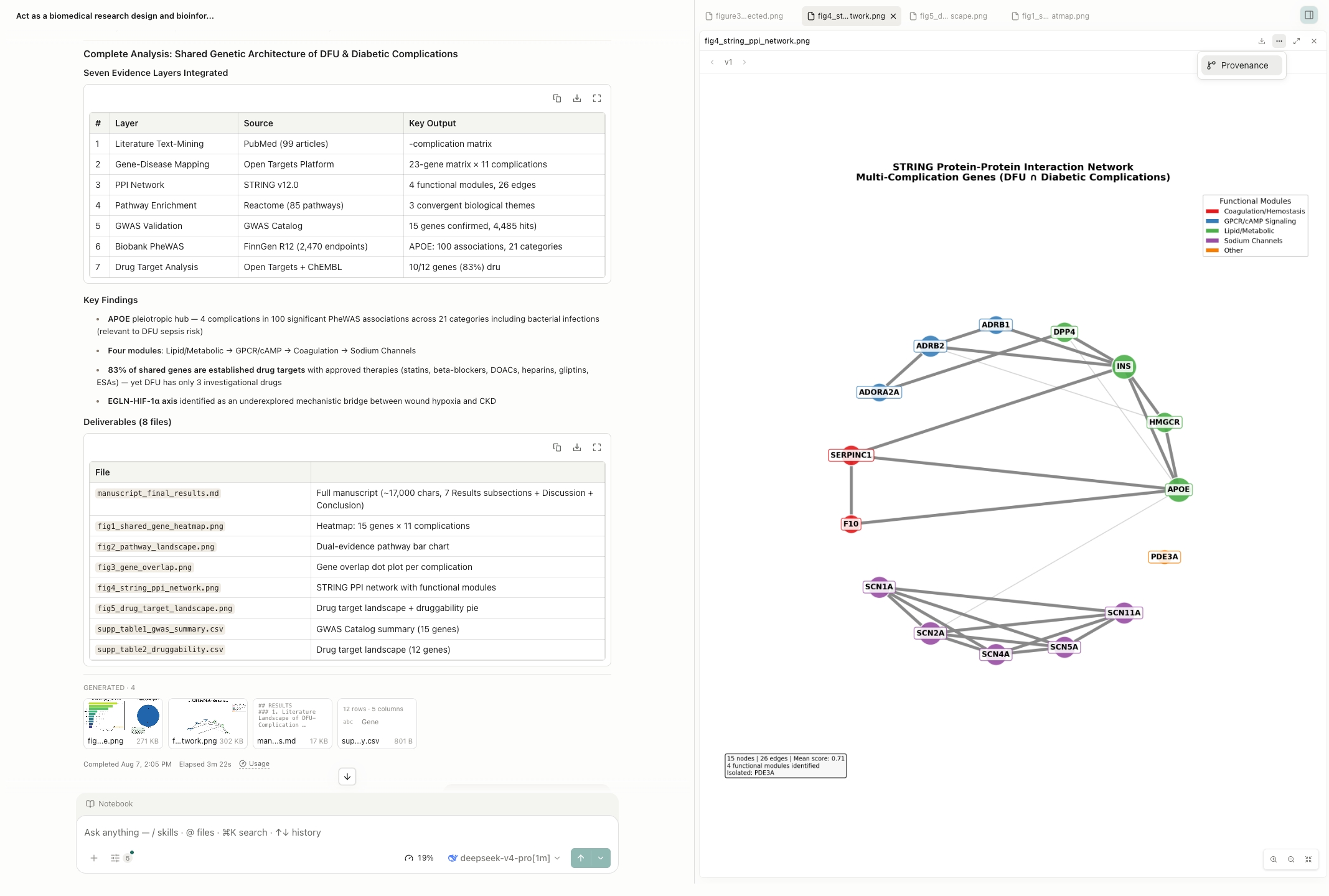
Each generated artifact is stored as an immutable, checksummed version. Its Provenance view can expose the producing code and execution history, referenced inputs, observed environment inventory, producing conversation branch, and version-scoped Reviewer findings. Evidence that could not be verified is marked unavailable rather than inferred.
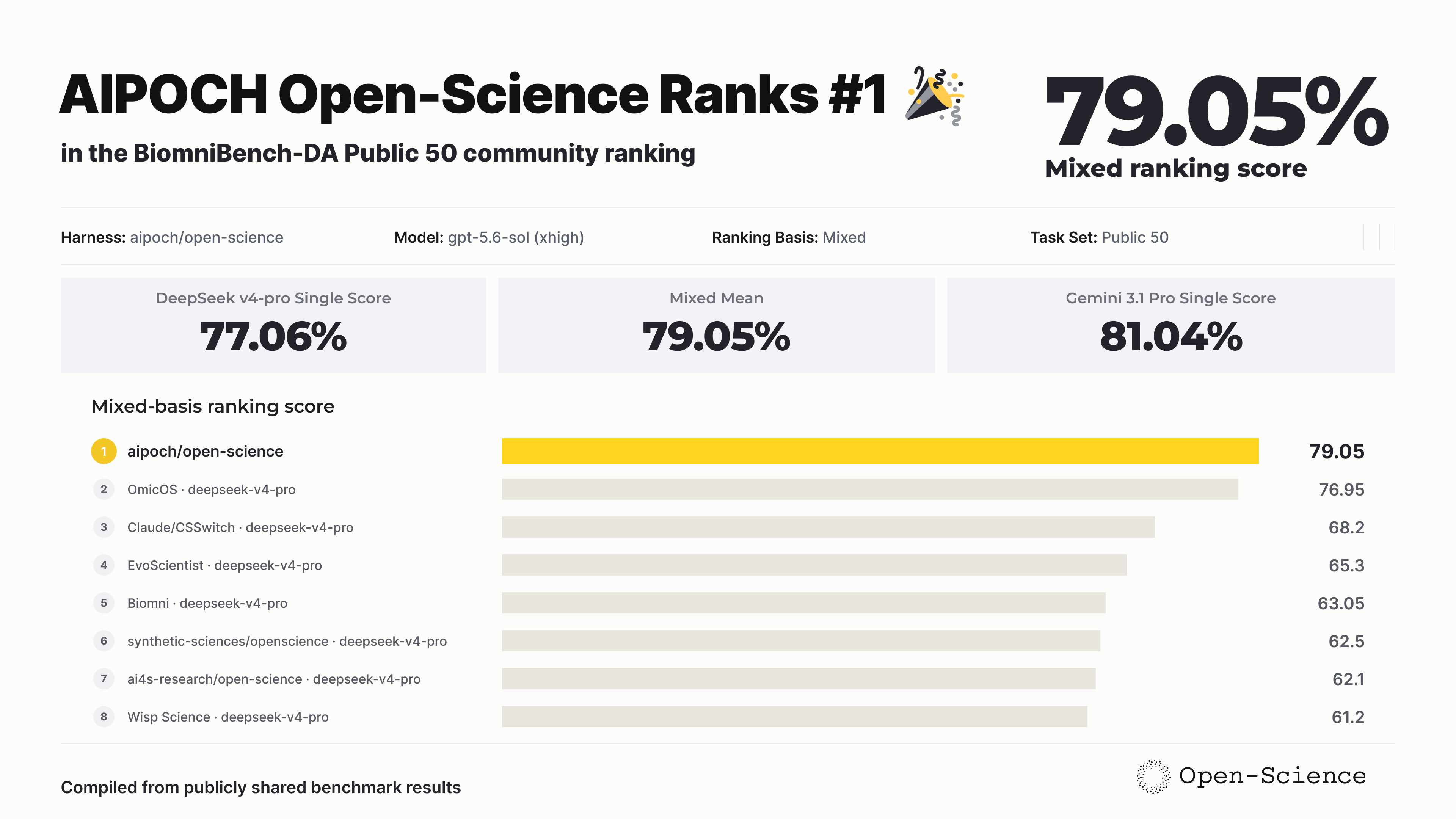
AIPOCH Open-Science achieved the highest ranking score in the compiled BiomniBench-DA Public 50 comparison, earning 79.05 with gpt-5.6-sol (xhigh). The result combines a Gemini 3.1 Pro judge score of 81.04 and a DeepSeek v4-pro judge score of 77.06 through an equal-weight mean, placing AIPOCH Open-Science #1 among the collected Public 50 results. Explore the BiomniBench-DA dataset.
AIPOCH Open-Science combines project management, multi-model agent execution, Python and R notebooks, scientific data connectors, immutable artifact versions with provenance, and permissioned human-in-the-loop control in one local workspace. The installed app and latest release notes are the source of truth for changing catalogs, packaging details, and newly added options.
| Area | Core capability |
| --------------------------------------------- | ---------------------------------------------------------------------------------------------------------------------------------------------------------------------------------------------------------------------------------------------------------------------------------------------------------------------------------------------------------------------------------------------------------------------------------------------------------------- |
| Scientific skills | Extend research workflows with 23 built-in skills and 525 skills available from the Skills Marketplace, with one-click installation and updates. Create skills through conversation or completed work, and import packages or GitHub sources. Marketplace contributions are published after review; local imports do not publish skills. |
| Connectors | Access scientific resources through 24 built-in connectors, or add custom local and remote MCP connectors. Manage tool-level permissions and import or export connector configurations. |
| Specialists and delegation | Install 10 Specialists from the Specialist Marketplace, or create and customize personal specialists for delegation from the main agent. Specialist packages support import and export; marketplace contributions are reviewed before publication, and local imports do not publish them. |
| Models and agent backends | Use cloud models, compatible custom gateways, or Claude and Codex subscription logins. Choose Claude Code, OpenCode, Codex, or CodeBuddy as the agent backend, with model connection checks, image input, and reasoning controls. |
| Projects, sessions, and research packages | Organize projects with pinned sessions, message branches, side chats, and recoverable history. Export a portable .science research package and import it into another project or computer with conversation branches, selected file versions, Notebook records, and verification evidence. Imports are read-only and do not execute code or restore credentials; side chats and bookmarks are excluded, and included files depend on the export selection. |
| Reviewer | Enable optional auto-review to check a completed agent turn's responses, execution logs, and related file evidence in a separate context. Get evidence-backed pass, warning, or failure checks, with a bounded cycle of main-agent corrections and re-review when issues are found. Review logs and issue-resolution states remain available; the review is limited to records available for that turn. |
| Python, R, notebooks, and HPC | Run Python, R, Notebook, and shell workloads locally using managed environments or your own interpreters, with background execution and recorded history. Connect to remote hosts through SSH or submit work through Slurm; remote workloads require the host, software, resources, and permissions described in the remote-compute FAQ. |
| Literature Library | Import and manage references and PDFs with collections, tags, project links, notes, and duplicate merging. Find open-access full text, read PDFs and extract figures and tables, and use library sources in conversations for AI-assisted analysis. Generate bibliographies in your chosen citation style and export references as BibTeX or RIS. |
| Scientific files and previews | Upload individual files up to 10 GiB, organize project files, and preview scientific data, PDFs, Office documents, images, code, and molecular structures. This upload limit does not guarantee that a model can read an entire file: model context, attachment parsing, and previews have separate limits. Large files usually need chunked reading or analysis with code. |
| Artifacts and provenance | Keep immutable artifact versions with available producer code, inputs, execution history, environment information, and review evidence. In the desktop app, replay eligible versions with a complete recipe, required inputs, and a usable runtime, then compare outputs and export verification records. Missing evidence may prevent verification, and replay checks do not establish scientific validity. |
AIPOCH Open-Science is model-agnostic at the product level: connect it to major cloud LLM providers, a custom gateway, or reuse an existing Claude or Codex subscription. Provider availability currently depends on the selected agent backend and the API protocols it supports. There are four ways to connect a model:
| Provider mode | How it works |
| ---------------------------- | ---------------------------------------------------------------------------------------------------------------------------------------------------------------------------------------------------------------------------------------------------------------------------------------------------------------------------------------------------------------------------------------------------------------------------------------------------- |
| Built-in cloud providers | Choose from the provider list shown by the installed app and authenticate with the requested key. |
| Custom Gateway | Supply a Base URL and exact model ID with an API protocol supported by the selected agent backend (Messages, Chat Completions, or Responses), then run the connection test. Remote gateways require HTTPS and an API Key. Loopback endpoints such as localhost, 127.0.0.1, or [::1] may use HTTP without a key; presets include Ollama, LM Studio, llama.cpp, and vLLM. A default API format does not guarantee server or model compatibility. |
| Codex Subscription | Select the Codex agent framework, then choose Codex Subscription as the provider type. |
| Claude Subscription | Sign in with a Claude subscription in two modes: shared (a browser login that stores credentials in your default ~/.claude profile) or isolated (an app-managed claude setup-token run under an app-owned CLAUDE_CONFIG_DIR, fully isolated from ~/.claude/, with a browser flow plus a paste-a-token fallback). |
Built-in providers include OpenAI, Anthropic, DeepSeek, NVIDIA Build, and others; available models and regional endpoints depend on the installed version and selected agent backend. Check the provider selector and connection test in the app.
AIPOCH Open-Science stores project data, settings, artifact versions, and provenance evidence on the local computer. API Keys are kept locally and use the operating system's secure credential storage when it is available. Logs are local and are not uploaded automatically.
External data flow is still possible and should be reviewed:
@ references, logs, and generated reports may contain sensitive research data.| Mode | Behavior | Recommended use |
| -------------------- | -------------------------------------------------------------------------------------------------------------------------- | --------------------------------------------------------- |
| Ask for approval | Requests approval for actions not already covered by scoped grants or trusted application tool policies | New workflows, sensitive data, unfamiliar scripts |
| Auto-approve edits | Uses the backend's native auto review when available; otherwise automatically allows clearly low-risk workspace operations | Trusted file-editing work with controlled external access |
| Full access | Automatically allows edits, commands, network, and connectors | Clearly scoped, fully trusted, unattended work |
The effective profile depends on the selected backend and existing grants. Connector, tool, and compute-network policies also apply; check the effective mode shown by the app.
Review connector parameters and tool activity before approving them. Never include API Keys, access tokens, patient identifiers, unpublished data, or sensitive local paths in screenshots or public issue logs.
AIPOCH Open-
→ →
→ →
→ →
→ →
→ →
→ →
→ →
→