1
 →
→
Drop in a screenshot and convert it to clean code (HTML/Tailwind/React/Vue)
abi/screenshot-to-code is an open-source project on GitHub, mainly written in Python. Drop in a screenshot and convert it to clean code (HTML/Tailwind/React/Vue) It currently holds 79,797 stars and 9,752 forks with 147 open issues, and was last pushed on 2026-09-09 (repository created 2023-11-14).
Git Homed tracks it on the Today's Trending board.
Convert screenshots, mockups, Figma designs, and screen recordings into clean, functional code using AI. The easiest way to try this is using the official, hosted product at screenshottocode.com →
https://github.com/user-attachments/assets/ec08a5e6-9606-41c5-b03a-1bf47dfeba75
Supported stacks:
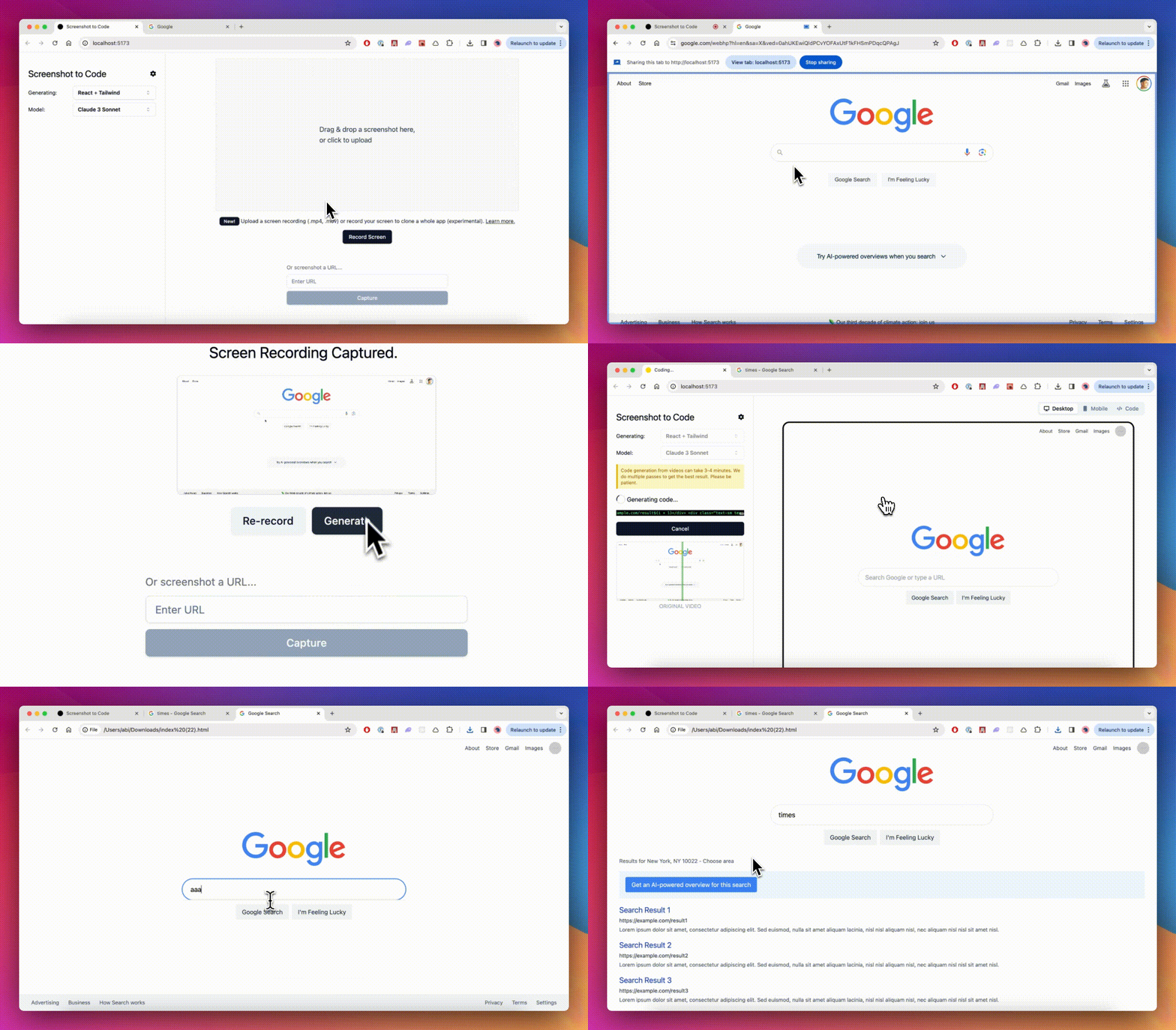
Screenshot to Code also supports taking a screen recording of a website in action and turning that into a functional prototype.
Choose the path that fits what you want to do:
You need at least one model provider key (OpenAI, Anthropic, or Gemini). Gemini and Replicate are strongly recommended for the best quality of screenshot-to-code accuracy — Gemini powers asset extraction (reusing the real logos/images from your screenshot) and Replicate powers image generation, background removal, and image editing. Adding all four keys gives the best results and lets you compare multiple models per generation.
| Key | Required? | What it unlocks |
|-----|-----------|-----------------|
| OPENAI_API_KEY | One of these three | GPT code-gen variants (GPT-5.5, GPT-5.4 Mini) |
| ANTHROPIC_API_KEY | One of these three | Claude code-gen variants (Opus 5, Opus 4.8, Fable 5, Sonnet 4.6) |
| GEMINI_API_KEY | One of these three — strongly recommended | Gemini code-gen variants (3 Flash, 3.1 Pro); extracts real assets from the screenshot; required for video mode |
| REPLICATE_API_KEY | Strongly recommended | Image editing, background removal, and Replicate-backed image generation — without it, edit_images and remove_backgrounds are unavailable |
With more keys, the app automatically picks a stronger mix of models per variant; with a single key it uses that provider's models only.
If you'd like to run the app with Ollama open-source models (not recommended due to poor-quality results), follow this comment.
Run the backend (I use Poetry for package management; run pip install --upgrade poetry if you don't have it):
cd backend
echo "OPENAI_API_KEY=sk-your-key" > .env
echo "ANTHROPIC_API_KEY=your-key" >> .env
echo "GEMINI_API_KEY=your-key" >> .env
echo "REPLICATE_API_KEY=r8_your-key" >> .env
poetry install
Install the Chromium browser used by the screenshot preview tool.
On Linux, use poetry run playwright install --with-deps chromium to also
install the required system libraries (needs sudo/apt).
poetry run playwright install chromium
poetry env activate
run the printed command, e.g. source /path/to/venv/bin/activate
poetry run uvicorn main:app --reload --port 7001
You can also set up OpenAI, Anthropic, and Gemini keys using the settings dialog in the frontend (click the gear icon after loading the app). Replicate must be configured in backend/.env as REPLICATE_API_KEY. The Settings dialog also shows whether screenshot preview is available on your backend.
Screenshot preview (optional) lets the agent render its own generated page in a headless browser and visually check its work. It's enabled automatically once Chromium is installed (the playwright install chromium step above, or automatically in the Docker image). If Chromium is missing, the app just skips the tool — the Settings dialog shows whether it's available.
Run the frontend:
cd frontend
pnpm install
pnpm dev
Open http://localhost:5173 to use the app.
If you prefer to run the backend on a different port, update VITE_WS_BACKEND_URL in frontend/.env.local.
If you have Docker installed, run this from the root directory:
echo "OPENAI_API_KEY=sk-your-key" > .env
docker-compose up -d --build
The app will be up and running at http://localhost:5173. Note that you can't develop the application with this setup, as file changes won't trigger a rebuild.
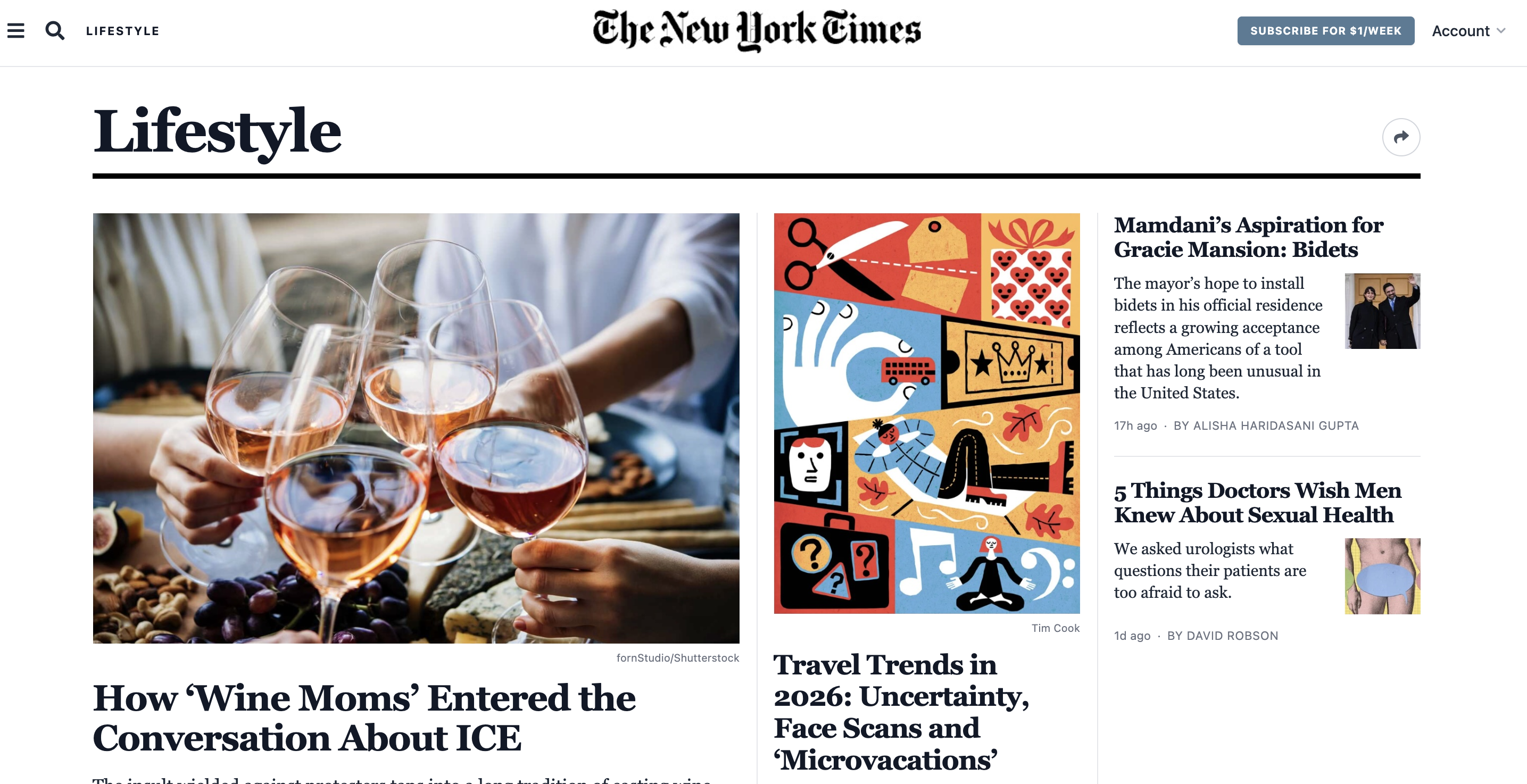
OPENAI_BASE_URL in backend/.env or directly in the UI in the settings dialog. Make sure the URL has v1 in the path, for example: https://xxx.xxxxx.xxx/v1.VITE_HTTP_BACKEND_URL and VITE_WS_BACKEND_URL in frontend/.env.local. For example, set VITE_HTTP_BACKEND_URL=http://124.10.20.1:7001..env file with Notepad++, then go to Encoding and select UTF-8.NYTimes
| Original | Replica |
| --------------------------------------------------------------------------------------------------------------------------------------------------------------- | --------------------------------------------------------------------------------------------------------------------------------------------------------------- |
|  |
|  |
|
https://github.com/user-attachments/assets/a335a105-f9cc-40e6-ac6b-64e5390bfc21
Hacker News
https://github.com/user-attachments/assets/205cb5c7-9c3c-438d-acd4-26dfe6e077e5
→ →
→ →
→ →
→ →
→ →
→ →
→ →
→