1
 →
→
Free, open-source macOS cleaner. CleanMyMac alternative with zero telemetry. Native SwiftUI, scheduled auto-cleaning, Xcode/Homebrew/system cache cleanup. MIT licensed.
English | العربية | Español | 日本語 | Português (Brasil) | 简体中文 | 繁體中文
Reclaim your Mac.
Free, open-source Mac care: cleanup, app management, storage exploration, and system checks. No subscription or telemetry.







Install - Why this exists - How it compares - Our promise - What it does - Permissions - Contributing
Want more open source? Try Pesty - a free, native clipboard manager for macOS.
---
brew install --cask puremac
Or download the signed, notarized .dmg from Releases and drag PureMac into /Applications. No Gatekeeper warnings, no quarantine workaround.
brew install xcodegen
git clone https://github.com/momenbasel/PureMac.git
cd PureMac
xcodegen generate
xcodebuild -project PureMac.xcodeproj -scheme PureMac -configuration Release \
  -derivedDataPath build build
open build/Build/Products/Release/PureMac.app
Open puremac for a keyboard-driven workspace. Select individual cache paths,
review project artifacts, or browse your storage by size. Cleanup shows the exact
selection and asks for confirmation before permanently removing it.
brew install momenbasel/tap/puremac-cli
puremac
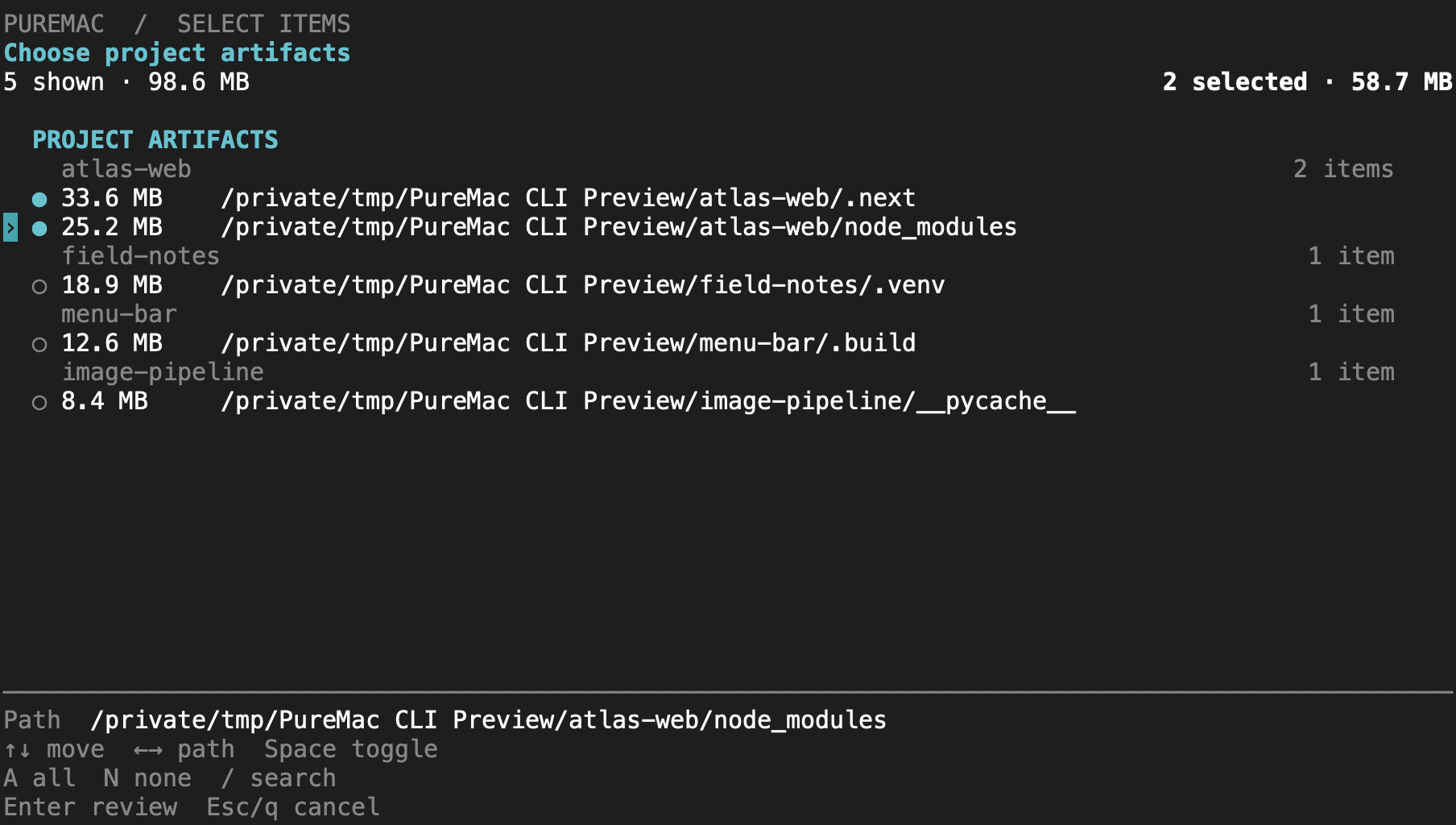
Use puremac clean dev --dry-run for a preview or --json for scripts. See
cli/README.md for controls, commands, and cleanup boundaries.
| | PureMac | CleanMyMac | Pearcleaner | Mole | OnyX | |---|:---:|:---:|:---:|:---:|:---:| | Price | Free | $40+/yr | Free | CLI free / GUI paid | Free | | Open source | Yes (MIT) | No | Source-available¹ | CLI only | No | | Native Mac GUI | Yes | Yes | Yes | Terminal-first | Yes | | No telemetry | Yes | No | Yes | Yes | Yes | | No subscription | Yes | No | Yes | — | Yes | | Signed + notarized | Yes | Yes | Yes | — | Yes | | App uninstaller + orphans | Yes | Yes | Yes | Partial | No | | App-uninstall Trash support | Yes | Partial | Yes | Partial | No | | Honest about purgeable space | Yes | No | n/a | n/a | n/a |
¹ Pearcleaner is Apache 2.0 + Commons Clause - source-available but not OSI-approved (you may not sell it). PureMac is true MIT. Comparison reflects publicly documented features as of 2026; corrections welcome via PR.
A Mac cleaner asks for the deepest permission macOS grants - Full Disk Access - and then deletes your files. That demands a level of trust the category has spent twenty years burning. Here's the contract PureMac holds itself to, and you can verify every line of it in the source:
PureMac/Services and PureMac/Logic/Scanning. Read it. Fork it. Ship your own.Apple sells base-model Macs with 256 GB SSDs that you can't upgrade. The Mac mini, the Air, every entry-level MacBook Pro - the drive is soldered down. The next storage tier costs more than a midrange Windows laptop. Once you've paid it, every gigabyte you've already bought matters.
Most Mac cleaners are subscription apps that hide their disk usage behind a paywall, ship telemetry by default, and trade on FUD ("47 GB of junk detected!"). PureMac is the opposite:
/Applications and ~/Applications, then uses a 10-level matching engine (bundle ID, team identifier, entitlements, Spotlight metadata, container discovery, company-name heuristics, partial path matches) to find related files on your disk. Matching is heuristic, so review the results before removal. Three sensitivity tiers - Strict, Enhanced, Deep - let you choose how aggressive that match is. Apple system apps are excluded from the uninstall list automatically. You can also right-click any app in Finder and choose Services → Uninstall with PureMac to jump straight into its related-files scan.
~/Library and surfaces files left behind by apps that no longer exist on disk. The matcher compares against bundle identifiers and normalized names of every installed app, so a leftover ~/Library/Containers/com.foo.bar from an app you deleted in 2022 shows up clearly.
simctl runtime delete; never auto-selected)On "purgeable space": PureMac shows your APFS purgeable space in the storage breakdown for transparency, but it deliberately does not list it as junk to delete. Purgeable space is reserved and reclaimed by macOS itself - no third-party app can reliably free it, and even the Finder's purgeable figure is known to be inaccurate. Cleaners that claim to "reclaim purgeable space" are overpromising. We'd rather be honest than impressive.
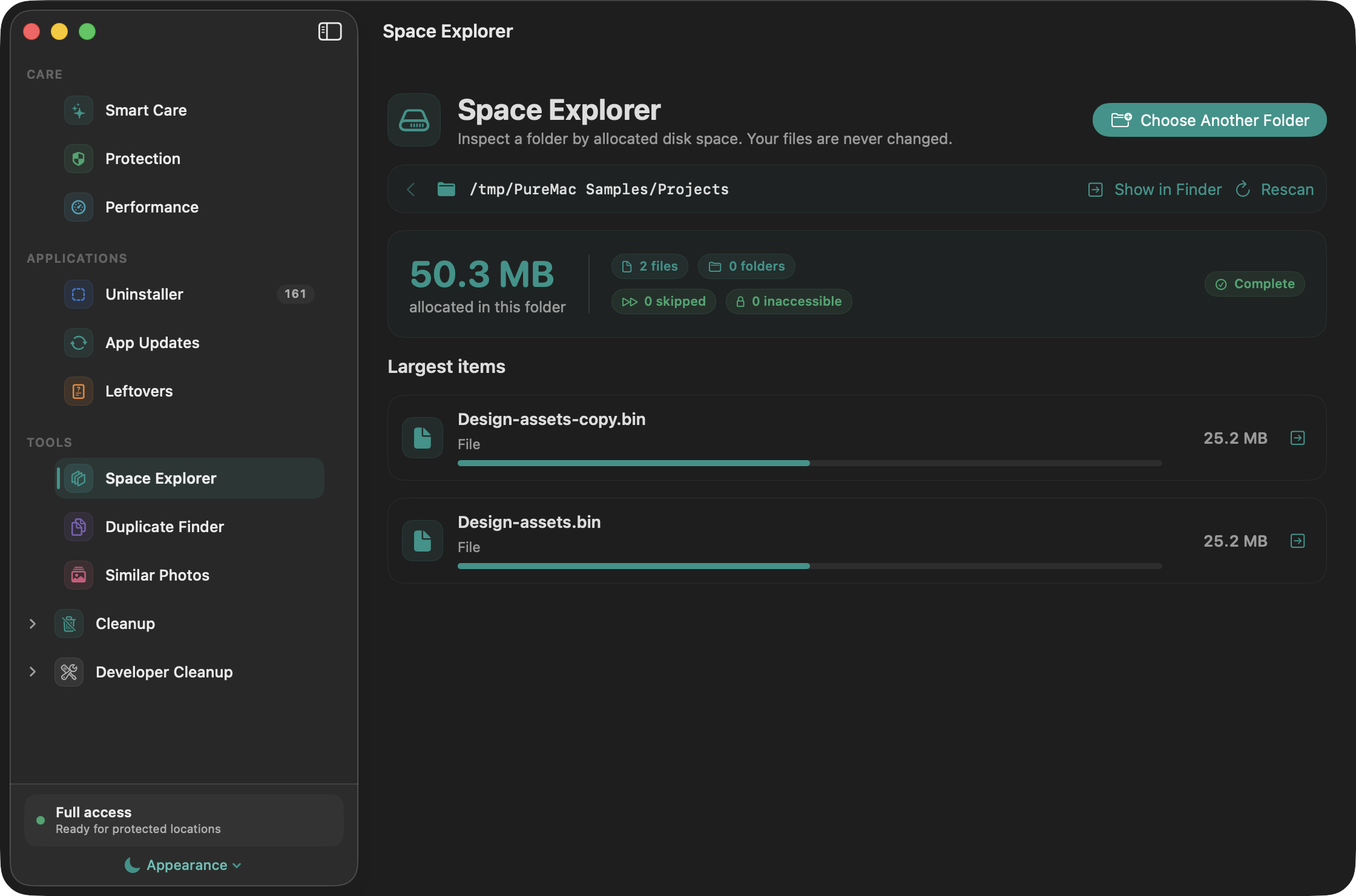
Space Explorer measures the allocated space inside a folder you choose. Drill into directories, compare their sizes, and reveal an item in Finder. Packages are measured without exposing their contents as navigable folders. Skipped and inaccessible items are reported.
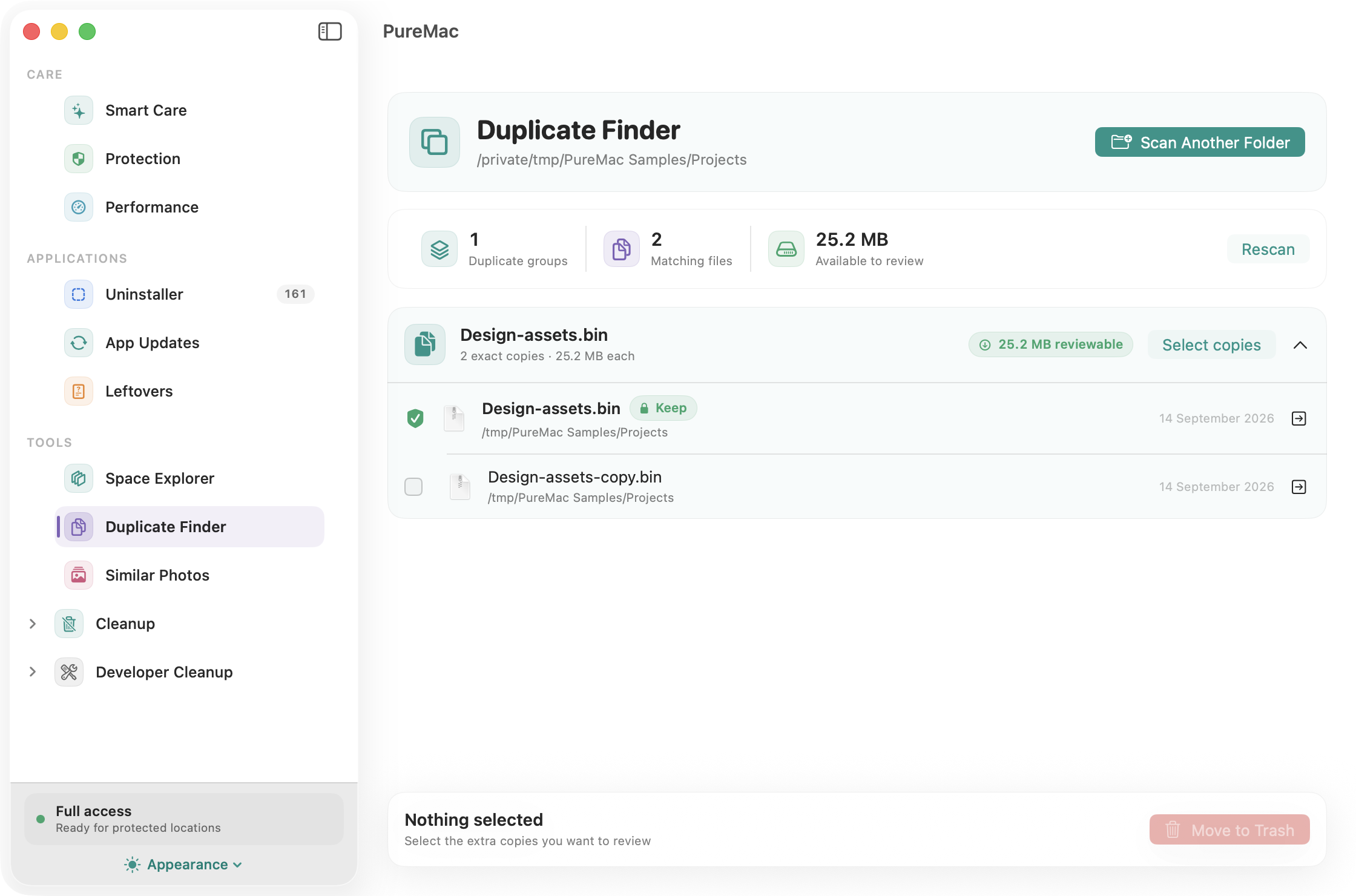
Duplicate Finder groups files with matching sizes and SHA-256 content hashes. Hard links are not counted as separate recoverable copies. Every group keeps one protected copy; selected extras move to the Trash only after confirmation and a fresh identity/content check. Emptying the Trash is a separate step.
Similar Photos compares image thumbnails using perceptual hashes, color, and aspect ratio. Review likely matches side by side and reveal them in Finder. Similarity is an estimate, so this tool does not remove photos. Each scan checks up to 500 images and 10,000 directory entries, with a visible notice when a limit is reached. Photo libraries, app packages, symbolic links, and cloud-only files are skipped.
Cleanup results support name/path search, size and age filters, sorting, and selection of visible rows. Right-click a cleanup result to always exclude its path. Exclusions also protect containing folders from cleanup and apply to scheduled runs; manage them in Settings.
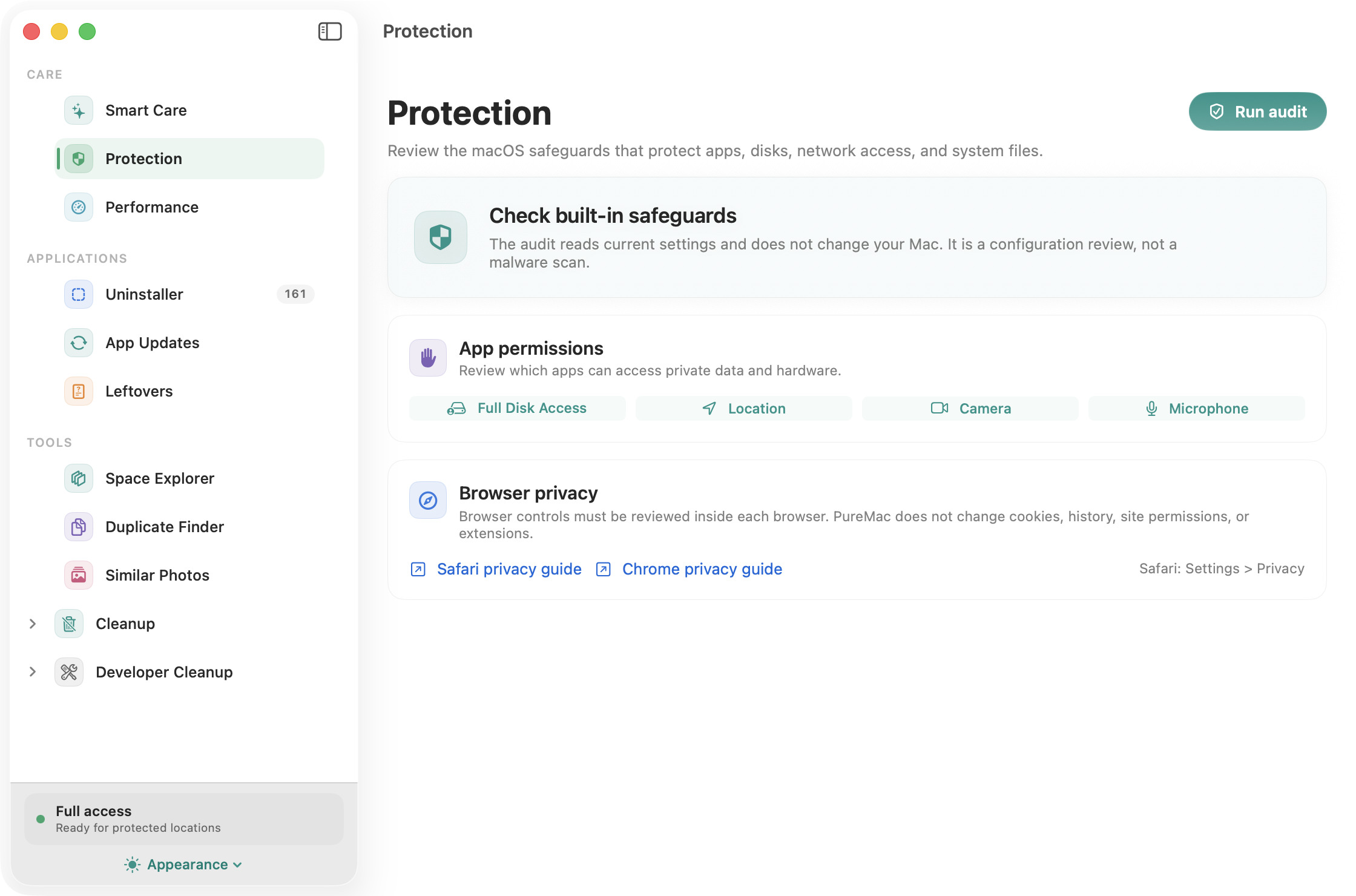
Protection checks Gatekeeper, FileVault, the application firewall, System Integrity Protection, and installed XProtect metadata. A failed or unavailable check stays unknown. It also provides shortcuts to privacy and permission settings. This is a configuration audit, not an antivirus or malware scanner.
Performance shows CPU and memory information, lists third-party launch-agent/daemon definitions, and lists local snapshots. A launch definition is not proof that a process is running. You can open Login Items or Activity Monitor and delete a specific Time Machine local snapshot after confirmation. Snapshot sizes are not estimated, and system update snapshots cannot be removed here.
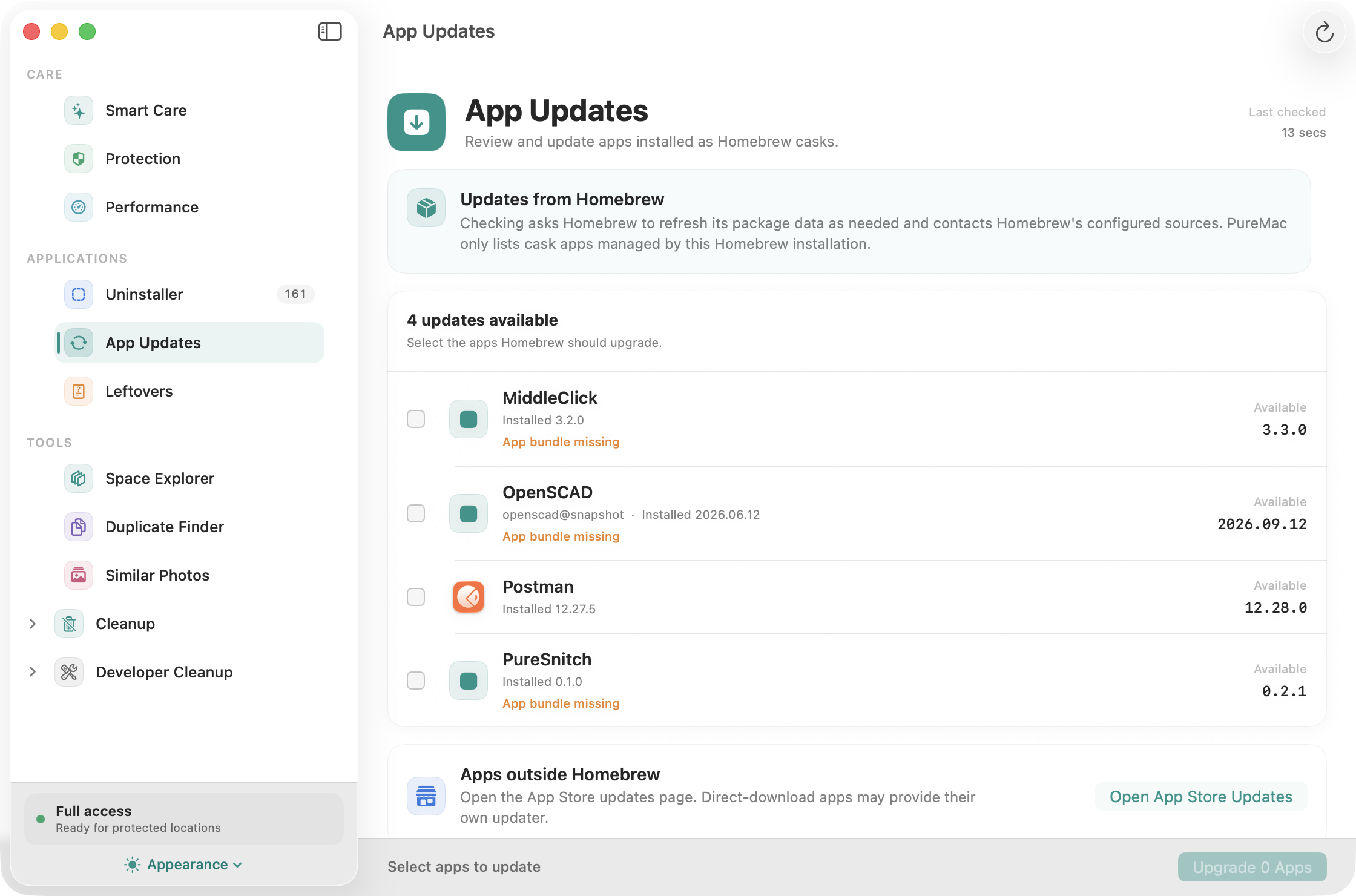
Check for updates to Homebrew-managed cask apps and choose which ones to upgrade. PureMac runs Homebrew with analytics disabled and shows command failures. These actions use the network and Homebrew's package sources. Apps installed outside Homebrew are not covered; an App Store shortcut is provided for those managed by Apple.
PureMac needs Full Disk Access to read the locations macOS hides from every app by default - Mail downloads, Safari data, the TCC database, protected app containers. Without it, some cleanup categories and app-container scans will be incomplete. The locations available depend on your macOS version and permissions.
The first-launch onboarding walks you through granting it with an animated preview of the exact toggle you need to flip. If you skip it, the dashboard surfaces a single-click "Set up" pill. If a cleanup fails because of a permission issue, PureMac opens System Settings, reveals its bundle in Finder so you can drag it into the FDA list, polls the permission state every second, and auto-retries the failed batch the moment you grant access. You never have to re-select anything.
What PureMac does not do:
macOS aggressively caches app icons in LaunchServices. After a Homebrew reinstall or upgrade the Dock and Launchpad can keep showing the old cached icon. PureMac's cask runs lsregister -f on install to refresh it automatically. If a stale icon persists, re-register only PureMac and restart the Dock (adjust the app path if you installed it elsewhere):
/System/Library/Frameworks/CoreServices.framework/Versions/A/Frameworks/LaunchServices.framework/Versions/A/Support/lsregister \
  -f "/Applications/PureMac.app"
killall Dock
Give it a minute to re-seed, then open PureMac once. If it still sticks, a restart (or Safe Mode boot) forces a full rebuild.
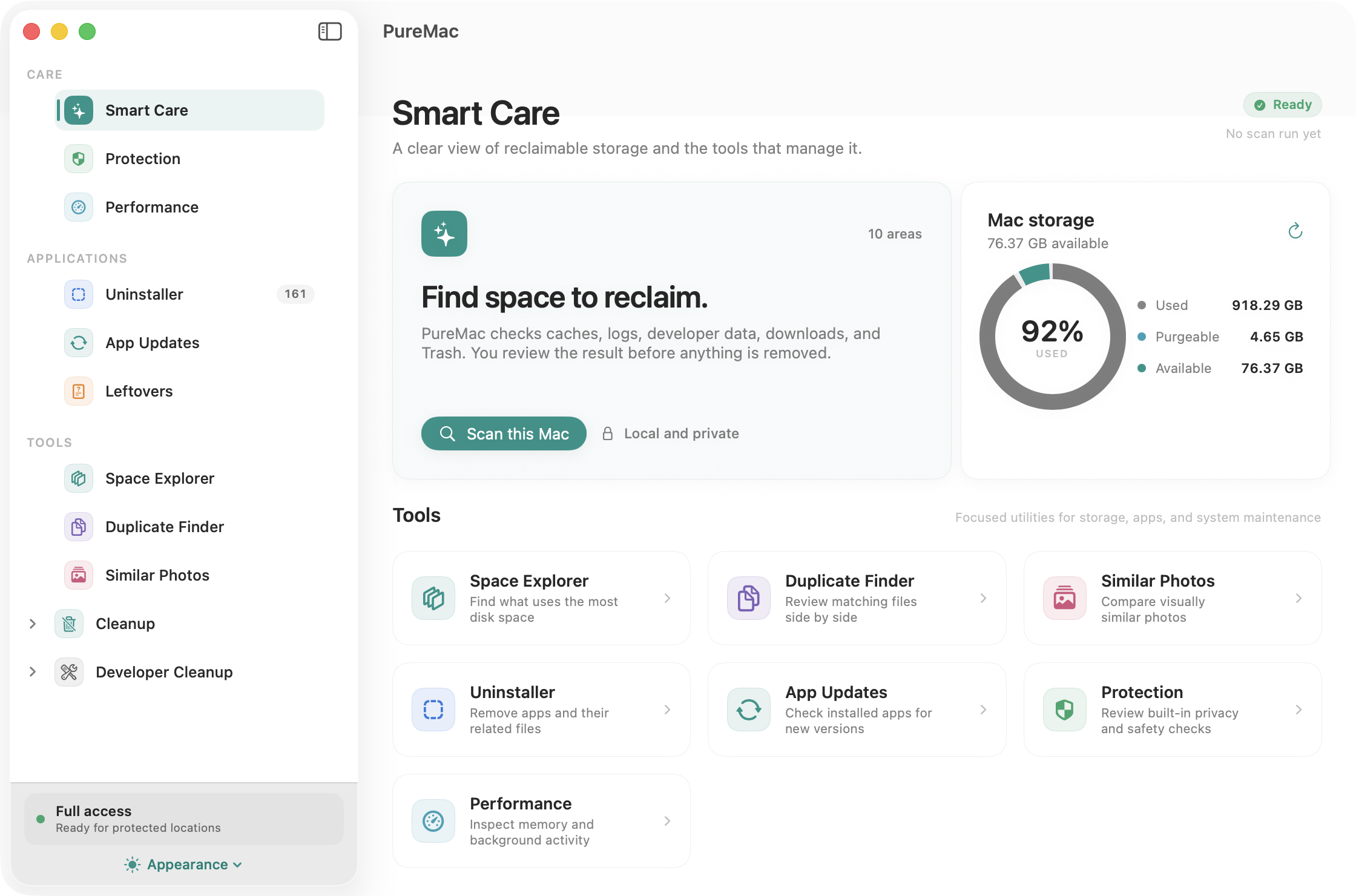
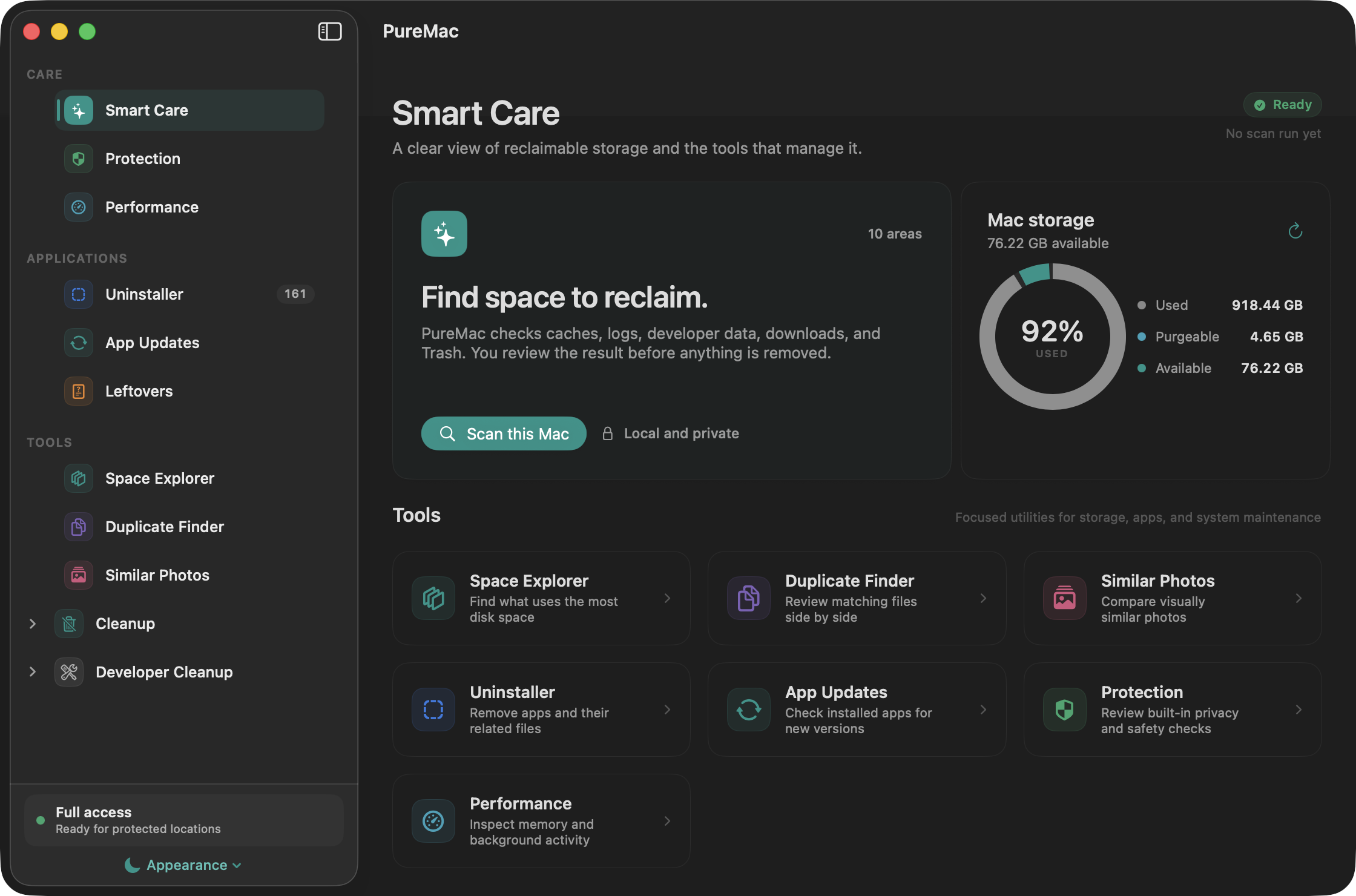
| Smart Care | Dark appearance |
|---|---|
| | |
| Space Explorer | Duplicate Finder |
|---|---|
|  |
|  |
|
| Protection | App Updates |
|---|---|
|  |
|  |
|
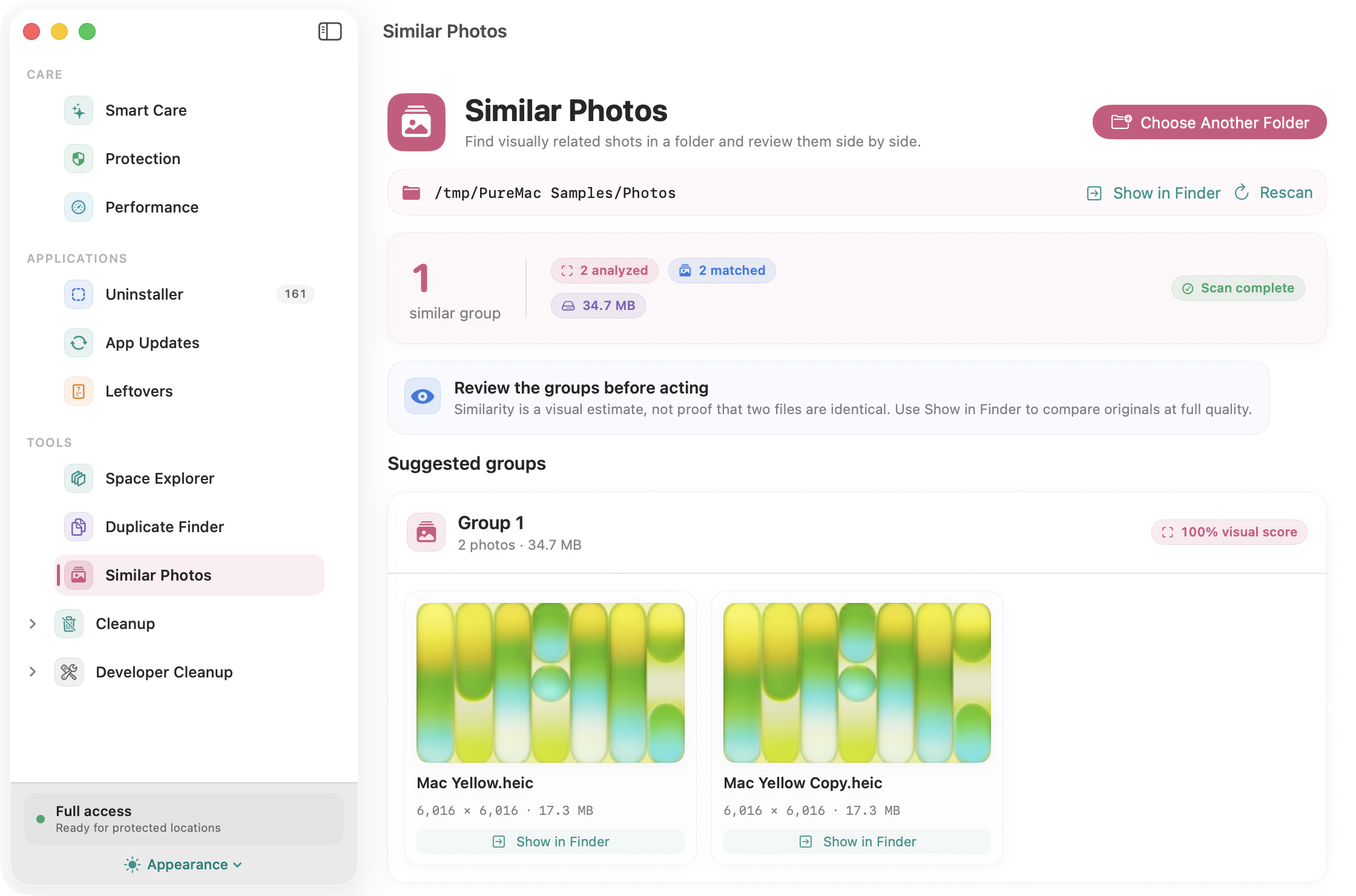
Screenshots show the running macOS app. File tools use sample files and images.
PureMac/
  Logic/Scanning/     - Heuristic scan engine, locations database, conditions
  Logic/Utilities/    - Structured logging
  Models/             - Data models, typed errors
  Services/           - Scanning, cleanup, file tools, protection, updates, scheduler
  ViewModels/         - Centralized app state
  Views/              - Native SwiftUI views
    Apps/             - App uninstaller views
    Components/       - Shared components (FDA demo, permission sheet, theme)
    Orphans/          - Orphan finder
    Tools/            - Space, duplicates, similar photos, protection, performance, updates
    Settings/         - Native Form-based settings
Key components:
CleaningEngine resolves paths before validation and again near user-level deletion. Because final removal remains path-based, this narrows but cannot eliminate every TOCTOU race; other removal workflows have separate checks.CleaningEngine refuses a user-level path outside its explicit safe roots. App-uninstaller and orphan flows use their own policies.Pull requests welcome. See CONTRIBUTING.md.
Especially welcome:
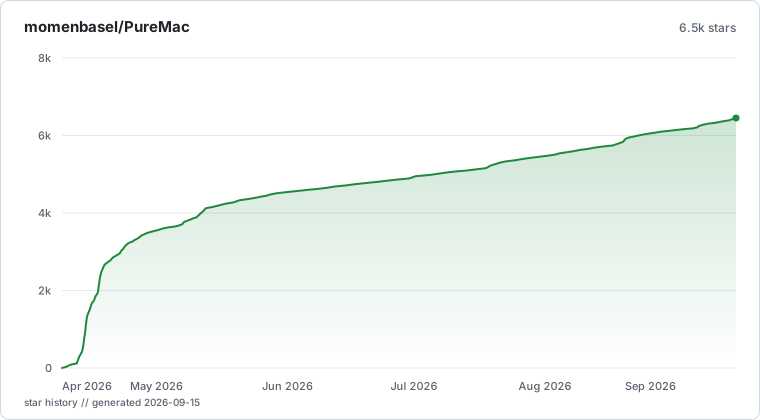
AppState and the scan engineIf PureMac saved you some disk space, a star helps other people find it.
brew install --cask momenbasel/pesty/pesty.MIT. See LICENSE. Use it, fork it, ship it under your own name if you want - the only thing the license asks is that the notice stays.
→ →
→ →
→ →
→ →
→ →
→