1
 →
→
🚀 Truly open-source AI avatar(digital human) toolkit for offline video generation and digital human cloning.
🔗 Office website: www.duix.com
1. What's Duix.Avatar 2. Introduction 3. How to Run Locally 4. Open APIs 5. What's New 6. FAQ 7. How to Interact in real time 8. Contact 9. License 10. Acknowledgments 11. Star History
------
Duix.Avatar is a free and open-source AI avatar project developed by Duix.com.
Seven years ago, a group of young pioneers chose an unconventional technical path, developing a method to train digital human models using real-person video data. Unlike traditional costly 3D digital human approaches, we leveraged AI-generated technology to create ultra-realistic digital humans, slashing production costs from hundreds of thousands of dollars to just $1,000. This innovation has empowered over 10,000 enterprises and generated over 500,000 personalized avatars for professionals across fields – educators, content creators, legal experts, medical practitioners, and entrepreneurs – dramatically enhancing their video production efficiency. However, our vision extends beyond commercial applications. We believe this transformative technology should be accessible to everyone. To democratize digital human creation, we've open-sourced our cloning technology and video production framework. Our commitment remains: breaking down technological barriers to make cutting-edge tools available to all. Now, anyone with a computer can freely craft their own AI Avatar and produce videos at zero cost – this is the essence of Duix.Avatar.
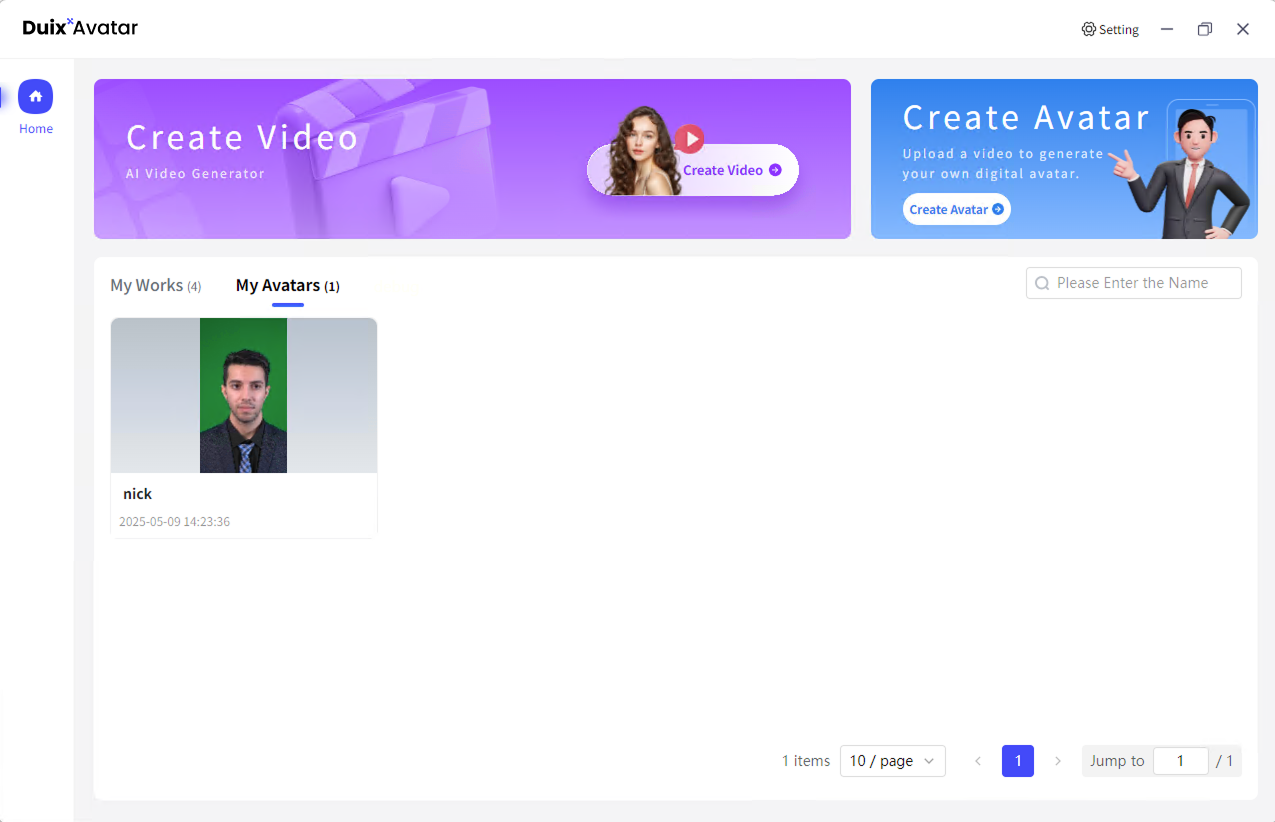
Duix.Avatar is a fully offline video synthesis tool designed for Windows systems that can precisely clone your appearance and voice, digitalizing your image. You can create videos by driving virtual avatars through text and voice. No internet connection is required, protecting your privacy while enjoying convenient and efficient digital experiences.
Duix.Avatar supports Docker-based rapid deployment. Prior to deployment, ensure your hardware and software environments meet the specified requirements.
Duix.Avatar support two deployment modes:Windows / Ubuntu 22.04 Installation
1. Nodejs 18 2. Docker Images
System Requirements:
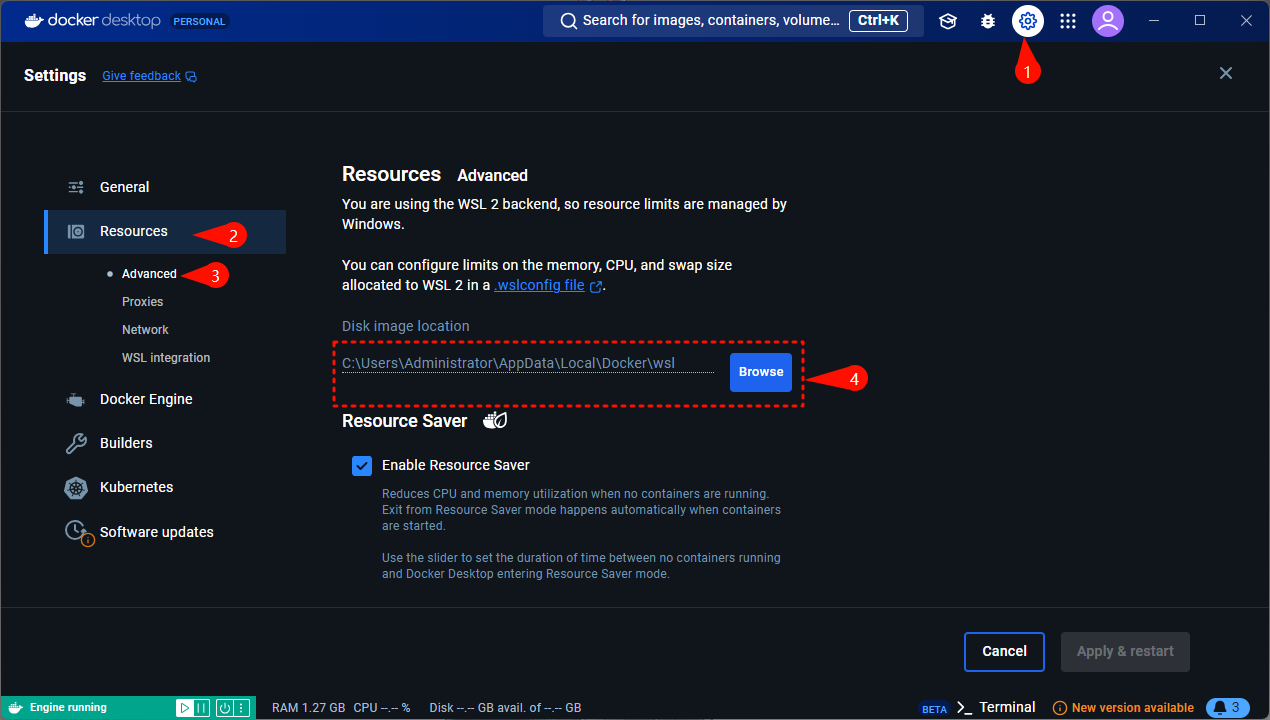
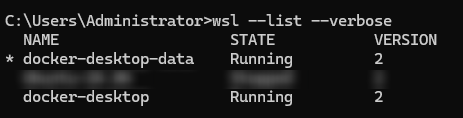
1. Use the command wsl --list --verbose to check if WSL is installed. If it shows as below, it's already installed and no further installation is needed.
2. Update WSL using wsl --update.

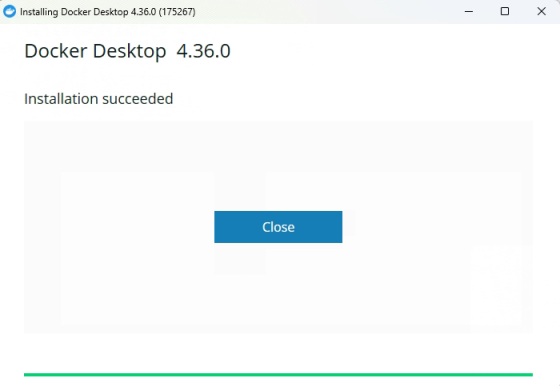
3. Download Docker for Windows, choose the appropriate installation package based on your CPU architecture. 4. When you see this interface, installation is successful.
5. Run Docker
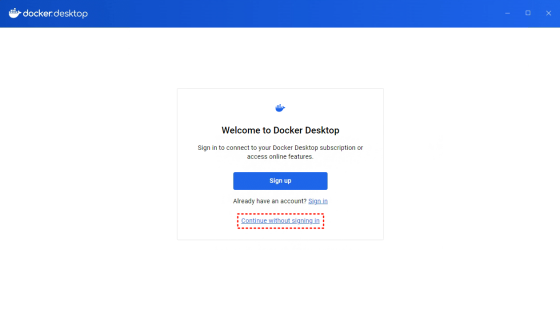
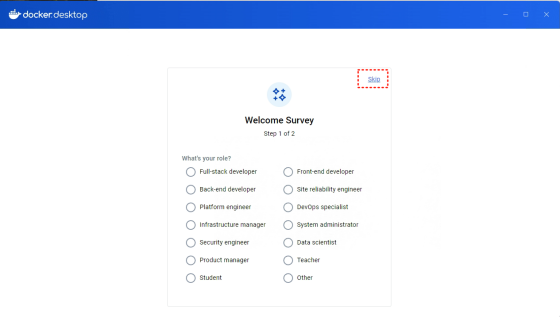
6. Accept the agreement and skip login on first run

Installation using Docker, docker-compose as follows:
1. The docker-compose.yml file is in the /deploy directory.
2. Execute docker-compose up -d in the /deploy directory, if you want to use the lite version, execute docker-compose -f docker-compose-lite.yml up -d
3. Wait patiently (about half an hour, speed depends on network), download will consume about 70GB of traffic, make sure to use WiFi
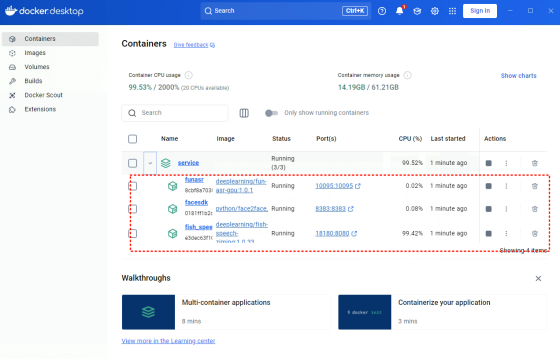
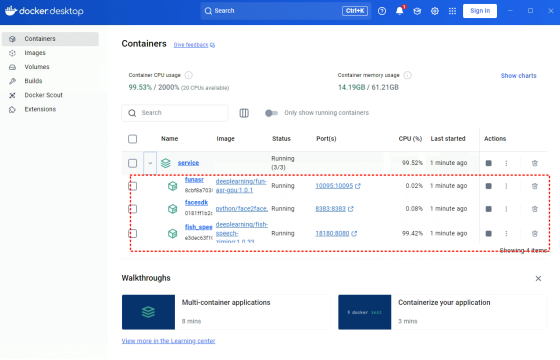
4. When you see three services in Docker, it indicates success (the lite version has only one service Duix.Avatar-gen-video)
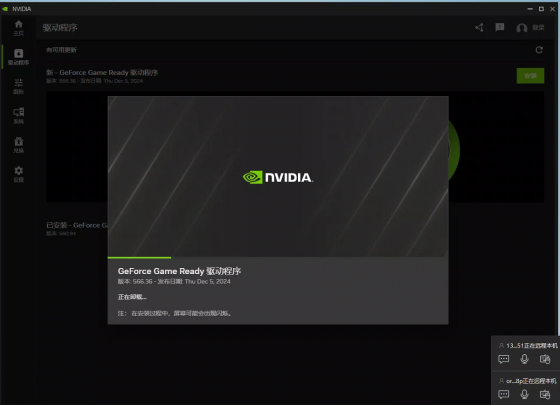
For 50 series graphics cards (tested and also works for 30/40 series with CUDA 12.8) Uses the official preview version of PyTorch
1. Directly download the officially built installation package
2. Double-click Duix.Avatar-x.x.x-setup.exe to install
System Requirements:
We have conducted a complete test on Ubuntu 22.04. However, theoretically, it supports desktop Linux distributions.
Hardware Requirements:
First, use docker --version to check if Docker is installed. If it is installed, skip the following steps.
sudo apt update
sudo apt install docker.io
sudo apt install docker-compose
Install the graphics card driver:
1. Install the graphics card driver by referring to the official documentation(https://www.nvidia.cn/drivers/lookup/).
After installation, execute the nvidia-smi command. If the graphics card information is displayed, the installation is successful.
2. Install the NVIDIA Container Toolkit
The NVIDIA Container Toolkit is a necessary tool for Docker to use NVIDIA GPUs. The installation steps are as follows:
distribution=$(. /etc/os-release;echo $ID$VERSION_ID) \
  && curl -s -L https://nvidia.github.io/libnvidia-container/gpgkey | sudo apt-key add - \
  && curl -s -L https://nvidia.github.io/libnvidia-container/$distribution/libnvidia-container.list | sudo tee /etc/apt/sources.list.d/nvidia-container-toolkit.list
sudo apt-get update
sudo apt-get install -y nvidia-container-toolkit
sudo nvidia-ctk runtime configure --runtime=docker
sudo systemctl restart docker
cd /deploy
docker-compose -f docker-compose-linux.yml up -d
1. Directly download the Linux version of the officially built installation package.
2. Double click Duix.Avatar-x.x.x.AppImage to launch it. No installation is required.
Reminder: In the Ubuntu system, if you enter the desktop as the root user, directly double - clicking Duix.Avatar - x.x.x.AppImage may not work. You need to execute ./Duix.Avatar - x.x.x.AppImage --no - sandbox in the command - line terminal. Adding the --no - sandbox parameter will do the trick.
We have opened APIs for model training and video synthesis. After Docker starts, several ports will be exposed locally, accessible through http://127.0.0.1.
For specific code, refer to:
1. Separate video into silent video + audio 2. Place audio in
D:\duix_avatar_data\voice\data is agreed with the guiji2025/fish-speech-ziming service, can be modified in docker-compose
3. Call the
Parameter example:Response example:Record the response results as they will be needed for subsequent audio synthesis
Interface: http://127.0.0.1:18180/v1/invoke
// Request parameters
{
  "speaker": "{uuid}", // A unique UUID
  "text": "xxxxxxxxxx", // Text content to synthesize
  "format": "wav", // Fixed parameter
  "topP": 0.7, // Fixed parameter
  "max_new_tokens": 1024, // Fixed parameter
  "chunk_length": 100, // Fixed parameter
  "repetition_penalty": 1.2, // Fixed parameter
  "temperature": 0.7, // Fixed parameter
  "need_asr": false, // Fixed parameter
  "streaming": false, // Fixed parameter
  "is_fixed_seed": 0, // Fixed parameter
  "is_norm": 0, // Fixed parameter
  "reference_audio": "{voice.asr_format_audio_url}", // Return value from previous "Model Training" step
  "reference_text": "{voice.reference_audio_text}" // Return value from previous "Model Training" step
}
http://127.0.0.1:8383/easy/submit // Request parameters
{
"audio_url": "{audioPath}", // Audio path
"video_url": "{videoPath}", // Video path
"code": "{uuid}", // Unique key
"chaofen": 0, // Fixed value
"watermark_switch": 0, // Fixed value
"pn": 1 // Fixed value
}
http://127.0.0.1:8383/easy/query?code=${taskCode}taskCode is the code from the synthesis interface input above
we are now announcing two parallel service solutions:
| Project | Duix.Avatar Open Source Local Deployment | Digital Human/Clone Voice API Service | | ------------------------ | ------------------------------------------------------------ | ------------------------------------------------------------ | | Usage | Open Source Local Deployment | Rapid Clone API Service | | Recommended | Technical Users | Business Users | | Technical Threshold | Developers with deep learning framework experience/pursuing deep customization/wishing to participate in community co-construction | Quick business integration/focus on upper-level application development/need enterprise-level SLA assurance for commercial scenarios | | Hardware Requirements | Need to purchase GPU server | No need to purchase GPU server | | Customization | Can modify and extend the code according to your needs, fully controlling the software's functions and behavior | Cannot directly modify the source code, can only extend functions through API-provided interfaces, less flexible than open source projects | | Technical Support | Community Support | Dynamic expansion support + professional technical response team | | Maintenance Cost | High maintenance cost | Simple maintenance | | Lip Sync Effect | Usable effect | Stunning and higher definition effect | | Commercial Authorization | Supports global free commercial use (enterprises with more than 100,000 users or annual revenue exceeding 10 million USD need to sign a commercial license agreement) | Commercial use allowed | | Iteration Speed | Slow updates, bug fixes depend on the community | Latest models/algorithms are prioritized, fast problem resolution |
We always adhere to the open source spirit, and the launch of the API service aims to provide a more complete solution matrix for developers with different needs. No matter which method you choose, you can always obtain technical support documents through https://duix.com
We look forward to working with you to promote the inclusive development of digital human technology!
You can chat with Duix.Avatar Digital Human on the official website: https://duix.com/
We also provide APl at DUIX Platform: https://docs.duix.com/api-reference/api/Introduction
1. Tested and verified on 5090 GPU 2. For installation instructions, see Server Deployment Solution for NVIDIA 50 Series Graphics Cards
Ubuntu Version Officially Released
1. Adaptation and verification work for Ubuntu 22.04 Desktop version (kernel 6.8.0-52-generic) has been completed. Compatibility testing for other Linux versions has not yet been conducted. 2. Added internationalization (English) for the client program interface. 3. Fixed some known issues
1. Check if all three services are in Running status
2. Confirm that your machine has an NVIDIA graphics card and drivers are correctly installed.
All computing power for this project is local. The three services won't start without an NVIDIA graphics card or proper drivers.
3. Ensure both server and client are updated to the latest version. The project is newly open-sourced, the community is very active, and updates are frequent. Your issue might have been resolved in a new version.
/deploy directory and re-execute docker-compose up -dpull code and re-build1. Problem Description
Describe the reproduction steps in detail, with screenshots if possible.
2. Provide Error Logs
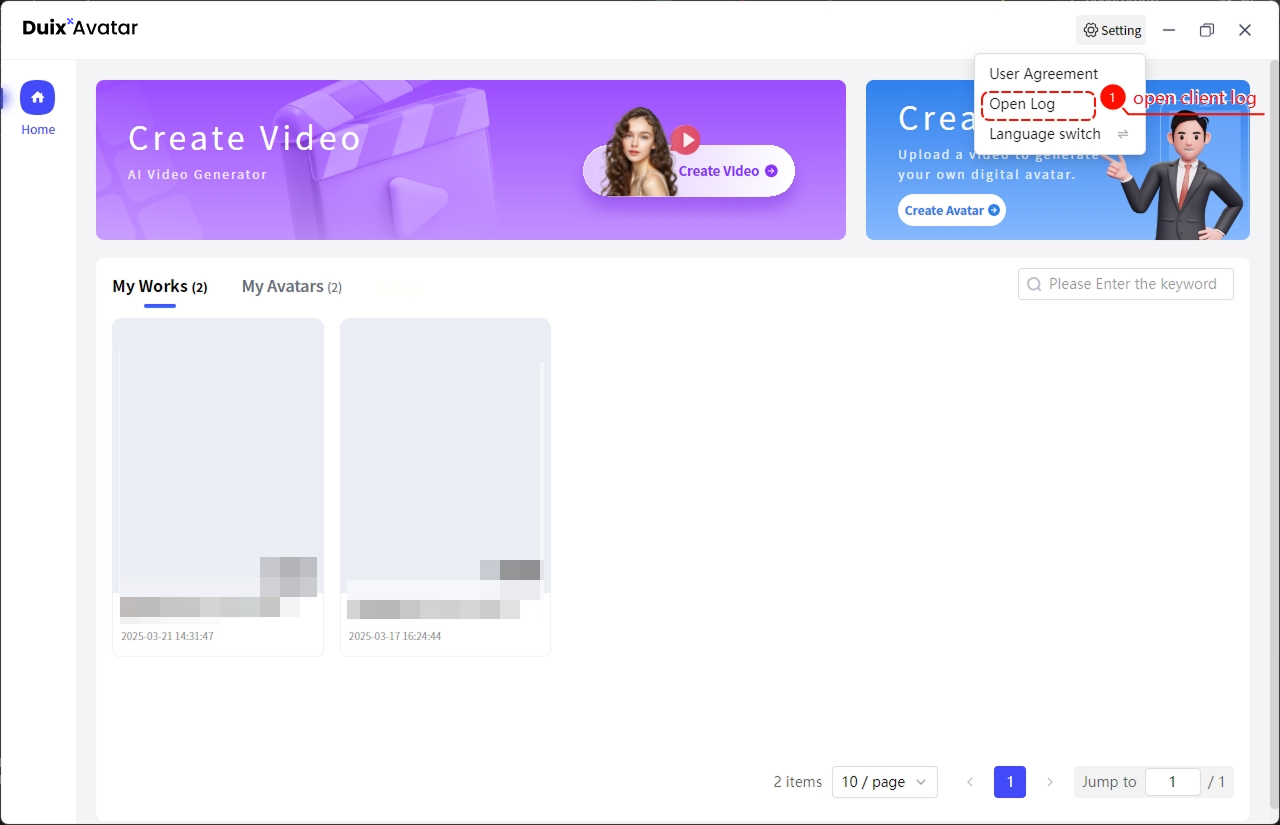
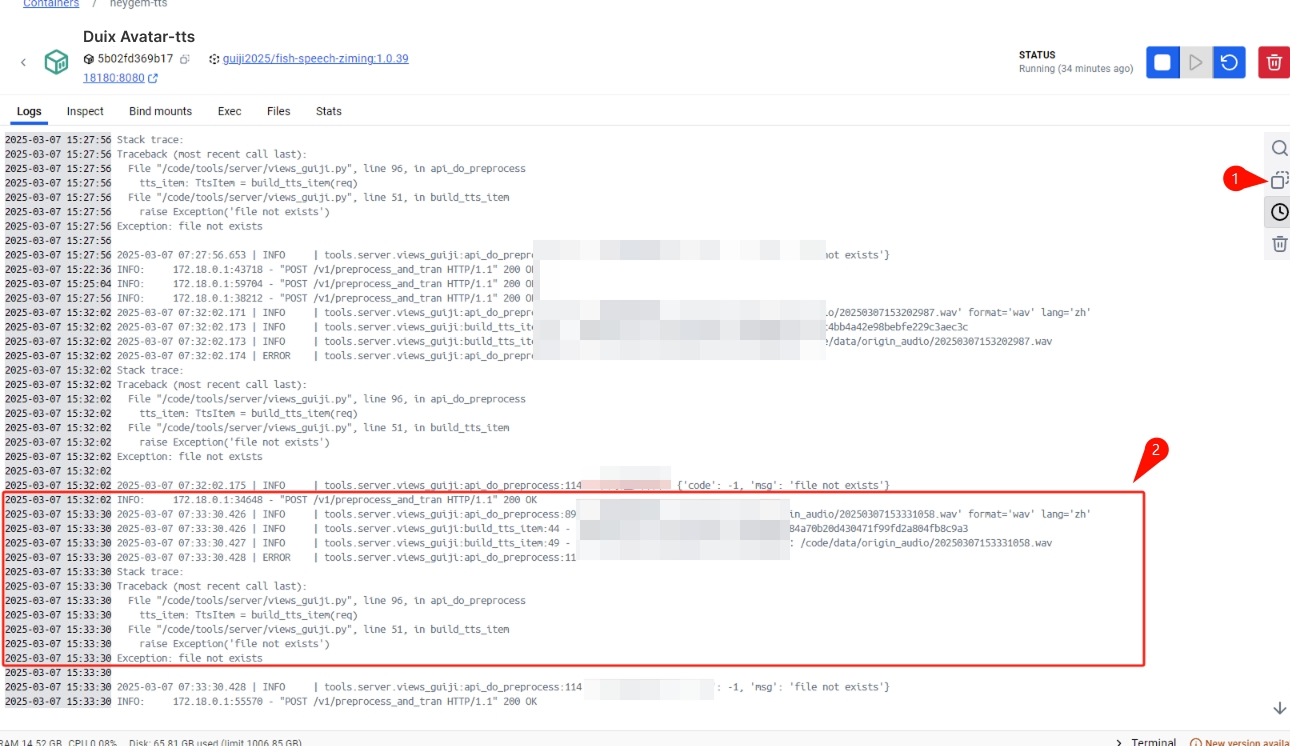
Duix.Avatar's digital human realizes digital human cloning and non-real-time video synthesis.
If you want a digital human to support interaction, you can visit duix.com to experience the free test.
If you have any questions, please raise an issue or contact us at [email protected]
https://github.com/duixcom/Duix.Avatar/blob/main/LICENSE
→ →
→ →
→ →
→ →
→ →
→