1
 →
→
BookOrbit: Your Reading Space
A self-hosted library and reading platform for ebooks, PDFs, audiobooks, and comics.
Copyright (C) 2025-2026 neon and BookOrbit contributors.





---
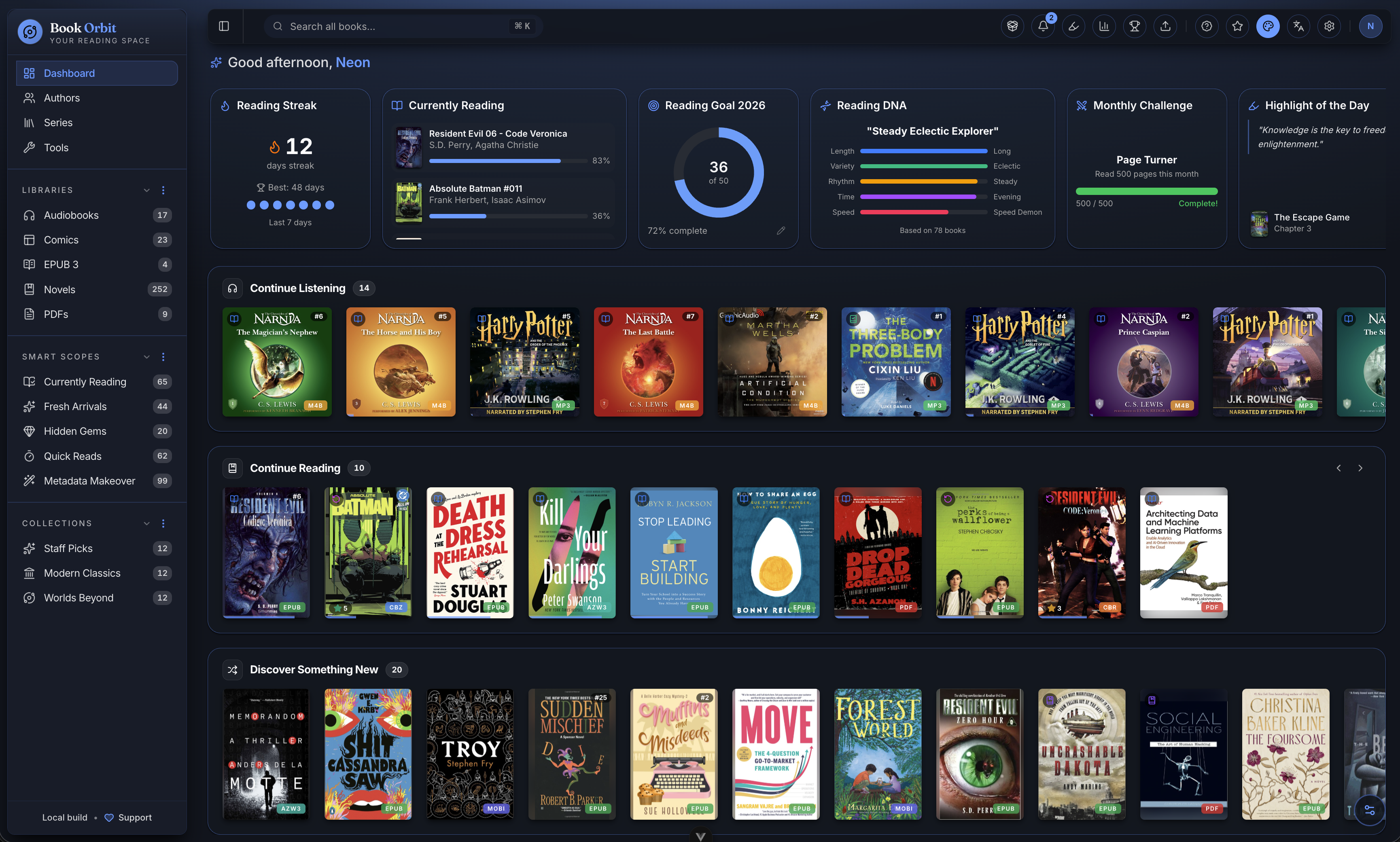
BookOrbit organizes your books and reads them back to you anywhere: the web reader, a Kobo, or KOReader. Progress, highlights, and reading status move between all three, so you can start a chapter in one place and finish it in another.
Around that core sit 14 metadata providers, reading statistics and achievements, OPDS and Send-to-Kindle delivery, multi-user accounts with OIDC/SSO, and automatic sync out to Hardcover, Readwise, and StoryGraph. All of it runs on infrastructure you control.

Try the live instance before you install. No account required.

Note: The demo includes a sample library of public domain books. Some administrative features are limited in the public demo. Self-hosting BookOrbit provides the full experience.
mkdir bookorbit && cd bookorbit
mkdir -p books data/app data/postgres
curl -fsSLo .env https://raw.githubusercontent.com/bookorbit/bookorbit/main/.env.example
curl -fsSLo docker-compose.yml https://raw.githubusercontent.com/bookorbit/bookorbit/main/docker-compose.yml
Edit .env and set these required values:
APP_URL=http://your-server-ip:3000   # the URL you'll open in your browser
BOOKS_HOST_PATH=./books              # folder on your server where your book files live
POSTGRES_PASSWORD=         # database password           - openssl rand -hex 24
JWT_SECRET=                # signs login tokens          - openssl rand -hex 32
SETUP_BOOTSTRAP_TOKEN=     # one-time setup wizard token - openssl rand -hex 16
Sensitive values can instead be supplied through mounted files by setting the corresponding _FILE variable, such as JWT_SECRET_FILE=/run/secrets/bookorbit_jwt_secret. Leave the direct variable blank, mount the file into every service that uses it, and restart. Keep the blank assignment rather than deleting the line: the bundled docker-compose.yml marks POSTGRES_PASSWORD, JWT_SECRET, and SETUP_BOOTSTRAP_TOKEN as required, so removing them entirely fails before the container starts. BookOrbit rejects configurations where both forms are non-empty, and rejects a file that is missing, unreadable, or empty. This convention is supported for database credentials, application encryption keys, GITHUB_RELEASES_TOKEN, JWT_SECRET, and SETUP_BOOTSTRAP_TOKEN.
For example, a Compose override can mount one database password file into both containers:
services:
  app:
    secrets: [bookorbit_postgres_password]
  postgres:
    environment:
      POSTGRES_PASSWORD_FILE: ${POSTGRES_PASSWORD_FILE?required}
    secrets: [bookorbit_postgres_password]
secrets:
  bookorbit_postgres_password:
    file: ./secrets/postgres_password
Set POSTGRES_PASSWORD= and POSTGRES_PASSWORD_FILE=/run/secrets/bookorbit_postgres_password in .env. The override passes the file path to PostgreSQL while the app receives it from the existing .env import. Other container platforms may mount secret files directly without a Compose override.
On a NAS, or any host where your book folder is owned by a user other than UID 1000, also set PUID and PGID to match that owner. Run id -u and id -g as the owning user to find them. Getting these wrong is the most common cause of permission errors on first scan.
Optionally set LIBRARY_BROWSE_ROOT=/books to start the library folder picker at /books instead of /.
Then start:
docker compose up -d
Open http://your-server-ip:3000 and complete setup using your SETUP_BOOTSTRAP_TOKEN.
After configuring OIDC and linking at least one active administrator, you can set DISABLE_LOCAL_AUTH=true and restart BookOrbit to remove and reject password sign-in. BookOrbit refuses to start if that would leave no usable OIDC administrator. Set it back to false and restart to recover access during an identity-provider outage.
An OIDC provider signed by a private certificate authority requires its PEM CA bundle to be mounted read-only in the BookOrbit container. Set NODE_EXTRA_CA_CERTS to that in-container path and restart BookOrbit. This adds the private authority to Node's normal certificate verification; it does not disable TLS security. Private-network issuers also require OIDC_ALLOW_LOCAL_ISSUERS=true.
For the full installation guide including reverse proxy setup, file permissions on NAS, external databases, and environment variable reference, see bookorbit.app/installation.
The BookOrbit plugin for KOReader adds progress sync, two-way annotation sync, and a native catalog browser: navigate, search, and download books from your library without leaving the device.

1. In BookOrbit, go to Settings > KOReader, create credentials if prompted, and click Download Plugin.
2. Unzip bookorbit.koplugin.zip.
3. Copy bookorbit.koplugin to koreader/plugins/ on the device.
4. Restart KOReader and open a book.
5. Use Tools > BookOrbit Sync to connect.
The download is pre-configured with your server URL and credentials, so there is no manual entry on the device. For full setup and sync options, see bookorbit.app/koreader-plugin.
Full documentation is at bookorbit.app, covering libraries, metadata, readers, Kobo sync, OPDS, users and permissions, OIDC setup, and more.
For setting up book requests, see the book requests guide: indexers, download clients, path mappings, automation, and the encryption key they all need. For local development, see docs/DEVELOPMENT.md. To contribute, see docs/CONTRIBUTING.md for the full workflow: branch naming, test expectations, PR checklist, and commit format.
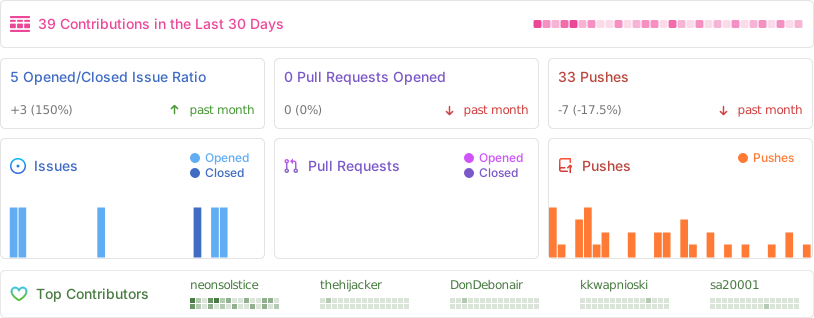
Help translate BookOrbit into your language on Crowdin.
When adding user-facing text in code, add the Vue I18n key only to client/src/locales/en.json. Do not edit non-English catalogs in a feature pull request; untranslated keys fall back to English until Crowdin provides a translation. See docs/LOCALIZATION.md for the complete workflow.


BookOrbit is licensed under the GNU Affero General Public License v3.0 only.
BookOrbit material whose copyright holders have authorized them is also subject to the BookOrbit Additional Terms under sections 7(b), 7(c), 7(d), and 7(e) of the GNU AGPL v3. See the Attribution and Legal Notice for the required attribution.
→ →
→ →
→ →
→ →
→ →
→